Overview
ProductRatingMost Used ByProduct SummaryStarting Price
Navisworks
Score 9.3 out of 10
N/A
Autodesk's Navisworks is a 3D model and construction project review and coordination software allowing the user to combine design and construction data into a single model, and identify and resolve clash and interference problems before construction.
$135
per month
Procore
Score 8.7 out of 10
N/A
Procore is a project management software designed specifically for the construction industry. Procore is cloud-based and allows unlimited users per instance, so that construction team members and stakeholders can all access project information and documents.N/A
ProContractor
Score 3.5 out of 10
N/A
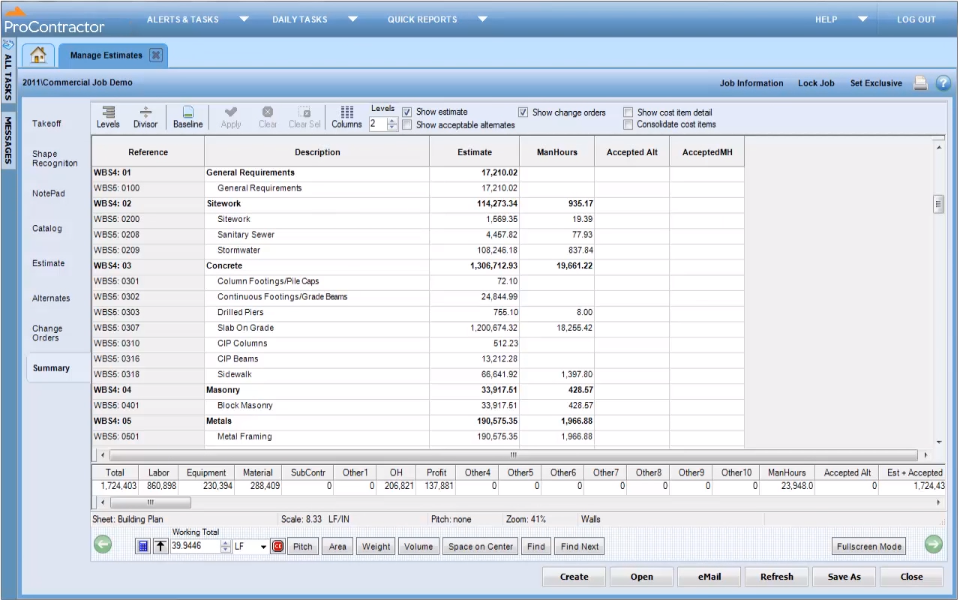
ProContractor is a Cloud-Based Solution for Estimating, Project Management, and Accounting. Designed to improve visibility and profitability across construction businesses, ProContractor™ by Viewpoint is a cloud-based software solution for estimating, project management, and accounting. The user can manage the entire project lifecycle from bid to cash in a single solution. Built to be flexible and scalable, ProContractor allows users to go all-in-one, or build a complete solution…N/A
Pricing
NavisworksProcoreViewpoint ProContractor
Editions & Modules
Navisworks Simulate - Monthly
$135
per month per user
Navisworks Manage - Monthly
$335
per month per user
Navisworks Simulate - Yearly
$1,080
per year per user
Navisworks Manage - Yearly
$2,670
per year per user
Navisworks Simulate - 3 Year
$3,240
3 years per user
Navisworks Manage - 3 Year
$8,010
3 year per user
Custom Bundle
Custom Quote
annually
No answers on this topic
Offerings
Pricing Offerings
NavisworksProcoreProContractor
Free Trial
YesNoNo
Free/Freemium Version
NoNoNo
Premium Consulting/Integration Services
NoNoNo
Entry-level Setup FeeNo setup feeNo setup feeNo setup fee
Additional DetailsProcore charges an upfront annual fee by product and based upon Annual Construction Volume (ACV) - the aggregate dollar value of the construction work across the customer's projects. Procore contracts include access for unlimited users, customer support, unlimited data storage, and product enhancements, at no additional cost. Multi-year pools: Contract volume is set for the entire multi-year term and can be consumed at any time during that period to help smooth out variability in consumption. Volume opt-in: Up-front contractual pricing is put in place for additional volume that might need to be added mid-term, to increase predictability of costs. Renewal rate protection: Up-front setting of rates is locked now, so businesses can budget accordingly for future renewals and improve cost predictability in future years.
More Pricing Information
Community Pulse
NavisworksProcoreViewpoint ProContractor
Considered Multiple Products
Navisworks
Chose Navisworks
Navisworks does not have a mobile app or internal issue tracking but it integrates well with other apps. It's easier to navigate and run clash detection. The desktop program is more robust and offers more functionality.
Chose Navisworks
Navisworks is the go-to system for 3D BIM/MEP coordination. I don't know of many other options that are standardized/uniformly recognized as the base system in 3D coordination.
Chose Navisworks
I have not used a lot of other software to compare Navisworks to but Revit is probably the closest to what Navisworks does. Revit is a lot more focused on the model creation and Navisworks is a bit more well equipped for reviewing and analyzing an already created model. Some of …
Chose Navisworks
It can integrate many different types of file formats of all types of design including architectural, structural, interior, MEP. It has good ability to make walk through videos and make it inclusion with the timeline. Clash detection is the main feature which sets it apart from …
Procore
Chose Procore
All the processes are streamlined and it is sort of an all in one construction project management platform.
Chose Procore
It's been over 10 years since we switched over to Procore, but I do remember that at the time Procore made it easier to link between different modules.
Chose Procore
Bulk edition able
Customized reports are better that Procore's
The tools flexibility
Chose Procore
Overall the best single-platform solution right now, but it comes at a high price. Main reason for selecting back in 2016 was integration with accounting/ERP. While Procore has done well improving the product overall, some specific pain points persist and really frustrate …
Chose Procore
To be fair, I only have contact with the other products through some client's platforms, so I can't compare them fairly.
Chose Procore
Viewpoint was difficult to use and learn. Procore I picked up within a 2 hour sit down with one of the other project managers. Easy to work through issues and figure out how to do new things. Help section is much more helpful than any other program I have used.
Chose Procore
Procore was our first dive into field-to-office software. We have not tested or demoed any of the products listed above but these have been the other "big players" that we have heard of other companies in our are using.
Chose Procore
There were very limited in comparison to what Procore encompasses.
Chose Procore
Works pretty well from a Project Management solution but cannot integrate well with an accounting solution since it relies on third-party software and ERP for the task. This leads to a clunky experience when you need to add different software on top of this platform to …
Chose Procore
Since we only used part of the functions of Procore, I'm not qualified to answer this question. I believe it would have been good. I currently use QuickBooks. The upside to Procore is that it connects the project side with the accounting side. We only used the project side.
Chose Procore
Procore was more user-friendly and easier to navigate, but we have found some flaws in the system since our use. Most importantly, we need the financials to talk and Procore doesn't have a great solution for that.
Chose Procore
Procore stacks up due to the fact that is designed as a top-down tool, meaning it chases the reasons behind selecting, i.e. a door in a project, how the designers and client approved on a door. Other programs reviewed are Northern European programs focused on field staff and …
Chose Procore
We found Procore to more 'user friendly' and individuals were able to work their way through the user interface easier without training - although training for all enhanced their abilities as part of our rollout implementation. Further, we found the other systems we had used …
Chose Procore
Procore is our first project management software, and we strongly feel we have made the correct choice. We did review other products (ViewPoint being the primary contender), but felt that for our needs Procore did the job without having to completely change the functionality of …
Chose Procore
Procore is a more well rounded and seamless software. It also continues to with integrate other third party software solutions making it more of a one stop shop than others.
Chose Procore
NOT EVEN CLOSE!
Most "Construction" software is dressed up accounting software and doesn't provide the tools, forms and integration that Procore does.
Plain & Simple.
Chose Procore
Procore is the best overall program I've ever used for construction. There is plenty of room to grow, but it can't be beat at this present time.
ProContractor
Chose Viewpoint ProContractor
Procore beats Viewpoint hands down but can integrate well with Viewpoint Vista accounting software. I think that if the Viewpoint software was more flexible if they were more interested in patches, updates, and hearing customer feedback in the way the Procore does, that they …
Features
NavisworksProcoreViewpoint ProContractor
Human Resource Management
Comparison of Human Resource Management features of Product A and Product B
Navisworks
-
Ratings
Procore
7.9
60 Ratings
11% above category average
Viewpoint ProContractor
9.1
5 Ratings
25% above category average
Compliance data (COBRA, OSHA, etc.)00 Ratings7.960 Ratings9.12 Ratings
Employee demographic data00 Ratings00 Ratings10.04 Ratings
Employment history00 Ratings00 Ratings10.04 Ratings
Job profiles and administration00 Ratings00 Ratings10.04 Ratings
Workflow for transfers, promotions, pay raises, etc.00 Ratings00 Ratings7.83 Ratings
Organizational charting00 Ratings00 Ratings9.12 Ratings
Organization and location management00 Ratings00 Ratings7.84 Ratings
Payroll Management
Comparison of Payroll Management features of Product A and Product B
Navisworks
-
Ratings
Procore
7.6
54 Ratings
10% above category average
Viewpoint ProContractor
8.7
5 Ratings
24% above category average
Support for external payroll vendors00 Ratings7.654 Ratings6.03 Ratings
Pay calculation00 Ratings00 Ratings9.05 Ratings
Off-cycle/On-Demand payment00 Ratings00 Ratings7.83 Ratings
Benefit plan administration00 Ratings00 Ratings8.04 Ratings
Direct deposit files00 Ratings00 Ratings10.05 Ratings
Salary revision and increment management00 Ratings00 Ratings10.04 Ratings
Reimbursement management00 Ratings00 Ratings10.05 Ratings
Reporting & Analytics
Comparison of Reporting & Analytics features of Product A and Product B
Navisworks
-
Ratings
Procore
7.8
197 Ratings
2% above category average
Viewpoint ProContractor
6.8
5 Ratings
12% below category average
Dashboards00 Ratings7.7182 Ratings9.14 Ratings
Standard reports00 Ratings8.0189 Ratings7.04 Ratings
Custom reports00 Ratings7.6184 Ratings5.04 Ratings
Data exportability00 Ratings8.1177 Ratings6.15 Ratings
Construction Project & Field Management
Comparison of Construction Project & Field Management features of Product A and Product B
Navisworks
-
Ratings
Procore
8.4
762 Ratings
12% above category average
Viewpoint ProContractor
7.2
6 Ratings
3% below category average
Plan distribution & viewing00 Ratings8.8732 Ratings6.53 Ratings
Plan markups & sharing00 Ratings7.7705 Ratings6.53 Ratings
Issue tracking & punchlists00 Ratings8.8684 Ratings7.85 Ratings
Photo documentation00 Ratings8.6734 Ratings7.85 Ratings
Jobsite reports00 Ratings8.3696 Ratings5.05 Ratings
Document sharing00 Ratings8.8752 Ratings2.16 Ratings
RFI tools00 Ratings8.8713 Ratings7.84 Ratings
Collaboration & approvals00 Ratings8.4691 Ratings7.44 Ratings
As-built drawings00 Ratings8.3119 Ratings9.12 Ratings
Mobile app00 Ratings8.0704 Ratings7.84 Ratings
Submittal design and management00 Ratings8.6214 Ratings9.13 Ratings
Meeting Minutes00 Ratings7.5202 Ratings7.82 Ratings
Specifications00 Ratings8.8211 Ratings9.12 Ratings
Change orders00 Ratings8.2175 Ratings7.05 Ratings
Checklists00 Ratings00 Ratings7.82 Ratings
Estimating
Comparison of Estimating features of Product A and Product B
Navisworks
-
Ratings
Procore
8.5
114 Ratings
12% above category average
Viewpoint ProContractor
7.3
6 Ratings
4% below category average
Takeoff tools00 Ratings10.04 Ratings7.23 Ratings
Job costing00 Ratings7.5100 Ratings6.16 Ratings
Cost databases00 Ratings8.14 Ratings7.05 Ratings
Cost calculator00 Ratings9.04 Ratings7.04 Ratings
Bid creation00 Ratings7.6107 Ratings9.03 Ratings
Asset Management
Comparison of Asset Management features of Product A and Product B
Navisworks
-
Ratings
Procore
-
Ratings
Viewpoint ProContractor
5.0
5 Ratings
32% below category average
Tracking of all physical assets00 Ratings00 Ratings5.05 Ratings
Best Alternatives
NavisworksProcoreViewpoint ProContractor
Small Businesses
Onshape
Onshape
Score 7.6 out of 10
FollowUp CRM
FollowUp CRM
Score 1.9 out of 10
FollowUp CRM
FollowUp CRM
Score 1.9 out of 10
Medium-sized Companies
Onshape
Onshape
Score 7.6 out of 10
InEight
InEight
Score 8.3 out of 10
InEight
InEight
Score 8.3 out of 10
Enterprises
Rhino
Rhino
Score 8.4 out of 10
InEight
InEight
Score 8.3 out of 10
InEight
InEight
Score 8.3 out of 10
All AlternativesView all alternativesView all alternativesView all alternatives
User Ratings
NavisworksProcoreViewpoint ProContractor
Likelihood to Recommend
10.0
(16 ratings)
8.9
(865 ratings)
5.0
(8 ratings)
Likelihood to Renew
-
(0 ratings)
8.6
(70 ratings)
-
(0 ratings)
Usability
10.0
(1 ratings)
10.0
(57 ratings)
7.7
(3 ratings)
Availability
-
(0 ratings)
9.9
(15 ratings)
-
(0 ratings)
Performance
-
(0 ratings)
9.5
(15 ratings)
-
(0 ratings)
Support Rating
7.4
(9 ratings)
9.6
(69 ratings)
5.7
(6 ratings)
In-Person Training
-
(0 ratings)
8.1
(5 ratings)
-
(0 ratings)
Online Training
-
(0 ratings)
9.3
(13 ratings)
-
(0 ratings)
Implementation Rating
-
(0 ratings)
10.0
(114 ratings)
-
(0 ratings)
Configurability
-
(0 ratings)
9.3
(15 ratings)
-
(0 ratings)
Ease of integration
-
(0 ratings)
9.1
(310 ratings)
-
(0 ratings)
Product Scalability
-
(0 ratings)
9.8
(15 ratings)
-
(0 ratings)
Vendor post-sale
-
(0 ratings)
9.9
(13 ratings)
-
(0 ratings)
Vendor pre-sale
-
(0 ratings)
9.8
(14 ratings)
-
(0 ratings)
User Testimonials
NavisworksProcoreViewpoint ProContractor
Likelihood to Recommend
Autodesk
Navisworks is a key tool if doing any 3D model coordination with other trades. It will allow you to view your model content with others to know for certain that your design is accurate and can be assembled. Navisworks also comes with a lot of additional tools to make this process easy.
Read full review
Procore Technologies
It works great for project management and putting all job-specific documents in one place. We are able to share drawings, submittals, and forms with our customers and subcontractors in a safe and reliable platform. However, getting reporting data is somewhat lacking, so if your business needs advanced options, you might try and find a better product.
Read full review
Viewpoint, a Trimble company
It is appropriate for the size and scale of my company - 150 projects a year that has a lot going on a multiple lines with each project. However there are many features and things that go unused with the software, because of how tinkery it can be. For example - our company needs a positive pay file, however we had to employ an outside service provide to create the file within the system. Same with a Backlog - the system kind of has a report but then again it has to be manipulated in order for it be of use. It gets the job done and has the reports needed to submit for certified payroll to the state, which was why we purchased Viewpoint ProContractor, however its ease of use is one of its biggest downfalls.
Read full review
Pros
Autodesk
  • Model Viewing, the navigation tools are really easy to use for walking through the model, especially if viewpoints are set up for key locations.
  • The take-offs work really well and can be very quick and easy if the model was built right.
Read full review
Procore Technologies
  • Does well Emailing me (If i am subscribed to a project) to let me know when revisions have been updated.
  • Easy to navigate
  • Great at Allowing me as a project Engineer to Upload my drawings to Procore. Not a lot of steps, and very easy to do.
Read full review
Viewpoint, a Trimble company
  • Procontractor is great with direct imports from CAD files.
  • It is great with balancing sites or specific areas on site.
  • Procontractor has multiple views and reports that help you to view the dirt movement on the site (grid, profile, 3D).
Read full review
Cons
Autodesk
  • A link to BIM 360 Model Coordination is a serious shortcoming. It used to be easy to link to models loaded to BIM 360 Glue for more in depth clash detection.
  • I would have liked the ability to export a simulation created in Navisworks to 3DS Max for a more immersive animation with decent material mapping and better animation tools.
  • I would like to be able to view/create BIM 306 Docs/Field issues directly in Navisworks. In the current workflow we have to use other file formats to work within BIM 360. It would be more productive to be able to navigate the model through Navisworks and to create viewpoints and issues from within Navisworks.
Read full review
Procore Technologies
  • Downloading drawing sets sometimes involves an extra step that holds up the process
  • The dashboard is simplistic to the point that I don't feel like I am getting enough information about a specific project from the get-go
  • Granting access to a project on Procore is not very straightforward as a consultant- restrictions sometimes cause hold-ups
Read full review
Viewpoint, a Trimble company
  • The program is siloed, so connecting to other software or databases is not going to happen.
  • When hosted, the program can run slow.
  • The program is not going to perform complex accounting tasks with subledgers.
  • The program does not do much in terms of HR other than payroll.
Read full review
Likelihood to Renew
Autodesk
No answers on this topic
Procore Technologies
We will undoubtedly renew Procore as it has proven itself to be a means to better track and improve upon our efficiency and communications between job sites and their project managers as well as all other departments. Procore has made an incredible impact on how we, as a company, do our job on all levels; it is one of our most powerful and effective resources.
Read full review
Viewpoint, a Trimble company
No answers on this topic
Usability
Autodesk
Users are very happy with it and hear no complains from them
Read full review
Procore Technologies
90% of Procore is very intuitive and any user can pick it up and go. There are a few elements, more so on the Financials side that need some prior knowledge of systems in order to understand how and why it functions as it does. Once this is understood, it flows effortlessly
Read full review
Viewpoint, a Trimble company
I give Viewpoint ProContractor a 10 out of 10. This system is user friendly to help keep me organized on a daily basis. I can find everything I need daily with this system. I am able to look up our subcontactors, vendors and clients I need to find quickly. I am able to see bills that I need to pay as well as invoices that I need to send out.
Read full review
Reliability and Availability
Autodesk
No answers on this topic
Procore Technologies
If you are working in an area with little to no signal, Procore will still allow you to get in the system and use it fully and will then update once you are at a place with a strong enough signal. Whether it be with wifi or LTE cell phone reception.
Read full review
Viewpoint, a Trimble company
No answers on this topic
Performance
Autodesk
No answers on this topic
Procore Technologies
For the most part Procore is very responsive. However there are times when it's a little slow but it's minimal.
Read full review
Viewpoint, a Trimble company
No answers on this topic
Support Rating
Autodesk
Autodesk owns Navisworks, and it seems to have a pretty good support network. A lot of the troubleshooting or support information is provided through an online database, so you most likely would not be getting any personal attention with your issues. Since there are so many users for Navisworks, there is a lot of information on the web.
Read full review
Procore Technologies
General Support for Project Management and Financials is consistent. The ERP support is never consistent and I do end up at times in a black hole. I have to continually reach out to get the issue resolved or get an update. The ERP support needs more of Procore's attention
Read full review
Viewpoint, a Trimble company
When something isn't working, you can contact support who will gladly remote into your system and try and work out a solution. Though several of the issues we encountered, they were not able to fix and had to submit for further review. While some were eventually rectified in updates, it takes time for these to be addressed and implemented.
Read full review
In-Person Training
Autodesk
No answers on this topic
Procore Technologies
Procore's Implementation Team does a great job of ensuring users are confident in using the system. They run through a process of training sessions based on the tools you have purchased, and lay ou ta plan to help the power users configure the tool to suit the company's needs. They provide useful resources for certifications, support and ongoing training as well.
Read full review
Viewpoint, a Trimble company
No answers on this topic
Online Training
Autodesk
No answers on this topic
Procore Technologies
Procore's certification program and focused how-to training videos allowed for easy training that did not feel overwhelming. The way the certification programs were broken up into small parts made it seem much less daunting to complete. The training feels focused and does not overload users with too much information all at once.
Read full review
Viewpoint, a Trimble company
No answers on this topic
Implementation Rating
Autodesk
No answers on this topic
Procore Technologies
Iron out your cost code list in your accounting software before you link with Procore. Once the link is established that list is more or less permanent. Review the permission matrix carefully. It controls so much. You want to ensure the information provided to your users adequate but you also want to protect your sensitive data. Procore Financials are organized in a total contract value style. Any markup or Profit will need to be sent somewhere on your budget. This may be significantly different than the Cost budgeting that many contractors do
Read full review
Viewpoint, a Trimble company
No answers on this topic
Alternatives Considered
Autodesk
Navisworks is a master tool if we want to do any 3D model coordination with any trade of a building. It allows us to view our model content with all elements to visualize and understand for certain where our design stands in terms of accuracy and how all things can be assembled on site. Navisworks also comes with a lot of additional tools to make BIM process easy.
Read full review
Procore Technologies
Procore has a clearer user interface and a wider variety of tools than any program I've used. Procore also lives up to their name in terms of helpful and fast customer service. There is always a Procore rep. that is available to contact, making any problems just a mini hurdle.
Read full review
Viewpoint, a Trimble company
Procore beats Viewpoint hands down but can integrate well with Viewpoint Vista accounting software. I think that if the Viewpoint software was more flexible if they were more interested in patches, updates, and hearing customer feedback in the way the Procore does, that they would actually have the opportunity to corner the market.
Read full review
Scalability
Autodesk
No answers on this topic
Procore Technologies
once in awhile Procore is down for a period of time, its frustrating when it happens but doesn't tend to last long.
Read full review
Viewpoint, a Trimble company
No answers on this topic
Return on Investment
Autodesk
  • It helps in coordination on BIM projects. We have had major project coordination saving millions on jobs.
  • Helps us win more projects as we can coordinate them
  • Used to use the animation tools for site logistics. Now we use game engines.
Read full review
Procore Technologies
  • The Procore service impacts on construction projects are effective and reliable on production acceleration.
  • The collaboration is stable and easy files access and uploading of engineering drawings and plans is excellent.
  • New project planning and project financial data management on Procore functions are excellent.
Read full review
Viewpoint, a Trimble company
  • Overall it allowed us to go electronic for certified payroll allowing us to be more accurate in reporting which was a giant win for the company
  • It's viewable pay estimates with dates and records of payment are crucial to a company like ours that relies on a general contractor and the state for payment of EADA quantites
  • Negatively training is not the easiest for the company and therefore onboarding new employees with no experience with the software is time consuming and difficult.
Read full review
ScreenShots

ProContractor Screenshots

Screenshot of