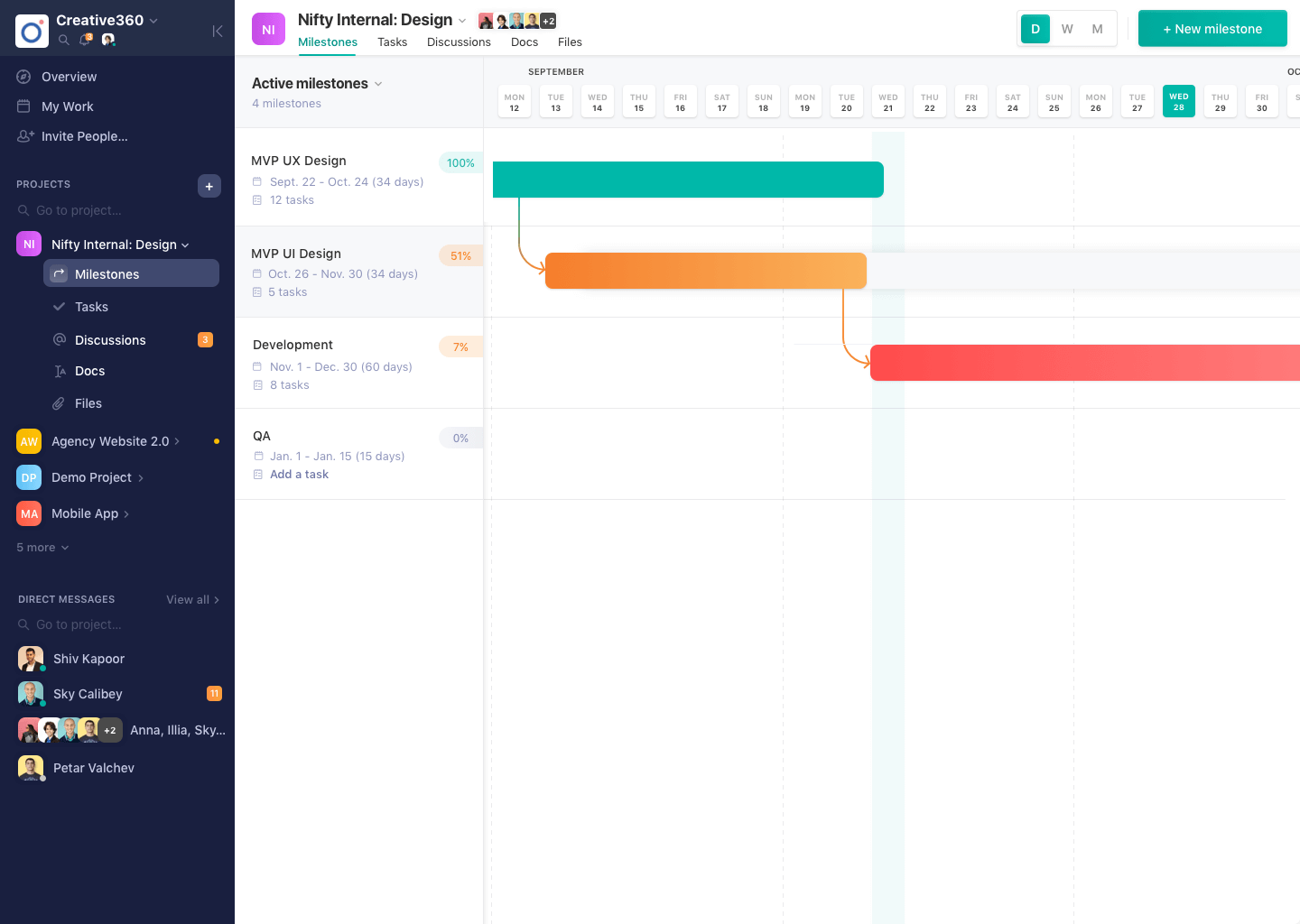
Nifty consolidates projects, work, and communications in one place. Nifty simplifies and automates the tracking of project milestones, communications with teammates and clients, collaborative document creation, and more in a centralized workspace! Nifty enables organizational oversight across projects and teammates with project & team workload overviews. With communications, project management, and workflow collaboration centralized in one place, teams can consolidate their workday as well…
N/A
Trello
Score 8.4 out of 10
N/A
Trello from Atlassian is a project management tool based on a Kanban framework. Trello is ideal for task-management in a to-do list format. It supports sharing boards and cards across users or teams. The product offers a free version, and paid versions add greater automation, collaboration, and administrative control.
$6
per month per user
Zeplin
Score 7.6 out of 10
N/A
Zeplin, from the company of the same name, is a platform supporting collaboration in application development by engineers and designers by providing an API with popular collaboration, development and prototyping tools and creating a space where productions can be shared and reviewed.
$15
per month
Pricing
Nifty
Trello
Zeplin
Editions & Modules
No answers on this topic
Standard
$6
per month per user
Premium
$12.50
per month per user
Enterprise
$17.50
per month per user
Free
Forever Free
Free
$0
up to 1 project
Advanced
$15
per month per seat (up to 50 projects)
Basic
$15
per month per project
Enterprise
Contact sales team
Offerings
Pricing Offerings
Nifty
Trello
Zeplin
Free Trial
Yes
No
Yes
Free/Freemium Version
Yes
Yes
Yes
Premium Consulting/Integration Services
Yes
No
No
Entry-level Setup Fee
$89 simple flat-rate pricing
No setup fee
No setup fee
Additional Details
—
A discount is offered for annual billing and for larger numbers of users.
There's no comparison. Nifty does what all of these do all in one place (with the exception of Slack's community aspect with hashtagging - not sure if Nifty can do this, never tried)
Nifty even has the ability to import directly from many other platforms - I've personally …
The one thing that makes this nifty stand out from its peers is its ability to support everything that one can think of while working/managing a project! It has got effective timeline management, charting capabilities, chat functionality, document storage, and the ability to …
We've tried several project management tools and most of them lacked the features we exactly needed. Jira was the last we tested and it was complicated to handle as projects grew bigger. Nifty is structured well and has major features that can handle big projects and does well …
Trello provides precise goal setting, targets, and activity tracking with minimal human intervention, while Trello provides tags and tasks to add users and communicate visual task organization. Trello also offers real-time updates, team collaboration, and project progress …
Zeplin
Verified User
Professional
Chose Zeplin
Actually, we didn't select Zeplin. After a long time of internal discussions, the majority of the team decided that we want to move to Figma. We still use Zeplin as a legacy, but we don't use it for new features. In my opinion, it's less flexible than Figma, which allows …
Out of all of the products that I have used to support design-to-development handoffs, Zeplin is my favorite. It’s pretty lightweight and easy to use (once you get the hang of it). Zeplin also has a smooth interface and is, generally, clearer to use than other tools, such as …
These other tools are really helpful products for creating and sharing wireframes / prototypes. However, Zeplin is the best tool for the actual hand off between the design and development teams once the design is actually ready to share. Zeplin fills this gap and improves the …
Zeplin is simpler. Zeplin lacks prototyping on par with InVision. Zeplin doesn't give a direct code for Android and iOS like Figma does. Zeplin doesn't have a lot of advanced features like InVision, for example, whiteboard. But Zeplin is good for at its job which is to share …
I know there are other products out there but Zeplin has been so effective that I haven't even bothered to look elsewhere. The whole experience of Zeplin has been excellent. However, once Adobe XD is more built out Zeplin will finally have a formidable competitor as it will be …
For teams or individuals with lots of individual tasks/details to track, Trello is perfect! It basically removes the need for a paper checklist. For those that need an overall project management tool that requires less tasks and more overarching goals, collaboration amongst various teams, and gantt charts I would suggest monday.com
I still have some issues, especially with color integration between the style guide and also project. When we update the colors, it's not automatically sync to every project. Aside from that, zeplin solves my problem for hand-off design from design to developer. I set zeplin is source of truth design file
Ease in automatically building design style guides, saving time that might be spent on building style guides in another tool (such as InDesign).
Users can use Mac, PC, or web versions of this app to collaborate on a single project, enabling us to work with a wider pool of contractors.
Accelerates the design-to-development workflow, as it’s very easy to import Sketch or Photoshop files through plug-ins, and HTML/CSS codes are automatically created based on designs.
Provides cross-platform specifications for web, iOS, and Android, which can save developers time in figuring out specifications beyond the “main platform" on their own.
Time Expense could be improved since we cannot edit the previous/past time logs entered.
Lacks expense management and Purchase order management functionality
Newest product updates are not always stable and I had to reach Nifty's support team a couple of times in the past to fix the issues with new updates e.g. our document management and meeting integrations had to be re-authorized
I am very likely to renew Trello, because it doesn't cost anything to do so. I am also very likely to use Trello's upgraded features in the future because a lot of my team's data is stored on there and they have already gotten used to the platform. Trello is very easy for new team members to pick up, making the onboarding and usability very streamlined.
Trello is incredibly intuitive, both on desktop and mobile right away. It is also full of helpful features that make it even easier to use, and is flexible enough to suit almost any organizational need. Onboarding for the software is thorough, but concise, and the service is frequently updated with even more QOL improvements.
Zeplin's component management and style guide help us to be consistent across whole product and it so easy to use for non-technical person. It is now easy to collaboration for designes between different teams like stackholders, product owner, UI/UX, developers and testers. Now there is only one point of reference is Zeplin so it is so easy to get details without asking designer or developer again and again.
I haven't reached out to their support very often and their support is very limited anyway for the free users. They do have tons of great articles and videos in their Help Center and constantly send emails with updates and add-ons to the product. The fact that I've barely ever had to contact their support team means that they've developed a great product.
Zeplin has classic support with a chat from the website. It's working fine, and we're also getting the support needed when needed. However, Zeplin is very good at closing the incidents and moving on. It was a while ago we had a case with their support so that it might have improved since then.
For our small business, getting a few of us started well on Trello was the key, I think. As long as a couple of us were really comfortable with the interface, we could lead others and help them with any questions. From now on, anyone who works with us just naturally uses Trello for information sharing - it's just part of what we do.
There's no comparison. Nifty does what all of these do all in one place (with the exception of Slack's community aspect with hashtagging - not sure if Nifty can do this, never tried) Nifty even has the ability to import directly from many other platforms - I've personally imported projects from Trello and Asana, saving tons of time in migration.
Trello is more simple and not as "robust" as the other tools, but it's easier to use and manage and understand and ACTUALLY get stuff done with. It's simplicity is part of the beauty of using it. You don't need a million options that nobody uses, you just need to get stuff done.
Zeplin is great to inspect and share user interfaces, specifications and assets, perfect for developers. Tools like InVision and Marvel are much better to create prototypes for both developers, coworkers and even stakeholders, but they don't have this kind of feature (inspection) as Zeplin does. So each of them can be used for different purposes, offering different approaches to share and interact with layouts for apps and websites.
Trello keeps me organized, focused, and on track. I could filter the Trello board to only see my issues and understand what I needed to work on and when.
Trello helped our team implement an agile structure. It's a very simple kanban method of viewing all of your team's tasks and statuses. You can completely customize the columns to your team's specific workflow and create tags relevant to your work.
Trello helps reduce unnecessary communications between teams. When I want to request translations, I simply create a card on the localization Trello board -- no need to directly message anyone on the team, and I can watch the status of the card change from "in progress" to "in review" to "translated," all without having to directly ask for updates.
Development time has reduced as the design updates are communicated in real time to developers and they don't have to write the boilerplate code as it's already generated.
Employee engagement has improved as every stakeholder is aware about the design changes from the beginning and can give their inputs.
Designers save a lot of time as they don't to explicitly communicate when the update or publish their designs and also it just takes a couple of clicks to publish their designs. Also, lot of rework is saved as every stakeholder is involved right from the beginning.