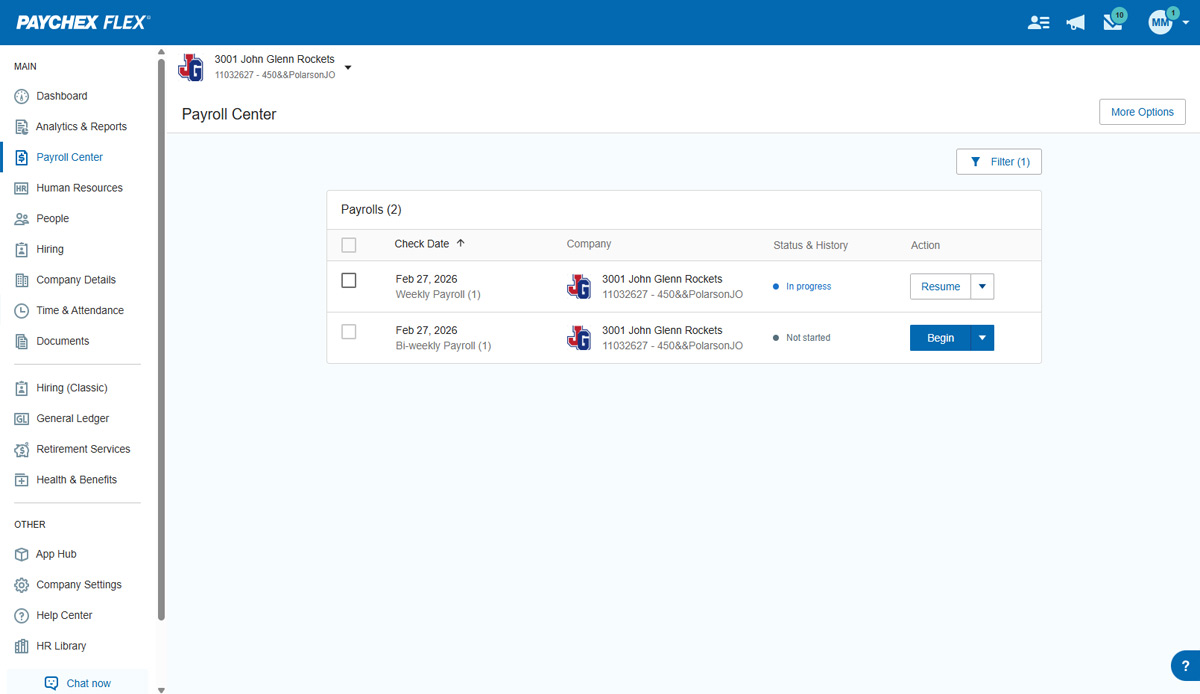
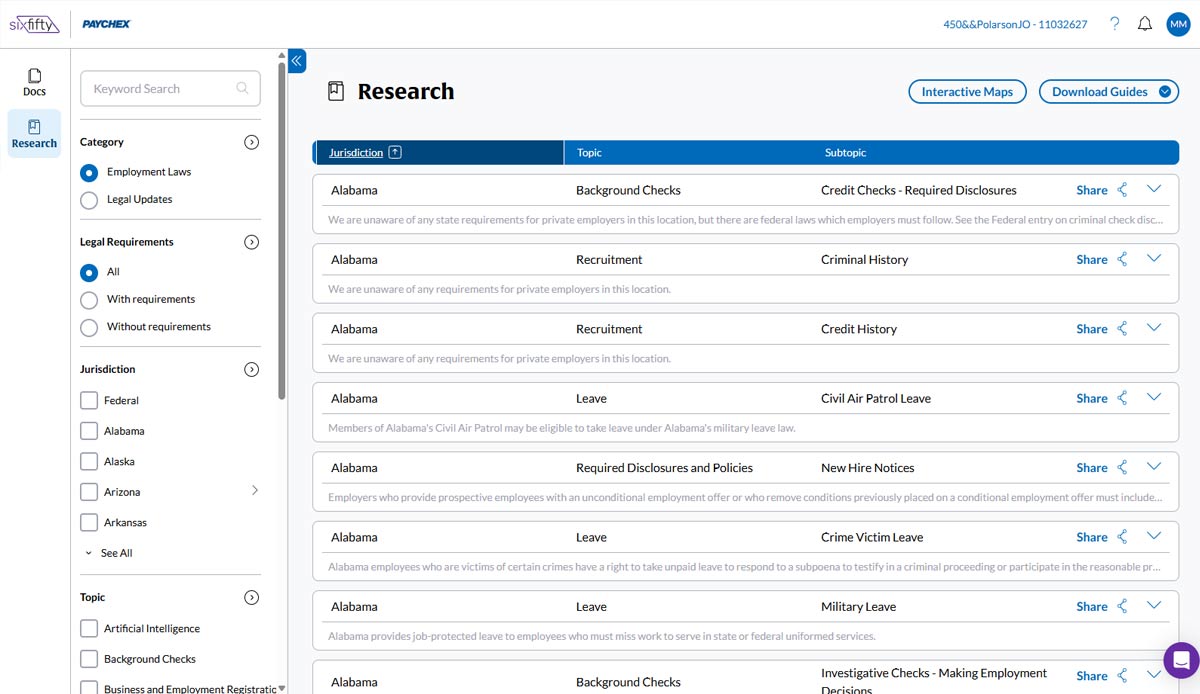
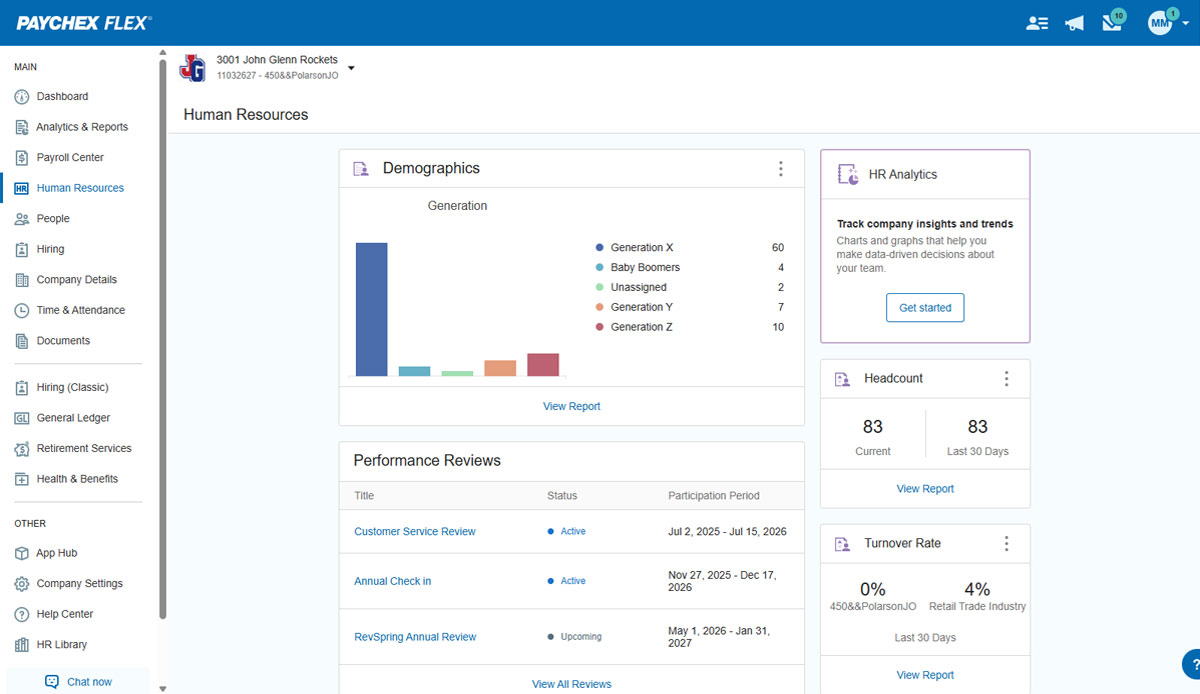
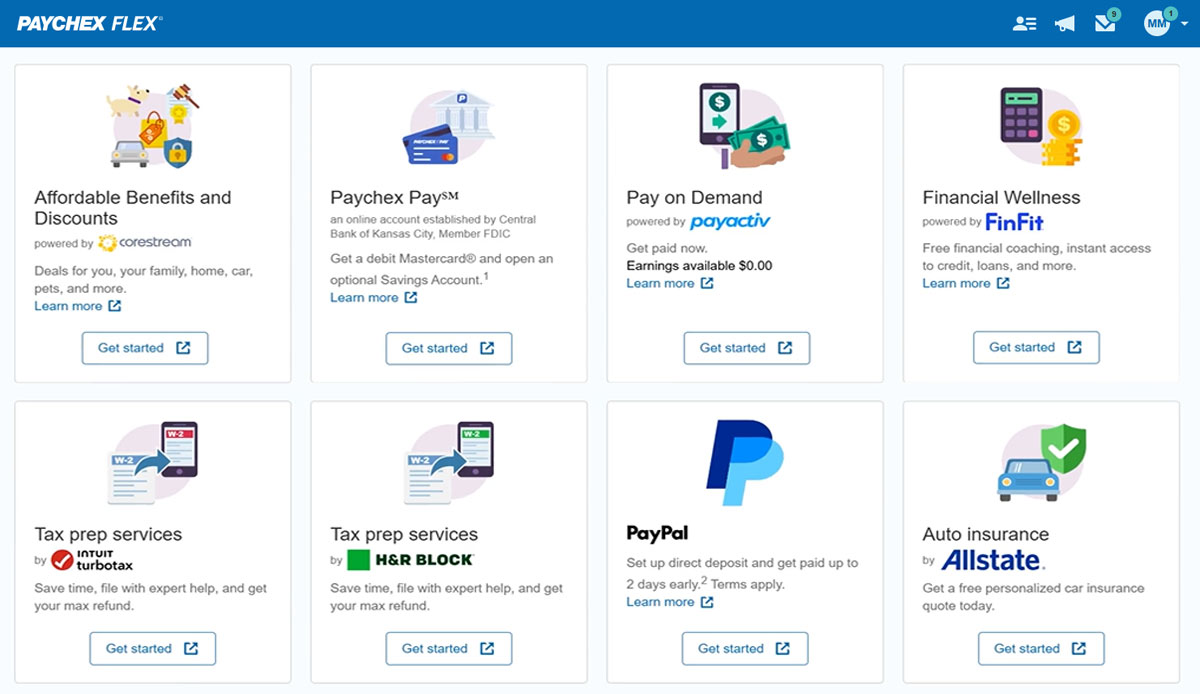
Paychex Flex, of Paychex' Online Payroll Services, is a cloud-based human resource management and payroll platform. Paychex offers core and specialized services, and scales to meet the needs of small businesses, SMBs, and large enterprises.
N/A
QuickBooks Desktop Pro
Score7.8 out of 10
N/A
Quickbooks Desktop Pro is accounting software from Intuit, Inc. It includes core accounting features, plus analytics and exportable reports. It is offered in on-premise and SaaS forms.
CEO (Chief Executive Officer) at Action Sprinkler Service, Inc (Construction, 1-10 employees)
Chose Paychex
I use QuickBooks Desktop Pro and QuickBooks Online for a few of my companies, however the times I've briefly looked into them for payroll services I couldn't picture making the transition. Additionally, when issues arise with those companies, (for other things like merchant …
A de minimis incentive was given to thank the reviewer for their time. The incentive was not used to bias or drive a particular response, nor was the incentive contingent on a positive endorsement. More Info
A de minimis incentive was given to thank the reviewer for their time. The incentive was not used to bias or drive a particular response, nor was the incentive contingent on a positive endorsement. More Info
CFO (Chief Financial Officer) in Finance and Accounting at CC Cleaning Service LLC (Construction, 51-200 employees)
Chose Paychex
We still use QB Desktop Pro to maintain a Check Register / Overall Balance for the company, but once having tried QB Payroll Online for about 3 months prior to finding Paychex Flex I can tell you that there's just no comparison. QB online is VERY EXPENSIVE and not so …
A de minimis incentive was given to thank the reviewer for their time. The incentive was not used to bias or drive a particular response, nor was the incentive contingent on a positive endorsement. More Info
Verified User
Chose Paychex
In our small business, Quickbooks was like a gorilla in the office. Far too complicated for simple payroll implementation and production on a bi-weekly basis. Paychex Flex is far superior and well-suited to our needs.
A de minimis incentive was given to thank the reviewer for their time. The incentive was not used to bias or drive a particular response, nor was the incentive contingent on a positive endorsement. More Info
CFO (Chief Financial Officer) in Finance and Accounting at Restore Addiction Recovery (Non-profit Organization Management, 11-50 employees)
Chose Paychex
Paychex far exceeds the QuickBook payroll system I used our first year. QuickBooks did not handle local taxes and I was responsible for filing those reports and returns.
A de minimis incentive was given to thank the reviewer for their time. The incentive was not used to bias or drive a particular response, nor was the incentive contingent on a positive endorsement. More Info
A de minimis incentive was given to thank the reviewer for their time. The incentive was not used to bias or drive a particular response, nor was the incentive contingent on a positive endorsement. TR verified that a representative sample of customers was invited. More Info
A de minimis incentive was given to thank the reviewer for their time. The incentive was not used to bias or drive a particular response, nor was the incentive contingent on a positive endorsement. More Info
Accounting Manager in Finance and Accounting at Kitchens by Charles Weiler (Construction, 11-50 employees)
Chose Paychex
Paychex Flex takes care of all the reporting to the various tax reporting agencies, which gives me peace of mind that everything is being taken care of. ADP also does the same thing, but Paychex Flex is a little easier to be in contact with as they are always available. …
A de minimis incentive was given to thank the reviewer for their time. The incentive was not used to bias or drive a particular response, nor was the incentive contingent on a positive endorsement. More Info
Verified User
Chose Paychex
Paychex Flex is always up to date and user friendly.
A de minimis incentive was given to thank the reviewer for their time. The incentive was not used to bias or drive a particular response, nor was the incentive contingent on a positive endorsement. More Info
Director of Finance and Operations in Finance and Accounting at Proactive Controls Group LLC (Insurance, 11-50 employees)
Chose Paychex
Paychex is just right for our sized business. We do not need expanded features, just an ability to process payroll and pay taxes. We looked at Paycor, ADP, QuickBooks, Ahola and thought Paychex was the best value for what we needed.
A de minimis incentive was given to thank the reviewer for their time. The incentive was not used to bias or drive a particular response, nor was the incentive contingent on a positive endorsement. More Info
Verified User
Chose Paychex
We used a local payroll company before Paychex. I appreciate the online aspects and the ability of employees to access their own info.
A de minimis incentive was given to thank the reviewer for their time. The incentive was not used to bias or drive a particular response, nor was the incentive contingent on a positive endorsement. More Info
Verified User
Chose Paychex
Paychecx Flex is much more Affordable and efficient. Hard to choose any other company when using Paychex is a breeze.
A de minimis incentive was given to thank the reviewer for their time. The incentive was not used to bias or drive a particular response, nor was the incentive contingent on a positive endorsement. More Info
Verified User
Chose Paychex
ADP is more user friendly and the customer service is better than Paychex Flex. The sales rep. marketed Paychex Flex as being just like RUN but they still need to grow by leaps and bounds to catch up to RUN's reports, interface, and customer service.
A de minimis incentive was given to thank the reviewer for their time. The incentive was not used to bias or drive a particular response, nor was the incentive contingent on a positive endorsement. More Info
Attorney/Owner in Professional Services at Sheri Smallwood, Chartered (Law Practice, 1-10 employees)
Chose Paychex
I selected Paychex because they are the company my accountant steered me to. As far as I am concerned, they are perfect for me. I have been more than satisfied with their services for many years and I expect to remain with them as long as I remain in business.
A de minimis incentive was given to thank the reviewer for their time. The incentive was not used to bias or drive a particular response, nor was the incentive contingent on a positive endorsement. More Info
Office Administrator in Human Resources at Huntington Physical Therapy Services, Inc. (Health, Wellness and Fitness, 11-50 employees)
Chose QuickBooks Desktop Pro
QuickBooks Desktop Pro is top-notch accounting software. It allows for a good bit of customization and drilling down on the reports. I've not had to use their support as our accountant and his IT staff are certified with Intuit. A little over one year ago, I started cloud-based …
A de minimis incentive was given to thank the reviewer for their time. The incentive was not used to bias or drive a particular response, nor was the incentive contingent on a positive endorsement. More Info
It is best suited for payrolls from 1 to 150 employees, because their constant attention and flex system are easy to use. Any problem is taking care by your Paychex Agent, and they always listen to you. Better yet, when you become a client with more than 5 years, you get special discount on your renewal. Honestly, I can't not think on nothing that will be less appropriate.
A de minimis incentive was given to thank the reviewer for their time. The incentive was not used to bias or drive a particular response, nor was the incentive contingent on a positive endorsement. TR verified that a representative sample of customers was invited. More Info
For a small business, QuickBooks Desktop Pro is great! For a larger, more complex business, another system may be more beneficial. We actually run multiple businesses on QuickBooks Desktop Pro, but all are very small. The help feature is sometimes so beneficial, and sometimes it seems like you just can't get the right answer and need to find a workaround - but this is usually for more complex issues.
A de minimis incentive was given to thank the reviewer for their time. The incentive was not used to bias or drive a particular response, nor was the incentive contingent on a positive endorsement. TR verified that a representative sample of customers was invited. More Info
A de minimis incentive was given to thank the reviewer for their time. The incentive was not used to bias or drive a particular response, nor was the incentive contingent on a positive endorsement. More Info
I understand logging you out is a security function, but I'd prefer it not to log you out so soon.
The training we received for the team's meeting was subpar, in my opinion. Probably better geared for people with little to no computer experience. Very slow pace; we could have easily received all of this from some tutorials in a few minutes.
A de minimis incentive was given to thank the reviewer for their time. The incentive was not used to bias or drive a particular response, nor was the incentive contingent on a positive endorsement. TR verified that a representative sample of customers was invited. More Info
QuickBooks Desktop Pro has been around for a few years and after an update[,] they force you to look at the changes/updates before you can use [them] after updating.
QuickBooks Desktop Pro does not have 2FA.
QuickBooks Desktop Pro should offer a way to store backups to a personal cloud without having to map a local network drive.
A de minimis incentive was given to thank the reviewer for their time. The incentive was not used to bias or drive a particular response, nor was the incentive contingent on a positive endorsement. More Info
Overall I like the features that Paychex Flex offers. I am sure that there are other features that I am unaware of, so I am excited to see if there is more that Flex is capable of to make my job easier. The basic features are really user friendly and easy to access. If there ever is an issue customer service is great
A de minimis incentive was given to thank the reviewer for their time. The incentive was not used to bias or drive a particular response, nor was the incentive contingent on a positive endorsement. More Info
I'd love to keep using it, and do intend to - though we've not been pleased with price increases over the past several years. In fact, we used to subscribe to the payroll service, but QuickBooks priced themselves out of reach for us, so we discontinued that. Currently, pricing would be the primary reason for NOT renewing, if we didn't.
A de minimis incentive was given to thank the reviewer for their time. The incentive was not used to bias or drive a particular response, nor was the incentive contingent on a positive endorsement. More Info
Once you are set up in the system, it is very user-friendly and usability is on par with my expectations. Onboarding new employees is simple, employee access is simple and easy for them to use. Tax documentation, reporting, and entering payroll is easy and user-friendly. Running reports and finding information necessary to keep the flow moving foward is easy to do
A de minimis incentive was given to thank the reviewer for their time. The incentive was not used to bias or drive a particular response, nor was the incentive contingent on a positive endorsement. More Info
The set up was quite easy. I took some online training causes, and figured our the rest pretty quickly. The only issue I had during the implementation process was it was very hard to change some of the GL Account name to reflect the needs of a non-profit organization, such as Net Assets. At the end I had to scratch what I did, and used the existing formats that the third-party bookkeeping firm shared. Everything else is simple and easy to manage and implement.
A de minimis incentive was given to thank the reviewer for their time. The incentive was not used to bias or drive a particular response, nor was the incentive contingent on a positive endorsement. More Info
We have not experienced any difficulties with unplanned outages. Notifications are always made for outages, and they do not effect normal business operations.
A de minimis incentive was given to thank the reviewer for their time. The incentive was not used to bias or drive a particular response, nor was the incentive contingent on a positive endorsement. More Info
A de minimis incentive was given to thank the reviewer for their time. The incentive was not used to bias or drive a particular response, nor was the incentive contingent on a positive endorsement. More Info
Unless there is lag time within the internet, the Paychex Flex website loads exceptional fast, pages load quickly and reports that I need to print or download load quickly. If I need to create a specialized report, once I complete it I receive an e-mail telling me my report is ready to be downloaded. Changing between web pages is fast as well.
A de minimis incentive was given to thank the reviewer for their time. The incentive was not used to bias or drive a particular response, nor was the incentive contingent on a positive endorsement. More Info
The dedicated support we are given is good and very responsive. If there is a change to the dedicated support, we are notified quickly and have temporary support in place while we wait for our new rep. The phone support is knowledgeable and quick to help if there is an immediate need. However, the chat support can be the slowest option and doesn't always launch so I rarely use it.
A de minimis incentive was given to thank the reviewer for their time. The incentive was not used to bias or drive a particular response, nor was the incentive contingent on a positive endorsement. TR verified that a representative sample of customers was invited. More Info
They are awful. Intuit doesn't spend real money on support. They appear to have typically said, first-level script readers who are sending messages to the senior people for anything even a little bit difficult. Many of them don't speak particularly good English. Considering that they recently doubled (or, if you are paying annually, tripled) their pricing, and touted as one of the benefits that it includes [..] support, it's a real ripoff. However, we have to use the product because it is ubiquitous. I look forward to the day a competitor comes up with something good enough, which has excellent support, that matches all the features QuickBooks Desktop Pro currently has [...] or at least gives us a way to have all the functionality we currently have without excessive sacrifice [...] so that we can switch. I was very satisfied with QuickBooks for many years. This latest [rise] in price, and their sheer gall at touting the benefit of the 100 to 200% increase as being [the] inclusion of support, is what turned me so far against them.
A de minimis incentive was given to thank the reviewer for their time. The incentive was not used to bias or drive a particular response, nor was the incentive contingent on a positive endorsement. More Info
A de minimis incentive was given to thank the reviewer for their time. The incentive was not used to bias or drive a particular response, nor was the incentive contingent on a positive endorsement. More Info
Best thing I ever did was to attend a two day training seminar on QuickBooks, I learned an immense amount in a short time with hands on training by experts. I strongly recommend such training for anyone using any part of the software. It will pay for itself in the first month.
It was easy to understand and follow along. I do like the informational videos that we can utilize before we opt to call in for customer service support. It has made a difference since sometimes that resolves the issue I may have had and saved myself a phone call to Paychex support.
A de minimis incentive was given to thank the reviewer for their time. The incentive was not used to bias or drive a particular response, nor was the incentive contingent on a positive endorsement. More Info
Implementation was very smooth. The most cumbersome task was entering the current employees into the system during initial set up, but Paychex staff handled most of that and verified against prior system reports as well as internal reports provided to ensure 100% accuracy.
A de minimis incentive was given to thank the reviewer for their time. The incentive was not used to bias or drive a particular response, nor was the incentive contingent on a positive endorsement. More Info
We implemented the software ourselves. The training we received on the software was done by taking a community course teaching us how to use QuickBooks. It allowed me to get started with some basics of how to use the program and have not needed much assistance since completing the course work.
A de minimis incentive was given to thank the reviewer for their time. The incentive was not used to bias or drive a particular response, nor was the incentive contingent on a positive endorsement. More Info
In addition to the ones listed above, we also used BenePay, a local payroll company. We found Paychex Flex priced in the middle, with ADP the most expensive and too complicated, with many features that were unnecessary for us. We found that Paychex Flex's features and reporting to be sized right for our size (around 30 employees). Paychex Flex also offered a very reasonable service to apply for the ERTC
A de minimis incentive was given to thank the reviewer for their time. The incentive was not used to bias or drive a particular response, nor was the incentive contingent on a positive endorsement. TR verified that a representative sample of customers was invited. More Info
We tried switching from QuickBooks Desktop Pro to QuickBooks Online, but there were a lot of issues and bugs so we ultimately decided to stay with Desktop Pro. Unfortunately, we are losing a lot of Online Banking capabilities on 5/31 as we have an older version of QB, but we plan to stick with Desktop Pro. In terms of invoicing, SaaSOptics beats QuickBooks in almost all aspects as it's all automated and takes seconds to create and send invoices. However, SaaSOptics is not really a full ERP program so it wouldn't serve us as a main bookkeeping software like QB.
A de minimis incentive was given to thank the reviewer for their time. The incentive was not used to bias or drive a particular response, nor was the incentive contingent on a positive endorsement. More Info
I generally do payroll at the office, however I have had to go remote due to internet issues and also had to take payroll on vacation with me. Very easy to log in wherever you are and manage your TAA and payroll
A de minimis incentive was given to thank the reviewer for their time. The incentive was not used to bias or drive a particular response, nor was the incentive contingent on a positive endorsement. More Info
A de minimis incentive was given to thank the reviewer for their time. The incentive was not used to bias or drive a particular response, nor was the incentive contingent on a positive endorsement. More Info
A de minimis incentive was given to thank the reviewer for their time. The incentive was not used to bias or drive a particular response, nor was the incentive contingent on a positive endorsement. More Info