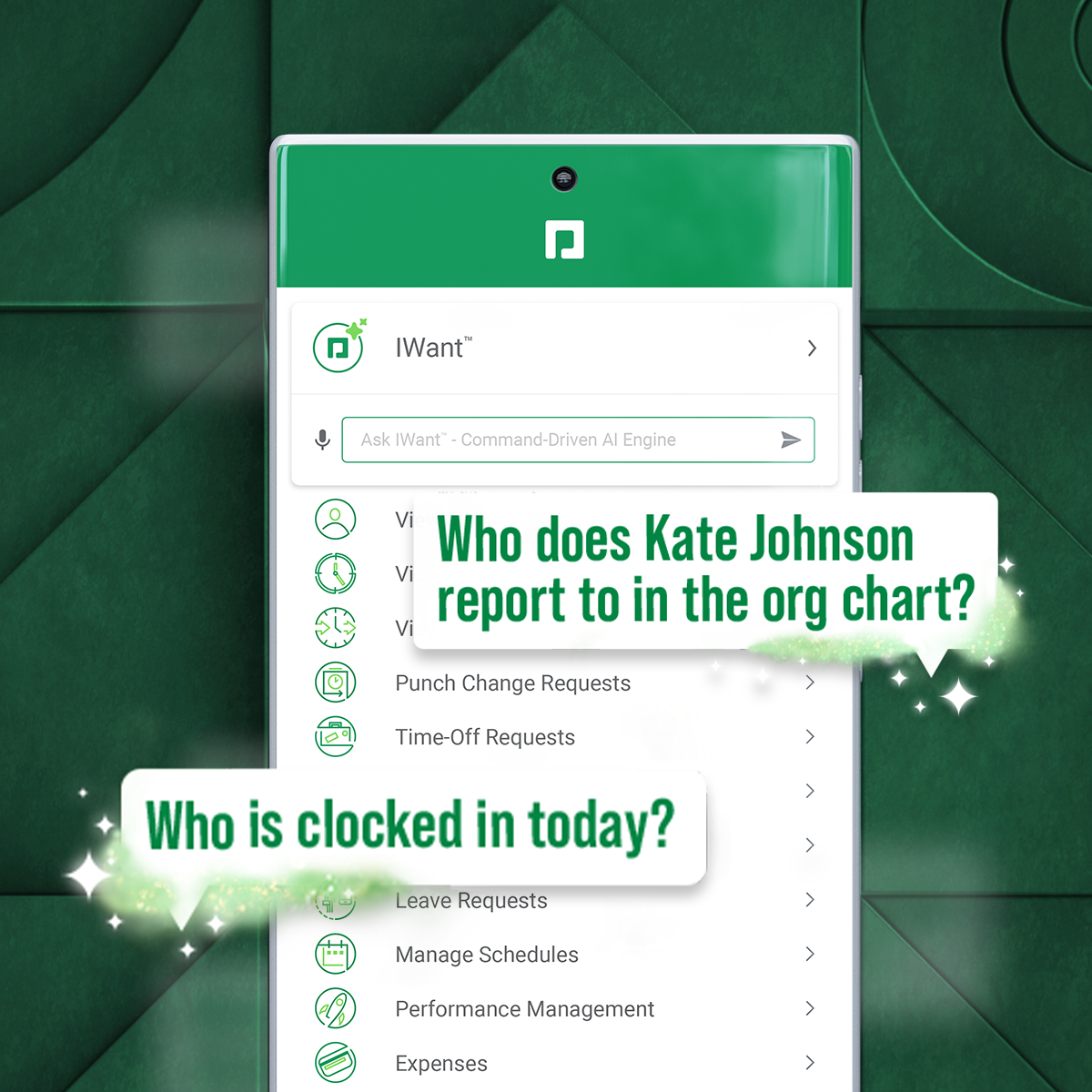
Paycom is an automated HCM platform, built on a single database that eliminates redundant data entry through automation. A payroll and HR software solution, Paycom is used by organizations of all sizes to access employee data without navigating multiple systems.
N/A
QuickBooks Desktop Premier
Score 8.0 out of 10
N/A
QuickBooks Desktop Premier is an installed version of QuickBooks for general business, contractors, manufacturing and warehouse accounting, as well as nonprofits, professional services, and retail.
Paycom has a much better user interface and is easier for employees to navigate. Employees are able to take ownership of their personal information and ensure their contact information is kept up to date. The program is easier for managers to navigate and saves time by …
I've implemented at least 7 HRMS and/or performance suites over the years. I have no true complaints about the platform. We have found that for one of our client codes, the scheduling functionality doesn't accommodate the constant scheduling adjustments our transportation company requires. That said, our routes can change more than once an hour and start/end times often change with routes. We have found that managing the full employee life cycle is even more streamlined with the recent Position Seat updates. We also value that the platform is a native build - so no lagging API integrations to navigate.
We really think that ANY typical business would be a reasonable fit for QuickBooks Desktop Premier. While not necessary, even a comparatively unexperienced accounting person could look at the "Home" screen and follow their nose thru typical daily accounting processes without much detailed knowledge. Reporting is simple, looking up customer info and prior transactions is simple, looking up vendors and prior payments is simple... all in all, quite straightforward. I really can't think of an instance where it would be 'less appropriate'.
Before Paycom we were using Paylocity and in about six months of running payroll with Paylocity, we never once had 100% accuracy from a payroll standpoint. So we had disgruntled employees because either their time was off or their pay was off. With Paycom, we've never had a case where our payroll was not 100% accurate.
I think that when we do need a response back, which is very unlikely from the contact about something that's happening or going on, it can take a little long to get back to us. Longer than we would like because obviously it's an emergency to us, but we understand they have tons of emergencies they have to solve. But I think that's the only aspect.
I know from a payroll standpoint, which I'm not really privy to because I don't work on the payroll side, there have been some little hiccups that about certain formulas used, certain credits being issued that we've already filed for tax credits that we filed for. So I know that my CFO's already on top of it and pay comes on top of it as well and it's getting resolved, but obviously that's a big issue that needs some work there.
Support for older versions of QuickBooks ends after three years, then users must purchase the newest version at full price. Renewals should be deeply discounted for existing users.
I would like to see better in-product inventory tracking, so we can choose LIFO or FIFO rather than the ambiguous "average cost" method.
I would like to be able to assign payroll taxes to jobs for better job costing.
we are having no problems with how the system works and our support system at paycom is the best - we are learning more and using the system in more ways all the time the only thing that could be better is pricing on some things
Because we have been extremely happy with the product and our organization tends to be creatures of habit. We rarely leave a product that works this well for the latest and greatest. Typically we follow the "if it's not broken, don't fix it rule". While QB does make changes we typically just roll with it. If we do find something we don't like we work through it until we fully understand its functionality.
The interface is very intuitive, you can navigate it pretty well. Everything's pretty much spelled out and the features just flow really well. They make it easy for you to go back and forth with the UX/UI type of interface. So I think it was built pretty well.
We switched to a more "robust" software program with the hiring of a new CFO. The migration of historical data and ancillary information has been cumbersome and riddle with errors and issues. In hindsight much of what the new software program was touted to accomplish is not come to fruition. QB Desktop Premier was sufficient for the organization needs
Have been bounced around alot in our 3 years of partnership. Wanted a dedicated rep but that did not provide us the care and attention we required. Work with a team first and then get to your representative. Sometimes an issue with time differences - representative working on different timebelt and not accessible, or we had to wait a day to move an issue along
This is where QuickBooks falls short. Many times my staff has had questions that have not been able to get resolved easily with a chat or call. I personally have had more general questions that have not been answered easily as well. I think QuickBooks needs to provide the resources of having readily accessible help in order to make it simpler to get solutions.
All the online training modules were short and straight to the point. Every module teach you how to use the system. If there is one thing they know how to do is training. We did implementation during the pandemic so all had to be done online or via zoom meetings.
Not at all satisfied it was a nightmare we spent over 8 months with the implementation team having issues after issues all related to the Puerto Rico regulations (half my employees are in Puerto Rico) and at the end we were moved over from the implementation team to the production team without all the issues being resolved
It is important to do your research. There are tutorial videos online that could help new user of this accounting system. These tutorials are straightforward and easily understandable.
We really only had Paychecks and that was our biggest problem is that with several different companies, it was very hard If you had a salary employee and didn't terminate them in the prior company, they get paid twice, so this has really been definitely a big help for us.
QuickBooks Premier handles most of my business functions efficiently in one package. It is not my "everything." I use Replicon for time rather than QuickBooks. I don't want my WIP data interfering with my accounting. I use PaySimple for it's web interface and back office processing. I don't have security issues since I don't have any credit card data in my possession. With today's identity theft environment, I have to protect myself as much as I can. Not having credit card data in my accounting software lets me sleep much better at night. Quicken will do basic accounting but does not have all the double entry accounting systems contained in QuickBooks. QuickBooks Online does much of the basic business functions but I don't like the pricing structure. As a professional accountant, that is very important to me. Bill.com provided a good service but the ability of QuickBooks to add bills and receipts to transactions makes it redundant.
I would think the most time would come from applicant tracking and I don't think that's a Paycom issue necessarily. I think it was a training issue during implementation. I would say that that has improved now that we had onsite training. But initially the applicant tracking piece can be difficult when you're used to just using an ATS. That's specifically for talent acquisition because there's a lot of nuances that goes into the system that Paycom bills.
Most of our business clients use QuickBooks which makes it efficient for us to work on clients that use the program. We can import QuickBooks data into our software which adds efficiencies to our tax practice.
Having staff that are familiar with the software enables our firm to provide quality service to the clients that use QuickBooks.
We receive referrals from satisfied QuickBooks clients.