Planable is a social media management tool built for team collaboration. It provides a single workspace to create content, show draft posts in context, collect feedback, move work to approval, and publish. The interface supports multi view options including calendar, feed, grid, and list, and offers collaboration with shareable views so external stakeholders can review without learning a new system. The platform centralizes posts and assets, reducing handoffs and keeping context intact for…
$33
per month per workspace
ProofHub
Score 9.2 out of 10
N/A
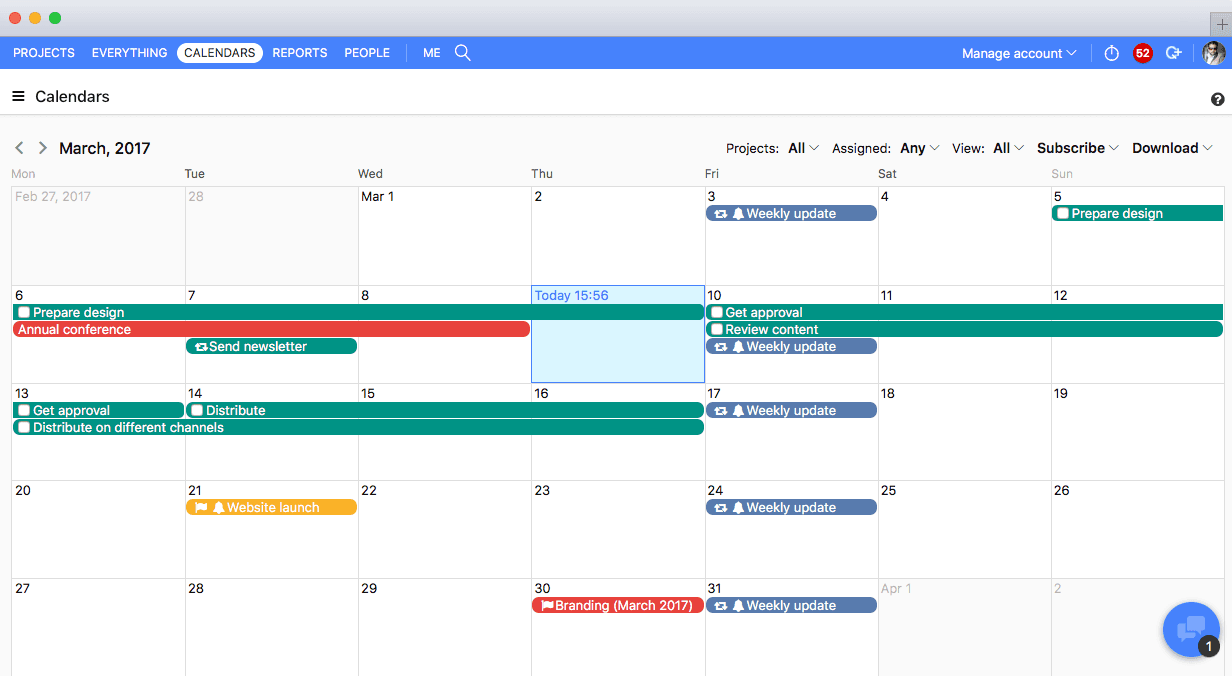
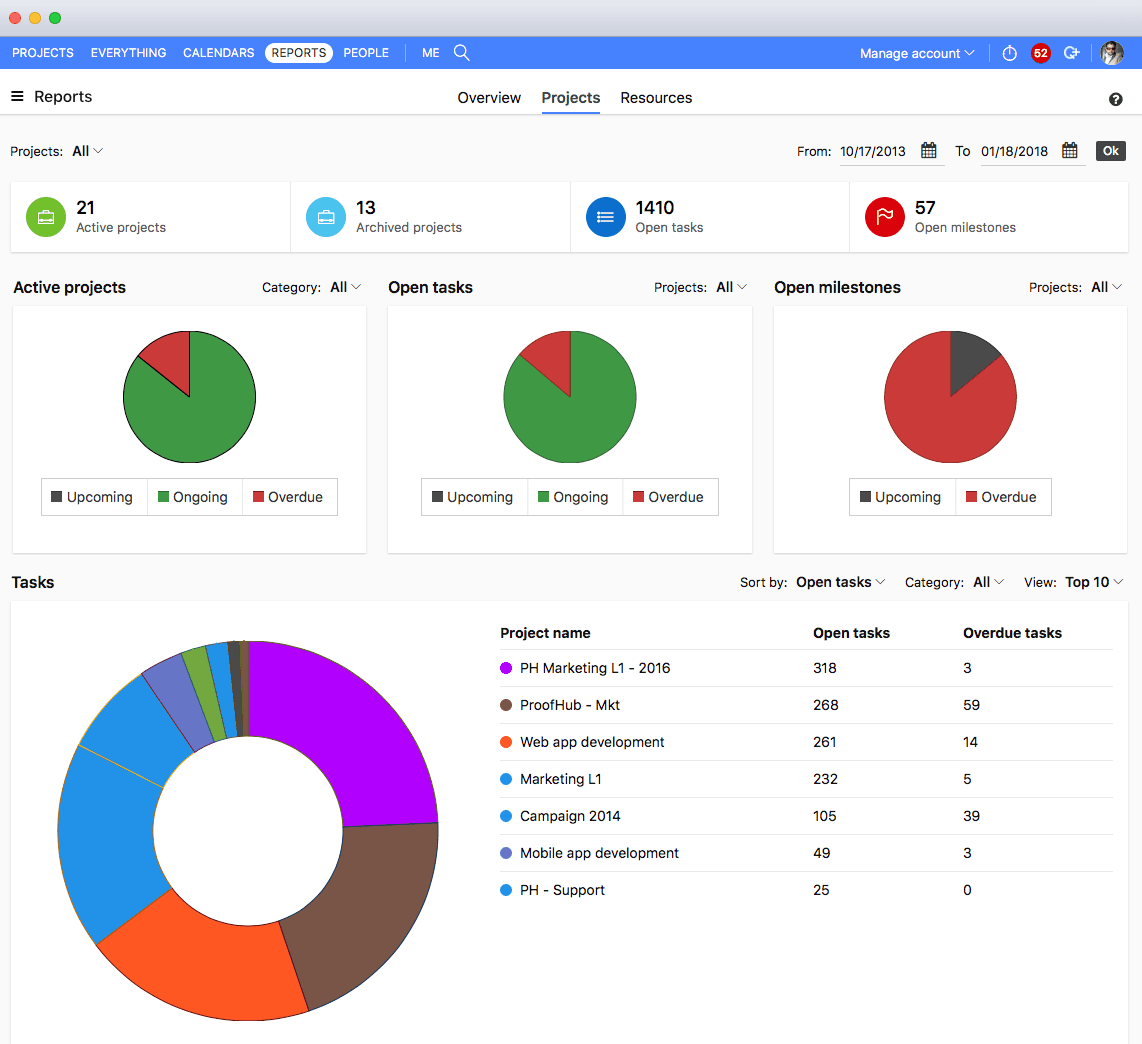
ProofHub is a SaaS based project management software from ProofHub LLC in Walnut, CA. It is an online project management and collaboration tool that comes with integrated Group chat, quick Discussions on projects, Workflows and boards, Project reports, among other features. Document (e.g. Excel, Powerpoint) uploading and sharing is supported, along with an integrated an Online proofing tool to aid in image and document review. ProofHub aims to enable teams to…
$50
per month
Wrike
Score 8.6 out of 10
Mid-Size Companies (51-1,000 employees)
Wrike is a project management and collaboration software. This solution connects tasks, discussions, and emails to the user’s project plan. Wrike is optimized for agile workflows and aims to help resolve data silos, poor visibility into work status, and missed deadlines and project failures.
$240
per year 2 users (minimum)
Pricing
Planable
ProofHub
Wrike
Editions & Modules
Basic
$33
per month per workspace
Pro
$49
per month per workspace
Enterprise
Custom
Essential
$45
per month (billed annually) unlimited users
Ultimate Control
$89
per month (billed annually) unlimited users
Large Team
$279
per month (billed annually) unlimited users
Wrike Free
$0
per month per user
Wrike Team
$10
per month (billed annually) per user (2-15 users)
Wrike Business
$25
per month (billed annually) per user (5-200 users)
Apex
Request a quote
per month per user
Pinnacle
Request a quote
per month per user
Offerings
Pricing Offerings
Planable
ProofHub
Wrike
Free Trial
Yes
Yes
Yes
Free/Freemium Version
Yes
No
Yes
Premium Consulting/Integration Services
Yes
No
Yes
Entry-level Setup Fee
No setup fee
No setup fee
No setup fee
Additional Details
For the basic plan we have this description:
60 posts/ workspace/ month
Unlimited users
4 social pages/ workspace
2 types of approval
Feed & Calendar views
3 campaigns/ workspace
Engagement add-on available
Analytics add-on available
For the Pro plan:
150 posts/ workspace/ month
Unlimited users
10 social pages/ workspace
3 types of approval
Feed, Calendar & Grid views
10 campaigns/ workspace
Engagement add-on available
Analytics add-on available
Enterprise (Custom)
Unlimited posts
Multi-level approvals
Feed, Calendar, Grid & List views
Pay by bank/ wire transfer
Dedicated account manager
Unlimited campaigns
SSO integration
Engagement add-on available
Analytics add-on available
—
Every premium plan begins with a 14-day trial period.
Unfortunately ProofHub did not compare very well. The pricing model is fantastic and I think the approach the software takes to creative project management isn't necessarily bad, it's just others do it better. For example, Wrike has very powerful and easy-to-manage form …
In many ways it is similar and somewhat of a clone of Wrike however the system tended to be significantly slower when being used by our team. Not sure if that was related to our connection internally or not but when we switched to Wrike it worked significantly faster but we …
It suits well for those businesses who want to operate on a global level without investing too much over creating infrastructure. A business can easily reach out to various clients, customers, partners and other stakeholders and communicate and collaborate with them in a fast and transparent manner and can effectively tap any opportunities coming its way. Such opportunities if properly implemented can lead to gains for the parties involved.
I think that Wrike is customizable enough to fit most needs, so I would generally recommend it as a starting point to anyone that is looking for a project management tool. Some people on my team don't like it, but I think that is moreso due to lack of exposure than any flaws in the tool itself. I predominately taught myself many of the features, and I found it to be straightforward. There is lots of great documentation out there, plus the community forums are incredible helpful as well. Wrike might not be THE perfect tool for every single need, but I think that there would be very few situations where it would ultimately be incompatible with a team's workflow needs.
The obvious, proofing! We need something in-house that can do this instead of hiring one person for this job. Each person on our marketing team knows how to use it.
Proofhub can improve a bit in areas of helping people customize their accounts a bit more. That makes managing work even more easier, when you have things just the way you want them to be.
With an array of useful features available that solve all our work issues, each department has an access to it. Each one knows what’s going on with different teams. This makes collaboration easier, as different teams just need one tool to come together and get things done. I think this is a great product! it has really helped my company get MUCH better organized.
I wish that Wrike had more drag and drop functionality that would be connected to assignee and also I wish that the finish date of a task would update to the date where you checked completed. It does not do that. Also finishing a task doesn't move the start date of the next task it "protects your time in that way", but our management team wants us to quickly see what we have down the pipeline rather than having to scroll down the list of upcoming tasks.
It does what you need, but could have a bit more features for the price. $30 a month just to post things on Facebook or Instagram is a bit steep, given that that's all you can do.
It's easy as pie to use. I don't have any issues and only the oldest, most un-tech savvy of coworkers on my team seems to have issues with it. It's quick to pick up, intuitive, and effective. I have no criticism for it.
Over two years of (almost) daily usage without outages. Don't remember any errors. I give it 9 only because some Wrike plugins (for online document edit) are based on NPAPI architecture. These types of plugins are being phased out in new browsers, and NPAPI plugins are disabled by default in recent versions of Chrome so you have to do some browser adjustments when you switch browsers or move to another computer.
Wrike tasks loads fine, but I hate clicking files and wait for a bit of time since it is powerpoint or word, Wrike assumes I want to open those on Wrike. My suggestion is to link it to office 365 so we do not need Wrike based decoder for PPTX and DOCX
Emailed them a month ago to add hashtags, but they didn't add the functionality yet. Given that the product has stayed exactly the same since, I'm guessing the developers don't want to add this feature so I give the support a rating of 1.
Great support website and had reps follow up multiple times in our trial process. Getting started was very straightforward and adding people is easy too.
During my learning phase with Wrike, I initially struggled with setting up automation rules and request forms. However, Wrike support was always my go-to, resolving issues within seconds or minutes. Their assistance made the learning process much easier. My best experience was receiving step-by-step screenshots to follow, with the support team on standby until I was completely satisfied.
I love the Wrike training options. Wrike Discover has tons of courses, learning plans, certifications, etc. This is an area where Wrike definitely shines! I wish these resources were more in your face for new people, because it seems like a lot of coworkers didn't know all of this training was available to them.
There are a lot of bells and whistles in Wrike, and not all of it is easy or intuitive to understand once it's plopped in your lap. It's easier when there are a few choice people who understand Wrike as a platform and articulate it in such a way where it makes it easy to pass it along to others in the group
We used Basecamp in the past, but we did encounter some problems while working with it. But these concerns have been better addressed in ProofHub. It has a simple interface which is so easy to operate and this was not the case in Basecamp. ProofHub lets us quickly chat with our team members over various work matters through its inbuilt chat feature and resolve them fast while Basecamp provides this feature through a third-party tool which added to our expenses and it was not a very convenient affair. ProofHub has got an inbuilt proofing tool which allows us to get quality feedback over designs instantly saving our time and costs, whereas Basecamp enables proofing through a third party tool which again was not convenient for us. ProofHub’s casper mode feature helps us to protect privacy and secrecy over confidential issues but Basecamp lacks such an important feature. So ProofHub has more to offer and better too in comparison to Basecamp. (answer to Describe how ProofHub stacks up against them and why you selected ProofHub.
We use both monday.com and Wrike. While Monday does have a better user interface, Wrike allows us to have more visibility into tasks where multiple people are collaborating. And also to receive project brief-ins and requests for new projects. We use both differently and I would say for us Wrike is more the collaboration tool than the day to day individual task management tool - and it works great.
The sky is the limit for what can be done in Wrike. We started with 1 use case and within 5 months we migrated several key business practices over to Wrike because they were easier to manage. Use cases so far: process improvement, management review, corrective actions, maintenance requests, month-end financial closing, and document management. As we grow, it's easy to imagine putting even more into Wrike where it becomes a cornerstone for how we do business
Proofhub has a great impact on our ROI. Due to a systematic approach of handling each clients’ project, we have been able to double the number of clients we had prior to signing up for Proofhub.
Different teams (e.g., contracting, compliance, provider relations) can view updates in real time, comment directly on tasks, and escalate items when needed.
Wrike allows us to template the contracting process (from intake to signature) to ensure consistency across payers and reduce administrative overhead.
Leadership can see the status of negotiations at a glance, identify bottlenecks, and prioritize resources accordingly.