Salesforce' Agentforce Sales (formerly Salesforce Sales Cloud) is the company's flagship CRM platform. The AI CRM for Sales features data built right in.
$25
per month
TeamViewer
Score8.5 out of 10
N/A
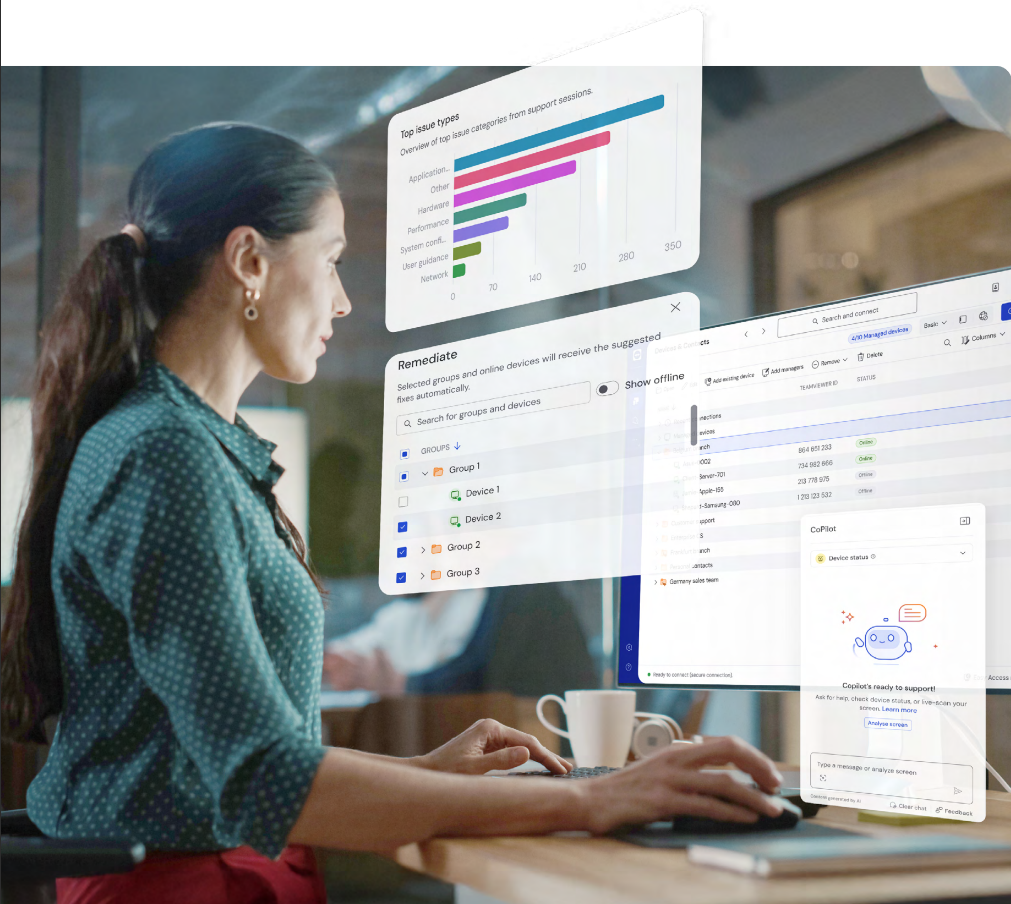
Teamviewer offers secure remote access, IT support and device management on a scalable platform. It speeds up problem resolution, reduces downtime and enhances control through automation, unattended access and complete visibility of every device and location.
A de minimis incentive was given to thank the reviewer for their time. The incentive was not used to bias or drive a particular response, nor was the incentive contingent on a positive endorsement. More Info
Sales and Customer Service in Customer Service at Siscofin (Financial Services, 1-10 employees)
Chose TeamViewer
TeamViewer is an all in once app. We have remote control, simultaneous sessions with different clients, acceptable price for teams, training sessions, easy to use, multiuser connections, file transfer, screen recording, session recording, cloud storage. It also has better …
A de minimis incentive was given to thank the reviewer for their time. The incentive was not used to bias or drive a particular response, nor was the incentive contingent on a positive endorsement. More Info
IT Manager in Information Technology at Iksula (Information Technology & Services, 1001-5000 employees)
Chose TeamViewer
With AnyDesk, it doesn’t have the granular control over certain settings or actions that they’d like, particularly in terms of adjusting session settings or controlling security protocols but with TeamViewer you get it.
A de minimis incentive was given to thank the reviewer for their time. The incentive was not used to bias or drive a particular response, nor was the incentive contingent on a positive endorsement. TR verified that a representative sample of customers was invited. More Info
Obviously, for any business, there are two main areas to focus on — the sales path and the service path. Sales Cloud wouldn’t be suited for a company that’s primarily into support services. For those kinds of companies, Salesforce has a different product — Service Cloud. So, for anyone in the support or service space, Sales Cloud isn’t the right fit.
A de minimis incentive was given to thank the reviewer for their time. The incentive was not used to bias or drive a particular response, nor was the incentive contingent on a positive endorsement. More Info
I would definitely recommend it, and that's why I've stuck with it so long: continuous improvement. Now AI has fully embraced it to help with faster monitoring and Troubleshooting, saving me a huge amount of time and effort. Affordable to use for both personal and Professional work to assist colleagues from different workstations.
The customizations - We have an organization that operates differently from most companies, so we’ve had to implement quite a few customizations — and Salesforce allows us to do that quite quickly. Most of the time, delays come from dependencies on other internal parties rather than the system itself.
From my perspective as a consultant, one of the biggest advantages is that everything is in Salesforce — all the details, all in one place. The ability to customize it easily is a big plus; there’s really a lot you can do with it.
A de minimis incentive was given to thank the reviewer for their time. The incentive was not used to bias or drive a particular response, nor was the incentive contingent on a positive endorsement. More Info
A de minimis incentive was given to thank the reviewer for their time. The incentive was not used to bias or drive a particular response, nor was the incentive contingent on a positive endorsement. TR verified that a representative sample of customers was invited. More Info
We still need to include the production part. We started using Salesforce to sell the seeds — our inventory is in SAP — and from there we handle sales and track the process of planting, harvesting, selling, and then collecting payments. But we don’t yet manage the earlier production processes, like production planning. We handle allocation, but not full production planning, and that’s an area where we still have room for improvement.
A de minimis incentive was given to thank the reviewer for their time. The incentive was not used to bias or drive a particular response, nor was the incentive contingent on a positive endorsement. More Info
MFA could be a lot better when connecting to the remote device. If a phone is added to security for the remote worker, then the admin cannot use Easy Access to access the device without interaction with the remote worker. Admins should have access to remote devices via other MFA methods.
App updates sometimes cause unstable status and computer must be restarted.
OS updates often require additional user interaction before completing the sign-in process, leaving TeamViewer in an incomplete startup state and preventing the Remote Worker from accessing the device. An admin then has to remote into the device using another remote desktop access tool (Apple Remote Desktop, for instance) and bypass the user interaction screens, which allows the login process to complete and TeamViewer to start up fully. It would be best if the TeamViewer Host could connect even when the OS is prompting for user interaction (e.g., clicking OK on modal dialog boxes post-update).
A de minimis incentive was given to thank the reviewer for their time. The incentive was not used to bias or drive a particular response, nor was the incentive contingent on a positive endorsement. TR verified that a representative sample of customers was invited. More Info
There are days when I wish we hadn't switched, but I know that if we put in the time, we will get to where we want to be with the software and that it has many more capabilities than anything else we looked at. However, the amount of time and onboarding we need to do is also far greater than we realized/were told when we originally bought the product. They told us we should hire onboarding support, but at the end, after we had already reached our budget maximum for this, so it's been slower than we had hoped.
A de minimis incentive was given to thank the reviewer for their time. The incentive was not used to bias or drive a particular response, nor was the incentive contingent on a positive endorsement. More Info
We need this tool in our day to day business. It is what we do all day remoting into clients devices. In this day and age we can access devices all over the world as long as we have secure internet connection. It certainly saves money in gas, and even if you are away you can help.
A de minimis incentive was given to thank the reviewer for their time. The incentive was not used to bias or drive a particular response, nor was the incentive contingent on a positive endorsement. TR verified that a representative sample of customers was invited. More Info
Because I think it could be easier. We have different standards today since we’re used to interacting with consumer apps like Starbucks, where all you do is scan your card. Then, when you use Sales Cloud, there are still a lot of manual inputs. So my mission with AI is really about figuring out how to make that easier.
A de minimis incentive was given to thank the reviewer for their time. The incentive was not used to bias or drive a particular response, nor was the incentive contingent on a positive endorsement. More Info
TeamViewer is a reliable and really strong tool for accessing remote IT platforms secure and fast. We don't know any product that provide us such strong functionality to make our life as a internationally recognized MES provider with DIAMES with an international clientele so easy. We look forward for any new TeamViewer functionality that supports us even more.
A de minimis incentive was given to thank the reviewer for their time. The incentive was not used to bias or drive a particular response, nor was the incentive contingent on a positive endorsement. More Info
Salesforce is always available securely from any internet-capable device anywhere in the world, UNLESS you choose to set security measures so that ONLY trusted IP ranges may access the system at certain times of the day. It's all about choice and flexibility with Salesforce products.
A de minimis incentive was given to thank the reviewer for their time. The incentive was not used to bias or drive a particular response, nor was the incentive contingent on a positive endorsement. More Info
TeamViewer has always been available when we needed to use it. We have not noticed any outages or periods where the software functions were unavailable.
A de minimis incentive was given to thank the reviewer for their time. The incentive was not used to bias or drive a particular response, nor was the incentive contingent on a positive endorsement. More Info
Salesforce performance in general is excellent. "The cloud infrastructure beneath Force.com has been fine-tuned over the past 10 years. It powers nearly 100,000+ businesses running more than 185,000 applications that 3 million users count on every day." Points per Salesforce - 1) Multitenant kernel - With a multitenant platform, each business that uses the app doesn’t have its own copy. Instead, all businesses share a single copy and then customize it for their specific needs. 2) ISO 27001 certified security - You can’t compromise when it comes to enterprise-level security. Force.com is road-tested and trusted by nearly 100,000+ companies, including many of the world’s most security-conscious organizations, such as banks and health care providers. 3) Proven reliability - All Force.com apps run on world-class data centers with backup, failover, and disaster-recovery facilities. Force.com has had a proven 99.9 percent uptime record for years. 4) Proven, real-time scalability - Force.com is used by many of the world's largest enterprises, including Cisco, Japan Post Network, and Symantec. Applications can automatically scale from a few users to millions of page views, as needed. 5) Real-time query optimizer - You need fast access to your data. The Force.com query optimizer delivers under 300ms response time, at a massive scale. 6) Real-time transparent system status - You can always see real-time system performance, availability, and security information at trust.salesforce.com. 7) Real-time upgrades - Unlike traditional software platforms, our upgrades never break your customizations, code, or integrations. We upgrade the platform for you 3 to 4 times each year. As a result, you’re always on the latest version, with access to the latest features, performance, and security enhancements. 8) Real-time sandbox environments - With a single click, you can create copies of your applications, configuration, and data in separate environments for development, testing, and training. 9) Three global production data centers and disaster recovery - Force.com runs on three geographically dispersed, mirrored data centers with built-in replication, disaster recovery, a redundant network backbone, and no single points of failure
TeamViewer performance has always been very good. Pages load quickly and we can see what the remote engineers are doing on the computer in real time. This is very beneficial for our own technicians and engineers and helps their learning curve. Troubleshooting is much easier with TeamViewer. We have not noticed and lagging of our computers while using TeamViewer.
A de minimis incentive was given to thank the reviewer for their time. The incentive was not used to bias or drive a particular response, nor was the incentive contingent on a positive endorsement. More Info
The overall support has been good. More and more features are being released quite frequently. Very small features are also making big difference in how the tool can be adapted and used better. If there is anything we need or are stuck, the support team sets up a call and helps in resolving the issue/provides workarounds.
the few times i have had to contact teamviewer support, they were very responsive and give me quick answers and seemed to understand my problems quickly and easily. I did not have to sit on the phone for hours on hold or get passed around to multiple phone support techs before finding a solution to my issues, so i would rate their support very highly.
A de minimis incentive was given to thank the reviewer for their time. The incentive was not used to bias or drive a particular response, nor was the incentive contingent on a positive endorsement. More Info
I attended two training sessions. I would rate them a 4 as an advanced user. It was very basic – great for someone new – would give 8+ for new person.
I had 3 years of experience at the time. I skipped basic and went onto advanced and still not helpful. A lot of it was best practices that didn’t feel relevant for our business
As expected without any problem! Alternate in-person training is another efficient way to learn how a product works. There are many third party supporters for TeamViewer courses available that can give additional ideas how to use TeamViewer for specific functions and features as we did require in respect of our usage.
A de minimis incentive was given to thank the reviewer for their time. The incentive was not used to bias or drive a particular response, nor was the incentive contingent on a positive endorsement. More Info
I have gone through multiple. The content that’s delivered is quite basic – I wish they had more advanced training.
We are grandfathered into premium support plus training. We get unlimited access to instructor led and online training for free. We have taken advantage of this
I have never used the online training either. I have watched a few informational videos that were helpful when learning how to do a specific procedure within TeamViewer and get the most out of the software by utilizing one of the many features that are available with the software. Again, 5 if for neutral.
Just from an organizational standpoint - we standardized our data prior to moving to Salesforce. But we essentially standardized it wrong. That's created a big disgusting mess for us know that I'll have to deal with as the Admin. Be sure you think through use cases prior to doing something like that - seek outside opinions on how the data will work best, especially depending on what else you're going to integrate with Salesforce.
TeamViewer installation and deployment to other devices is pretty straightforward and does not require much technical know-how. This makes ease of use attractive when supporting both new and existing clients with limited technical knowledge. I think ease of use is a huge factor in getting new clients. TeamViewer handles that extremely well.
A de minimis incentive was given to thank the reviewer for their time. The incentive was not used to bias or drive a particular response, nor was the incentive contingent on a positive endorsement. TR verified that a representative sample of customers was invited. More Info
So I've evaluated, implemented Microsoft Dynamics in the past. I've used Oracle CRM solutions. I've used Daylight, which is a very niche CRM system the last couple of years. And I've evaluated a variety from Legacy Microsoft Ones to Zoho and Sugar when making implementation decisions at other companies. But usually I've gone with Salesforce. I'd say it's better than most. The only one that I generally prefer, and last time I chose an implementation from scratch, I did Microsoft Dynamics. And the reason is for small mid-size organization, Microsoft Dynamics, if you already have Microsoft Office products, it's much better integrated to all of the Excel, Word, OneNote, Outlook email than what you get from Salesforce. And so that's the only one that if someone's a Microsoft organization and small sized company, it'll save a lot of integration things, a lot of security, a lot of login and access and IT management by just sticking within the Microsoft ecosystem. But outside of that, if you don't use Microsoft or if you're a large organization or have other needs that you want, Salesforce I'd say is better than all of the other CRM offerings out there. It's the easiest to use and the most robust and the most vendors and products for the ecosystem.
A de minimis incentive was given to thank the reviewer for their time. The incentive was not used to bias or drive a particular response, nor was the incentive contingent on a positive endorsement. More Info
TeamViewer's cost is much lower than that of other solutions, and its security is far superior to RemotePC's. TeamViewer is also a request-based remote session manager, unlike other software that allows indefinite connection time. TeamViewer's free version makes it even better for one end of the group to find support, while the other end has the paid version.
A de minimis incentive was given to thank the reviewer for their time. The incentive was not used to bias or drive a particular response, nor was the incentive contingent on a positive endorsement. TR verified that a representative sample of customers was invited. More Info
Salesforce is the most widely used CRM system. Professionalism tends to increase when things go wrong for market leaders. Salesforce considers us as users because they own the market. Having all of our data in one place and all of our teams working within Salesforce. Anyone who uses Salesforce is impacted by it, even if they don't.
It's very scalable as it has a ton of features (but you do need an admin who understands how to leverage these features). Because of the various features, we've also needed to host onboarding sessions with our users so that they can familiarize themselves with the platform, which isn't always super user-friendly or intuitive.
A de minimis incentive was given to thank the reviewer for their time. The incentive was not used to bias or drive a particular response, nor was the incentive contingent on a positive endorsement. TR verified that a representative sample of customers was invited. More Info
A de minimis incentive was given to thank the reviewer for their time. The incentive was not used to bias or drive a particular response, nor was the incentive contingent on a positive endorsement. More Info
Using Salesforce.com has made my daily routines more efficient and simplified the manual tasks I had to perform independently. I can now access data from any device, online or offline, and provide better guidance to my team about the forecasts provided by the built-in artificial intelligence (AI). A chat with a Salesforce support specialist would be great. The knowledge base has a community forum where Salesforce users can ask questions and learn more about the product.
It allows me to keep a close eye on all of my performance metrics through the Dashboard Reporting, ie what my sales pipeline looks like, how much it's changed in the last 60 days, new opportunities created in the last 7 days, # of emails sent for the week, etc. The ease of the design and output make it really easy to check my progress throughout the day to find where I have holes and am falling short on my personal and work goals. It's resulted in greater transparency with my Mgmt Team and shorter 1-on-1 mtgs with my boss as he can see exactly where I am at all times (to be fair, I'm a senior sales rep, so he pretty much lets me do my job completely unfettered), but it does prove that I am continually producing which recently resulted in a raise I didn't even ask for.
The SF repository is so detailed that I don't have to spend tons of time finding frequently used websites attached to a client or see what all interactions with the company look like. Even though I don't use SF for my bulk emails and email sequences, SF provides me with an email to use in the bcc of these emails which links everything back to SF. I find that extremely helpful. This really impacts my efficiency and I can honestly say that once I started using all the functionality of data management, it saved me about 20% of my time/week that I could then allocate towards other revenue-generating tasks like prospecting and account management. The more time I have for those, the better. My year-over-year on accounts 1 year and older just grew by 17% this last year.
A de minimis incentive was given to thank the reviewer for their time. The incentive was not used to bias or drive a particular response, nor was the incentive contingent on a positive endorsement. More Info
A de minimis incentive was given to thank the reviewer for their time. The incentive was not used to bias or drive a particular response, nor was the incentive contingent on a positive endorsement. TR verified that a representative sample of customers was invited. More Info