TrustRadius: an HG Insights company

Syncro

Score7.4 out of 10

27 Reviews and Ratings

What is Syncro?

Syncro offers an Extended Monitoring and Management (XMM) platform for midsized MSPs and internal IT teams. The platform integrates RMM (endpoint management), professional services automation (PSA), and Microsoft 365 multi-tenant management to help organizations simplify operations, strengthen security, and scale.

Media

the interface to monitor unlimited endpoints, run scripts, deploy patches, customize alerts, and proactively address potential issues before they become problems.
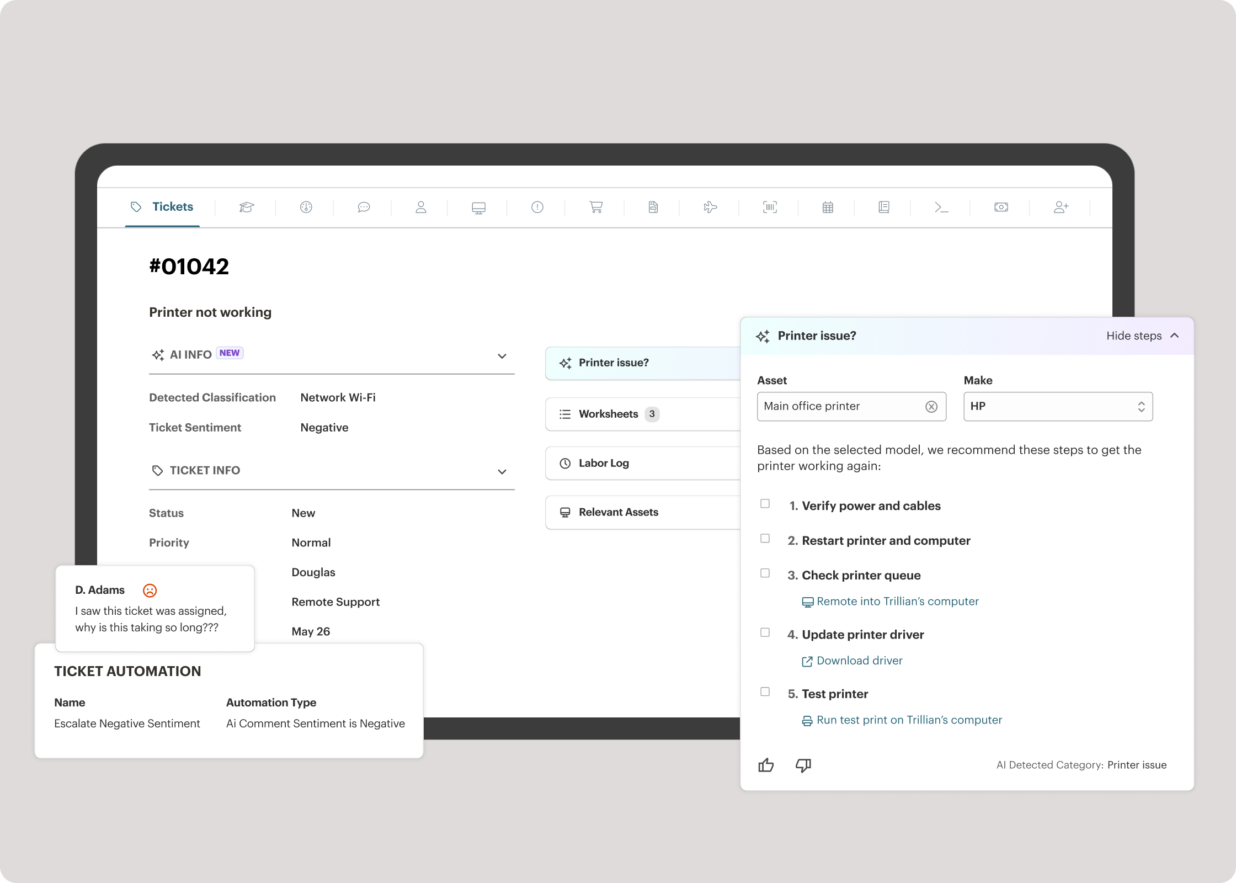
Syncro’s intelligent Smart Ticket Management, which automatically routes tickets and gets information in front of techs, displays relevant context from prior tickets, and surfaces recommended remediation steps to speed up resolution times.
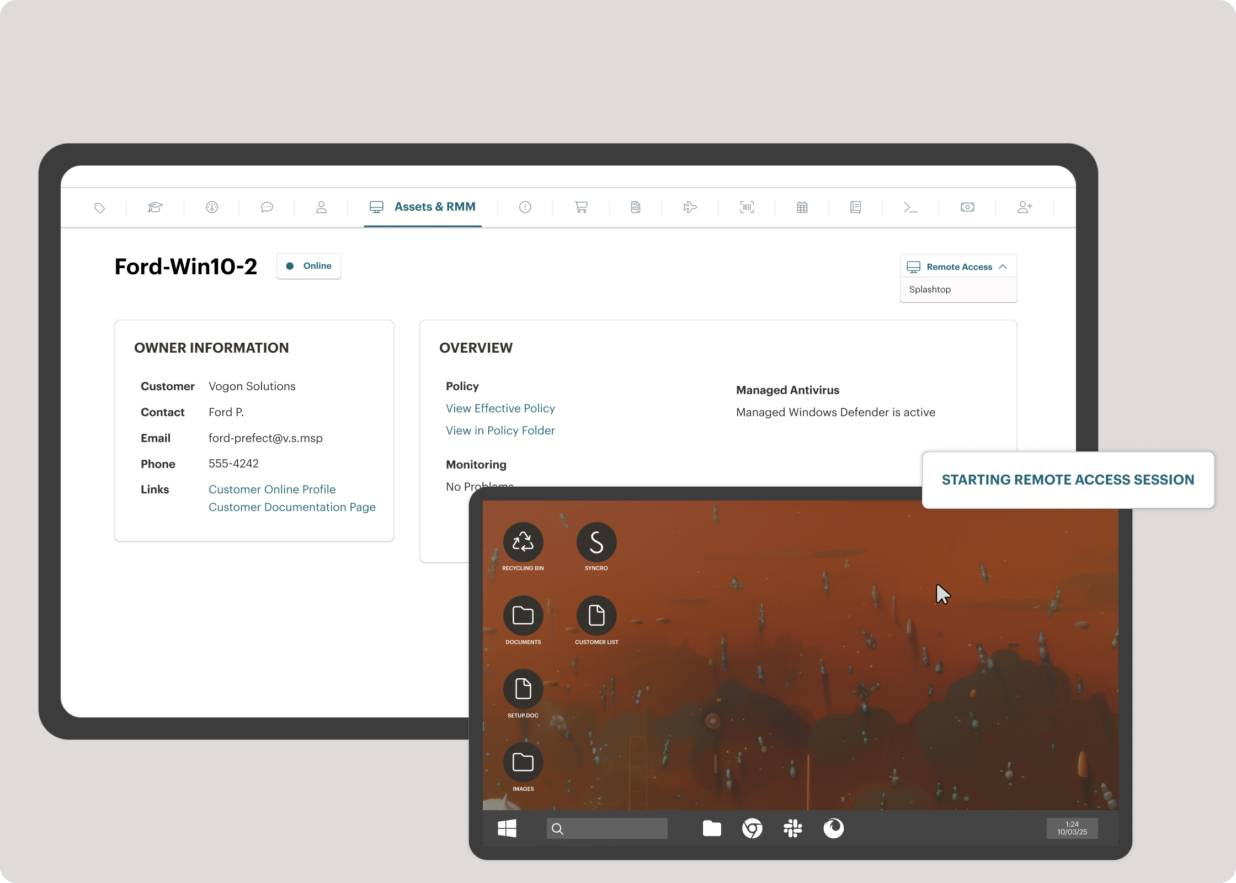
where to securely access endpoints and resolve issues anytime, from anywhere, via Splashtop — included with the Syncro subscription at no extra cost.
Syncro automating Entra ID tasks and admin work including user syncs, password resets, and license billing.
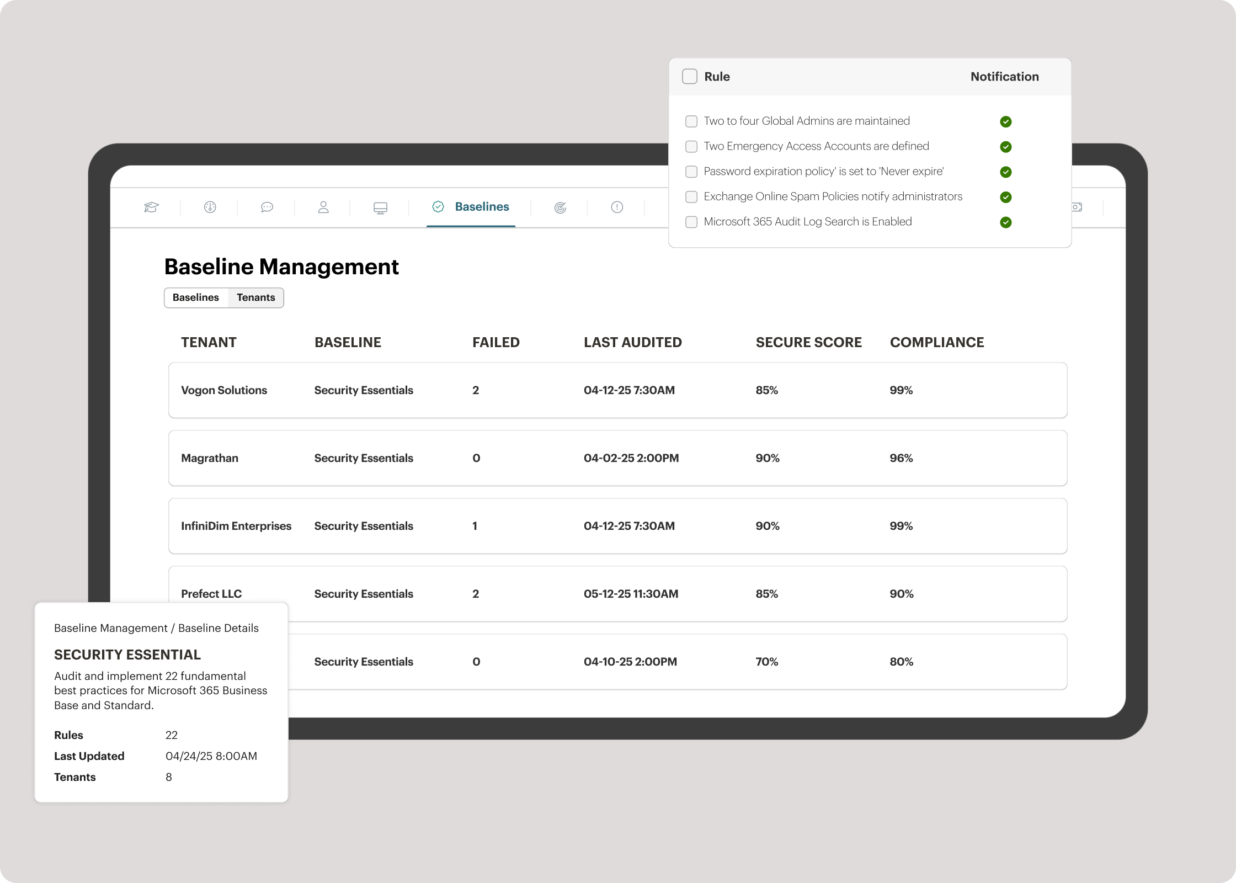
the interface to benchmark M365 tenants against CIS-aligned best practices — offering guided configuration, centralized visibility, drift detection, and automated alerts to help maintain compliance.
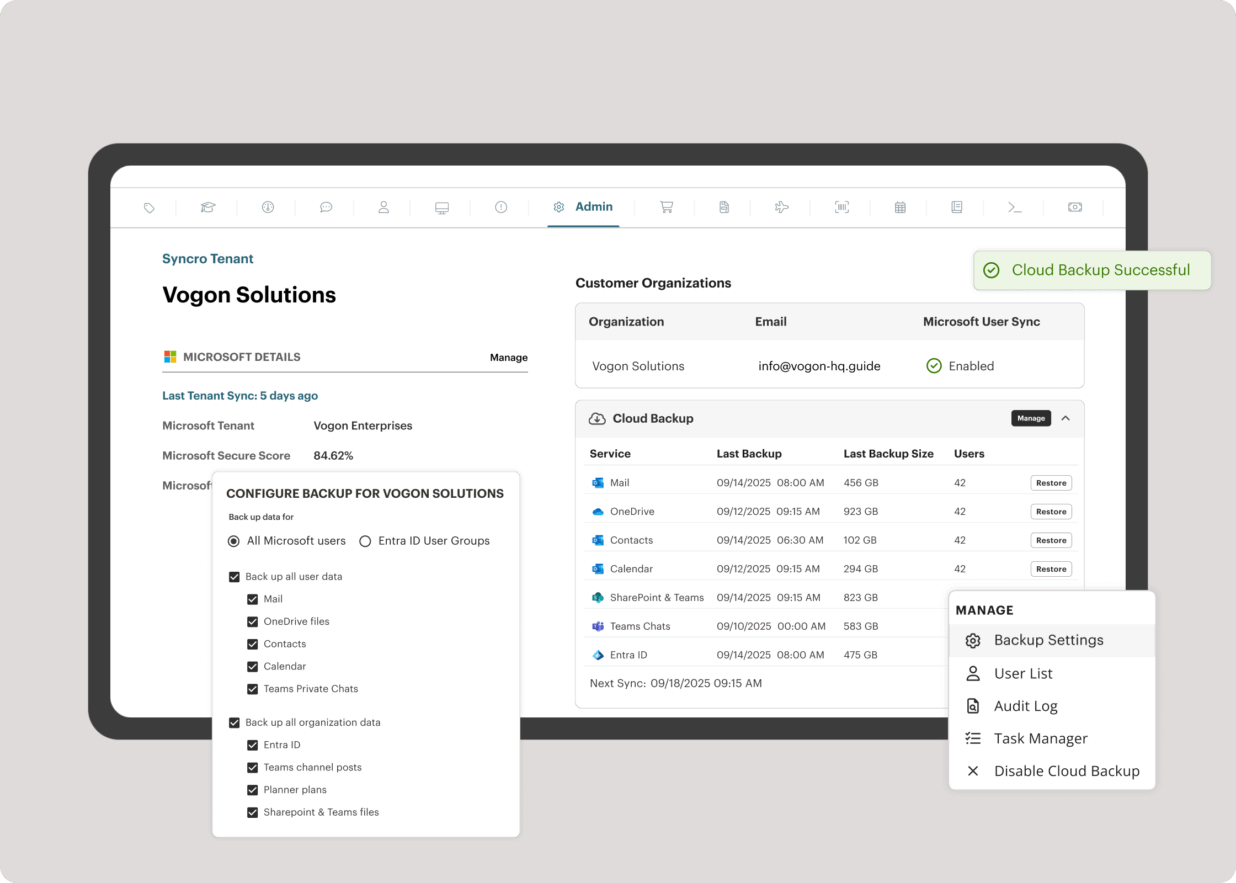
Microsoft 365 and Entra ID backup, which helps to safeguard against data loss, reinforce compliance, and ensure business continuity without compromise.
where to automatically generate invoices based on customizable factors.

1 / 7

Top Performing Features

  • Attended device access

    The quality and reliability of connections to remote devices that are currently attended by an active user.

    Category average: 8.1

  • Remote monitoring

    Monitoring of network operational activities through the use of remote devices known as monitors or probes

    Category average: 9.1

  • Virtual device access

    The availability, quality, and reliability of remote connections to virtual machines and devices.

    Category average: 7.7

Areas for Improvement

  • Network device monitoring

    Monitor the real-time performance and health of devices on your network

    Category average: 8.1

  • IT Asset Discovery

    Discovery of hardware and software assets on the network

    Category average: 7.8

  • Multiple-display support

    The capability of the product to support users with multiple monitors. For instance, adapting a multi-monitor end-user display to a single monitor.

    Category average: 4.5

Great all in one ticketing and rmm

Use Cases and Deployment Scope

We had migrated from another product which was just a mess, Syncro offered a simple(in a good way) clean offering that worked out of the box

Pros

  • Ticketing
  • Rmm
  • Account management

Cons

  • Better project management
  • Ability to create teams

Return on Investment

  • Saved us hundreds of dollars switching from previous provider

Usability

Alternatives Considered

ConnectWise Automate and NinjaOne

Other Software Used

ScreenConnect

Meh sinking ship

Use Cases and Deployment Scope

We are using it to run our computer repair business

Pros

  • Decent UI
  • Things generally work
  • Not too expensive

Cons

  • Sync with Xero
  • Bug fixes
  • Better support

Return on Investment

  • We are looking to move away from it

Usability

Alternatives Considered

RepairShopr

Other Software Used

Xero, Emsisoft Security, Microsoft 365

Syncro software

Use Cases and Deployment Scope

We used Syncro for out remote monitoring and management platform. We also use the professional services automation features as well. It is helpful for customer communications and automation of other tasks. It helped us to not need multiple software solutions for our personnel. It was also user friendly so getting employees onboarded was not a hard task.

Pros

  • Due to the cloud based platform, we could scale the based on our needs relatively with ease.
  • We also utilized the auto billing features which were convenience.
  • The consolidation of both RMM and RSA decreased the amount of software we needed.
  • Also, the user friendliness of the platform allowed employees to use easy.

Cons

  • Reports don't look as polished as we would like.
  • Technical support is slow and limited to email only.
  • Struggles in the mailer department. Don't work well with mailchimp.

Return on Investment

  • Good ROI with good pricing and no hidden fees.
  • Support will be slow and only available via email.
  • Reporting will not look professional.
  • The platform is user friendly.
  • Window patches work well.

Usability

Alternatives Considered

SolarWinds Access Rights Manager (ARM)

Other Software Used

SolarWinds Access Rights Manager (ARM)

Value For The Money

Use Cases and Deployment Scope

We are a MSP (Managed Service Provider) and we use Syncro as our RMM to manage all our clients from one central console. All our client's endpoints and assets are within the console. We also do our proposals, ticketing, and invoicing from within Syncro and we sync to Quickbooks. Syncro helps to keep our business flowing.

Pros

  • Ticketing
  • Estimates
  • invoicing
  • tracking endpoints
  • credit card processing
  • Patches
  • updates

Cons

  • ACH payments from customers
  • reports can be improved
  • a little more flexibility

Return on Investment

  • The ROI on investment in Syncro is excellent since it is priced per user not endpoint like many of its competitors
  • Very easy to learn and use
  • The Syncro customer service and support is excellent

Usability

Other Software Used

TeamViewer, ThreatDown, powered by Malwarebytes, Webroot Antivirus + Internet Security Complete (SecureAnywhere)

Fixed Price RMM? Simple to use and keep your customers happy? SyncroMSP is the perfect solution.

Use Cases and Deployment Scope

We utilise SyncoMSP as an End to End solution for our RMM needs, however further we use some of the integrations they have with external partnerships, providing us with simple solutions.

Pros

  • Integration with other solutions. Syncro partners with a number of vendors (such as AV related software), which seamlessly integrates with the solution - at an extremely affordable price.
  • The RMM part of the solution works as it needs to - providing us with remote access to our clients systems. Whilst basic, it does the job perfectly and effortlessly.
  • Simple interface. Some MSP software becomes overly complex - Syncro takes the hassle out of these complex systems by providing our team with an easy to navigate solution.

Cons

  • Ticketing. Whilst the ticketing system works, it is fairly basic compared to specific ticketing solutions. Some improvements here would be great.
  • Remote Management - granular options on accounts. You are unable to have some clients or systems which do not require a password for remote access, whilst having this set for other clients/accounts. This makes it a problem if you want to use the remote management component on servers where there is no one available to approve access
  • Better "built in" remote access software. Whilst the base remote access software works and that the system integrates with larger remote management vendors, some improvements to the remote management component would be beneficial

Most Important Features

  • Agent Pricing. This is very important when looking at RMM solutions. Whilst other solutions may be feature rich, they are also a lot more expensive. Per agent pricing allows you to fully understand your costs upfront, but also allows you to grow with no limitations
  • Simple to use. This is important - as an MSP you want to be able to help your clients quickly and easily. Syncro allows this to happen.
  • Integrations. If you are looking to on sell and integrate different software and solutions, Syncro makes this easy with partnerships already in place (and affordable!)

Return on Investment

  • The integrated AV solution with Bitdefender is very cheap - yet very a very high quality NGAV solution. It allows us to ensure our clients have access to an NGAV solution at an affordable price
  • Syncro has allowed us to expend our business into new areas which were not able to be accessed previously. This means that we can now service our clients in different ways than previously.
  • The fixed cost pricing allows our teams to understand what their costs are - but also allow us to grow the business and customer base with no increase in costs until we increase our technical team.

Alternatives Considered

Atera and Kaseya VSA