Adobe acquired Omniture in 2009 and re-branded the platform as SiteCatalyst. It is now part of Adobe Marketing Cloud along with other products such as social marketing, test and targeting, and tag management.
SiteCatalyst is one of the leading vendors in the web analytics category and is particularly strong in combining web analytics with other digital marketing capabilities like audience management and data management.
Adobe Analytics also includes predictive marketing capabilities that help…
N/A
Webtrends Optimize
Score9.7 out of 10
N/A
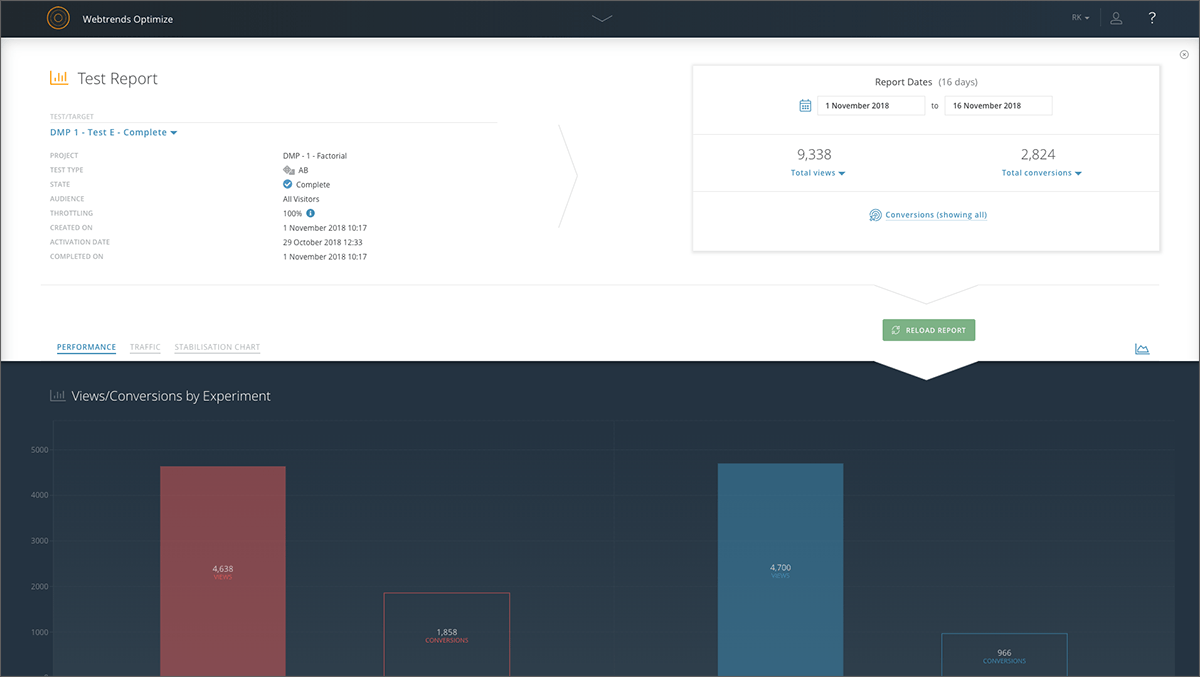
Webtrends Optimize is a web optimization platform and is offered by the company of the same name. The product competes most often with Adobe Test and Target, Maxymiser, SiteSpect, and Optimizely.
N/A
Pricing
Adobe Analytics
Webtrends Optimize
Editions & Modules
No answers on this topic
No answers on this topic
Offerings
Pricing Offerings
Adobe Analytics
Webtrends Optimize
Free Trial
No
Yes
Free/Freemium Version
No
No
Premium Consulting/Integration Services
Yes
Yes
Entry-level Setup Fee
Optional
No setup fee
Additional Details
—
There is no tiering and no different prices for different tools. The entire feature set is available to all users as standard at one price, agreed up front.
I personally feel Adobe currently has the best offering, closely followed by Google Analytics.
Both have pros and cons but I feel Adobe has a little bit more in terms of custom dimensions and workspace that really help it shine; however, I feel Google Analytics is better when it …
A de minimis incentive was given to thank the reviewer for their time. The incentive was not used to bias or drive a particular response, nor was the incentive contingent on a positive endorsement. More Info
Webtrends Optimize
Verified User
Chose Webtrends Optimize
Omniture: extreme feature set and integration with business intelligence and other systems. The problem was price. I was never able to convince management that the price tag was justified.
About two years ago, we transitioned our property from a three-star hotel to a four-star resort after a multi-million-dollar renovation. In the conversion, we wanted to start reaching out to a younger, affluent demographic that had the means to spend for vacation in a resort area. First and foremost, we want to see if vacations are being booked by desktop computers, laptops or mobile phones. With Adobe Analytics, we can see how a Guest books a room. What do they view? What rooms types do they like? Are they comparing rooms and if they give up searching, where are they else looking and are they coming back. It is a feature where how can we complete the sale? The new process we are also trying to keep Guests on the site is ending our relationship with OpenTable and doing all our resort restaurant reservations in-house. If the Guests were exclusively using OpenTable, we could not track where else on our resort site they are going? Finally, what marketing promotional rates are getting the most drive from
A de minimis incentive was given to thank the reviewer for their time. The incentive was not used to bias or drive a particular response, nor was the incentive contingent on a positive endorsement. More Info
Webtrends optimize is a marketing solution aimed squarely at transactional and eCom based websites. I would only recommend a colleague to engage with the solution once the marketing dept is at a point where their website is fully optimized in regards to SEO and all the other fundamentals in order to truly build upon what Webtrends can offer. This shows you an easier way of measuring your ROI and the money you will invest with the tool-moving forward.
A de minimis incentive was given to thank the reviewer for their time. The incentive was not used to bias or drive a particular response, nor was the incentive contingent on a positive endorsement. More Info
This product, Adobe Analytics, does a great job of helping us. I think it, it, it does an excellent job of outlining every step of the user journey, as well as giving a good, strong framework to work with as it relates to attribution, attribution of marketing data, and marketing channels, and how, where our users are coming from, how effective those marketing activities are.
A de minimis incentive was given to thank the reviewer for their time. The incentive was not used to bias or drive a particular response, nor was the incentive contingent on a positive endorsement. TR verified that a representative sample of customers was invited. More Info
Intuitive test set-up makes for a low learning curve.
Ability to create custom data tables which enable exporting of visitor level data for more in-depth analysis outside of the Webtrends Optimize platform.
The tool is heavily a drag and drop kind of dashboard. You're building dashboards on the fly. So oftentimes, I learn my process and how to do things I'm comfortable with, that I can repeat, and get those answers on a consistent basis. But oftentimes, I may not find it easy to take it to the next level. So, areas that can improve are recommending or suggesting. Here's what you might try to improve in this report that you're looking at. Try adding in this metric, or try splicing it this way. Oftentimes, I feel like it requires me to go off and learn these techniques on the side, versus having them right there within the tool. Those recommendations, those helpful tips, and tricks.
A de minimis incentive was given to thank the reviewer for their time. The incentive was not used to bias or drive a particular response, nor was the incentive contingent on a positive endorsement. TR verified that a representative sample of customers was invited. More Info
The cost is a factor. When you're trying to save money, particularly as a startup (a lot of our clients are up-and-comers) it has to be seen as an investment...but the cost to implement the system is fairly large.
There's a bit of a steep learning curve, you can't just dive into the program.
It's not impossible but it's not as easy as snapping your fingers to easily implement the program cross-platform.
A de minimis incentive was given to thank the reviewer for their time. The incentive was not used to bias or drive a particular response, nor was the incentive contingent on a positive endorsement. More Info
We need it to discover threats long before they become a loophole in the security ecosystem. Also, it is very much compliant with customer standards and expectations. It provides marketing intelligence through in-depth analysis. Overall, a very good product to gain customer attention and thereby improve market
A de minimis incentive was given to thank the reviewer for their time. The incentive was not used to bias or drive a particular response, nor was the incentive contingent on a positive endorsement. More Info
It is necessary to have a minimum knowledge on tracking tools so you can use the tool on full performance. It is not an introduction tool, so please bear that in mind. Once you got the knowledge you just need a small training on how to create your custom reports, where to find the components you need and how to add them to your dashboard. Then you share your report or create a rule for periodic sharing and it's done. Finally, if you have a lot of data stored the tool might be a little slower but that's ok.
A de minimis incentive was given to thank the reviewer for their time. The incentive was not used to bias or drive a particular response, nor was the incentive contingent on a positive endorsement. More Info
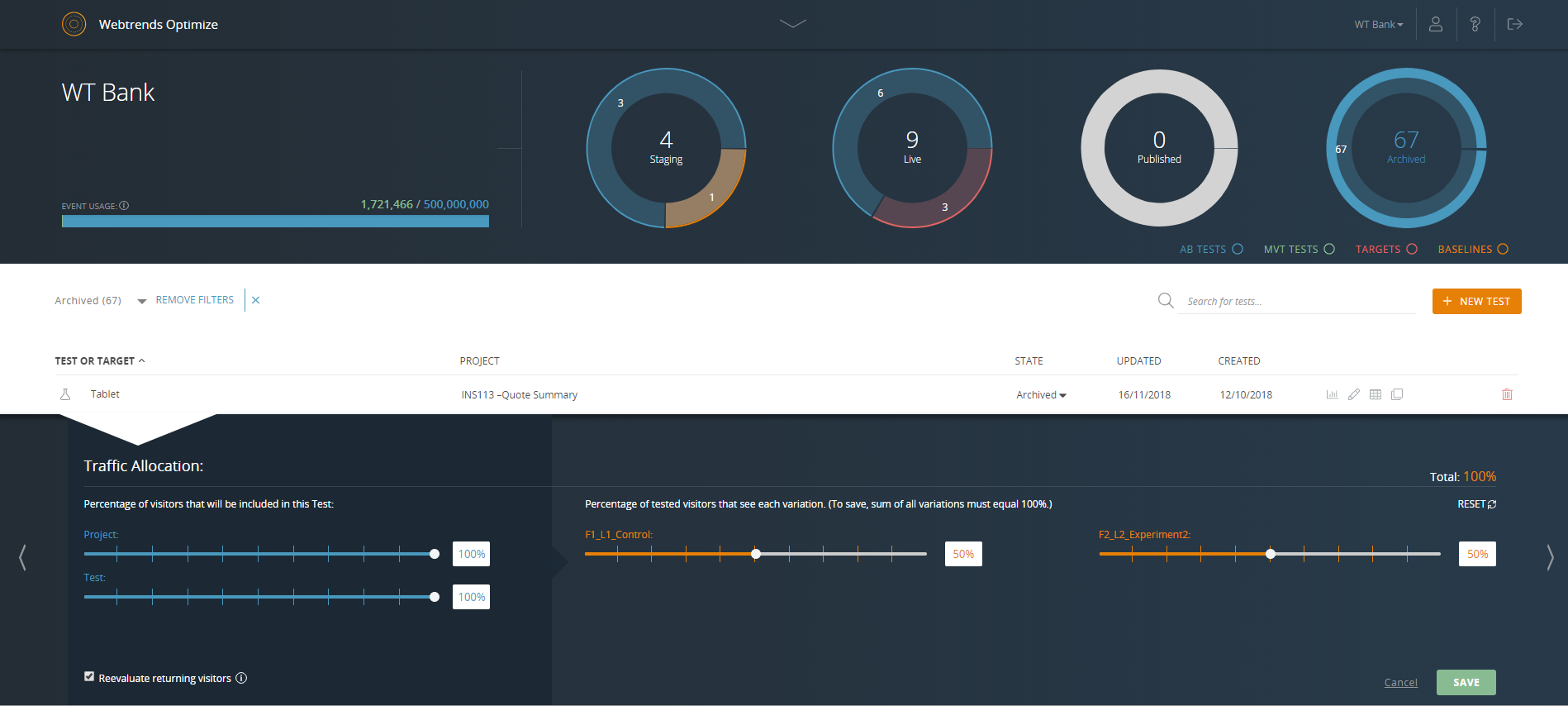
Set up of basic tests that do not use segmentation or targeting is an intuitive experience that can be learned quickly by new users. However, as the need for segmentation and other more advanced capabilities arise, the experience begins to degrade.
I do not ever recall a time when Adobe Analytics was unavailable to me to use in the 8 or so years I have been an end user of the product. My most-used day-to-day analytics tool Parse.ly however, generally has a multiple hours planned offline maintenance every two to four weeks, and sometimes has issues collecting realtime analytics that last anywhere between 15 minutes to an hour, and happen anywhere between 1 to 5 times a month.
A de minimis incentive was given to thank the reviewer for their time. The incentive was not used to bias or drive a particular response, nor was the incentive contingent on a positive endorsement. TR verified that a representative sample of customers was invited. More Info
Again, no issues here. Performance within the day updates hourly. other reports are updated overnight and available to access by the next morning. Pages load quickly, the site navigates easily and the UX is quite straightforward to get command over. On this front, I give Adobe kudos for building a great experience to work within
A de minimis incentive was given to thank the reviewer for their time. The incentive was not used to bias or drive a particular response, nor was the incentive contingent on a positive endorsement. More Info
Support for Adobe Analytics is ok, it used to be worse years ago. Now, the technology team at Adobe is way more knowledgeable on the product itself as well as the implementation. They also study your custom implementation and have good knowledge of where your company stands. Dedicated support is something worth considering.
A de minimis incentive was given to thank the reviewer for their time. The incentive was not used to bias or drive a particular response, nor was the incentive contingent on a positive endorsement. More Info
It was a one-day training several years ago that cost the organization several thousand dollars. There were only about 10 people in the training class. Adobe tried to cram so much information into that one-day class that none of our users felt like they really learned anything helpful from the experience. Follow-up training is too expensive
The online training for Adobe SiteCatalyst consists of short product videos. These are ok, but only go so far. For a while Adobe charged a fee for this, but recently made these available for free. There are many great blog posts that help users learn how to apply the product as well.
One of the benefits and obstacles to successfully using Adobe Analytics is a great / more accurate implementation, make sure your analytics group is intimate with the details of the implementation and that the requirements are driven by the business.
We evaluated and we currently use Mixpanel and we have Google Analytics on a couple of our properties. And honestly, once you get the hang of the Adobe Analytics workspace, the other products really don't stack up against it because the segmentation and the ability to create reports pretty rapidly are invaluable.
Webtrends Optimize can be used for much more complex tests, allows better conversion tracking and data collection. Visual Website Optimizer (VWO) is suitable for smaller, simple projects. Webtrends Optimize comes with an excellent consultancy that could save you a lot of time and resources
Adobe Analytics is relatively affordable compared to other tools, given it provides a range of flexible variables to use that I have not found in any other tools so far. It is worth investing in if your company is medium or large-sized and brings a steady flow of revenue. For small companies, it can be overpriced.
A de minimis incentive was given to thank the reviewer for their time. The incentive was not used to bias or drive a particular response, nor was the incentive contingent on a positive endorsement. More Info
My organization uses Adobe Analytics across a multitude of brand portfolios. Each brand has multiple websites, mobile apps and some even have connected TV apps/channels on Roku and similar devices. Adobe can handle the multitude of properties that have simple, small(ish) websites and the larger brand properties that include web, mobile and connected TVs/OTT devices.
Each of those larger brands has multiple categories and channels to keep track of. We can see the data by channel/device or aggregate all the data together. This gives our executive teams the full picture and the departmental teams the view they need to see their own performance.
A de minimis incentive was given to thank the reviewer for their time. The incentive was not used to bias or drive a particular response, nor was the incentive contingent on a positive endorsement. TR verified that a representative sample of customers was invited. More Info
The professional services team is one of the best teams for complex adobe analytics implementations, especially for clients having multiple website and mobile applications. However, the cost of professional services is a bit high which makes few clients opt out of it, but for large scale implementations they are very helpful
A de minimis incentive was given to thank the reviewer for their time. The incentive was not used to bias or drive a particular response, nor was the incentive contingent on a positive endorsement. More Info
I'd say business results. We tend to see better media and marketing engagement as a result of using Adobe Analytics, and that's largely because we can measure the effectiveness of campaigns and we can figure out which ones are driving better engagement, whether it's top of funnel or bottom of funnel. That's probably the biggest business result we see. It's obviously we even use it for other non-traditional use cases like AB testing to figure out which experience is a better or not, that type of thing.
A de minimis incentive was given to thank the reviewer for their time. The incentive was not used to bias or drive a particular response, nor was the incentive contingent on a positive endorsement. TR verified that a representative sample of customers was invited. More Info
So far we haven't seen an ROI that we can accurately measure due to only running a couple of tests that haven't resulted in direct, site wide changes. However, we have learnt a lot about how to set up the right processes and documentation.