Adobe Experience Manager is a combined web content management system and digital asset management system. The combined applications of Adobe Experience Manager Sites and Adobe Experience Manager Assets is offered by the vendor as an end-to-end solution for managing and delivering marketing content.
N/A
Jaspersoft
Score 6.0 out of 10
N/A
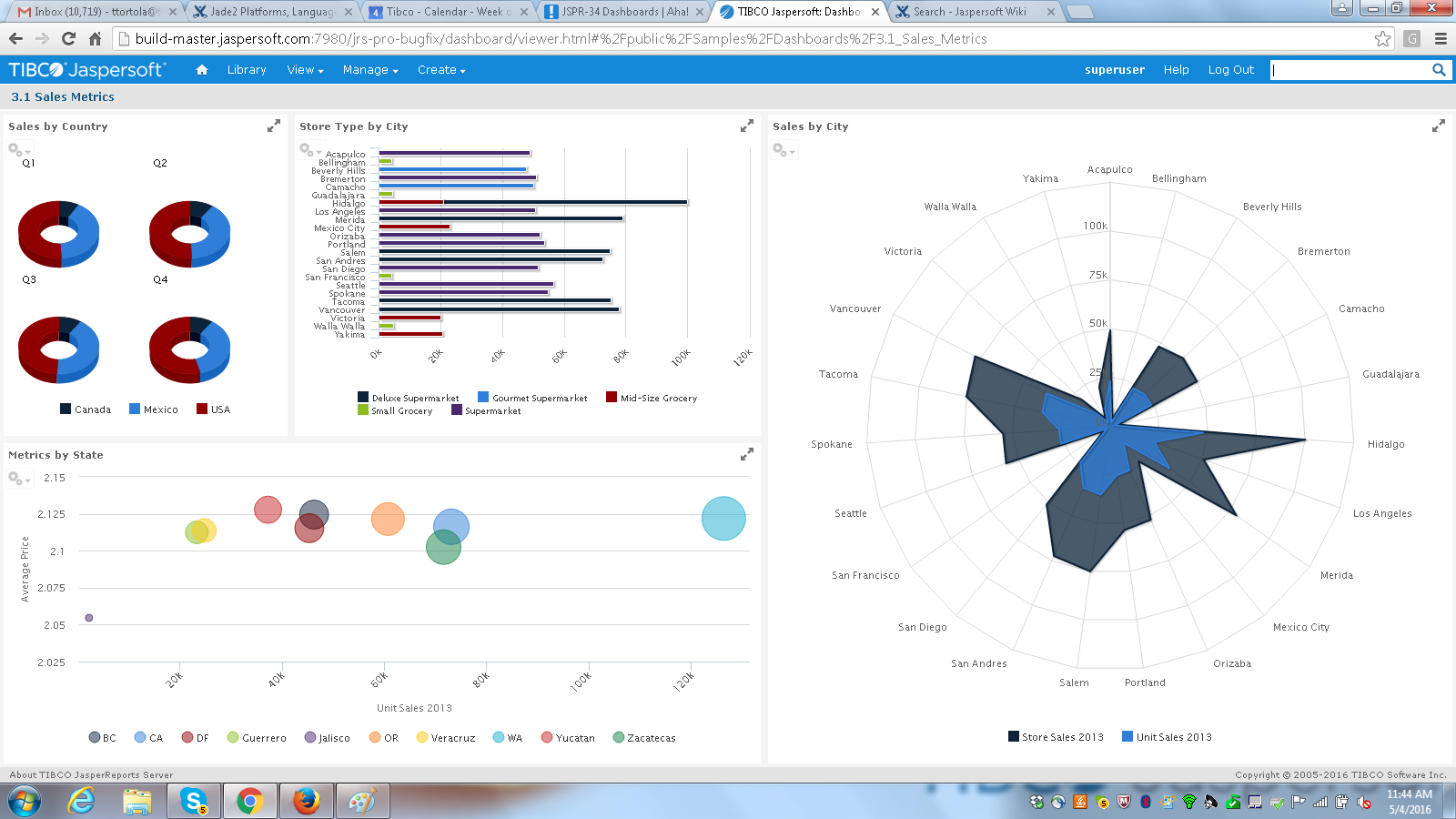
Jaspersoft commercial edition is an embedded business intelligence suite designed to be built-into SaaS products as an integrated reporting engine. It provides reports and dashboards for customer-facing applications without requiring app developers to build their own reporting engine.
N/A
WordPress
Score 8.6 out of 10
N/A
Wordpress is an open-source publishing platform popular with bloggers, and a content management system, known for its simplicity and modifiability. Websites may host their own blogging communities, controlling and moderating content from a single dashboard.
$3
per month 6 GB storage
Pricing
Adobe Experience Manager
Jaspersoft
WordPress
Editions & Modules
No answers on this topic
No answers on this topic
Personal
$4
per month 6 GB storage
Premium
$8
per month 13 GB storage
Business
$25
per month 50 GB storage
Commerce
$45
per month 50 GB storage
Enterprise
Contact for pricing
Offerings
Pricing Offerings
Adobe Experience Manager
Jaspersoft
WordPress
Free Trial
No
Yes
No
Free/Freemium Version
No
Yes
No
Premium Consulting/Integration Services
No
Yes
No
Entry-level Setup Fee
No setup fee
No setup fee
No setup fee
Additional Details
—
Jaspersoft offers flexible pricing for ISVs and SaaS per customer or by CPU core.
Pricing for Business and Commerce plans vary on number of GB.
I've done numerous implementations using WordPress (a free open source CMS that many medium sized companies are leveraging) and found that it's really awkward for non-technical users. Adobe Experience Manager is a much more friendly piece of software for managing large and …
At Canadian Tire Financial, in the time I've been there, we've always used AEM, but in past places I've used WordPress, I've used Squarespace. Things that are more general user-friendly where you're like building your own blog or you're creating a small business website where …
Overall, I prefer AEM as an enterprise site management tool. It allows levels of access control and delegation, while leaving the server management and updates to a specialized team. I do miss the flexibility of being able to search and replace that I have in a WordPress site, …
Adobe Experience Manager, built on Java, means that the pool of developers available to work on the platform is large. Adobe Experience Manager's front-ends and client library management tooling mean that front-end developers can feel at home despite a lack of Java knowledge.
We wanted a CMS which is known in market, which have a good ecosystem. With Adobe Experience Manager, we get integration with Target, Tag management, and other Adobe products.
In terms of usability for building sites, Adobe Experience Manager is probably the most difficult, least intuitive tool I've used. However, it does allow for easier multi-site management vs other platforms.
Adobe Experience Manager is a lot stronger platform able to handle larger swaths of customizations and extension. The cost may be higher for AEM, but if your business scale justifies it, the overall management and product integrations will more than pay for itself. You can do …
You don´t need to constantly update or add new "plugins" to editor. You just need to set up the style of your page and then you can start to populate content. The integration with e-commerce was made by It team but it works fine with other internal systems on the company.
I think AEM is more robust for an enterprise-sized company. It has more security around it, and then definitely you have to have enough knowledge to be able to use it and then interact. It enables a lot of the integration with other third-party tools. So we use Salesforce and …
I can’t even compare. You pay for what you get, and Adobe has a wealth of knowledge and features that separate it from its competitors. All their products easily integrate and support their ecosystem.
AEM provides a sustainable quality of work that goes long-lasting, and we don't need to worry about future updates as AEM gives time-to-time security, patch, and platform updates. Not only updates, AEM introduces new features every now and then, which not only encourage its …
Adobe Experience Manager proofs to be the right solution for large corporations with multiple business units and brands, since most of the functionalities are oriented to that. Other similar tools are more basic with regards to the available options and are also not that …
eZ Platform was found to be open while having set template structure but the costs soon ramped up while scaling it to enterprise level, while integrating other platforms including a number of Adobe products proved difficult with compromises to be had along the way - Adobe …
Adobe Experience Manager is an enterprise digital marketing platform that has an edge over other CMS platforms in multiple ways 1. Easy content authoring 2. Pre-defined authoring and publishing workflows 3. In-built multi-site authoring 4. Support for multi-lingual websites.
WordPress is much more user-friendly than systems such as AEM and Oracle, and thus more accessible and easy to onboard people to. It is also much more budget-friendly. WordPress is the most widely-used CMS on the market for a reason. WordPress does lack the power and other …
We selected WordPress because of the community, flexibility, and cost. With the main reason being the community and support system that exists. This means we can find talent to make custom plugins, customize themes, and maintain the website easily and on a reasonable budget.
Features
Adobe Experience Manager
Jaspersoft
WordPress
Security
Comparison of Security features of Product A and Product B
Adobe Experience Manager
8.4
38 Ratings
3% above category average
Jaspersoft
-
Ratings
WordPress
8.1
159 Ratings
1% below category average
Role-based user permissions
8.438 Ratings
00 Ratings
8.1159 Ratings
Platform & Infrastructure
Comparison of Platform & Infrastructure features of Product A and Product B
Adobe Experience Manager
8.0
33 Ratings
1% below category average
Jaspersoft
-
Ratings
WordPress
7.9
134 Ratings
2% above category average
API
7.829 Ratings
00 Ratings
7.9124 Ratings
Internationalization / multi-language
8.129 Ratings
00 Ratings
7.9103 Ratings
Web Content Creation
Comparison of Web Content Creation features of Product A and Product B
Adobe Experience Manager
7.5
38 Ratings
4% above category average
Jaspersoft
-
Ratings
WordPress
8.1
166 Ratings
4% above category average
WYSIWYG editor
7.433 Ratings
00 Ratings
7.8151 Ratings
Code quality / cleanliness
6.734 Ratings
00 Ratings
7.3152 Ratings
Admin section
7.034 Ratings
00 Ratings
8.3164 Ratings
Page templates
7.637 Ratings
00 Ratings
8.7160 Ratings
Library of website themes
7.326 Ratings
00 Ratings
8.6162 Ratings
Mobile optimization / responsive design
7.835 Ratings
00 Ratings
8.5161 Ratings
Publishing workflow
8.135 Ratings
00 Ratings
8.2154 Ratings
Form generator
7.629 Ratings
00 Ratings
7.1131 Ratings
Web Content Management
Comparison of Web Content Management features of Product A and Product B
Adobe Experience Manager
7.3
37 Ratings
8% above category average
Jaspersoft
-
Ratings
WordPress
8.2
164 Ratings
10% above category average
Content taxonomy
7.731 Ratings
00 Ratings
8.1142 Ratings
SEO support
7.133 Ratings
00 Ratings
7.9148 Ratings
Bulk management
7.236 Ratings
00 Ratings
7.5125 Ratings
Availability / breadth of extensions
7.534 Ratings
00 Ratings
9.2152 Ratings
Community / comment management
7.130 Ratings
00 Ratings
8.3152 Ratings
BI Standard Reporting
Comparison of BI Standard Reporting features of Product A and Product B
Adobe Experience Manager
-
Ratings
Jaspersoft
7.6
100 Ratings
7% below category average
WordPress
-
Ratings
Pixel Perfect reports
00 Ratings
7.687 Ratings
00 Ratings
Customizable dashboards
00 Ratings
7.588 Ratings
00 Ratings
Report Formatting Templates
00 Ratings
7.886 Ratings
00 Ratings
Ad-hoc Reporting
Comparison of Ad-hoc Reporting features of Product A and Product B
Adobe Experience Manager
-
Ratings
Jaspersoft
7.4
98 Ratings
8% below category average
WordPress
-
Ratings
Drill-down analysis
00 Ratings
7.289 Ratings
00 Ratings
Formatting capabilities
00 Ratings
7.397 Ratings
00 Ratings
Report sharing and collaboration
00 Ratings
7.781 Ratings
00 Ratings
Report Output and Scheduling
Comparison of Report Output and Scheduling features of Product A and Product B
Adobe Experience Manager
-
Ratings
Jaspersoft
7.7
101 Ratings
6% below category average
WordPress
-
Ratings
Publish to Web
00 Ratings
7.176 Ratings
00 Ratings
Publish to PDF
00 Ratings
8.799 Ratings
00 Ratings
Report Versioning
00 Ratings
7.759 Ratings
00 Ratings
Report Delivery Scheduling
00 Ratings
7.582 Ratings
00 Ratings
Delivery to Remote Servers
00 Ratings
7.562 Ratings
00 Ratings
Data Discovery and Visualization
Comparison of Data Discovery and Visualization features of Product A and Product B
I'll answer the second one because I mean, the first one I don't have an issue with. The second scenario is we oftentimes have the need to spin off very small campaign style sites or sites that generate leads but are unbranded and that sort of thing. So that's hard to do in AEM because you have to then create another organization within AEM to do that. And we're talking about sites that are maybe five to 10 pages in size. So we've been investigating Edge, but then that's a different workflow, so we'd have to train people on that. So it would be nice if there was something within the AEM structure that could allow you to do something very similar to Edge, where you make some small micro sites that are not necessarily branded, that you could still host within the platform and not have to retrain everybody on a completely different platform.
It is well suited for the fact of scalability itself and the breadth of features this application has in order to make the migration from legacy systems to the newer different versions more seamless and effective. Data integrity and security are the main aspects of this tool which does not lose their value when doing day-to-day operations for data mapping.
Wordpress is a great solution for a website of nearly any type. It may not be as suitable if a fully custom solution or app is needed, and it does have some limitations when it comes to connecting it to external products (especially if the product doesn't have any support from a native system), and it does require a lot of testing. Multiple plugins in one install are common but also increase the risk of conflicts, and when those do occur, it can be exceptionally time-consuming and tedious to identify what is causing the issue. As third parties create many plugins, you're also at risk with each potential security breach, which needs to be kept in mind. I would be cautious to use WordPress to store any sort of sensitive PPI. That said, it's a wonderful, easily customizable solution for many, many different types of websites and can allow even inexperienced client users with low-tech knowledge to update basics.
It allows us to scale so that we can make a change on a global footer. And it applies to all of the different property websites. It allows us to set up components and compartmentalize things in a way. The big thing is that it's scalable. And then it also ties into Adobe Analytics and other Adobe products. So we are a complete Adobe shop. Every Adobe product that we can use, we use. I don't think we do it for marketing so much, but for doing target testing and analytics, data scientists are using the same product and so it all speaks.
TIBCO Jaspersoft allows you to embed reports into your own application, which gives users the feeling they are using a single product.
TIBCO Jaspersoft Studio allows for more advanced report development, such as adding subreports, drilldown to detail reports, images, page headers, page footers, maps, and more.
TIBCO's Jaspersoft Domain Designer is very easy to use and navigate.
There are some glitches in permissions inheritance that require us to toggle a save on permissions in groups that inherit from a group that was recently updated.
Large packages require stopping the workflow launcher OSGi components or many workflows will slow down the server.
Locked pages are hard to find unless I use /siteadmin... I often hear that the CQ tools will go away, but if we lose that, some small things might be harder to do, like finding locked pages.
One of the issues we found during our implementation was that the reporting software would work faster for certain data sources and not the others. Extracting CSVs and XML was slower in comparison to JSON in our experience.
Jaspersoft Studio was the main IDE we used for development. Built atop the Eclipse IDE, we found that the tool was really resource intensive and generally take long time to initialize.
WordPress breaks often so you need to have someone who understands how to troubleshoot, which can take time and money.
Some plugins are easier to customize than others, for example, some don't require any coding knowledge while others do. This can limit your project if you are not a coder.
WordPress can be easily hacked, so you also need someone who can ensure your sites are secure.
We had and still have a fantastic experience using Adobe CQ. Lots of flexibility, great integration with other Adobe products we already use and a powerful technology make it a great fit for our corporate environment. Also as the community grows, it makes it easier to network with other developers and users to get new ideas on how to continue to get the best out of the software.
JasperSoft has been amazing. It is well documented, fast, and transparent in how it functions. We have been very confident in JasperSoft in every aspect of our business and offerings where we've used it. On top of that, their improvements to the product have been fantastic. I am really looking forward to seeing where they take their product and how we can leverage that to please our clients
The complications we have and the lack of support. Every plugin has a differente team of support in charge and make one plugin work with the other one always affects the website performance. It's a thousand times better to have only one provider with all functionalities included unless you are an expert web developer or have a team dedicated to it
Adobe Experience Manager overall is fairly easy to use and caters to a wide range of users when it comes to their technical abilities. It has the flexibility to enable UI/UX designers to pop in and easily design new content with drop in components. It also has sufficient capabilities for those who are more technically inclined and want to dig more into custom code or solutions
I think it's a tool well suited for a software developer. Others with less coding skills could struggle somewhat with the tool. I find java a little unforgiving as a language for expressions and not very user friendly for the technically dis-inclined. Sometimes the numeric conversions cause issues (who knew that 0 and 0.0 would cause different things to happen). Previous experience with a reporting tool that used visual basic for its' expressions that I found much simpler to use. On the other hand, java is so widespread, you can easily google the syntax to accomplish what you need to do.
Extremely easy to use and train users. It took very little time to get everyone trained and onboarded to start using WordPress. Anytime we had any issues, we were able to find an article or video to help out or we were able to contact support. The menu options are well laid out so it is easy to find what you are looking for.
Being part of Adobe Suite means you are already notified when the tool has any outages. However, I have never faced unplanned outages. Whenever you face any issue with the site, it is clearly stated if there were any planned outages and how quickly you will be back to normal. So, I will say that even the outages are planned and managed in a great way like their other services.
Anyone can visit WordPress.org and download a fully functional copy of WordPress free of charge. Additionally, WordPress is offered to users as open-source software, which means that anyone can customize the code to create new applications and make these available to other WordPress users.
With respect to performance, Adobe experience manager is one of the best in the CMS space. We didn't observe frequent slowness on platform, however the systems which are accessing experience manager should be of good specifications without which slowness would be observed. Adobe experience manager works well in integration with other solutions, unless the destination application is designed to trigger frequent calls to AEM.
Mostly, any performance issues have to do with using too many plugins and these can sometimes slow down the overall performance of your site. It is very tempting to start adding lots of plugins to your WordPress site, however, as there are thousands of great plugins to choose from and so many of them help you do amazing things on your site. If you begin to notice performance issues with your WordPress site (e.g. pages being slow to load), there are ways to optimize the performance of your site, but this requires learning the process. WordPress users can learn how to optimize their WordPress sites by downloading the WPTrainMe WordPress training plugin (WPTrainMe.com) and going through the detailed step-by-step WordPress optimization tutorials.
Adobe Experience Manager, in all its capacity, is a great alternative to any other CMS you are using. It helps in rapid development and makes life easier for maintaining the website for multi-language sites. Technical know-how is eliminated at content authoring. Better documentation in terms of live examples with videos would be appreciated.
They have a great customer support ticketing system in which they always respond same-day. They offer conference calls with srcreensharing as well in order to better understand your issues.
I wish that the lower level support access came with more than just 12 cases per year though as this makes us less likely to reach out for questions on things that we then instead try to solve ourselves which results in loss of time in trying to acquire new features and or solve a problem.
I give this rating, which I believe to be a great rating for a community based support system that's surrounding it. Most platforms and products have their own, and as WordPress does have their own team that help here and there, a lot of it's handled by community involvement with dedicated users who are experts with the system who love to help people.
It did the job of getting us to our deadline we set for ourselves for initial launch. The customer we launched the product for was also there to learn about it at the same in order to better understand the capabilities. This helped greatly so that the customer was on the same page on what was possible when using jaspersoft. I think most people would not want their customers aware the product they are using is third-party but in this case it was a new experience for us both and so as we learned more about jaspersoft, we both had better communication on what the future road map was for their business needs in BI.
Varies by the person providing training. High marks as it's incredibly easy to find experienced individuals in your community to provide training on any aspect of WordPress from content marketing, SEO, plugin development, theme design, etc. Less than 10 though as the training is community based and expectations for a session you find may fall short.
Resources available in the TIBCO Knowledge Base are covering almost everything. They are well organized, and covering almost every possibility. There is always the change to get back to the TIBCO support or to the dedicated Customer Success Manager whenever something very specific or bound to a customization is not covered.
Depending on your individual needs, It is really quite simple to create an authoring experience for a website that looks really good. I have been part of many implementations and many teams and have seen many projects that were super successful and others that were not implemented well. AEM has room for a lot of flexibility in the implementation process compared to other CMS like SharePoint
Having just completed an upgrade to the latest version of Jaspersoft, I am happy to say their support was very good. There were a couple of small challenges which were not easily resolved, but they were primarily related to the fact that we had skipped updates for a couple of versions. The current update procedures assumed we were upgrading from the prior latest version (6.4) to to the new version (7.1).
WordPress is not a great solution if you have: 1) A larger site with performance / availability requirements. 2) Multiple types of content you want to share - each with its own underlying data structure. 3) Multiple sites you need to manage. For very small sites where these needs are not paramount, WordPress is a decent solution
SSO is one fits all, so we don't have to have a separate SSO for each application of Adobe The integration with Analytics works perfectly and bring directly value really quickly Target remains more complicated to set up, but can also bring a lot of value once integrated with the rest of the Adobe platform The fact that the solution is Cloud services is also a big advantage for maintenance
When looking at the different features of these reporting engines, and what we were going to be using it for, the answer seemed clear. Jasper offered exactly what we were looking for, and did so for a price that we were happy with. For a scalable, feature-rich reporting engine that doesn't break the bank, Jaspersoft is the way to go.
WordPress isn't as pretty or easy to use as certain competitors like Jimdo, Squarespace or HubSpot, but it makes up for it with its affordability, familiarity and the ability to find quality outside help easily. The same can't be said for certain competitors, as you might need to find an expert and it could get costly.
Instead of being directly involved in the tool purchase, I am involved in analysis or what we can use to maximize the tool. Small organizations may find it expensive. However, if the team or organization focuses more on your ROI or the features you will get, then it will definitely be worth it. Pricing is based on a number of factors, including team size or the use of the tool. The user can select the pricing option that best fits their needs based on the number of form submissions they make or the number of pages they wish to publish on their global/multisite sites.
WordPress is completely scalable. You can get started immediately with a very simple "out-of-the box" WordPress installation and then add whatever functionality you need as and when you need it, and continue expanding. Often we will create various WordPress sites on the same domain to handle different aspects of our strategy (e.g. one site for the sales pages, product information and/or a marketing blog, another for delivering products securely through a private membership site, and another for running an affiliate program or other application), and then ties all of these sites together using a common theme and links on each of the site's menus. Additionally, WordPress offers a multisite function that allows organizations and institutions to manage networks of sites managed by separate individual site owners, but centrally administered by the parent organization. You can also expand WordPress into a social networking or community site, forums, etc. The same scalability applies to web design. You can start with a simple design and then scale things up to display sites with amazing visual features, including animations and video effects, sliding images and animated product image galleries, elements that appear and fade from visitor browsers, etc. The scaling possibilities of WordPress are truly endless.
The professional services team within adobe is one of the best in terms of technical and solutioning knowledge. However, considering the billing charges of adobe professional services team, it is always recommended to involve them during platform initial setup or when a complex solution is to be built with platform customizations.
too soon to tell on increased conversion rates based on external marketing factors in play but having increased visibility into customer engagement trends will most likely lead to improvement of our conversion rates.
There have been productivity gains from the perspective of actually migrating all of our externally managed sites to the same in-house Adobe Experience Manager platform and then being able to utilize those universal components.
When we demo our Jaspersoft environment to potential clients, their eyes light up and they sit up in their chairs a bit more. A lot of our meetings have ended with with the client very interested in our product due to Jaspersoft.
Our existing clients have been very satisfied with the adhoc features of Jaspersoft. We've been able to provide them better access to their data on their terms instead of ours. Of course this turns into a huge win for us.
We've always used SQL Server Reporting Services to deliver our reports to our clients. Converting to Jaspersoft has allowed us to generate the reporting layer that our clients demand. They no longer feel like they are settling for what we offer.