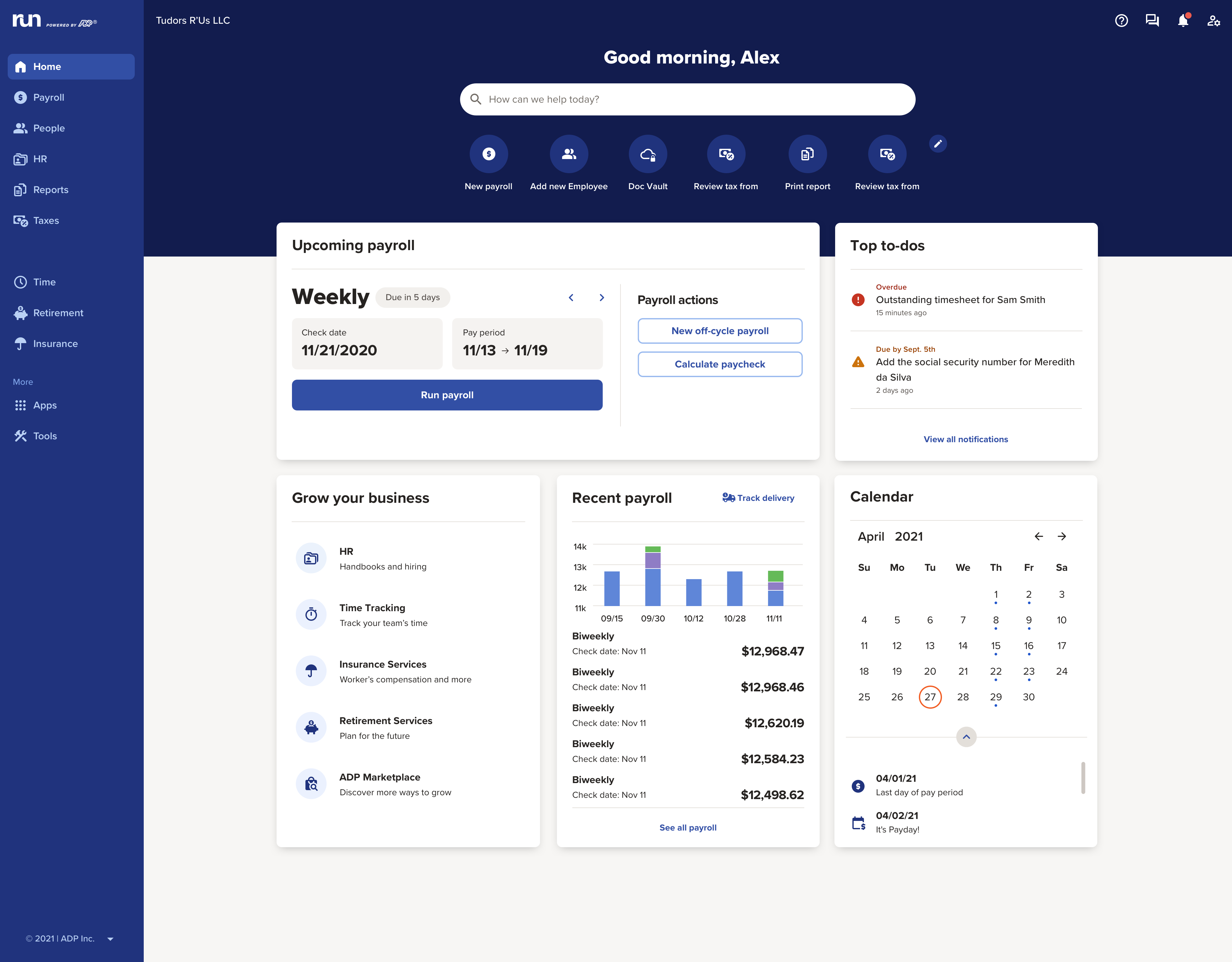
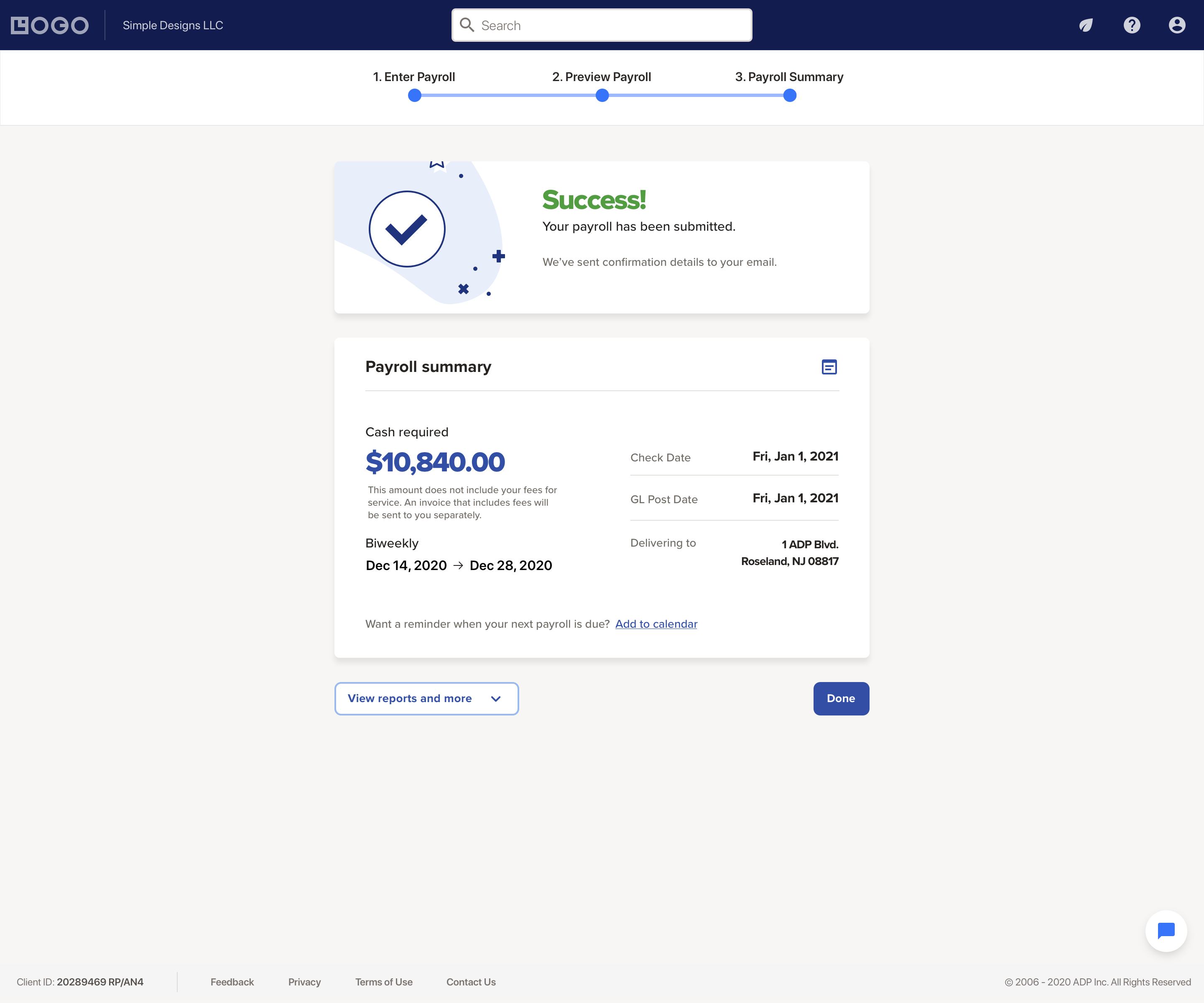
The RUN Powered by ADP® cloud-based solution is used to pay employees. It also includes HR and hiring tools, as well as benefits, helping small businesses grow and manage their teams.
N/A
Zoho Projects
Score8.1 out of 10
N/A
Zoho Project is online project management and planning software that provides project teams with a web-based collaborative environment. Zoho Projects can also include a bug tracking module specifically design to support software development project. It is integrated with other Zoho products including Zoho CRM.
owner in Finance and Accounting at Reliable Resources LLC (Accounting, 1-10 employees)
Chose Zoho Projects
We were testing out Asana at the time we moved on to Zoho. Zoho seemed to have more features that met our needs. Asana was not quite developed to the point of our liking. Zoho has an awesome calendar function that I loved, which Asana did not.
A de minimis incentive was given to thank the reviewer for their time. The incentive was not used to bias or drive a particular response, nor was the incentive contingent on a positive endorsement. More Info
I would highly recommend given that RUN Powered by ADP® is our third payroll company and the first that I have been completely satisfied with. It saves me hours of frustration and is also less expensive than our previous payroll companies.
A de minimis incentive was given to thank the reviewer for their time. The incentive was not used to bias or drive a particular response, nor was the incentive contingent on a positive endorsement. More Info
My work involves projects of 5-15 people with numerous projects running simultaneously. Prior to Zoho, I did not have a central location from which to view all project statuses at once. Zoho looks to provide this and also looks like it will deliver. I am anxious to see how our organization's use of it develops. At this time, I feel I am likely to recommend Zoho Projects because my organization has made great software decisions in the past so I have a level of trust already that the research has been done that Zoho is the best solution for our line of work.
A de minimis incentive was given to thank the reviewer for their time. The incentive was not used to bias or drive a particular response, nor was the incentive contingent on a positive endorsement. More Info
A de minimis incentive was given to thank the reviewer for their time. The incentive was not used to bias or drive a particular response, nor was the incentive contingent on a positive endorsement. More Info
We use it to manage our sales orders as there are lots of moving parts which are necessary to get client orders done properly.
I use it anytime I have a new idea I want to put into motion. As I can create a list for brainstorming, feedback, specific actions necessary in order to test and or implement the idea.
Unrelated to business, it's a great way to plan travel in order to make sure you don't forget those important things like passport, flight arrangement, client meeting confirmation, and meeting prep as far as what specific documents or things do you need to bring with you.
And since everyone is on the go and expected to keep up with work, the mobile/tablet app makes it a breeze to keep up, work on, and create new projects.
A de minimis incentive was given to thank the reviewer for their time. The incentive was not used to bias or drive a particular response, nor was the incentive contingent on a positive endorsement. More Info
I do wish there were additional custom deductions available rather than a limited amount.
Sometimes employees have trouble accessing their account after the initial invite has been sent.
Sometimes employee accounts get locked due to a reused email if their profile is deleted before they've signed up. Only a call to support can correct it.
A de minimis incentive was given to thank the reviewer for their time. The incentive was not used to bias or drive a particular response, nor was the incentive contingent on a positive endorsement. TR verified that a representative sample of customers was invited. More Info
It is much better than the payroll system I used previously. The integrations that RUN has for on-boarding new hires are very convenient when they work properly. It saves a tremendous amount of time being able to email a link to new employees that allows them to enter much of their own demographic information. Payroll feature alerts me when someone's pay is significantly less or more than usual.
A de minimis incentive was given to thank the reviewer for their time. The incentive was not used to bias or drive a particular response, nor was the incentive contingent on a positive endorsement. TR verified that a representative sample of customers was invited. More Info
I've reviewed about 8 other project management solutions and Zoho Projects is the best I've seen without being overly complicated. Zoho Projects keeps getting better! Recent new enhancements makes it even easier to navigate. There are new keyboard shortcuts that cut my time way down. The tools are very easy to use.
I have been using this system for years and they have actually made it easier and easier. The system is always making great upgrades that don't necessarily require any additional information or training. I love when I log in and see a new feature or button that I get to use to make my life easier!
A de minimis incentive was given to thank the reviewer for their time. The incentive was not used to bias or drive a particular response, nor was the incentive contingent on a positive endorsement. More Info
Zoho Projects is an easy project management tool to use. It provides all the functionality that we required for handling projects. We can easily create personal forms for projects and tasks, allowing us to add and report on our own desire. Apart from this we can create and edit documents in real time which saves our time. This allows us to share text docs, presentations, tables with the whole team and we can work on them together
A de minimis incentive was given to thank the reviewer for their time. The incentive was not used to bias or drive a particular response, nor was the incentive contingent on a positive endorsement. More Info
We've had very little issue with RUN availability, only a couple times there were outages when least expected which occurred on our actual payroll due date
A de minimis incentive was given to thank the reviewer for their time. The incentive was not used to bias or drive a particular response, nor was the incentive contingent on a positive endorsement. TR verified that a representative sample of customers was invited. More Info
ADP Run loads a bit slowly at times, once I put in my credentials. However, that said, I think my perception of the time it takes is impacted by our "instant gratification" expectation of being able to get into everything quickly.
A de minimis incentive was given to thank the reviewer for their time. The incentive was not used to bias or drive a particular response, nor was the incentive contingent on a positive endorsement. More Info
I appreciated having that issue finally take care of. it was extremely disheartening to see the issue had not been resolved. I also had my employees looking to me and thinking I was not trying to resolve the issue so it reflected poorly on my character. I do not know if i was because of a miscommunication, but nonetheless I was happy it was taken care of
A de minimis incentive was given to thank the reviewer for their time. The incentive was not used to bias or drive a particular response, nor was the incentive contingent on a positive endorsement. TR verified that a representative sample of customers was invited. More Info
Although it might lack intuitiveness, once you get a hang of how Zoho Projects works, you can do a LOT. The impact good project management has on profitability is huge, and it has helped not only improve communication and coordination when working on a project, but more importantly have adequate tracking of time, due dates and potential bottle necks
A de minimis incentive was given to thank the reviewer for their time. The incentive was not used to bias or drive a particular response, nor was the incentive contingent on a positive endorsement. More Info
A de minimis incentive was given to thank the reviewer for their time. The incentive was not used to bias or drive a particular response, nor was the incentive contingent on a positive endorsement. TR verified that a representative sample of customers was invited. More Info
A de minimis incentive was given to thank the reviewer for their time. The incentive was not used to bias or drive a particular response, nor was the incentive contingent on a positive endorsement. TR verified that a representative sample of customers was invited. More Info
A de minimis incentive was given to thank the reviewer for their time. The incentive was not used to bias or drive a particular response, nor was the incentive contingent on a positive endorsement. TR verified that a representative sample of customers was invited. More Info
We decided to go with RUN Powered by ADP® as they seemed to be the most price conscious with the most up-to-date compliance in the field. Often the competitors cost more for individual services or wanted us to buy a much larger bundle of products than we needed.
A de minimis incentive was given to thank the reviewer for their time. The incentive was not used to bias or drive a particular response, nor was the incentive contingent on a positive endorsement. TR verified that a representative sample of customers was invited. More Info
Zoho Projects provides a more limited set of functionality and customization options than other task/bug trackers on the market, but what it lacks in functionality it makes up for in ease of use. It probably has 80-90% of the features of its competitors but takes about a third of the time to get up and running and realizing value.
A de minimis incentive was given to thank the reviewer for their time. The incentive was not used to bias or drive a particular response, nor was the incentive contingent on a positive endorsement. More Info
Every summer, we hire three new college interns who have to be entered into the system. They can enter their information themselves, which takes a load off me. The onboarding is quite straightforward, and today's college kids are techy enough to be able to understand it.
A de minimis incentive was given to thank the reviewer for their time. The incentive was not used to bias or drive a particular response, nor was the incentive contingent on a positive endorsement. More Info
RUN Powered by ADP® has had a meaningful impact on our business by reducing administrative time and lowering compliance risk. Automating payroll and tax filings has saved several hours per pay period that would otherwise be spent on manual calculations, tracking deadlines, and preparing filings. This time savings allows us to focus more on operations and client work.
The platform’s automated tax handling has also reduced the likelihood of penalties or missed filings, which provides financial and operational stability. While the cost of the service can increase as add‑ons are introduced, the reliability of payroll processing and compliance support offsets much of that expense.
Overall, RUN Powered by ADP® has contributed to smoother operations, fewer errors, and more predictable payroll cycles, which supports our broader goals of efficiency and compliance.
A de minimis incentive was given to thank the reviewer for their time. The incentive was not used to bias or drive a particular response, nor was the incentive contingent on a positive endorsement. TR verified that a representative sample of customers was invited. More Info
We needed a system to organize our growing business, so anything was better than what we had, which was nothing.
Recording time spend is a huge reason for using project software. It has made me aware of the tasks that are taking too long and where we are not being profitable as a company.
It has kept our team accountable for what needs to get completed and when projects are not in motion or completed timely. It's helpful to know in order to get billing out faster.
A de minimis incentive was given to thank the reviewer for their time. The incentive was not used to bias or drive a particular response, nor was the incentive contingent on a positive endorsement. More Info