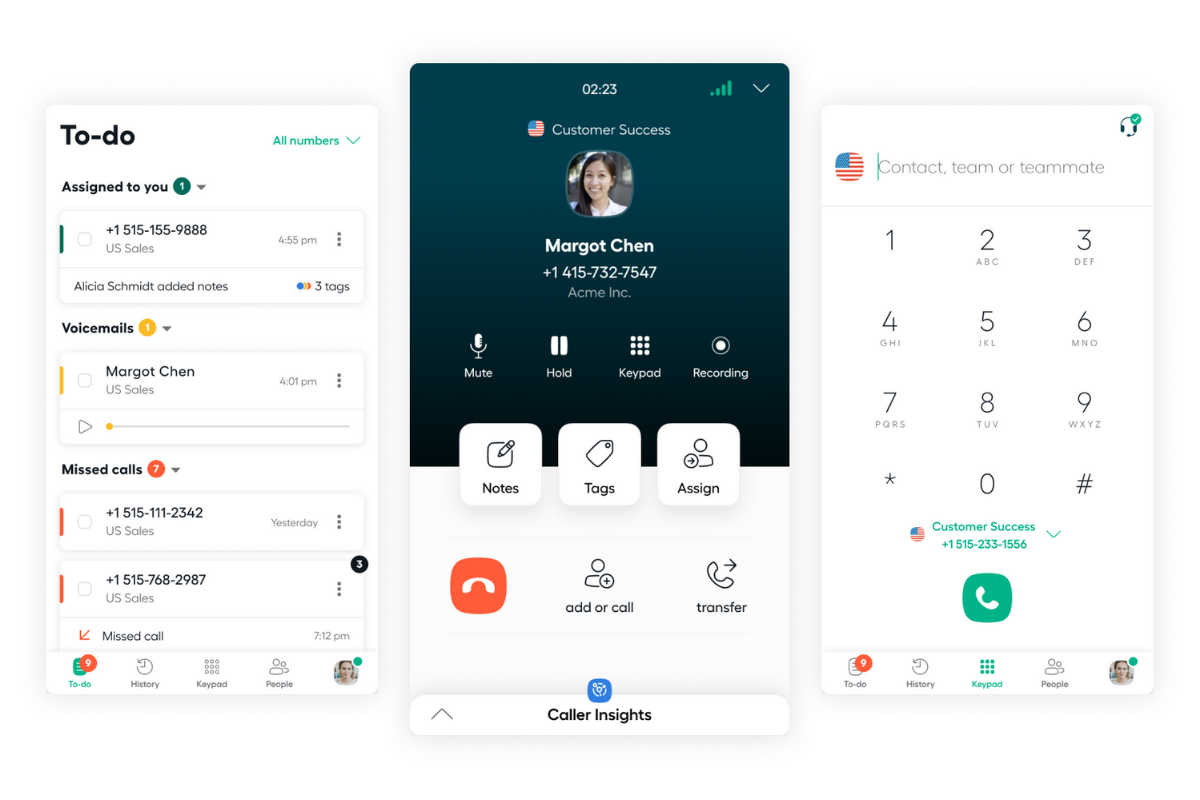
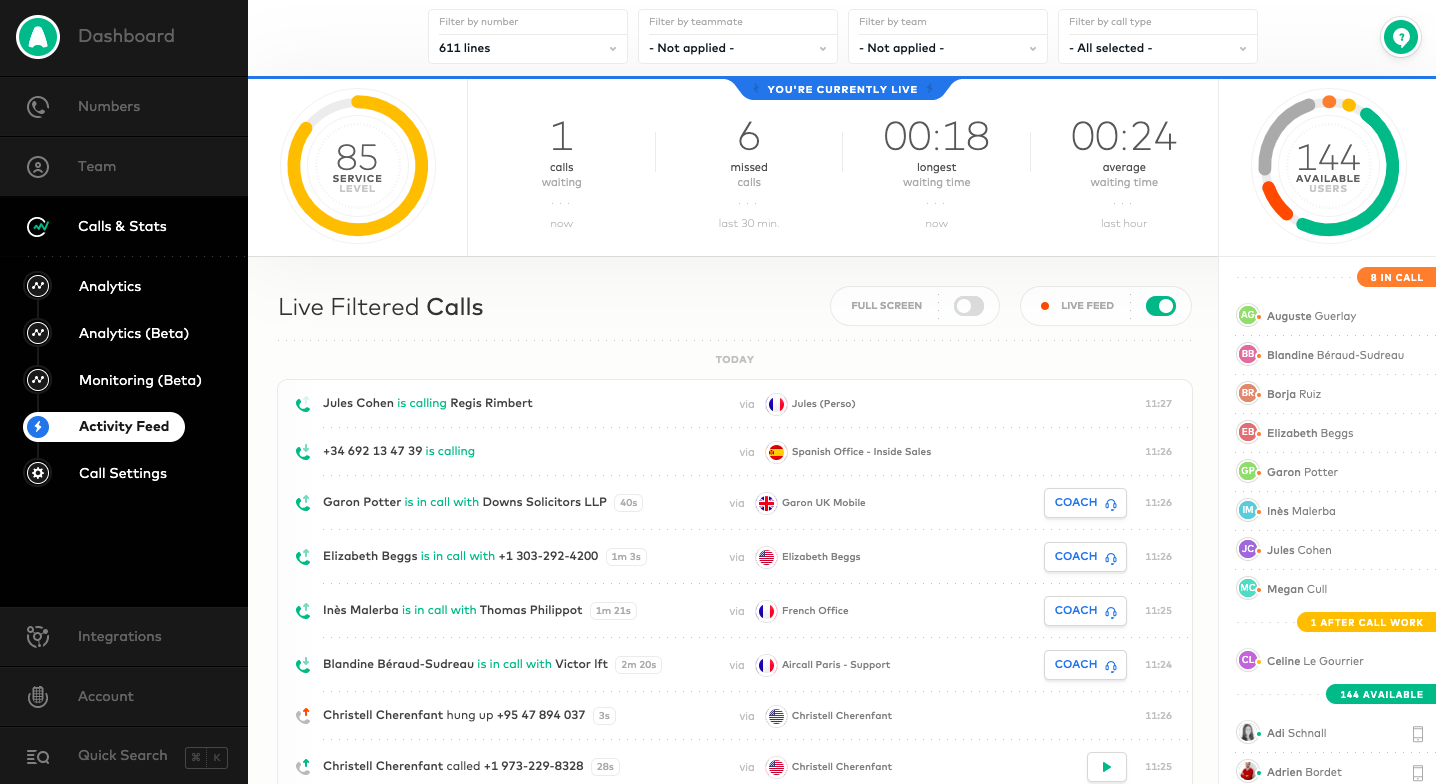
Aircall headquartered in Paris provides a VOIP system for business designed to support contact centers, featuring IVR and automated call routing, conference calls, shared call inbox and call notes, unlimited concurrent calls and call queuing, and many integrations with CRM or marketing systems to support a variety of support or sales purposes.
$120
per month for 3 licenses (minimum)
Streams.AI by PanTerra
Score8.1 out of 10
Mid-Size Companies (51-1,000 employees)
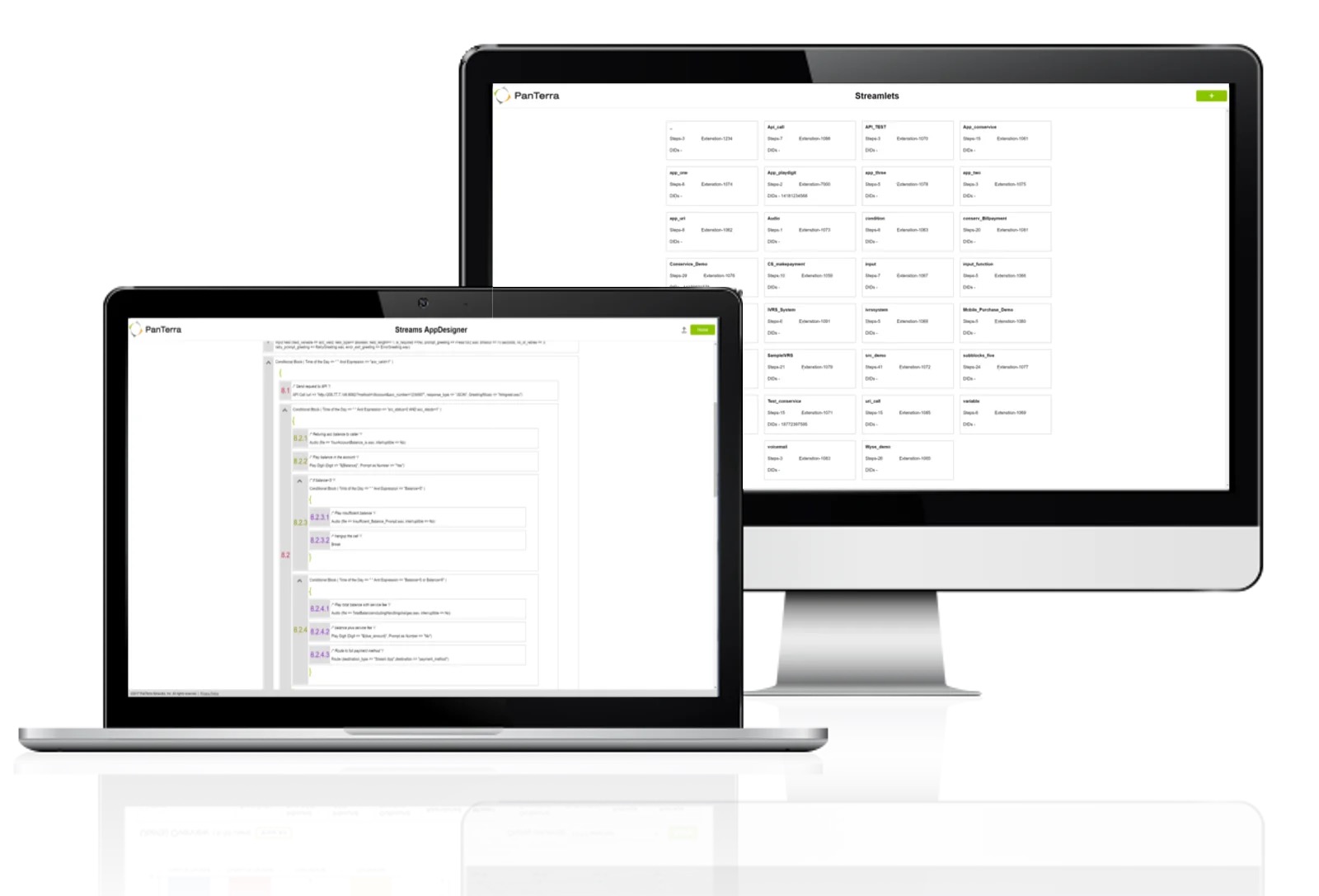
PanTerra is a provider of unified cloud-based services for communications, enterprise file sharing and mobility solutions for mid-market enterprises (MME), headquartered in Santa Clara. The Company's Streams service provides - Unified Communications and SmartBox - Communications-Enabled Content Management solutions which are delivered securely from the cloud through a browser-based client as well as mobile apps for smartphones and tablets, are designed to eliminate any on-premises deployed…
$17.95
per month per seat
Pricing
Aircall
Streams.AI by PanTerra
Editions & Modules
Essentials
$40
per month per license
Professional
$70
per month per license
Custom
Contact Sales
25 license minimum
Business Basic
$17.95
per month per seat
Business Plus
$24.95
per month per seat
Professional
$29.95
per month per seat
Call Center
$44.95
per month per seat
Offerings
Pricing Offerings
Aircall
Streams.AI by PanTerra
Free Trial
Yes
No
Free/Freemium Version
No
No
Premium Consulting/Integration Services
Yes
Yes
Entry-level Setup Fee
Optional
Optional
Additional Details
Discount available for annual pricing.
All plans are eligible for volume and term-based discounts.
Aircall is a great fit for any SaaS organization for sales and support groups. Since I come from sales, I cannot talk about support, but for the sales team, it's a great help. It's intuitive and user-friendly. No need for formal training as it's very easy to access all the features you need. I particularly like the option of taking calls on my mobile phone while I am away from my desk or traveling, and also how I can easily manage my working hours and schedule. I also like its ability to interact with different CRMs and other useful tools like Slack, etc.
A de minimis incentive was given to thank the reviewer for their time. The incentive was not used to bias or drive a particular response, nor was the incentive contingent on a positive endorsement. TR verified that a representative sample of customers was invited. More Info
One of the main draws of PanTerra Networks Streams is the unlimited calling, which was very enticing. We chose the platform over other models (per-call for example) because they simplified billing. While the video conferencing and messaging feel bare-bones or underdeveloped in comparison to other players in the market, the fact that the messaging is seamlessly integrated into the PBX makes it easy to use. The call routing systems are especially robust, which in the collections world is very important to be able to segment calls to different users.
A de minimis incentive was given to thank the reviewer for their time. The incentive was not used to bias or drive a particular response, nor was the incentive contingent on a positive endorsement. TR verified that a representative sample of customers was invited. More Info
Aircall's integration with HubSpot is fantastic. I can call from anywhere in HubSpot and know that my call is logged automatically. During my call, I have easy access to a contact's record and can pull up any information I need in just the click of a button. The only limit I've found is that it doesn't (yet?) auto-log to tickets. This seems to be pretty common among other integrations so it wasn't seen as a con in our buying decision.
I really like the Aircall dashboard and being able to customize who has access to what number. We even have the ability to give outbound calling privileges only to certain team members. It's also great that you can set up each individual number's answer tree to ring to the correct person.
There's a lot of cool features that don't make sense for our particular business, but I think Aircall's metric tracking and coaching abilities would be really useful for a lot of teams. I remember in my first call hearing about a feature where a manager can listen in and "whisper" tips to a rep during a call that only the rep would be able to hear. I can see how this would add value in a coaching situation.
A de minimis incentive was given to thank the reviewer for their time. The incentive was not used to bias or drive a particular response, nor was the incentive contingent on a positive endorsement. More Info
A de minimis incentive was given to thank the reviewer for their time. The incentive was not used to bias or drive a particular response, nor was the incentive contingent on a positive endorsement. More Info
No feature to update more than one phone line at the same time
Admins don't have access to the timeline of a call to see with which agent it rang
Missing agent-specific stats when your phone lines are organized in teams
If calls are setup to ring to a first group and then a second, if the whole first group is already busy, it does not go to the second group but puts the customer on hold
A de minimis incentive was given to thank the reviewer for their time. The incentive was not used to bias or drive a particular response, nor was the incentive contingent on a positive endorsement. More Info
A de minimis incentive was given to thank the reviewer for their time. The incentive was not used to bias or drive a particular response, nor was the incentive contingent on a positive endorsement. More Info
I give this rating as aircall is very easy to use but also lacks a parallel dialing feature which makes it slower to use. aircall has a pretty seamless integration with salesforce which is helpful. For the cost it is definitely very reasonable but it also lacks a live coaching/listening feature which is very valuable as a manager.
A de minimis incentive was given to thank the reviewer for their time. The incentive was not used to bias or drive a particular response, nor was the incentive contingent on a positive endorsement. More Info
In all likelihood, we will remain Panterra customers for many years. VoIP phone and messaging is a rapidly expanding and evolving market, however, and its possible a better solution will come along, but for now, Panterra Streams offers a compelling solution combining leading features, great customer service, and affordable pricing.
A de minimis incentive was given to thank the reviewer for their time. The incentive was not used to bias or drive a particular response, nor was the incentive contingent on a positive endorsement. More Info
I provide this rating based on my overall experience using Aircall. I have used it on my previous company as well and that being said, it is a proof that Aircall is a great tool to use in contact centers and with B2B businesses that has direct communication with clients.
Streams.AI by PanTerra is a great reliable service and that's what I want it to be. It's accessible wherever I am or however I am working - which is perfect. I would rate Streams.AI by PanTerra more highly if it required less steps and operated more functions in the background. I don't need any extra windows to do anything if it's working in my phone or connected to my email. So fewer steps and faster usage would improve my rating.
A de minimis incentive was given to thank the reviewer for their time. The incentive was not used to bias or drive a particular response, nor was the incentive contingent on a positive endorsement. More Info
A de minimis incentive was given to thank the reviewer for their time. The incentive was not used to bias or drive a particular response, nor was the incentive contingent on a positive endorsement. More Info
A de minimis incentive was given to thank the reviewer for their time. The incentive was not used to bias or drive a particular response, nor was the incentive contingent on a positive endorsement. More Info
We've enjoyed using Aircall so far and have had no issues with it. The platform is easy to use, looks nice, and makes it easy to keep track of everything.
A de minimis incentive was given to thank the reviewer for their time. The incentive was not used to bias or drive a particular response, nor was the incentive contingent on a positive endorsement. More Info
Support was always very helpful when we called them. If they didn't know the answer right then, you can bet they were either going to either find the answer or find someone who knows the answer. We were never left hanging or had an unsatisfactory experience when contacting support.
A de minimis incentive was given to thank the reviewer for their time. The incentive was not used to bias or drive a particular response, nor was the incentive contingent on a positive endorsement. TR verified that a representative sample of customers was invited. More Info
Everything was fantastic. Training was sufficient and everything was easy to use. It was provided on our schedule and was very clear. I did the training myself. Training person was very knowledgeable. We are very happy. Only two users. very happy very happy very happy very happy very happy very happy
A de minimis incentive was given to thank the reviewer for their time. The incentive was not used to bias or drive a particular response, nor was the incentive contingent on a positive endorsement. More Info
The implementation was relatively quick and easy. We did have to wait to have someone assigned which took longer that I was hoping. We were able to get the phone system up and running within a day. So there was no disruption or too many voicemails to answer
A de minimis incentive was given to thank the reviewer for their time. The incentive was not used to bias or drive a particular response, nor was the incentive contingent on a positive endorsement. More Info
We used to answer phone calls on our fix line when at the office. The quality was very bad but we had in mind that a VOIP solution would be too expensive. When lockdown began last year, I had to redirect calls on my own mobile phone which was not efficient. Also I couldn't receive voicemails, have a history of calls or choose working hours.
PanTerra Networks is viewed as more competitive, and close enough to win. Those other companies do offer more integrations off the shelve, and do have a more user friendly portal. Panterra does give the client a more personalized experience when it comes to the presentation, so the customer feels like they're getting a more personalized experience.
A de minimis incentive was given to thank the reviewer for their time. The incentive was not used to bias or drive a particular response, nor was the incentive contingent on a positive endorsement. More Info
A de minimis incentive was given to thank the reviewer for their time. The incentive was not used to bias or drive a particular response, nor was the incentive contingent on a positive endorsement. More Info
A de minimis incentive was given to thank the reviewer for their time. The incentive was not used to bias or drive a particular response, nor was the incentive contingent on a positive endorsement. More Info
Because of the lack of local partnerships with South African telecoms companies, calls to South Africa is very expensive. This was not originally apparent when opening the Aircall account.
Not having the option to display a local South African number in the CLIP, means that people are not always eager to pick up the phone when they see an overseas number ringing.
The only positive impact has been the collaborative experience and being able to maintain a virtual office
A de minimis incentive was given to thank the reviewer for their time. The incentive was not used to bias or drive a particular response, nor was the incentive contingent on a positive endorsement. More Info
Very reliable. We make hundreds of calls outbound and there has never been a connectivity issue or otherwise
We decreased our monthly expense for reliable service by several hundred dollars
The onboarding support was the best we've ever experienced. They were on the phone while we hooked up every phone, tested, and got it all set up with ease.
Any changes needed after onboarding were difficult to accomplish without a call to customer service. Some of those calls to customer service made things more confusing
A de minimis incentive was given to thank the reviewer for their time. The incentive was not used to bias or drive a particular response, nor was the incentive contingent on a positive endorsement. More Info