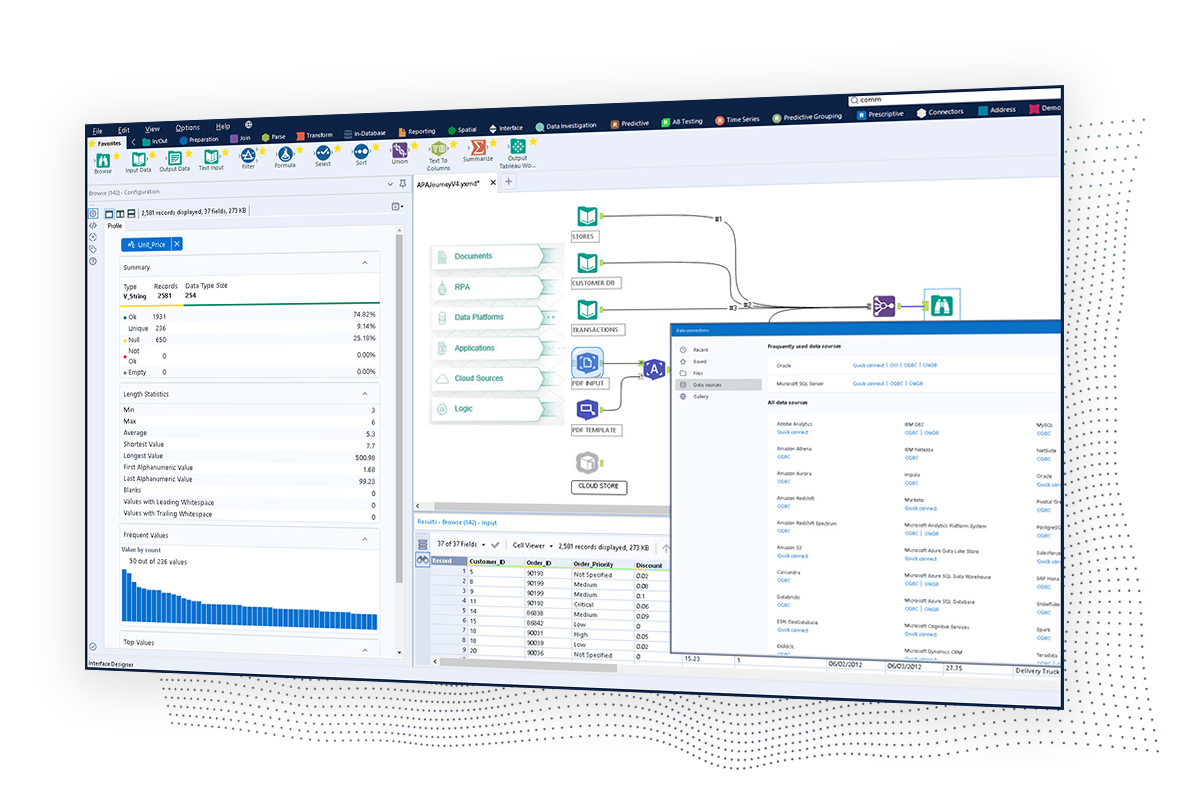
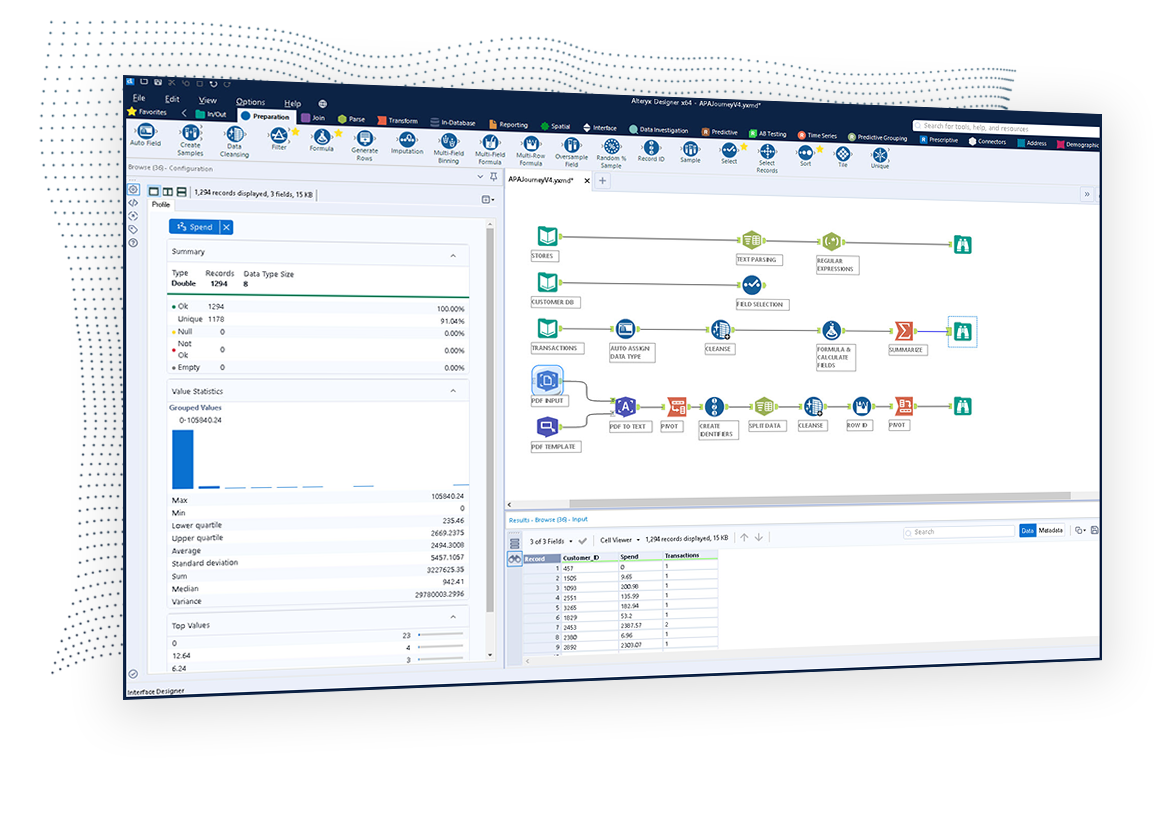
The Alteryx AI Platform gives organization automated data preparation, AI-powered analytics, and machine learning with embedded governance and security. Its self-service functionality, with self-service data prep, machine learning, and AI-generated insights, gives enterprise teams with a simplified user experience allowing everyone to create analytic solutions that improve productivity, efficiency, and the bottom line. Alteryx Designer can be used to automate every analytics step…
$14,850
per year 3 users (minimum), cloud edition
Anaplan
Score 8.5 out of 10
Enterprise companies (1,001+ employees)
Anaplan is a scenario planning and analysis platform designed to optimize decision-making in complex business environments so that enterprises can outpace their competition and the market. By building connections and collaboration across organizational silos, the Anaplan platform surfaces key insights.
N/A
TIBCO Integration (including BusinessWorks and Flogo)
Score 8.9 out of 10
N/A
TIBCO Integration is used to connect diverse business solutions, data sources, and devices into a single, seamless system.
N/A
Pricing
Alteryx Platform
Anaplan
TIBCO Integration (including BusinessWorks and Flogo)
Editions & Modules
Designer Desktop
starting at $5,195
per year per user
Designer Cloud Professional Edition
Starting at $4,950
per year per user (minimum of 3 users)
No answers on this topic
No answers on this topic
Offerings
Pricing Offerings
Alteryx Platform
Anaplan
TIBCO Integration (including BusinessWorks and Flogo)
Free Trial
Yes
No
No
Free/Freemium Version
No
No
No
Premium Consulting/Integration Services
Yes
Yes
Yes
Entry-level Setup Fee
No setup fee
Optional
Optional
Additional Details
—
—
—
More Pricing Information
Community Pulse
Alteryx Platform
Anaplan
TIBCO Integration (including BusinessWorks and Flogo)
Anaplan is a superior product for planning purposes. Ease of use is key and intuitive UX makes driving adoption less difficult
Verified User
Consultant
Chose Anaplan
Anaplan vs Oracle Hyperion - Anaplan is far better calculation engine and way more modern. However, Anaplan still struggles to provide reporting, especially adhoc reporting in excel based off a data model.
Anaplan vs Pigment - Anaplan is a more proven product, however, Pigment …
The tools generally fill different niches, Anaplan is the best for corporate and enterprise planning, OneStream's strengths are in Consolidations and working with large data sets by IT, and Pigment is a strong contender for finance teams at small organizations with less-defined …
Verified User
Consultant
Chose Anaplan
Anaplan can reduce modeling time from months to days. Our teams are able to now forecast multiple different scenarios quickly instead of having to tell our executive team that it will take us weeks to months to model out a specific scenario that they have questions on. We are …
Anaplan works well where you have a requirement for complete flexibility, such as in business structure, or in calculation methodology that is bespoke. You can tailor the system to your exact requirements, whereas some products come with pre-built modules that you might …
TIBCO Integration (including BusinessWorks and Flogo)
Likelihood to Recommend
Alteryx
I would 100% recommend Alteryx to a friend, for me its friendly interface is the best, it has all the tools I need without the headache that programming is. It can be used for simple or complex analysis, so honestly, I don’t see a scenario where it wouldn’t suit. I’ve used Alteryx to make simple things I could do in Excel, for example, but it was less complex and faster to do in Alteryx, so why not? Its a very versatile tool.
With its versions and native time features Anaplan is well suited for all activities around planning in time and scenarios. Tasks involving calculating across multiple dimensions make Anaplan shine - the easiness to build complex calculation and present results on customizable pages. With its access restrictions it's well suited also for working with sensitive data (employee and customers personal data).
In BusinessWorks it is quite easy to develop applications and monitor where as it is not similar with Scribe. The data which successfully processed in Scribe is quite difficult to view. I think the Scribe console tool should have better view for the data it has processed.At times we founds some of our sales orders are missing which are unable to update/insert in the DB, after investigation found the issue is in Scribe tool. A case has been raised 02129657 for the same and as per the guidelines from the Scribe support engineer we did changes in the shutdown interval to zero. ''update SCRIBEINTERNAL.SCRIBE.KSYNC set keyvalue= 0 where KEYNAME = 'SETTINGS.SHUTDOWNINTERVAL''. Later this change we started getting alert emails like ''Fatal error 325 occurred: Message processor shutting down - defined maximum memory usage (900MB) exceeded. Please contact Scribe support at support@scribesoft.com if this problem persists''. We found this issue is a critical one as the occurrences of it is decreased but still it is persist.
Pulling data from multiple disparate data sources.
Allows users to see the data at every step of the workflow to be able to cleanse, analyze, and optimize the data.
Provides an analytics platform that is easy for users of all levels to thrive in whether they are just starting out in their analytics journey or they have a master's degree in Data Science.
Anaplan removes the time consuming process of integrating the results of individual spreadsheets.
Anaplan facilitates the standardization of assumptions across all sub-processes
Anaplan provides full transparency of the calculations and source inputs
Anaplan allows us to automate certain planning processes that would have been impossible when relying on the computational capabilities of an individual computer.
The UI is easy to navigate and map flows are intuitive and easy to build upon after some basic training. However, a user should have some basic knowledge of writing nested statements.
Very responsive customer support.
The debug feature is a great tool for troubleshooting. You can easily identify where the issue is in your flow. At each debug step, it returns the expected value, and when there isn't the expected value, you know when to modify your flow.
Steeper Learning Curve: Alteryx can have a steep learning curve for users who are new to the platform or have limited experience with data analytics. Enhancements to the user interface and user onboarding resources could help make the learning process more intuitive and accessible to a wider range of users.
Enhanced Data Visualization Capabilities: Alteryx offers basic data visualization capabilities, but there is room for improvement in terms of advanced visualizations and interactive dashboarding features. Adding more sophisticated chart types, interactive widgets, and customization options would enhance the data visualization capabilities within the platform.
Improved Error Handling and Debugging: Alteryx provides error handling mechanisms, but enhancing the error reporting and debugging capabilities would be beneficial. Improved error messages, better visibility into data flow, and debugging tools could help users troubleshoot and resolve issues more efficiently.
Missing functionality: We like to run all the files available in the FTP when clicking the run button. Right now, we have to click the run button several times (or have multiple solutions) in order to run files from our FTP site one at a time.
Generating column fields every time a file changes from the source in the FTP is very tedious. Working in integrations makes me have to go back and forth a lot of the time, and doing this is incredibly annoying.
The security is horrendous. We installed an on-premise agent on the customer side, but we don't want them even touching the ETL tool at all. The only knowledge we are fine with knowing and being able to see is that they installed the agent, not the solutions themselves.
Our company's connector would have to point to the dataset name rather than dataset ID. It was very frustrating because we change the dataset name a lot, and then we'd have to repoint it.
It's very difficult to monitor the different integrations that go on because there isn't a consolidated dashboard.
We've developed a working partnership with Alteryx. As an enablement suite, we're continuing to innovate and deliver great products with use of Alteryx in our solutions. Alteryx use expands to our global product development teams and is in use in multiple parts of our organization. Alteryx also delivers Experian demographic content to other clients in their product offering. We're highly likely to renew, but that decision is way above my pay grade.
Anaplan is a very strong multi-dimensional modeling tool that provides a calculation engine to empower a complex planning process. It is fairly easy to learn for those with experience in similar tools, or excel. It forces structure and auditability that spread sheets do not have, along with extensive security capabilities
We are deeply entrenched in using Tibco Scribe capabilities, and we are only expanding our usage. It would be one thing if we used it only for a one-time data load, but we have several Scribe maps running constantly, keeping business-critical data up to date. And the ease of use for the occasional, mass data update or upload is simply icing on the cake. I'm a big Microsoft fan, so there is potential down the road to convert our Scribe data integrations to Microsoft Flow (or Power Automate as it is now called). But for now, the functionality just isn't there with Flow (Power Automate), plus the work involved to change all our current integrations would be a large undertaking. So for now and the foreseeable future, Scribe will remain our data integration tool of choice.
I've found that while some things might take a little longer to create, the flexibility of Alteryx allows you to perform any function needed. I haven't found a use that was not available in Alteryx yet. APIs and XMLs can be created to perform certain functions. In addition, CMD line commands can be sent using Alteryx to perform certain functions as well.
Anaplan's usability is dependent on who is implementing the project and how clear business processes are at the beginning of the implementation. Complex business processes with many inputs and reviews will still be complicated in Anaplan; however, the UX is very flexible in how to help people through the process and there are also other items such as Workflow that can help people move through the system.
As mentioned in the previous sections, setup and maintenance is extremely easy. We don't have many issues for which we need support and there is no need for deep technical skills to use Tibco Cloud Integration platform. The solution provides everything we need for our specific use case, being the replication of our Microsoft Dynamics 365 CRM data to our on premise database for reporting.
I use many programs and compared to others, Alteryx virtually never goes down, freezes up or gives an application error. Over a 4 year time period that I have used this program, any of these may have happened 3 times. It is an incredibly stable program that I feel completely confident in.
There are very few outages. Maintenance is scheduled on two or three Saturdays per month, so as not to affect businesses. When there is an outage, users are kept informed of progress to restore the platform and typically this takes no more than an hour. Anaplan customer support is very responsive if we ever have questions about platform issues
We have not had any issues with TIBCO not being available when needed. I have only had to contact support less than 5 times in about 5 year time frame due to syncing issues or a problem with the agent. Support is very quick to respond as well as very helpful.
I already gave the example of journal entries created in less than a second. What else can I tell you about.... I can tell you those 2 journal entries have historically had to be split into separate accounting systems so the outputs had to be very different (D365 vs Intacct) such that they are exactly ready for uploading. I can tell you I used to have some tire and battery queries hitting a line item detail table and they took hours to run UNTIL I asked IT for a view in SQL and now they're ready in about 5 minutes total. I guess I'd say if anything does take a long time - do some research with others and figure out what would speed them up
Everything is calculated in memory in the cloud. It's nearly instantaneous updates when you make changes. The only time things get a little slow is when you have a massive model with very intricate calculations...but "slow" for Anaplan is not what I would call "slow" for something like Hyperion. We used to have Hyperion calcs that ran for 60 mins before you could use data. The equivalent would be 60 seconds in Anaplan.
TIBCO Cloud Integration (including BusinessWorks and Scribe)'s performance of the user interface are not to be complained about. The user interface is swift and is a pleasant user experience. The replication jobs take some time to finish but that is because the number of records to be updated/created on a daily basis is quite big. I did split up the jobs between highrunners (entities with a lot of changes) I update on a daily basis and quite stable entities that I update weekly. That solved my issue of a way to long replication.
Stellar, bar-none. Some of the best support folks of any vendor. The Alteryx Community is the most responsive and supportive. On the rare occasion of a release issue or bug, we've been able to get quick help to solve the core problem. Alteryx does not play the blame game. They genuinely help the users solve their issues or respond to questions
Support quality has dropped since Thoma Bravo has taken over. I think some serious re-focus needs to happen here -- part of the beauty of being in the Anaplan community was how involved you felt in it before. Before I didn't dread sending a support ticket, now I am starting to.
For creating new process, you have lots of palettes to do every develop you need. For created process it is easy to understand even if you have ever seen before it. You can analyze your process in all their detail. User Experience is positive for beginner and expertise people. Just debug mode is still raw, but better in TIBCO BusinessWorks 6.x than TIBCO BusinessWorks 5.x .
1st level of trainings which I've attended in Paris was easy and I was already knowing %90, that learning could have been an e-learning instead of in-person
In my opinion, in-person training is always the best if you have the option to do so. This allows real-time interactions with the instructions, whereas the online training I took required me to write-down questions, email them, and wait for responses. This slows down the process, as you can imagine. That said, in-person training is an extra cost and it likely isn't needed for everyone. I would suggest selecting a small number of people to take in-person training and then having them act as mentors to the rest of your team. That way, as the rest of the team takes the online training, they have a resource to help them in real time.
Before using TIBCO Businessworks, I participated an official training with a specialized instructor. In this training, I learned what I needed to know to build some applications or web services and how to manage its. It was been very important to me. I understood many technical stuff to familiarize with this powerful platform. I can advice TIBCO Educational Services.
Very good, detailed online trainings which you can take at your own pace, and strong certifications exists, certifications are extremely detailed and hard...
Anaplan training materials are clear, simple, easy to understand and to follow. Visuals are excellent. The vendor is good at updating training materials in a timely manner and encouraging users and administrators to keep coming back to Academy site for refresher courses or new feature courses. I really like their interactive diagrams
There is really not much to it (the installation, that is). Once you get it installed, along with any of the add-ons (demographics, R, etc.), you are up and running almost immediately. There is really no additional setup. You can immediately begin blending data, running demographics, performing spatial queries, running predictive analysis, etc. And for many of these functions, the learning curve is quite easy.
One key insight from implementing Anaplan is that success comes from focusing on designing the process, not just building the model. Anaplan is extremely flexible—there are very few planning scenarios it cannot support—but that flexibility means the project needs strong governance, clear ownership of requirements, and a well-defined data model. When those foundations are in place, implementations are fast, iterations are easy, and users can quickly see value. In our projects, both Financial Planning and Integrated Business Planning models were adopted smoothly because we involved business users early, kept the model design intuitive, and leveraged Anaplan’s Excel-like syntax and user-friendly dashboards. The result was more efficient day-to-day work, reduced manual tasks, and increased collaboration across teams. In short: when you combine Anaplan’s flexibility with a structured implementation approach, adoption and value realization happen quickly.
If we don't design the process correctly, it can do lot of damage (like deleting files or data etc.,) and might assume product issue rather than a design flaw. So it is always recommended to do thorough unit testing , QA and a design review even for a small process to avoid major problems.
Alteryx is MUCH more user friendly. both provide the ability to code within them, but Alteryx has much nicer interface. The formula tools have a more simple language that is easier to learn than formulae in SSIS. Alteryx is easy to read with multi colored tools identifying what each one does. It also allows for macros. You can build your own tool to process records of data or batch records together.
Anaplan is more powerful than Pigment considering that it is an Enterprise class system and is able to manage bigger data sets. Anaplan allows for advanced scenario modeling and formula capabilities along with custom reporting functionalities. Anaplan has proven its capabilities and stability across various use cases and across bigger enterprises when compared to Pigment which is still in earlier phases of its development
Used TIBCO for migration of our data for our learning management system.TIBCO, succesful Content ,data migration(courses, classes, registrations, transcripts etc.) ,User migration(Internal users and Partner migration)and Report migrationIntegrations with different applications Workday,Single Sign-On,CertTracker,Okta,Partner contact sync and Questionmark is succesful.LOD: Learn on demand is a third party vendor application where all Virtual classes are delivered by the vendor application. Learning management system sends the class and registration events to learn on demand via real time web service call through TIBCO
Individual analysts can quickly generate results using their own copy of Alteryx Designer. But using the Server and developing macros for more complex needs can be time consuming.
We have managed to leverage Anaplan for financial planning and forecasting across the business. It is now used by almost every department, with more than 50 users (but I know of companies that have hundreds of users) and still the platform is quick and reliable. It is easy to make changes to divisions and departments or add users and apply different user settings - the core part of the model is not affected and end users can continue their work without any disruption
We could easily add multiple agents and new systems. This had no impact on the performance. We had some issues because flows cannot be splitted and called by each other. So you have lots of flows which are the same. It would be great if this was improved. Also transferring values via variables between flows seems to be impossible. You can only use global lists with dictionaries.
Error handling - allows controls to be built into workflows easily and allows them to be isolated and spat into control reports that can be easily reviewed and audited, thanks to the ability to create multiple outputs in one go.
Time-saving - saved huge amounts of time, especially when moving Excel processes into Alteryx.
Product development - allowed my firm to create products that we have been able to market and sell to clients.
Anaplan's implementation led to a significant reduction in planning cycle errors and bugs, streamlining processes and improving overall accuracy in data inputs
Standardizing the planning process and enabling cross-functional collaboration through Anaplan enhanced our ability to adapt swiftly to changing business needs, resulting in improved agility in decision-making
The platform's capabilities, especially in Demand Planning and Supply Chain, positively impacted our ROI by optimizing resource allocation and solving complex business problems efficiently across multiple functions