Basecamp is a web-based project-management tool. Basecamp offers features standard to project management platforms, as well as mobile accessibility, unlimited users, and 3rd party integrations. Basecamp is priced by space requirements and concurrent projects.
$15
per month per user
Dropbox
Score 8.5 out of 10
N/A
Dropbox is a cloud storage solution, equipped with features that help users to save time, improve productivity, and collaborate with others. Users can edit PDFs, share videos, sign documents, and collaborate with stakeholders without leaving Dropbox.
$9.99
per month
S-Docs
Score 8.7 out of 10
Small Businesses (1-50 employees)
S-Docs headquartered in New York offers what they present as a secure document generator and E-signature solution built on the Salesforce Platform. It aims to help users to create and e-sign sophisticated documents that improve efficiency, reduce errors and eliminate tedious work.
$65
per month per user
Pricing
Basecamp
Dropbox
S-Docs
Editions & Modules
Basecamp Plus
$15
per month per user
Basecamp Pro Unlimited
$299
per month (billed annually)
Basecamp Free
Free
Limited Capabilities
Plus
$9.99
per month
Essentials
$18
per month
Business
$20
per month per user
Business Plus
$26
per month per user
Basic
Free
S-Docs for Salesforce
$25
per month (billed annually) per user
S-Docs for Salesforce with e-Signature
$40
per month (billed annually) per user
S-Docs & S-Sign Bundle
$40
per month per user (Minimum contract of $8,400)
S-Docs for HubSpot Team Edition
$65
per month per installation
S-Docs for HubSpot Professional Edition
$275
per month per installation
Offerings
Pricing Offerings
Basecamp
Dropbox
S-Docs
Free Trial
Yes
No
Yes
Free/Freemium Version
Yes
No
Yes
Premium Consulting/Integration Services
No
No
No
Entry-level Setup Fee
No setup fee
No setup fee
Optional
Additional Details
—
—
S-Docs for Salesforce is priced by seat. Organizations that are interested in the enterprise edition - including per-document pricing and Experience Cloud plans, can reach out to sales. S-Docs for HubSpot is priced by usage. S-Docs for HubSpot Team Edition comes with 500 documents and 250 e-Signature requests per year. S-Docs for HubSpot Professional Edition comes with 2,500 documents and 800 e-Signature requests per year.
Nonprofit discounts are available.
Our team selected Basecamp because it has a simple design, is easy to use and has all the tools we need to follow up on our projects. Allowing our team to stay organized, communicate effectively and perform tasks from a single platform.
I've only selected Dropbox because it's the file organization platform the majority of my clients use so it's more of a default choice than anything else, and wish more people used Google Drive (though its sharing capabilities and sync also could use some work).
Verified User
Partner
Chose Dropbox
In my opinion, Google Drive is clunky to use and doesn't have all the necessary features and options that Dropbox does. I think OneDrive is not a good option for sharing files and folders across the company and externally. Amazon Web Services is not user-friendly like Dropbox …
I only use Google products for smaller projects - Dropbox is my go-to-place for storing and sharing tons of information.
Verified User
Project Manager
Chose Dropbox
Our company uses Microsoft and our art director uses Mac OS, so Google wouldn't have aligned as seamlessly with our current products.
Verified User
Manager
Chose Dropbox
I appreciate Dropbox's seamless organization, mirroring the familiar folder structure on my Mac. Its visibility on the desktop enhances searchability, making it a user-friendly experience. Despite my loyalty to Apple products for over two decades, I find iCloud less appealing …
Verified User
Manager
Chose Dropbox
Dropbox is a bit more user-friendly and more widely accepted with our vendors. It also offers more security than alternatives.
S-Docs
No answer on this topic
Features
Basecamp
Dropbox
S-Docs
Project Management
Comparison of Project Management features of Product A and Product B
Basecamp
8.8
124 Ratings
13% above category average
Dropbox
-
Ratings
S-Docs
-
Ratings
Task Management
9.3123 Ratings
00 Ratings
00 Ratings
Resource Management
9.1103 Ratings
00 Ratings
00 Ratings
Gantt Charts
6.743 Ratings
00 Ratings
00 Ratings
Scheduling
8.599 Ratings
00 Ratings
00 Ratings
Workflow Automation
8.672 Ratings
00 Ratings
00 Ratings
Team Collaboration
9.7123 Ratings
00 Ratings
00 Ratings
Support for Agile Methodology
9.351 Ratings
00 Ratings
00 Ratings
Support for Waterfall Methodology
8.748 Ratings
00 Ratings
00 Ratings
Document Management
9.6115 Ratings
00 Ratings
00 Ratings
Email integration
8.4101 Ratings
00 Ratings
00 Ratings
Mobile Access
8.8100 Ratings
00 Ratings
00 Ratings
Timesheet Tracking
9.248 Ratings
00 Ratings
00 Ratings
Change request and Case Management
9.458 Ratings
00 Ratings
00 Ratings
Budget and Expense Management
8.342 Ratings
00 Ratings
00 Ratings
Professional Services Automation
Comparison of Professional Services Automation features of Product A and Product B
Basecamp
8.0
42 Ratings
3% above category average
Dropbox
-
Ratings
S-Docs
-
Ratings
Quotes/estimates
10.030 Ratings
00 Ratings
00 Ratings
Invoicing
10.026 Ratings
00 Ratings
00 Ratings
Project & financial reporting
8.034 Ratings
00 Ratings
00 Ratings
Integration with accounting software
4.028 Ratings
00 Ratings
00 Ratings
File Sharing & Management
Comparison of File Sharing & Management features of Product A and Product B
Basecamp
-
Ratings
Dropbox
8.0
1336 Ratings
4% below category average
S-Docs
-
Ratings
Versioning
00 Ratings
8.11110 Ratings
00 Ratings
Video files
00 Ratings
7.91092 Ratings
00 Ratings
Audio files
00 Ratings
8.2988 Ratings
00 Ratings
Document collaboration
00 Ratings
7.81162 Ratings
00 Ratings
Access control
00 Ratings
8.41234 Ratings
00 Ratings
File search
00 Ratings
7.61280 Ratings
00 Ratings
Device sync
00 Ratings
8.31230 Ratings
00 Ratings
Cloud Storage Security & Administration
Comparison of Cloud Storage Security & Administration features of Product A and Product B
Basecamp
-
Ratings
Dropbox
8.5
1265 Ratings
1% below category average
S-Docs
-
Ratings
User and role management
00 Ratings
8.41130 Ratings
00 Ratings
File organization
00 Ratings
8.41246 Ratings
00 Ratings
Device management
00 Ratings
8.61110 Ratings
00 Ratings
Cloud Storage Platform
Comparison of Cloud Storage Platform features of Product A and Product B
Basecamp is a wonderful tool for teams of varying degrees of technical knowledge, teams managing lots of different types of "agifall" and waterfall projects, and teams that are remotely distributed. It's probably less useful for more strictly agile-focused development teams, compared to other more flexible software applications like Jira and Asana.
Let me describe a scenario that happened recently in our organization's marketing team storing thousands of images videos and pdfs and Dropbox is done a great perfomer in this situation by the product features which is very helpful for the team, such as smart sync reduces disc usage, preview support for many media formats & Integrate with Adobe Creative Cloud.
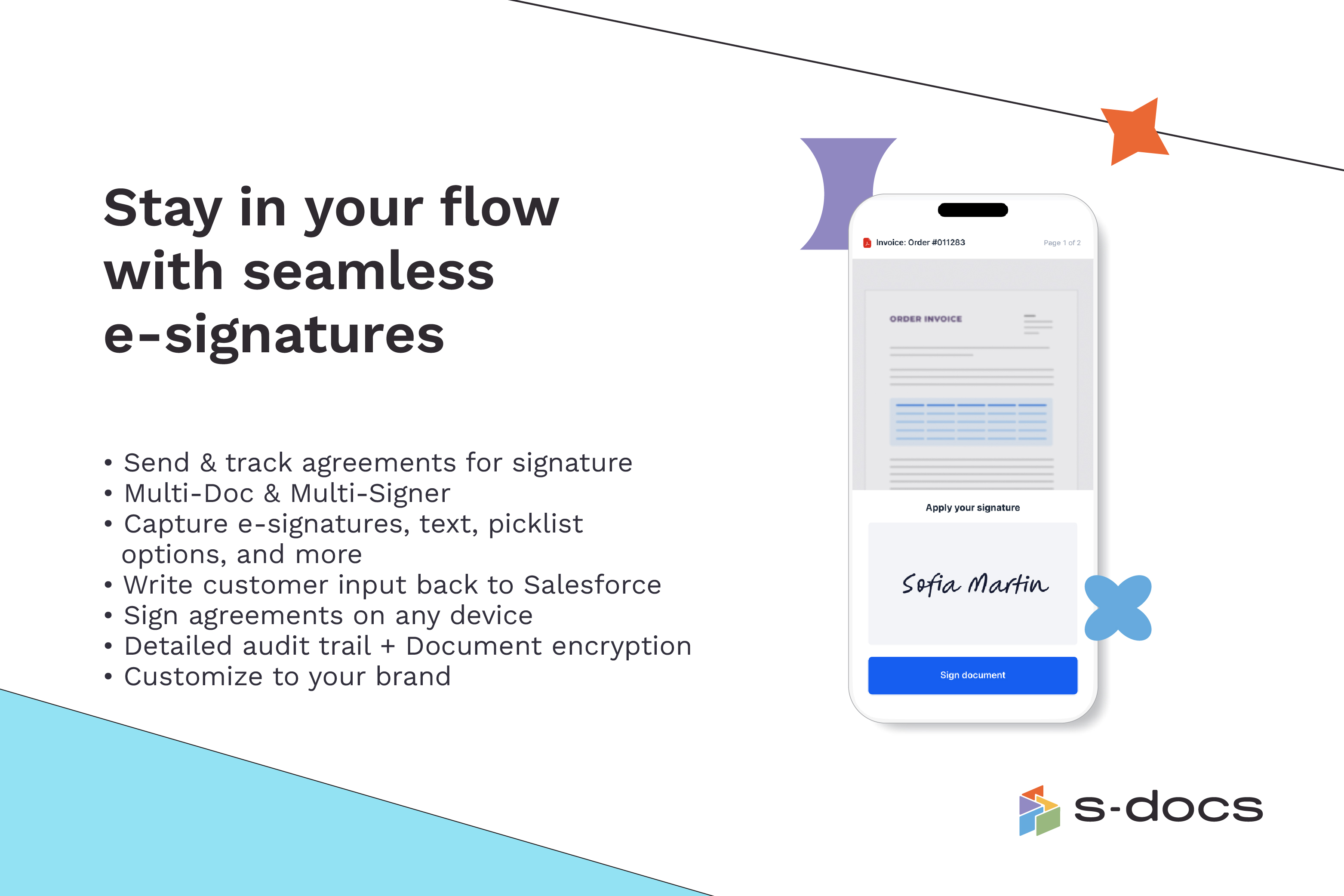
S-Docs would be great for anyone looking to make the process of getting signatures more seamless and less time intensive. You can get a signature in minutes no matter where the signee is located. No more having to worry about printing, scanning, and emailing over important and time-sensitive documents.
Task management - It is very easy to add, organize and discuss tasks within Basecamp's interface.
The "Campfire" function is great for communicating when you just have a quick question for someone on the team.
Notifications - Basecamp lets you decide how often and about what you'd like to be notified. The ability to respond to messages in Basecamp directly via email saves a lot of time.
I can make projects available to editors so that they can do their work.
Dropbox is a place where I can store files that I can access from anywhere, even if I don't have my laptop with me at the time.
I have an old friend who is an acting professor in Tokyo. He loves the dialogue that I write in my novels. He converts chapters into scenework for his acting students. They get very excited when there's new material!
High Learning Curve. It's true that it can be easy to use, but to use well and effectively takes some time to learn. It's recommended to have an agreed-upon system in your team of what tools to use and when.
Notification Overload. If people aren't careful they could send a notification to everyone when only a couple people were meant to be prompted. And since emails are sent by default, you could have your mailbox overloaded with unnecessary updates. This is where it takes a bit of training in your team to have an agreed-upon system.
Lack of organization with Archived Projects. I will often need to reference an archived project to make a new one, but there is only a list of archived projects in alphabetical order, with no way to organize by archive date, or even search.
I’d like to be able to hover over an image/document and have it expand/enlarge without actually opening it
I’d love to see a carousel that lets me thumb through more quickly
I’m almost always in thumbnail view. I’d like to see them re-organize automatically when something is moved or deleted instead of leaving an empty space.
When I bring new people onto a project, it's immediately obvious how to use Basecamp. I don't have to worry about teaching them the features or walking them through it, it's just incredibly user-friendly. For this reason, I'll continue to renew my subscription even as new people are brought onto production jobs or the client changes.
Dropbox is a user-friendly, easy tool which requires little to no skill and they offer a free version with a good amount of storage available. There are other file sharing tools available however at a cost. Dropbox free version I have used for years and it serves every purpose I need.
It is easy to use, even for clients who have no experience with the platform. It can only get a little cumbersome to ensure that a client can't see certain documents you might want to keep in the Docs & Files folders. And sometimes, getting a client to actually use an unfamiliar platform can be a challenge.
It works extremely well, and we have never had any issues with connecting or sharing files. It's very easy to use, and any team member can share, add, and delete files to a virtual drive. This is extremely helpful, and it's an amazing tool to use, ensuring everyone can connect and work together effectively.
I've never experienced downtime while using Basecamp, or been unable to access it when I needed it. That's not to say they've never had downtime, but I've been lucky enough not to encounter any, and I work odd hours, including late nights when maintenance is often undertaken.
I really recommend the product for the Dropbox availability is a great having very very less downtimes, they errors are less I have been faced yet, due to connectivity sometimes we are getting errors. Only sometimes the limitations of some features show some errors.
Dropbox is really useful, you can access any file from anywhere and you can upload and even edit files online, but, sometimes it can be slow. Downloading, uploading, and syncing is a bit slow, it can take several minutes. Furthermore, the search engine for large amounts of data can be slow too and it is not powerful.
For the many reasons I've given, Basecamp is a very strong program. There are a few features I can imagine that might make it even better, but I don't have a basis for comparison to be able to say that there is definitely a better one out there. I've noticed that Basecamp has evolved a bit from the time I started using it until now, so that makes me think that the producer of this program values it and believes in continuous improvement. If you could use the features offered by Basecamp, I would think you could use it with confidence.
They immediately responded like in an example that I gave where one of our staff members accidentally deleted the whole Special Hope Network Dropbox, we immediately contacted Dropbox they walked us through the steps of how to retrieve the information and luckily enough we were able to retrieve the entire Dropbox and we have had back and forth with Dropbox on what to do when an employee leaves how to remove them how to add another employee.
The person for corporate product dealing and knowledge of the product explore and better and secure use are properly handover to us. Also provide full software and tool training from the basic to the pro level with each and every possible explanation. Provide many sessions regarding every doubt. Also Guide better suitable options for our business to migrate and integrate for the expansion in all places employee smoothly.
I did not personally take any training for Dropbox so I am self taught but I know when our Vice President selected Dropbox, he personally did do some training modules on it and I'm assuming it was very easy and simple to understand since he now acts like he is a pro at it!
Decide the process before implementation - i.e. when it's due 8/9 does that mean 8am, noon, 5pm, 11:59pm? Check your to-do list frequently Set-up templates - just not with the dates (they can be funky)
I needed to stay current in improving my daily operations. Dropbox was suggested to me by a former colleague two-years ago and I've been using it just fine ever since.
Pretty good, but [Basecamp] has its drawbacks. Honestly I find the interface non-intuitive and sometimes have trouble figuring out how to change the status of a task. Perhaps it has something to do with the way it was originally set up by the admin, but I'm not sure. I liked Jira's drag and drop obvious functionality, but the project management side of the software was lacking. Smartsheet has excellent project management functionality, but the task management isn't as good.
I prefer the layout and visual aspect of Dropbox as it mirrors my files on my computer. I feel that I am more organized, and it's easier to find my files in Dropbox than it was with Google Drive.
I would recommend to this product directly to the sales team of Dropbox for the best deal provide to my referred person and provide the best service to them.
It's easy to integrate with the systems of Windows and Linux, easy to have web versions accessible, which provide the web login credentials. Also, it can be installed for individuals for the best autosync features.
It has saved me time when having to get the same message out to multiple restaurants
It has helped us make smarter operational decisions because we can all collaborate on an answer in a shorter amount of time (instead of calling a meeting!!!)
The calendar function allows us to plot out our marketing agenda for the month and add/change it together as needed. The chef will post his recipe, the managers will cost it out, the social media manager will post pictures on it, and ultimately we will get that information out on an info sheet to the staff by printing the page.
When it works (usually if a client already has Dropbox, so they don't get the solicitation to sign up), it works flawlessly.
I've had multiple clients not see the "continue with download only" at the bottom and email me to resend the media another way because they don't have a Dropbox account.