BILL is an online service for SMBs which provides a central dashboard for managing Accounts Receivable, Accounts Payable, and cash flow management. It syncs with all major accounting systems like QuickBooks, Sage, Intaact, and NetSuite.
$45
per month
Emburse Chrome River
Score 7.7 out of 10
N/A
Chrome River EXPENSE is expense management software, from Chrome River Technologies in Los Angeles, California.
N/A
FreshBooks
Score 9.0 out of 10
Small Businesses (1-50 employees)
FreshBooks is an accounting service for small businesses. The solution enables users to send and manage invoices, track billable time and collect online payments. The vendor’s value proposition this that their solution provides a straightforward service that simplifies the billing process.
$21
per month
Pricing
BILL
Emburse Chrome River
FreshBooks
Editions & Modules
Essentials
$45
per user/per month
Team
$55
per user/per month
Corporate
$79
per user/per month
Enterprise
Custom Pricing
No answers on this topic
Lite
$21
per month
Plus
$38
per month
Premium
$65
per month
Select
Custom Pricing
Offerings
Pricing Offerings
BILL
Emburse Chrome River
FreshBooks
Free Trial
Yes
No
Yes
Free/Freemium Version
No
No
Yes
Premium Consulting/Integration Services
No
No
No
Entry-level Setup Fee
No setup fee
No setup fee
No setup fee
Additional Details
—
We offer three cost-effective, subscription-based pricing models:
A transaction-based model, priced according to expense report volume
A submitter-based model, priced according to an average number of monthly submitters
An enterprise-level model that includes unlimited expense reports. Pricing for this model is based on total employee headcount
Feel free to contact us to discuss the best one for your organization.
10% discount for annual pricing.
More Pricing Information
Community Pulse
BILL
Emburse Chrome River
FreshBooks
Features
BILL
Emburse Chrome River
FreshBooks
Payment Management
Comparison of Payment Management features of Product A and Product B
BILL
7.9
8 Ratings
6% above category average
Emburse Chrome River
7.9
4 Ratings
1% below category average
FreshBooks
-
Ratings
Customizable Approval Policies
8.16 Ratings
8.33 Ratings
00 Ratings
Financial Document Management
7.68 Ratings
7.02 Ratings
00 Ratings
Payment Status Tracking
8.28 Ratings
6.04 Ratings
00 Ratings
Payment Audit Trail
8.28 Ratings
9.02 Ratings
00 Ratings
Duplicate Bill Detection
8.26 Ratings
8.33 Ratings
00 Ratings
Advanced OCR
7.34 Ratings
8.52 Ratings
00 Ratings
Electronic Funds Transfer
7.67 Ratings
8.01 Ratings
00 Ratings
Accounts Payable
Comparison of Accounts Payable features of Product A and Product B
BILL
7.8
5 Ratings
11% above category average
Emburse Chrome River
-
Ratings
FreshBooks
-
Ratings
Automated Accounts Payable Processes
8.54 Ratings
00 Ratings
00 Ratings
Vendor Management
8.25 Ratings
00 Ratings
00 Ratings
Tax Form Preparation
6.82 Ratings
00 Ratings
00 Ratings
Expense Management
Comparison of Expense Management features of Product A and Product B
BILL
-
Ratings
Emburse Chrome River
8.5
4 Ratings
3% above category average
FreshBooks
-
Ratings
Employee Expense Reporting
00 Ratings
8.04 Ratings
00 Ratings
Corporate Card Reconciliation
00 Ratings
9.03 Ratings
00 Ratings
Customization
Comparison of Customization features of Product A and Product B
BILL
-
Ratings
Emburse Chrome River
-
Ratings
FreshBooks
9.1
35 Ratings
18% above category average
API for custom integration
00 Ratings
00 Ratings
9.330 Ratings
Plug-ins
00 Ratings
00 Ratings
9.026 Ratings
Security
Comparison of Security features of Product A and Product B
BILL
-
Ratings
Emburse Chrome River
-
Ratings
FreshBooks
10.0
41 Ratings
20% above category average
Single sign-on capability
00 Ratings
00 Ratings
10.01 Ratings
Role-based user permissions
00 Ratings
00 Ratings
10.041 Ratings
Reporting & Analytics
Comparison of Reporting & Analytics features of Product A and Product B
BILL
-
Ratings
Emburse Chrome River
-
Ratings
FreshBooks
7.5
57 Ratings
4% below category average
Dashboards
00 Ratings
00 Ratings
9.057 Ratings
Standard reports
00 Ratings
00 Ratings
8.855 Ratings
Custom reports
00 Ratings
00 Ratings
4.82 Ratings
General Ledger and Configurable Accounting
Comparison of General Ledger and Configurable Accounting features of Product A and Product B
BILL
-
Ratings
Emburse Chrome River
-
Ratings
FreshBooks
7.5
56 Ratings
1% below category average
Accounts payable
00 Ratings
00 Ratings
8.041 Ratings
Accounts receivable
00 Ratings
00 Ratings
9.455 Ratings
Cash management
00 Ratings
00 Ratings
7.03 Ratings
Bank reconciliation
00 Ratings
00 Ratings
7.02 Ratings
Expense management
00 Ratings
00 Ratings
6.651 Ratings
Time tracking
00 Ratings
00 Ratings
7.642 Ratings
Multi-currency support
00 Ratings
00 Ratings
7.01 Ratings
Regulations compliance
00 Ratings
00 Ratings
6.021 Ratings
Self-service portal
00 Ratings
00 Ratings
9.13 Ratings
Order Management
Comparison of Order Management features of Product A and Product B
It depends, Bill.com certainly has a strong reputation and I agree it can be a great solution in the right scenario but I think the implementation and initial setup are critical and need to be well thought out based on the setup of the organization you are a part of.
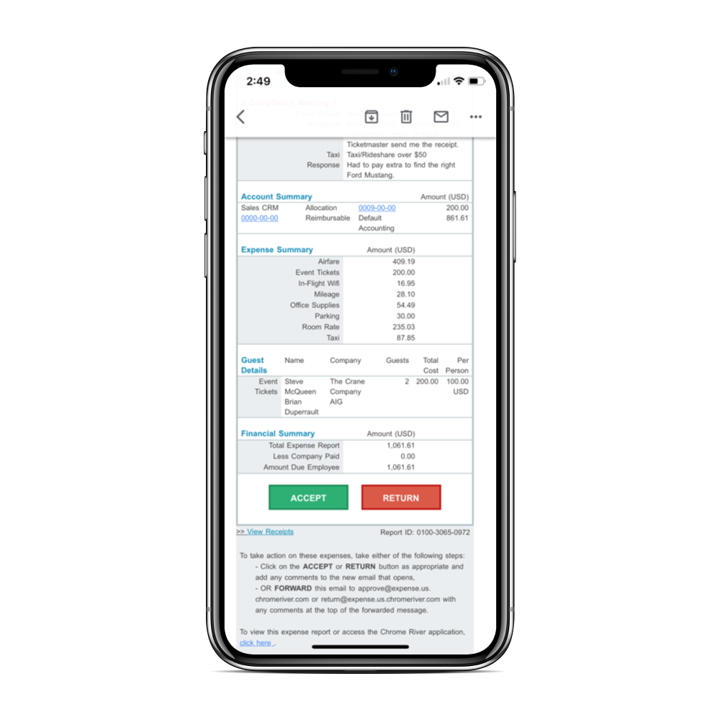
The Emburse Chrome River is well suited for tracking expenses and reimbursement. The compliance part of the software makes the task very easy to ensure all the reports that are being used within the company are updated and easy to verify. The Automating invoice processing makes some redundant task easy to execute.
I recommend FreshBooks to anyone running a service-based business that needs invoicing, time reporting, and accounting tools. FB is adept in all three of these scenarios and isn't overly complicated like similar accounting packages I have used. I love how I can write estimates and proposals, manage the business development process from the software, and quickly convert prospects to invoiced clients.
[Emburse] Chrome River listens to its customer's needs and does its best to match current products to those needs, or collaborate internally to determine if an enhancement can be made available that will not only benefit that customer, but will be a good use case for all Chrome River customers.
The [Emburse] Chrome River customer service team is great. Unlike most companies, you can speak to a liver person!
[Emburse] Chrome River's training offerings are relevant and pertinent to the day to day operations of the software.
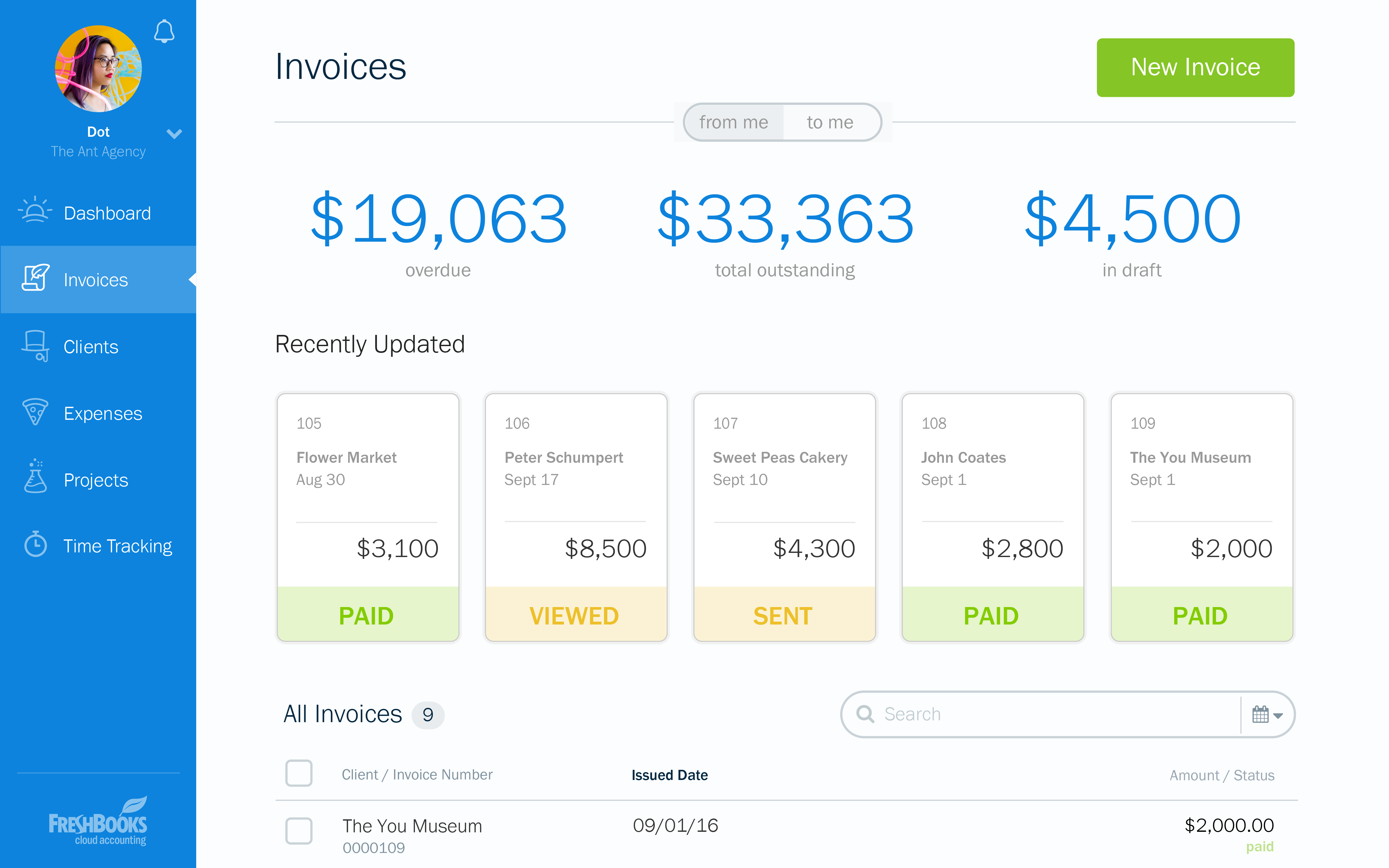
Invoicing - FreshBooks basically ensures our accountants spend less time on invoices via its automated invoicing system, which sends invoices to our customers and clients alike and also send them regular reminders for them to pay up their bills.
Collecting business insights - FreshBooks enable our company analysts measure our business performances via data reports provided by FreshBooks' intuitive dashboard. Allowing us do a comparative analysis of key business metrics of a current month against past months and determine if the business is growing.
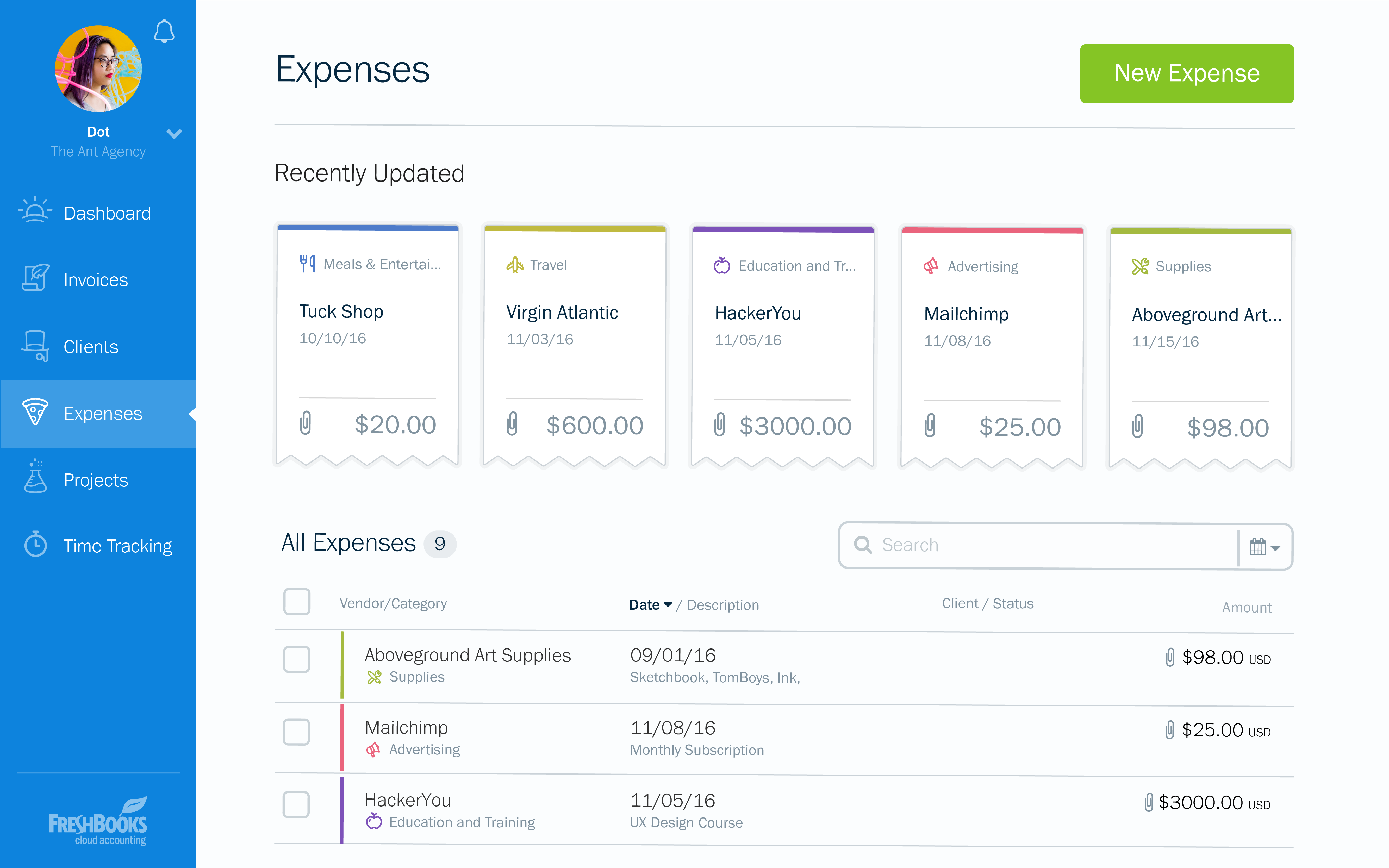
Expense tracker - We have recently embraced FreshBooks as an expense tracker for teams at our company branch. Thusfar, FreshBooks has performed very well, making our expense management a perfect operation; ensuring teams do not exceed their planned budget and also eliminating the need for tracking expenses on excel spreadsheets.
Currently, our company uses a different platform to submit expenses, we only use bill.com to receive them. So perhaps this isn't actually a place where bill.com could improve, but the expense submission process may not have been robust enough for our company.
The bill.com platform wasn't the most beautiful or pleasing to use, but this is a minor fault.
I'd love a way to set up recurring payments (e.g., my phone bill is reimbursed each month).
Would be great to have pre-saved templates available to apply to line items at the expense report header level rather than having to go into each line.
Would be nice to have a mass upload functionality for things like cost codes, allocations, and credit card users.
I can brand invoices with my business logo, but I might like to change colours of the invoices themselves to match the rest of my business documents. That isn't a major point at all, but it's something that I'd like to see.
Freshbooks doesn't remember the categories that similar expenses were previously assigned to. It would be nice if Freshbooks would suggest a category for an already saved vendor, to ensure the consistency of expense reporting.
The home page of a Freshbooks account has a great graph display of expenses and income, but it only shows the last 6 months. This is still very useful, but I'd like to be able to see this kind of graph for different periods of time.
While our firm does not use Bill.com internally, we know many customers that use Bill.com and are very happy with it. Based on the feedback from current users, I would say that the product should have a strong renewal forecast. Once customers move their AP to the cloud, they would be unlikely to move it back given a choice.
Chrome River is easy to use. We needed little training for our users and instead pointed them to Chrome River's Help Guides which are clearly written and easy to understand. With tools SNAP and the ability to email receipts means we can be completely remote when submitting reports.
At the current needs of our business, FreshBooks suits us perfectly - it allows online access by our accountant to the system for GST purposes, easy input of expenses and tracking of Profit and Loss statements. FreshBooks customer service is great as well - very understanding and accommodating.
Bill.com continues to raise the bar with new features and improved interface. The Fast Pay option is another innovation that reduces administrative time when you have to get an overnight check out. The new Chat Support interface, powered by Zopim, which is world-class, adds to the responsiveness of Bill.com's support team and makes getting real-time answers that much easier.
I would rate Chrome River Expense a 10 because, as I mentioned before, it is very simple and easy to use. This is important from an administrative point-of-view as well as for the field employee. Being a general contractor, it makes it all the better for our employees to use a program that is easy to understand and requires little time and effort. It has made tracking expenses very simple and has been well received by the entire company.
FreshBooks is very easy to use even for novices. If you're looking for an online accounting software that is full of features, has great aesthetics and is user-friendly, then this is definitely the software for you. I've been using it for several years now and despite being tempted to switch by other vendors, I like the feel of FreshBooks and it's mobile features.
The only time Bill.com was ever "unavailable" was then the Sync to Quickbooks function failed. That happened a time or two but was usually quickly remedied. I'm not sure if that's an issue with newer online versions of Quickbooks Enterprise -- at the time we were using a remotely hosted Quickbooks instance accessed via terminal server (vs a cloud offering like Bill.com is)
I could not explain to them how I was trying to remove an old email account from my company page while granting the new email account access to the bank account that the first email account had added. The "set a bank account as inactive" button is labeled delete, but they don't seem to recognize that. I requested my Bill.com account be deleted on Wednesday so I could start all over with a fresh account; this seemed to be completed Wednesday night, but when I tried to create a new Bill.com account from the same email, it took me to my old bill.com account.
This has been easy for me because we have a rep that contacts the supporters for this product to correct any issues we may have with the software or changes needed to help out employees use Chrome River easier. This from my understanding has been a hit or miss kind of interaction with our rep and Chrome River.
I think the support level for FreshBooks is on par with a 6 because the folks behind this application do a fairly good job at providing support for their customer base. I still don't think they are at an elite level when it comes to supporting but are getting there although too slow in my opinion.
The online training provided by Bill.com is concise and since the firm consistently improves the platform functionality, users are able to select the training for the modules they specifically need.
Before implementation begins, make sure you have a plan on how you would like your workflow and platform setup for a system like Chrome River. It will speed the process and eliminate the need to make changes when you go live.
1. Automation & Workflow Efficiency.2. Integration Capabilities with other softwaresWe needed a centralized, automated, and scalable solution for managing both payables and receivables. The strong integration with our existing accounting software was a key factor.The platform gave us better visibility and control over cash flow and approval processes.
It's the [industry-leading] software for Enterprise level organizations with [large-scale] teams and financial responsibilities. The software has the most robust set of tools and pays for itself with the amount of time it saves. Many newer alternatives have sprouted up but I don't know that we would ever trust another software to do our Expense Tracking and Management.
FreshBooks does very well in comparison, especially since it is free software for Barclays bank users. Sage software is much worse than FreshBooks. However, Xero and QuickBooks, the market leaders, are still ahead with usability, additional features, reporting, and connection with third-party software providers. We chose FreshBooks as it does everything we require from this type of software.
After receiving an offer to 'finance' outstanding invoices, I was enticed by the promise of a 3% total cost for a 60-day period, with the possibility of extending the financing for an additional 10 months (for an additional fee). Eager to access funds, I decided to finance an invoice worth $17,160.00. Within 24 hours, BILL deposited $16,645.20 (97% of the invoice amount) into my account.
However, when the customer paid their $17,160 invoice four days later, instead of the funds being deposited into my checking account as I expected, BILL chose to retire the loan and retain my $514.80 fee for the 4 day advance period. This unexpected turn of events resulted in an effective interest rate of a staggering 273.75%. It was clear that this arrangement was far from what I had initially understood, and the financial impact was outrageously high.
Frustratingly, my attempts to resolve this issue through customer service were in vain, as I spoke with three agents who provided no satisfactory solutions. To anyone contemplating using BILL's services, I strongly urge you to carefully scrutinize the fine print and consider opting for a more reputable finance company."
In reality, we do not implement all of its use at the moment in order to determine an adequate ROI.
In our approach to the use of the system, it seems to us a considerable time saving by achieving the integration of the Mexican subsidiary with its parent located in the US.
Financial reports meet the necessary USGAAP requirements.