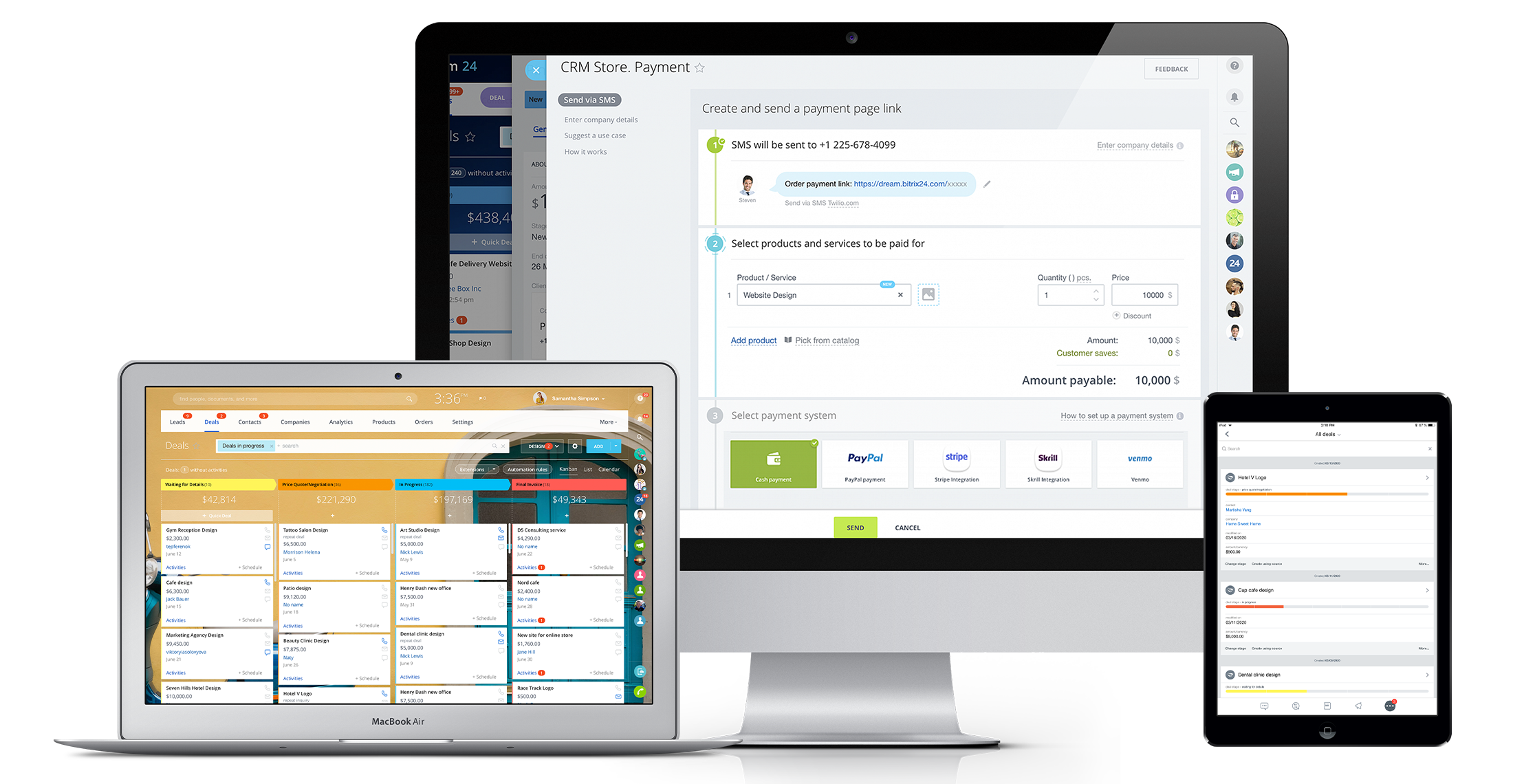
Bitrix24 is a local-hosted or cloud-based social intranet and project management platform that also contains core HR (HRMS) and CRM features. Bitrix24 also provides time management services and employee self-service.
$61
per month up to 5 users
Miro
Score 9.1 out of 10
N/A
Miro is a web-based Collaborative Whiteboard platform that provides teams with an infinite digital canvas for visual planning, diagramming, and workflow mapping. The platform integrates a spatial user interface with automated drawing tools and natural-language processing (NLP) to structure freeform ideas into defined project workflows and database schemas.
$10
per month per user
Zoho CRM
Score 8.5 out of 10
N/A
Zoho CRM is a simple, very low-cost CRM option for the smaller end of the SMB segment.
The product has several useful integrations with other products, including QuickBooks, and Google Apps and Google Docs.
The product also has an integrated project management module.
$14
per month
Pricing
Bitrix24
Miro
Zoho CRM
Editions & Modules
Basic
$61
per month up to 5 users
Standard
$124
per month up to 50 users
Professional
$249
per month up to 100 users
Enterprise 250
$399.00
per month 250 Users
Enterprise
$499
per month up to 250 Users
Enterprise 500
$639.00
per month 500 Users
Enterprise 1000
$799.00
per month 1000 Users
1. Free - To discover what Miro can do. Always free
$0
2. Starter - Unlimited and private boards with essential features
$8
per month (billed annually) per user
3. Business - Scales collaboration with advanced features and security
$16
per month (billed annually) per user
4. Enterprise - For work across the entire organization, with support, security and control, to scale
contact sales
annual billing per user
Standard
$14.00
Per User/Per Month
Professional
$23.00
Per User/Per Month
Enterprise
$40.00
Per User/Per Month
Ultimate
$52.00
Per User/Per Month
Plus
$57.00
Per User/Per Month
Offerings
Pricing Offerings
Bitrix24
Miro
Zoho CRM
Free Trial
Yes
Yes
Yes
Free/Freemium Version
No
Yes
Yes
Premium Consulting/Integration Services
Yes
No
Yes
Entry-level Setup Fee
No setup fee
Optional
$14 /user/month
Additional Details
Price per month when paying for 1 year.
Monthly billing also available at $10 per month for the Starter plan, or $20 for the Business plan.
We use Zoho for our own firm and Bitrix24 for our client's firm. Overall, the key differences noted, so far, are 1. the user interface for Bitrix24 is much more visual 2. It has much better privacy and access controls 3. Customer service is faster 4. the mobile app is easier …
These other CRMs are very modular and this implies that each module has an additional cost associated with it, unlike Bitrix24 that has all the tools in one with a single annual or monthly payment.
Verified User
C-Level Executive
Chose Bitrix24
We went with Bitrix because it avoided the per seat cost of large sales teams. We discovered you get what you pay for. We wasted $800 given their no refund policy, but more importantly lost 3 months of quality sales management.
Verified User
Executive
Chose Bitrix24
It is easy to use and flexible to use in our company.
Zoho offers a very comprehensive suite but Bitrix24 trumps the ROI on teams exceeding 10users. Bitrix24 also offers many more tools not found under Zoho CRM, albeit Zoho offers a similar array of tools but additional to the CRM.
Zoho CRM has the main features of major tools in the market, but more cost effective and with better pricing. And compared with most of other platforms, Zoho CRM needs less technical knowledge and skills for module customizations and simple integrations.
Bitrix24 is a unified platform with all features in one place. It has a smooth deployment and implementation process. The software boosts teams' productivity and ensures flawless collaboration. Pricing of the software is incredibly affordable. It is highly customizable and a scalable CRM solution.
We have used it mostly for documenting our solution, roadmap and as a single source of truth.. It has been very helpful for product management, bridging the gap between developers, solution architects, business teams and compliance. I think Miro board is well suited for product documentation and product management. The talk tracks help us transmit information with an additional layer of understanding. Not sure about scenarios where it is less appropriate. Our use cases are well covered.
Interfacing with our target clients at the correct minute is crucial in today's society. Another valuable include is its capacity to coordinated with other programs. It helps me in keeping track of the every day work emails I send to my colleagues or get. Zoho CRM makes it straightforward to consequence or send out information agreeing to our needs. Zoho makes a difference keep in mind individuals by means of e-mail and pop-ups, which dispenses with the issue of overlooking follow-ups and reminders. This not as it were helps within the organization of this incredible instrument but moreover within the execution of data.
Real-Time Collaboration: Bitrix24 facilitates instant communication through features like instant messaging, group chats, and video conferencing. This enables teams to connect and share information in real time, promoting effective collaboration and timely decision-making.
Task Management: Bitrix24 offers comprehensive task management capabilities, allowing teams to assign tasks, establish deadlines, and monitor progress. This ensures that team members are aligned, promoting organization and focus on project objectives.
Social Intranet: Bitrix24 provides a social intranet platform that serves as a centralized space for employees to interact, exchange updates, and collaborate on projects. This fosters a collaborative environment, promotes knowledge sharing, and enhances teamwork across the organization.
Makes internal coordination between admin team and tutors extremely painless. It's like a single place where everyone can drop ideas, get updates and notes without loss of context which usually happens in long email threads.
Versioning and board history are handled very well, which drastically reduces the workload. They help me track how a policy or math guideline has evolved, and also make it easy to revert changes if something doesn't work.
Comments stick exactly where they are meant to, making internal reviews much clearer. Admins don't have to guess which note refers to which rule or section.
Exports are clean, so even non-Miro teammates get it instantly.
It's user interface can use some work. Although it doesn't take as long as some other software to learn, there is still a bit of a learning curve when it comes to day to day usage.
Bitrix offers a lot of features. It would be nice to have those features laid out in an easier-to-read layout, versus the long list at the side of the page.
It's mobile app functionality is quite limited. It can be difficult to work with other team members, solely off of their mobile app.
Need some way to switch a field type without losing the pre-existing data.
The settings controls should be broken out differently - I don't like that I can't keep some users from exporting all contact records (i.e., the entire Contacts module) because if the export function is turned off, the export function of Reports for those same modules is also blocked.
Frustrating that only 3 custom lookup fields are allowed per module in our license.
It has become the central nervous system of the business and has constantly proven to be of value. We are not just renewing but might even upgrade to advanced Bitrix24 plans and will be adding more user licenses in the next 3 months. Bitrix24 has a sharper learning curve initially. However once it is surpassed, it opens doors to a range of creative deployment strategies
Miro saves my day. I would spend at least 4x more time on documenting my projects and work without this tool. It support my day to day role and helps me be successful while saving my capacity. It is not only very easy to start working on it without additional training required, but also adapts to any use case that I might need to implement
i have already renewed my subscription twice. I am in the 3rd Year now. I have been using it for a while and have been recommending to my friends as well.. have attended ZOHOLICs the annual program of zoho and it gave me new insights of managing the crm solutoin.
It is a time-saving CRM that will help save time by using one application for all your business needs. Our brain sees colors, images, drawings, it is very visual, and so is Bitrix24. You can plan visually and easily see how everything is progressing. It has tasks, projects management, chat and video, CRM (as you know), visual staff structure, calendar, shared drive, mobile app. You can't ask for anything better out on the market for what you get with their free version and also their step-up plan is $20/month, all the way up to $200, they have a plan for your business. Get your free account and try it out for a few weeks.
Overall it is very intuitive and easy to use. We have new members of the team join all the time and they are able to pick it up quickly and learn it very easily, so that is the mark of a good software product. And although it is so freeform, the library of templates give great starting points and help with ideas to build the boards from scratch.
The methodology of the 'out of the box' user interface is fairly easy to learn. In some cases however, the interface is not consistent throughout the software. Upgrades to the interface has certainly improved some of this--- but now we are seeing the same kinds of inconsistencies across Zoho apps, particularly those more recently added to their platform. This issue is not major in that everybody on staff seems able to learn how to work the programs--- it's just annoying and less than efficient when inconsistent user interfaces or inconsistent terms are used in the programs and/or the requisite documentation.
I can't recall any instance of unplanned outages over the past 1 year of use. Likewise for application errors. However note that, advanced users will have a learning curve
I have not encountered events where Miro is not available. It is quite nice and reliable to be fair, even on my freemium version (startup) I don't have reliability issues. It does have sometimes where the screen refresh or "freezes" or "consumes a lot of data" and we have to rewind windows and the likes, this instances are very less
In my many years using Zoho, I think there were only 1 or 2 days when there was something happening and I was not able to log in. Sure, it wasn't fun and we all panicked a bit, but right after that, all was well and work-life continued. Being cloud based, I'm never worried about losing my iPhone, iPad or Laptop as I know I can log in anywhere on any device and workflow won't stop.
I took the loading quickly to be related to availability which I commented on before, so ditto with those comment on load time here. Although to reemphasize, Miro doesn't crash or just refuse to load like some other programs. The weak point of Miro for me is integration of files like Word, Excel, or PowerPoint (especially the later two). When you embed these, it gets slow, and complicated to bring them up while you're in the application.
I don't recall every having any issues with a page not loading due to it being a Zoho issue. Anytime I've had any issues with something being wonky, I clear cache and that has always solved the problem. Or a simply computer reboot and we're back, hard at work. Look, I don't expect any product to delivery 100%, 100% of the time but if I had any consistent ongoing issues, I would have left many years ago. I still keep my eyes open to what is new but after a quick evaluation, I know Zoho will long be my home.
The absolute worst! Your only contact method is via the paid version and via a chat window. They will take days to answer and when they finally do answer, they will provide nothing but a half baked canned help file.
We have never reached out to or contacted support because Miro's platform has been incredibly intuitive and user-friendly. The comprehensive resources available, such as tutorials, documentation, and community forums, have provided all the guidance we needed. The seamless integration with our existing tools and the reliability of the platform have ensured that we rarely encounter issues that require external assistance. This self-sufficiency has allowed us to focus more on our projects and collaboration without interruptions. Overall, our experience with Miro has been smooth and efficient, eliminating the need for additional support
We did the training and that was a huge waste of money. The information provided was basic and the instructor was sloppy (he even forgot to turn off his mic when he used the restroom - no one should ever hear what we heard). I offered up a 9 because we were able to find what we needed on your website.
I attended a Zoho-Holics event in Austin, TX, several years ago, and it blew my mind. So many industries were represented using Zoho in so many different ways. It was unbelievable all that I learned from that experience, as there were features that I wasn't aware of that I immediately started using. Best of all, the trainers were patient and knowledgeable
Overall the training was very comprehensive. The trainer did provider necessary additional reading materials as well. However the general approach at Bitrix24 is to divert users to self-help documentation and videos. It is recommended that atleast 1-2 personnel in the organization be "Bitrix24 experts" so that lower phases of training requirements are covered internally itself. Also the best part about Bitrix24 is that not all users need to go very deep while using it. We have multiple counsellors who started using it on day 2 without any major hiccups
There was a series of webinars which Miro hosted with our organization that went over the basics, then progressively became more advanced with additional sections. The instructors were knowledgeable, and provided examples throughout the sessions, as well as answered peoples' questions. There was ample time and experience on the calls to cover a range of topics. The instructors were also very friendly and sociable, as well as honest. Of course Miro isn't a "God-tool" that does absolutely everything, but the instructors were aware and emphasized the strengths where Miro had them and sincerely accepted feedback.
There is an endless supply of YouTube videos from Zoho and the many Zoho partners/consultants. Plus, Zoho has it's own library of training videos and webinars to learn from plus an entire community at the ready to answer any questions. While Zoho has been available for many years, there are constantly new training videos and webinars available for the novice and the experienced users.
Easy to learn, Miro has a series of videos on YouTube that effectively taught this program to my team members and me. The program is drag-and-drop and works excellently. People pick up on how to use it efficiently, and it's great for organizing ideas more freely. This product is more challenging for some older audiences who are not accustomed to using a touchpad, but for most, it was very easy to use.
When you switch CRMs, you can automatically assume everything isn’t going to match up correctly. We had used Salesforce for 10+ years and had a ton of data and customizations. It was not a clean transfer, but we were able to sort it all out. The only issue that really bothered me was Zoho support. Even simple questions couldn’t be answered over chat, and we would have some team members try for hours to find the right answer
The choice of the B24 was prompted by the fact that in 2012 the company had a box version, but without the CMR. The license was expired, the version was no longer supported by B24. In the stages, the company's directorate drove the employees into tasks for B24, but with different success. However, most of the B24 was still familiar.
Some examples of collaboration software we looked into were FigJam, Mural, and Mermaid. While all three of them are excellent at what they do, either collaboration or diagramming, Miro finds the proper compromise between functionality and usability. FigJam is very user-friendly and convenient for collaboration; nevertheless, it lacks the ability to structure. Mural can be used effectively for workshops, but it is not as straightforward as other tools commonly used. Mermaid is great for creating code diagrams, but it cannot be used for team collaboration. This is why Miro was chosen for our use case.
Free user access was one reason to use it more than any other software. Also, for a mid-size organization, the Salesforce cost was a little higher, and Pipedrive was almost similar to Zoho. As we were already using Zoho, we found no urgency to switch.
I think Zoho CRM is priced at a reasonable amount. Simply put, you get what you pay for and Zoho does not disappoint. My organization is comfortable with what we pay and pleased with continually renewing the software. The billing frequency is just right. There are no complaints on our end
The scalability and reliability is almost 9.5/10 to be honest. We istarted with Bitrix24 for just 2 functions and now have expanded its usage to 2 more. In terms of users, every full-time employee (FTE) now uses Bitrix24 without fail. We are also working on giving limited/partial access to external service providers
Maybe is possible now so... Could be useful to manage in some way source code for the projects? not to edit so when we make solutions with different components in MIro, maybe each component could redirect to the source code of this component
We're still in the early stages of scaling this across departments. We have high aspirations of doing this, but it takes time to migrate to the new system and to help people get acquainted of doing their work in a different way thru Zoho.
In addition to being a user of Zoho CRM, we are a reseller as well. Often, at times our Partners request for on-boarding the platform configuration for them. During such requirements, we have utilized the Professional services team directly from the Zoho CRM team. Our partner feedback was quite positive, throughout.
This is one of those platforms where the entire team needs to be bought into it, or it doesn't function as intended. Once we achieved that, it's been a wonderful tool for brainstorming and project management internally.
Surprisingly, Miro has not allowed us to reduce software; however, it's a worthwhile addition to our tech stack.
Our team has Miro boards bookmarked, and we know exactly where to go when we have ideas or things that we want to add. It's great to know that we will receive notifications when that happens.