Cisco Webex Support was a remote access and support tool that has been discontinued and is no longer available.
N/A
Jive
Score8.7 out of 10
N/A
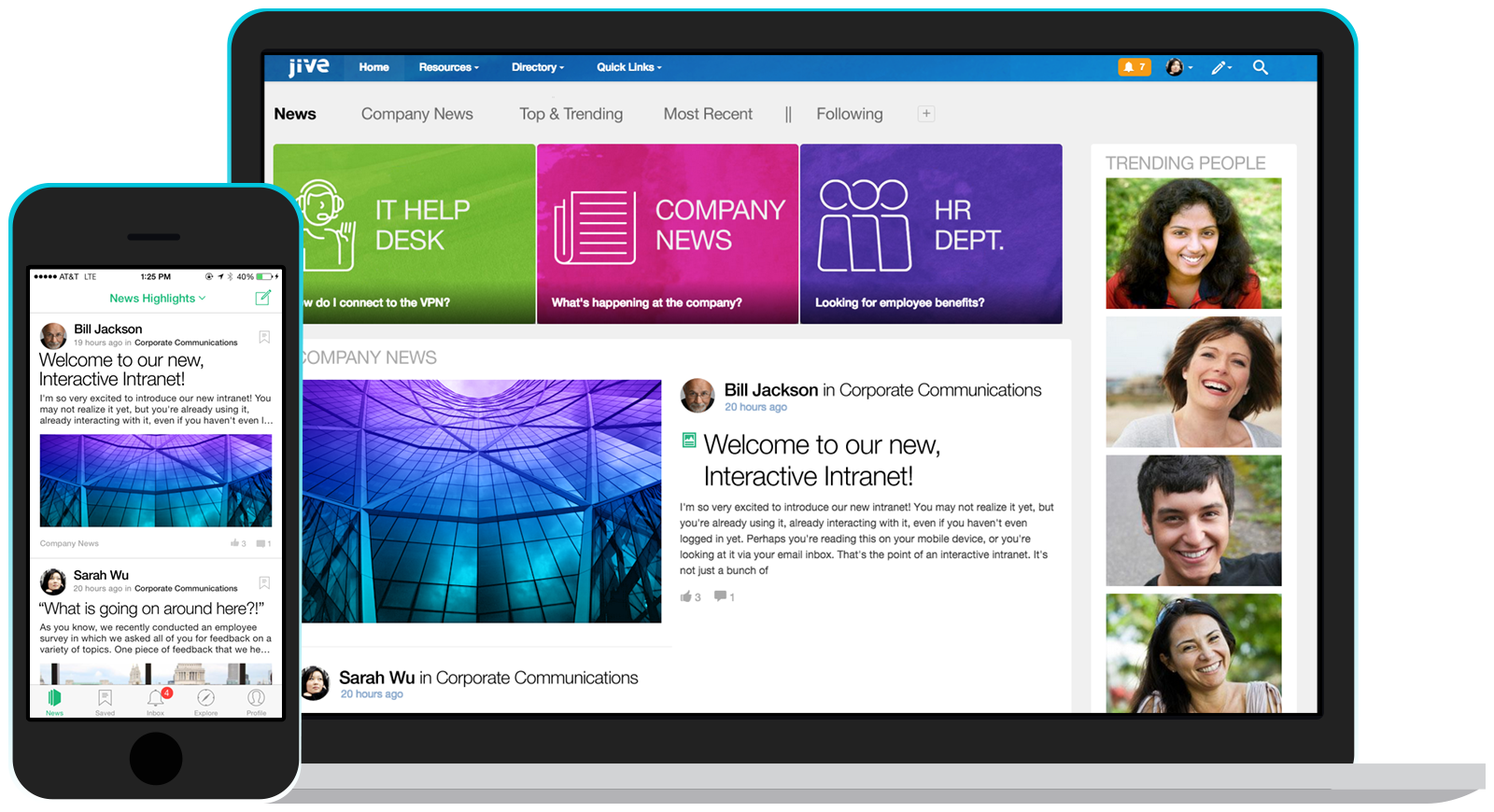
Jive Software, part of the Aurea family of customer experience solutions, provides the gateway to an organization's most important assets – its knowledge and people. Jive's interactive intranet solution promises to connect people, information and ideas to help businesses outpace their competitors. The vendor says the product has more than 30 million users worldwide across every industry, and is consistently recognized as a leader by top analyst firms.
N/A
Zoom Workplace
Score8.6 out of 10
N/A
Zoom Workplace, Zoom’s open collaboration platform with an AI Companion, empowers teams to be more productive, and strengthen customer relationships throughout the customer lifecycle with Zoom’s Business Services for sales, marketing, and customer experience teams, including Zoom Contact Center.
Cisco Webex Support has a dedicated support team for all users. Finding dedicated support for the other platforms seems to be automated chat before speaking with an actual person.
A de minimis incentive was given to thank the reviewer for their time. The incentive was not used to bias or drive a particular response, nor was the incentive contingent on a positive endorsement. More Info
A de minimis incentive was given to thank the reviewer for their time. The incentive was not used to bias or drive a particular response, nor was the incentive contingent on a positive endorsement. TR verified that a representative sample of customers was invited. More Info
Corporate IT Manager in Information Technology at Workfront (Computer Software, 1001-5000 employees)
Chose Zoom Workplace
Zoom has blown our previous Voice & Meeting vendors away in cost, quality, and consistency. The cost was a major factor that allowed us to take a risk on a newer service, but the quality of the voice and video across all zoom products paired with the outstanding communication …
A de minimis incentive was given to thank the reviewer for their time. The incentive was not used to bias or drive a particular response, nor was the incentive contingent on a positive endorsement. More Info
We use WebEx Support Center in the IT department to support users as well as work with vendors remotely. This applies to physical desktops, laptops, and Virtual Desktops. We have around 200 employees. Most employees work in one of our offices, but we do have at least 5-10 users who are more frequently remote than they are in the office. It helps us remotely access machines we wouldn't otherwise have access to, due to lack of physical access. It's excellent for troubleshooting access problems from users' personal machines, as well.
A de minimis incentive was given to thank the reviewer for their time. The incentive was not used to bias or drive a particular response, nor was the incentive contingent on a positive endorsement. More Info
It's definitely worth considering Jive for the type of application we've developed i.e. a central shared repository for all employees to host and discuss information. I can't say I have ever used a superior tool, but they may exist. I'm just not sure I would want to use it exclusively for file hosting, though. It does integrate with various other tools, so perhaps it would be fine if used in conjunction with another tool for that purpose.
A de minimis incentive was given to thank the reviewer for their time. The incentive was not used to bias or drive a particular response, nor was the incentive contingent on a positive endorsement. TR verified that a representative sample of customers was invited. More Info
In most cases, and I mean almost all, Zoom is vastly superior to Teams in terms of functionality and ease of use. Case in point: I recently tried to join a Teams meeting in the web browser, and it took me multiple attempts to access it. This NEVER happens with a Zoom link.
A de minimis incentive was given to thank the reviewer for their time. The incentive was not used to bias or drive a particular response, nor was the incentive contingent on a positive endorsement. TR verified that a representative sample of customers was invited. More Info
Simple Remote Access - WebEx Support Center works with either a permanent install or temporary executable, so you don't have to worry about users being particularly comfortable or knowledgeable about software installation. It also doesn't matter if the user is on an account without admin rights, you can still connect and see what's going on using the temporary executable.
Robust Access Options - You can take see the user's screen, take control of their screen, send files, and retrieve files. It's a great tool for troubleshooting issues that users might be experiencing and doesn't depend on them being able to find the files that you need to properly troubleshoot their issues.
Great performance - Even when users don't have a particularly great internet connection, you can still typically get good results and help them quickly. You're not going to do it over dial-up (if that even still exists for anyone), but it works acceptably well even over very modest DSL or satellite internet connections.
A de minimis incentive was given to thank the reviewer for their time. The incentive was not used to bias or drive a particular response, nor was the incentive contingent on a positive endorsement. More Info
Presence of Russian language (localization can be independently established)
You can configure several information tapes with different themes. One for work, the second for communication
A newly-arrived network user immediately receives a prepared block for beginners. After completing several game tasks, the user will receive the basics of using Jive.
There is a template for each scenario. There is even a template for planning R&D, and there are more than twenty of them.
Integrates with MS Office, Google Drive, Google Docs
There are all platforms (even Winphone and blackberry)
A de minimis incentive was given to thank the reviewer for their time. The incentive was not used to bias or drive a particular response, nor was the incentive contingent on a positive endorsement. More Info
Audio quality of phone calls is spot on. Calls are clear and crisp.
Video quality of video meetings are clear and there aren't any pixelization artifacts that some systems can have.
Having AI summaries have been life changing for us. We no longer have to concentrate on note taking, like we did in the past. The summaries are accurate and enable us to put our efforts in the meeting or conversation. Plus, we can save them into our practice management system as required.
A de minimis incentive was given to thank the reviewer for their time. The incentive was not used to bias or drive a particular response, nor was the incentive contingent on a positive endorsement. More Info
During initial setups it can be a little confusing.
The look and feel is a little rigid. It feels like it is in need of a smoother UI update.
When a new user is introduced to webex and they are asked to share their desktop, it maybe a little difficult for the user to navigate to the correct buttons.
Allow a way to group individual people chats - not channels just individual peeps into groups for ease of finding - like how you can group shared calendars into sections in Outlook
A de minimis incentive was given to thank the reviewer for their time. The incentive was not used to bias or drive a particular response, nor was the incentive contingent on a positive endorsement. More Info
The Enterprise package we purchased (Event Center, Remote Support, Meeting Center, and Training Center) for 100 users is the same annual price as GoToMeeting for 25 users. We will renew as it is a package deal. If it were just WebEx Remote Support, we would not renew at all.
There are always external factors that can impact this decision but currently, the Jive platform is maintaining its lead in the market place in this area. If the innovation in this space by Jive continues, then this number will remain high. Integration with other systems and adaptability to changes in the market or in client needs will also make this decision hard to predict more then 6 months into the future
We're sticking with Zoom for the foreseeable future--given its compelling feature set, ease of use, and advanced technology, there's just no other competition to be excited about. Plus it's a Gartner-recognized industry leader, so it's a rather easy choice.
Honestly, there are people available. But none of them will help you with your issues. They just keep assigning new service engineers who are often clueless.
It was harder to use that expected. The admin needs to be code savvy to truly customize the system. And users need to trained on the system and the setup. Trainings and monitoring need to continue to enforce use.
Zoom is made for the non tech office. It has features that can be made to do what you need to run things on a day to day basis. Immediately we we able to get meetings going with remote employees. The ability to be able to add smartphone connected people was a big plus. Zoom met our needs at the time.
Uptime was OK. But there was one day that the system crashed for a whole day. Our company was unable to operate. And all the plugins to word/excel froze causing those systems to freeze.
Jive posted a statement to the media saying all customers were up, but we were not.
There have been less than a handful of outages during our two years with Zoom, and whenever there was one, an email informing us of the outage went out immediately, and they had the issue resolved shortly thereafter.
Zoom has among the best performance of any video conference platform, as I've mentioned several times. Besides that, their Chat platform works great, and their back end always runs smooth. It's unfortunate that reporting can now only be done by one month at a time, but nonetheless, it only takes a second to run any kind of Zoom report, whether it's an attendee report, Poll results, a user report, a list of meetings from the past month, etc.
The support team is highly incompetent. The only thing that they are able to do flawlessly is register an issue and open the case. But this case related to the issue is never resolved. They will forward the case or assign a new service engineer. But the case will never be resolved. At least not soon. They take weeks to resolve issues.
They did an OK job when I needed them. Except for the one day the system went down. Jive pointed the finger at the hosting company, and the hosting company pointed the finger at Jive. No reliable information came to us.
Because I got a response right away, and was assigned one specific individual to work with me from the beginning to the resolution. I had an actual email address and direct contact with this person without having to start over and over every time I contacted Zoom - this singular individual remained attentive and was well informed on the subject matter and quite able to resolve my needs.
A de minimis incentive was given to thank the reviewer for their time. The incentive was not used to bias or drive a particular response, nor was the incentive contingent on a positive endorsement. More Info
Jive online training is there. It is OK/average. I feel some other companies are doing better. It is not a piece that is required to have a successfully implementation, but it could be useful to improve it
If you receive any pushback from higher ups, point to any of the various positive reviews like this one. Or show Zoom's excellent Gartner report, or articles describing Zoom's partnership with Sequoia capital. It's not difficult to show how Zoom is a trustworthy industry leader with best-in-class technology.
I would say that Cisco Webex Support stacks up pretty evenly in capability, but in some regards (video clarity, toll-free access, etc.) they were even better. Where they did provide a better solution for toll-free access on audio bridges, their audio quality was worse for those that wanted to use VoIP for the audio conference bridge.
We had a Google phone number set up before and Jive was a lot better option than that. It is more consistent and can be configured much easier and with more advanced settings. Additionally, based on the pricing as well as working with the rep on our account, it was a perfect option for us
A de minimis incentive was given to thank the reviewer for their time. The incentive was not used to bias or drive a particular response, nor was the incentive contingent on a positive endorsement. More Info
Zoom Workplace is typically on the more expensive end against other options, but it's the industry leader for a reason. It has the most brand credibility by far, but that doesn't mean it's perfect. There are limitations when it comes to technical performance, customization and video/audio quality. I prefer Slack myself for communication apps, but Zoom Workplace is a good alternative.
A de minimis incentive was given to thank the reviewer for their time. The incentive was not used to bias or drive a particular response, nor was the incentive contingent on a positive endorsement. TR verified that a representative sample of customers was invited. More Info
The billing and price model is really fair for so many functions that they offer, our remote work requires each of the features that Zoom offers, so accepting payment for a tool like this is the least we can do. I like that billing arrives on time and that they offer opportunities and payment times.
Because the Basic licenses are completely free, and because it's very easy to configure and install Zoom, and because anyone can join Zoom from a link without needing an account, scaling is a Breeze. There are absolutely no roadblocks. My company keeps adding more Zoom Pro license every week since it's so in demand. We were able to convert users from several different platforms onto Zoom with no trouble at all.
Zoom is perfect for our business. We use it to video chat with prospective clients. The name recognition alone gives us credibility and it is very easy to screen share and send content out.
WebEx Support Center works pretty excellently for us as we are a small shop. We are experienced and have pretty good skill sets. WebEx Support Center is an excellent product for our use cases with our users and client to troubleshoot issues.
WebEx Support Center is more expensive than our previous product MXIE or Logmein. It has a more user-friendly UI, and overall performance is better and reliable.
A de minimis incentive was given to thank the reviewer for their time. The incentive was not used to bias or drive a particular response, nor was the incentive contingent on a positive endorsement. More Info
reduce amount of files/documents scattered & lost across shared drives
increased discovery, awareness and interaction of historically more separated individuals & team functions across the organisation
from an IT perspective, we've benefited from improved IT operations (e.g. troubleshooting info shared and easily searched/found with all team members - such that even junior team members can solve technical problems outside of business hours, lessening the burden for standby/call-in for more senior team members)
A de minimis incentive was given to thank the reviewer for their time. The incentive was not used to bias or drive a particular response, nor was the incentive contingent on a positive endorsement. More Info
We have not lost much productivity in our teamwork during the pandemic because of the ability to have Zoom video calls and keep everyone in touch. This is definitely a positive.
We are able to have more people participate in coaching sessions (described earlier) because we don't have room space limitations. This is a big positive.
Being able to start a meeting instantly is great when we are doing support and/or training with a client over the phone and need to be able to share a visible
A de minimis incentive was given to thank the reviewer for their time. The incentive was not used to bias or drive a particular response, nor was the incentive contingent on a positive endorsement. More Info