DocuSign supports transactions with document sharing and electronic signature, as well as automated and guided data collection and entry, record updating across disparate systems and payment collection upon agreement, as well as analytics and reporting.
$15
per month
GetAccept
Score 9.0 out of 10
N/A
GetAccept is a software platform designed for sales professionals which facilitates deal design, orchestration and closure. Sales management and marketing teams are able to create automated deal workflows on behalf of sales representatives; combining video, live chat, collateral, canned emails and reminder messaging to nurture prospects through pre-nominated sales stages. Sales representatives are then able to further personalize these templates prior to use by adding personal anecdotes…
N/A
Pipeliner CRM
Score 8.0 out of 10
Mid-Size Companies (51-1,000 employees)
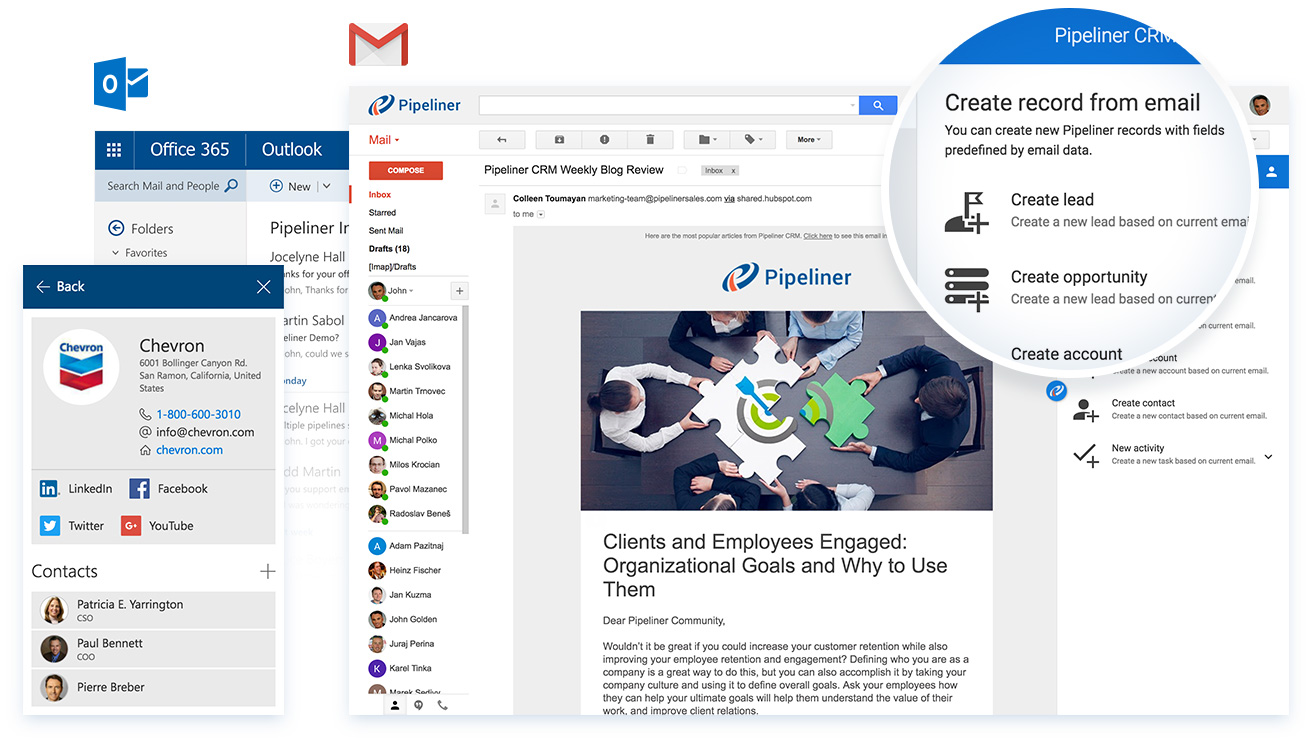
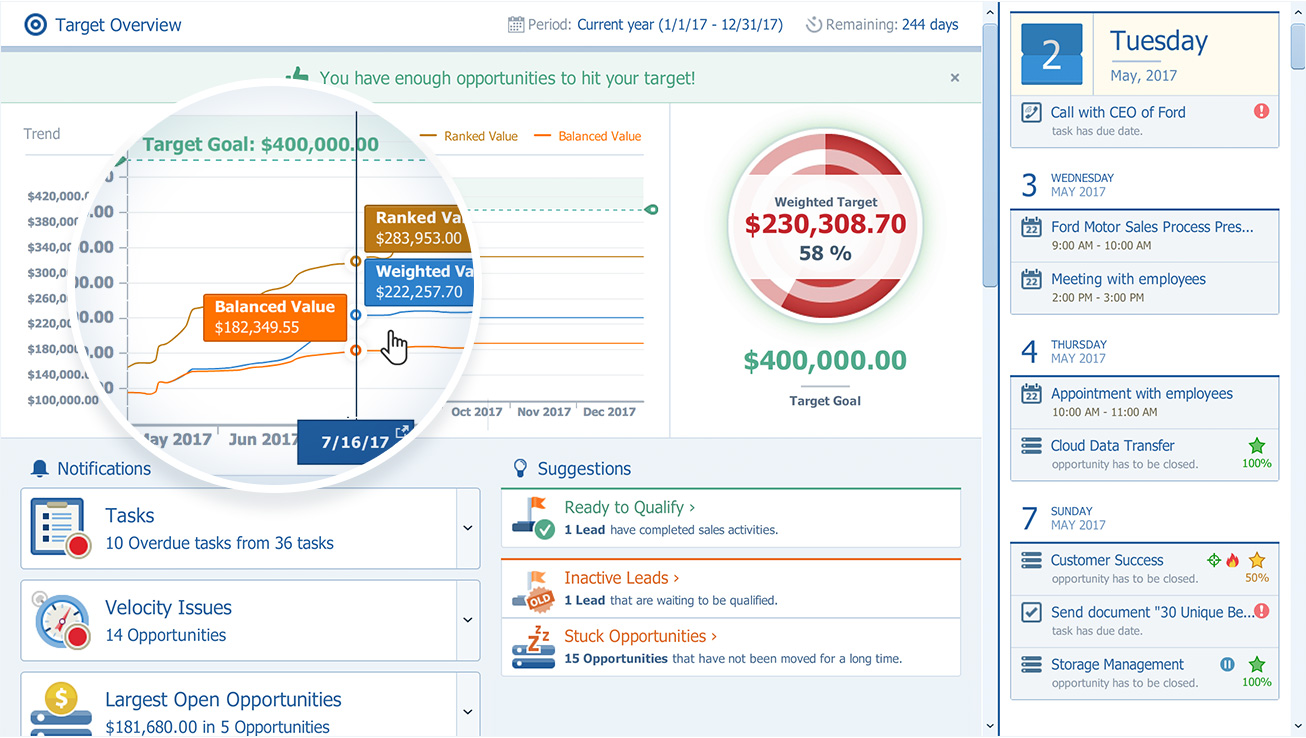
Pipeliner CRM is a sales enablement tool focusing on pipeline management, sales processes, and analytics designed to empower sales professionals. Pipeliner CRM provides a visual sales process, profiles, and charts, all of which aim to help users take the right actions with their buyers and even helps identify key contacts within an organization. Pipeliner CRM Cloud is the latest addition to a product line that already includes Pipeliner CRM Hybrid, an…
$65
Pricing
DocuSign
GetAccept
Pipeliner CRM
Editions & Modules
Personal
$15
per month
Real Starter
$15
per month
DocuSign for Realtors
$35
per month
Standard
$40
per month
Business Pro
$60
per month
Advanced Solutions
Custom Pricing
No answers on this topic
STARTER - Basic sales management, tracking and collaboration
$65.00 per user per month
STARTER - Basic sales management, tracking and collaboration
$65 per user per month
BUSINESS - Full CRM functionality, customization and unique productivity features.
$85 per user per month
BUSINESS - Full CRM functionality, customization and unique productivity features.
$85 per user per month
ENTERPRISE - Full CRM functionality with advanced reporting, customization and services.
$115 per user per month
ENTERPRISE - Full CRM functionality with advanced reporting, customization and services.
$115 per user per month
UNLIMITED - Full CRM functionality with advanced reporting, customization and services.
$150 per user per month
UNLIMITED - Advanced CRM functionality including advanced features
$150 per user per month
Offerings
Pricing Offerings
DocuSign
GetAccept
Pipeliner CRM
Free Trial
Yes
No
Yes
Free/Freemium Version
No
No
Yes
Premium Consulting/Integration Services
No
No
Yes
Entry-level Setup Fee
No setup fee
No setup fee
No setup fee
Additional Details
—
—
—
More Pricing Information
Community Pulse
DocuSign
GetAccept
Pipeliner CRM
Considered Multiple Products
DocuSign
Verified User
General Manager
Chose DocuSign
We actually chose GetAccept after DocuSign, due to the ability to alter the documents on our end and not having to go through a 3rd party to get documents updated/changed as our needs required. I wasn't involved in the decision making to switch, so I am unsure if there was a …
DocuSign provides the same level of functionality as GetAccept, but with a smaller, more attentive customer service team. Due to their size, I believe GetAccept can pivot quicker and configure themselves more easily to fit our organization's individual needs. DocuSign is …
GetAccept is far easier to use than both of the options listed above. DocuSign does a lot of things that small and mid-market companies don't need, and is more expensive. PandaDoc was difficult to edit and the Salesforce integration was hard to use as a rep.
GetAccepted is very similar to other softwares in some aspects but it has very remarkable differences, for example the other softwares not track each page that the customer reviwed the document sent. In addition the account in Get accepted is more complete, something that I …
This product is well suited in the use case that I provided before: when it comes to onboarding employees and providing a clear channel for decision making for human resources, this is an excellent tool to accomplish that. I would say the weak points is when you have back and forth communication with users that it might seem a little redundant to have that back and forth communication in that scenario.
GetAccept has shown great progress in the digital electronic signature market, we have had almost no problems since adopting it, although at some point we thought about stopping using the GetAccept server. It is very practical for both the client and the advisor using it. It has a very intuitive interface and the management is amazing.
Pipeliner CRM is very flexible, easy to work with, data capturing is at [its] best, its integration to other major software’s and it aids in the monitoring of the core work process. One distinctive feature is it is very easy to learn without extensive training. This really helps in the [execution] of the task in our organization.
The ability to forward agreements along with a video of me describing the agreements. It makes it more personalized and it's always well received by the recipient.
You can track in real time when a document has been viewed and for how long.
You can always reference the history of each client agreement. Easy access.
Tracking, particularly when collecting signatures through connected applications, such as an ATS, is not always clean or easily traceable.
Formatting documents to handle electronic signature types (signatures, initials, etc.) is not always easy, and highly dependent on the partner's technology.
It is not convenient to have to use DocuSign as a stand alone product if the signatures are required for 3rd party applications. It definitely excels on its own, but the scope of that usage, at least for us, is slim.
The product development team at Pipeliner CRM always seems to be a step or two ahead of what I'm experiencing. Therefore they've already addressed improvements I could have suggested. They are really in touch with their users and overall user experience.
I can't imagine doing business without DocuSign now. I would never want to go back to the way we used to do things. The "new way" is "the way" is "the right way." We can honestly be proud of a "one right way" process and not have to suffer through "5 ways for 5 days."
Currently the company is using the Pipeliner CRM because we believe it is a tool that puts the customer as the main focus of business processes in order to understand and anticipate their needs, and then serve them in the best way.
Generally user-friendly once you have command of the basics, but also has a lot of nuances that can make it difficult to train others on. DocuSign University is a helpful tool, but understandably a lot of content to get through to become a well-versed user. A lot of different functionalities but only a few I use on a weekly basis.
I gave that rating level because it reflects both my satisfaction and expectations about PipelinerCRM.Plus, the adoption rate of this software. I mean the usability rate is very low. It just takes, for learning, a couple of hours less than three days roughly. Return on time investment is low also.
I'd give them a 10, but there has been 1 or 2 small cases that seemed to fall to the wayside, but I was able to call them up and get them resolved. We were having a bad implementation night (after midnight) and we needed assistance from Docusign. They were able to get an engineer to help us in the early morning hours
The Customer Support team was responsive. I typically submitted questions while I was using the app and via the web. The FAQ support base was alright. I cannot recall a time when I used that as opposed to connecting with a rep. I believe all communication was via email. Dalius was great at soliciting feedback. I particularly valued him offering support for best practices as it related to more strategic ways to use GetAccept.
The support from Pipeliner CRM is superb; they have instant customer support and they are on time. They also give enough knowledge of sales and other material for the knowledge. They also have AI in the support by talking with customer support directly from the web or app and so on.
Docusign is super easy to use, and apart from a few administration details, there was really nothing to train on. Post implementation, there were issues with configuration of auto-filled documents with the integrating 3rd party. That training required some time, because the DocuSign expert took the time to walk me through the 3rd party's configuration (how often does that happen?) so I could see how DocuSign should be best used to overcome weaknesses in the 3rd party platform. 10/10 expert care.
Until you get the hang of it, I recommend doing several internal tests before sending a document to a client. As I mentioned earlier, you have to go through a bit of trial and error at first to verify that the workflow works as expected.
There has never been anything that we could really compare to Docusign. We have tried sending documents in a PDF version, but that was not nearly as efficient. DocuSign saves your signature in the system and uses that as it goes through your documents.
Ease of use is very user-friendly in order to work on any task. It has the maximum features as compared to its competitors which are a quite useful and enhanced program that enables in order to do the CRM easy. Also, it provides particular support to the problems which we faced and resolve them asap.
The most important reason for selecting pipeliner CRM:-exceptional user engagement through its sales-friendly interface. With its uniform navigation and visual approach, users can learn the system quickly. Users can easily customize what they see to make the system their own. Best user interface & fast to learn.