Exclaimer is a provider of email signature solutions, operating with the goal of empowering businesses to u
$0.90
per month (billed annually) per user
Lifesize Video Conferencing
Score9 out of 10
N/A
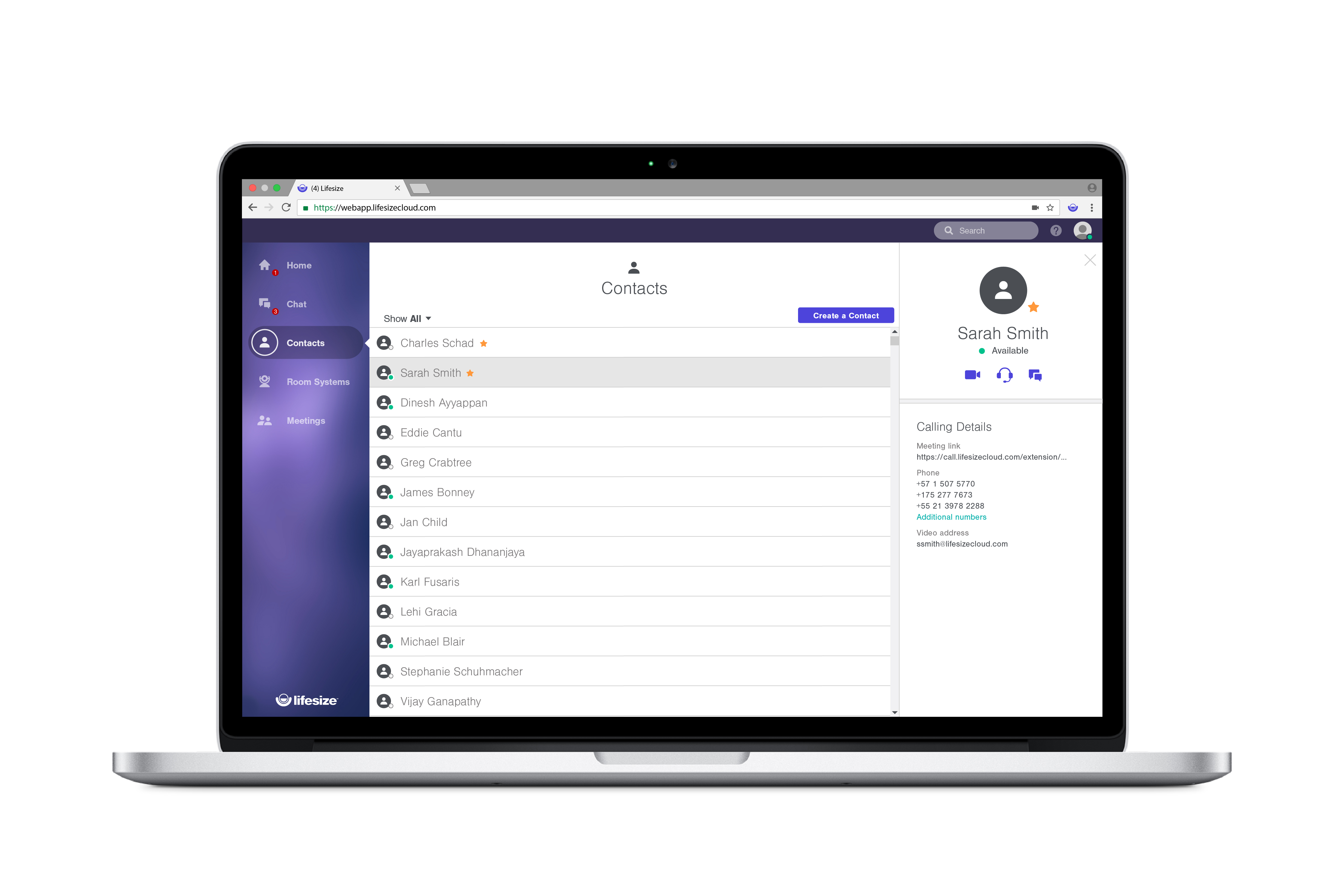
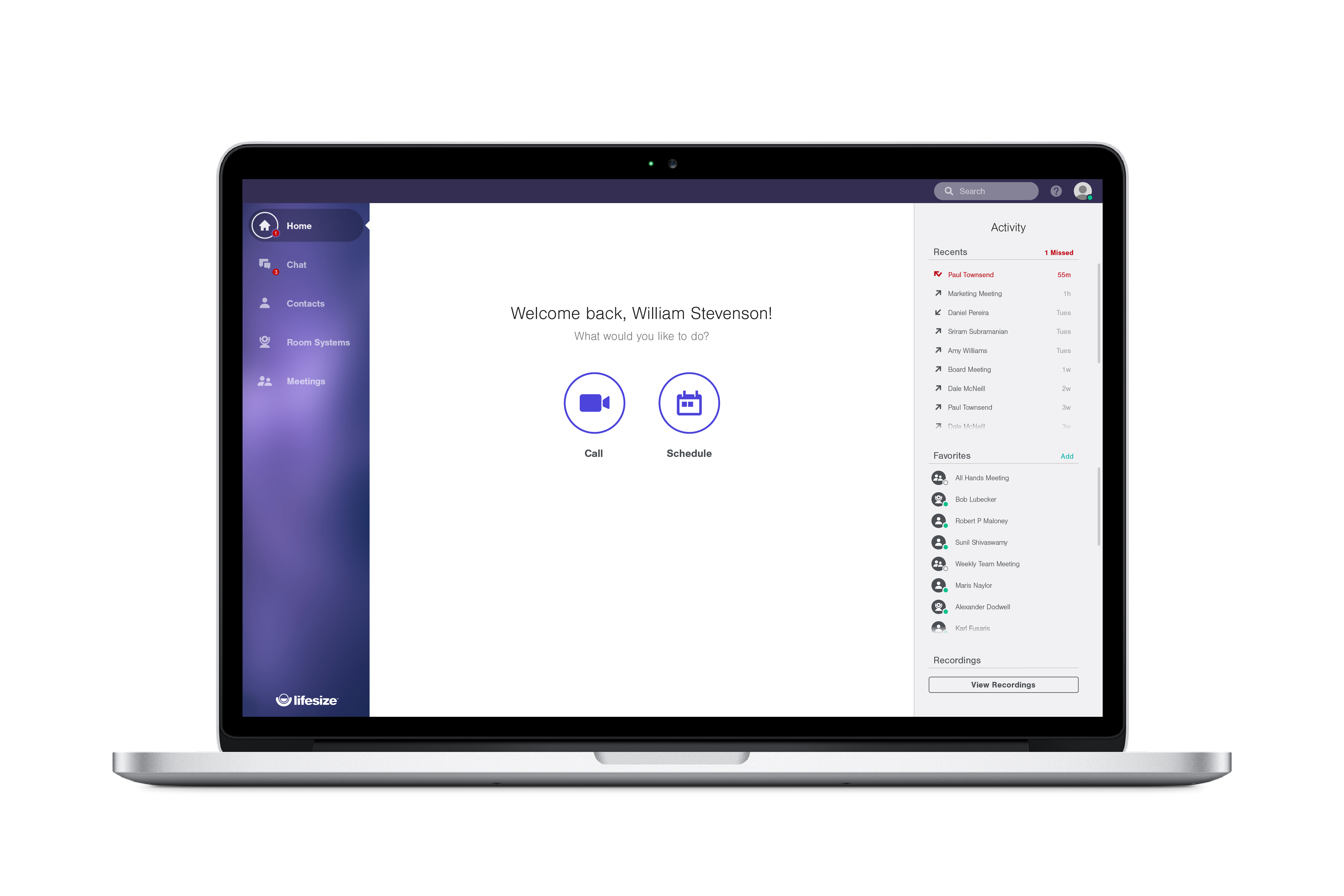
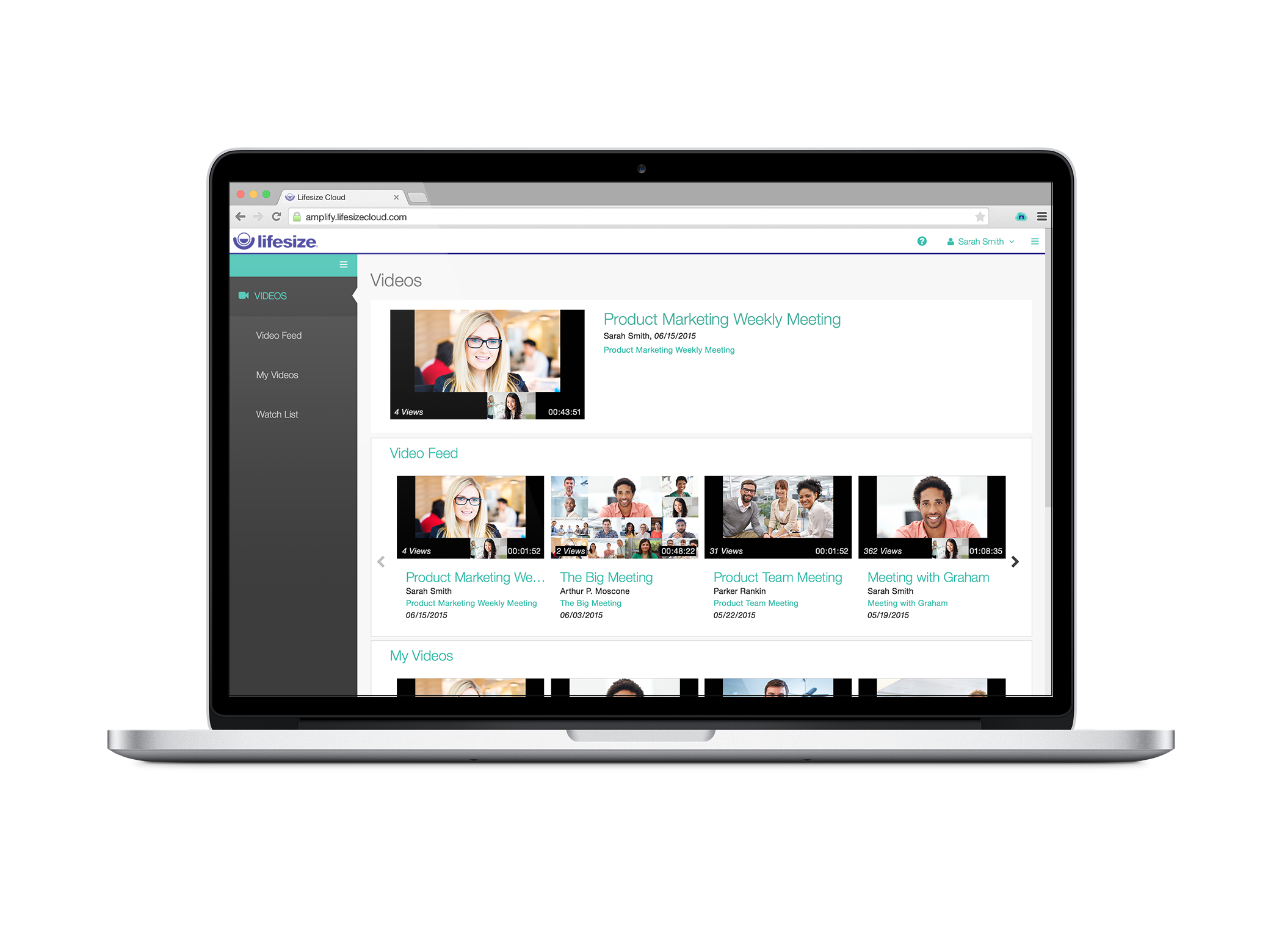
Lifesize is a web conferencing platform focused on making video conferencing systems and video conferencing apps work well together, while still being easy-to-use. Their platform incorporates web conferencing software with meeting room devices and wireless screen sharing.
$12.95
Call for pricing
Pricing
Exclaimer
Lifesize Video Conferencing
Editions & Modules
Starter
$0.90
per month (billed annually) per user
Standard
$1.45
per month (billed annually) per user
Pro
$1.75
per month (billed annually) per user
Enterprise
$12.95 per user/month
Call for pricing
Plus
$14.95 per user/month
Call for pricing
Standard
$16.95 per user/month
Call for pricing
Offerings
Pricing Offerings
Exclaimer
Lifesize Video Conferencing
Free Trial
Yes
Yes
Free/Freemium Version
No
Yes
Premium Consulting/Integration Services
Yes
No
Entry-level Setup Fee
No setup fee
No setup fee
Additional Details
Licensing is based on the number of active mailboxes Exclaimer adds email signatures to. Subscriptions are on a monthly or annual basis. Volume and charitable discounts are available. Minimum number of users is 10 per month.
With every plan, you get the collaboration features you use everyday, at no additional cost:
• Unlimited video conferences
• Downloadable desktop and mobile apps
• Secure encryption set by default
• Unlimited meeting duration
• Free, browser-based web app
• Two-way and group chat with popular chat integrations
• Centralized, name-based directory
• Online reporting and account management
• Email and calendar scheduling
Exclaimer is highly beneficial for larger companies that have a range of business units and requirements around the look and feel of signatures. Smaller organisations are unlikely to need the same degree of customisation, so the requirement is diminished. Particularly as there is something of a cost premium and another platform to manage.
A de minimis incentive was given to thank the reviewer for their time. The incentive was not used to bias or drive a particular response, nor was the incentive contingent on a positive endorsement. More Info
Lifesize Video Conferencing is a real-time meeting and video conferencing solution that works simply and immediately with features that fit our needs. I recommend it because it is professional, easy to configure, with maximum security, and where collaboration and teamwork are essential. possible, increasing workflow and productivity, to increase communication and efficiency in projects, it offers positive results and a pleasant experience for all.
A de minimis incentive was given to thank the reviewer for their time. The incentive was not used to bias or drive a particular response, nor was the incentive contingent on a positive endorsement. More Info
A de minimis incentive was given to thank the reviewer for their time. The incentive was not used to bias or drive a particular response, nor was the incentive contingent on a positive endorsement. More Info
A de minimis incentive was given to thank the reviewer for their time. The incentive was not used to bias or drive a particular response, nor was the incentive contingent on a positive endorsement. More Info
A de minimis incentive was given to thank the reviewer for their time. The incentive was not used to bias or drive a particular response, nor was the incentive contingent on a positive endorsement. More Info
We are very happy with exclaimer it runs 99.9% of the time without any issues. It also very easy to use and maintain and the design team are happy to use it as its so user friendly. When compared to how much time we used to spend updating banners exclaimer saves us hours. This more than justifies the cost and when it comes to renew we wont be thinking twice about doing so
A de minimis incentive was given to thank the reviewer for their time. The incentive was not used to bias or drive a particular response, nor was the incentive contingent on a positive endorsement. More Info
Other than the HIPAA compliance, we have no compelling reason to retain LifeSize when we can already pay for similar services included with our UCaaS service. Our UCaaS vendor, Fuze, includes video conferencing with the VoIP services via single, integrated client software package. Additional limitations include minimal implementation assistance, training service, training materials and assistance driving internal adoption. Issues with slow speed for desktop sharing and audio quality make the technical aspects of Lifesize inferior to competitors.
A de minimis incentive was given to thank the reviewer for their time. The incentive was not used to bias or drive a particular response, nor was the incentive contingent on a positive endorsement. More Info
In the order that I recall the setup process: Signature templates need to be set up (attribute mapping to AD) Office 365 connector needs to be set up (global admin needed and exclaimer engineer for guidance) Signature policies need to be set up (who gets which signatures) Office membership groups need to be setup (who in the org will use exclaimer) Members need to be added to those groups (user membership) Agents need to be deployed on the end-user hosts (local agent)
A de minimis incentive was given to thank the reviewer for their time. The incentive was not used to bias or drive a particular response, nor was the incentive contingent on a positive endorsement. More Info
Overall experience with Lifesize Video Conferencing has been great. While it serves it's basic purpose of allowing smooth video/audio meetings of people located at different places with option of screen sharing/chatting/ recording, what add to it's pros are it's accessibility from various platforms, flexibility to switch to a listen only mode in case of network issues and ease of operation.
A de minimis incentive was given to thank the reviewer for their time. The incentive was not used to bias or drive a particular response, nor was the incentive contingent on a positive endorsement. More Info
A de minimis incentive was given to thank the reviewer for their time. The incentive was not used to bias or drive a particular response, nor was the incentive contingent on a positive endorsement. More Info
Since we are an educational institution we not only have scheduled classes which must be available, but we have staff members in a variety of areas ranging from recruiting and admissions to advancement and the President's office who need to connect with students, alumni and other interest groups, often at odd hours. I have not, since using Lifesize had anyone complain of not being able to connect
A de minimis incentive was given to thank the reviewer for their time. The incentive was not used to bias or drive a particular response, nor was the incentive contingent on a positive endorsement. More Info
A de minimis incentive was given to thank the reviewer for their time. The incentive was not used to bias or drive a particular response, nor was the incentive contingent on a positive endorsement. More Info
Lifesize is an amazing platform for VC. However, it is a costly solution for any scaling startup. However, implementation and user acceptability was fairly easy and worth the additional spend. Quality has always been on point and support has always taken care of us. Our account manager also ensured a seamless transition process for Google Hangouts. Will go with this solution again at any other organization.
A de minimis incentive was given to thank the reviewer for their time. The incentive was not used to bias or drive a particular response, nor was the incentive contingent on a positive endorsement. More Info
I've only had one issue in 7 years where I needed to reach out to Exclaimer for support, but it was handled quickly and resolved my issue. No messing around to provide additional information. Just a quick solution to what I was facing which resolved the issue on the first go around.
A de minimis incentive was given to thank the reviewer for their time. The incentive was not used to bias or drive a particular response, nor was the incentive contingent on a positive endorsement. More Info
Support has been decent throughout our use of Lifesize Video Conferencing. There were times we needed to make changes, customizations and additions to the application which took a little longer than expected. Overall the support team for Lifesize was very responsive to our requests. When we experienced issues with the application they were resolved to our expectations.
A de minimis incentive was given to thank the reviewer for their time. The incentive was not used to bias or drive a particular response, nor was the incentive contingent on a positive endorsement. More Info
Sensus was really helpful in the initial setup and training of our technical Support Team. Sensus gave us training on site so that it would be our own equipment that was set up. Then the in house tech team took over to train other users who would be using the system. When needed the Sensus and Lifesize tech support were really helpful in trouble shooting or guiding us through any difficulty.
A de minimis incentive was given to thank the reviewer for their time. The incentive was not used to bias or drive a particular response, nor was the incentive contingent on a positive endorsement. More Info
I gave this rating because Lifesize's website offers multiple quality videos that shows you exactly how the software works. The videos are divided into different categories which makes searching for a video fairly simple! If for some reason you have a question not answered in one of the how-tos you can always contact support. Excellent product, excellent service!
A de minimis incentive was given to thank the reviewer for their time. The incentive was not used to bias or drive a particular response, nor was the incentive contingent on a positive endorsement. More Info
Our implementation was relatively easy as we weren't cutting over from anything. We just got the software installed, set up the file share and got active directory set up. We got exsync on a scheduled task and it just worked. We built our templates and policies and it has always been relatively smooth.
A de minimis incentive was given to thank the reviewer for their time. The incentive was not used to bias or drive a particular response, nor was the incentive contingent on a positive endorsement. More Info
Great for companies that need to accomplish multiple things at once while at different places. From our experience, broadcasting news is most favorable considering the level of excellence you get with the product plus the affordability. It can be used both privately amongst employees, or shared publicly through covering events
A de minimis incentive was given to thank the reviewer for their time. The incentive was not used to bias or drive a particular response, nor was the incentive contingent on a positive endorsement. TR verified that a representative sample of customers was invited. More Info
Exclaimer blows the doors off compared to Letsignit. Exclaimer is a little more expensive, but you get what you pay for. What you get is a much better user interface, real analytics instead of one crappy report you have to manually sort, and a much more robust campaign area. With Letsignit I was constantly getting messages that they were experiencing one problem or another, leading to service outages that impacted our users. Gotta love it when the CEO calls because he can't find his email signature. I've had no service interruptions with Exclaim and no email "excuses." That's the sort of thing that makes you lose confidence in a supplier quickly. Oh, and no communication/bills in French. I lived near the Canadian border, I get it, but you have customer databases, communicate appropriately.
A de minimis incentive was given to thank the reviewer for their time. The incentive was not used to bias or drive a particular response, nor was the incentive contingent on a positive endorsement. More Info
When compared to Zoom, one of the massive benefits that Lifesize brings is total peace of mind with security. Call encryption is part of the core in Lifesize and not an optional feature as in Zoom. I don't know about you, but every conversation can contain private and confidential information, so protecting me, my team, and my customers is totally covered with Lifesize! When compared with other providers, the quality of the video and lip sync on Lifesize is simply flawless. With the ability to deliver a call at 4k ultra high definition at 60 frames per second, the platform is simply awesome! Zoom is only 720p and the data share is only 5 frames per second. Zoom is simply substandard when compared to Lifesize. We often speak with clients who are using Teams or Skype for Business, but when you compare the video and audio quality with that achieved by Lifesize, they simply do not match up. If you want excellent quality video and ultra-sharp audio, then Lifesize is the only way to go!
A de minimis incentive was given to thank the reviewer for their time. The incentive was not used to bias or drive a particular response, nor was the incentive contingent on a positive endorsement. More Info
A de minimis incentive was given to thank the reviewer for their time. The incentive was not used to bias or drive a particular response, nor was the incentive contingent on a positive endorsement. More Info
With LifeSize Cloud, it's very easy to simply add another Icon to your system and join it to your cloud. You can easily and instantly create meetings and add users both in your organization and out without any difficulty. The cooperation between the Icons and cloud users running on their laptops makes it easy to scale this out to your entire company, including joint venture without difficulty.
A de minimis incentive was given to thank the reviewer for their time. The incentive was not used to bias or drive a particular response, nor was the incentive contingent on a positive endorsement. More Info
We used the Design Template service; this was a very pleasant experience and the design team we in constant communication with us to ensure the templates were designed exactly to our remit.
A de minimis incentive was given to thank the reviewer for their time. The incentive was not used to bias or drive a particular response, nor was the incentive contingent on a positive endorsement. More Info
A de minimis incentive was given to thank the reviewer for their time. The incentive was not used to bias or drive a particular response, nor was the incentive contingent on a positive endorsement. More Info
Training users on how to use the software is quick and easy.
Calling abroad saves a good chunk of money for both the end user and company.
Does save on travel as remote users are able to have a similar experience as the people attending the meetings and no need to travel to the other locations for meetings.
A de minimis incentive was given to thank the reviewer for their time. The incentive was not used to bias or drive a particular response, nor was the incentive contingent on a positive endorsement. TR verified that a representative sample of customers was invited. More Info