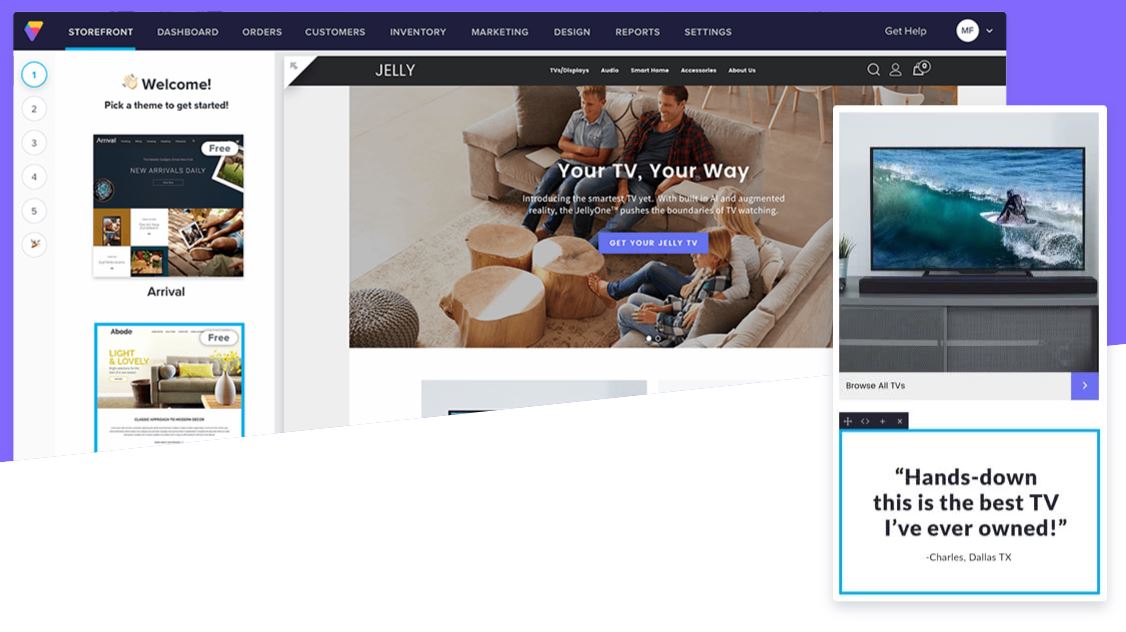
GoDaddy Web Hosting provides users with storage, email addresses, and unlimited bandwith.
$9.99
per month
Salesforce Experience Cloud
Score 8.2 out of 10
N/A
Salesforce Marketing Cloud Engagement (formerly Salesforce Experience Cloud or Salesforce Community Cloud) is an online forum powered by Salesforce that enables businesses to connect with their employees, customers, partner organizations, and prospects. Designed to help facilitate communication and information sharing, customers can ask questions and request help, administrators can integrate data from third-party apps, and employees can collaborate across projects and…
N/A
Volusion
Score 4.8 out of 10
N/A
Volusion is a cloud-based ecommerce solution from the company of the same name in Austin, TX. It features an intuitive dashboard, built-in marketing and promos, SEO, templates, and tools to customize look and appearance.
$29
per month
Pricing
GoDaddy
Salesforce Experience Cloud
Volusion
Editions & Modules
Basic
as low as $6.99
per month with an annual term
Basic
as low as $10.49
per month with an annual term
Premium
as low as $13.49
per month with an annual term
Commerce
as low as $14.99
per month with an annual term
No answers on this topic
Personal
$29
per month
Pro
$79
per month
Startup
$179
per month
Business
$299
per month
Offerings
Pricing Offerings
GoDaddy
Salesforce Experience Cloud
Volusion
Free Trial
Yes
No
Yes
Free/Freemium Version
No
No
No
Premium Consulting/Integration Services
No
No
Yes
Entry-level Setup Fee
Optional
No setup fee
No setup fee
Additional Details
Discounts available for annual subscription.
—
—
More Pricing Information
Community Pulse
GoDaddy
Salesforce Experience Cloud
Volusion
Considered Multiple Products
GoDaddy
Verified User
Administrator
Chose GoDaddy
For my own business website I did switch to BigCommerce because they offered features that weren't available at the time with Go Daddy, such as sales tax rates for every city/state, and products were limited to I think 10 or 20 options at the time and I needed 100+ options for …
Good for transferring over an existing site. Truth be told, I haven't used it for building a brand new site-- I know that this is a fairly common thing but I just never needed it. For what I've used it for, it has worked well. For a small business with anyone with a little bit of technical skill, it's surprisingly good.
For well-suited, this product is great for your external clientele groups that you would not necessarily want to have a high user fee rate for. So basically general public or a group that will be authorized to come in and just do a few things here and there, but you don't necessarily want them access to all of your systems and your data points for groups that it would not be a great use for. I'd say probably your high level internal staff, they're going to be using a lot of the backend functionality automations, evaluating data, managing data, and doing custom inputs. That's just not what's intended for.
Volusion is a good company if you're starting out. The problem is that, if you want more complexity out of the program, you're kind of stuck. Also the regular time out errors and slow downs can be very frustrating. Packages that miss overnight deadlines because your system stops working can cost you customers. In today's highly competitive market, that's just something that's hard to put up with. If you have a lower volume of business you might be able to work around these issues.
Easy to use, just like Salesforce's other products. Many users can sit down and figure it out in no time, and with a little training become power users.
Fast and secure - Salesforce is a leader in the cloud world so you get consistently fast results and security that is top notch in the industry.
Accessible from anywhere - if you use cloud CMS already this is a no-brainer, but for those that do in-house CMS still, this is a major difference. Mobile access from anywhere on the planet without a VPN is something you just can't do without the cloud.
Templates are pre-built for a good end user experience. I've gone through the process of building custom sites as well as tweaking both free and paid templates that Volusion's design team provides.
Their support team didn't use to be as helpful, but in recent years have answered nearly all questions I've had. Their support section within the database provides detailed walkthrus as well.
Order processing is easy once you've been trained on the system. We got to a point where nearly the entire process was automated from initial purchase through shipping.
Unlike other CMS platforms like Wordpress and Adobe Experience Manager, Salesforce does not provide a fully featured editor with a drag-and-drop design tool.
Our content creators and marketing team often struggle with permissions and how to distribute content across different experience cloud sites.
Also, there is no side-to-side comparison view for content editors to update the content easily.
API calls use the previous call as a reference, even if you weren't the one we made the previous call. Can lead to data gaps, so you often have to set a manual date range to look back to make sure you aren't missing any data.
We can't really choose anyone else and the cost/effort of moving all of the hosted data would be extremely large, and we just have to stick to them, and hope they improve service
When you spend so much time with a product like this and not only have you witnessed its growth, but you almost feel like you are next those that make the decisions of building features a certain way, you can't help but want to stay and be a part of their continued growth. It's simply a great product. Can it improve? By all means! But it will only improve because of users and avid resellers like me.
Strengths: - Intuitive for Salesforce Users – If you’re already working within the Salesforce ecosystem, the Salesforce CMS is easy to navigate, with a clean UI, drag-and-drop content management, and reusable assets for quick updates. - Seamless Integration – Since it connects natively with Experience Cloud, Marketing Cloud, and CRM, it allows for efficient multi-channel content distribution without needing extra third-party tools. - AI-Powered Personalization – The ability to deliver dynamic content based on user profiles and engagement data is a huge plus, making content delivery more relevant and impactful. Challenges: - Learning Curve for New Users – If you're not already familiar with Salesforce, the interface can feel overwhelming, requiring training to fully leverage all features. - Limited Customization & Workflow Automation – While it works well for structured content, advanced approval workflows and deep editorial customization are limited compared to enterprise CMS platforms like Adobe Experience Manager. - Media & Design Limitations – Salesforce CMS is not as robust for managing rich media-heavy content, which can be frustrating for teams needing more flexibility in multimedia presentation.
Again, since we provide and recommend solutions, I can't speak to every client's individual experience, but can offer general reflections as to keep their collaborations private, that they are satisfied with the experience. We hear a lot about how this system helps to encourage collaborations between their own business partners, customers, and internal members, and enables quality integrations with other products that help drive revenue.
Although support from Salesforce itself can be quite unresponsive sometimes, the community hub is incredibly helpful. The large user base of Salesforce products contribute to troubleshooting and the forums are a powerful tool for finding solutions and possible bugs and response times can be quite fast compared to your regular support channels.
You have to wait on hold for at least 45 minutes every call—the tech support person never knows the answer right away so they put you on 10 minute holds only to come back and say they're still looking for answers. The chat function could take days to get a response. Our "Dedicated Account Manager" never checks in or answers, nor are they ever in the office when we call. It's like they try to be as unavailable as possible until you forget why you even called in the first place. Insane.
It is best to use the built-in features and recommended services for the most turn-key experience (ie. Skipjack for payment processing so that it can all be done from the Volusion backend).
We use Wix currently for our online store. It is nice and easy to use, but they don't offer the email domains as well (the last time we checked). They have pretty decent customization of the web page, but still limited. We're going to try it with GoDaddy, since we have other services from them already. It just doesn't make sense to pay two different companies for something we can do with one.
Salesforce Experience Cloud was selected due to its tight integration with our existing Salesforce CRM platform. Customization of the portal was much, much simpler compared to Sharepoint - especially with role-based security parameters that are ultimately inherited based on attributes within the Salesforce CRM platform. Salesforce Experience Cloud was a natural fit for this customer-facing purpose.
While k-eCommerce was very glamorous to us because it integrates with our main workflow, it just didn't have some of the marketing features that are so integral to the way we do business online. The set-up costs were also way too high. Volusion is so affordable and feature heavy, it makes it very difficult for any shopping cart provider to compete. You can find others who are competitively priced and have similar features, but they simply aren't as robust (at least for the way we use it)
GoDaddy reduces our ROI by costing me in non-billable hours. I don't charge clients for sitting on the phone with tech support to power cycle the server or fix the php.ini file, so my $/hr takes a hit.
Their nickel&dime strategy requires I have an additional conversation with clients about their max recurring fees. Small as they are, I need approval for upping their bill. GoDaddy is only the cheap option if you don't value security, stability, or performance.
Honestly, when you're in the dashboard, the UX is simply horrendous. I mean, everything that should be 1-2 clicks away is 4-6 clicks away, and each pages takes at least four seconds to load. You just find yourself wasting a lot of time waiting for things to load. This should be more simple.