Google Analytics is perhaps the best-known web analytics product and, as a free product, it has massive adoption. Although it lacks some enterprise-level features compared to its competitors in the space, the launch of the paid Google Analytics Premium edition seems likely to close the gap.
$150,000
per year
Looker
Score 8.3 out of 10
N/A
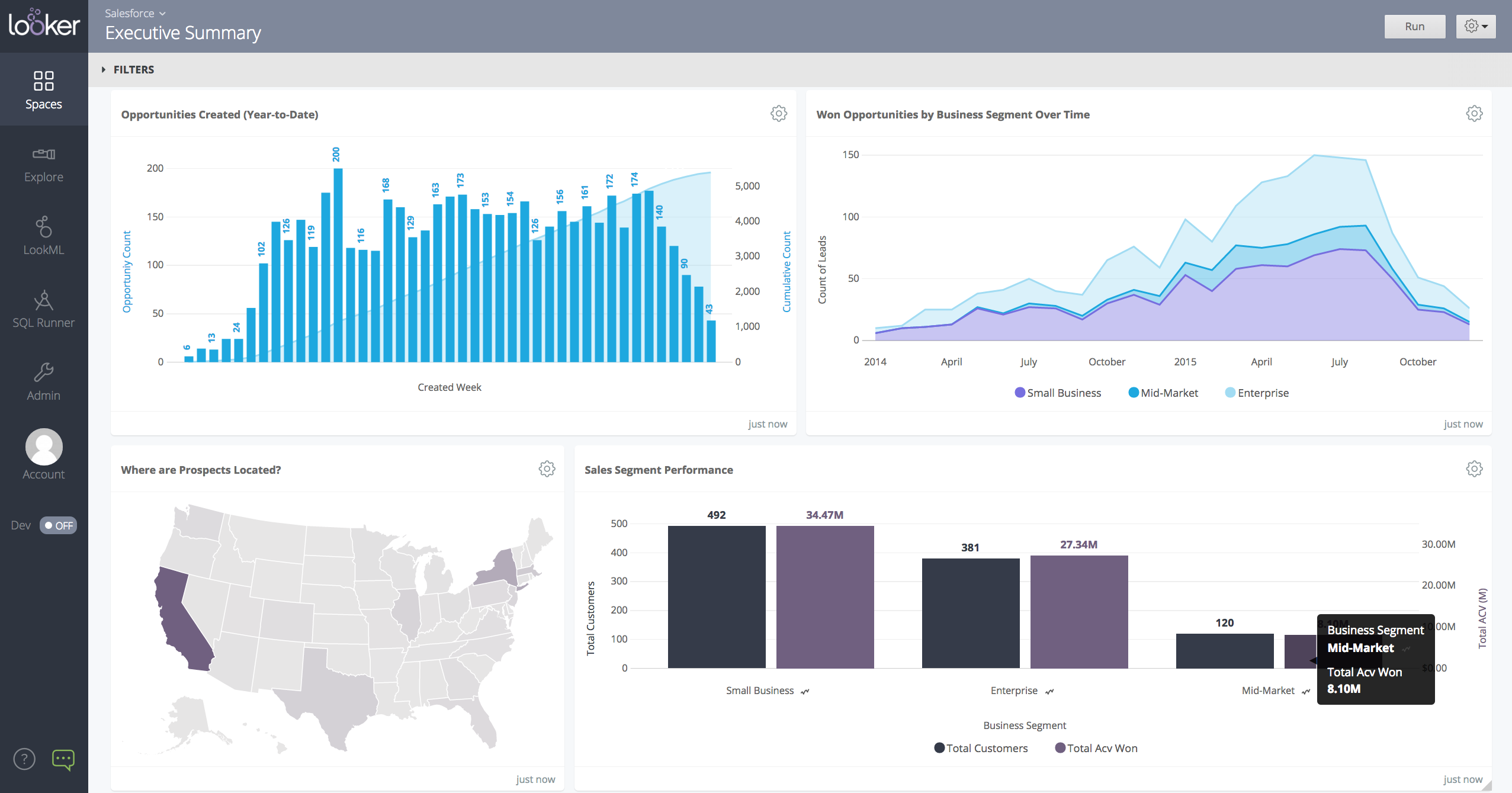
Looker is a BI application with an analytics-oriented application server that sits on top of relational data stores. It includes an end-user interface for exploring data, a reusable development paradigm for data discovery, and an API for supporting data in other systems.
N/A
Agentforce Marketing
Score 7.7 out of 10
N/A
Marketing Cloud is a cloud-based digital marketing platform, used by marketers can segment their audience, deliver personalized messages, track campaign performance, engage leads and accounts, and optimize strategies based on real-time insights.
Wix and other website platforms have a built-in analytic tool, but it is not as sufficient as Google Analytics, so I always use GA as the main source of information about sales. Most of the analytic tools on web platforms can't visualize user flows, which is very important when …
The entry threshold is lower and Google Analytics can be used to grant access even to technically intermediate users who can draw basic conclusions on their own.
Google Analytics is for me the default one to implement especially for business starting in analytics. The time (aka cost) of implementation is very low and it provides results in a matter of hours. The integration with the Google ecosystem is also a plus especially when …
Microsoft Clarity is speedy, extremely tidy, and straight to the point, and it contains everything a SME would need to maintain a healthy SEO without the need for technical understanding; its UI is far superior to GA, and it also provides additional capabilities like as …
Webtrends as a platform is older than Google Analytics and still quite good. If you have a company that is used to using Webtrends, it's likely still a good fit for you. Google Analytics has a lower entry cost and more accessible training to new Users, so that's why I would …
Adobe Analytics is good but it is more suited to people who are fully and technically into reporting and the solutions it provides. Google Analytics on the other hand provides a much easier way of setting up the Analytics. Most of the data reporting, charts and visualisations …
Ease of use: Google Analytics is known for its user-friendly interface and straightforward setup process, making it accessible for beginners. Adobe Analytics has a steeper learning curve and requires more technical expertise. Features: Adobe Analytics offers a more comprehensive …
Universal GA is free to use, offers a good amount of data, and is relatively easy to use. Other products may not offer the detail needed (Google Tag Manager), or require payment (Adobe Target)
Built-in reports are beneficial but you can create custom reports if you need more details with different dimensions and metrics it also provides insights which is just little data about your site traffic in sentence format its the best way to know which strategy you are on …
Adobe and Google Analytics are fairly similar. Google Analytics was more widely known among my team. Most of us have used it in some capacity in the past. It's also easy to navigate, and there are loads of free training out there on how to use the platform.
Google provides a wide suite of products that all tie into Google Analytics. Some that I use most often are Tag Manager, Ads and Datastudio. All of these connect directly with Analytics and allow me to accomplish my goals. For example, Ads will connect and show me what Ads are …
I have not used Adobe Analytics as much, but I know they offer something called customer journey analytics, which we are evaluating now. I have used Semrush, and I find them much better than Google Analytics. I feel a fairly nontechnical person could learn Semrush in about a …
Adobe Analytics and Google Analytics 360 are both paid/premium options for website tracking. Though there are certain use cases when these might make sense (you operate entirely in the Adobe suite, you're a massive company/site that doesn’t mind the price tag on Google …
Google Analytics provides everything you need in terms of straight forward analytics needs. The tool is not very flexible compared to other software such as adobe, and if you want to upgrade to premium or add in a bunch of custom situations, that can be become very [tedious] …
Google Analytics is easy to use and widespread, it's a must-have software for all businesses. The price point compared to other software that we use is very reasonable, and the suite of services and training tools/certifications available for free is hard for other software …
Adobe Analytics has been in the market for a long time; some people still know it as Omniture or SiteCatalyst. It seems that some great ideas from Google Analytics, such as Enhanced Ecommerce and the new way of measuring events with GA4, are adapted from the traditional Adobe …
GA will always have an advantage with data, because it's the source, but other companies do a better job of specializing in certain areas or providing better UX/UI. HubSpot is the king of the latter and SEMrush is ideal for making organic improvements based on data. Ahrefs are …
We have been using Adobe Analytics for a while but the system seemed to be more complex when compared to super user friendly Google Analytics. Moreover, the option to add custom metrics and dimensions is lacking in Adobe Analytics. Google Analytics is good with transactional …
Google Analytics is really unique so it's hard to have competitors - especially when Google Analytics is free (unless you are part of a huge company so in the case you will need the Premium version). Other products like SemRush are good as third party tools and figure out the …
I used Facebook Analytics for mobile and web games but Facebook Analytics was discontinued. Google Analytics is more universal and is suitable for both web and native mobile applications. Facebook Analytics is more suitable for apps and games on web and mobile. For mobile …
Looker was the most customizable option for our business and cost wise made the most sense. They do have a free tier option that some of the other weren't offering to us at the time. Looker has a great- mobile app solution while tableau is a desktop-based platform. Tableau also …
The biggest advantage that Looker Studio has is that it's really easy to use and to distribute to other use. You can have a really complex report set up in a couple of minutes with an extract data source that enables Looker to update really fast.
Looker is less complex to use and links directly to google suite which we use across the business and personally think is a better user experience than microsoft.
We have not used any other products; we've only ever needed to use Looker Studio and didn't need to demo anything else because it provided everything we needed.
Looker stacks up well against other data providers for usability and friendly interfaces, plus the ability to customise. We actually integrate Looker with other analytics tools in the same sphere (power bi, dreamdata and others) so that we can have one comprehensive dashboard …
In my opinion, Looker is no Power BI. It is good, but I think Power BI is amazing. That said, in my experience, Power BI is nowhere near as easy to setup and report on Google services as Looker is. We plan to continue using Power BI for c-suite and corporate reporting, …
Looker is a free and easier analytics and dashboard tool. It provides enough data and features to get things done and analyze marketing data. The other tools have more advanced features and are more suited for other things besides marketing.
Tableau provides additional visual functionality and is great for more in-depth visuals or further data exploration, but it is costly and an extremely robust solution for simple data reporting. Looker can't be beat when it comes to integrating with other G-Suite tools. All in …
Looker is a lot less overwhelming and lets you take the data that you have in Google analytics to make it understandable, focused and specific to the audience that is viewing the content. I haven’t used any other tools, but feel because of the ease of accessibility and cost, …
I prefer agency analytics as it has a lot more agnostic integration options and is much speedier but does come at a cost. I would recommend this over Looker studio for sure. It has great templates to use too and allows for more customisation and racing benchmarks which is a …
We'll still use Semrush's reporting for some clients - depending on the metrics which are important for them and whether they have an interest in live reporting or simply monthly PDF reports.
If you company is using Google suite products, Looker is a no-brainer. Tableau is probably the most flexibly but as a result it has the least governance capabilities. Power BI is kind of old-school in terms of how it feels to use it. I think in general, Looker brings a lot of …
Better in terms of data configuration with slight harder learning curve, available help material is not that much and we usually have to connect with Looker Help with chat for our data and analysis questions. While Looker offers a wide range of visualization options, there were …
Looker Studio, you can easily report on data from various sources without programming. Looker Studio is available at no charge for creators and report viewers. Enterprise customers who upgrade to Looker Studio Pro will receive support and expanded administrative features, …
It takes forever sometimes to have data ready in tableau dashboard, and also it takes effort to maintain each dashboards. We do not have so many efforts to maintain all. Also, we need to be able to see data faster and therefore take actions and work faster. With Looker we might …
Looker gives you options to integrate external APIs with great ease. Our data analytics team is able to easily use multiple data sources as input to the Looker dashboard, and everything is consolidated in one single Dashboard. You also have an option for Shared folders to be …
I chose Looker because can incorporate multiple sources, mostly which are Google owned. The data can sync automatically, and the graphs are visually appealing.
Looker Studio is not as robust as Tableau or Microsoft BI. So it does not provide quite as much insight or depth and it has more limitations overall then the other major reporting products. However, it is also free and connects perfectly with other Google products. Plus, all of …
Technically, Power BI is much more complete and powerful, but it's like an ocean liner. I didn't need all that equipment. In my case, I needed to move more quickly, like on a speedboat, to build a page with several data sources in a single source of truth that could be easily …
Looker is a free tool to use on the basic level, which can't really compare apples to apples since all of the other services are paid services. Looker already has a leg up because of that. The other platforms definitely have more features and capabilities off the bat because it …
The only other product we’re currently evaluating is on the Veeva side — Veeva Campaign. It’s a relatively new product that Veeva has released; it’s only been about six or seven months since it went into general availability. So time will tell whether it can compete with …
Apart from Marketing Cloud we have one reach that we have used and to tell you the good stuff is like now we are getting rid of One Reach and we are moving all our text stuff as well to the marketing cloud. So that much we have confidence in Marketing Cloud and that much we are …
I have worked with all three providers across different businesses and seen the benefit of each one in different ways. It is good that Salesforce Marketing Cloud connects well with salesforce as a sales management CRM. Hubspot is a lot. more user friendly of an interface and …
I find the data stored in the database is very much cleansed and hence the overall decision making process improves. Also the customised emails, digital marketing features stacks the Salesforce Marketing Cloud way above others
We use Salesforce Marketing Cloud for lead management, generating reports, tracking customer and dealer information, inputting orders, and more. I prefer HubSpot for email marketing and automation because it is easier to use and the emails are designed much better. We …
I used Marketo for years and found it to be robust yet also fairly intuitive to navigate. When I joined my current role, they had just implemented Salesforce Marketing Cloud. I was initially not a fan, but since using the tool and navigating some complexities, I see the true …
I think that all of the marketing platforms I have evaluated and used in the past serve different markets and purposes. Salesforce Marketing Cloud was more palatable to our team because of our existing tech stack where we had Salesforce CRM already deployed and in use. Compared …
Hubspot is more user friendly, more intuitive, and has functionality built in from the start that allows you to get things off the ground faster than SFMC. I use SFMC because that is the current platform at my employer.
Mailchimp is great for simple email use. It's straightforward and great for beginners in the email space. It does not offer nearly as much in the way of complexity as Salesforce Marketing Cloud does, so is limited with what it can do. Salesforce Marketing Cloud is much more …
It has more features and a fuller capacity for all things marketing. Pardot was clunky and lacked a good email builder. It wasn't my choice to select this software, but I see its value, and the team has benefitted from it. We hope they continue to improve functionality and …
Salesforce Marketing Cloud is a more comprehensive product than HubSpot Marketing Cloud. It integrates better with multiple channels, is a powerful audience builder, and is an efficient AI. However, Salesforce Marketing Cloud is also more expensive and requires Salesforce.com …
Salesforce Marketing Cloud stands out for its comprehensive features, scalability, and seamless integration capabilities. Compared to other platforms, its unified suite of tools for email, social media, mobile, and advertising enables streamlined cross-channel campaign …
Not to sound like I am completely against Salesforce Marketing Cloud, I believe HubSpot has worked alot on their marketing platform to simplify the interface along with keeping the rich functions a marketing platform would want. Campaign monitor is a bit more basic, but perfect …
My previous organization used Pardot and also Mailchimp. Salesforce Marketing Cloud is more powerful than both of those tools and integrates more deeply with Salesforce CRM.
Overall, 80 percent of the features and boiler plate and standard across all these tools. Salesforce leads in integrations and global scalability. But lacks in User interface and ease of use.
Salesforce Marketing Cloud offers many opportunities for personalization and supports big data integration. It features powerful tools like SQL for data and AMPscript for email creation. If someone wants to master the platform, it might require some initial learning, which I …
We use these both in conjunction together now rather than rivals as the data that can be held in both does differ slightly and one platform email maker is slightly better so we do a lot of the creative in one platform and then have it link in and have all the data flow into the …
Honesty, there is no reason that a company wouldn’t want to implement Google Analytics. The regular version is completely free, is very easy to configure, and provides immense volumes of website data. There are also tangible benefits to the other Google tools it can connect to, and it integrates with any BI/data platform that you might use. The only time I’d advise not using standard Google Analytics is if you’ve purchased Google Analytics 360.
When data drives potential for new orders, Looker earns its place in our tech stack. If, on the other hand, we are hoping for pipeline generation, Looker is useful if you are willing to repeatedly go check customer utilizations .... it is not appropriate if you are hoping to automate data analysis for this purpose.
I rated this a seven because I love Salesforce, and it is excellent on the sales side. However, the marketing side has some pros and cons. It is terrific for keeping track of lead, customer, and dealer information, but it is not easy to automate workflows, integrate other software, or create well-designed emails. It is also straightforward to generate reports, which is very helpful in keeping track of lead progression to better market those leads and turn them into customers.
While raw data is nice to have, I do wish there was an easier way to provide reports from Google Analytics directly. Something that could answer questions straight-forward for people.
I would appreciate "helpful hints" or a cheat sheet of some sort, so when quickly searching for something such as time on a certain page, I can find it quickly.
Having used Google Analytics for the last 9 years, I have no intention of discontinuing my service. Google Analytics is a fantastic product that provides me with almost everything I could wish for. The positives in this product outweigh any negatives that you might find. I can not think of a single reason to not immediately start using Google Analytics for your business.
We are very haooy with Looker, it provides us with all the funciomalities we need for both the day to day oerformance tracking and longer periods reporting. It is easy to use for account managers, configurable and customizable for soecialists and what is most imoortant, our clinets generally really love it
We are happy with Pardot. It has made our jobs easier and installed some reporting functions that have increased our ROI with the company. We have worked hard to set-up the functions in Pardot and it has taken time, but paid off.
Google Analytics provides a wealth of data, down to minute levels. That is it's greatest detriment: find the right information when you need it can be a cumbersome task. You are able to create shortcuts, however, so it can mitigate some of this problem. Google is continually refining Analytics, so I do not doubt there will be improvements
Looker is relatively easy to use, even as it is set up. The customers for the front-end only have issues with the initial setup for looker ml creations. Other "looks" are relatively easy to set up, depending on the ETL and the data which is coming into Looker on a regular basis.
You won't find another solution that has as many features as Salesforce Marketing Cloud Interaction Studio. We all know Salesforce, we all know how big they are and it's not for nothing... Their tools do most of the things you want, need and even imagine. Using it is complicated, but the usability is infinite.
We all know Google is at top when it comes to availability. We have never faced any such instances where I can suggest otherwise. All you need is a Google account, a device and internet connection to use this super powerful tool for reporting and visualising your site data, traffic, events, etc. that too in real time.
Upgrades and timing of the upgrades were communicated well and planned during off hours for our work. If we did have a campaign scheduled during that time, it would kick-off after the system was back active. There were a few unplanned system down times, but it was a rare occurrence and those times were also short in duration.
This has been a catalyst for improving our site's traffic handling capabilities. We were able to identify exit% from our sites through it and we used recommendations to handle and implement the same in our sites. We have been increasing the usage of Google Analytics in our sites and never had any performance related issues if we used Analytics
Somehow resources heavy, both on server and client. I recommned at least 50Mbs data rate and high performance desktop comouter to be abke to run comolex tasks and configure larger amount of data. On the other hand, the client does not need to worry when viewing, the performance is usually ok
Though the make up of MA apps is not built this way today, it would be nice to see them become more real-time. The integration between Salesforce and Pardot is not a true real-time integration. If I modify something in Salesforce, those changes are not automatically reflected in Pardot immediately. There is a delay of about 15 minutes before the systems sync. This delay, although not long, is less than ideal We would love the systems to be integrated real time such that changes are propagated from one system to the other immediately.
The Google reps respond very quickly. However, sometimes they can overly call you to set up an apportionment. I'm very proficient and sometimes when I talk to reps, they give beginner tutorials and insights that are a waste of time. I wish Google would understand my level of expertise and assign me to a rep (long-term) that doesn't have to walk me through the basics.
Never had to work with support for issues. Any questions we had, they would respond promptly and clearly. The one-time setup was easy, by reading documentation. If the feature is not supported, they will add a feature request. In this case, LDAP support was requested over OKTA. They are looking into it.
They are really responsive and more than not solve the problem or give you insight to how you can manage the solution yourself. I do find however sometimes a long delay on the more complex issues when they need to loop in other departments. but overall a good experience with support
Training program is not very well established. There is very little documentations. More often than not it's in-person training. I wish there were more video tutorials so that somebody can learn the system quickly. Their documentation is very much like an RFP. Long and very technichal. They should definitly improve on this area.
love the product and training they provide for businesses of all sizes. The following list of links will help you get started with Google Analytics from setup to understanding what data is being presented by Google Analytics.
Pardot's online training touches on all topics briefly and vaguely without much indepth exploration into how a final outcome could look, such as Nurturing Campaigns, Email templates, landing page templates, etc... The only true way to uncover Pardot's full capabilities is to have Front End design and coding experience. Without this key skill set, I would not recommend Pardot to another business.
Make sure to put the tracking code on every page. Ideally this would be part of a template or "include" so you can update the code on all pages (or at least within pages of the same category) at once.
From an IT perspective, once you set up the Javascript beacon and start collecting data there is a waiting game. During this time you can start labeling your site actions which can be labor intensive for a single person, but you don't really have the final end-users on the platform yet. We did a lot of training so users were experienced, but it wasn't until they had their first tasks to accomplish that they started using the system and had questions. I'd recommend setting up some immediate goals for an end-user to start segmenting for the purpose of displaying message campaigns so you can jump start end-user action.
I have not used Adobe Analytics as much, but I know they offer something called customer journey analytics, which we are evaluating now. I have used Semrush, and I find them much better than Google Analytics. I feel a fairly nontechnical person could learn Semrush in about a month. They also offer features like competitive analysis (on content, keywords, traffic, etc.), which is very useful. If you have to choose one among Semrush and Google Analytics, I would say go for Semrush.
In my opinion, Looker is no Power BI. It is good, but I think Power BI is amazing. That said, in my experience, Power BI is nowhere near as easy to setup and report on Google services as Looker is. We plan to continue using Power BI for c-suite and corporate reporting, especially for internal databases, but will gladly use Looker for our marketing information for AdWords, Analytics, Search Console, and YouTube.
The only other product we’re currently evaluating is on the Veeva side — Veeva Campaign. It’s a relatively new product that Veeva has released; it’s only been about six or seven months since it went into general availability. So time will tell whether it can compete with Salesforce Marketing Cloud or not.
Google Analytics is currently handling the reporting and tracking of near about 80 sites in our project. And I am not talking about the sites from different projects. They may have way more accounts than that. Never ever felt a performance issue from Google's end while generating or customising reports or tracking custom events or creating custom dimensions
Prior to this, we had no solution and literally were doing things on paper in a world where technology is outpacing paper. Having this process optimized has made it easier for the sales and marketing people to change information. From the training perspective, it has allowed us to see holes in where we could create additional support training, so the ROI here has been a lot more than just the optimization of a process.
Other than some people not liking the numbers, I don't see any negative impacts; we haven't experienced that.
The reports help us unravel the story of our users and how they are sifting through our pages.
Our clients enjoy seeing the numbers to understand better what stands out on their sites.
The reports have helped us see what campaigns are working and where we need to tweak things.
The reports have enabled us to have better conversations with stakeholders about how their web pages should be modified, edited, etc., to reflect the data.