Google Drive is a cloud file storage, synchronization, and collaboration platform and service, that features Google Docs, Sheets, and Slides for document editing and presentation.
$6
per month
Jama Connect
Score8.7 out of 10
Enterprise companies (1,001+ employees)
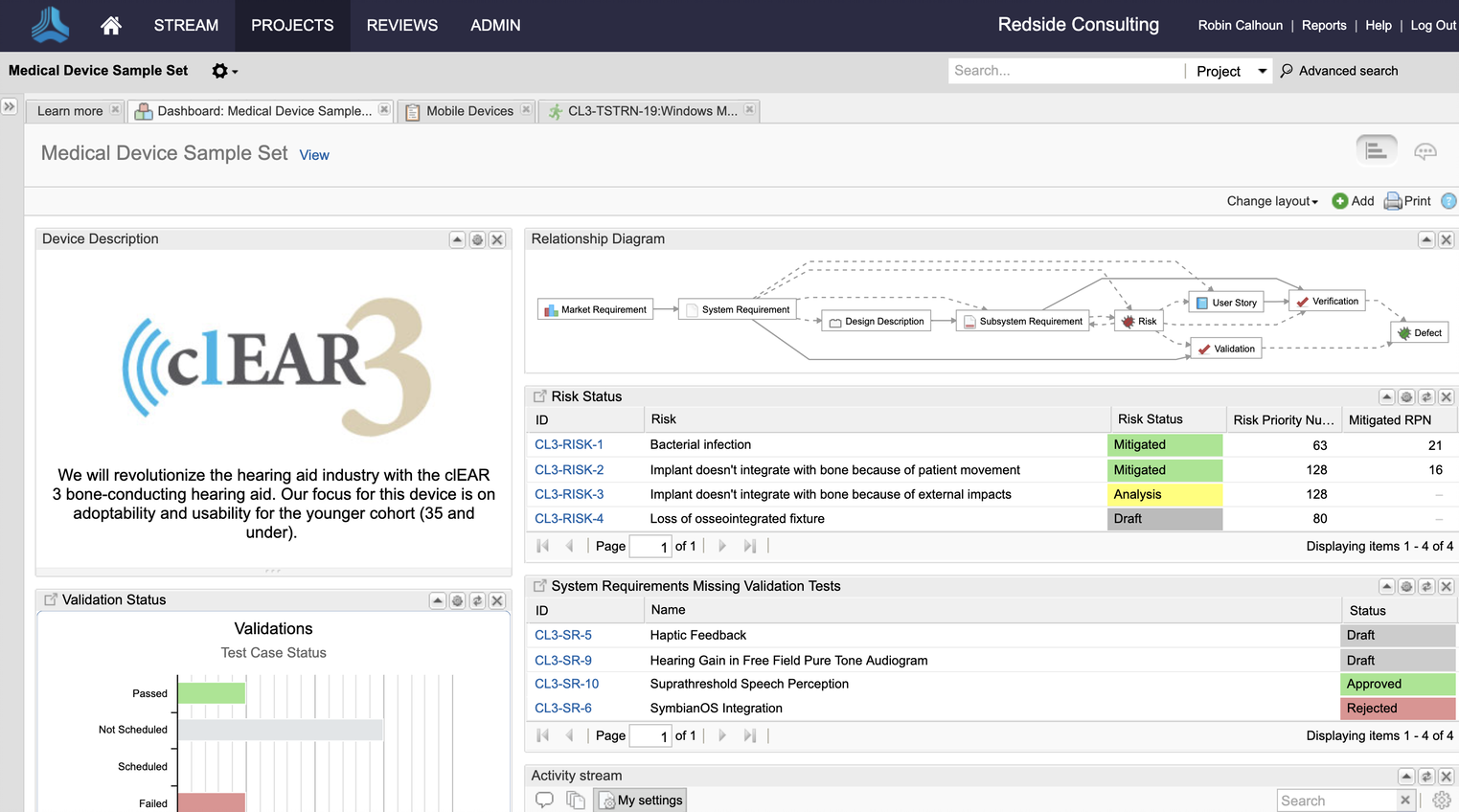
Jama Connect® is a Requirements Management software and Requirements Traceability solution. Jama Software enables teams to manage product requirements and enable Live Traceability™ across the development process, in order to reduce cycle times and improve product quality.
N/A
Pricing
Google Drive
Jama Connect
Editions & Modules
Basic
$6.00
per month
Business
$12.00
per month
Enterprise
Contact Vendor for Quote
per month
No answers on this topic
Offerings
Pricing Offerings
Google Drive
Jama Connect
Free Trial
Yes
Yes
Free/Freemium Version
Yes
No
Premium Consulting/Integration Services
No
Yes
Entry-level Setup Fee
No setup fee
No setup fee
Additional Details
Discounts are available for students, educators, and non profit organizations.
Assistant Director of Production at The Southern Baptist Theological Seminary (Media Production, 51-200 employees)
Chose Google Drive
I personally prefer Google Drive. I find it to be more user-friendly and the people you are sending files to don't necessarily have to have a Google account to receive the files. It seems like it is a bit more straight forward than Dropbox tends to be most of the time.
A de minimis incentive was given to thank the reviewer for their time. The incentive was not used to bias or drive a particular response, nor was the incentive contingent on a positive endorsement. More Info
A de minimis incentive was given to thank the reviewer for their time. The incentive was not used to bias or drive a particular response, nor was the incentive contingent on a positive endorsement. More Info
A de minimis incentive was given to thank the reviewer for their time. The incentive was not used to bias or drive a particular response, nor was the incentive contingent on a positive endorsement. More Info
It is possible to share files and folders with up to 200 email addresses, as well as with persons outside the company.Use the drop-down arrow to select who may see, comment on, or change the file or folder before sending out an invitation.I am very much impressed with this feature
For the past year, I had taken on the Jama Administrator role for my client and was able to quick learn how to configure the system to meet requirements and expectations of ASPICE, Functional Safety, and Automotive Cybersecurity as well as ISO 9001 and IATF 16949 standards focused on quality. Jama Connect is one of the most powerful engineering tools I've ever had a chance to use. It not only does exactly what's advertised and the customer service and technical support are Best-in-Class. For those who are searching for a Requirements Management Tool, I highly recommend you give Jama a try. They've got everything down to a science from the moment you start interacting with a Jama representative, to the training and the on-boarding. The learning curve was very quick for me, in large part due to the amazing technical support that I was able to receive from Jama's subject matter experts. Every person whom I spoke with about the tool and its capabilities was absolutely top-notch. If you really want to level-up your game, try Jama Connect Advisor. Get yourself a free demo. You won't find any better tool for Requirements Management!
Any user with access can store a file using different platforms like Android, IOS, Windows, or Ubuntu (Desktop version)
You can share files with any number of different users with different access rights or you can even keep it public by providing the access link and assign different rights for public access
You can open Excel/Word files using google software Sheets/Docs in the browser environment without having to install software like Microsoft Office etc on your Windows OS
A de minimis incentive was given to thank the reviewer for their time. The incentive was not used to bias or drive a particular response, nor was the incentive contingent on a positive endorsement. More Info
Focus in the content without loosing the track of the evolution of the items by maintaining the exchange of information between the users inside the Tool.
The possibilities to integrate this tool within our IT-landcape and with our other engineering tools is for us a leverage to success.
A de minimis incentive was given to thank the reviewer for their time. The incentive was not used to bias or drive a particular response, nor was the incentive contingent on a positive endorsement. More Info
Having a little bit more control and clarity over what is shared and how it is shared would be a useful improvement.
Could be more robust and flexible as far as assigning restrictions.
Google Sheets could be enhanced because Excel really is not there yet as a product with equal capabilities as there are still quite a few limitations to the functionality.
A de minimis incentive was given to thank the reviewer for their time. The incentive was not used to bias or drive a particular response, nor was the incentive contingent on a positive endorsement. More Info
The 'filtering' capabilities in Jama are not as good as they could be. In particular, the ability to "nest" filters is quite limited. I have certain seen much better capabilities in other tools. ('Cradle' is an example of a tool with excellent "nested filters" capabilities.)
From an administrative point of view, the 'License' admin view is pretty disappointing. The particular thing that I'd like to be able to find out from it is the peak number of 'Float Creator' licenses in concurrent use on each day. If there's a way to get to that information, I haven't found it yet.
A de minimis incentive was given to thank the reviewer for their time. The incentive was not used to bias or drive a particular response, nor was the incentive contingent on a positive endorsement. More Info
It's perfect for me. It keeps things saved and is easy to remove items if needed. Also, I very much enjoy the formatting options. Along with the integrations it has for SSO. Overall, this is the most user friendly system I have ever come across.
Jama is really easy to use and operate compared to other tools. This allows a process owner to get easier buy-in from the organization to see value early. My experience with this tool was very positive and we were able to see value early in its introduction
A de minimis incentive was given to thank the reviewer for their time. The incentive was not used to bias or drive a particular response, nor was the incentive contingent on a positive endorsement. More Info
It's easy enough to use for computer users of all ages and skill levels. I am an advanced user, and I think the hardest part might be showing someone how to download and set up the app on their device if they weren't too familiar with computers, but overall it is very easy to understand.
A de minimis incentive was given to thank the reviewer for their time. The incentive was not used to bias or drive a particular response, nor was the incentive contingent on a positive endorsement. More Info
The requirements and baseline parts are easy to use. The review centre is very useable and understandable, once you understand/set up the moderation. (This last part could use some refinement.) Integration/connectability (the Connect part of Jama) is quite possible, but the useability could use some love as well.
A de minimis incentive was given to thank the reviewer for their time. The incentive was not used to bias or drive a particular response, nor was the incentive contingent on a positive endorsement. More Info
A de minimis incentive was given to thank the reviewer for their time. The incentive was not used to bias or drive a particular response, nor was the incentive contingent on a positive endorsement. More Info
It has always been available, except for preventative maintenance which is announced beforehand. Nonetheless, we experienced one day shortage over a miscommunication about payment.
A de minimis incentive was given to thank the reviewer for their time. The incentive was not used to bias or drive a particular response, nor was the incentive contingent on a positive endorsement. More Info
The documents load fairly quickly and also update in real time, especially given the fact that multiple people can be using it at once. The "Offline" feature works great to allow the user to make edits and access the document without access to the internet, and then sync changes later once they're back.
A de minimis incentive was given to thank the reviewer for their time. The incentive was not used to bias or drive a particular response, nor was the incentive contingent on a positive endorsement. More Info
With performance compared to JIRA, I do recommend Jama in this case. Jama provides very good performance, it loads immediately for any of the items and searches any item immediately. Performance is really good in all of the operations including creating stories, epics, item types or other support operations or report generation.
A de minimis incentive was given to thank the reviewer for their time. The incentive was not used to bias or drive a particular response, nor was the incentive contingent on a positive endorsement. More Info
It takes a few days for customer support to get back to you. Although, I have not had to use support too often. Once you get an email back, they are very thorough and work hard to fix the problem quickly. It is a really great resource and a great way to get the help you need if you're stuck. A phone call also works quickly but you have to call during specific times.
They typically answer within minutes of posting a ticket, and then you have a clear expectation of what the issue is, how to diagnose it, how long will it take to get resolved, and in which version a given problem is resolved, or if there is a patch for hosted services. They have a number of support people, and all of them are top-notch.
A de minimis incentive was given to thank the reviewer for their time. The incentive was not used to bias or drive a particular response, nor was the incentive contingent on a positive endorsement. More Info
The effective google workspace using training that my organization received and was conducted by me (as a team lead of the ICT team) was mind-blowing and as a result, our staff is performing well in terms of using the application for their daily jobs than before. Now, in my institution, all teachers and all the administrative personnel are very much interested in cloud storage facilities, in previous my institution was afraid of losing all important documents in the cloud storage. But, after having received the training they are now realized that if anyone has only one google account then he or she can use 15GB of cloud storage freely and they are now happy because now it is not necessary for anyone to carry the traditional pen drive.
A de minimis incentive was given to thank the reviewer for their time. The incentive was not used to bias or drive a particular response, nor was the incentive contingent on a positive endorsement. More Info
Helpful and exhaustive and tailorable for our needs. Instructor was well versed and engaged. Material was a good reference and was up to date with tool. Overall, in person training was valuable for tool introduction. Trainer was an active user of the tool and worked closely with other clients. So, very knowledgeable.
A de minimis incentive was given to thank the reviewer for their time. The incentive was not used to bias or drive a particular response, nor was the incentive contingent on a positive endorsement. More Info
Easy to reference and understand. Updated routinely to include new topics. Online training evolves to include more advanced topics and how to guides. Online training includes videos and reference guides that make it easy to perform more complex tasks. Online training is free and can be accessed from any computer.
A de minimis incentive was given to thank the reviewer for their time. The incentive was not used to bias or drive a particular response, nor was the incentive contingent on a positive endorsement. More Info
It's an extremely easy software to implement, once you sign up for a google account you automatically have access to google drive with a set amount of storage space. The business or Google Suite accounts have more storage space than a regular free account, but setting up and accessing google drive is very easy in both cases
Jama 2015.5 implementation is very smooth and no need for much manual work. Jama 8 has many challenges and we can not install it as smoothly as Jama 2015.5. Initially, Jama didn't provide the Jama 8's installer files or zip files and they were just providing docker files to everyone (which was really strange). It is the worst that they don't provide all the files at a time. Why should they tell us where we should deploy, and why only a dockerfile? I am not very satisfied with Jama implementation.
A de minimis incentive was given to thank the reviewer for their time. The incentive was not used to bias or drive a particular response, nor was the incentive contingent on a positive endorsement. More Info
In short, Google Drive is better for independent users who store a normal amount of stuff. OneDrive makes more sense for businesses and teams that are doing heavy-duty storage or large-scale syncing. Realistically, though, most users will fall somewhere in between the two, where either platform would meet their needs.
It’s easier to use, easier to trace requirements and verification and has a better UI These other tools feel more like glorified excel sheets whereas Jama actually feels intentional with being an ALM tool.
As stated before tracing is much faster, creating the tracing matrix/workflow is easy like using a Miro workflow.
A de minimis incentive was given to thank the reviewer for their time. The incentive was not used to bias or drive a particular response, nor was the incentive contingent on a positive endorsement. TR verified that a representative sample of customers was invited. More Info
A de minimis incentive was given to thank the reviewer for their time. The incentive was not used to bias or drive a particular response, nor was the incentive contingent on a positive endorsement. More Info
There is no horizontal scalability available in Jama, we have only one choice to scale it vertically. But vertical scalable applications always have limitations to grow. In this case, Jama doesn't support horizontal scalability functions like multi-node architectures with a shared drive for the home directory.
A de minimis incentive was given to thank the reviewer for their time. The incentive was not used to bias or drive a particular response, nor was the incentive contingent on a positive endorsement. More Info
One experience that converted an engineer to using Jama Connect was an electronics engineer that was writing test plans. I showed them about how to write "unit" or very discrete tests and then showed them an automatic export to get the document. Thus the authoring of the document effort was taken away, they could focus on defining the test
Unfortunately I have very much struggled to embed systems engineering, requirements management and Jama Connect as part of the 'ways of working' outside the systems and electronics teams.
A de minimis incentive was given to thank the reviewer for their time. The incentive was not used to bias or drive a particular response, nor was the incentive contingent on a positive endorsement. TR verified that a representative sample of customers was invited. More Info