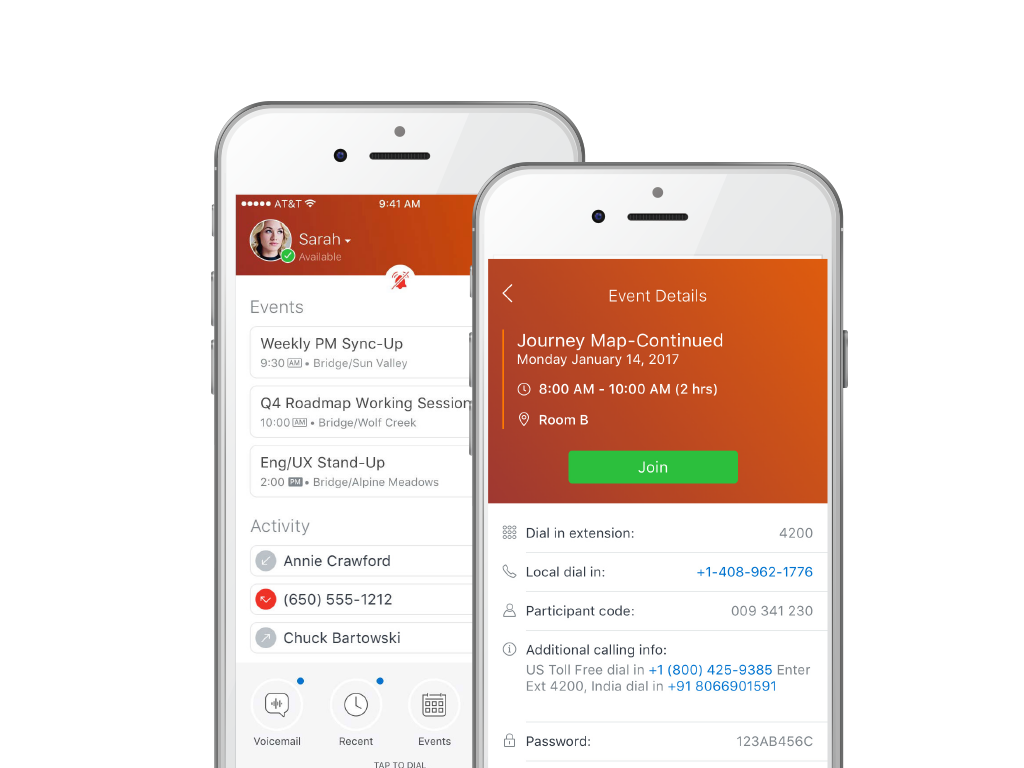
GoToConnect, from GoTo, is a cloud-based business phone system with built-in web-based video conferencing solutions. It includes features such as call analytics, call recording, softphone, fax to email, voicemail to email, and desktop integration.
$27
per month per user
MiCloud Connect
Score 3.0 out of 10
N/A
MiCloud Connect is a business communications solution for contact centers that includes features like IP PBX telephony service, desk phones, softphone, and collaboration tools. It is integrable with other business communication technology, including Microsoft Outlook and CRM software.
$20.99
per user/per month
Pricing
GoTo Connect
MiCloud Connect
Editions & Modules
Basic
Starting at $27
per month per user
Standard
Starting at $32
per month per user
Essentials
$20.99
per user/per month
Premier
$26.59
per user/per month
Elite
$38.49
per user/per month
Offerings
Pricing Offerings
GoTo Connect
MiCloud Connect
Free Trial
Yes
No
Free/Freemium Version
No
No
Premium Consulting/Integration Services
Yes
No
Entry-level Setup Fee
No setup fee
No setup fee
Additional Details
No-obligation month-to-month account are available, or a long-term contract is available for better deals on service pricing and hardware. GoToConnect provides all features with unlimited use. Customer & Technical support is available 24/7 to resolve any issue. A dedicated onboarding team will help to the phone system set up for any plan.
At the time it was ShoreTel ShoreWare Connect, now MiCloud Connect. We made the transition to 100% cloud-based PBX, which is great for no longer needing to do hardware upgrades, firmware upgrades, etc. for an on-premise system, and saves dropping more money on hardware every …
Verified User
Employee
Chose GoTo Connect
We left ShoreTel because we had become very dissatisfied with their overall sales, support, and troubleshooting. When we first started with GoTo, they had just acquired Jive and that was our original product. Our initial experience with Jive was great and we found the support …
GoToConnect is nice because it require no onsite appliances and is 100% cloud hosted, allowing us to distribute our phones where ever we needed. Over all the call quality was very good, and everything in the back end was very easy to use. It does not require any complicated …
Mitel has a great phone service product. The user interface for phone service, and the admin portal is extremely easy to use. Ultimately, it was presented that the conferencing solutions in a unified communication plan were more capable then reality. In comparison to other …
Go-To softphones have made my life as an IT manager significantly easier. Being able to take calls and listen to my voicemails on both my computer and mobile phone has been a game-changer. I also cannot recommend the "drag-and-drop" dial plan management system enough. It makes the entire process as easy as programming in Visual Basic and allows you to see exactly what is happening when someone dials into a line.
Mitel is excellent at allowing me as a user to setup up custom call routing in response to rapidly changing work flows. If I need to work from home for a period due to medical or other reasons, logging into Mitel and setting my office phone to ring through to my home or cell is quick and simple. Changing back is just as quick.
Call reports: You can see and review calls received from the first receptor until the last who attend this call, also you can review all calls make and received by your teams
Voicemail options: Availability to create some voicemail with multiple receptors
Devices option: with several options to change on your devices
Audio library: Multiple option to create your own audio library with or without ambien music
With separate systems and two locations we used to have to fake the system into 4 digit dialing by forwarding all remote extensions to DIDs. Now with Shortel extended to the remote location we have true 4 digit dialing.
The Shortel desktop application makes managing calls and call routing a breeze for even our most novice users.
They are knocking it out of the park on all fronts. I love the service and support I am receiving and have no complaints. If they raised their prices substantially I would reconsider but I don't think that will happen anytime soon. They would have to mess up something consistently moving forward to make me want to move
Although the price is higher than some of the other Hosted systems out there, the value is definitely worth a renewal. Everything is relative: there are some companies out there who need phones, but don't necessarily care how they work, the functionality/features available/durability etc., they just care that they have phones that make and receive calls. There are other companies that are completely reliant on phones and certain functionality that is provided by the system. There are even some companies who are straight up dependent on the phone system and are losing tons of money anytime they are down, ShoreTel is the perfect fit for theSMB client who sees value in a solid,robust, reliable and high functioning phone system
Overall, it's a decent product for the price. It has the basic features our company needed when it was brand new and was not overly difficult to set up. As we've grown, it's become increasingly difficult to build out the features we want to implement within the PBX, and customer support can be less than helpful. Many of the more advanced features (dial plans, queues, etc.) take a lot of research to understand how to implement. Some of the features we paid for weren't even available when we were attempting to set them up.
I have not used a wide array of communication software, but this far ShoreTel/MiCloud has been the simplest and easiest to get into. My work employs several temps at certain points throughout the year, and they use this piece of software frequently, and new hires seem to have little to no issue using this software. Additionally, this is our primary telephone communication infrastructure, and I have yet to encounter any issues when signed in and regularly using it handling external calls to our department.
I have never experienced or heard of unplanned outages when it comes to GoTo Connect. Most of the time the unplanned outage is always local power at a site or internet service provider having an unplanned outage. GoTo's service has never failed any of our orgs yet that I know of.
The system has gone down on us MULTIPLE times. We asked them to move us to a different cluster. Shoretel declined. Basically we had problems or outages every month of the year from June 2012 to date. Our old phone system was just that: OLD, no bells or whistles. But it was up every day and I never had to think about it much until it was time for an upgrade. That's how I want Shoretel to be. I want it so reliable that I never have to think about it.
There is no lag in phone calls. There is no background noise or static/fuzz. Calls are crystal clear. With other dialers and phone systems, I have experienced delays between dialogue or delays with the caller picking up the phone and then being able to hear you. We do not experience this with Go To Connect.
Even though the system uses a lower bandwidth connection we have experienced a higher call quality than our previous system which required a T1 line and back up broadband connection.
One of the MOST challenging things in tech support is that some of the offshore agents "don't speak Texan/English", and are really hard to understand. GoTo Connect's support is usually someone who is VERY easy to understand their US/English, and are very helpful. In dozens of interactions for our business & our clients, we've only had a few tickets that couldn't be resolved on the first call
ShoreTel Sky's support is amazing. The only reason why I didn't give it a 10 is that we still need to contact them for stuff that we should be able to do, for ourselves, within the management portal. I know their portal is being worked on, so hopefully they will get the "little things" included for self-management.
I attended the first ShoreTel installer class in Austin,TX. It was a week of intensive study with a live lab and having hands on experience made the class worthwhile. I have taken all of the sales courses and remaining technical courses either online or self study to keep costs down. I send my techs to the first installer course in Austin as I feel it gives them a solid foundation and most of teh other courses they have taken have been online.
The training videos could be more in-depth. This would help our user base so that they can feel impowered to look up information that they need without having to ask our admins every time they have a question about the system. Online training videos are also inferior to an actual person explaining systems.
The training identified some things M5 (ShoreTel's cloud division) could provide, however it was only using it every day and asking the Shoretel support several questions that I got the hang of it. The training was able to highlight functions but I did not learn how to use the phone from the training.
One big lesson we learned is that training the team well makes a huge difference. It was easier when we started with the fundamental features, such as the way calls are handled. Getting staff involved early helped us set it up the right way. So I would say my experience with implementation was straightforward.
Each of our locations has a dedicated ShoreTel router and managed QoS. With full management, it provides us a breath of space and bandwidth to use our resources in other means. Strongly consider the managed solution as you have to maintain more technical issues when hosting with your ISP. You have to make sure your ISP can provide you the best service for voice and data. Plug and 'hope' doesn't work with just routing your phones over any Internet connection....especially when your handsets run int he 100's
Avaya IP Office was for us a complicated and inflexible on-prem solution. It could be made to do a great many things similar to GoTo, however it was not flexible and scalable in the same way as GoTo, which is to be expected of a cloud solution. In particular, as we aimed to build out a contact center, IP office could not do it in a work-from-anywhere environment, and the softphone provided almost no information to the agent. GoTo solved all of the problems we were encountering with IP office, with the added benefit of not needing continously upgrading licensing - as GoTo is a one-license solution.
Aptela. I chose M5 (ShoreTelSky) because their platform puts call quality first. Their system also uses Cisco endpoints, which are very compatible with the rest of my Cisco network. I also liked the fact that ShoreTelSky uses the internet only as a backup for transport; I use MPLS as my primary connectivity.
Its not readily apparent to me, other than cost, where you would run into any issues with larger scale deployments. When we went live on the product, the Jive team was always willing to do mass updates for us on our extensions, users, etc. in the system, so we didn't have to do too much manual one-by-one updates.
I believe that ShoreTel can be used by a minimum company size of about 25 to almost any size of a company and this can be achieved while the company grows, hence makes it pretty scalable when required. For companies which are smaller in size i.e. smaller than 25, I am not sure how useful it would be, it may be depending upon the type of business
Cost Savings have been realized from reducing hardware .
We are all able to collaborate remotely and it has been seamless and easy to setup.
I'm able to pull reports, i wish there was improvement on the data analysis side. It has gotten better since LogMeIn, but something is a miss and can be improved.
At my branch alone, we are saving over $500 a month using Shoretel Sky versus the phone company we were using before them.
Shoretel Sky has increased customer service by allowing our employees to easily transfer a call to the proper department or branch no matter where they are located instead of giving the caller a phone number to call.
Most of our locations did not have caller ID before Shoretel Sky. That feature has increased employee efficiency because when they know who is calling before they answer allows them to professionally greet their caller and have their info up on their computer as they answer.