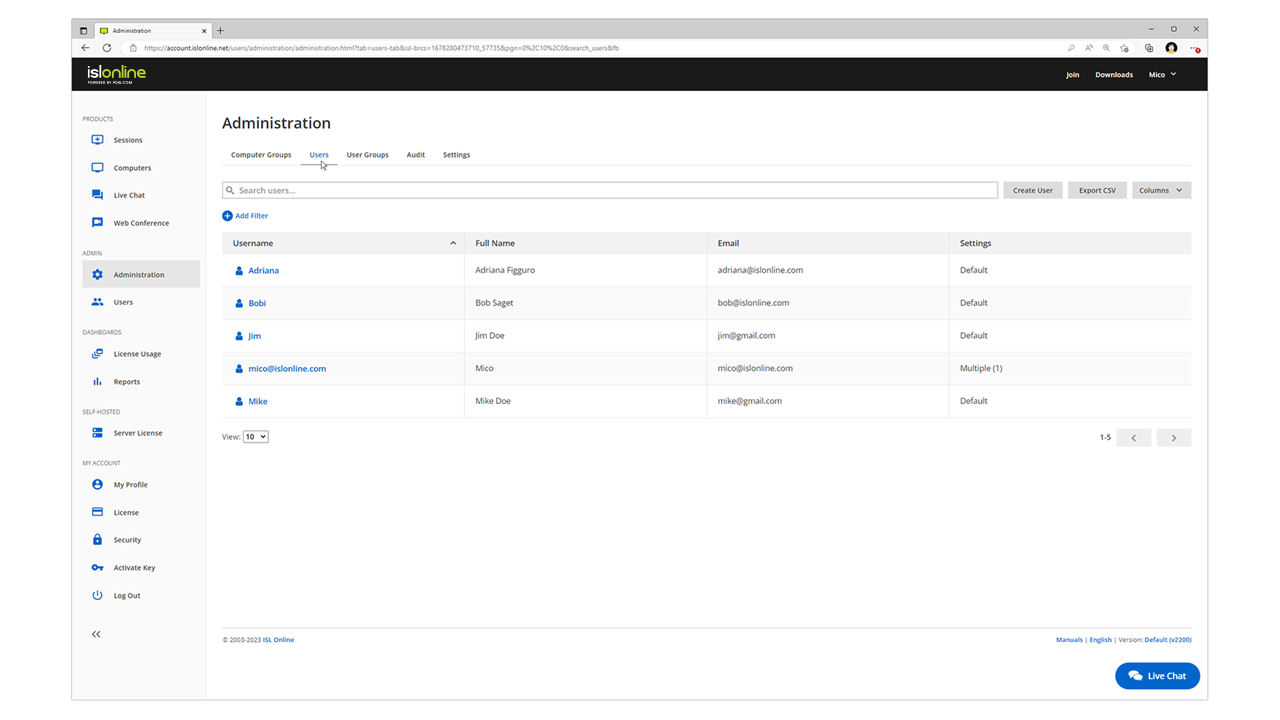
ISL Light is remote support and remote access software that enables SMBs and large enterprises to offer fast and efficient support and maintenance for Windows, Mac and Linux computers as well as mobile device support for Android and iOS.
$16.90
per month (1 concurrent user)
LogMeIn Pro
Score8.2 out of 10
N/A
LogMeIn Pro is a remote access solution for individuals and small businesses that need to connect to Windows and Mac computers from any location. The platform provides remote desktop access through browsers, desktop applications, and mobile devices. The platform supports remote desktop access via browser, desktop application, and mobile devices. Key features include file transfer, remote printing, multi-monitor display, screen sharing, and 256-bit AES encryption.
$30
per month
Pricing
ISL Light
LogMeIn Pro
Editions & Modules
Starter
$16.90
per month
Standard
$34.90
per month
Self-Hosted
$44.90
per month
Premium
$54.90
per month
Individuals
$30.00
per month
Power Users
$70.00
per month
Small Businesses
$129.00
per month
Offerings
Pricing Offerings
ISL Light
LogMeIn Pro
Free Trial
Yes
Yes
Free/Freemium Version
No
No
Premium Consulting/Integration Services
Yes
No
Entry-level Setup Fee
No setup fee
No setup fee
Additional Details
ISL Online's pricing model considers the number of licenses purchased, which determines the maximum number of concurrent users within the organization. A concurrent user is defined as anyone running one or more sessions simultaneously from any device. There are no restrictions on the number of ISL Light users within a company or the remote devices managed.
For example, with three licenses, an unlimited number of people in a company can use ISL Light and can access an unlimited number of remote devices, but only three users can use it concurrently. When one of these three users ends their session, a fourth user can begin their session, and so on.
All plans are billed annually.
More Pricing Information
Community Pulse
ISL Light
LogMeIn Pro
Considered Both Products
ISL Online
Verified User
Chose ISL Light
Way better support, easier to connect as it only uses a short number instead of an id and password - better connection and more stable
A de minimis incentive was given to thank the reviewer for their time. The incentive was not used to bias or drive a particular response, nor was the incentive contingent on a positive endorsement. More Info
Computer and Information Systems Manager in Information Technology at Triple PC Ltd. (Computer Software, 1-10 employees)
Chose ISL Light
The ability to install ISL Light on our own server and manage the connections securely ourselves made a huge impact on our decision. Other systems require cloud connectivity to third-party servers we cannot vouch for. ISL's licensing terms are very reasonable in comparison as …
A de minimis incentive was given to thank the reviewer for their time. The incentive was not used to bias or drive a particular response, nor was the incentive contingent on a positive endorsement. More Info
ISL light is suitable for anyone who plans to provide remote assistance services on a medium to large scale. Due to the high entry price, it is less suitable for consultants with a smaller number of clients or remote stations that need management. Their smallest package in which minutes are rented does not seem suitable for most cases.
A de minimis incentive was given to thank the reviewer for their time. The incentive was not used to bias or drive a particular response, nor was the incentive contingent on a positive endorsement. More Info
LogMeIn Pro is very well suited for small-to-medium sized organisations. The pricing is affordable and the implementation is easier. There are some concerns related to data privacy and security, hence I would not advise this to be used when your session handles PHI and PII kind of data, just to be compliant.
A de minimis incentive was given to thank the reviewer for their time. The incentive was not used to bias or drive a particular response, nor was the incentive contingent on a positive endorsement. More Info
LogMeIn Pro by GoTo offers unattended remote access that’s reliable and always available. You can securely log in to a client’s device (Windows or macOS) from anywhere, even without them present.....as long as their machine is on.
You can transfer files during a session without disrupting work. I've also transferred some pretty large files at times without issues.
I like the dashboard as it makes it easy to manage and organize multiple devices across our client base. You can see online/offline status, access machines instantly, and share access with your team all in one easy to view place
A de minimis incentive was given to thank the reviewer for their time. The incentive was not used to bias or drive a particular response, nor was the incentive contingent on a positive endorsement. More Info
Need a control toggle at least on AlwaysOn. User moves the mouse and you lose all control instantly.
Clipboard features are a bit wonky still, and your clipboard seems to get emptied a lot. So if you're trying to copy and paste you might lose something
Passwords for the systems are saved per machine, so if you work from multiple devices it can be tricky if you have complex passwords
A de minimis incentive was given to thank the reviewer for their time. The incentive was not used to bias or drive a particular response, nor was the incentive contingent on a positive endorsement. More Info
A de minimis incentive was given to thank the reviewer for their time. The incentive was not used to bias or drive a particular response, nor was the incentive contingent on a positive endorsement. More Info
A de minimis incentive was given to thank the reviewer for their time. The incentive was not used to bias or drive a particular response, nor was the incentive contingent on a positive endorsement. More Info
Everything works well and quickly, and that's all we need. ISL Light always works, and we've never had a situation where the server was inaccessible or the website was down. It simply gives us a 100% guarantee that we can always log in to our customers' systems. We can install the ISL Light client at our customers' sites without any problems, even though security is high.
A de minimis incentive was given to thank the reviewer for their time. The incentive was not used to bias or drive a particular response, nor was the incentive contingent on a positive endorsement. More Info
I will give a Rating of 10 for LogMeIn Pro by GoTo's overall usability because it has a centralized Dashboard to access all machines and servers and a very user-friendly User Interface. Also, the remote connectivity is very smooth and reliable as if you are working on your local desktop or laptop.
A de minimis incentive was given to thank the reviewer for their time. The incentive was not used to bias or drive a particular response, nor was the incentive contingent on a positive endorsement. More Info
A de minimis incentive was given to thank the reviewer for their time. The incentive was not used to bias or drive a particular response, nor was the incentive contingent on a positive endorsement. More Info
A de minimis incentive was given to thank the reviewer for their time. The incentive was not used to bias or drive a particular response, nor was the incentive contingent on a positive endorsement. More Info
A de minimis incentive was given to thank the reviewer for their time. The incentive was not used to bias or drive a particular response, nor was the incentive contingent on a positive endorsement. More Info
We had issues with mouse skipping on mobile devices. Support is immediatly availabe, they examined our case and in one of the new versions of the app this problem was gone.
My calls and e-mails to tech support have been few and far between, but those rare interactions were always pleasant and handled professionally. Most support can be accessed electronically, but when the need arises to actually speak to a human being, LogMeIn's customer service reps are clearly well-trained and knowledgeable. Another plus: there isn't the language barrier that I've experienced with other technology companies' support centers.
A de minimis incentive was given to thank the reviewer for their time. The incentive was not used to bias or drive a particular response, nor was the incentive contingent on a positive endorsement. More Info
A de minimis incentive was given to thank the reviewer for their time. The incentive was not used to bias or drive a particular response, nor was the incentive contingent on a positive endorsement. More Info
A de minimis incentive was given to thank the reviewer for their time. The incentive was not used to bias or drive a particular response, nor was the incentive contingent on a positive endorsement. More Info
The main reason was price initially, after TeamViewer jacked up the price 3 fold come covid in start of 2020, told them to get stuffed and went elsewhere, back then they had a good reliable product, then after I switched to another provider, the came crawling back and offer me the same price I was paying before the COVID tax (3 times increase in price) like I said, told them to get stuffed, ISL on the other hand didn’t increase their price when covid started, so have been with them ever since.
A de minimis incentive was given to thank the reviewer for their time. The incentive was not used to bias or drive a particular response, nor was the incentive contingent on a positive endorsement. More Info
LogMeIn works well for small number of devices that need unattended remote access. For cost, LogMeIn in similar to GoToMyPC - works about the same - has similar features for about same cost
A de minimis incentive was given to thank the reviewer for their time. The incentive was not used to bias or drive a particular response, nor was the incentive contingent on a positive endorsement. More Info
A de minimis incentive was given to thank the reviewer for their time. The incentive was not used to bias or drive a particular response, nor was the incentive contingent on a positive endorsement. More Info
A de minimis incentive was given to thank the reviewer for their time. The incentive was not used to bias or drive a particular response, nor was the incentive contingent on a positive endorsement. More Info
A de minimis incentive was given to thank the reviewer for their time. The incentive was not used to bias or drive a particular response, nor was the incentive contingent on a positive endorsement. More Info
A de minimis incentive was given to thank the reviewer for their time. The incentive was not used to bias or drive a particular response, nor was the incentive contingent on a positive endorsement. More Info
Great to allow workers to work from home. They have remote access easily and can do quick fixes without driving to the office.
Hard for supervisors to control work hours. Supervisors do not know when the workers are really working.
Being able to even access remotely via smartphone has been impactful to trouble shooting. Your main go to person is traveling and no access to a PC or internet. They can use their smartphone to remote back to the office and fix a quick issue.
A de minimis incentive was given to thank the reviewer for their time. The incentive was not used to bias or drive a particular response, nor was the incentive contingent on a positive endorsement. More Info