isolved is a SaaS-based, cloud-resident Human Capital Management (HCM) solution that provides Payroll, HR, Benefits Administration, Time & Attendance, Talent Management and Compliance. Employers have the ability to schedule an upcoming shift, view overtime levels, run a customized report, preview payroll in real time, write a performance report for a peer or elect benefits.
N/A
PrimePay
Score 2.0 out of 10
N/A
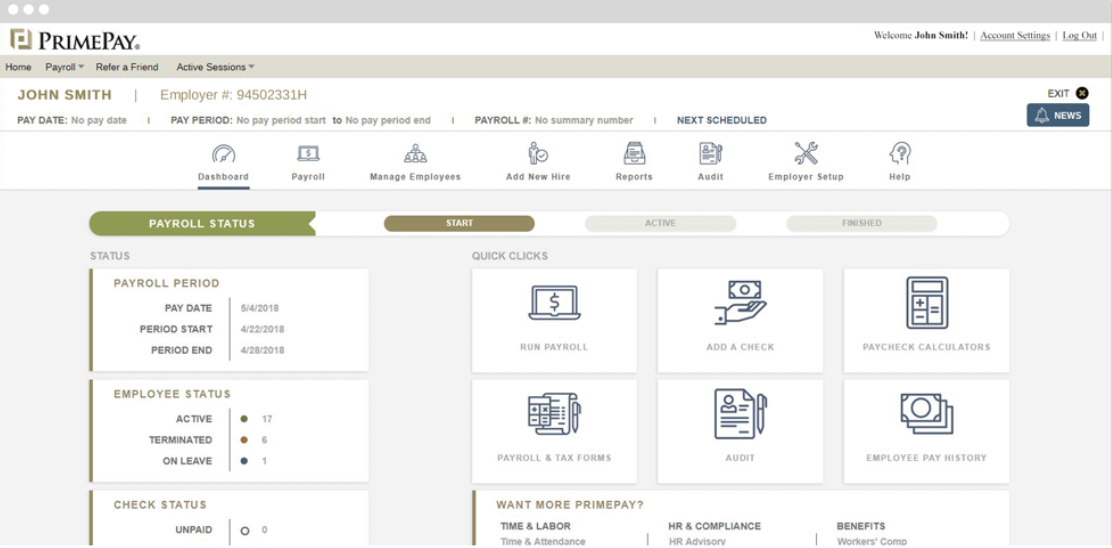
PrimePay is an HR management software that provides employers with tools to use from recruiting to onboarding to offboarding. PrimePay offers support for applicant tracking, payroll, benefits administration, and time tracking to streamline several HR processes.
N/A
Zoho Projects
Score 9.2 out of 10
N/A
Zoho Project is online project management and planning software that provides project teams with a web-based collaborative environment. Zoho Projects can also include a bug tracking module specifically design to support software development project. It is integrated with other Zoho products including Zoho CRM.
$5
per month per user
Pricing
isolved
PrimePay
Zoho Projects
Editions & Modules
No answers on this topic
No answers on this topic
Free
$0
Premium
$5
per month per user
Enterprise
$10
per month per user
Project Plus
Contact Sales
Offerings
Pricing Offerings
isolved
PrimePay
Zoho Projects
Free Trial
No
No
Yes
Free/Freemium Version
No
No
Yes
Premium Consulting/Integration Services
No
No
Yes
Entry-level Setup Fee
No setup fee
No setup fee
Optional
Additional Details
—
Pricing is available online for their time clock service only. For all other services or for companies with more than 150 employees, reach out to the vendor for a custom quote.
Discount offered for annual billing.
More Pricing Information
Community Pulse
isolved
PrimePay
Zoho Projects
Features
isolved
PrimePay
Zoho Projects
Human Resource Management
Comparison of Human Resource Management features of Product A and Product B
isolved
7.8
189 Ratings
4% below category average
PrimePay
9.4
1 Ratings
15% above category average
Zoho Projects
-
Ratings
Employee demographic data
8.2165 Ratings
9.01 Ratings
00 Ratings
Employment history
8.1158 Ratings
10.01 Ratings
00 Ratings
Job profiles and administration
8.2150 Ratings
9.01 Ratings
00 Ratings
Workflow for transfers, promotions, pay raises, etc.
7.5156 Ratings
10.01 Ratings
00 Ratings
Organizational charting
7.3100 Ratings
10.01 Ratings
00 Ratings
Organization and location management
7.7130 Ratings
10.01 Ratings
00 Ratings
Compliance data (COBRA, OSHA, etc.)
7.6120 Ratings
8.01 Ratings
00 Ratings
Payroll Management
Comparison of Payroll Management features of Product A and Product B
isolved
9.1
200 Ratings
11% above category average
PrimePay
9.4
1 Ratings
15% above category average
Zoho Projects
-
Ratings
Pay calculation
9.2196 Ratings
10.01 Ratings
00 Ratings
Support for external payroll vendors
9.596 Ratings
00 Ratings
00 Ratings
Off-cycle/On-Demand payment
8.8138 Ratings
00 Ratings
00 Ratings
Benefit plan administration
8.4148 Ratings
9.01 Ratings
00 Ratings
Direct deposit files
9.6192 Ratings
10.01 Ratings
00 Ratings
Salary revision and increment management
9.2159 Ratings
10.01 Ratings
00 Ratings
Reimbursement management
9.0108 Ratings
8.01 Ratings
00 Ratings
Leave and Attendance Management
Comparison of Leave and Attendance Management features of Product A and Product B
isolved
8.7
167 Ratings
6% above category average
PrimePay
9.0
1 Ratings
10% above category average
Zoho Projects
-
Ratings
Approval workflow
9.2137 Ratings
9.01 Ratings
00 Ratings
Balance details
8.6164 Ratings
9.01 Ratings
00 Ratings
Annual carry-forward and encashment
8.4133 Ratings
9.01 Ratings
00 Ratings
Employee Self Service
Comparison of Employee Self Service features of Product A and Product B
isolved
8.5
189 Ratings
4% above category average
PrimePay
9.2
1 Ratings
12% above category average
Zoho Projects
-
Ratings
View and generate pay and benefit information
9.1188 Ratings
10.01 Ratings
00 Ratings
Update personal information
8.9180 Ratings
10.01 Ratings
00 Ratings
View company policy documentation
8.7128 Ratings
9.01 Ratings
00 Ratings
Employee recognition
6.574 Ratings
8.01 Ratings
00 Ratings
View job history
9.4150 Ratings
9.01 Ratings
00 Ratings
Asset Management
Comparison of Asset Management features of Product A and Product B
isolved
9.6
57 Ratings
18% above category average
PrimePay
10.0
1 Ratings
22% above category average
Zoho Projects
-
Ratings
Tracking of all physical assets
9.657 Ratings
10.01 Ratings
00 Ratings
HR Reporting
Comparison of HR Reporting features of Product A and Product B
isolved
8.0
174 Ratings
6% above category average
PrimePay
10.0
1 Ratings
28% above category average
Zoho Projects
-
Ratings
Report builder
8.0165 Ratings
10.01 Ratings
00 Ratings
Pre-built reports
8.3170 Ratings
10.01 Ratings
00 Ratings
Ability to combine HR data with external data
7.793 Ratings
10.01 Ratings
00 Ratings
Onboarding
Comparison of Onboarding features of Product A and Product B
isolved
8.6
146 Ratings
8% above category average
PrimePay
10.0
1 Ratings
23% above category average
Zoho Projects
-
Ratings
New hire portal
9.1145 Ratings
10.01 Ratings
00 Ratings
Manager tracking tools
8.2109 Ratings
10.01 Ratings
00 Ratings
Performance and Goals
Comparison of Performance and Goals features of Product A and Product B
isolved
7.7
55 Ratings
4% below category average
PrimePay
9.0
1 Ratings
11% above category average
Zoho Projects
-
Ratings
Corporate goal setting
7.444 Ratings
9.01 Ratings
00 Ratings
Individual goal setting
7.547 Ratings
9.01 Ratings
00 Ratings
Line-of sight-visibility
7.641 Ratings
9.01 Ratings
00 Ratings
Performance tracking
8.052 Ratings
9.01 Ratings
00 Ratings
Performance Management
Comparison of Performance Management features of Product A and Product B
isolved
7.4
77 Ratings
6% below category average
PrimePay
8.4
1 Ratings
6% above category average
Zoho Projects
-
Ratings
Performance plans
7.867 Ratings
9.01 Ratings
00 Ratings
Performance improvement plans
7.365 Ratings
9.01 Ratings
00 Ratings
Review status tracking
7.370 Ratings
8.01 Ratings
00 Ratings
Review reminders
7.369 Ratings
8.01 Ratings
00 Ratings
Multiple review frequency
7.064 Ratings
8.01 Ratings
00 Ratings
Succession Planning
Comparison of Succession Planning features of Product A and Product B
isolved
7.5
51 Ratings
4% below category average
PrimePay
-
Ratings
Zoho Projects
-
Ratings
Create succession plans/pools
7.336 Ratings
00 Ratings
00 Ratings
Candidate ranking
7.744 Ratings
00 Ratings
00 Ratings
Candidate search
8.046 Ratings
00 Ratings
00 Ratings
Candidate development
7.238 Ratings
00 Ratings
00 Ratings
Recruiting / ATS
Comparison of Recruiting / ATS features of Product A and Product B
isolved
8.0
73 Ratings
3% above category average
PrimePay
8.9
1 Ratings
14% above category average
Zoho Projects
-
Ratings
Job Requisition Management
8.558 Ratings
9.01 Ratings
00 Ratings
Company Website Posting
8.265 Ratings
9.01 Ratings
00 Ratings
Publish to Social Media
8.356 Ratings
9.01 Ratings
00 Ratings
Job Search Site Posting
8.460 Ratings
9.01 Ratings
00 Ratings
Duplicate Candidate Prevention
7.055 Ratings
8.01 Ratings
00 Ratings
Applicant Tracking
7.961 Ratings
9.01 Ratings
00 Ratings
Notifications and Alerts
7.771 Ratings
9.01 Ratings
00 Ratings
Project Management
Comparison of Project Management features of Product A and Product B
isolved
-
Ratings
PrimePay
-
Ratings
Zoho Projects
8.2
21 Ratings
6% above category average
Task Management
00 Ratings
00 Ratings
8.621 Ratings
Resource Management
00 Ratings
00 Ratings
8.420 Ratings
Gantt Charts
00 Ratings
00 Ratings
8.318 Ratings
Scheduling
00 Ratings
00 Ratings
8.719 Ratings
Workflow Automation
00 Ratings
00 Ratings
9.315 Ratings
Team Collaboration
00 Ratings
00 Ratings
9.321 Ratings
Support for Agile Methodology
00 Ratings
00 Ratings
6.35 Ratings
Support for Waterfall Methodology
00 Ratings
00 Ratings
8.812 Ratings
Document Management
00 Ratings
00 Ratings
8.117 Ratings
Email integration
00 Ratings
00 Ratings
8.117 Ratings
Mobile Access
00 Ratings
00 Ratings
8.319 Ratings
Timesheet Tracking
00 Ratings
00 Ratings
8.620 Ratings
Change request and Case Management
00 Ratings
00 Ratings
6.96 Ratings
Budget and Expense Management
00 Ratings
00 Ratings
7.715 Ratings
Professional Services Automation
Comparison of Professional Services Automation features of Product A and Product B
I have not yet run into a scenario that isolved is not appropriate. There have been a few specific functionalities that isolved couldn't accommodate, such as paid PTO plans. If employees frequently switch between different legal companies with different EINs, isolved really isn't built to handle that, and we've had to come up with creative solutions.
syncHR is designed for mid to large size companies, typically 200-2000 employees. Any organization that has a strong reporting need and/or a complicated payroll process could benefit from the unique features built into the platform
My work involves projects of 5-15 people with numerous projects running simultaneously. Prior to Zoho, I did not have a central location from which to view all project statuses at once. Zoho looks to provide this and also looks like it will deliver. I am anxious to see how our organization's use of it develops. At this time, I feel I am likely to recommend Zoho Projects because my organization has made great software decisions in the past so I have a level of trust already that the research has been done that Zoho is the best solution for our line of work.
The payroll processing has been a huge benefit in keeping our weekly payroll process on track and accurate.
The COBRA services are very beneficial and we do not have to do any tracking. I appreciate this process is no longer on my duty list.
I would say the third id probably the timekeeping. The system is effective for daily tracking and timecard review. The access to the time clock is exceptional with multiple access points. The adjustments for additional pay on holidays has been helpful.
Automated retroactive change processing and mid-period rate changes – completely automated with no manual intervention needed - If you ever need to give someone a merit increase and make it retroactive or if an employee is entitled to enroll in health benefits on their first day employment but has 30 days to enroll, syncHR will automatically handles these retro changes.
A single application designed from the ground up that gives equal weight to HR, payroll, and benefit functions - syncHR is designed as a true unified solution with no back-end mainframes or separate front-ends vs backends. Everything is processed real-time in the cloud which has eliminated all discrepancies.
Customer Service - syncHR provides a designated account manager as your single point of contact. Since the The StaffWell Group is a 24/7 business, I needed a company that was available when I needed them. syncHR delivered with 24/7 emergency support.
Event-driven employee self service - Other systems we have used rely on employees to make the correct choices as to what is required when completing an employee initiated transaction. With syncHR, the system always directs the employee to the next step reducing both errors and calls to our support staff. I believe this is also the reason why we had a 40% increase in the adoption of ESS.
Dynamic Security & Workflows - syncHR has no static pages which allows security and workflows to be updated automatically whenever a change is made. This has virtually eliminated the time and effort required from HR to manually update workflows to the correct personnel.
We use it to manage our sales orders as there are lots of moving parts which are necessary to get client orders done properly.
I use it anytime I have a new idea I want to put into motion. As I can create a list for brainstorming, feedback, specific actions necessary in order to test and or implement the idea.
Unrelated to business, it's a great way to plan travel in order to make sure you don't forget those important things like passport, flight arrangement, client meeting confirmation, and meeting prep as far as what specific documents or things do you need to bring with you.
And since everyone is on the go and expected to keep up with work, the mobile/tablet app makes it a breeze to keep up, work on, and create new projects.
Learning Management System- syncHR currently does not offer an LMS system. They only track and report training dates, licenses and certifications.
Although syncHR is a global solution it is somewhat limited to tracking employee headcount, HR documents, paperless on boarding and benefit information. There is no international payroll option like the one they provide for domestic employees. Although the system can handle multiple languages and currencies, I would like to see a global payroll option.
Succession Planning - syncHR provides little functionality for succession planning. The system can track budgets vs actuals, goals and ratings but does not offer a true succession planning module
I believe Isolved has helped with allot of our previous payroll and HR issues but I am not the sole person responsible for making the decisions. If it were my responsibility to make the decision I would say yes, my input does weigh heavily on the choices but it's not guaranteed.
I've reviewed about 8 other project management solutions and Zoho Projects is the best I've seen without being overly complicated. Zoho Projects keeps getting better! Recent new enhancements makes it even easier to navigate. There are new keyboard shortcuts that cut my time way down. The tools are very easy to use.
It is very intuitive and user friendly. iSolved is always updating and improving things before they even become a problem. I like how they inform us of the new updates and provide us with the details of what is changing and how it will improve the usuage.
Overall the system is very easy to navigate but more importantly my employees find it so easy to use. The percentage of employees who now use ESS went up by 40%
Zoho Project has been very user-friendly. As a small business, we have a diverse group of people with varying skill sets. This platform has been easy for our team to learn, implement, and succeed with. The mobile version is also very handy for our team.
Payroll due dates and send to us at the beginning of the year, with email reminders for holidays. The support email address is fairly fast, within 24-48 hours. But if something is needed immediately, I can just call and they help me out right then.
We do not use the integration, so we have a csv file that I upload manually for payroll. That is our decision based on the software at our restaurants. Pages loaded fairly quickly, but reports to pdf lag about 15-20 seconds
They are very responsive and they have support for the specific issues. Clients receive a dedicated Support Representative with a back up dedicated support team. They also receive an Account Manager who follows up quarterly to discuss the company and future needs. They do have a support ticket hub, but it still needs a little work to fine tune it.
Whenever we need support our designated account manager is there to provide answers for us. If she doesn't have or know the answer, additional support is provided via a service matter expert in that field. Support hours are 24/7
Although it might lack intuitiveness, once you get a hang of how Zoho Projects works, you can do a LOT. The impact good project management has on profitability is huge, and it has helped not only improve communication and coordination when working on a project, but more importantly have adequate tracking of time, due dates and potential bottle necks
We loved taking the course, we went through most of them before we went live and I believe that was very helpful. The online training helped us learn to navigate in the program. We still refer to the training and assign our managers and supervisors to it as well. I highly recommend using it. We have also been able to attend the Connect Conferences with are extremely valuable and we learn tips and tricks to help us better utilize our system.
The system was very cumbersome setting up as well as time consuming. There were times I just wanted to walk away and sometimes I did have to get up and walk away for a break and come back with a fresh perspective. The setup took me over a period of two to three months getting it to serve the purposes that we needed it two. I am very intuitive when it comes to computer software however getting all the right buttons checked in order for it to do what I needed didn't always work.
During the first few weeks of implementation it is important to have all key members participate in meetings. Finance, HR, Payroll and Benefits should be involved from the early stages to ensure that the solution is designed to meet your specific requirements. Since syncHR personalizes their solution for each company a few wrong steps early on regarding the design we wanted caused us to spend extra time later. The more info you provide syncHR upfront the better they can take all of your rules and needs into account from day one. In our case, finance did not get involved right away and therefore some of the items that we needed for our GL needed to be re-done. SyncHR was very accommodating though as they spent extra time with us to update some of the allocations so that finance got what they needed
isolved provides a system and capabilities right at the sweet spot for our organizations. It is not overly complex and feature laden as to make it confusing and complex. On the other hand, it is fully functional and effective at the core requirements of HR and payroll without requiring additional work outside of the system. All of the systems we have previously considered or used were with limited on functionality or prohibitively expense and complex.
As I mentioned I have used UltiPro, ADP, Ceridian as well as several others and none of them seem to offer half of the functionality and service that syncHR provides. Although we had some problems from time to time, I hold companies in high regard by how they resolve these problems. It's a comfort knowing that my HCM provider truly cares about me and my business so if for no other reason than this, I feel syncHR is far and away the best system I have used. The system works as advertised which is all I could ask for
Zoho Projects provides a more limited set of functionality and customization options than other task/bug trackers on the market, but what it lacks in functionality it makes up for in ease of use. It probably has 80-90% of the features of its competitors but takes about a third of the time to get up and running and realizing value.
We are a company of about 135 people at 9 locations in 2 towns. We were able to set locations and departments, and also have each location seperate so only that manager can see their employees.
Due to complexity of our payroll, it would typically take us almost 3 full days to verify hours and perform retro changes before actually running payroll. With so many retroactive changes and manual calculations it was a time consuming and error prone process. With syncHR, the accuracy of payroll has increased tremendously and the amount of time we now spend preparing to process payroll decreased to less than 4 hours per week. All approved time seamlessly moves from the T&A module into payroll and all retro transactions are automatically processed.
When I initially selected syncHR I was a little hesitant because I never heard of them before and was concerned about their viability as a company and customer service. Several years later I'm happy to say that syncHR has provided better support than any of the better know competitors ever did.
Although no system is ever perfect, overall syncHR has exceeded most of my expectations. The sales and implementation process was wonderful, the salesperson was responsive and did not oversell what the system could do.
Training & Implementation - syncHR spent a considerable amount of time learning my business rules in order to build the system to meet my requirements. Training was provided on all aspects of the system until my team felt comfortable enough to handle things on their own. I never felt as though we had a set number of hours of training or that our questions, no matter how redundant or simple were a bother to them.
We needed a system to organize our growing business, so anything was better than what we had, which was nothing.
Recording time spend is a huge reason for using project software. It has made me aware of the tasks that are taking too long and where we are not being profitable as a company.
It has kept our team accountable for what needs to get completed and when projects are not in motion or completed timely. It's helpful to know in order to get billing out faster.