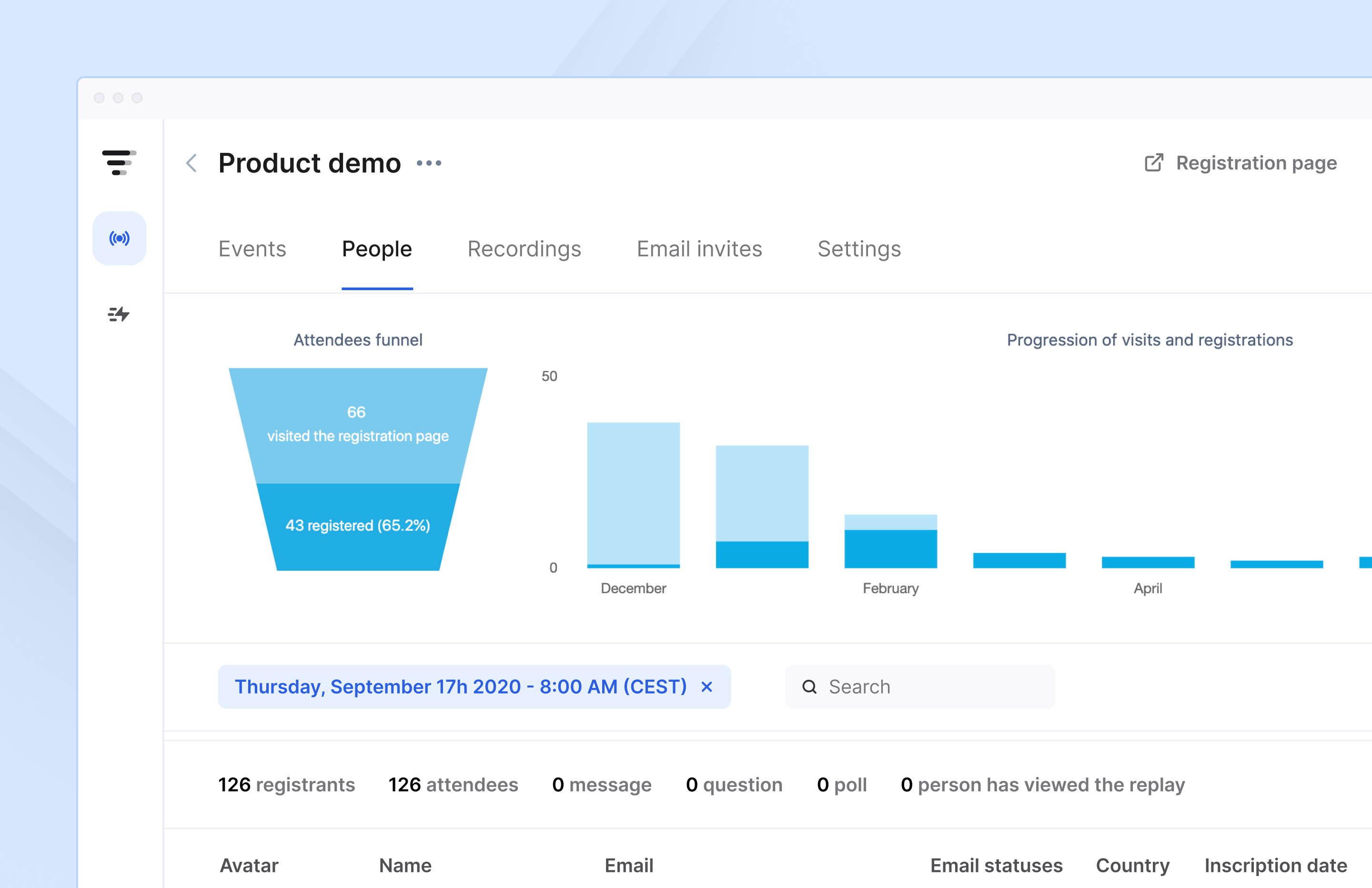
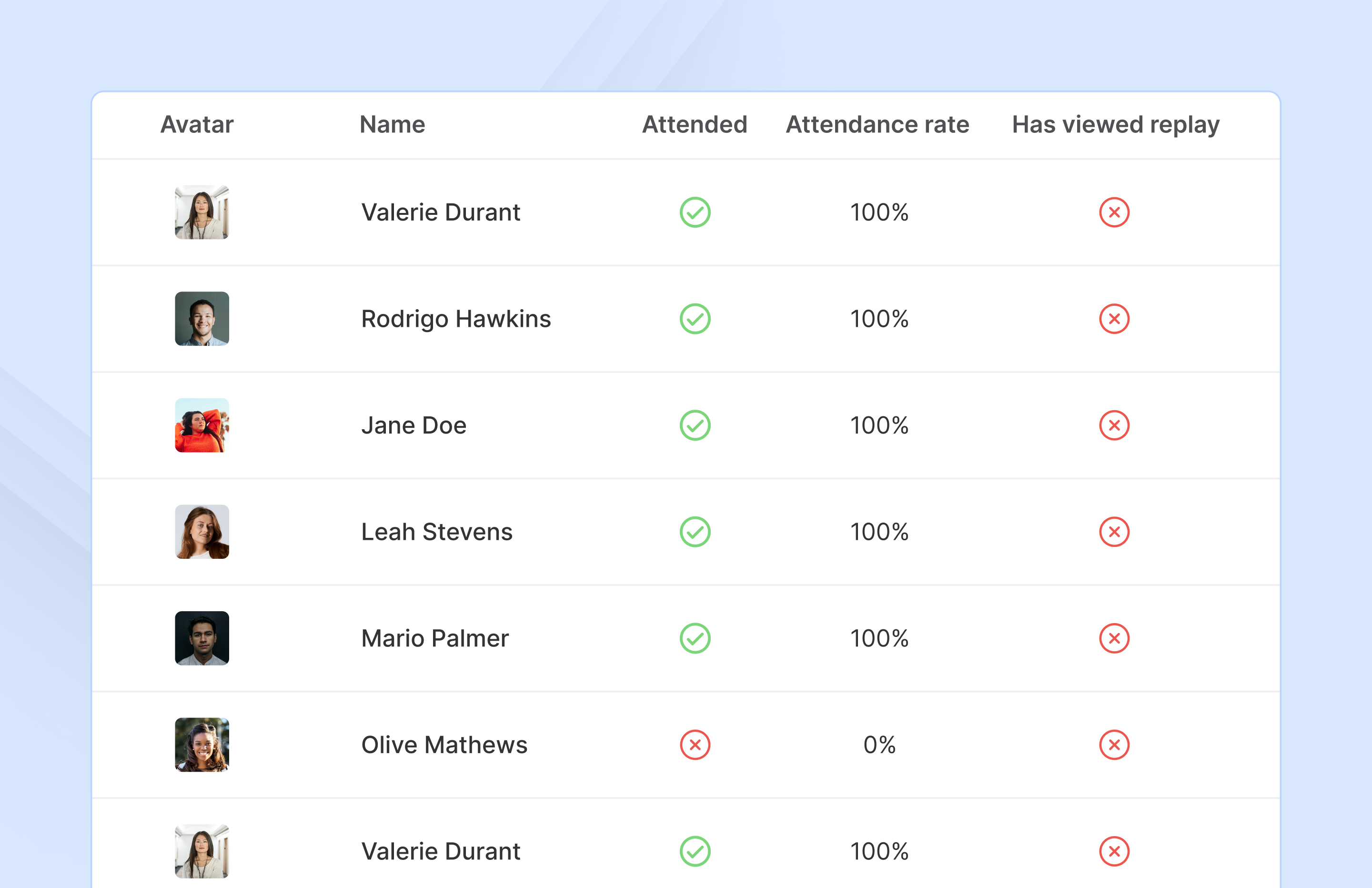
French company Livestorm offers their webinar platform which integrates with many other enterprise applications via Zapier and features polling, session recording and sharing, and webinar data collection and tracking.
$0
A free plan to discover Livestorm. All features included, such as unlimited webinars and instant meetings. Up to 20 minutes per webinar and up to 10 registrants per webinar.
Webex Webinars
Score 8.9 out of 10
N/A
Webex Webinars is a scalable webinar platform that helps users to create engaging and impactful experiences for everyone, from small sessions to massive global audiences.
N/A
WebinarJam
Score 8.9 out of 10
N/A
WebinarJam is designed to allow users to host online events with HD streaming, interactive features like polls and chat, integrations, analytics, and payment processing that are intended to help maximize online growth.
$39
per month
Pricing
Livestorm
Webex Webinars
WebinarJam
Editions & Modules
Webinar Basic
$0.00
A free plan to discover Livestorm. All features included, such as unlimited webinars and instant meetings. Up to 20 minutes per webinar and up to 10 registrants per webinar.
Meet Basic
$0.00
Limited Instant and Scheduled Meetings for up to four participants
Meet Premium
$31.00
Full features for Instant and Scheduled Meetings.
Webinar Premium
$99.00
A premium experience with removed limitations to get the full benefits of Livestorm for up to 100 seats. + $99 to add 250 seats, + $209 to add 1,000 seats.
Enterprise
Contact sales
An enterprise-grade experience with premium service.
A Member of PR Department, Social Media Platform Responsible
Chose Webex Webinars
I use it because my company uses WebEx, however it isn't my most loved software available. It truly depends upon what you are endeavoring to get out of WebEx. In the event that you need a simple to use and easy to understand software, it is an awesome decision. I think it is …
Livestorm is well suited to use when you need to reach a group of more than ten people. It wouldn't be a good solution if you wanted interaction from the audience in more than the form of chat.
I'd say mainly well suited for larger audiences. I think there's probably some products that are a little more economical for smaller audiences, but if you need a solid, reliable platform for larger audiences, say more than a hundred people. So this is the best product for that or at least top two.
We have used WebinarJam for many reasons. Our main reason is to host large free webinars but we have also used it for smaller live training courses that people paid for, we have held private training classes for companies, and so on. I guess you could get creative and use it for a conference-style virtual event but wouldn't really recommend it for that. You could use it for internal training within an organization and things but I still feel it best suited for webinars and marketing purposes.
Cisco Webex Events is very straightforward and easy to use. Setting up an event within the platform is quite simple - anyone can do it.
Webex Events is a great add-on feature to the Webex conferencing platform to allow a one-way broadcast of information, rather than worrying about attendees being able to interrupt the presentation.
Recording a session is fairly simple and accessing the recordings post-event is quite reliable. I believe you can also upload .mp4 files into the Webex Events platform to serve as a host.
ADMIN/USER STRENGTHS: Easy to use the dashboard to start a webinar on demand, or schedule one in the future. Each step has a video tutorial made to set you up for success, understanding each set-up step along the way. If I want to practice a session live, I can set up a webinar instantly (called Right Now-takes 6 clicks and 30 seconds to set this up), and stream it through my YouTube Channel, or schedule a full campaign for a later date (takes about 10 minutes) and drive people to attend. I can set up one date, or multiple dates. It's very easy to follow the nine initial steps to (configuration, schedule, registration, notifications, integration, thank you, live, replay and finish) setting up your webinar. Once you have created a campaign, you can always clone them for future use.
ADMIN/USER STRENGTH: You can inject a pre-recorded video seamlessly. Let's say you did an incredible sales pitch on one of your webinars, you can inject this into future webinars to ensure a perfect presentation.
ADMIN/USER STRENGTH: Poll your customers BEFORE the webinar, on the registration page to find out what they are looking for, why they have signed up, to be sure the presenter covers each participant's needs.
ADMIN/USER STRENGTH: Autoresponder reminders can come from Webinar Jam (this is what I have always done to keep it simple) or integrate it with the top systems (AWeber, Active Campaign, Infusionsoft, IContact, MailChimp, ConvertKit, Drip, Kartra, Zapier).
ADMIN/USER STRENGTH: I can set up a replay for those who missed the event, or even a replica replay where I can go into the video, fix up my sales presentation, and add a new video for people to see. I can also see who watches the replay.
ADMIN/USER STRENGTH: In the analytics page I can see the numbers of people who visited the webinar registration page (to get an idea of how popular my topic was/change headings or topics if it's low, keep presenting if there's a high number), registrants, people in the room when I go live, and numbers for those who watched the replays. I can connect my autoresponder to communicate with people who missed the webinar/replay vs those who attended and even can see when people dropped off so I know if they were engaged for the entire webinar.
One of the biggest problems we have is that WebinarJam was sold to us as a lifetime license, and it was supposed to include broadcasting on Facebook. For reasons that were never clear, they stopped providing that functionality, which greatly reduced our use for the product.
WebinarJam started out life as an innovative product, full of promise. Things changed within the organization, key staff and players changed, and it seems that key players just moved on to other projects. Users were required to pay for upgrades in order to get the best use out of the product.
A big problem that was never really solved was the Lag/Delay between realtime and what the users were seeing and hearing.
We really wanted to be able to administer Surveys to people during webinars and be able to store their responses and export them to a database. We were told there was no way to do that.
Webex Webinars continues to provide exceptional value as a community engagement and professional education platform. As long as there are a multitude of event offerings and the product continues to be supported with periodic software and security updates, I can anticipate using Webex Webinars for the foreseeable future. Overall a great product!
Making sure the permission settings for your camera, microphone or browser can sometimes be tricky. If we have a guest, we always have to double-check these. It's also not super intuitive that you need to "Get on Stage" from the webinar page.
My experience with this software is fantastic; it's so satisfying that it only took me a week to go through an internal training program to use this software, actually, I don't think this training program was necessary. Usability is one of the most fantastic features to guarantee the increase of members in remote events.
The platform is really hard to use and they have a habit of pushing out updates without telling their users first. The last update completely reverted all of our customizations back to the default EverWebinar layout. I only found out about this after a lead kindly send an email to the firm letting us know that [our] registration confirmation page was showing lorem ipsum script. Customization is lacking as well
Webex Webinars are available 24/7 and is based on your license purchase and usage. Webex Webinars needs maximum bandwidth consumption for sending and receiving videos and listed below are some examples. High-Definition Video: 2.5 Mbps (Receive) and 3.0 Mbps (Send)· High Quality Video: 1.0 Mbps (Receive) and 1.5 Mbps (Send)· Standard Quality Video: 0.5 Mbps (Receive) and 0.5 Mbps (Send) Webex Webinars makes it easy to analyze attendance statistics, send participants to a post-webinar landing page, and integrate data into CRMs and marketing automation.
You can turn around WebEx Attendance reports within 24 hours. Sign in to Webex Site Administration and go to Reports - Access Anywhere. Select the beginning and ending dates for the report. Report data is available only for sessions conducted up to three months before the current date depending on your administration set-up. From the Sort results by drop-down list, select the sort order criteria for the report. After hosting a WebEx Webinar, you have the ability to create a report of all of the participants and the times that they entered and left the meeting. Reports cannot track emoji's or reactions. Best practice for Q&A and tracking you can integrate SLIDO. You cannot save individual polling results. Also the polling report does not include who asked and answered the questions. This limitation does not apply to SLIDO. Closed captions and transcriptions are only saved if the Webinar is recorded. If you face problems during a webinar, you can hit then button which creates and send a report to Cisco who will then look into the problems to avoid future occurrences
The customer service representatives are extremely attentive. They do an excellent job of trying to understand the scope of the issue and follow it through until it has been resolved. When I have provided them with recommendations for improvement they have taken them to heart and many times implemented them. I trust that if I ever have a problem they will be there to help
I love the control that this product gives to those running the meetings. It allows you to assign presenter roles to people and everyone else that is an attendee can be totally controlled, like whether they can unmute, use video or just sit there and watch. It really gives control of the meeting to those who are running it. And we love that ability for those meetings that we are trying to make sure people are listening in on instead of trying to participate.
The support overall is good. In the early days, it wasn't the best but they have definitely stepped it up lately. If you have questions about the platform, issues, setup, etc, and don't mind waiting 24 hours to get a response then it's good. They may have faster response times now but when they updated to 4.0 it took a while as they were getting hammered with emails cause there were issues. It seems like they have worked out some of the kinks so I imagine their support can respond much faster now. There is no phone number to call so there is no way to get immediate help or answers which can be frustrating when you have issues right before or during your webinar
ON24 has a lot more bells and whistles, which is great when you need them but when you're looking for a straight up platform to host a stand alone webinar, Webex Webinars is a good alternative. We've selected Webex Webinars when we don't need such a customized webinar console.
I prefer WebinarJam due to its super-easy setup and great integration options. It works well with other tools like ClickFunnels, Hubspot and Mailchimp. From the tools we tried, this one seems to work the best for our company and clients!
Webex Webinars is a scalable platform designed for interactive experiences. It can accommodate attendees from 100 up to 100,000 attendees depending on the purchase of your license. The scalability is based on each company's requirements and usage. Webex Webinars can offer key features like real-time translations, moderated Q&A, live polling, and chat, making it suitable for both small and large audiences and can be deployed across multiple departments and sites as needed.
WebinarJam has allowed us to present to multiple audiences at our prospective customers, rather than just a few individuals which made it difficult to get to the next sales step. By engaging a larger audience, we were able to drive more attention to our product and made follow up with the customer much easier.