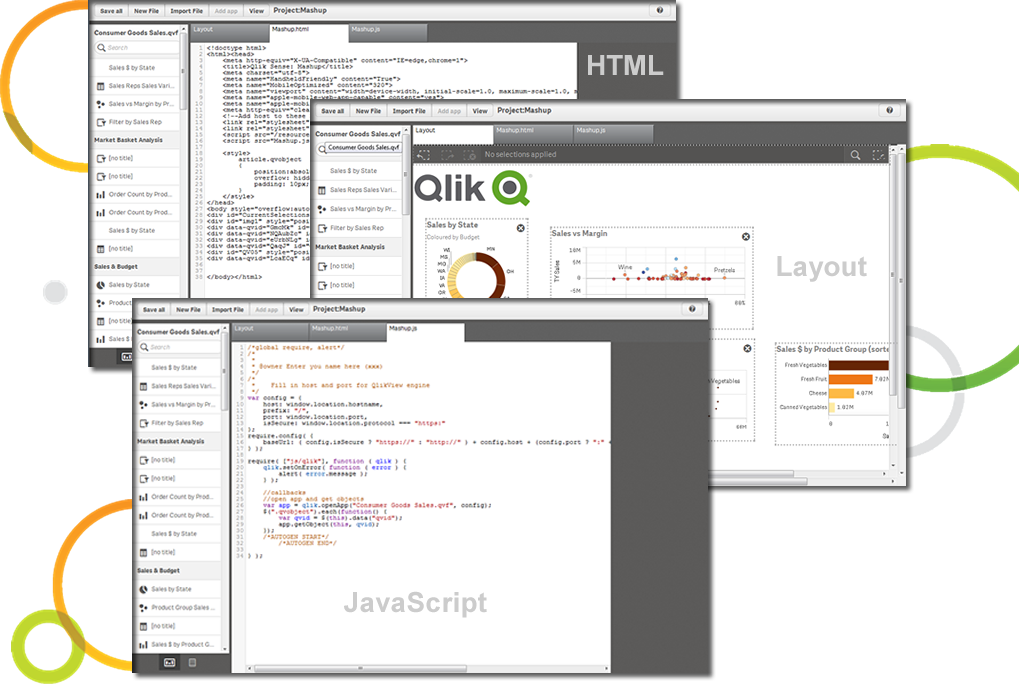
Qlik Sense® is a self-service BI platform for data discovery and visualization. It supports a full range of analytics use cases—data governance, pixel-perfect reporting, and collaboration. Its Associative Engine indexes and connects relationships between data points for creating actionable insights.
$200
per month
Quickbase
Score 8.6 out of 10
N/A
Quickbase helps users tackle any project, no matter how complex. Quickbase helps customers see, connect and control complex projects. Whether it’s raising a skyscraper or coordinating vaccine rollouts, the no-code software platform allows business users to custom fit solutions to the way they work – using information from across the systems they already have.
$700
per month
SAP Analytics Cloud
Score 8.2 out of 10
N/A
The SAP Analytics Cloud solution brings together analytics and planning with integration to SAP applications and access to heterogenous data sources. As the analytics and planning solution within SAP Business Technology Platform, SAP Analytics Cloud supports trusted insights and integrated planning processes enterprise-wide to help make decisions without doubt.
$36
per month per user
Pricing
Qlik Cloud Analytics (Qlik Sense)
Quickbase
SAP Analytics Cloud
Editions & Modules
Starter
$200
per month
Standard
$825
per month
Premium
$2750
per month
Qlik Sense (On-Premise)
Contact Sales
Enterprise
Full Customizable
per month/billed annually
Business
Starting at $2,200
per month
Team
Started at $700
per month
SAP Analytics Cloud for Business Intelligence
$36.00
per month per user
SAP Analytics Cloud for Planning
Price upon request
per month per user
Offerings
Pricing Offerings
Qlik Cloud Analytics (Qlik Sense)
Quickbase
SAP Analytics Cloud
Free Trial
No
Yes
Yes
Free/Freemium Version
No
No
No
Premium Consulting/Integration Services
Yes
Yes
No
Entry-level Setup Fee
No setup fee
Optional
No setup fee
Additional Details
—
Quickbase offers three key plans, with feature distinction, simple and consistent entitlements, and a flexible licensing model, giving users the option of either user based or usage based licensing across all 3 plans.
A 30-day trial with SAP Analytics Cloud is available, supporting analytics enterprise-wide. A trial can be extended up to 90 days on request.
Other vendors products evaluated (in some cases used by other divisions within our corporation): ** SAP Analytics Cloud - stacks up quite well against Qlik Sense but the differences are subtle but important. Sometimes SAC has it over Qlik and sometimes Qlik has it over SAC so …
Qlik Sense can easily integrate multiple data models to
visualize customer data. Tableau is easy to use—perhaps more manageable than Qlik—but
expensive. Microsoft BI was chosen because it was similar to previously used
Qlik Sense was more fully-featured and scaled better on price. The ability to customize and extend functionality is helpful to tweak the product for our specific needs. It has truly helped scale our user community and their maturity/ability to do more with data without also …
Compared to the other three products, the data prep and mobile BI are two areas that we see Qlik stands out and that is why we designated the Qlik use cases.
Compared to Qlik Sense, I enjoy the functionality and feel of SAP Analytics cloud much better. The addition of the smart insights within SAP Analytics Cloud helps to identify root cause issues much quicker than the Qlik product. Additionally, with end-user deployment, SAP …
Qlik Sense is too expensive, much more complicated to use for users (especially new variables or other complex calculations) and requires you to buy too many extra functionalities to have the same options as SAP Analytics Cloud can offer.
SAP Analytics Cloud runs jobs and provides reports quickly. Other competitors take more time to generate [the] same reports with similar logic. The visualization features in SAP Analytics Cloud are superior when compared to Qlik Sense. In areas like DevOps, this gives a …
True SaaS solution built from ground level up. Ability to combine planning, BI and predictive functions in one tool. Digital boardroom add-on that truly impresses the business leaders and users.
Integration with SAP is the key feature to go for SAC with perks of SAP IQ etc offered from SAP. Usability is quite eased in SAC - makes it easy for users to use and develop their own dashboarding. Cloud is one more feature which enables to the cloud world from SAP and probable …
The two products, SAP Analytics Cloud and Microsoft PowerBI, are very similar data presentation tools. The strength of SAC SAP Analytics Cloud is in direct connections when the sources are SAP. On the other hand, Microsoft PowerBI, in its version, has strong integration with …
SAC is a full-featured analytics platform, it offers AP, CPM and PA unlike Tableau which doesn’t encompass corporate performance management tools.
Verified User
Analyst
Chose SAP Analytics Cloud
Power BI has some unique selling features like bookmarks and DAX functionality. However, a lot of emphasis has to be given to data security and authorization. One has to manually enable row-based authorization or model-based authorization to share a lot of confidential data, …
Adopted SAP Analytics Cloud with simple and rapid implementation in two months, three times faster than other competitive solutions. The business intelligence software had the ability to rapidly collect, better organize and manage great quantities of data in real-time, and …
This platform is powered by artificial intelligence and helps businesses of all types explore what-if possibilities based on historical data so that they make decisions with confidence.
For its current market maturity, SAC stacks up well against its competitors. There may be specific use cases for certain planning/analytic scenarios where it still lacks the functionality but generally speaking it is already a good reporting tool. SAC can still improve when it …
The solution very powerful, very interactive, designer is very good. Features like linked analysis, hierarchies are vey useful while analysing the data. The data wrangling options available in SAP Analytics cloud are also very powerful and they have very rich set of functions …
This tool does not match up to its competitors like microstrategy and Tableau when it comes to data visualization. It takes more time and effort creating dashboards and building schema objects in this tool. It is not as easy to learn as other competitive tools. Implementation …
In this particular case, the choice did not depend on my opinion as I was collaborating throughout the process. Their choice was primarily guided by the fact that the company we were advising was already on the SAP platform so Analytics Cloud was directly linked, thanks to the …
Qlik Sense is a program whose purpose is to greatly improve all your operations and use of all data in an organic way. The mission will always be to increase the economic and commercial processes of the company in a short time. I recommended it for its high technology, which was Created for this area, the results are successful. We have noticed how it has increased relationships with our clients thanks to the credibility and security that we provide.
I no longer think that Quickbase is the way of the future. They do not fix major bugs in a timely manner, and are releasing basic functionality behind a paywall. I believe that Enterprise Level Tier should be given certain things, like SLAs on Support and up-time. However, as a low-code no-code platform the majority of the accounts, "builders", and users are not going to be able to justify the cost of an Enterprise Tier Plan, and won't be able to use the features that Quickbase continues to advertise.
>> Using SAC predictive analytics capabilities for inventory management in a Production line setup has helped generate Purchase Requisitions and Purchase Orders for raw or semi-finished goods without much head-banging into Demand management rules. It does it beautifully with seamless integration with HANA core MM and PP modules, along with BI integration. It has resulted in 30% greater warehouse storage capacity, thereby saving revenue from piled-up inventory and associated manpower costs. >> SAC sometimes shows latency in working out a large data set, thus giving a poor user experience compared to its competition. Also, it may occasionally show misinterpretations when embedding data from 3rd-party systems into the HANA core dataset.
It makes it easier yo analyse order and related records easily.
We can easily maintain and track the performance of employees in organisation.
Can easily track various aspects for the growth of an organisation thus allowing real time analysis and tracking of organisation's growth and performance.
I'd like to see a link on email notices that take you directly into said notice. On an app that only has 1 or 2 email notices firing, there's no issue. However, we have some tools that are so complex that they have about 20 email notices firing at any given time based on the action users take. In this case, if we have to go in to modify a notice, we have to guess or scroll down the long list of notices to see which one we need to customize. It would be great if Quickbase had the URL of said notice somewhere at the footer of that notice so when Administrators click on it, it takes them into the exact notice they need to update.
When filling out or reviewing a lengthy form, I'd like to see the Save & close button, as well as a Save & next option at the bottom of the form rather than having to scroll back up to the top of those forms just to click on those choices.
SAC supports various data sources, but improvements in the ease of connecting to and integrating with certain data repositories, especially non-SAP databases, would enhance the platform's versatility and integration capabilities.
An offline mode for SAC could be valuable for users who need to access and analyze data without an internet connection. Additionally, optimizing performance for large datasets and complex visualizations would contribute to a smoother user experience.
Qlik Sense is a constantly improving it's software and working with its' users to make it better. They are great at keeping their users informed of progress and care about delivering a quality product
For our use-case of QuickBase, there really aren't any other products out there that can offer us the same out-of-the-box solutions they provide to us. We're also so integrated with it in our daily processes that to move away from it abruptly would cause mass chaos, so it's going to be renewed for at least the next several years.
We are planning to review the licensing as we have issues with SAC dealing with huge datasets. Analytics area is good for import models but when we have live connections in place that's when we have issue with SAC dealing with huge datasets in live be it BW or be it HANA models in the backend.
Qlik Sense has a better and easy to learn user interface compared with other analytics tool which always help us to create regular and adhoc reports within the stipulated time frame and can be easily refreshed at a scheduled time and sent to multiple stakeholders for timely update regarding the Key metrics indicator.
Quick Base has done everything we have asked it to do and then some. Our original goal was to have one system for CRM that encompassed both the sales process and the customer management. We have gone w-a-y beyond that with analytics, project management, system bug logging, and historical effort reporting.
On a scale of 1 to 10, I would rate 8 SAP Analytics Cloud's overall usability as a 7. SAC has a clean, modern user interface with drag-and-drop features. It is an integrated platform that combines reporting, planning, and predictive analytics in one tool. It has Real-time connectivity with SAP data sources like S/4HANA.
Self-service analytics capabilities allow non-technical users to build simple dashboards.
Once we did get Quick Base configured and customized it was reliably available when we needed it. We may have had one or two occasions when the product was inaccessible but those were few. The greatest challenge with its availability was its difficulty with integrating with our systems.
I would rate SAP Analytics Cloud an 8 out of 10 for scalability. It offers a flexible, cloud-based architecture that supports expansion across departments and geographies. The platform adapts well to growing data volumes and user needs, making it a strong choice for organizations looking to scale analytics capabilities efficiently.
Some of our tables that hold over a million records are starting to perform poorly, with some summaries taking over 20 seconds to load. This may be an indication that it is best to archive old data when reaching large volumes like this.
I would rate SAP Analytics Cloud’s performance an 8 out of 10. Pages generally load quickly, and reports run within a reasonable time frame, even with complex datasets. Integration with other systems is smooth and doesn’t noticeably affect performance. Overall, it’s a responsive and efficient tool for business analytics. But
Qlik is great for companies with lots of business domains and departments because it scales well, especially if data that is reported is saved in SQL and similar structures. Its ease of use and good UI enables business units to create and manage their own reports. That removes a great burden of creating and managing/modifying these pages from the IT team. Overall, it's a win-win for both IT and business units.
If you utilize the community, the support is amazing. Unfortunately, I find their actual support system a bit underwhelming. They don't seem to have a great process for interacting directly with an issue and often sweep significant issues under the rug by categorizing them as "Enhancement" ideas or legacy items.
Since the implementation stage, the support team has been very helpful and assisting. Even in the later stages, the tech team had quite a rapid response. In general, SAP has provided us with great customer support, let it be for a specific product of SAP or for integration of different modules.
Quick Base already is having a separate portal of providing training to customers and it is very easy to use and updates as per the new features added in to the application
In hindsight, it would have been easier to have someone there in person. Questions were answered, but with 11 participants, it got a bit chaotic online
I was not directly involved with the initial account implementation, only a bystander. For the app I directly implemented for my department only, I wish I had know to create an app diagram first. I don't remember if that was suggested. I think that would be a great help tip tool when a new app is created, to have a page with a check list of what is needed or how to get started. If you are a regular app builder, then you can bypass it or have the ability to turn it off in the app settings.
SAC is a simple solution ad it works fine when connecting it to other SAP tools. On the other hand, connecting it to third party solutions brings difficulties when there's no previous design and the objetives are not clear. It is really important to integrate Business users from the start to provide with valuable business insights
The customization of the platform opens up plenty of other options depending on the use cases. The API layer is incredibly rich and makes integration of Qlik based visualization into web pages a simple and effective pattern. It's been very easy to use with a great community made up of professionals. Qlik Sense has introduces artificial Intelligence into my data visualization and reporting activity.
Well, there's a plethora of low-code tools out on the marketplace and, you know, there's a reason that we've decided to partner with QuickBase because it has all the right balance of the ability to integrate with the ability for a citizen developer to create apps successfully. So if you look at something like Zo Ho's low-code offering, for example, yes, there are some similarities there, but they're really dependent on all of their other licensed products to get you where you want to be, where with QuickBase you have the ability to truly create something custom.
SAP Analytics Cloud and Power BI are both tools that help businesses understand their data, but they have some differences. SAC, made by SAP, works well if your company already uses other SAP products. It's in the cloud, easy to use, and has features for analyzing data, getting insights, and planning for the future. Power BI, made by Microsoft, can be used in the cloud or on your own computers. It fits well with Microsoft tools, is easy to use, and can do advanced data analysis. SAC has built-in planning tools, while Power BI needs extra tools for detailed planning
It has evolved really well with our company, but there is a hard limit to the table size that has begun to affect us and not let us grow. The table size limit is set at 500 MB and we have had to jump through quite a few hoops to be able to get by.
Is good for use across multiple locations. It allows users to access data and reports from anywhere, regardless of their location. Can consolidate data from various sources, including different SAP systems and external sources, which facilitates cross-location analysis. SAC enables access to data and models from SAP Datasphere to create new stories. Detailed permissions can be defined for cross-departmental use.
ROI is HUGE. Our company saved over 3.5 million in one year alone based on developments that year in Quickbase that saved time for many teams
Less user error - implementing automations and standardized workflows has led to less user error as was previously seen by maintaining spreadsheets or Smartsheets
Many manual data manipulations and exports in Excel have been replaced by the tool, providing management with improved insight into the amount of time spent at each stage of an invoice's lifetime, allowing bottlenecks to be discovered.
We now have more insight into the data, and people with little technical experience can easily build stories.