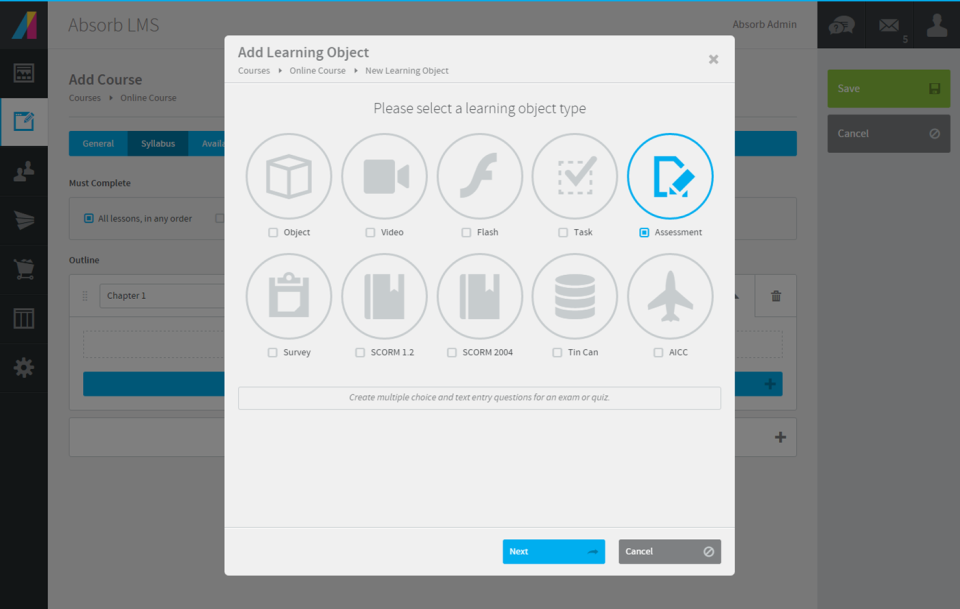
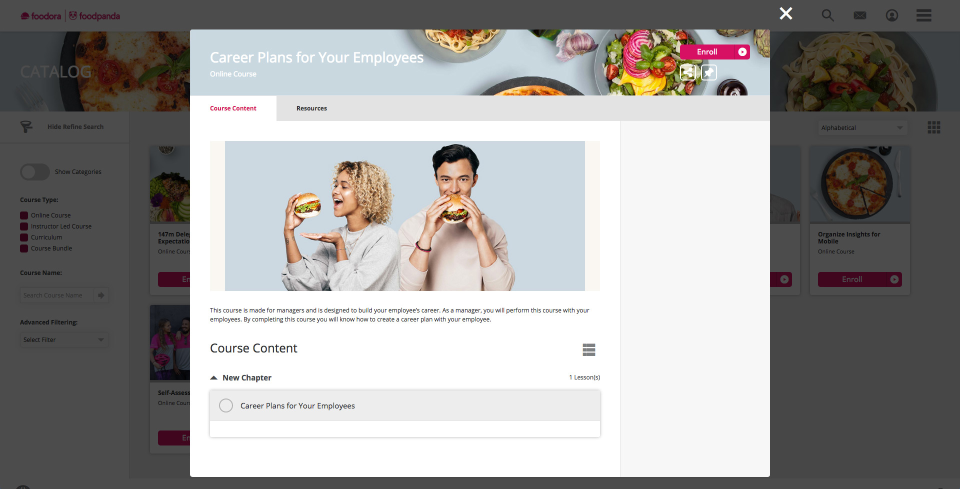
Absorb LMS aims to empower organizations to train employees with the skills needed to stay modern and relevant in today's fast-paced world. The LMS software focuses on aligning learning needs with business demands.
N/A
Adobe Captivate
Score 6.4 out of 10
N/A
Adobe Captivate is an elearning authoring and course design tool (or LCMS). It supports mobile HTML5 content. Captivate’s users are commonly midsized businesses to enterprises. Adobe Captivate includes some prebuilt assets as well as customizable workflows.
$33.99
per month
ITProTV
Score 6.2 out of 10
Small Businesses (1-50 employees)
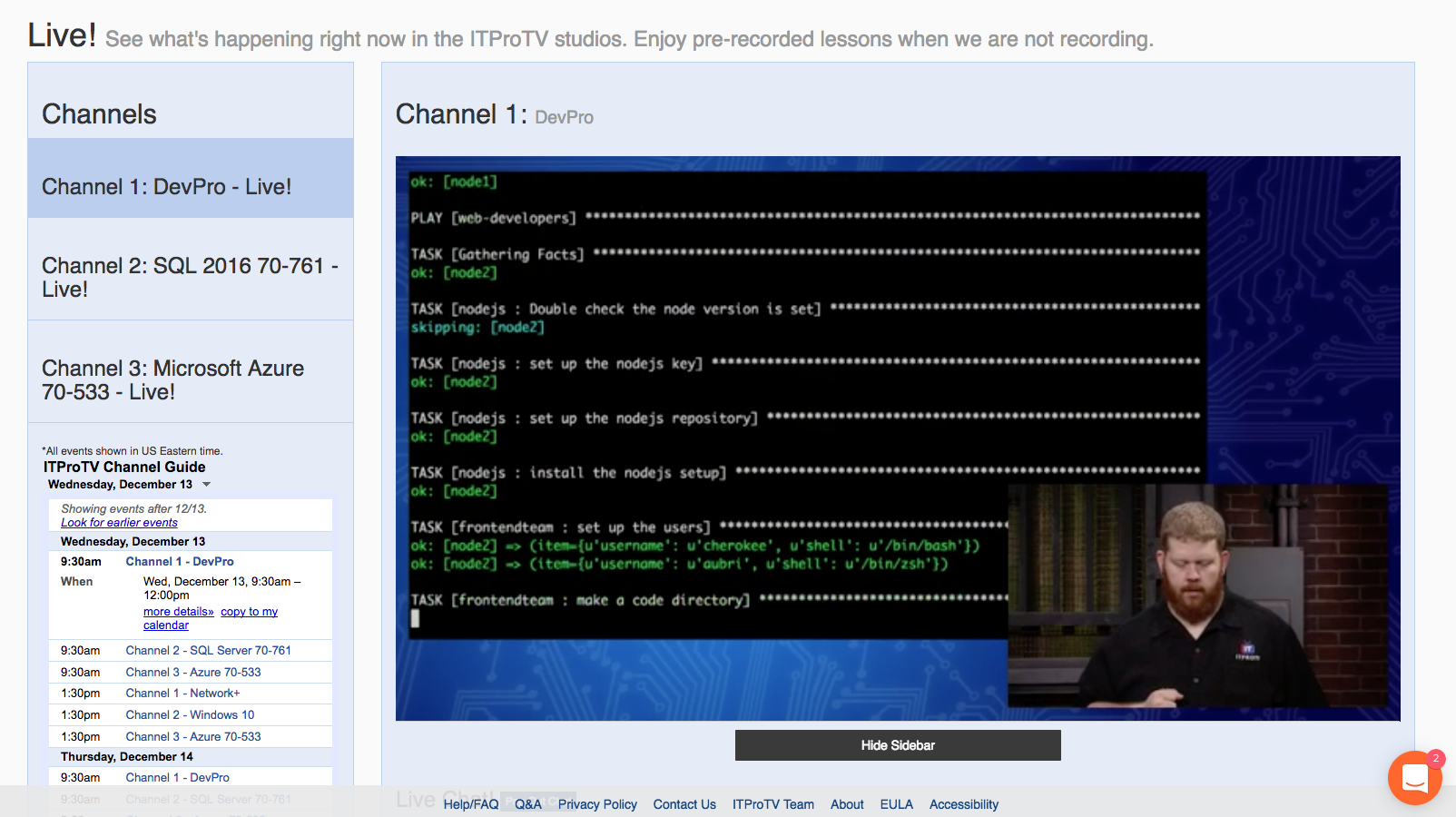
ITProTV is an elearning platform that aims to allow you to ditch the boring slide shows and start really learning IT. The training is more like a talk show -- you’ll watch your ‘edutainer’ engage with a host and an online audience to create a better-than-classroom experience that you and your team will look forward to watching. The vendor says new content is added every day and the course library has more than 3,300 hours covering all of the major certification courses (e.g. CompTIA,…
N/A
Pricing
Absorb LMS
Adobe Captivate
ITProTV
Editions & Modules
No answers on this topic
Subscription
$33.99
per month
Student & Teacher Edition
$399
one-time fee
Upgrade
$499
one-time fee
Pereptual License
1,299
one-time fee
No answers on this topic
Offerings
Pricing Offerings
Absorb LMS
Adobe Captivate
ITProTV
Free Trial
Yes
Yes
Yes
Free/Freemium Version
No
No
Yes
Premium Consulting/Integration Services
Yes
No
No
Entry-level Setup Fee
Required
No setup fee
No setup fee
Additional Details
—
—
Corporate memberships are available. Individual memberships are monthly or annual.
Absorb LMS did the best job at meeting our overall list of requirements for a LMS. It was also the top contender when it came to a customer service plan and how the support worked. Absorb was a more affordable option that many of the other apps we evaluated.
We were very disappointed with D2L and Workday's ability to customize what or how content is shown to users. The platforms can be robust but the onboarding time for new administrators is much longer than Absorb. Workday's current offering (2023) for external learners is …
I joined a company already using Absorb so I did not pick Absorb but given the chance- I would pick Absorb over any other LMS I have worked with in my career. Absorb is powerful enough to do what I need it to do, but organized well enough that the features and functions I don't …
Adobe Captivate
Verified User
C-Level Executive
Chose Adobe Captivate
Articulate currently has some benefits over Captivate in flexibility and responsive design, but I think these are being addressed in the next version of Captivate. Articulate is also more fiddly. Mac support is important to our users, who are majority Mac users.
As a way to deliver eLearning content and track completion, I think Absorb handles our 7000+ users competently. In addition, their support team was always extremely helpful and responsive. When we went through the process of integrating Absorb with Skillsoft Business Advanced library, Absorb's team was very knowledgeable and helpful. I think teams needing more streamlined checklist-style OJT skills tracking will be disappointed by Absorb's feature. It takes 4-5 clicks for a user to trainer to sign off on one skill.
Captivate is well suited for instruction designers who want to build attractive, personalized, interactive, energetic lessons. It's also a good choice for someone who wants to build something innovative because Captivate gives the developer so much control over so many aspects.
But if someone wanted something built quickly, generically and didn't care about holding the viewer's attention, then Captivate might be an expensive tool. That person might be more satisfied with a cheaper and easier to learn authoring tool.
I've encouraged co-workers and non-coworkers to watch the live streams of ITProTV. Unfortunately, my company currently uses CBT Nuggets (none of the people I've asked like it/utilize it), but those who do take the suggestion often ask the same question: Why do we not use ITProTV instead of CBT? I met a young man who was in his final year of college pursuing an accounting degree. He asked me about the IT industry. I suggested he look at ITProTV in order to see if there is a subject he's interested in. He immediately signed up, and while working two jobs and going to school, he managed to get his CCNA and pass the Microsoft 70-410 within 6 months. We hired him. If you just want to hone your skills, ITProTV delivers. If you are seeking certifications, ITProTV delivers. The only demographic that I can imagine where it would be unsuited, is simply for those who are ignorant that nearly every industry involves some form of technological understanding. ITProTV is good for end users "non-IT personnel", as well as those supporting end users.
Overall, Absorb LMS is pretty easy to use for learners and especially for admins. It's practical to create and manage course content - it provides the most crucial options and yet is lean enough not to overcomplicate the admin's life. The consistent and customizable "table-view" in most of the admin-areas is very helpful and easy to follow.
Using Enrollment Rules, Absorb LMS let you define who a course applies to and how they get enrolled. You can build rules based on learner attributes, such as department, location job role, group, to include or exclude specific audiences. The way Absorb LMS is using enrollment attributes, no other LMS actually can fulfill our requirements easier. Enrollment rules are mainly embedded in individual course options (you can also create scheduled enrollments outside of the courses).
Quickly adding in graphics, text, and interactive buttons.
Has extensive variables and branching for additional customization, beyond the competition.
Has 360 degree capability which competitors don't offer (I have not used this feature).
High degree of customization and personalization.
True responsive screen display on all devices, viewable as you are creating the training. This is different than some competitors - some just shrink the screen, but Adobe Captivate allows actually removing or moving or changing items at different screen sizes.
If you like Flash, it has Flash output, although it's going away in 2020. Personally, I think this is an outdated technology.
Many advanced capabilities. I chose this product due to the capabilities.
Comes with assets, templates, people, head shots, and full body—excellent.
Adobe Captivate is the authoring tool. It integrates with Adobe Captivate Prime - which I highly recommend if you want to truly take advantage of all of its features in reporting, administration, compliance, and social learning. (I didn't use Prime because you essentially need 100+ students to affordably use Prime.) If you look at my chart of what Captivate is capable of, I can't say that Captivate has a lot of the reporting features because they are part of Prime/SCORM, although, with Captivate's customization, you might be able to do most of them if you are up to it, but I did not.
The "And" and "Or" rules for self + automatic enrollment could be spelled out more to clarify who we're enrolling into courses
The thumbnail and poster "Upload photo" section is confusing. There should be a "Favorites" folder where we can easily find most commonly used posters and thumbnails
more education around Absorb analyze essentials
How the Featured courses section ranks courses is confusing on the back-end. I need to switch the primary one to second place to feature the new one first. But if the previous one now becomes second place, what happens to the old course that was in second place? I've noticed the order you select on the back-end for this isn't always reflected on user side
Same comment as Featured Courses but for appearance of billboards. Hard to position each in the right order
Clunky interface, it takes a lot of extra clicks to get places compared to other Adobe apps and competitor's eLearning software.
Would be nice if it was part of creative cloud, or at least in the group of apps you can add through Creative Cloud.
More regular and meaningful updates. Compared to flagship apps like Photoshop, Illustrator, etc. Captivate is like the read headed step child. Competitors excel at providing regular updates with clear change documentation. How are we still using Captivate 2019 in 2022?
The interface feels like it is still stuck in the 90s, would be nice if it was more modern and better in-line with flagship adobe offerings.
Variables and associated menus are a nuisance to work with vs some of the clever drop down and content-sensitive options in Articulate Storyline.
The episode download feature could use a little work (speaking about the Android experience). When you download the episode, you need to go to downloaded in ITProTV instead of just playing on the normal episode content screen. It works well for what it is, but it would be nice to have the downloaded content play straight from the episode screen.
I've had a few little issues with the Roku. It works great, but there have been a couple times when I needed to contact support because the Roku kept saying I wasn't a subscriber. The problem mostly resolved itself, but I still occasionally get the message. It isn't a huge deal since I can still access the content on Android or through a web browser.
I would like to see an al la carte for school education. Currently, we must contact a sales rep for one-off trainings, like A+, Network+, etc. (the sales reps are phenomenal... so that isn't much of an issue!)
We love the ability to have a user-friendly system that integrates well with our different HR interfaces (we have 3 systems that feed data/employees into the system). It makes it easy to track course completions and report out on metrics enterprise-wide. In addition, the ability to provide consistent education to staff who are geographically dispersed is a huge incentive for us, and Absorb LMS does this seamlessly.
We have hundreds of courses that were created in Adobe Captivate. It will take us a while to convert to Articulate. We'll need a license for another year and/or until Adobe comes out with a true update to the software.
Using ITProTV has been a cakewalk. Not once have I wished that we went with a different vendor. The content stays updated. My technicians are improving their skills. We can train when we need it and access the content required. We are improving all the way around.... why wouldn't I want to renew?
I have never built/managed an LMS platform before and I find it very user friendly and capable of doing 98% of what I need it to do. We have been in the system almost a year and one of the struggles I had using the reporting tool has already been resolved and updated!
Adobe Captivate does take some getting used to. There are features that are much more convoluted than they need to be, but overall it is a great product with a some excellent features. Being in a pretty small market, Adobe Captivate and Articulate Storyline dominate the space. They are not the same software, but allow for eLearning authoring. Each has their benefit and their downside, but, for me, Adobe Captivate edges out Storyline.
We have never had any major issue with Absorb's availability. Any outages that have occurred have been planned an communicated. Any small issues that occur within the Absorb platform have been addressed efficiently and quickly by support and the development team
We have experienced infrequent issues with things like load times on reporting, or pages timing out, but for the large majority of our time within the system things have worked as they should
We absolutely loved both our sales representative, Mike Kuphos, and our Implementation manager, Joe Zizian. Joe has continued to be a great resource, even since we went live with our LMS and were moved into the maintenance stage! I sent over a quick question recently when I was stuck in the platform... within hours, he responded with a video walking me through how to do what I was having trouble with. I truly cannot say enough wonderful things about Joe and the level of customer service he has provided throughout implementation and beyond. I haven't really had to use alternate support methods.
It is difficult to get in touch with Adobe Captivate support. With a seemingly limited number of resources, mostly outsourced, getting in contact with someone to help troubleshoot an issue is challenging. Typically wait times are long, and the desired path to resolution is to use an existing knowledge base or a self-help guide. It is certainly not a user-friendly experience.
Let me start with... their chat really works. You aren't chatting with a bot. When we first looked into purchasing ITProTV, I opened a chat on their site. One of their sales people, Brandon, contacted me quickly and by phone. I totally thought I was chatting with a computer, then the phone rang and Brandon introduced himself. I was blown away. Then, on the two occasions when I contact support, I did it through the chat. Not only did my problem get resolved quickly, a tech named Jessica followed up via email a couple days later to make sure the issues hadn't continued. Fantastic!
The training was comprehensive - there were existing modules to learn functionality but working with Absorb staff, and receiving recordings of those walk-throughs, made a rapid understanding of the LMS achievable and covered the necessary material that was needed and allowed for specific questions to be addressed.
The implementation of Absorb went very seamlessly. We previously had the Oracle LMS and importing user data and getting the new system up to speed was painless. The smooth transition helped leaders and staff gain confidence early in the application/company and we have had a successful partnership with Absorb since.
I'm only aware of the problems Adobe Captivate had with SumTotal LMS and Upside LMS, requiring extensive contact with both internal and external support staff to fix the problems. We had no problems at all with Articulate.
Absorb LMS is feature packed with small but smart elements (can have a username that isnt an email, can change the core language used in the platform, can change the font and layout) that offer greater security and accessibility for learners.
I think that Articulate360 is more user-friendly and has a cleaner, more updated look. If you can edit a PDF, then you can use Articulate 360. Adobe Captivate may be more challenging for the designer, but it has more features. We chose Adobe Captivate because we want the option to create interactive learning environments. Adobe Captivate plays well with the other Adobe design products including Photoshop, Illustrator, and Premier. Additionally, Adoe Captivate is highly compatible with Cornerstone, our preferred Learning Management Systems.
Previously my team used the Microsoft on demand training which has everything you could ever dream of from Microsoft in the same format as ITProTV. It did have the latest and greatest Microsoft training because it is Microsoft, but it only had Microsoft and nothing more. The cost was the other issue. The On demand workshops subscription cost a lot more than my budget would allow. I would have been forced to pick who was getting training and who was not which would most likely cause some friction between the team members.
We have already scaled our LMS from a couple hundred users to 1000 users and have plans to scale even larger. We use the LMS across multiple internal departments. countries and user types. Absorb has made it easy to integrate and scale and we will continue to scale in the near future.
We work directly with Kirsten Spak, who has continuously provided timely and quality help for myself as the lead and our organization. Kirsten has helped us ensure that we are going about things as efficiently and is always willing to walk through things to demonstrate suggestions and functions. As we look to expand our offerings further, Kirsten has helped strategize for the best approach, which has helped our workflow and the end-user experience. As we are still relatively new users, but using the LMS every day, Kirsten has been very patient and provided clear instruction on processes when we were unsure of what to do and has been able to troubleshoot, with her team, functions that were desired but not availability at the time, to provide us with solutions.
Our ROI is yet to be determined as we haven't fully rolled it out yet. We hope that this will improve our customer loyalty and advocacy, set us apart from competitors, and appeal to prospects as something that is extremely valuable. ROI measurements will include customer participation, satisfaction from learners and their managers and any new customers who quote the platform as a reason they chose us.
Adobe Captivate has allowed our instructors to engage students in ways we never have before.
Instructors who have used Adobe Captivate in our organization have reported higher levels of engagement with their courses and their students, theoretically leading to improved assessment of student performance.