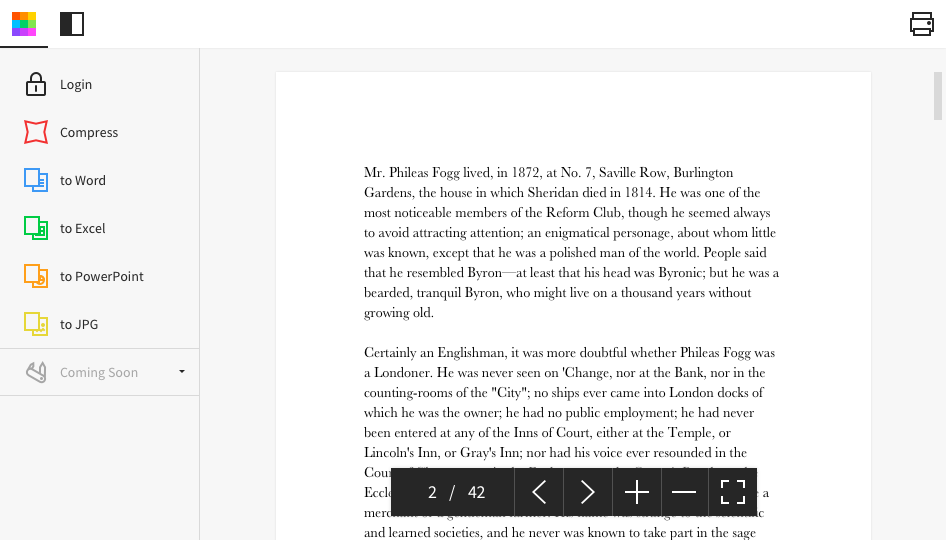
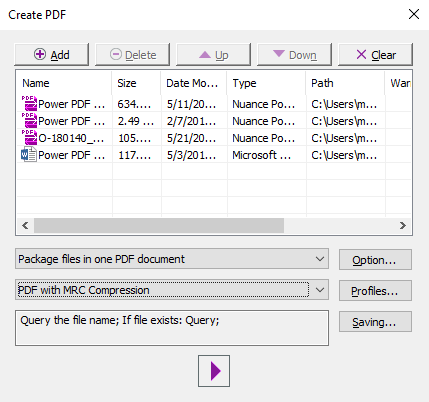
Acrobat Reader is a PDF viewer and converter, available as a free download from Adobe. Users can view, sign, collaborate on and annotate PDF files, or edit and convert PDFs into file formats like Excel and Word.
N/A
Smallpdf
Score 6.6 out of 10
N/A
Made in Switzerland, Smallpdf is a company that offers a suite of document management tools for everyone-for work, for home, for life. Founded in Switzerland in 2013, Smallpdf provides what they describe as a simple, secure, and reliable answer to the world's PDF challenges. Smallpdf boasts serving over a billion users in 24 different languages since 2013, and in every country in the world.
$0
Tungsten Power PDF
Score 9.8 out of 10
Small Businesses (1-50 employees)
Tungsten Power PDF (formerly Kofax) is an easy-to-use, secure and inexpensive solution to manage PDFs for businesses
and individuals. Benefits:
Ease of Use: Works
like Office desktop products, so it's easier to learn
Compatibility: Works
across devices and platforms, share documents in a storage cloud
…
$129
one-time fee per license
Pricing
Adobe Acrobat Reader
Smallpdf
Tungsten Power PDF
Editions & Modules
No answers on this topic
Smallpdf Basic
$0.00
Smallpdf Pro
$12.00
per month
Smallpdf Pro
$108.00
per year
Power PDF Standard
$129
one-time fee per license
Power PDF for Mac
$129
one-time fee per license
Power PDF Advanced
$179
one-time fee per license
Power PDF Business
Get a Quote: Subscription and Perpetual available
per year per seat
Offerings
Pricing Offerings
Adobe Acrobat Reader
Smallpdf
Tungsten Power PDF
Free Trial
No
Yes
Yes
Free/Freemium Version
No
Yes
No
Premium Consulting/Integration Services
No
No
Yes
Entry-level Setup Fee
No setup fee
No setup fee
No setup fee
Additional Details
—
Discounts are available for bulk purchases
Desktop licenses are buy once, own forever. No subscription fees.
Business server licenses are term-based or perpetual with optional maintenance & support contract.
Volume and upgrade discounts available.
For my purposes, it is a lot better than Adobe Acrobat across the board. Signing PDFs in Tungsten Power PDF are easier than in Adobe and the conversion is a lot better than in Adobe. I bought a copy of Tungsten Power PDF for my own personal use instead of the Adobe Suite that …
I asked a CFO group for recommendations, and selected Tungsten from their recommendations. It worked well and was within our cost range, so I didn't evaluate anything further. CFOLC was the group.
In my opinion, humble as it may be, Kofax has lots of power, an easier learning curve, and obviously a better price for the standalone Adobe or the monthly Adobe. SodaPDF (at the time cheaper than Nuance/Kofax) did not perform to expectations and left me wishing for Nuance PDF …
I think Adobe Acrobat is very slow and does not perform well with large documents. I often have documents that are thousands of pages long and with Adobe it's very difficult to open and load the document, let alone make changes. Kofax Power PDF, on the other hand, responds and …
Acrobar Reader. More or less same functions but easier to use and way cheaper. We've been using Kofax and/or its predecessor Nuance for around 10 years now.
We selected Power PDF for its affordability and ease of use. Many features are comparable to similar software, such as Adobe products. We would be happy to see some improvements in Docusign and fillable forms.
There is no comparison between Reader and Kofax Power PDF. Kofax Power PDF allows you to truly work with pdfs and create usable documents. OCR, redaction and removal of metadata is essential to my line of business. We need to be able to mark up documents and comment. Kofax …
Kofax Power PDF is found to have a best value overall for the price tag when considering the features, ease of use (easier than Acrobat in my opinion since it is more obvious where to find the expected tools), and the user interface which is simple and well organized rather …
Power PDF stands up well against these other products except when users have created applications in Adobe Acrobat with features that Power PDF does not support. This happens occasionally with completable forms.
Kofax Power PDF was the cheaper option with the functions I and others I’ve worked with needed. Most people don’t need to do many of the things offered by the more expensive and advanced version of Adobe. Kofax Power PDF has been a great fit.
After creating a document, converting it into Adobe Acrobat Reader is usually very easy for storage in my computer, sending/sharing via emails, etc. This also saves a significant amount of unnecessary printing and paper waste, which is great for reducing waste. I don't have to worry about not having the right software/app to view, edit, and share with anyone.
As per my knowledge and experience, Small PDF is well suited when we want to convert the large and bulk processing on the images to convert them into a single file and share. I found it well suited for college students because daily they scan multiple images and merge them to send as a single assignment file. Smallpdf has the future in the education field. Sometimes it is less appropriate for the people who want to share official documents by converting them into pdf without a watermark. I personally really like the Small PDF, it really helped reduce the difficulty of sending files, and photos to others.
GREAT for combining documents into a single PDF. Great for working with a PDF. Not so great converting PDF to Word format. Would like to see more effort put into that development. Would like to see more effective testing of updates prior to pushing them out as well. Otherwise it is awesome.
Typewriter functionality is great, although can take some time to load. This allows you to fill in text wherever applicable without turning the rest of the pdf into editable text.
Fast load times
Has autogenerated text feature so anything in the pdf can become editable
Being able to add image "stamps" to a document is a little tricky as the stamp has to already be in PDF format (at least on Mac) to work. This mean you have to convert the image to PDF before you can use it as a stamp.
Being only able to save one signature and one set of initials is a bit of a pain but you can actually use stamps if you need different versions frequently used scribbles for various reasons. The stamp won't secure the document and prevent future changes the same way the signature would though.
All of the other features you might want to use are only included with Acrobat Pro but the options are all displayed in the Reader app. When clicked they will offer the free trial that leads to a paid subscription. This is more of an annoyance but you can't fault Adobe for trying to make a sale.
I find that quickly editing text within a document or adding a line of text is clunky and can snowball into things popping out of place. I prefer to export text, and then work on it elsewhere.
Sometimes it seems that text recognition is trying too hard and throws me paper punches as "O"s and wrinkles as shapes, so I have to get rid of those artifacts.
The "Update Available" popup which is usually not an actual update announcement but rather an offer to sell me something is annoying.
To be honest, I do not have any say in the renewal of Adobe Acrobat Reader DC. It is managed at an enterprise level, and the decision to renew or not renew is handled well above my pay grade as an external consultant.
Tungsten Power PDF is easy to use, the staff all like it, and there are no issues with it on any level. It is a more cost-effective solution to our PDF needs than other products currently available on the market. This product works as intended and it fits our business needs perfectly.
Again, Adobe Creative Suite is widely used and backed by an industry leader, making the experience very familiar and common for anyone who has used a PDF and wants more features to interact with it. It also makes copy text a lot easier than just previewing the file.
I give this rating to Smallpdf because it comes with a large array of tools and gadgets. It allows not only pdf reading but also mixing, splitting, conversion to and from pdf, pdf compression or protecting. It is really complete and it works excellent compared to other much more expensive alternatives in the market.
It is fast and easy to get the hang of. It really didn't take a lot of effort to learn how to use this program and I appreciated that it was pretty "plug and play" and there wasn't a long learning curve.
Other that a PDF partially disappearing if left up for a long period of time - no issues. (If you close it and reopen it, it is all there. We have some PDFs that are 400-600 pages long.)
1.- Because it is easy to use and each function is duly indicated so you can not go wrong. 2.- Its service is fast, it takes only a few seconds to transform the files and in less than a minute it is downloaded and you can occupy it without problem. 4.-This IS online so you do not install anything, which is very useful because you can also use it from a tablet or your mobile
Pages nearly always load at the expected rapid speed. Some documents that print quickly from Adobe Reader print much more slowly from Power PDF. I have never generated a report - that's a feature I didn't know existed until now and do not know what it's for
Everything is so simple and works so well, you shouldn't need support, but on the one occasion in several years that I needed it, support was quick and courteous.
I have used it for 15 years and have only needed support once: a simple update that allowed me to use the software as intended. The support team was attentive and responsive, and I was on my way very quickly.
I got an overview of the product from my predecessor who was about to retire from the job I now hold. He did not go into very many of the features and probably only knew about the ones he used most frequently.
We watched the training videos and tested out the features and functionality side by side. Some features are not used on a regular basis is it is convenient to go back and review training on that particular functionality when needed.
Easy and quick, with no problems or support needed. Worked as intended right out of the box. E-signing was the only area that implementation was dificult and required support
We have reviewed DocuSign in comparison to [Adobe] Acrobat Reader [DC's] e-sign capabilities. We found that DocuSign has more robust options when creating contracts and consent capabilities. DocuSign's online UI is much more suited to this type of task as well. However, we decided to stick with [Adobe] Acrobat Reader DC because of the price (DocuSign is more expensive) and we felt we didn't need all of the bells and whistles for contract signature and consent.
I think that Smallpdf stacks up against its competitors in terms of easiness of use. The tool is very user-friendly, every feature is communicated in an efficient way and very simple to user so the user doesn't have to be particularly good at using software. Its features are superficial when compared to Acrobat but easiest to use for sure.
There is nothing to compare it to. Tungsten Power PDF is by far an easier and more efficient option. The one advantage of CutePDF is the functionality of overlay and underlay with headers and footers. The other functions in Tungsten Power PDF are much easier to use. Pricing is also an attractive option.
Not really familiar since I'm the only person who uses it. But in the past it has been my understanding that Power PDF was offered only on a single-license basis, so it's been expensive for me to use it at home and at work because I had to pay for it on my own. In my current position management supports it so I at least only have to pay for it once.
It has definitely increased efficiency. Lower paid employees can complete a simple task with Smallpdf rather than having a higher paid employee use their time to do it differently.
Smallpdf decreases the customer-response time. Being able to send over the proper sized file quickly makes us look great!
Although it was expensive to get the program (just under $200), I found that it was nice that there was only that one time charge. If there were updating or annual fees, I think that would be a deal breaker. Thankfully there isn't, though!