The Airship Experience Platform provides an end-to-end solution for unifying experiences across channels and capturing value across the entire customer lifecycle.
N/A
Mouseflow
Score 7.7 out of 10
N/A
Mouseflow is a behavior analytics tool used by more than 190.000 digital marketing, UX, Product, Startups and Enterprise clients to optimize their website experiences. With Mouseflow, the user can: Find out what happens between visitors' clicks through watching video recordings of their sessions. Build 6 types of heatmaps for pages automatically to understand what is getting their attention. Set up funnels to watch where and why visitors drop. Use form…
$39
per month
Smartlook
Score 8.7 out of 10
Small Businesses (1-50 employees)
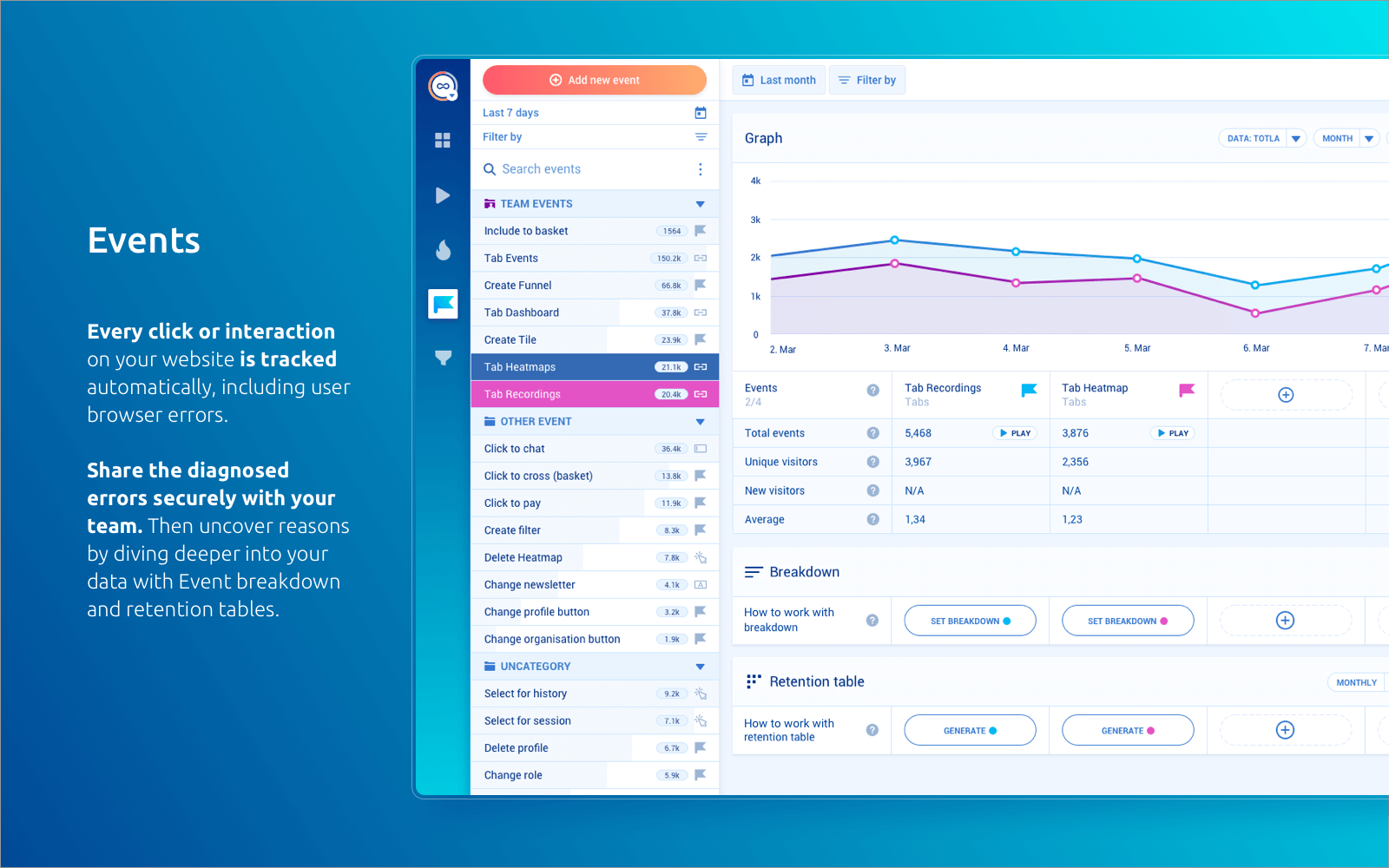
Smartlook is an analytics solution tool for websites, iOS/Android apps, and various app frameworks, that answers the "whys" behind users' actions. It helps users understand precisely how customers interact with website and app — watch recordings, create heatmaps, use automatic tracked events, and build conversion funnels. Data is seen on one central dashboard, which enables sharing and collaborating with colleagues. This is to support clear, data-driven decision-making for product managers,…
$55
per month 5000 sessions
Pricing
Airship
Mouseflow
Smartlook
Editions & Modules
No answers on this topic
Starter
$39
per month
Growth
$129
per month
Business
$259
per month
Pro
$499
per month
Pro
$55
per month 5000 sessions
Free
Free forever
per month 3000 sessions
Enterprise
Custom pricing
Offerings
Pricing Offerings
Airship
Mouseflow
Smartlook
Free Trial
Yes
Yes
Yes
Free/Freemium Version
No
Yes
Yes
Premium Consulting/Integration Services
Yes
No
Yes
Entry-level Setup Fee
Optional
No setup fee
Optional
Additional Details
—
There is a discount applied to the price if a customer commits to an annual payment plan.
All Smartlook packages support both web and mobile app platforms.
We looked at several different products when deciding on a heatmap and recording tool. We found that for the data we wanted to gather Mouseflow met all the requirements without a lot of additional features that we didn't want. We went through this process almost two years ago …
Smartlook is the better overall value of all the solutions we've tried. Hotjar was overpriced, Lucky Orange seems more like an experimental project than a full-fledged product and Mouselflow seems to have some problems dealing with some types of browsers that we did not …
The solution integrates with key business systems to give a clear understanding of how site visitors explore websites and help in actively adjusting how their landing pages are designed. They provide customer support by phone, email, tickets, and live chat with technical …
Well-Suited for: 1. Mobile App Notifications: Ideal for targeted push notifications in apps. 2. Customer Segmentation: Effective for personalized marketing campaigns based on user data. 3. Event-Triggered Automation: Great for automated messaging based on user actions. 4. A/B Testing: Useful for optimizing campaign messages and strategies. Less Appropriate for: 1. Non-Mobile Channels: Less effective if the primary focus is on non-mobile communications like email or direct mail. 2. Basic Email Marketing: Other platforms might be better suited for simple, broad email campaigns without complex segmentation or personalization needs.
Mouseflow is a great when you're working in a busy product development or conversion optimisation environment, and want to understand exactly how customers are interacting with your site or app so you can respond. It's a capable tool that offers some great insight at a fraction of the cost of competitors like SessionCam or ClickTale. It has occasional problems in captures that its competitors suffer from less often, but if you're looking for a general understanding of usage then this is a great tool. It doesn't have built-in integrations with all A/B testing tools, but it does have a built-in Google Tag Manager tag so its very easy to set up without assistance. If you've got the budget to select reliability over cost, then you may choose to opt for a more mature, enterprise offering. But if your budget is limited, or you're just looking to prove the value of session recording as a concept, then Mouseflow will more than do the job.
Smartlook is best for screen recordings. Especially when you are running MVPs. However, its pricing is very high. If your daily visitors are too much then either you will have to lose many of your recordings or you will have to pay too much money.
The marketing push notifications are very effective, and it gives us free hand to define different business criteria to target user groups
The user experience or the message content could differ from Android and iOS, and this is a huge benefit for us
As an Architect, troubleshooting an issue is very detailed and the time it takes to troubleshoot an issue is considerably less from our previous product
Mouseflow does a great job creating wonderful Heat Maps. These allow you to really see how people are interacting with a page. Great data if you want to create better flow in your pages.
The User Session Recordings are also especially useful and when used in conjunction with the heat maps you can really get a feel and a look at how a page is working. This lets you see where people get stuck, elements that might be distracting, etc.
In the area of the heat maps Mouseflow can handle A/B testing which I think is priceless.
Another advantage to Mouseflow is that unlike many of these types of tools Mouseflow integrates with most Web platforms, well beyond WordPress.
As my ratings show, I have been absolutely delighted with Smartlook in terms of usability, cost, support, and its benefit to our organization. I have given it such high ratings because I think it has really benefitted our organization and I think it could do the same for other companies too.
The interface takes a bit getting used to in order to know how to take advantage of everything. Some of the analytics that are available are particularly hard to find, so it's important to pay attention when customer support reviews everything, but everything I'd want and need in terms of Push and In-App messaging is all there.
Mouseflow is pretty easy to use. You need to be a core technical person to implement it on your site. Mouseflow provided us a tracking code that need to be installed on the website, and if do not have the knowledge of how to work on the backend of the website, you will not be able to install it. Here you will need the help of a technical person who has a good knowledge of your website platform to install the code on the website. There are also videos available giving insight on how to use the Mouseflow platform. I personally haven't faced any problem while using Mouseflow. Just login to this tool and a dashboard will open in front of you.
Every page, the tool setup pages and dashboards are built very well, the site structure is perfectly designed and intuitive to use. All functions are well documented and the help sections are really everywhere, you don't have to search for answers, as they are just popped up or max. a click away for your service.
I have not had to interact much with customer support as I have been able to find the vast majority of the answers I'm looking for within their documentation, which I very much appreciate because it saves me a lot of time. Customer support has been responsive and helpful for the most part during the couple of interactions I've had.
This is an area where Mouseflow is quite strong. Not only is the support good but they also have some very good training on the use of the product. There is a nicely laid out section of videos that not only cover the use of the tools functions but also how to use the data that Mouseflow produces. They are doing well in the support area.
Sofia P. is being our point of contact with the issues we faced. I was unsure about how to explain to her what was going on with the recording numbers (the recording has stopped before we were expecting to), but she readily understood and came with a solution for us in the same day. The problem was blocking our developer to test the integration, so it was great to have support so fast that he could continue his work.
We've tested a bunch of different CRM tools over the years and Airship has been a winner for its functionality, features, cost, and ability to integrate with other softwares that we use. It has been great for SMS and mobile in particular. It could certainly be a one stop shop for CRM.
Mouseflow is a supplement to Google Analytics and improves on some Analytics functions. Mouseflow adds qualitative data to the quantitative data that Analytics provides to help marketers better understand their website visitors
It has been a year between the time when I last used Hotjar and first started using Smartlook. I would say both tools are more or less equal when it comes to features, the only 2 differences I can think of are - price and customer support. Smartlook is cheaper and has superior customer services. You have the feeling when interacting with them that they genuinely care.
The ROI has increased more than approx. 50% (exact details to be confirmed) based on cross-channel orchestration
Using push notifications alone, we have seen a huge increase in app engagement which was a challenge before to nudge users to get back to the App after initial download
MouseFlow makes a positive impact on our future marketing decisions. We recently had a change in formula for a product and added a variety of ways for people to read about the changes via our website. Mouseflow allowed us to see which method was effective in communicating our message. We were able to replicate the style on other digital platforms.
Mouseflow allows us to save time we would normally spend in developing a website. For example, before building a new website I will spend a couple of weeks analyzing user data via mouseflow. I can clearly see what features are not currently working and where we are loosing people in the current process. This cuts down website revisions by about 10%
Smartlook is used by different individuals from different organizations to have insights into different parts of products. It is used as the sole developer of our website as well as marketing campaigns.
Smartlook has an amazing feature which is tracking the activities of return users.