Overview
ProductRatingMost Used ByProduct SummaryStarting Price
Alpha Anywhere
Score 9.9 out of 10
Mid-Size Companies (51-1,000 employees)
The Alpha platform is a unified mobile and web app development and deployment environment with distinct "no-code" and "low-code" components. The vendor says that using the Alpha TransForm no-code environment, business users and developers can take full advantage of all the capabilities of the smartphone to turn any form into a mobile app in minutes, and power users can add advanced app functionality with Alpha TransForm's built-in programming language. IT developers can use the…
$35
Microsoft Access
Score 7.6 out of 10
N/A
Microsoft Access is a database management system from Microsoft that combines the relational Microsoft Jet Database Engine with a graphical user interface and software-development tools.
$139.99
per PC
Quickbase
Score 8.6 out of 10
N/A
Quickbase helps users tackle any project, no matter how complex. Quickbase helps customers see, connect and control complex projects. Whether it’s raising a skyscraper or coordinating vaccine rollouts, the no-code software platform allows business users to custom fit solutions to the way they work – using information from across the systems they already have.
$700
per month
Pricing
Alpha AnywhereMicrosoft AccessQuickbase
Editions & Modules
Alpha TransForm (no-code component)
35/month
Alpha Anywhere Business
$1,499/year
Alpha Anywhere
$1,499/year
Alpha Anywhere Business Pro
$2,499/year
Alpha Anywhere Enterprise
Call Us +1 781.850.4600
Volume Discounts
Microsoft Access
$139.99
per PC
Enterprise
Full Customizable
per month/billed annually
Business
Starting at $2,200
per month
Team
Started at $700
per month
Offerings
Pricing Offerings
Alpha AnywhereMicrosoft AccessQuickbase
Free Trial
YesNoYes
Free/Freemium Version
YesNoNo
Premium Consulting/Integration Services
YesNoYes
Entry-level Setup FeeOptionalNo setup feeOptional
Additional DetailsQuestions? Call us: +1 781.229.4500Quickbase offers three key plans, with feature distinction, simple and consistent entitlements, and a flexible licensing model, giving users the option of either user based or usage based licensing across all 3 plans.
More Pricing Information
Community Pulse
Alpha AnywhereMicrosoft AccessQuickbase
Considered Multiple Products
Alpha Anywhere
Chose Alpha Anywhere
No contest. Caspio comes the closest and I liked its built-in database. Access is obsolete. Sheets are nice to use but not as a database
Chose Alpha Anywhere
I stopped evaluating alternate products several years ago as Alpha Anywhere has continued to develop and keep up with technological advances to my satisfaction. Having made the decision to focus development with Alpha Anywhere, I have not looked back and continue to develop at …
Chose Alpha Anywhere
Alpha Anywhere is a more robust, complete and lower cost solution for rapid desktop, web and mobile application cross platform development.
Microsoft Access
Chose Microsoft Access
  • Microsoft Access is great for local low code, relational database applications where users are creating, reading, updating, and deleting data (CRUD)..
  • Useful mostly for locally stored database and not network or cloud-based applications
  • Easy-to-user interface makes it hard to …
Quickbase
Chose Quickbase
Quick Base is 1000 times more intuitive and does a lot of the work for you. Microsoft Access is very much for users that actually do know how to code-if you ask me.
Chose Quickbase
It's a tie. Quick Base is more stable and easy to access (ironic since Microsoft Access has the word access in the name) since it's a hosted online, but the ability to integrate (especially with Microsoft products) and customize forms and reports makes development, as it …
Chose Quickbase
Before using quickbase we primarily used Microsoft Access databases for our quick turn around projects, and QuickBase's secure web based platform resolved a lot of our access on our corporate server issues.
Chose Quickbase
Microsoft Access was one of the DB programs that I have used in a job previous to my current one. I found it to have many more features than Quickbase does but it was a lot harder to set up and maintain. Also, it was harder to share among multiple teams. I basically feel that …
Chose Quickbase
Prior to Quickbase, we used Microsoft Access. The limitations were that it was not available on the cloud and coworkers were getting locked out of the database. You could not make development changes until everyone was out of the database.
Chose Quickbase
Used access in a previous company which required specific knowledge of the system. Quickbase was learnt from scratch in a matter of weeks.
Chose Quickbase
I like Quickbase better than both of them in terms of ROI.
Chose Quickbase
If you don't know any programming languages, it's no problem to get started with Quick Base. On-line guides and prompts, plenty of examples and help are always available. There are template sample databases available for modification, and these provide a great opportunity to …
Chose Quickbase
I have personally used Quickbase and Salesforce and am so much more impressed by Quickbase. Salesforce puts so little power in your hands, for any change you have to ask their developers and it comes with a big price tag and time lag. Quickbase is easy and nimble and you can …
Chose Quickbase
I like the web functionality and the ability to access Quick Base from anywhere
Chose Quickbase
QuickBase is adaptable, easy to use and can scale quickly. With either option for a simple drag and drop solution or a more complex code written for a specific application, QuickBase is clearly the winner here.
Chose Quickbase
No comparison. MSAccess ,at the time, was desktop only and not visible to users. Quick Base is web-based and easily available to all stakeholders.
Chose Quickbase
Quick Base is much more flexible and robust. It's like comparing VisiCalc to today's Excel
Chose Quickbase
Quick Base was MUCH more flexible and utilitarian. It did not restrict us, or make us conform our processes to their software, as many other solutions do. It has back ups, security, and support so that we are not alone. The community forums are great too. Lots of learning …
Chose Quickbase
Quick Base is easier to build and customize than Access and Oracle. It also scales better than Access.
Chose Quickbase
More flexibility, more user friendly, more everything!
Chose Quickbase
We haven't researched similar products, but I can say it's much easier to use than Microsoft Access.
Chose Quickbase
Mostly on par with all other tools but quick, easy, financially accessible to smaller businesses, and mobile.
Chose Quickbase
Quickbase I believe ranks first amongst its competitors because of its ease of use and flexibility. It is very simple and quick to modify data entry, formulas and almost all changes within the application. We selected Quickbase because it is the best mix between platform …
Chose Quickbase
QuickBase is the only solution available to me that I know of.
Features
Alpha AnywhereMicrosoft AccessQuickbase
Low-Code Development
Comparison of Low-Code Development features of Product A and Product B
Alpha Anywhere
8.4
4 Ratings
0% below category average
Microsoft Access
-
Ratings
Quickbase
-
Ratings
Visual Modeling8.53 Ratings00 Ratings00 Ratings
Drag-and-drop Interfaces6.52 Ratings00 Ratings00 Ratings
Platform Security8.84 Ratings00 Ratings00 Ratings
Platform User Management8.94 Ratings00 Ratings00 Ratings
Reusability9.24 Ratings00 Ratings00 Ratings
Platform Scalability8.54 Ratings00 Ratings00 Ratings
Relational Databases
Comparison of Relational Databases features of Product A and Product B
Alpha Anywhere
-
Ratings
Microsoft Access
7.7
3 Ratings
3% below category average
Quickbase
-
Ratings
ACID compliance00 Ratings7.02 Ratings00 Ratings
Database monitoring00 Ratings8.02 Ratings00 Ratings
Database locking00 Ratings8.03 Ratings00 Ratings
Encryption00 Ratings7.02 Ratings00 Ratings
Disaster recovery00 Ratings7.73 Ratings00 Ratings
Flexible deployment00 Ratings8.02 Ratings00 Ratings
Multiple datatypes00 Ratings8.03 Ratings00 Ratings
Best Alternatives
Alpha AnywhereMicrosoft AccessQuickbase
Small Businesses
Creatio
Creatio
Score 9.0 out of 10
InterSystems IRIS
InterSystems IRIS
Score 8.0 out of 10
monday.com
monday.com
Score 8.3 out of 10
Medium-sized Companies
Quixy
Quixy
Score 9.9 out of 10
InterSystems IRIS
InterSystems IRIS
Score 8.0 out of 10
Planview PPM Pro
Planview PPM Pro
Score 9.0 out of 10
Enterprises
Creatio
Creatio
Score 9.0 out of 10
SAP IQ
SAP IQ
Score 10.0 out of 10
Planview PPM Pro
Planview PPM Pro
Score 9.0 out of 10
All AlternativesView all alternativesView all alternativesView all alternatives
User Ratings
Alpha AnywhereMicrosoft AccessQuickbase
Likelihood to Recommend
8.9
(6 ratings)
5.0
(99 ratings)
8.4
(521 ratings)
Likelihood to Renew
-
(0 ratings)
10.0
(15 ratings)
9.9
(54 ratings)
Usability
-
(0 ratings)
7.0
(5 ratings)
8.4
(40 ratings)
Availability
-
(0 ratings)
8.0
(1 ratings)
9.0
(16 ratings)
Performance
-
(0 ratings)
-
(0 ratings)
9.0
(15 ratings)
Support Rating
-
(0 ratings)
6.4
(5 ratings)
7.4
(44 ratings)
In-Person Training
-
(0 ratings)
-
(0 ratings)
9.9
(4 ratings)
Online Training
-
(0 ratings)
-
(0 ratings)
10.0
(5 ratings)
Implementation Rating
-
(0 ratings)
10.0
(1 ratings)
9.8
(22 ratings)
Configurability
-
(0 ratings)
-
(0 ratings)
9.0
(10 ratings)
Contract Terms and Pricing Model
-
(0 ratings)
-
(0 ratings)
9.0
(1 ratings)
Ease of integration
-
(0 ratings)
8.0
(1 ratings)
8.4
(10 ratings)
Product Scalability
-
(0 ratings)
5.0
(1 ratings)
9.0
(15 ratings)
Professional Services
-
(0 ratings)
-
(0 ratings)
9.0
(1 ratings)
Vendor post-sale
-
(0 ratings)
-
(0 ratings)
9.0
(10 ratings)
Vendor pre-sale
-
(0 ratings)
-
(0 ratings)
9.0
(10 ratings)
User Testimonials
Alpha AnywhereMicrosoft AccessQuickbase
Likelihood to Recommend
Alpha Software
The speed of development from concept, through development and delivery of the end product is so impressive [with Alpha Anywhere]. There is an impressive array of genies and helper functions meaning that you can focus on what matters, the end user experience. It is not a "No code" solution but it is a very impressive "low code" solution which allows detailed access under the hood to tweak the applications to your own needs and the needs of your clients.
Read full review
Microsoft
As a Material Purchasing/Planning/inventory tracking application, Microsoft Access serves its purpose well. It's presentation is clean, data entry is simple and the ability to customize search fields is welcome. It does, however, come with some caveats; namely, when setting search filters and the need arises to back up a step or two, with Microsoft Access you have to reset, or "clear all", adding extra steps/time to a query.
Read full review
Quickbase
I no longer think that Quickbase is the way of the future. They do not fix major bugs in a timely manner, and are releasing basic functionality behind a paywall. I believe that Enterprise Level Tier should be given certain things, like SLAs on Support and up-time. However, as a low-code no-code platform the majority of the accounts, "builders", and users are not going to be able to justify the cost of an Enterprise Tier Plan, and won't be able to use the features that Quickbase continues to advertise.
Read full review
Pros
Alpha Software
  • Our company had been creating small business applications since the 1980's, when we used DBase IV (don't laugh... that's what was available). Then, we got more "sophisticated" with Microsoft Access. Clearly, we would always be limited with what we can do with those two programs. By accident, during an Internet search, we saw and ad for Alpha Anywhere (back then, it was called Alpha V). After working with the 30 free trial for just two weeks, we retired Access, for good. The best part was Alpha's flexibility in its use of "back end" data tables. That allowed us to use existing Access tables as we redesigned the front-end program (Alpha ships with its own DBF system, but we prefer SQL-Based tables). You can choose, SQL Server, MySQL, Oracle, Access, Paradox (actually, too many to name) for your tables. You can even create links to Excel spreadsheets or QuickBooks Tables. It's outstanding!
  • Alpha allows developers to create very large and very complex programs. However, it's also a great choice for RAD (Rapid Application Development) for those who need to be up and running quickly or for less experienced programmers. Actually, the interface truly allows for "codeless" development of your application (more on that later). That means you can design a fully functional application, without typing a single line of code. They have some examples on their website.
  • My favorite part of Alpha is that it is constantly adding features and functions that allow us to do more with our applications. In fact, one of my biggest problems is that I need more time to learn and practice the added features as fast as they are introduced
  • Prior to Alpha Anywhere, we never considered creating/developing "mobile" applications (for tablets, smartphones, etc.). Alpha created a unique "panel" system that makes those application work great... and allows for the design of very sophisticated Apps.
Read full review
Microsoft
  • Very easy to create entity-relationship diagrams for various tables and designing mock layouts.
  • Really easy to navigate as it hold[s] the classic Microsoft UI. Another good thing is that it comes with the complete MS Office Suite.
  • It is really fast when joining multiple tables no matter what type of join.
  • Works on pretty much same SQL scripts so no need to learn a new language!
Read full review
Quickbase
  • Rapidly bring new ideas to life
  • Great authentication and authorization system out of the box
  • Connects with many major third-party services (via Pipelines)
  • Reporting and Dashboards are awesome
  • Excellent emails notification system to keep us in the loop when data changes
  • Intuitive UI for building forms and reports
  • Nice playground to test new ideas
Read full review
Cons
Alpha Software
  • I really enjoyed product when the database was a part of it, less maintenance
  • Converting to the cloud has been challenging
  • Security setup should be simpler, like Softr or Stacker
Read full review
Microsoft
  • Microsoft Access has not really changed at all for several years. It might be nice to see some upgrades and changes.
  • The help info is often not helpful. Need more tutorials for Microsoft Access to show how to do specific things.
  • Be careful naming objects such as tables, forms, etc. Names that are too long can get cut off in dialog boxes to choose a table, form, report, etc. So, I wish they would have resizable dialog boxes to allow you to see objects with long names.
  • I wish it could show me objects that are not in use in the database for current queries, tables, reports, forms, and macros. That way unused objects can be deleted without worrying about losing a report or query because you deleted the underlying object.
Read full review
Quickbase
  • I'd like to see a link on email notices that take you directly into said notice. On an app that only has 1 or 2 email notices firing, there's no issue. However, we have some tools that are so complex that they have about 20 email notices firing at any given time based on the action users take. In this case, if we have to go in to modify a notice, we have to guess or scroll down the long list of notices to see which one we need to customize. It would be great if Quickbase had the URL of said notice somewhere at the footer of that notice so when Administrators click on it, it takes them into the exact notice they need to update.
  • When filling out or reviewing a lengthy form, I'd like to see the Save & close button, as well as a Save & next option at the bottom of the form rather than having to scroll back up to the top of those forms just to click on those choices.
Read full review
Likelihood to Renew
Alpha Software
No answers on this topic
Microsoft
I and the rest of my team will renew our Microsoft Access in the future because we use and maintain many different applications and databases created using Microsoft Access so we will need to maintain them in the future. Additionally, it is a standard at our place of work so it is at $0 cost to us to use. Another reason for renewing Microsoft Access is that we just don' t have the resources needed to extend into a network of users so we need to remain a single-desktop application at this time.
Read full review
Quickbase
For our use-case of QuickBase, there really aren't any other products out there that can offer us the same out-of-the-box solutions they provide to us. We're also so integrated with it in our daily processes that to move away from it abruptly would cause mass chaos, so it's going to be renewed for at least the next several years.
Read full review
Usability
Alpha Software
No answers on this topic
Microsoft
Microsoft Access is easy to use. It is compatible with spreadsheets. It is a very good data management tool. There is scope to save a large amount of data in one place. For using this database, one does not need much training, can be shared among multiple users. This database has to sort and filtering features which seem to be very useful.
Read full review
Quickbase
Quick Base has done everything we have asked it to do and then some. Our original goal was to have one system for CRM that encompassed both the sales process and the customer management. We have gone w-a-y beyond that with analytics, project management, system bug logging, and historical effort reporting.
Read full review
Reliability and Availability
Alpha Software
No answers on this topic
Microsoft
I don't think the program has ever failed me. It is one of those programs where there is always a solution if you know where to look.
Read full review
Quickbase
Once we did get Quick Base configured and customized it was reliably available when we needed it. We may have had one or two occasions when the product was inaccessible but those were few. The greatest challenge with its availability was its difficulty with integrating with our systems.
Read full review
Performance
Alpha Software
No answers on this topic
Microsoft
No answers on this topic
Quickbase
Some of our tables that hold over a million records are starting to perform poorly, with some summaries taking over 20 seconds to load. This may be an indication that it is best to archive old data when reaching large volumes like this.
Read full review
Support Rating
Alpha Software
No answers on this topic
Microsoft
While I have never contacted Microsoft directly for product support, for some reason there's a real prejudice against MS Access among most IT support professionals. They are usually discouraging when it comes to using MS Access. Most of this is due to their lack of understanding of MS Access and how it can improve one's productivity. If Microsoft invested more resources towards enhancing and promoting the use of MS Access then maybe things would be different.
Read full review
Quickbase
If you utilize the community, the support is amazing. Unfortunately, I find their actual support system a bit underwhelming. They don't seem to have a great process for interacting directly with an issue and often sweep significant issues under the rug by categorizing them as "Enhancement" ideas or legacy items.
Read full review
In-Person Training
Alpha Software
No answers on this topic
Microsoft
No answers on this topic
Quickbase
It is very easy to get training from their University portal and still if we don't know their, then we can ask their support too.
Read full review
Online Training
Alpha Software
No answers on this topic
Microsoft
No answers on this topic
Quickbase
Quick Base already is having a separate portal of providing training to customers and it is very easy to use and updates as per the new features added in to the application
Read full review
Implementation Rating
Alpha Software
No answers on this topic
Microsoft
there is no key idea, since it is easy to implement Microsoft Access
Read full review
Quickbase
I was not directly involved with the initial account implementation, only a bystander. For the app I directly implemented for my department only, I wish I had know to create an app diagram first. I don't remember if that was suggested. I think that would be a great help tip tool when a new app is created, to have a page with a check list of what is needed or how to get started. If you are a regular app builder, then you can bypass it or have the ability to turn it off in the app settings.
Read full review
Alternatives Considered
Alpha Software
Alpha Anywhere is a full-stack IDE. It’s no code and low code, but you can also custom code if you need to. About 10% of our application is no code. 80% is low code and 10% is custom code.
Read full review
Microsoft
Excel is a fantastic - robust application that can do so much so easily. Its easy to train and understand. However - excel does not provide a reporting function and that is typically where we will suggest a move to [Microsoft] Access. [Microsoft] Access requires a little more knowledge of data manipulation.
Read full review
Quickbase
Well, there's a plethora of low-code tools out on the marketplace and, you know, there's a reason that we've decided to partner with QuickBase because it has all the right balance of the ability to integrate with the ability for a citizen developer to create apps successfully. So if you look at something like Zo Ho's low-code offering, for example, yes, there are some similarities there, but they're really dependent on all of their other licensed products to get you where you want to be, where with QuickBase you have the ability to truly create something custom.
Read full review
Scalability
Alpha Software
No answers on this topic
Microsoft
No answers on this topic
Quickbase
It has evolved really well with our company, but there is a hard limit to the table size that has begun to affect us and not let us grow. The table size limit is set at 500 MB and we have had to jump through quite a few hoops to be able to get by.
Read full review
Professional Services
Alpha Software
No answers on this topic
Microsoft
No answers on this topic
Quickbase
For clients we use Qucik base to develop application
Read full review
Return on Investment
Alpha Software
  • Allows for a great return on investment since you can quickly become very productive and complete more projects and applications in a shorter period of time with hand coding and the normal programming headaches of PHP, C#, Angular, etc.
  • You can afford to take on more and smaller projects since they will require far less time to complete than more traditional development environments.
  • Alpha Anywhere is continuously updated coming out with new features and capabilities on essentially a daily basis. Continuous improvement and frequent updates allows you to always stay ahead of the curve and competitors.
  • Alpha Anywhere allows you to offer lower cost solutions that will be completed in less time and that will be much easier to support and maintain.
Read full review
Microsoft
  • Not having to recreate queries or reports every time you want to use them.
  • Once an item is created and saved as part of the database, you save manpower by not having to recreate them.
  • ROI from a usability standpoint is great. Solid product with great functionality that requires low maintenance usually.
Read full review
Quickbase
  • ROI is HUGE. Our company saved over 3.5 million in one year alone based on developments that year in Quickbase that saved time for many teams
  • Less user error - implementing automations and standardized workflows has led to less user error as was previously seen by maintaining spreadsheets or Smartsheets
Read full review
ScreenShots

Alpha Anywhere Screenshots

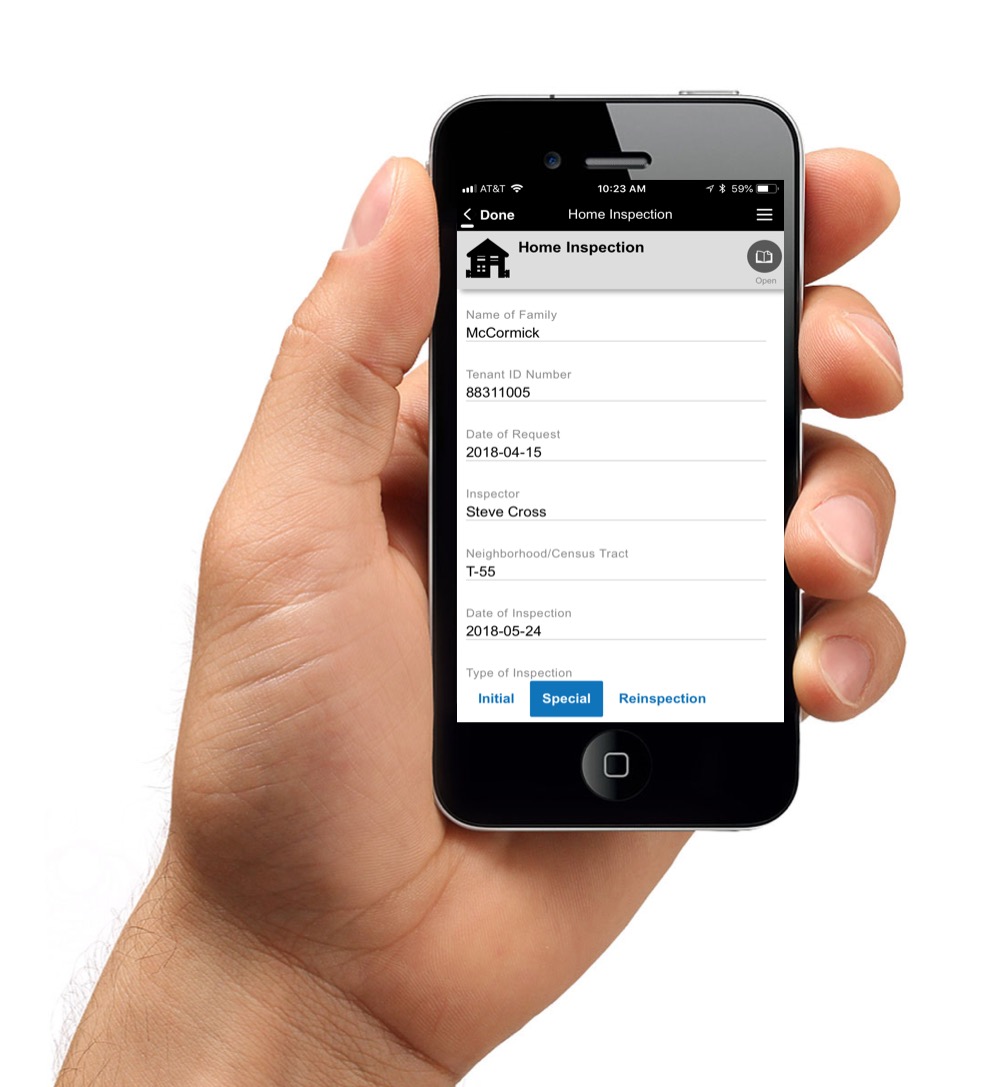
Screenshot of Inspection Solutions is a mobile business app designed for inspectors who need to inspect construction vehicles in the field, but showcases functionality relevant to many other field apps. The app includes the critical features now required in modern field services apps, such as offline capability, bar code scanning, voice annotation and digital ink. It is a native-quality hybrid app created using the Alpha Anywhere V4 rapid mobile application development and deployment platform.Screenshot of Pumpjack Pro is a sample application for Alpha Anywhere designed for inspecting pumpjacks - those machines that look like bobbing horse heads above oil wells. Features include: 
- Pass/fail buttons
- Photo capture
- GPS location capture
- Indicator meters
- A popup cheat sheet
- A popup video
- A signature capture control
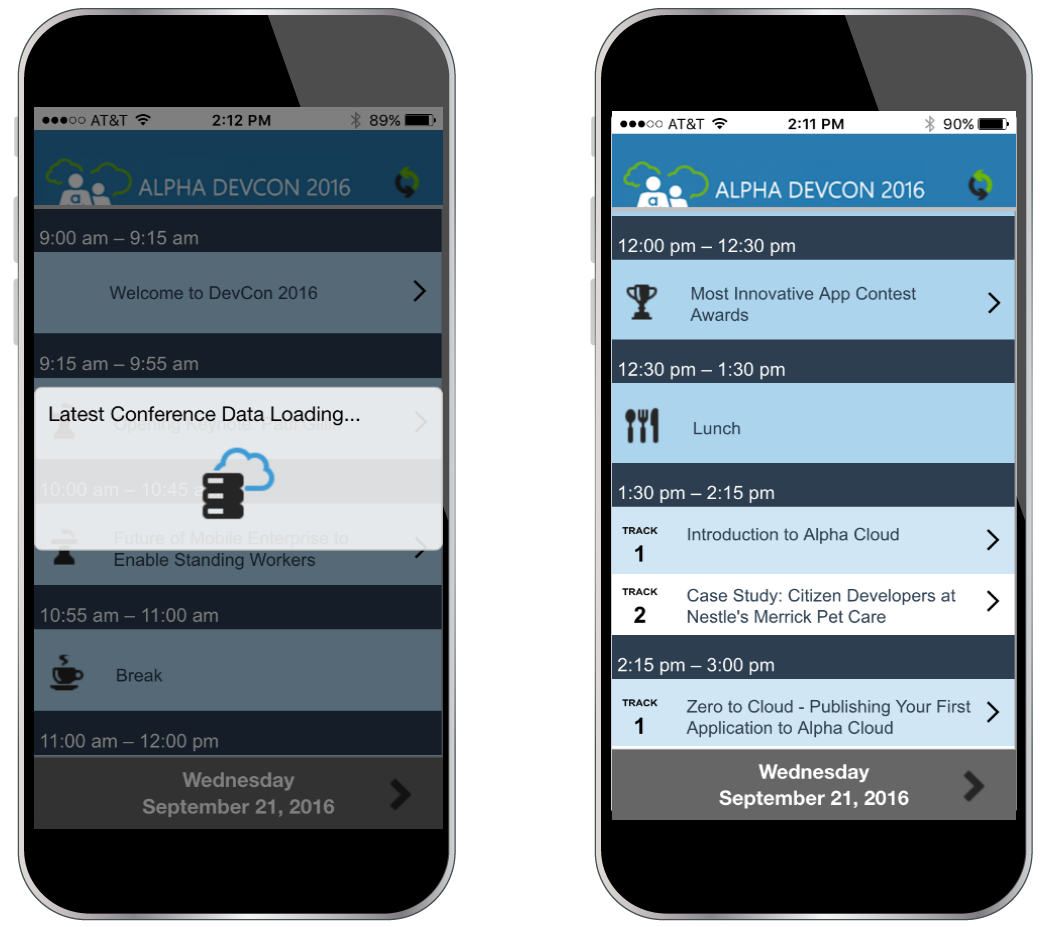
- Offline operationScreenshot of DevCon 2016 is an offline-capable mobile/web application for navigating the Alpha Software Developers Conference. Although this is a real, working application it also makes a great sample application for anyone who wishes to build a Conference Schedule Application in Alpha Anywhere.This application was created using out-of-the-box Alpha Anywhere functionality with a minimum of custom JavaScript so it is easy to modify. Developers can make modifications to this sample inspection app directly from within the Alpha Anywhere IDE. 
- Updates Against Live SQL Data
- Works offline
- Can be Used as a Web or Mobile Application
- Can be Modified for Your Own UseScreenshot of Alpha TransForm Data Colleciton AppScreenshot of Alpha Anywhere Punch List appScreenshot of Alpha TransForm inspection app