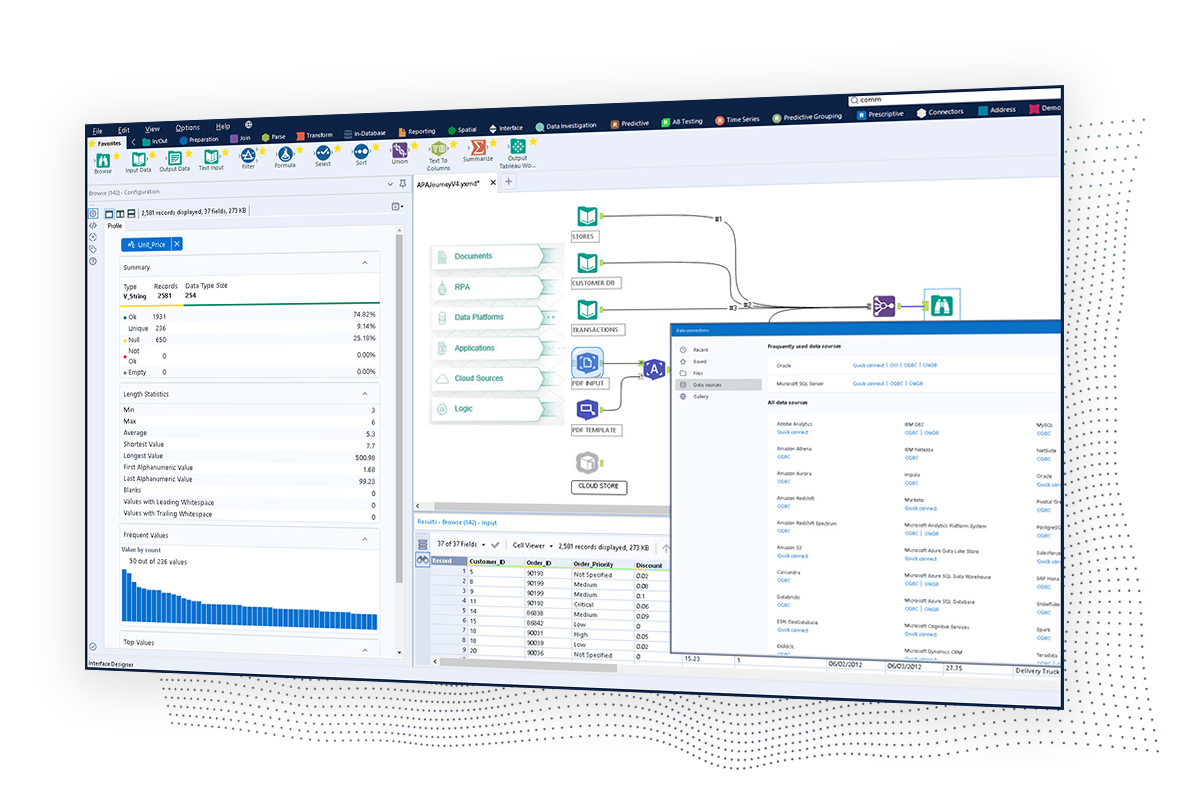
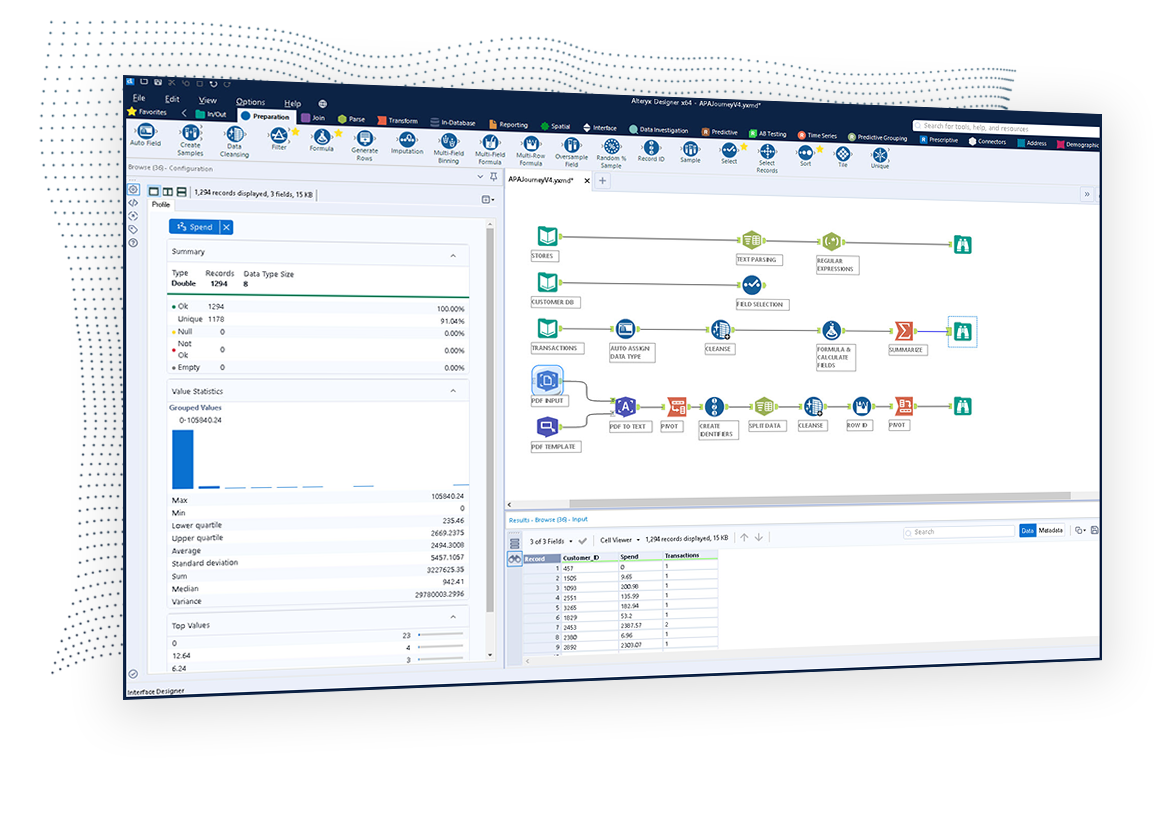
The Alteryx AI Platform gives organization automated data preparation, AI-powered analytics, and machine learning with embedded governance and security. Its self-service functionality, with self-service data prep, machine learning, and AI-generated insights, gives enterprise teams with a simplified user experience allowing everyone to create analytic solutions that improve productivity, efficiency, and the bottom line. Alteryx Designer can be used to automate every analytics step…
$14,850
per year 3 users (minimum), cloud edition
Anaplan
Score 8.5 out of 10
Enterprise companies (1,001+ employees)
Anaplan is a scenario planning and analysis platform designed to optimize decision-making in complex business environments so that enterprises can outpace their competition and the market. By building connections and collaboration across organizational silos, the Anaplan platform surfaces key insights.
N/A
Nintex
Score 8.0 out of 10
N/A
Nintex offers a platform that helps companies discover, automate, and optimize business processes.
Anaplan is a superior product for planning purposes. Ease of use is key and intuitive UX makes driving adoption less difficult
Verified User
Consultant
Chose Anaplan
Anaplan vs Oracle Hyperion - Anaplan is far better calculation engine and way more modern. However, Anaplan still struggles to provide reporting, especially adhoc reporting in excel based off a data model.
Anaplan vs Pigment - Anaplan is a more proven product, however, Pigment …
The tools generally fill different niches, Anaplan is the best for corporate and enterprise planning, OneStream's strengths are in Consolidations and working with large data sets by IT, and Pigment is a strong contender for finance teams at small organizations with less-defined …
Verified User
Consultant
Chose Anaplan
Anaplan can reduce modeling time from months to days. Our teams are able to now forecast multiple different scenarios quickly instead of having to tell our executive team that it will take us weeks to months to model out a specific scenario that they have questions on. We are …
Anaplan works well where you have a requirement for complete flexibility, such as in business structure, or in calculation methodology that is bespoke. You can tailor the system to your exact requirements, whereas some products come with pre-built modules that you might …
Nintex Process Platform is specific to Intelligence Process Automation supporting heavily on finance, field service, marketing, and deployment while Alteryx has more of Analytics, Automation, Visualization, and Transformation. Both are very good, and Nintex Process Platform can …
I would 100% recommend Alteryx to a friend, for me its friendly interface is the best, it has all the tools I need without the headache that programming is. It can be used for simple or complex analysis, so honestly, I don’t see a scenario where it wouldn’t suit. I’ve used Alteryx to make simple things I could do in Excel, for example, but it was less complex and faster to do in Alteryx, so why not? Its a very versatile tool.
I've implemented a number of projects for Anaplan for Sales Performance Management use cases. It is obviously built for financial planning, but it allows for a lot of flexibility for territory and quota, ICM, sales forecasting, and other important use cases. Territory and Quota is very powerful in the tool as it organize complex assignment structures into hierarchies for easier analysis and reporting.
We use Nintex to automate fundraising outreach at scale. It helps us send personalized emails to a large contact list, and we’d also like to automate follow-ups when there’s no reply. If you need highly customized solutions or clean, fully controllable code, I wouldn’t recommend Nintex. It has many features, but it’s not the same as building your own system from scratch. That said, it can save a lot of time for standard automation workflows.
Pulling data from multiple disparate data sources.
Allows users to see the data at every step of the workflow to be able to cleanse, analyze, and optimize the data.
Provides an analytics platform that is easy for users of all levels to thrive in whether they are just starting out in their analytics journey or they have a master's degree in Data Science.
Anaplan removes the time consuming process of integrating the results of individual spreadsheets.
Anaplan facilitates the standardization of assumptions across all sub-processes
Anaplan provides full transparency of the calculations and source inputs
Anaplan allows us to automate certain planning processes that would have been impossible when relying on the computational capabilities of an individual computer.
Integrations with other services using various secure authentication methods, along with the seamless integration with SharePoint, are the icing on the cake. This makes it superior to other BPM tools available in the market.
Flexibility in application development - The diverse configurable properties offer multiple ways to utilise the controls and events, affording the flexibility to expand your scope and enabling the creation and use of processes in a myriad of ways.
The streamlined and efficient deployment process significantly accelerates release management, allowing for faster and smoother implementation of updates and new features.
The user interface of the pages offers a more refined and appealing look and feel compared to most other BPM tools.
Steeper Learning Curve: Alteryx can have a steep learning curve for users who are new to the platform or have limited experience with data analytics. Enhancements to the user interface and user onboarding resources could help make the learning process more intuitive and accessible to a wider range of users.
Enhanced Data Visualization Capabilities: Alteryx offers basic data visualization capabilities, but there is room for improvement in terms of advanced visualizations and interactive dashboarding features. Adding more sophisticated chart types, interactive widgets, and customization options would enhance the data visualization capabilities within the platform.
Improved Error Handling and Debugging: Alteryx provides error handling mechanisms, but enhancing the error reporting and debugging capabilities would be beneficial. Improved error messages, better visibility into data flow, and debugging tools could help users troubleshoot and resolve issues more efficiently.
If you are creating a process with parallel subprocesses, there's no way to see, in a single view in Nintex, all the steps for the subprocesses. You have to view each sub-process in its own view, so it's hard to see what's going on at a high level.
There isn't an easy way to filter the processes by another user (not yourself) in Nintex. There is a report that shows processes and objects by user, but that's not as convenient. This is something that I've seen in other tools (OpenPages by IBM) so I am surprised that it is missing.
Nintex doesn't really have a way to capture iterative processes (which we have a lot of). It's designed for linear processes.
We've developed a working partnership with Alteryx. As an enablement suite, we're continuing to innovate and deliver great products with use of Alteryx in our solutions. Alteryx use expands to our global product development teams and is in use in multiple parts of our organization. Alteryx also delivers Experian demographic content to other clients in their product offering. We're highly likely to renew, but that decision is way above my pay grade.
Anaplan is a very strong multi-dimensional modeling tool that provides a calculation engine to empower a complex planning process. It is fairly easy to learn for those with experience in similar tools, or excel. It forces structure and auditability that spread sheets do not have, along with extensive security capabilities
We are currently investigating which collaboration platform best suits our needs. Chances are that we move to SharePoint Online and then we're going to also consider the microsoft power platform (power automate and power apps) to develop forms and workflows. Aspecially the pricing model for the cloud is currently a blocking factor to go for the Nintex solution in the Cloud.
I've found that while some things might take a little longer to create, the flexibility of Alteryx allows you to perform any function needed. I haven't found a use that was not available in Alteryx yet. APIs and XMLs can be created to perform certain functions. In addition, CMD line commands can be sent using Alteryx to perform certain functions as well.
As a user it is a very simple tool, but at the same time with a very mature and powerful calculation engine. It is very easy to switch from excel or traditional tools with added capabilities of multi dimensionality and real time calculation engine to see quick insights needed to create plans and scenarios
Based on the on-prem experience with this tool, I believe that they have a lot of potential to help the online version catch up to where the on-prem left off. Nintex developed their online version and it is not as fully formed or capable compared to the on-prem version, and the licensing model scales back what we would have liked to be an expansion or at least continuous improvement of existing flows. It is also not near as user friendly specifically to non-developers and has an uncanny similarity to Microsoft Flow in the online instance. Consistent with my reviews of the tool - I believe they have some good approaches to design thinking that, if translated well from on-prem to online, could make this a clear winner again.
I use many programs and compared to others, Alteryx virtually never goes down, freezes up or gives an application error. Over a 4 year time period that I have used this program, any of these may have happened 3 times. It is an incredibly stable program that I feel completely confident in.
There are very few outages. Maintenance is scheduled on two or three Saturdays per month, so as not to affect businesses. When there is an outage, users are kept informed of progress to restore the platform and typically this takes no more than an hour. Anaplan customer support is very responsive if we ever have questions about platform issues
The Nintex Process Platform has never crashed or had any availability issues during my usage. However there was an issue that was of my own making that caused a slowdown of the system. I had set up a process to run once a day and check for employees on a list that had certain parameters selected, and for some reason that I had to troubleshoot, the process instead ran constantly, which filled the cache quickly. I ended up having to dismantle that process so the system didn't crash.
I already gave the example of journal entries created in less than a second. What else can I tell you about.... I can tell you those 2 journal entries have historically had to be split into separate accounting systems so the outputs had to be very different (D365 vs Intacct) such that they are exactly ready for uploading. I can tell you I used to have some tire and battery queries hitting a line item detail table and they took hours to run UNTIL I asked IT for a view in SQL and now they're ready in about 5 minutes total. I guess I'd say if anything does take a long time - do some research with others and figure out what would speed them up
Everything is calculated in memory in the cloud. It's nearly instantaneous updates when you make changes. The only time things get a little slow is when you have a massive model with very intricate calculations...but "slow" for Anaplan is not what I would call "slow" for something like Hyperion. We used to have Hyperion calcs that ran for 60 mins before you could use data. The equivalent would be 60 seconds in Anaplan.
Unlike any other process automation product out there. Not only is it a low-code, easy to use tool for building processes in environments like SharePoint or Salesforce, they have really started to expand their tool-set by offering tools to manage other things like process mapping, RPA, mobile,etc.
Stellar, bar-none. Some of the best support folks of any vendor. The Alteryx Community is the most responsive and supportive. On the rare occasion of a release issue or bug, we've been able to get quick help to solve the core problem. Alteryx does not play the blame game. They genuinely help the users solve their issues or respond to questions
Support quality has dropped since Thoma Bravo has taken over. I think some serious re-focus needs to happen here -- part of the beauty of being in the Anaplan community was how involved you felt in it before. Before I didn't dread sending a support ticket, now I am starting to.
The support team works as fast as they can and they are usually fast to solver the issues. Sometimes they need more time to solve one of them because our workflows and so on are more complex than usual clients.
1st level of trainings which I've attended in Paris was easy and I was already knowing %90, that learning could have been an e-learning instead of in-person
In my opinion, in-person training is always the best if you have the option to do so. This allows real-time interactions with the instructions, whereas the online training I took required me to write-down questions, email them, and wait for responses. This slows down the process, as you can imagine. That said, in-person training is an extra cost and it likely isn't needed for everyone. I would suggest selecting a small number of people to take in-person training and then having them act as mentors to the rest of your team. That way, as the rest of the team takes the online training, they have a resource to help them in real time.
Very good, detailed online trainings which you can take at your own pace, and strong certifications exists, certifications are extremely detailed and hard...
Anaplan training materials are clear, simple, easy to understand and to follow. Visuals are excellent. The vendor is good at updating training materials in a timely manner and encouraging users and administrators to keep coming back to Academy site for refresher courses or new feature courses. I really like their interactive diagrams
I used the Nintex training software, it was easy to watch and follow along. It didn't go too fast and was descriptive enough to understand what the steps needed were in order to produce efficient workflows and user friendly forms.
There is really not much to it (the installation, that is). Once you get it installed, along with any of the add-ons (demographics, R, etc.), you are up and running almost immediately. There is really no additional setup. You can immediately begin blending data, running demographics, performing spatial queries, running predictive analysis, etc. And for many of these functions, the learning curve is quite easy.
One key insight from implementing Anaplan is that success comes from focusing on designing the process, not just building the model. Anaplan is extremely flexible—there are very few planning scenarios it cannot support—but that flexibility means the project needs strong governance, clear ownership of requirements, and a well-defined data model. When those foundations are in place, implementations are fast, iterations are easy, and users can quickly see value. In our projects, both Financial Planning and Integrated Business Planning models were adopted smoothly because we involved business users early, kept the model design intuitive, and leveraged Anaplan’s Excel-like syntax and user-friendly dashboards. The result was more efficient day-to-day work, reduced manual tasks, and increased collaboration across teams. In short: when you combine Anaplan’s flexibility with a structured implementation approach, adoption and value realization happen quickly.
1.Start with Simple Workflows: Begin with basic workflows to gain user confidence before tackling complex processes. 2.Involve Stakeholders Early: Engage business users and IT early to align workflows with real business needs. 3.Comprehensive Training: Invest in user training to ensure smooth adoption and reduce resistance. 4.Leverage Prebuilt Templates: Use Nintex’s templates to speed up implementation and maintain consistency. 5.Iterate and Optimize: Continuously improve workflows based on user feedback and performance metrics.
Alteryx is MUCH more user friendly. both provide the ability to code within them, but Alteryx has much nicer interface. The formula tools have a more simple language that is easier to learn than formulae in SSIS. Alteryx is easy to read with multi colored tools identifying what each one does. It also allows for macros. You can build your own tool to process records of data or batch records together.
Anaplan is more powerful than Pigment considering that it is an Enterprise class system and is able to manage bigger data sets. Anaplan allows for advanced scenario modeling and formula capabilities along with custom reporting functionalities. Anaplan has proven its capabilities and stability across various use cases and across bigger enterprises when compared to Pigment which is still in earlier phases of its development
Microsoft environment does not have the scalability of Nintex; it is perfect for small and medium-sized companies, especially in environments where Microsoft environment is almost entirely used. Although Microsoft offers options to connect to other applications, its platform lacks the development and robustness that Nintex provides. Nintex not only covers Microsoft environments but also Google and other important platforms.
Individual analysts can quickly generate results using their own copy of Alteryx Designer. But using the Server and developing macros for more complex needs can be time consuming.
We have managed to leverage Anaplan for financial planning and forecasting across the business. It is now used by almost every department, with more than 50 users (but I know of companies that have hundreds of users) and still the platform is quick and reliable. It is easy to make changes to divisions and departments or add users and apply different user settings - the core part of the model is not affected and end users can continue their work without any disruption
The scalability is really bottlenecked by the imagination of the user. I was able to make processes for my own personal usage, making my daily tasks easier. I was also able to make processes that affected hundreds of employees, making large standardization and efficiency gains. So either way, the system is used the same way, and I was the limiting factor.
Error handling - allows controls to be built into workflows easily and allows them to be isolated and spat into control reports that can be easily reviewed and audited, thanks to the ability to create multiple outputs in one go.
Time-saving - saved huge amounts of time, especially when moving Excel processes into Alteryx.
Product development - allowed my firm to create products that we have been able to market and sell to clients.
Anaplan's implementation led to a significant reduction in planning cycle errors and bugs, streamlining processes and improving overall accuracy in data inputs
Standardizing the planning process and enabling cross-functional collaboration through Anaplan enhanced our ability to adapt swiftly to changing business needs, resulting in improved agility in decision-making
The platform's capabilities, especially in Demand Planning and Supply Chain, positively impacted our ROI by optimizing resource allocation and solving complex business problems efficiently across multiple functions
People have woken up to the amount of overlap after mapping their processes.
People can be resistant to process changes. You need to have the support from above or support from the 'business' that you are process changing to be able to see the positive impacts.
Numbers talk. if you can get a general salary figure from your HR dept to show savings for 'employee bands', then when you present reports, they will be all the richer in data.