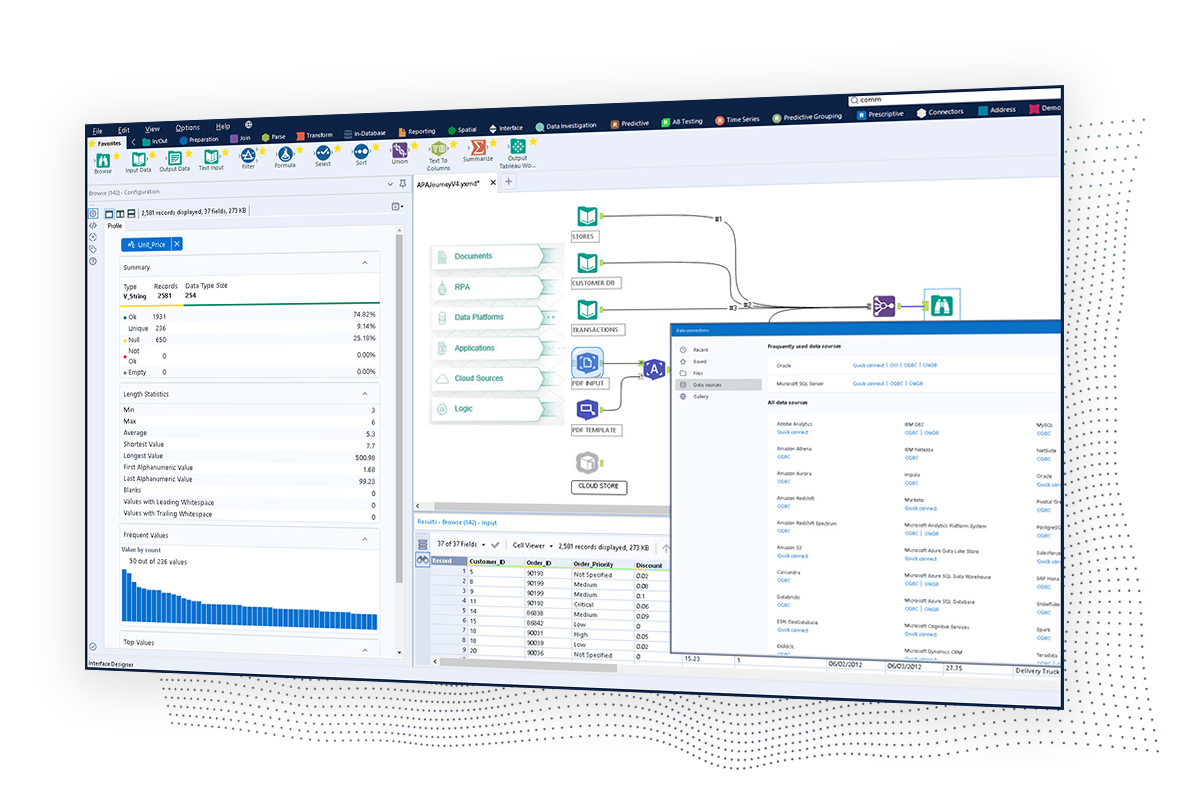
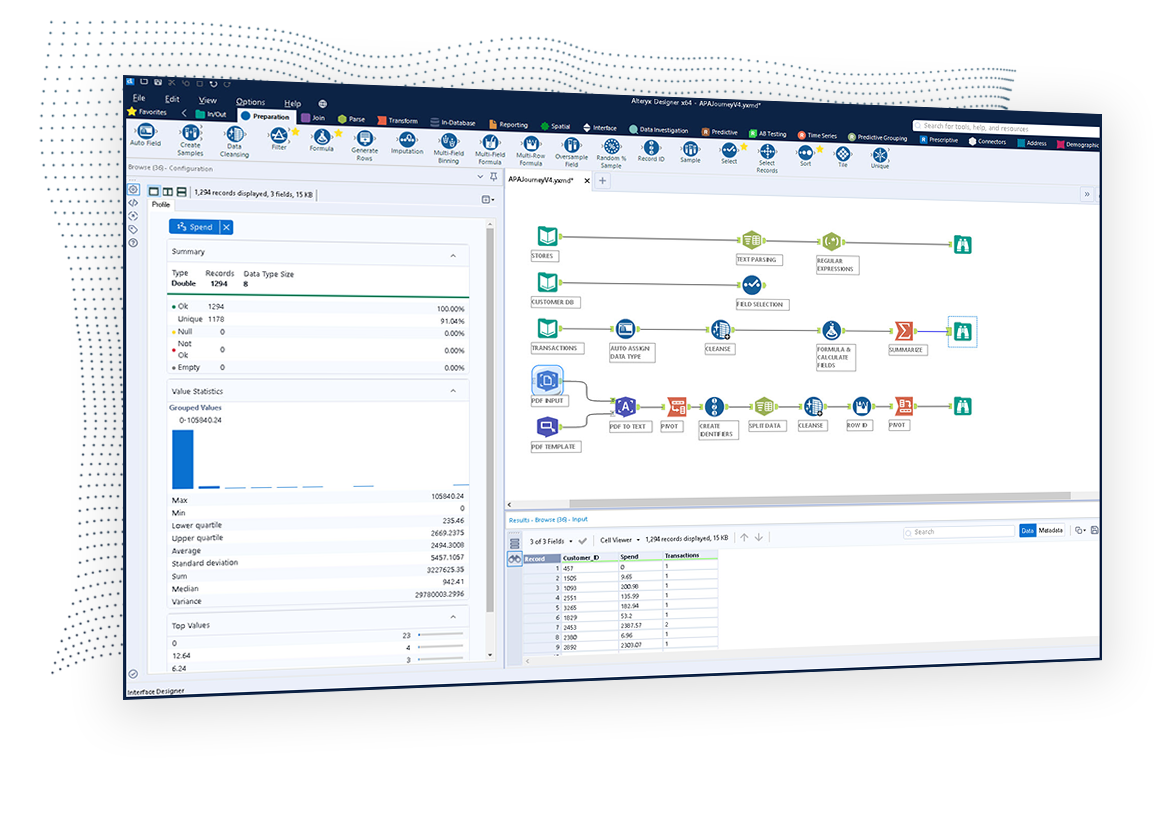
The Alteryx AI Platform gives organization automated data preparation, AI-powered analytics, and machine learning with embedded governance and security. Its self-service functionality, with self-service data prep, machine learning, and AI-generated insights, gives enterprise teams with a simplified user experience allowing everyone to create analytic solutions that improve productivity, efficiency, and the bottom line. Alteryx Designer can be used to automate every analytics step…
$14,850
per year 3 users (minimum), cloud edition
Anaplan
Score 8.5 out of 10
Enterprise companies (1,001+ employees)
Anaplan is a scenario planning and analysis platform designed to optimize decision-making in complex business environments so that enterprises can outpace their competition and the market. By building connections and collaboration across organizational silos, the Anaplan platform surfaces key insights.
N/A
Tableau Desktop
Score 8.5 out of 10
N/A
Tableau Desktop is a data visualization product from Tableau. It connects to a variety of data sources for combining disparate data sources without coding. It provides tools for discovering patterns and insights, data calculations, forecasts, and statistical summaries and visual storytelling.
$1,380
per year (purchased via a Creator license)
Pricing
Alteryx Platform
Anaplan
Tableau Desktop
Editions & Modules
Designer Desktop
starting at $5,195
per year per user
Designer Cloud Professional Edition
Starting at $4,950
per year per user (minimum of 3 users)
No answers on this topic
Tableau Creator License
$115
per month (billed annually) per user
Offerings
Pricing Offerings
Alteryx Platform
Anaplan
Tableau Desktop
Free Trial
Yes
No
No
Free/Freemium Version
No
No
Yes
Premium Consulting/Integration Services
Yes
Yes
Yes
Entry-level Setup Fee
No setup fee
Optional
No setup fee
Additional Details
—
—
All pricing plans are billed annually. A Creator license includes Tableau Desktop, Tableau Prep Builder, and Tableau Pulse. Discounts sometimes available for volume.
Alteryx serves as a complementary product, performing all the data wrangling for the likes of Tableau Desktop and Microsoft PowerBI for visualization. Microsoft Excel serves as an easier means of automation for tasks that previously would have involved a lot of manual …
Use both and they integrate pretty well. This is mainly because they do different things well. Alteryx allows the user to organize and cleanse the data, while Tableau is much more intuitive in the visualization category. Each has tried to replicate the others strengths, but …
Alteryx beats Tableau fair and square. Tableau is good for vizzy but nothing is comparable to Alteryx's data analysis and big data power. KNIME as well is nothing compared to the R&D Alteryx has. Alteryx having a cost compared to KNIME is a factor but the ROI is definitely …
I prefer Alteryx Platform to all the above products. In my opinion, the Microsoft products (Excel, Power BI) are inferior, cheaper alternatives to Alteryx Platform.
Alteryx is by far the most powerful tool to carry out complex and customized calculations with ease and highly reproducible while the other tools often face memory issues and 10x more time to carry ou similar calculations
Alteryx is more efficient than competitors we've tested and used. Alteryx Designer can handle data wrangling and analysis that we once needed to do in multiple software.
Verified User
Analyst
Chose Alteryx Platform
IMHO KNIME is not user friendly as much as Alteryx. Learning curve is long. Regardless is Open Source, the GUI is awful. To do same job in Alteryx you need to add many components and the configuration is very complex. Although the application is free, the server side is not. I …
Verified User
Manager
Chose Alteryx Platform
Alteryx weighs over Informatica in terms of ease of use and upscaling.
Alteryx stacks up against its competitors in the marketplace because from day one its goal was to simplify and democratize data processes. Its visual nature and transparent tool set, combined with its highly addictive joy to use make it stand out from the crowd.
Alteryx has interactive visualization capabilities which RapidMiner lacks. Alteryx is more intuitive and suited for enterprises vs. RapidMiner which is more suited for individuals and beginners (since it focuses on the building blocks). Also, Alteryx has a very strong learning …
Alteryx low-code/no-code workflow development, and the ability to view my data at every step, immediately improved my development time by at least 60%. Highbond (formerly Galvanize / ACL) relies on a proprietary ACL script coding language, which can be time-consuming to …
Previous to Alteryx aquiring Trifacta, we looked at it as a possible compliment/replacement. WIth the aquistion, we are looking to the roadmap on full integration and are very excited. Trifacta brings a cloud native solution but currently lacks many of the features/functions …
Tableau Prep and Data Guru (Coupa product) are mainly useful in the data prep and blend space. This is useful, but Alteryx provides much more robust analytics potential beyond this in the macro/app space, ML, computer vision, NLP, intelligence suite, prescriptive & predictive …
Alteryx is easier to use and has a lot more advanced analytics capabilities.
Verified User
Employee
Chose Alteryx Platform
Alteryx is way better than Microsoft Excel. It visually lets you do things to the data, one tool at a time. And, you can just delete the tool if it did not do what you were wanting it to do. Excel is a nice app, but Alteryx expands the capability so much more, especially …
Alteryx connects to other data sources easily. It allows you to email from the tool and you can use the predictive analytic features.
Verified User
Team Lead
Chose Alteryx Platform
Alteryx is 100x easier to use for every business user compared to KNIME. KNIME is a great tool for data scientists and programmers, but our business users had a hard time adapting to it. The ease of use of Alteryx is just superior and even my boss is able to build and read …
Anaplan is a superior product for planning purposes. Ease of use is key and intuitive UX makes driving adoption less difficult
Verified User
Director
Chose Anaplan
- Flexibility & connected planning across all the functions of the organization - Business owned tool - Easy to acquire skills to maintain & enhance the application
Creating financial forecasts in Anaplan was a big improvement over doing the same activity in Microsoft Excel. The main difference is that Anaplan makes it easier to build models based on large amounts of data and to forecast concurrently with many users across your …
Verified User
Consultant
Chose Anaplan
Anaplan vs Oracle Hyperion - Anaplan is far better calculation engine and way more modern. However, Anaplan still struggles to provide reporting, especially adhoc reporting in excel based off a data model.
Anaplan vs Pigment - Anaplan is a more proven product, however, Pigment …
Verified User
Professional
Chose Anaplan
Anaplan and these other tools are very similar. I cannot say that I selected Anaplan over them as I have worked with and been involved with setting up a number of tools for clients. They all have their advantages and Anaplan is a very strong tool in the cloud planning space.
can be implemented across multiple use cases- also Anaplan is an enterprise solution. Had good reviews in market and also used by other competitors in industry
Verified User
Engineer
Chose Anaplan
Both platforms are excellent but come with some challenges. They are often complex to configure and offer limited customization options. Their user interfaces are not very intuitive, and their reporting capabilities are somewhat restricted. The total cost of ownership is …
The tools generally fill different niches, Anaplan is the best for corporate and enterprise planning, OneStream's strengths are in Consolidations and working with large data sets by IT, and Pigment is a strong contender for finance teams at small organizations with less-defined …
Verified User
Employee
Chose Anaplan
Anaplan is a cloud-based tool that can store billions of data records. It can be accessed by any web browser and even mobile devices and significantly reduces version control issues that users run into with Excel. Anaplan is extremely customizable and can cater to any planning …
Verified User
Team Lead
Chose Anaplan
Anaplan is easy to implement and use and provides a lot of flexibility over other tools. Solution in anaplan can be developed by a limited set of model builders and can easily implemented if build properly and understanding the business problem. Anaplan is a good tool for …
Customizability and ease of learning (not a coder, similar to Excel formulas). Not confined to the existing configurability of software's planning process/tables. Low IT involvement. Scenario and driver-based planning (can make inputs). Can be used for more than just Finance …
Anaplan can reduce modeling time from months to days. Our teams are able to now forecast multiple different scenarios quickly instead of having to tell our executive team that it will take us weeks to months to model out a specific scenario that they have questions on. We are …
Flexibility, ease of use, transparent interface, calculation engine
Verified User
Employee
Chose Anaplan
Anaplan provides the capability to do enhanced scenario modelling almost realtime and has wide range of integration options available to integrate the application with a wide variety of third-party systems. Anaplan UX is very intuitive which drives greater end user adoption. …
Verified User
Manager
Chose Anaplan
Oracle Hyperion is also very powerful but requires much more technical skillset than Anaplan. Deploying Anaplan had a lower barrier to entry and the consistent platform releases meant the product was continuously growing. Being on the cloud also meant we would get updates as …
Implementation time is very less. The end users can learn Anaplan faster and take control of the system without IT support pretty quickly. The logic/formula are straight forward and easy to implement.
Verified User
C-Level Executive
Chose Anaplan
Anaplan works well where you have a requirement for complete flexibility, such as in business structure, or in calculation methodology that is bespoke. You can tailor the system to your exact requirements, whereas some products come with pre-built modules that you might …
Each tool has its advantages and disadvantages. Where Anaplan shines compared to the competition is that [it] is capable of covering a large part of functionalities which is usually not the case for the ones above. For example, you are able to load data, input data, have one …
Verified User
Consultant
Chose Anaplan
There are few, if any, products like Anaplan. The ability to do connected planning with a global team is invaluable. So many clients have previously used Excel and Access to run global corporations and the amount of errors that are caused by everyone having their own workbook …
Verified User
Project Manager
Chose Anaplan
I was an admin also in SAP BPC (Business Planning and Consolidation). But, I can say that it's somehow hard to implement. It is not as flexible as Anaplan. I am using Anaplan for years already. This is a game-changer i.e. for Finance people. We were able to easily implement it …
Planful offers a great solution, however, they have significantly underperformed on their annual growth rate. The solution has a lot to offer, however, it is split across two solutions and is not True connected planning. OneStream is growing on a fast trajectory and has an …
We needed more robust user-experience in regards to planning, not just data visualization, and we wanted to stray away from working in excel.
Tableau Desktop
Verified User
Analyst
Chose Tableau Desktop
Tableau Desktop is older and just better overall. It has more capabilities and is more useful to have. I don't think you could have Alteryx as a standalone product like you can with Tableau Desktop. You'd want another bi tool.
Tableau Desktop is clearly one of the best in the business. It has incredible capabilities, and many features are extremely useful. The intuitiveness of the dashboards and the graphical nature of the visualizations are widely used features and super helpful. One of the other …
Verified User
Manager
Chose Tableau Desktop
- Tableau Desktop is already proven in the market. - Tableau has a very strong user community. - Tableau report is very easy to automate so we can save time for reporting.
I have used Qlik and Microsoft Power BI. Qlik is much less intuitive than Tableau, as it requires more back-end scriptwriting to fully utilize the tool's capabilities. There are few features with Qlik, and less "pop" to the dashboards is creates. Power BI is very lightweight …
Tableau supports more data sources that both Amazon QuickSight and Microsoft Power BI. It also created a much more sophisticated dashboard which is important for leadership and others who use it. However, we use other products like Toad Data Point and Alteryx and tools that …
When we first looked at getting a visualization software for analytics we looked into two options Microsoft Power BI and Tableau Desktop, and even though Power BI is more cost-effective we decided to go with Tableau Desktop as it had more options that we are looking for such as …
Tableau is a lot easier to visualize data and the dashboards are more robust. We didn’t use WebFOCUS to its greatest extent but getting up to speed on Tableau was easy. Training is also better in Tableau and the user community is very knowledgeable. We selected it as our …
Tableau is a very, very powerful analytics tool that is very flexible with that said there are always some programs that will do specific tasks much better, I would highly suggest Tableau as I use it for marketing analysis, sales reporting and even for analysis on e-commerce …
I would 100% recommend Alteryx to a friend, for me its friendly interface is the best, it has all the tools I need without the headache that programming is. It can be used for simple or complex analysis, so honestly, I don’t see a scenario where it wouldn’t suit. I’ve used Alteryx to make simple things I could do in Excel, for example, but it was less complex and faster to do in Alteryx, so why not? Its a very versatile tool.
With its versions and native time features Anaplan is well suited for all activities around planning in time and scenarios. Tasks involving calculating across multiple dimensions make Anaplan shine - the easiness to build complex calculation and present results on customizable pages. With its access restrictions it's well suited also for working with sensitive data (employee and customers personal data).
The best scenario is definitely to collect data from several sources and create dedicated dashboards for specific recipients. However, I miss the possibility of explaining these reports in more detail. Sometimes, we order a report, and after half a year, we don't remember the meaning of some data (I know it's our fault as an organization, but the tool could force better practices).
Pulling data from multiple disparate data sources.
Allows users to see the data at every step of the workflow to be able to cleanse, analyze, and optimize the data.
Provides an analytics platform that is easy for users of all levels to thrive in whether they are just starting out in their analytics journey or they have a master's degree in Data Science.
Anaplan removes the time consuming process of integrating the results of individual spreadsheets.
Anaplan facilitates the standardization of assumptions across all sub-processes
Anaplan provides full transparency of the calculations and source inputs
Anaplan allows us to automate certain planning processes that would have been impossible when relying on the computational capabilities of an individual computer.
An excellent tool for data visualization, it presents information in an appealing visual format—an exceptional platform for storing and analyzing data in any size organization.
Through interactive parameters, it enables real-time interaction with the user and is easy to learn and get support from the community.
Steeper Learning Curve: Alteryx can have a steep learning curve for users who are new to the platform or have limited experience with data analytics. Enhancements to the user interface and user onboarding resources could help make the learning process more intuitive and accessible to a wider range of users.
Enhanced Data Visualization Capabilities: Alteryx offers basic data visualization capabilities, but there is room for improvement in terms of advanced visualizations and interactive dashboarding features. Adding more sophisticated chart types, interactive widgets, and customization options would enhance the data visualization capabilities within the platform.
Improved Error Handling and Debugging: Alteryx provides error handling mechanisms, but enhancing the error reporting and debugging capabilities would be beneficial. Improved error messages, better visibility into data flow, and debugging tools could help users troubleshoot and resolve issues more efficiently.
We've developed a working partnership with Alteryx. As an enablement suite, we're continuing to innovate and deliver great products with use of Alteryx in our solutions. Alteryx use expands to our global product development teams and is in use in multiple parts of our organization. Alteryx also delivers Experian demographic content to other clients in their product offering. We're highly likely to renew, but that decision is way above my pay grade.
Anaplan is a very strong multi-dimensional modeling tool that provides a calculation engine to empower a complex planning process. It is fairly easy to learn for those with experience in similar tools, or excel. It forces structure and auditability that spread sheets do not have, along with extensive security capabilities
Our use of Tableau Desktop is still fairly low, and will continue over time. The only real concern is around cost of the licenses, and I have mentioned this to Tableau and fully expect the development of more sensible models for our industry. This will remove any impediment to expansion of our use.
I've found that while some things might take a little longer to create, the flexibility of Alteryx allows you to perform any function needed. I haven't found a use that was not available in Alteryx yet. APIs and XMLs can be created to perform certain functions. In addition, CMD line commands can be sent using Alteryx to perform certain functions as well.
Anaplan's usability is dependent on who is implementing the project and how clear business processes are at the beginning of the implementation. Complex business processes with many inputs and reviews will still be complicated in Anaplan; however, the UX is very flexible in how to help people through the process and there are also other items such as Workflow that can help people move through the system.
Tableau Desktop has proven to be a lifesaver in many situations. Once we've completed the initial setup, it's simple to use. It has all of the features we need to quickly and efficiently synthesize our data. Tableau Desktop has advanced capabilities to improve our company's data structure and enable self-service for our employees.
I use many programs and compared to others, Alteryx virtually never goes down, freezes up or gives an application error. Over a 4 year time period that I have used this program, any of these may have happened 3 times. It is an incredibly stable program that I feel completely confident in.
There are very few outages. Maintenance is scheduled on two or three Saturdays per month, so as not to affect businesses. When there is an outage, users are kept informed of progress to restore the platform and typically this takes no more than an hour. Anaplan customer support is very responsive if we ever have questions about platform issues
When used as a stand-alone tool, Tableau Desktop has unlimited uptime, which is always nice. When used in conjunction with Tableau Server, this tool has as much uptime as your server admins are willing to give it. All in all, I've never had an issue with Tableau's availability.
I already gave the example of journal entries created in less than a second. What else can I tell you about.... I can tell you those 2 journal entries have historically had to be split into separate accounting systems so the outputs had to be very different (D365 vs Intacct) such that they are exactly ready for uploading. I can tell you I used to have some tire and battery queries hitting a line item detail table and they took hours to run UNTIL I asked IT for a view in SQL and now they're ready in about 5 minutes total. I guess I'd say if anything does take a long time - do some research with others and figure out what would speed them up
Everything is calculated in memory in the cloud. It's nearly instantaneous updates when you make changes. The only time things get a little slow is when you have a massive model with very intricate calculations...but "slow" for Anaplan is not what I would call "slow" for something like Hyperion. We used to have Hyperion calcs that ran for 60 mins before you could use data. The equivalent would be 60 seconds in Anaplan.
Tableau Desktop's performance is solid. You can really dig into a large dataset in the form of a spreadsheet, and it exhibits similarly good performance when accessing a moderately sized Oracle database. I noticed that with Tableau Desktop 9.3, the performance using a spreadsheet started to slow around 75K rows by about 60 columns. This was easily remedied by creating an extract and pushing it to Tableau Server, where performance went to lightning fast
Stellar, bar-none. Some of the best support folks of any vendor. The Alteryx Community is the most responsive and supportive. On the rare occasion of a release issue or bug, we've been able to get quick help to solve the core problem. Alteryx does not play the blame game. They genuinely help the users solve their issues or respond to questions
Support quality has dropped since Thoma Bravo has taken over. I think some serious re-focus needs to happen here -- part of the beauty of being in the Anaplan community was how involved you felt in it before. Before I didn't dread sending a support ticket, now I am starting to.
Tableau support has been extremely responsive and willing to help with all of our requests. They have assisted with creating advanced analysis and many different types of custom icons, data formatting, formulas, and actions embedded into graphs. Tableau offers a weekly presentation of features and assists with internal company projects.
1st level of trainings which I've attended in Paris was easy and I was already knowing %90, that learning could have been an e-learning instead of in-person
In my opinion, in-person training is always the best if you have the option to do so. This allows real-time interactions with the instructions, whereas the online training I took required me to write-down questions, email them, and wait for responses. This slows down the process, as you can imagine. That said, in-person training is an extra cost and it likely isn't needed for everyone. I would suggest selecting a small number of people to take in-person training and then having them act as mentors to the rest of your team. That way, as the rest of the team takes the online training, they have a resource to help them in real time.
It is admittedly hard to train a group of people with disparate levels of ability coming in, but the software is so easy to use that this is not a huge problem; anyone who can follow simple instructions can catch up pretty quickly.
Very good, detailed online trainings which you can take at your own pace, and strong certifications exists, certifications are extremely detailed and hard...
Anaplan training materials are clear, simple, easy to understand and to follow. Visuals are excellent. The vendor is good at updating training materials in a timely manner and encouraging users and administrators to keep coming back to Academy site for refresher courses or new feature courses. I really like their interactive diagrams
I think the training was good overall, but it was maybe stating the obvious things that a tech savvy young engineer would be able to pick up themselves too. However, the example work books were good and Tableau web community has helped me with many problems
There is really not much to it (the installation, that is). Once you get it installed, along with any of the add-ons (demographics, R, etc.), you are up and running almost immediately. There is really no additional setup. You can immediately begin blending data, running demographics, performing spatial queries, running predictive analysis, etc. And for many of these functions, the learning curve is quite easy.
One key insight from implementing Anaplan is that success comes from focusing on designing the process, not just building the model. Anaplan is extremely flexible—there are very few planning scenarios it cannot support—but that flexibility means the project needs strong governance, clear ownership of requirements, and a well-defined data model. When those foundations are in place, implementations are fast, iterations are easy, and users can quickly see value. In our projects, both Financial Planning and Integrated Business Planning models were adopted smoothly because we involved business users early, kept the model design intuitive, and leveraged Anaplan’s Excel-like syntax and user-friendly dashboards. The result was more efficient day-to-day work, reduced manual tasks, and increased collaboration across teams. In short: when you combine Anaplan’s flexibility with a structured implementation approach, adoption and value realization happen quickly.
Again, training is the key and the company provides a lot of example videos that will help users discover use cases that will greatly assist their creation of original visualizations. As with any new software tool, productivity will decline for a period. In the case of Tableau, the decline period is short and the later gains are well worth it.
Alteryx is MUCH more user friendly. both provide the ability to code within them, but Alteryx has much nicer interface. The formula tools have a more simple language that is easier to learn than formulae in SSIS. Alteryx is easy to read with multi colored tools identifying what each one does. It also allows for macros. You can build your own tool to process records of data or batch records together.
Anaplan is more powerful than Pigment considering that it is an Enterprise class system and is able to manage bigger data sets. Anaplan allows for advanced scenario modeling and formula capabilities along with custom reporting functionalities. Anaplan has proven its capabilities and stability across various use cases and across bigger enterprises when compared to Pigment which is still in earlier phases of its development
I have used Power BI as well, the pricing is better, and also training costs or certifications are not that high. Since there is python integration in Power BI where I can use data cleaning and visualizing libraries and also some machine learning models. I can import my python scripts and create a visualization on processed data.
Individual analysts can quickly generate results using their own copy of Alteryx Designer. But using the Server and developing macros for more complex needs can be time consuming.
We have managed to leverage Anaplan for financial planning and forecasting across the business. It is now used by almost every department, with more than 50 users (but I know of companies that have hundreds of users) and still the platform is quick and reliable. It is easy to make changes to divisions and departments or add users and apply different user settings - the core part of the model is not affected and end users can continue their work without any disruption
Tableau Desktop's scaleability is really limited to the scale of your back-end data systems. If you want to pull down an extract and work quickly in-memory, in my application it scaled to a few tens of millions of rows using the in-memory engine. But it's really only limited by your back-end data store if you have or are willing to invest in an optimized SQL store or purpose-built query engine like Veritca or Netezza or something similar.
Error handling - allows controls to be built into workflows easily and allows them to be isolated and spat into control reports that can be easily reviewed and audited, thanks to the ability to create multiple outputs in one go.
Time-saving - saved huge amounts of time, especially when moving Excel processes into Alteryx.
Product development - allowed my firm to create products that we have been able to market and sell to clients.
Anaplan's implementation led to a significant reduction in planning cycle errors and bugs, streamlining processes and improving overall accuracy in data inputs
Standardizing the planning process and enabling cross-functional collaboration through Anaplan enhanced our ability to adapt swiftly to changing business needs, resulting in improved agility in decision-making
The platform's capabilities, especially in Demand Planning and Supply Chain, positively impacted our ROI by optimizing resource allocation and solving complex business problems efficiently across multiple functions
Tableau was acquired years ago, and has provided good value with the content created.
Ongoing maintenance costs for the platform, both to maintain desktop and server licensing has made the continuing value questionable when compared to other offerings in the marketplace.
Users have largely been satisfied with the content, but not with the overall performance. This is due to a combination of factors including the performance of the Tableau engines as well as development deficiencies.