Arcoro is an HR technology company focused on the construction industry, offering solutions to help companies hire, manage and grow their back office, professional and skilled trade workforce.
N/A
Vista
Score 8.2 out of 10
N/A
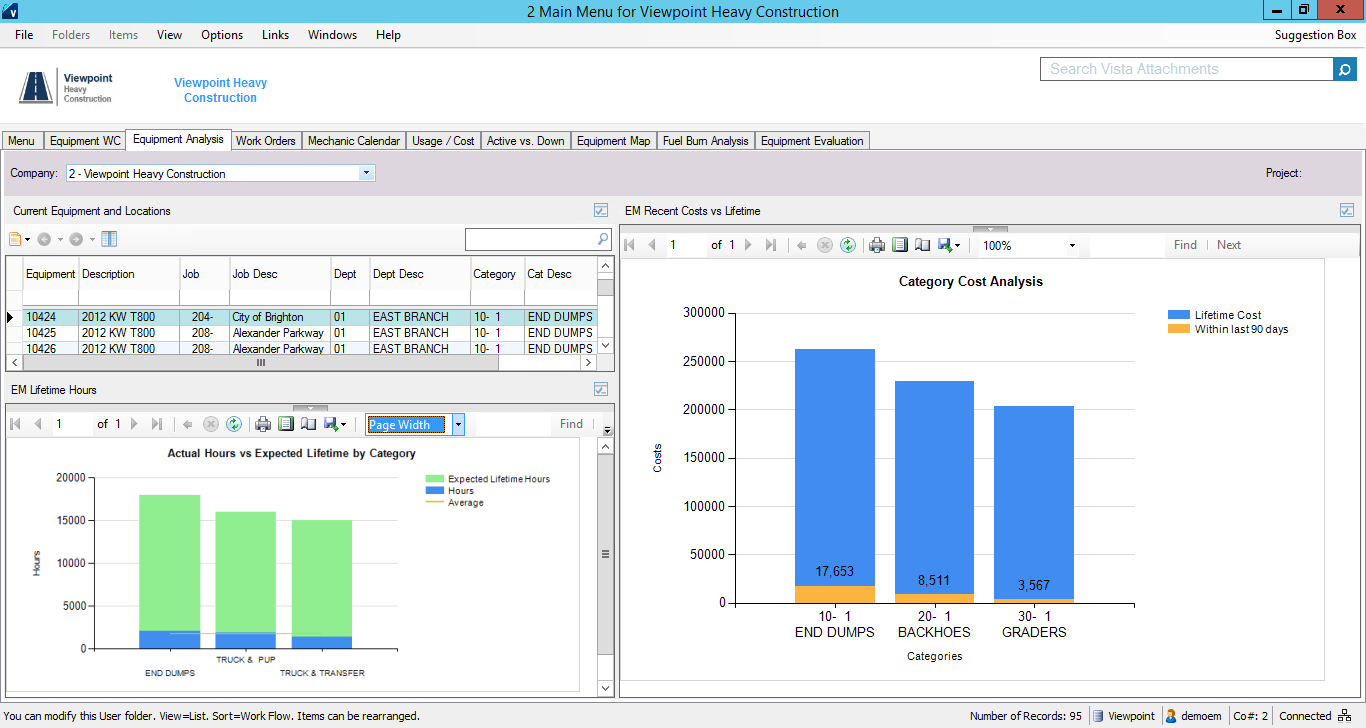
Viewpoint’s Vista is a construction accounting software. Vista’s core accounting features include accounts receivable and payable, general ledger, payroll and time management, and cash management. It also provides tools for document management, including document templates and reporting.
N/A
Pricing
Arcoro HR
Viewpoint Vista
Editions & Modules
No answers on this topic
No answers on this topic
Offerings
Pricing Offerings
Arcoro HR
Vista
Free Trial
No
No
Free/Freemium Version
No
No
Premium Consulting/Integration Services
No
No
Entry-level Setup Fee
No setup fee
No setup fee
Additional Details
—
Prospective buyers may contact Viewpoint directly for a price quote.
I didn't choose any of these products, they were all in place when I started. Spreadsheet Server is easier than creating and manipulating reports in Vista. B2W is used for field logs, equipment management, and bids/estimates. B2W Track and Maintain are easier to configure, is …
We have recommended to at least two other colleagues. It helps to prevent dishonest time keeping. Manual timekeeping by a supervisor seems to create a lot of room for errors including forgetfulness of who showed up and when. It's nice to be able to track when each employee is working or how many people are on each worksite.
The company has made a commitment to the use of the Vista products and continue to move forward trying to implement more with the Vista HR Management. From timekeeping to onboarding in the near future we strive to look for better ways to utilize the products for our accounting and payroll purposes.
Employee logs in and answers health-related questions before beginning work. They remotely provide their own timesheet information, adjustable by the administrator where needed.
Location at time of login is readily available. Distance from jobsite can be determined at any login.
Time for lunch is automatically deducted from work hours, logged by type of work interrupted, and easily adjustable by the employer if necessary.
Reports by employees of time spent on any type of work during the work day and work week are readily available. Work by job name is also available.
Their payroll module is terribly slow and very clunky.
Job costing parameters are very strict and limited.
Each module interface has too many forms and screens.
There is too much flexibility regarding where to put information into the system. There isn't one place to do anything, which creates confusion for staff.
It is easer to keep someing going then change things out. Our employees have taken 6 months to learn this one, I do not want to reinvent the wheel. Just this week I have seen inprovment as they now know they do not get paid if they do not clock in and back out every day.
It is extremely customizable and tracks so many complicated costs very well, more-so than other construction software programs out there that we've used in the past. It is also not an easy program to use for those even slightly not comfortable with a computer. The help sections/knowledge base could be better organized and updated more. It is a very powerful software program for our business and we rely on it hugely to see how our projects are running in real-time.
It's easy for anyone tech savvy. It is kind of impossible to make anything even more user-friendly than it already is. The app itself has zero issues for all my staff. The admin side of things takes a bit more knowing and learning.
I think that Vista's is an easy program to use very user friendly with lots of help features to allow the user to fix an issue without having to put a support call into Vista. The reporting and exporting capability's are strong.
Only issue is when there is an upgrade - it takes several times to get back logged in. Otherwise no issues with getting on to the program. We are set up on lap top or on the remote desk top. Works 90% of the time
No issue downloading the reports - I do find sometimes it is easier to export and save than it is to print to a pdf. Options on the different reports not consistent. You can print a couple projects on the JC Contract Status Report - but you have to do each project for the JC Cost by contract item - when neither one is a drill down - not a big deal
I have not had to use support other then as we got started and had a few hick ups but they were great. They answered all our questions even if some of them were no the program does not do that. I guess the best support is one that is not needed because the product works great and does its job right
When privately owned, it was very good, then dropped when owned by Bane Capital Investments. Now that it has been bought by Trimble and has a home, support is back up again. Response time is better than most software companies, and the information provided is good. They have Chat support for quick answers, and a good Knowledge Base and video libraries.
Excellent training! They keep you on track to insure your implementation is going as planned. There are ample ways to receive additional training and training can be provided by position type. If you put on the effort, the training is there.
Gave a notice to all employees to come to work 15 min early on the day planned to implement the program. I had Spanish and English signs on how to down load the program and log in I showed them ALL how to log in and out and explained that they are responsible for reporting accurate time. I had them all sign a policy that lunch breaks were mandatory for all employees at least 30 min per day. This ensures safety on the roofs. We had a few people who did not have passwords to the app store and we had a few problems with android phones but most of them were on their way quickly. Most not happy about the change but I hope they see the benefit of it now.
The trainer Viewpoint sent did not understand the processes, he only knew where the modules were located. He had no understanding of the actual process itself.
We still use Sage, and ExakTime is compatible with it, which is why we went with ExakTime. So technically we use both at this time. ExakTime is a great pairing with Sage since Sage does not have any applications that let employees clock in and out. So we use ExakTime for that and then transfer the information to Sage for the reporting and issuing of deposits/checks, etc.
I personally have not used another ERP system other than Viewpoint Vista. I am sure there are others out there, but from listening to my managers experiences before Great Basin Industrial implemented Viewpoint, the other options were less superior to what Viewpoint offers. I think if you are looking for an ERP system in the construction industry, then Viewpoint is the way to go
For a small business - this program is well used in the accounting and operations. The two different work plans are set up for success. Alot of the programs we do not use - but like the reports that are generated - one disadvantage if you do not know crystal reports you cannot edit your form to meet your needs so there is a lot of printing different several forms to get all the information you need.
Employees clock in and out with accuracy to the minute instead of guessing how many hours they worked on each job/day
Jobs/locations are listed on the app so employees can easily find the job they are working on instead of hunting through paperwork to find the location number
Geofencing tracks employees clocking in outside the job location
Not sure I can speak to this as the company moved to Viewpoint before I began here. I think it is helpful for the Project Management and Superintendent staff to easily review how specific job items went, which we do in the PM contract drilldown analysis