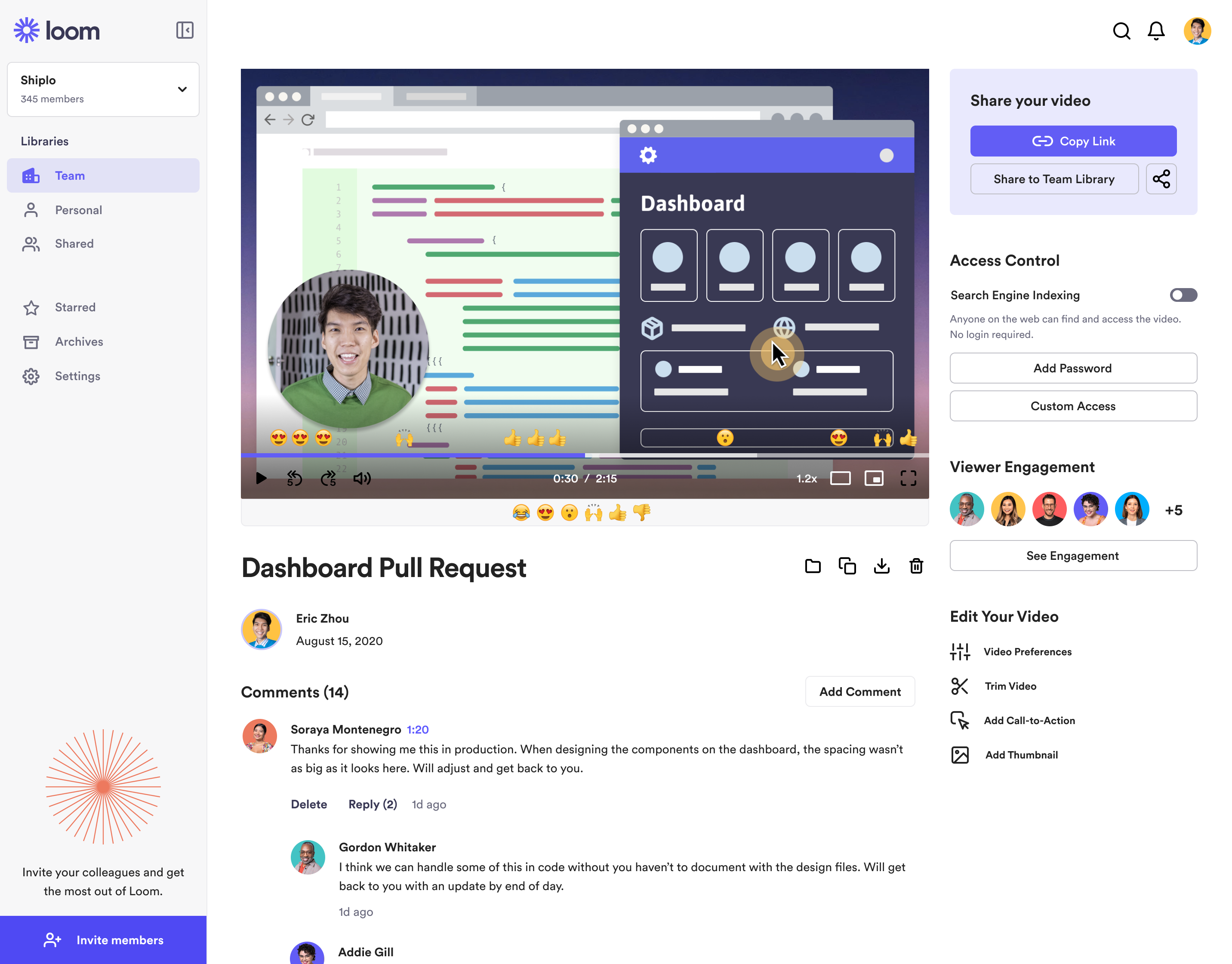
Loom is a screen recorder for Chrome, Mac, Windows, and iOS from Atlassian, presented as quick to install, easy to use, and boasting a functional free edition.
$8
per month
ScreenFlow
Score 9.1 out of 10
N/A
Telestream in Nevada City offers ScreenFlow, a video editing and screen recording application for Mac boasting a range of editing tools, graphics and effects, and easy video sharing.
N/A
Vidyard
Score 9.1 out of 10
N/A
Vidyard is an enterprise video platform built to turn viewers into customers with in-depth insights and robust integrations with different customer relationship management (CRM) and marketing automation platforms.
I tried lots of different screen recording software but ultimately chose Loom because it had the simplest and most user-friendly UI. There are certainly more advanced apps, like screenflow, but my use case is fairly simple—I just want to be able to record video/screen-shares as …
Simplified version of screenflow, not as comprehensive as screenflow in terms of features, but it does the trick for making short training videos. If you just want to capture something on-screen and not do a lot of editing, then Loom is perfect for that. Great for generating …
When we evaluated the alternatives, Loom was by far the most advanced tool, with multiple types of integrations. Additionally, Loom also provided a Free plan, which made it easy to consider as an alternative. Vidyard and similar tools integrated better with certain other tools …
Loom: Loom offers both free and paid plans. The free plan includes basic features and limitations, while the paid plans unlock additional functionalities such as longer video recordings, HD quality, and more advanced sharing options. Either way, quite affordable Vidyard: Vidyar…
While Loom is the fastest, it lacks editing power. Loom is best suited for quick communication. Camtasia is the only direct competitor I'm aware of, but it's much more expensive and not as easy to use. The only benefit of Camtasia is that it has superior text on screen …
Loom is up to par, and I can't say much about that. BombBomb woefully underperformed. It was good and it worked, but it was slower and trickier to get it working and recording videos.
Very similar. The only thing Loom has in its favor is the free version seems to allow you to download some videos and the embed works better in Notion which is a tool we use for everything.
Loom is quite basic yet it's still just as easy to use as Vidyard screen recorder. What I like about Vidyard is the analytics side and the fact it has fewer issues. With Loom, I found myself filming the same thing multiple times because either the audio was off or the video was …
Loom has a desktop app that makes full screen recording a bit easier but the Vidyard integration with HubSpot blows it out of the water when it comes to sales videos and ease of use.
There are a number of viable alternatives to Vidyard, but my experience is that none have the same razor-sharp focus on the role of video in solving common sales and marketing challenges, or the same depth of functionality. More pragmatically, many of our clients have existing …
Loom is a must, I am not sure how many other tools like this one there are but Loom really becomes a key player in a team collaboration, specially if that team collaborates remotely or internationally. You can use the video links to embedded these in other places or downloadthem for editing
When training others to use a software application, I find this is amazingly helpful to accomplish using screenflow. The application allows me to video what I am doing in the application while explaining it in details. There are other uses of course, one that I found was to capture myself talking through students' research papers/thesis and explain where changes need to be made. Of course, MS Word has the tracking changes option and a professor can go through sentence by sentence - the downfall of this is that students #1 - do not always understand what is being suggested as we all cut back on words when typed out versus spoken. #2 - students do not always read the added comments thoroughly. Viewers watch the video and listen to a voice quicker than reading remarks. The viewing and voice, in my opinion, are the greatest part of the end product provided to viewers. This tool can assist anyone's work that trains others...be it industry or educational fields.
Vidyard has been critical for our team in many ways. One way that we didn't realize how much we'd be using it is for training new teammates while we're all working remotely. I frequently use the chrome extension to record a video of how to do something to send to our whole team or certain teammates. There are other products that do that, but this seems to be the most efficient, easiest, and quickest. Vidyard is incredibly useful for both inbound, and outbound sales and marketing strategies. It helps us increase our open and click rate for emails and overall engagement for our customer journey.
Loom is valuable for creating video tutorials and onboarding materials.
It allows trainers to record step-by-step instructions, share best practices, and provide visual demonstrations, facilitating the learning process for new employees or team members.
Sales teams can create personalized video pitches or product demonstrations to engage prospects effectively.
Collaborating between timezones and replacing meetings/ emails with quick videos.
Screenflow easily records your desktop video and/or audio, with functionality that works even across multi-monitor setups.
The program has really incredible features for basic cutting and editing of the capture within screenflow once it is done.
The program has an impressive amount of options for expecting different formats of video and audio. I'm most impressed by the lossless audio and uncompressed video formats that give the best possible quality for importing into video projects.
The still screenshot feature should let us edit/mark up the images.
I work on 3 X monitors and the desktop version of Loom still can't seem to know that I always want to record on the screen from which I open the app. Short of that, it should ask us what screen we want to record on instead of making us catch the fact that it's set to record on some other screen. This causes me to have to stop the recording and restart because it was recording the wrong screen.
You can't yet transfer a video seamlessly between workspaces. This causes you to have to download and then re-upload to the other workspace if you happen to work for numerous companies using Loom.
Be able to open working projects in other editing software like Premiere. In cases that editors want that flexibility or someone doesn't have access to ScreenFlow but needs to work on projects that use it
Only available for Macs. Some of our teachers have PC and prefer to work on that or used to it. Only reason we switched to another screen recording application
Vidyard has truly become an essential part of our organization. It's useful for our day to day communication internally amongst departments and externally with our customers. This platform has allowed us to create knowledge base articles, training portals, webinars and communicate effectively with our customers. We receive raving feedback from customers on how helpful the videos are that they receive. We also like the ability to view metrics, insights, etc. of the videos. Always allows us to pivot accordingly based on the feedback we receive
It's dirt easy for the one thing it does exceptionally well. If you think, "hmmm, I should make a quick screen capture of this thing on screen, you can start recording in seconds with almost no additional effort." Once you're done, the recording is automatically uploaded to your account site, and automatically creates a URL you can copy and share with your target audience. From IDEA to EXECUTION to DISTRIBUTION is literally seconds.
It's simple to set up and use. The editing features are laid out in an easy to understand way making it the perfect go-to tool for a novice video editor and an advanced one. I will use ScreenFlow at times over other bigger tools like Adobe Premiere because it's quicker to make changes to videos.
Vidyard is super easy for new people to pick up - I've never had to spend time explaining the UI or menu, which is a testament so how easy it is. The plugin also makes it quite user-friendly. There's no need to go anywhere else - it's all on the browser.
Absolutely, the unpredictable nature of technology always keeps us on our toes. However, I'm pleased to share that my experience with Vidyard has been remarkably consistent and reassuring. To date, I haven't encountered any instances of service outages. This unparalleled reliability and dependability have instilled a high level of confidence in the platform, making it a stalwart companion in our digital endeavors. While the tech landscape can be uncertain, Vidyard's track record of steadfast performance has truly set it apart.
Loom is one of my favorite solutions and I've been a raving fan since they first launched. The value of quickly sharing videos in seconds is amazing. Our customers love it so much that they have even downloaded the Loom Chrome extension for their own use with their clients! It's so simple, and nothing else compares or competes.
It performs very well. I have never had any bugs while recording, and none of the videos have been impaired or corrupted. I don't believe it integrates with any other software but you could contact the company to learn more. I am not sure if it is only available on Chrome.
I use Loom for simple tasks. Never used customer support really. It's so simple to use. I haven't had any real issue with Loom which would require customer support to help me out. So I just put 5 because I don't know if the customer support is good or bad since I never used, so I'm kind of neutral.
It works well and fits into my workflow. The tools are much easier and straightforward to work with. Other video editing tools like Adobe Premier or Final Cut Pro are simply too complicated for this type of task.
Customer support at Vidyard has always been good. When I first looked into the product, the salesperson took a consultative approach that allowed me to see how Vidyard would benefit our specific use case. Since coming on board, the customer service team has been quick to respond if I have any questions.
The training experience proved to be tremendously valuable. Our dedicated representative exhibited an exceptional level of helpfulness and patience as she skillfully addressed all of our inquiries. Notably, she went beyond merely answering questions, providing us with a wealth of resources and sharing best practices that are pivotal for our success in utilizing the software.Her guidance transcended the boundaries of a conventional training session, empowering us with insights that extend far beyond the immediate
The online training experience proved to be incredibly valuable. Our dedicated representative demonstrated exceptional patience and unwavering support in addressing our queries and requests, which greatly contributed to our learning process. Their guidance was pivotal in helping us navigate the intricacies of the training, ensuring that we absorbed the material effectively.
It's pretty straightforward. The bulk of the work goes on outside of Vidyard - it's the time required to add different videos to your website - that was probably the only difficult part and had nothing to do with Vidyard.
When we evaluated the alternatives, Loom was by far the most advanced tool, with multiple types of integrations. Additionally, Loom also provided a Free plan, which made it easy to consider as an alternative. Vidyard and similar tools integrated better with certain other tools (Vidyard + HubSpot), but Loom had better overall integrations with most tools we use.
We looked at things like Loom and all those other screen recorders, but Screenflow is just so much more powerful. It can do everything we want it to and more, even things like Chroma Key (green screen), text on video, transitions, all that. It's a pretty great software for making videos.
I've never evaluated another product like Vidyard. I just used screen recordings with RingCentral before, and I remember the file size being very large and having to add the video as an attachment. So this was a major improvement to be able to shoot videos and easily share with my clients.
The product exhibits an exceptional degree of scalability, accommodating diverse usage scenarios across various departments within our organization. This remarkable flexibility has enabled us to harness the software's potential in ways tailored to the unique needs of each team.In particular, the impact on our communication efforts with both potential and existing customers has been truly transformative.
Loom has increased my efficiency and value to clients so much. I save a ton of time by being able to send them video recordings walking through their website rough drafts and final tutorials.
Loom is incredibly affordable. I am satisfied with their subscription cost.
Loom has helped me communicate clearly to clients, so there's less room for error/misunderstanding (especially when talking about design decisions).
This is a low cost license, so the output is almost entirely to the upside
Years ago, we determined it was essential to have a video representation of our products and services. ScreenFlow has enabled the development of these and many other videos as well as our training programs for employees and clients. All this has been accomplished with a relatively low cost to entry.
We save hundreds of dollars a month because we don't have to send out nearly as many physical samples for customers to review. We can send them a video that shows off the product and they love it!
We have improved conversion rates as a result of using Vidyard to communicate with new leads.
Our sales reps are clearly more engaged in the sales process. Each week we discuss how Vidyard helped them win a deal.