Chose MeisterTask
Easy to use user interface, easy setup and probably the quickest setup of what I’ve tried. For what I need it to do it excels. The other platforms are more robust and feature packed, but that comes with more cost and setup time.

| Product | Rating | Most Used By | Product Summary | Starting Price |
|---|---|---|---|---|
 Azure DevOps | N/A | Azure DevOps (formerly VSTS, Microsoft Visual Studio Team System) is an agile development product that is an extension of the Microsoft Visual Studio architecture. Azure DevOps includes software development, collaboration, and reporting capabilities. | $2 per GB (first 2GB free) | |
 MeisterTask | Small Businesses (1-50 employees) | MeisterTask is a task management and collaboration tool that let teams manage tasks in a customizable environment. MeisterTask's project boards adapt to a team’s workflow, and is suitable for managing a variety of tasks from software sprints to editorial calendars. As opposed to only providing a tool that visualizes the work, MeisterTask automates recurring steps in users' workflows to help them work more efficiently and consistently. MeisterTask is developed by… | $16 per month per user | |
 Wrike | Mid-Size Companies (51-1,000 employees) | Wrike is a project management and collaboration software. This solution connects tasks, discussions, and emails to the user’s project plan. Wrike is optimized for agile workflows and aims to help resolve data silos, poor visibility into work status, and missed deadlines and project failures. | $240 per year 2 users (minimum) |
| Azure DevOps | MeisterTask | Wrike | ||||||||||||||||||||||
|---|---|---|---|---|---|---|---|---|---|---|---|---|---|---|---|---|---|---|---|---|---|---|---|---|
| Editions & Modules |
|
|
| |||||||||||||||||||||
| Offerings |
| |||||||||||||||||||||||
| Entry-level Setup Fee | No setup fee | No setup fee | No setup fee | |||||||||||||||||||||
| Additional Details | — | Discounts are available for education and non-profit organisations. 28% discount for annual pricing. | Every premium plan begins with a 14-day trial period. | |||||||||||||||||||||
| More Pricing Information | ||||||||||||||||||||||||
| Azure DevOps | MeisterTask | Wrike | |
|---|---|---|---|
| Considered Multiple Products |  Azure DevOps No answer on this topic | MeisterTask  Christian Clément Head of application management public transportation Chose MeisterTask
 Alpesh Nakrani Software Developer Chose MeisterTask Simple with a great UI, are the simplest words I think we can use to describe MeisterTask. I have used Trello, FreedCamp, and FreshBooks but, the time tracking is the great feature that I am getting used to with this and it's Trello like UI. So, many of users are fine with this … |  Wrike  Thomas Harding Head of Digital Chose Wrike Wrike has a much deeper feature set than Trello, though does cost significantly more. Azure Devops is better suited to developer workflows out of the box but overall, I would be inclined to use Wrike due to the simpler UX/UI.  Garrett Nelson Senior Manager, Business Operations Chose Wrike When balancing needs of Roadmap Planning, Program Management, Project Management, Work Management, Queue Management, Ticket Management, I think Wrike hits the perfect balance of usability and configurability with the power to scale effectively while maintaining governance, all … |
| Azure DevOps | MeisterTask | Wrike | |||||||||||||||||||||||||||||||||||||||||||||||||||||||||||
|---|---|---|---|---|---|---|---|---|---|---|---|---|---|---|---|---|---|---|---|---|---|---|---|---|---|---|---|---|---|---|---|---|---|---|---|---|---|---|---|---|---|---|---|---|---|---|---|---|---|---|---|---|---|---|---|---|---|---|---|---|---|
| Project Management |
| ||||||||||||||||||||||||||||||||||||||||||||||||||||||||||||
| Professional Services Automation |
|
| Azure DevOps | MeisterTask | Wrike | |
|---|---|---|---|
| Small Businesses |  GitHub Score 9.1 out of 10 |  Stackby Score 8.9 out of 10 | Stackby Score 8.9 out of 10 |
| Medium-sized Companies | GitHub Score 9.1 out of 10 |  InEight Score 8.4 out of 10 | InEight Score 8.4 out of 10 |
| Enterprises |  Perforce P4 Score 7.2 out of 10 | InEight Score 8.4 out of 10 | InEight Score 8.4 out of 10 |
| All Alternatives | View all alternatives | View all alternatives | View all alternatives |
| Azure DevOps | MeisterTask | Wrike | |
|---|---|---|---|
| Likelihood to Recommend | 8.4 (69 ratings) | 7.6 (20 ratings) | 8.5 (888 ratings) |
| Likelihood to Renew | 10.0 (3 ratings) | - (0 ratings) | 8.5 (103 ratings) |
| Usability | 7.8 (9 ratings) | - (0 ratings) | 8.2 (225 ratings) |
| Availability | - (0 ratings) | - (0 ratings) | 7.9 (23 ratings) |
| Performance | - (0 ratings) | - (0 ratings) | 6.4 (20 ratings) |
| Support Rating | 8.1 (11 ratings) | 8.9 (2 ratings) | 7.5 (90 ratings) |
| In-Person Training | - (0 ratings) | - (0 ratings) | 8.2 (5 ratings) |
| Online Training | - (0 ratings) | - (0 ratings) | 8.2 (13 ratings) |
| Implementation Rating | 10.0 (1 ratings) | - (0 ratings) | 7.7 (32 ratings) |
| Configurability | - (0 ratings) | - (0 ratings) | 8.3 (12 ratings) |
| Contract Terms and Pricing Model | - (0 ratings) | - (0 ratings) | 7.3 (4 ratings) |
| Ease of integration | - (0 ratings) | - (0 ratings) | 6.9 (7 ratings) |
| Product Scalability | - (0 ratings) | - (0 ratings) | 8.0 (14 ratings) |
| Professional Services | - (0 ratings) | - (0 ratings) | 6.8 (3 ratings) |
| Vendor post-sale | - (0 ratings) | - (0 ratings) | 9.0 (7 ratings) |
| Vendor pre-sale | - (0 ratings) | - (0 ratings) | 6.7 (8 ratings) |
| Azure DevOps | MeisterTask | Wrike | |
|---|---|---|---|
| Likelihood to Recommend | Microsoft
 Tim Kikke Head of PMO | MeisterLabs GmbH
 Daniel Cruz CEO | Wrike
|
| Pros | Microsoft
 Chris Studebaker Technical Architect | MeisterLabs GmbH
 Stella Olsson Territory Sales Manager | Wrike
|
| Cons | Microsoft
| MeisterLabs GmbH
| Wrike
 Alicia Stacy Account Executive |
| Likelihood to Renew | Microsoft
 Raylene Wall, PMP Business Analyst | MeisterLabs GmbH No answers on this topic | Wrike
|
| Usability | Microsoft
| MeisterLabs GmbH
| Wrike
 Alysen Boston Content marketing writer |
| Reliability and Availability | Microsoft No answers on this topic | MeisterLabs GmbH No answers on this topic | Wrike
 Cristi Radulian Senior Design Engineer |
| Performance | Microsoft No answers on this topic | MeisterLabs GmbH No answers on this topic | Wrike
 Mark Ferrer Senior Web Developer |
| Support Rating | Microsoft
| MeisterLabs GmbH
 Robyn Mays Co-Founder | Wrike
|
| In-Person Training | Microsoft No answers on this topic | MeisterLabs GmbH No answers on this topic | Wrike
 Ashley Pauls Assistant director of communications |
| Online Training | Microsoft No answers on this topic | MeisterLabs GmbH No answers on this topic | Wrike
|
| Implementation Rating | Microsoft
| MeisterLabs GmbH No answers on this topic | Wrike
|
| Alternatives Considered | Microsoft
| MeisterLabs GmbH
| Wrike
|
| Contract Terms and Pricing Model | Microsoft No answers on this topic | MeisterLabs GmbH No answers on this topic | Wrike
 Nuha Abdi Learner engagement |
| Scalability | Microsoft No answers on this topic | MeisterLabs GmbH No answers on this topic | Wrike
 Michael Fank Quality Manager |
| Professional Services | Microsoft No answers on this topic | MeisterLabs GmbH No answers on this topic | Wrike
|
| Return on Investment | Microsoft
 Amy Liston Product Owner | MeisterLabs GmbH
 Tyler Grudowski Product Development Engineer | Wrike
|
| ScreenShots | MeisterTask Screenshots 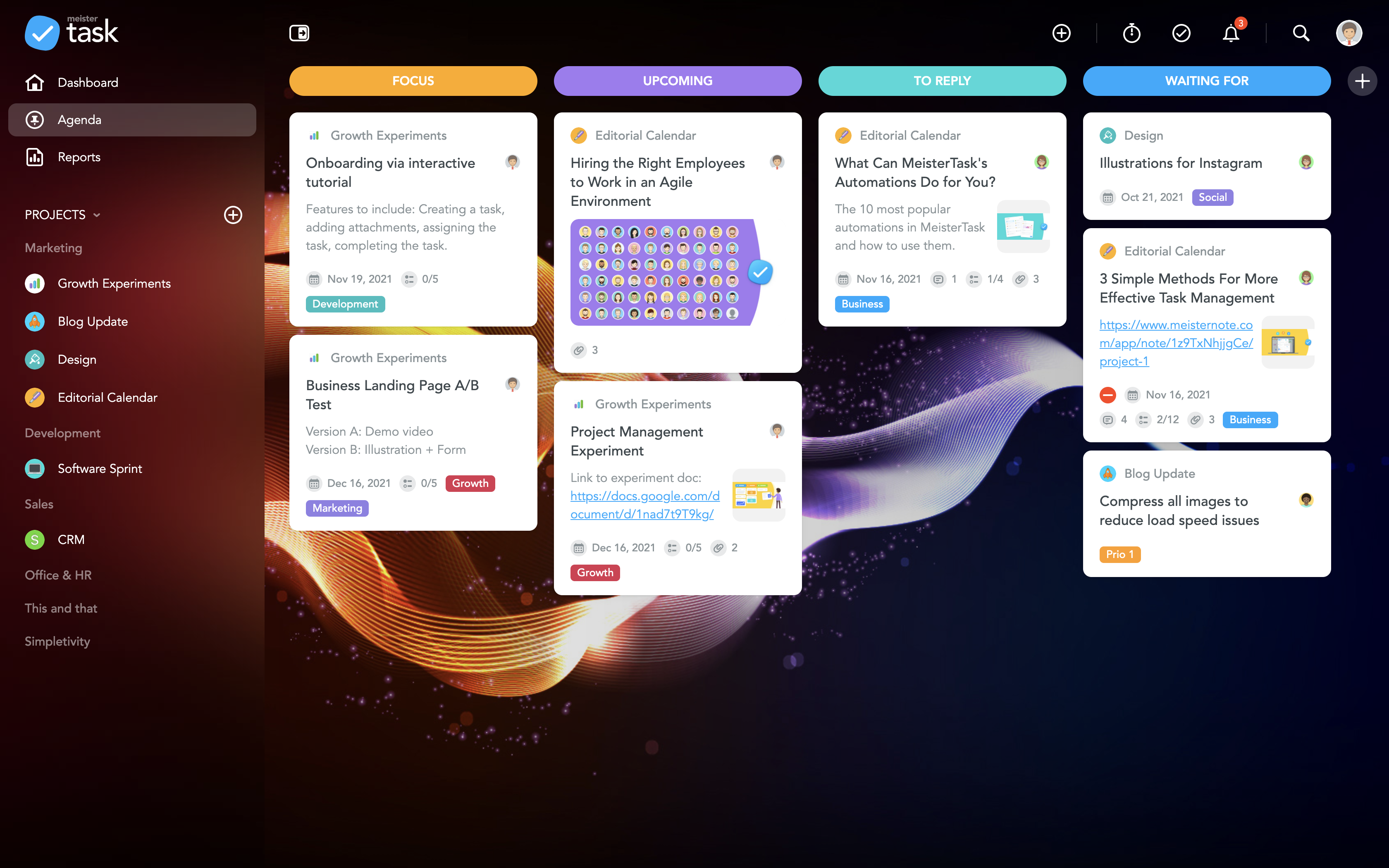     | Wrike Screenshots      |