BeyondTrust Remote Support (formerly Bomgar) helps support teams of all sizes improve business performance by enabling secure, controlled remote support to nearly any device or system, anywhere in the world. BeyondTrust offers deployment options that can fit a company’s business needs. The vendor says their on-premises physical and virtual appliances have helped enterprises satisfy regulatory requirements for years. Additionally, the vendor says the unique segmentation capabilities of…
N/A
ConnectWise Automate
Score8.4 out of 10
N/A
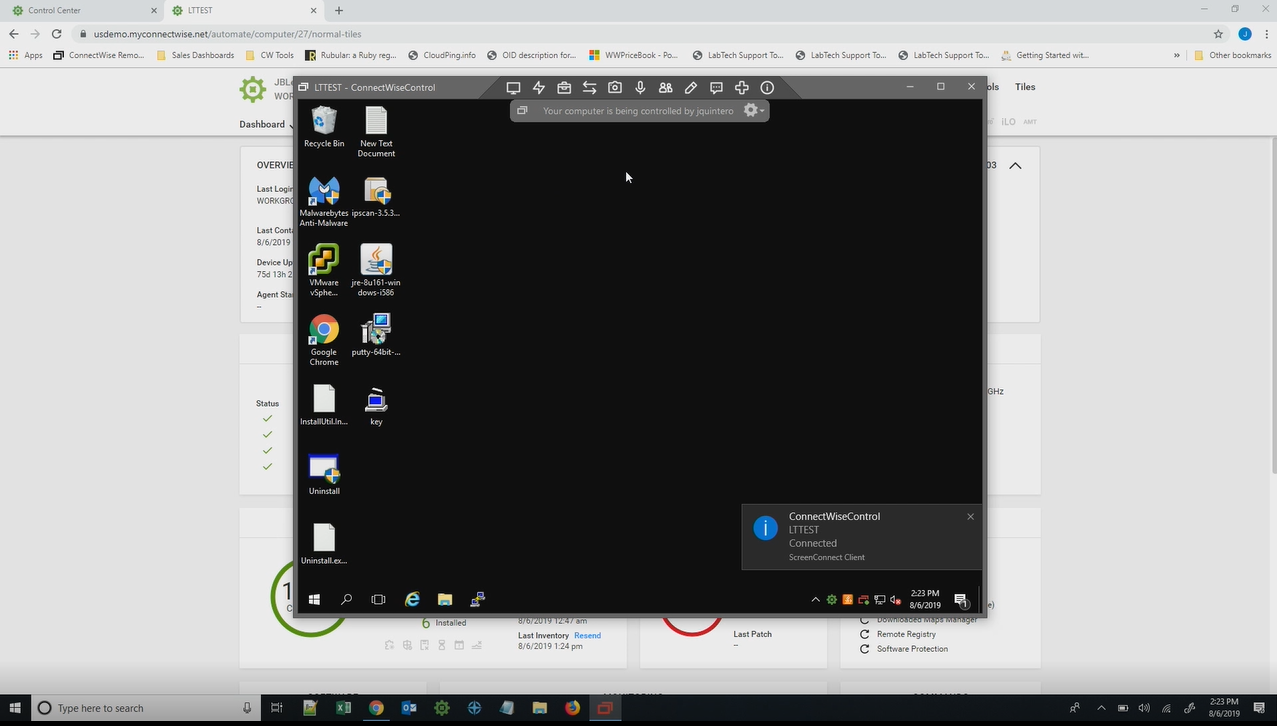
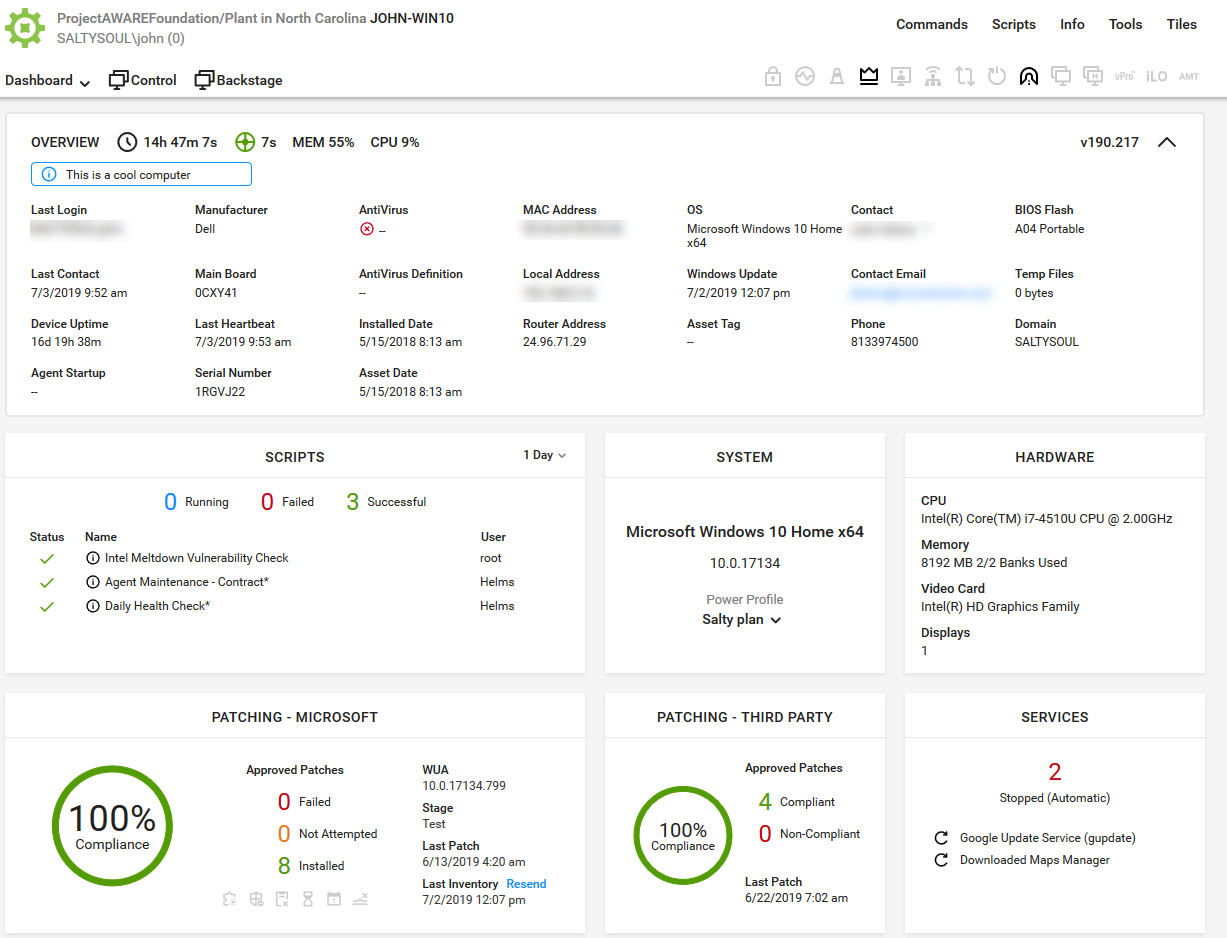
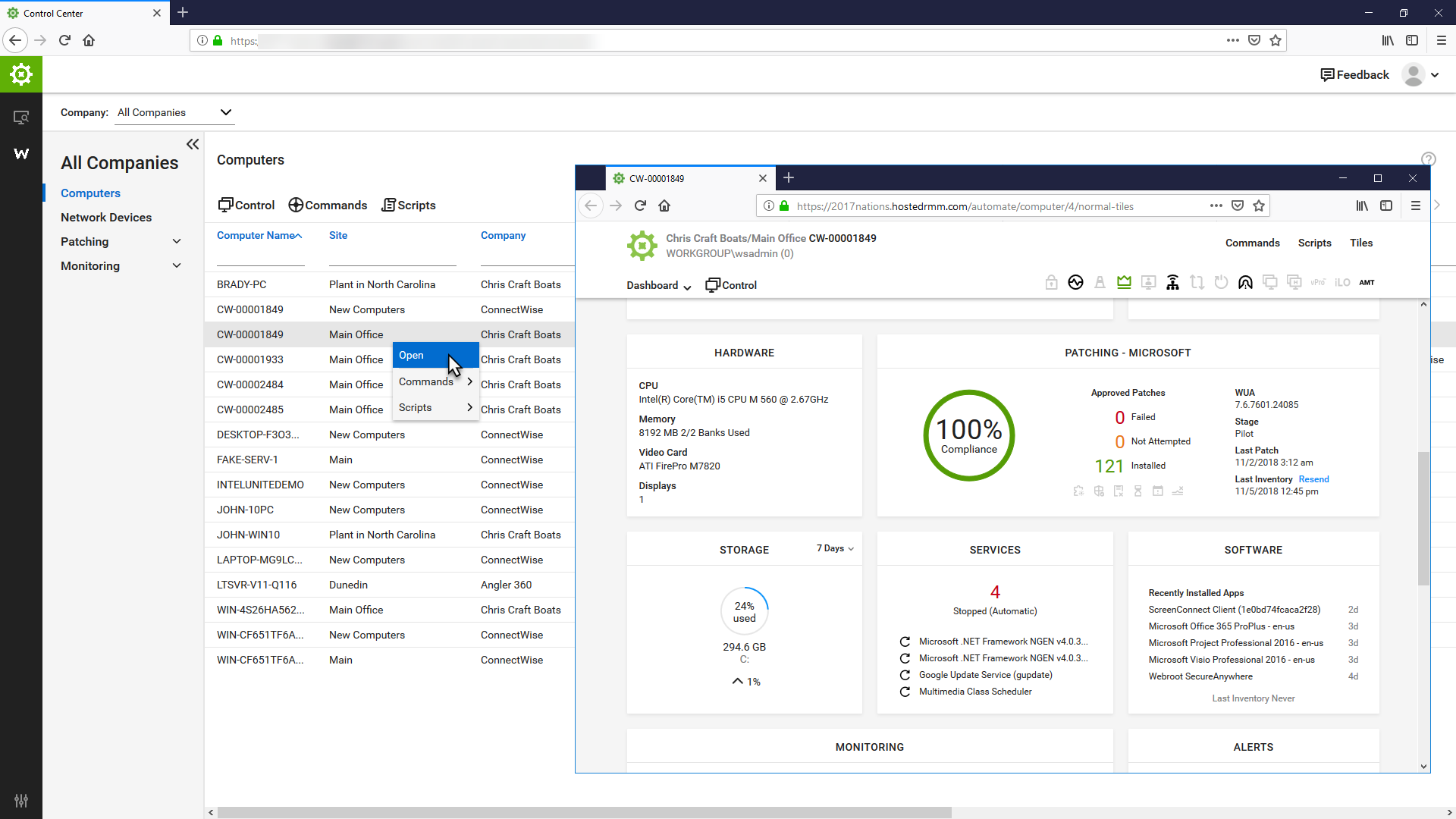
ConnectWise Automate, formerly LabTech, is a remote monitoring and management (RMM) platform. It provides powerful automation to discover and manage devices, monitor for problems, and scripts repetitive action.
$700
Kaseya VSA
Score8.3 out of 10
N/A
Kaseya Virtual System Administrator (VSA) is a cloud-based Remote Monitoring and Management software. VSA unifies the monitoring of system infrastructure and endpoints and is designed for use by IT teams and MSP’s. It offers a robust crowd-source automation scripts library, as well as antivirus and malware capabilities with real-time threat alerts.
N/A
Pricing
BeyondTrust Remote Support
ConnectWise Automate
Kaseya VSA
Editions & Modules
No answers on this topic
Agents
$1.00-$6.00
per month/per agent
Implementation Fee
$700
No answers on this topic
Offerings
Pricing Offerings
BeyondTrust Remote Support
ConnectWise Automate
Kaseya VSA
Free Trial
Yes
Yes
No
Free/Freemium Version
No
No
No
Premium Consulting/Integration Services
No
No
No
Entry-level Setup Fee
No setup fee
No setup fee
No setup fee
Additional Details
—
—
—
More Pricing Information
Community Pulse
BeyondTrust Remote Support
ConnectWise Automate
Kaseya VSA
Considered Multiple Products
BeyondTrust
No answer on this topic
ConnectWise
Verified User
Chose ConnectWise Automate
If we have to do it again, we would not choose to Automate due to the number of efforts and monetary investment (3rd party consultants) to implement it as well on going managing it. But, in comparison to the other RMM products we used in the past, Automate offers more …
A de minimis incentive was given to thank the reviewer for their time. The incentive was not used to bias or drive a particular response, nor was the incentive contingent on a positive endorsement. More Info
Systems Engineer in Engineering at Imagenet Consulting (Information Technology & Services, 1-10 employees)
Chose ConnectWise Automate
Automate is by far the best of all RMM solutions we have tried. The overall ease of use and support is much better than we have experienced with other RMM vendors.
A de minimis incentive was given to thank the reviewer for their time. The incentive was not used to bias or drive a particular response, nor was the incentive contingent on a positive endorsement. More Info
Level 2 Network Technician in Information Technology at Springthrough (Information Technology & Services, 11-50 employees)
Chose ConnectWise Automate
I touched on this in the previous section some. Kaseya's choice of managed antivirus was very poor (KAV, a tweaked version of Kaspersky) when it first started. It took them a long time to fix anything, and the fixes usually produced new and different issues. Kaseya kept …
A de minimis incentive was given to thank the reviewer for their time. The incentive was not used to bias or drive a particular response, nor was the incentive contingent on a positive endorsement. More Info
VP Operations in Information Technology at Realtime, LLC (Information Technology and Services, 11-50 employees)
Chose ConnectWise Automate
We switched from Kaseya to Automate 7-8 years ago - it was no contest at the time and Kaseya wasn't cutting it in a number of areas at that time that was really hurting us. I'm sure it's improved since then.
A de minimis incentive was given to thank the reviewer for their time. The incentive was not used to bias or drive a particular response, nor was the incentive contingent on a positive endorsement. More Info
Verified User
Chose ConnectWise Automate
We selected ConnectWise Automate over Kaseya as it provided many of the same features but less of the headache. Often times, scripts would not work in Kaseya or updates would not push. We have not had this experience with Automate, scripts and such just run when scheduled. …
A de minimis incentive was given to thank the reviewer for their time. The incentive was not used to bias or drive a particular response, nor was the incentive contingent on a positive endorsement. More Info
IT Service Director in Information Technology at Innovation Computing (Information Technology and Services, 1-10 employees)
Chose ConnectWise Automate
We selected LabTech because we already had a very good ongoing customer support experience with ConnectWise. We had LabTech before ConnectWise acquired it, and had Kaseya, but gave LabTech another try and we are very glad that we did. We did not have a good experience with …
A de minimis incentive was given to thank the reviewer for their time. The incentive was not used to bias or drive a particular response, nor was the incentive contingent on a positive endorsement. More Info
Verified User
Chose ConnectWise Automate
LabTech is a more flexible platform if you are wanting to do scripting etc., but Kaseya is much more intuitive and reliable.
A de minimis incentive was given to thank the reviewer for their time. The incentive was not used to bias or drive a particular response, nor was the incentive contingent on a positive endorsement. More Info
Solution Architect in Information Technology at Kraft & Kennedy, Inc. (Information Technology and Services, 51-200 employees)
Chose ConnectWise Automate
Prior to using LabTech, we used Kaseya. While Kaseya and LabTech have much of the same functionality, LabTech does things better and more consistently. Also, we rely on ConnectWise as our ticketing system and PSA. LabTech has two way ticket synchronization with ConnectWise that …
A de minimis incentive was given to thank the reviewer for their time. The incentive was not used to bias or drive a particular response, nor was the incentive contingent on a positive endorsement. More Info
Partner in Corporate at I-M Technology, LLC (Information Technology and Services, 1-10 employees)
Chose ConnectWise Automate
We used to use Kaseya VSA and liked it a lot. The primary reason we switched was the oppressive licensing costs. They've since changed their licensing but it was too late for us as we'd already made the switch. LabTech compares well with Kaseya VSA and neither are bad products …
A de minimis incentive was given to thank the reviewer for their time. The incentive was not used to bias or drive a particular response, nor was the incentive contingent on a positive endorsement. More Info
CEO (Chief Executive Officer) in Customer Service at Trivalent Group, Inc. (Information Technology and Services, 11-50 employees)
Chose ConnectWise Automate
We were previously using Kaseya and were frustrated by the difficulties we had in a number of areas. We were unable to use Kaseya's remote control reliably and experienced other problems. When we asked for help, the answer was usually one of two things:
A de minimis incentive was given to thank the reviewer for their time. The incentive was not used to bias or drive a particular response, nor was the incentive contingent on a positive endorsement. More Info
NOC Specialist in Information Technology at XPERTECHS (Information Technology and Services, 11-50 employees)
Chose ConnectWise Automate
Labtech has been around for a while and they actually listen to their community. The product is robust and is built for IT service providers. I have used a previous product for a long time and can tell you that Labtech is slightly more difficult to implement, but far more …
A de minimis incentive was given to thank the reviewer for their time. The incentive was not used to bias or drive a particular response, nor was the incentive contingent on a positive endorsement. More Info
Service Manager in Information Technology at Kloud9 (Information Technology and Services, 11-50 employees)
Chose Kaseya VSA
VSA is easily on par with SolarWinds N-central but ConnectWise Automate is the best tool out there for RMM. Automate shares some of the clunky interface that VSA has, but it is extremely fast and reliable. N-Central has the best organization of the three, it is very easy to …
A de minimis incentive was given to thank the reviewer for their time. The incentive was not used to bias or drive a particular response, nor was the incentive contingent on a positive endorsement. More Info
IT Technician in Information Technology at Clark Computer Services (Information Technology and Services, 1-10 employees)
Chose Kaseya VSA
The way LabTech integrates with ScreenConnect and TeamViewer is just SO much better than Kaseya. I feel like Kaseya is a bit more intuitive though as opposed to LabTech that you should probably get some real training for. Scripting in LabTech is more reliable. I've never had a …
A de minimis incentive was given to thank the reviewer for their time. The incentive was not used to bias or drive a particular response, nor was the incentive contingent on a positive endorsement. More Info
A de minimis incentive was given to thank the reviewer for their time. The incentive was not used to bias or drive a particular response, nor was the incentive contingent on a positive endorsement. More Info
Managing Partner in Corporate at Erhart and Associates, LLC (Information Technology & Services, 1-10 employees)
Chose Kaseya VSA
What's Up Gold is more of a monitoring application and very good at that, but doesn't have the management tools that VSA provides. It requires additional applications and you lose the "single pane of glass" concept.
ConnectWise, at the time we looked at the product, did not have …
A de minimis incentive was given to thank the reviewer for their time. The incentive was not used to bias or drive a particular response, nor was the incentive contingent on a positive endorsement. More Info
Verified User
Chose Kaseya VSA
Automate is by far more customizable and affordable, a lot of our pain points in Kaseya are addressed with Automate. In our case, we have used Kaseya since 2012-2013 and have started migrating our customers to Automate in the past year.
A de minimis incentive was given to thank the reviewer for their time. The incentive was not used to bias or drive a particular response, nor was the incentive contingent on a positive endorsement. More Info
In our line of work, the ability to provide a seamless and fast forward approach to support is important. It reflects positively on our support staff and teams when we can resolve issues quickly and effectively whether that's on servers, workstations, mobile devices etc. We have found the software to not be as beneficial on Linux Servers.
A de minimis incentive was given to thank the reviewer for their time. The incentive was not used to bias or drive a particular response, nor was the incentive contingent on a positive endorsement. More Info
I recommend it to all IT colleagues; regardless of the size of the PCs with which you work most of the time, the application allows connection stability between computers that make it possible to continue working or taking care of the infrastructure from afar.
A de minimis incentive was given to thank the reviewer for their time. The incentive was not used to bias or drive a particular response, nor was the incentive contingent on a positive endorsement. More Info
If the software functioned as it was intended, it would be probably a 7 out of 10. It lacks the majority of customization that SolarWinds N-central supplies, but also supports some customization that other solutions we have tried do not. Again, if the software didn't consistently break, the ability to implement automated scripting via PowerShell and the capacity to manage 10+ endpoints at once in different windows is great.
Remote access for macOS computers. We support primarily businesses that use Macs and good macOS support is very important.
Maintains logs and screen sharing videos of all sessions. It's peace of mind for us and also helps meet compliance standards that we can tell exactly what happened, every time we access a machine remotely.
Allows for easy management of hundreds of computers in a single app. We support hundreds of computers for dozens of companies. Finding the right computer to access is very easy and able to be done with just a few clicks.
A de minimis incentive was given to thank the reviewer for their time. The incentive was not used to bias or drive a particular response, nor was the incentive contingent on a positive endorsement. More Info
A de minimis incentive was given to thank the reviewer for their time. The incentive was not used to bias or drive a particular response, nor was the incentive contingent on a positive endorsement. More Info
Being able to see systems that are not within the local network allows us to be able to troubleshoot and work with the end users no matter where they are or where we are as it is cloud based.
Several functions can be "automated" so staff do not have to keep going back and scanning for updates, push Windows updates and or push sensor updates.
VSA offers a variety of system information about all of the assets that have the endpoints installed on them so we can easily see the system specs without having to actually connect to them and pull up the SysInfo on each unit.
A de minimis incentive was given to thank the reviewer for their time. The incentive was not used to bias or drive a particular response, nor was the incentive contingent on a positive endorsement. More Info
Only issue I really have is the jump client goes to queu when our remote vendors shut down their machine. Works in our favor if we lose our connection but that never happens. And this is such a small issue but had to put something in here.
They have conflicting scheduling paradigms. When scheduling patching for clients, the 1st Friday is interpreted as the very first Friday of the month, even if this is the 1st of the month. For scripting, the 1st Friday of the month is interpreted as the 1st Friday of the 1st FULL WEEK of the month. This makes no sense to have two different interpretations, and makes it unreliable to schedule recurring scripts to fall when recurring maintenance does. The scripts need to be done manually because of this.
There is no way to dictate reboot orders for patch policies. This tied directly in with my first point. We have some clients that require reboot orders. This is not possible without having different patch policies for each server and specifying a time this way. But, there aren't small enough increments of time to make this reliable, plus patching duration might vary. Excluding reboots with patching and scheduling reboot scripts fixes this. However, this can't be done once on a recurring schedule due to the different scheduling paradigms already discussed. We have to schedule these manually each month.
A de minimis incentive was given to thank the reviewer for their time. The incentive was not used to bias or drive a particular response, nor was the incentive contingent on a positive endorsement. More Info
Support - Like all other competitors support is OK but the product is robust enough to reduce support requirements.
Customer Service - another team that is a bit poor especially when the issue involves multiple departments. Otherwise, the direct rep is very friendly and professional.
A de minimis incentive was given to thank the reviewer for their time. The incentive was not used to bias or drive a particular response, nor was the incentive contingent on a positive endorsement. More Info
Bomgar has improved the support we have given as an ICT department and improved the ICT department reputation within the organisation. We have had no issues with Bomgar as a product and it works well. The team at Bomgar are also a pleasure to work with, they follow up with us to see how they can help us use more of the features of the system and really take time to get to know their users and how they use the product.
The primary reason for this rating is that ConnectWise Automate is currently so integral to our operations that moving away would involve more man hours than we would realistically have to invest. However, ConnectWise Automate is also completely capable of meeting all of our business needs and customizable to the point where if something is not meeting those needs out of the box, it can be modified to do what we want. From only installing software on machines if a different software package exists, to push a new version of that software is available, to check if credentials for user/machine have been updated to our new standards and then updating them if they have not, ConnectWise Automate is capable of doing everything we ask of it.
A de minimis incentive was given to thank the reviewer for their time. The incentive was not used to bias or drive a particular response, nor was the incentive contingent on a positive endorsement. More Info
A de minimis incentive was given to thank the reviewer for their time. The incentive was not used to bias or drive a particular response, nor was the incentive contingent on a positive endorsement. More Info
RemoteSupport has the most modern-looking interface I have seen. Its number of features, both nice to have and necessary, is better than any other competing solution on the market. They also prioritize security, so you can be confident that only the people you want accessing a given endpoint have access because their security can be configured to be role-based or as granular as you want.
A de minimis incentive was given to thank the reviewer for their time. The incentive was not used to bias or drive a particular response, nor was the incentive contingent on a positive endorsement. More Info
Basic use of the product is fairly easy. Information about the machines you manage can be found in customizable dashboards, which can be unique for each user, and, therefore, properly suited to the users' needs/job function. This is not a 10 because some of the interfaces are very clunky (Patch Management), and some features are not intuitive and not well documented (reporting). Scripting and Patch Management have a fairly steep learning curve (For structure in patch management and syntax in scripting), but once learned, they work well.
A de minimis incentive was given to thank the reviewer for their time. The incentive was not used to bias or drive a particular response, nor was the incentive contingent on a positive endorsement. More Info
I think this is a solid tool for enterprise IT, however it would be higher if Kaseya VSA addresses the areas raised around recent stability, their support team, multiple session & screen support etc. It does do it's main job and allows an easy way for IT to operate and is mostly fine.
A de minimis incentive was given to thank the reviewer for their time. The incentive was not used to bias or drive a particular response, nor was the incentive contingent on a positive endorsement. More Info
As far as uptime is concerned, Since Bomgar creates the Hardware and Software, they can make it the most reliable box in our datacenter, and they also have options for availability and redundancy that we didn't need to utilize, we have a manual fail-over process that we can invoke, but there are configurations that would allow for an automated failover as well.
There is no lag-time at all, no matter how many users we have on the box, it is always entirely dependant on the customers internet speed (as we have a very fast connection), that is the only issue I've EVER seen with Bomgar, no matter how many sessions we run the box is always up, always fast, always working.
It used to be great, but then they broke reporting, speed and responsiveness with version 11 and the new Patch Manager. It's really bad and their support people are way behind on fixing so many bugs. They have really gone downhill. If they don't get it together soon, we'll start looking around.
A de minimis incentive was given to thank the reviewer for their time. The incentive was not used to bias or drive a particular response, nor was the incentive contingent on a positive endorsement. More Info
The support team at Bomgar always goes beyond the call of duty. No question seems to little or big for them to handle. They are there with you from the time you initiate a session or call with them until there is a resolution. You get awesome service. Their reps are always friendly and knowledgeable
ConnectWise Automate lets you manage more endpoints, with enhanced productivity and improved service, all without increasing expenses. It can manage patches and updates across thousands of computers. We also use it for customized monitoring and alerting on workstations and servers. Monitoring is really robust and granular. It does a great job of gathering a TON of data about the network, and that data is searchable. There are a bunch of different reports built in. Integrates with Manage, Control, and other applications. It does a ton of stuff out of the box, and has endless customization options.
A de minimis incentive was given to thank the reviewer for their time. The incentive was not used to bias or drive a particular response, nor was the incentive contingent on a positive endorsement. More Info
It was lots of back and forth email communication whenever I tried to solve my connection issues. I would send them detailed logs of the date, time, computer, and more of when I was experiencing connection issues. All I would get is an email back a few days later saying that they didn't find an issue in the service
A de minimis incentive was given to thank the reviewer for their time. The incentive was not used to bias or drive a particular response, nor was the incentive contingent on a positive endorsement. More Info
we didn't have in-person training because their online training was so overwhelmingly well done. Start by looking at the docs: http://www.bomgar.com/docs/content/index.htm if that alone doesn't answer all your questions, there will be a window that pops up asking if you would like to chat with a sales representative, or a support engineer. Either of them can answer all of your questions as easily as if they were standing there with you, or talking to you on the phone, it is truly the power of Bomgar!
Since we have installed and been running Bomgar software for quite some time now, we have taken the opportunity to attend various web trainings, and they are always very prompt, informative and open to questions/discussions. We appreciate the work that Bomgar does to keep their customer community informed of new features and discussions of further product developments.
The Online training has been re-done and needs a lot more work. When you look at training in different roles, it shows a lot of the same topics but no explanation to what is different about them. Several times that topics are the exact same, but they make you re-take the same information for a different topic, instead of marking that you have already completed that portion of training.
A de minimis incentive was given to thank the reviewer for their time. The incentive was not used to bias or drive a particular response, nor was the incentive contingent on a positive endorsement. More Info
It was easy to get going. You have to pick your features to enable disable and then configure any customizations for the enabled features. It could not be easier to get started. The number of options can be a bit overwhelming at first
Start small and learn the in's and out's before making policies and rolling things out company wide. Ask the questions of why if you don't agree with something or your company does things a different way. Usually they are done a certain way for a reason. Start simple with roll out and slowly enable or add on the functionality that is needed.
A de minimis incentive was given to thank the reviewer for their time. The incentive was not used to bias or drive a particular response, nor was the incentive contingent on a positive endorsement. More Info
When we used Webex our customers often had issues because staff in medical offices don't always have easy access to browse the internet. We could send them an invitation but we would often go round and round with them. With BeyondTrust Remote [Support (Legacy)] we don't have that problem as it allows easy access for these customers.
A de minimis incentive was given to thank the reviewer for their time. The incentive was not used to bias or drive a particular response, nor was the incentive contingent on a positive endorsement. More Info
I believe the monitoring and alerts in Continuum command is better, but [ConnectWise Automate (formerly LabTech)] does have stronger scripting, and perhaps a better interface. N-Central is inferior on all fronts to both. I did not make the purchasing decision. I would myself likely pick Continuum if I had to make a on the spot choice.
A de minimis incentive was given to thank the reviewer for their time. The incentive was not used to bias or drive a particular response, nor was the incentive contingent on a positive endorsement. More Info
There are other products that do some of what Kaseya does, but I've not personally worked with another product that does everything Kaseya does. Sure there are plenty of remote control products, but products that do as much as Kaseya are few and far between. Hard to go wrong with the sheer scope of functionality!
A de minimis incentive was given to thank the reviewer for their time. The incentive was not used to bias or drive a particular response, nor was the incentive contingent on a positive endorsement. More Info
Since the Bomgar Box is BOTH hardware and software, it can be purchased in any capacity deemed necessary, so scalability isn't an issue, Bomgar has the experience necessary to create a design that can support as many customer and agent sessions as you can throw at it. We have never had any issues with the Bomgar box and licenses that we have installed.
We found we were able to provide good monitoring of our customers sites which was an objective. However, that came at a significant time investment that never seemed to be finished.
We were able to negotiate a price that worked for us for an up-front purchase which was nice.
We found the pricing to be very competitive.
Bottom line for us was despite the pros of the product, we found other RMM solutions to be a better overall "value" due to not having to dedicate technicians to maintaining the product.
A de minimis incentive was given to thank the reviewer for their time. The incentive was not used to bias or drive a particular response, nor was the incentive contingent on a positive endorsement. TR verified that a representative sample of customers was invited. More Info
A de minimis incentive was given to thank the reviewer for their time. The incentive was not used to bias or drive a particular response, nor was the incentive contingent on a positive endorsement. More Info