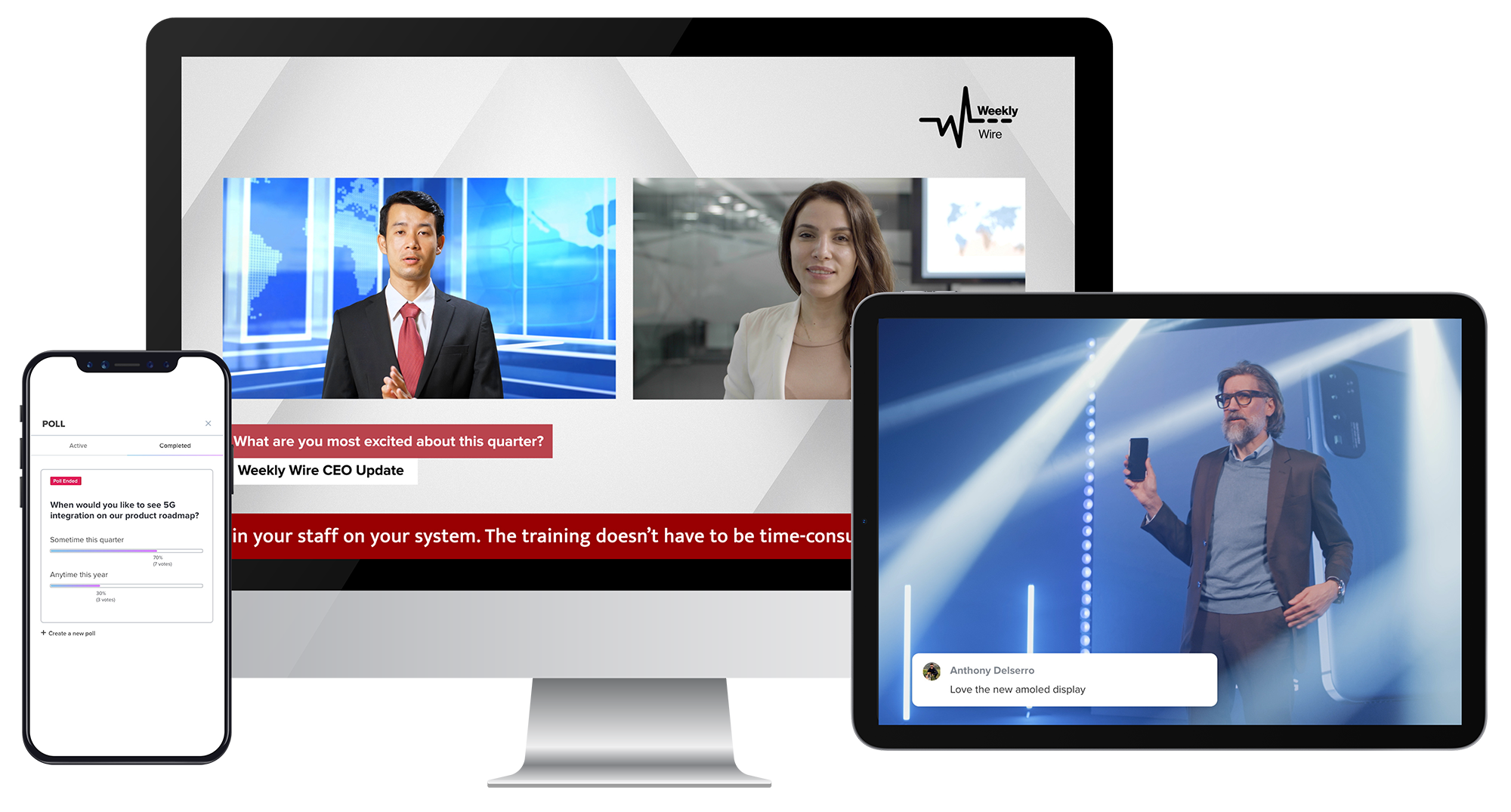
BlueJeans Events was a cloud-based platform that enables presenters to interact over video and stream their event to thousands of viewers, supporting all-hands meetings, webinars and large-scale events. The product was acquired by Verizon in 2020, and discontinued in 2023.
$41.67
per month
GoTo Webinar
Score 8.3 out of 10
N/A
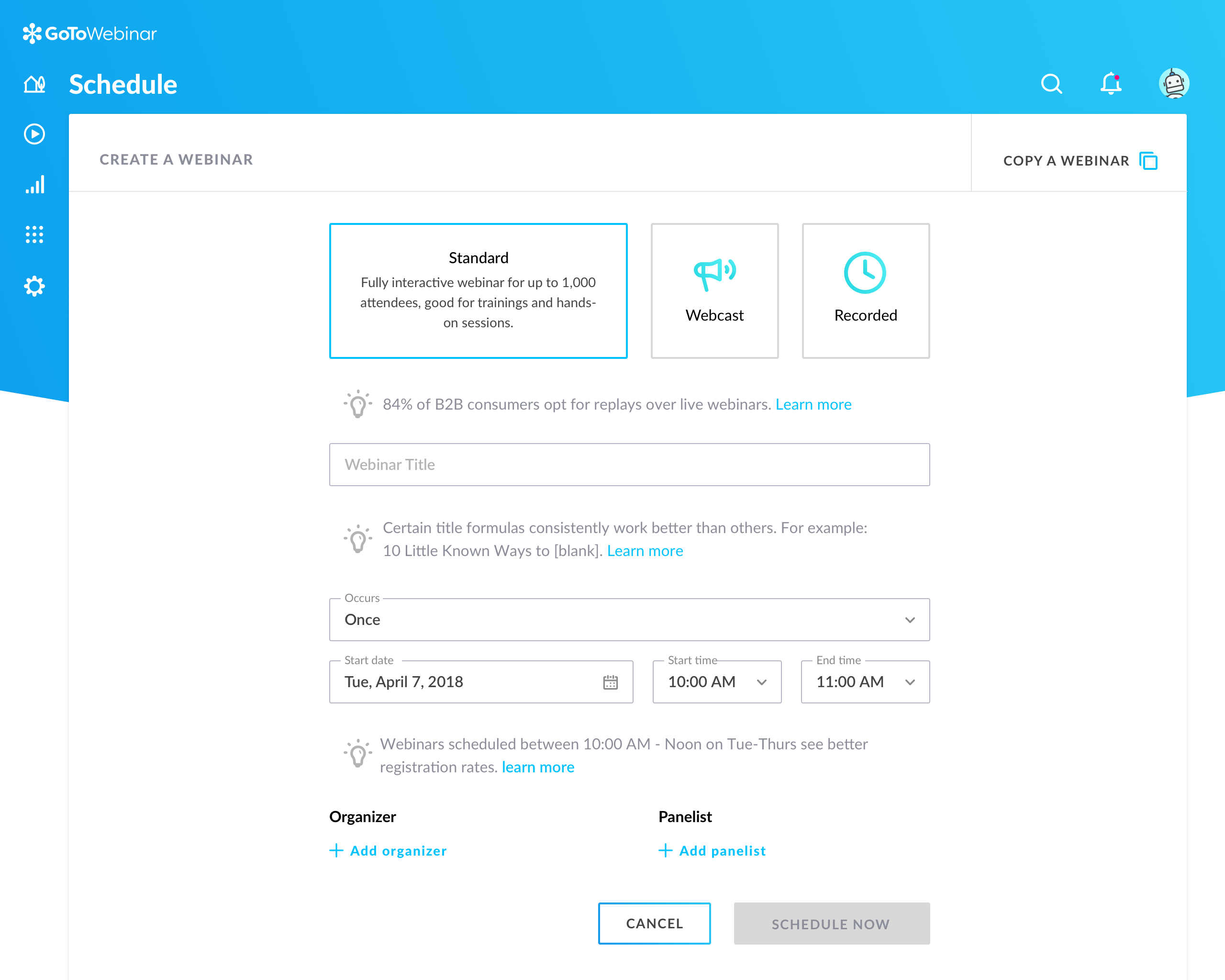
GoToWebinar is GoTo’s webinar and online conferencing solution, and offers features like audience polling and Q&A, flexible scheduling experiences, and webinar templates. It offers CRM integrations and reporting & analytics tools to help engage clients’ audiences.
$49
per month per organizer
WebinarJam
Score 8.9 out of 10
N/A
WebinarJam is designed to allow users to host online events with HD streaming, interactive features like polls and chat, integrations, analytics, and payment processing that are intended to help maximize online growth.
$39
per month
Pricing
BlueJeans Events (discontinued)
GoTo Webinar
WebinarJam
Editions & Modules
Events - Video Webinars 100 Attendees
$41.67
per month
Events - Video Webinars 200 Attendees
$50.00
per month
Events - Video Webinars 500 Attendees
$57.50
per month
Events - Large Scale Events (Up to 150k Attendees)
Custom Quote
Lite
$49/month
per month per organizer
Standard
$99/month
per month per organizer
Pro
$199/month
per month per organizer
Enterprise
$399/month
per month per organizer
Starter
$39
per month for 1 presenter and 100 attendees
Basic
$79
per month for 2 presenters and 500 attendees
Professional
$229
per month for 4 presenters and 2000 attendees
Enterprise
$379
per month for 6 presenters and 5000 attendees
Offerings
Pricing Offerings
BlueJeans Events (discontinued)
GoTo Webinar
WebinarJam
Free Trial
Yes
Yes
Yes
Free/Freemium Version
No
Yes
No
Premium Consulting/Integration Services
Yes
Yes
No
Entry-level Setup Fee
Optional
No setup fee
No setup fee
Additional Details
VIDEO WEBINAR / EVENT FEATURES
Host an unlimited number of non-concurrent webinars
100, 200, 500 attendee plans available
Maximum webinar duration is two hours
Attendee registration workflow & reporting
Moderator Dashboard delivers production controls in a single pane
Attendee engagement - Chat, Raise Hand, Q&A with Up-Voting, & Live Polling
No download, browser-based attendee experience
Dolby Voice included for crystal-clear audio
Widescale live streaming via Facebook Live
Automated closed captioning for improved accessibility
Intermission & Pause Broadcast feature
Presenter prep room and attendee waiting area
Online support only
Live and Self Paced Training (free)
I have bought Easy Webinar and WebinarJam. Both were cheaper, which drove the decision, but they were completely unreliable as they needed to be integrated with YouTube or google hangouts. Ultimately, we paid a lot more because we had to buy GoToWebinar in the end as it was the …
Super-smooth video and fantastic audio with an extended range of volume control. Other vendors can claim their product is a superior choice; however, in my history of experiencing multiple options, GoTo Webinar gets my highest marks!
GoTo Webinar comparing to its competitors has a lot of coins, below my list: GoTo Webinar X ON24: GoTo Webinar is much cheaper. GoTo Webinar x Webinar Jam: GoTo Webinar is more complete, has more analytics data after the webinar. GoTo Webinar x Zoom: GoTo Webinar is more …
GoToWebinar is the godfather of webinar software. All other webinar companies try and emulate the GoToWebinar platform and also try to add their own spin on it. I do appreciate when other software can build in other services that generally have to be completed by a third-party …
We chose GoToWebinar primarily because it integrated directly with HubSpot and I have used it in the past. It was easy to connect, offered about 95% of the things we were looking for, and overall it just made sense. Also, at the time we were signed up with GoToMeeting and …
GoToWebinar was easily the fastest to get started experience from day one. Utilizing the templates provided, and the customization available, GoToWebinar helped us host a 3 day event with dozens of presenters with less overall time dedicated to the technology, so our team could …
I had tried one or two alternatives to GoToWebinar before we went with them and we choose GoToWebinar because it was very easy to use, had a lot of automated actions to increase attendance, it was easy both for us and the users, and in general, it did everything we needed in a …
We have utilized several webinar tools in our search to find the most efficient/proficient platform out there. Overall, GoToWebinar performs nicely and offers a strong and reliable service for those looking to host content either internally or externally. Overall, it is …
GoToWebinar is definitely among my top 2 choices. The only way I'd go for other tool is when I need to evergreen the webinar, which is when I turn to EverWebinar. GoToWebinar has the easiest set up process and it allows you to customize and brand materials easily so it matches …
easywebinar - total joke of an app..nothing easy about it webinar jam - over-priced Zoom - limited functionality at the time of adoption...no integration with 3rd party tools
WebinarJam beats all the other services I have used (Webex, GoToWebinar, Join.me) because I get a better looking system, for a better price. Join.me had some connectivity issues when presenting from the USA to Canada, and Webex/GotoMeeting always looked outdated to me. …
We had previously used GoToWebinar and found WebinarJam to provide overall better quality of audio, and it was less expensive. We now use Whereby.com for our staff meetings and for recording training sessions because it is much cheaper and easier to use because it does not …
We don't run webinars that often so the price of WebinarJam was very attractive. Other than price, WebinarJam lacks numerous features that other platforms provide, and most importantly, their system reliability is decent at best.
I prefer WebinarJam due to its super-easy setup and great integration options. It works well with other tools like ClickFunnels, Hubspot and Mailchimp. From the tools we tried, this one seems to work the best for our company and clients!
BlueJeans Events is really well-suited for large attendance virtual events and meetings. It was perfect for many of the classes I've taken, as well as hosted, especially during the ongoing COVID-19 pandemic, where oftentimes in-person classes and interactions have been limited. I love how BlueJeans Events fosters meetings and interactions for large numbers of individuals, despite the fact that in-person meetings of this size have not entirely been feasible during the past year and a half.
It is great for big events like training or product demos. It's good for marketing webinars with features like polls and Q&A. It's not ideal for small, casual meetings. It can be too expensive for some businesses. For smaller events, other tools might be better.
We have used WebinarJam for many reasons. Our main reason is to host large free webinars but we have also used it for smaller live training courses that people paid for, we have held private training classes for companies, and so on. I guess you could get creative and use it for a conference-style virtual event but wouldn't really recommend it for that. You could use it for internal training within an organization and things but I still feel it best suited for webinars and marketing purposes.
Automatically generated reminder emails to registered attendees before the event.
Easy to host a panel and have them meet before the event goes live.
Moderator chat allows for those running the program to chat without all of the attendees seeing. This allows for you to address technical issues, program flow, etc.
ADMIN/USER STRENGTHS: Easy to use the dashboard to start a webinar on demand, or schedule one in the future. Each step has a video tutorial made to set you up for success, understanding each set-up step along the way. If I want to practice a session live, I can set up a webinar instantly (called Right Now-takes 6 clicks and 30 seconds to set this up), and stream it through my YouTube Channel, or schedule a full campaign for a later date (takes about 10 minutes) and drive people to attend. I can set up one date, or multiple dates. It's very easy to follow the nine initial steps to (configuration, schedule, registration, notifications, integration, thank you, live, replay and finish) setting up your webinar. Once you have created a campaign, you can always clone them for future use.
ADMIN/USER STRENGTH: You can inject a pre-recorded video seamlessly. Let's say you did an incredible sales pitch on one of your webinars, you can inject this into future webinars to ensure a perfect presentation.
ADMIN/USER STRENGTH: Poll your customers BEFORE the webinar, on the registration page to find out what they are looking for, why they have signed up, to be sure the presenter covers each participant's needs.
ADMIN/USER STRENGTH: Autoresponder reminders can come from Webinar Jam (this is what I have always done to keep it simple) or integrate it with the top systems (AWeber, Active Campaign, Infusionsoft, IContact, MailChimp, ConvertKit, Drip, Kartra, Zapier).
ADMIN/USER STRENGTH: I can set up a replay for those who missed the event, or even a replica replay where I can go into the video, fix up my sales presentation, and add a new video for people to see. I can also see who watches the replay.
ADMIN/USER STRENGTH: In the analytics page I can see the numbers of people who visited the webinar registration page (to get an idea of how popular my topic was/change headings or topics if it's low, keep presenting if there's a high number), registrants, people in the room when I go live, and numbers for those who watched the replays. I can connect my autoresponder to communicate with people who missed the webinar/replay vs those who attended and even can see when people dropped off so I know if they were engaged for the entire webinar.
Reliability is the biggest challenge I see with BlueJeans. There are times when BlueJeans seems to handle the demands of a big company seamlessly, but then there are other times when BlueJeans runs into issues that I've seen affect entire offices for extended periods of time which creates a challenge for the teams who depend on BlueJeans to effectively run their remote meetings. While in the grand scheme of things, these outages have been few and far between, when they happen people aren't able to start their BlueJeans meetings and have to scramble for an alternate way to meet (while attendees are simultaneously having issues trying to dial into the BlueJeans meeting).
Aside from the occasional outage, the quality of the video and audio is pretty solid. With variables that are likely outside of the BlueJeans product (office connectivity, bandwidth issues, internal routing) there are times where BlueJeans would either lag or echo which would either impact the output for the host of the meeting (who likely has a room full of participants) or multiple attendees. It would be great to see BlueJeans enhance their packet handling in these cases to prioritize audio over video (and perhaps auto-adjust video quality when there are bandwidth issues).
Can't schedule recurring webinars twice per week or every other week--must manually add or delete instances.
Can't schedule recurring webinars more than 'x' number of instances (less than a year's worth).
If you want a recurring webinar to continue past the last instance (in order to keep the same link), your only option is to manually add future instances before the last one occurs. If the last instance occurs, the webinar (and corresponding link) are archived with no recourse and you must recreate it from scratch and update every bit of external collateral with a new link. So I have to have reminders on my calendar every 6 months to go in and add additional dates for all my recurring webinars in order to keep my links active.
Canceling/changing seats is a huge pain.
The default 'join' screen is app-based rather than web based, so registrants often have to download GTW. I have a lot of clients whose computers are locked down from unapproved apps and have missed the webinar because the ability to join on the web is very unintuitive.
One of the biggest problems we have is that WebinarJam was sold to us as a lifetime license, and it was supposed to include broadcasting on Facebook. For reasons that were never clear, they stopped providing that functionality, which greatly reduced our use for the product.
WebinarJam started out life as an innovative product, full of promise. Things changed within the organization, key staff and players changed, and it seems that key players just moved on to other projects. Users were required to pay for upgrades in order to get the best use out of the product.
A big problem that was never really solved was the Lag/Delay between realtime and what the users were seeing and hearing.
We really wanted to be able to administer Surveys to people during webinars and be able to store their responses and export them to a database. We were told there was no way to do that.
We use it frequently and it has its advantages so I don't see better options for some kind of meetings. The quality of video and audio are great and that's what is very important to us. We like thing being professional. BlueJeans is simple and rich in possibilities. What's more, BlueJeans support is great and professional, they don't forget about their customers.
Our largest issue with GoTo have been the limitations on recording and using recordings to host a webinar, and the biggest of those is the ability to record. We have had most of our webinars recorded successfully, but when it failed to save, it failed in a big way. Their customer service team was there to help, but they were unable to truly fix the problem. There are, of course, other providers, but as we are still seeing where hosted webinars fit in our marketing strategy, cost is an important factor. Since our company already uses GoToMeeting, it makes more sense for us to stay with the entire suite of products, especially while we are testing the strategy as a whole.
This rating comes from end user experience. When they step into a meeting, they get asked to put in SSO credentials if the meeting is restricted. In many cases, the meeting is open to anyone and staff needs to enter a name to continue. Some staff will forget to add a name and come in as a Guest. Call in options will only provide the phone number for the person calling in on the participant roster. This overall can be a little confusing for some, but to others this is a great service.
This is very easy to set up, configure, onboard, and use. The features can be explored without much ado. In-webinar and post-webinar features are also used seamlessly. Any new person can self-train in minutes and be hands-on. I love the overall usability of this tool.
The platform is really hard to use and they have a habit of pushing out updates without telling their users first. The last update completely reverted all of our customizations back to the default EverWebinar layout. I only found out about this after a lead kindly send an email to the firm letting us know that [our] registration confirmation page was showing lorem ipsum script. Customization is lacking as well
I rated GoTo Webinar a 9 out of 10 for availability because it generally performs reliably, with minimal application errors or unplanned outages. The platform’s high uptime ensures that it’s usually accessible when needed, supporting a seamless experience for scheduling and conducting webinars. While occasional minor issues may arise, they are infrequent and typically well-managed, contributing to a strong overall rating for availability.
I think that BlueJeans Events is 7/10 because it's pretty efficient. The audio and video quality is pretty great. I've only had a few connectivity issues but otherwise, it's performed fine. The features are also impressive; I am a huge fan of being able to record my calls so that I can refer back to them whenever necessary.
I rated GoTo Webinar an 8 out of 10 for performance due to its generally robust capabilities. Pages load quickly, and reports are generated efficiently, even for complex data sets. The platform’s integration with other systems typically doesn’t introduce significant latency or performance issues. However, during peak usage times or when handling very large data volumes, there can be occasional slowdowns. Despite these instances, GoTo Webinar consistently provides strong performance and reliability in its core functions.
I really like site bluejeans.com and how simple it is.You can find there instructions, tips and how to create event or secure it! Of course FAQ is always useful and that's what you can find there too! Of course there is contact to support team which I remember was great and professional. Support Team really cares about their customers and don't forget about them. It feels like you can always count on them and reach out with any kind of question(s) which I think is very important.
I was always able to get someone on the phone when I needed to. They were very thorough and ensuring my questions were answered. And if I was asking for a solution or request that they didn't offer, they told me so I could at least stop trying to search for it.
The support overall is good. In the early days, it wasn't the best but they have definitely stepped it up lately. If you have questions about the platform, issues, setup, etc, and don't mind waiting 24 hours to get a response then it's good. They may have faster response times now but when they updated to 4.0 it took a while as they were getting hammered with emails cause there were issues. It seems like they have worked out some of the kinks so I imagine their support can respond much faster now. There is no phone number to call so there is no way to get immediate help or answers which can be frustrating when you have issues right before or during your webinar
I didn't participate in the implementation nor did my company. As far as I know we have an IT office running alla these projects and we just use the final products for our educational purposes. I also didn't notice implementation at any level while using the desktop interface, but would immediately recognize it, if so.
BlueJeans Events is an all-in-one platform that works well when used as a moderator and as part of the audience. The feature that was useful was the practice session it allowed us to do for our tech check. Made the day of our event less stressful.
GoToWebinar has a user-friendly interface and intuitive controls. When comparing it with other platforms, assess how easily you can navigate through features, set up events, and engage with participants. Connection stability, audio and video quality seem pretty much ok. Interactive polls, Q&A sessions, recording options are also working fine and provide to the user experience
I prefer WebinarJam due to its super-easy setup and great integration options. It works well with other tools like ClickFunnels, Hubspot and Mailchimp. From the tools we tried, this one seems to work the best for our company and clients!
We've been using BJ Events with big event and it worked as good as smaller one. All meetings were international and it didn't seem like it at all, I mean the quality was great. Maybe time delay was noticeable sometimes (sound to video) but it might also be caused by poor quality of internet connection.
I rated GoTo Webinar an 8 out of 10 for scalability because it effectively supports deployment across multiple departments and sites with its flexible features. It allows for easy management of large-scale webinars and integration with various systems, accommodating a growing number of users and sessions. However, some users might find limitations in advanced customization or specific integration needs as their requirements become more complex. Overall, its robust capabilities and adaptability make it a strong choice for scalable webinar solutions.
There has certainly been significant cost savings on travel, particularly for internal communications. We have also found that BlueJeans has been better than other client systems like Webex. For example, we regularly switch to using BlueJeans over customer systems (Webex, Skype for Business).
Certainly meetings are shorter and more productive, specifically our daily standup meetings with remote users.
WebinarJam has allowed us to present to multiple audiences at our prospective customers, rather than just a few individuals which made it difficult to get to the next sales step. By engaging a larger audience, we were able to drive more attention to our product and made follow up with the customer much easier.