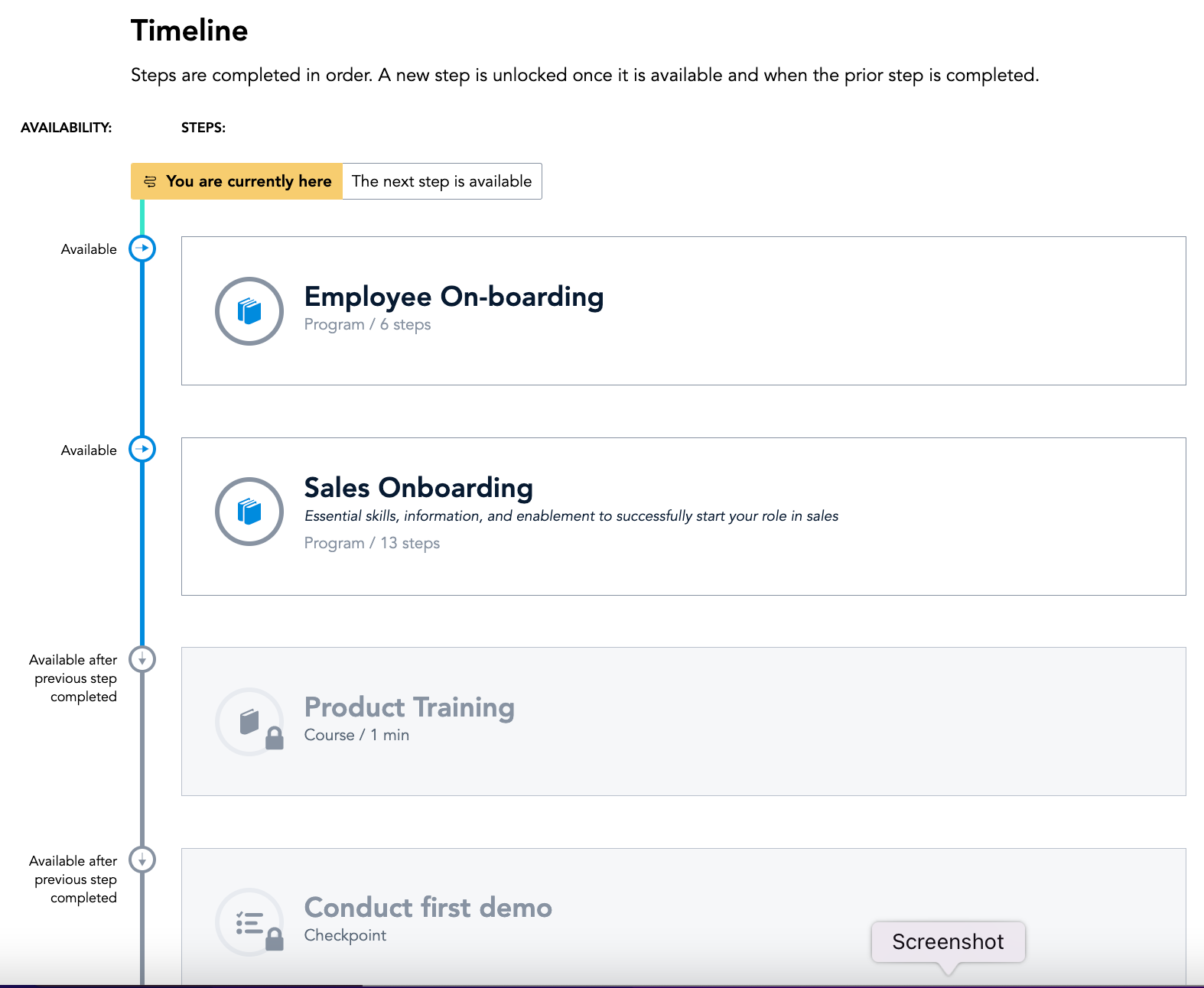
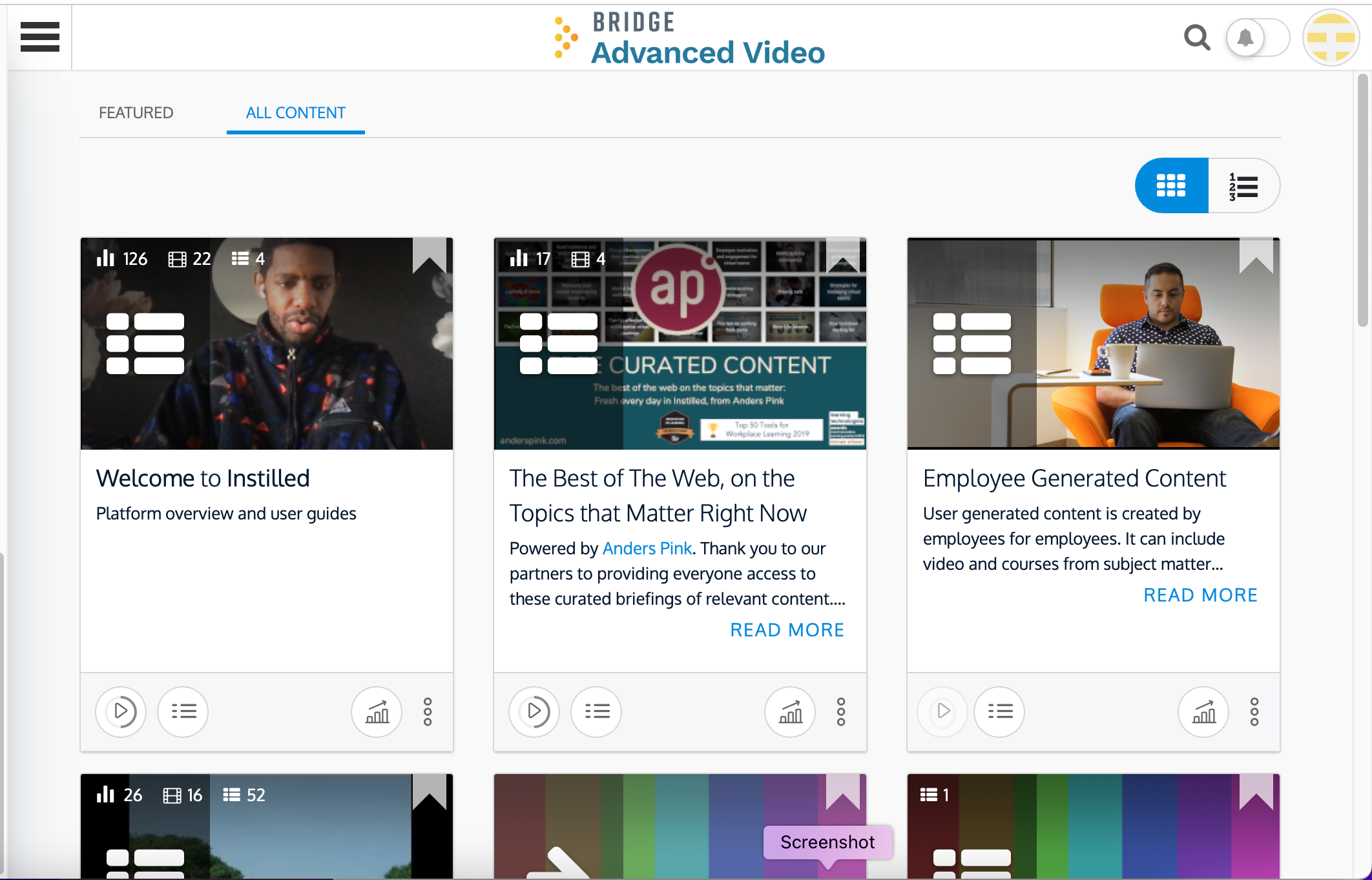
Bridge is an integrated talent management platform that combines learning management, performance management, career development, and engagement measurement into one platform. Bridge enables companies to develop their people with live, virtual, on-demand and experience based training, manager/employees 1:1s, and career development plans. Used by more than 1000 companies worldwide, Bridge helps companies achieve their strategic people development goals by facilitating connection, alignment, and…
$15,000
per year
EPAY Systems
Score 9.0 out of 10
Enterprise companies (1,001+ employees)
EPAY Systems, a PrismHR Company, is a SaaS provider of human capital management technology and services designed to help medium to large businesses better manage their workforce. Their solutions include recruiting and applicant tracking, new hire onboarding, benefits administration, HR management, time tracking, workforce management, payroll processing, tax management, performance management, ACA reporting, and COBRA administration.
N/A
Rippling
Score 9.0 out of 10
N/A
Rippling’s platform for HR, IT, payroll, and spend management automates the entire employee lifecycle, ensures compliance, supports device management, and provides real-time financial visibility from a central dashboard.
$8
per month per user
Pricing
Bridge LMS, Skills & Performance Management
EPAY Systems
Rippling
Editions & Modules
Learn (LMS)
Contact Sales
Talent Suite (LMS and Skills)
Contact Sales
Full Suite (LMS, Skills and Performance)
Contact Sales
No answers on this topic
Recommended
$8.00
starting price per user, per month
Offerings
Pricing Offerings
Bridge LMS, Skills & Performance Management
EPAY Systems
Rippling
Free Trial
No
No
No
Free/Freemium Version
No
No
No
Premium Consulting/Integration Services
Yes
Yes
Yes
Entry-level Setup Fee
Required
Required
No setup fee
Additional Details
—
—
For additional pricing details visit the Rippling pricing page.
More Pricing Information
Community Pulse
Bridge LMS, Skills & Performance Management
EPAY Systems
Rippling
Features
Bridge LMS, Skills & Performance Management
EPAY Systems
Rippling
Learning Management
Comparison of Learning Management features of Product A and Product B
Bridge LMS, Skills & Performance Management
7.6
41 Ratings
7% below category average
EPAY Systems
-
Ratings
Rippling
-
Ratings
Course authoring
8.040 Ratings
00 Ratings
00 Ratings
Course catalog or library
8.037 Ratings
00 Ratings
00 Ratings
Player/Portal
5.028 Ratings
00 Ratings
00 Ratings
Learning content
8.037 Ratings
00 Ratings
00 Ratings
Mobile friendly
3.040 Ratings
00 Ratings
00 Ratings
Progress tracking & certifications
10.039 Ratings
00 Ratings
00 Ratings
Assignments
10.034 Ratings
00 Ratings
00 Ratings
Compliance management
10.031 Ratings
00 Ratings
00 Ratings
Learning administration
10.033 Ratings
00 Ratings
00 Ratings
Learning reporting & analytics
10.035 Ratings
00 Ratings
00 Ratings
Social learning
2.022 Ratings
00 Ratings
00 Ratings
Human Resource Management
Comparison of Human Resource Management features of Product A and Product B
Bridge LMS, Skills & Performance Management
-
Ratings
EPAY Systems
2.2
2 Ratings
115% below category average
Rippling
9.1
1095 Ratings
11% above category average
Employee demographic data
00 Ratings
2.32 Ratings
8.9777 Ratings
Employment history
00 Ratings
2.32 Ratings
8.9802 Ratings
Job profiles and administration
00 Ratings
2.12 Ratings
9.1914 Ratings
Organization and location management
00 Ratings
2.32 Ratings
9.2842 Ratings
Compliance data (COBRA, OSHA, etc.)
00 Ratings
2.12 Ratings
9.0649 Ratings
Workflow for transfers, promotions, pay raises, etc.
00 Ratings
00 Ratings
9.2812 Ratings
Organizational charting
00 Ratings
00 Ratings
9.2947 Ratings
Payroll Management
Comparison of Payroll Management features of Product A and Product B
Bridge LMS, Skills & Performance Management
-
Ratings
EPAY Systems
2.9
5 Ratings
95% below category average
Rippling
9.3
1143 Ratings
13% above category average
Pay calculation
00 Ratings
6.55 Ratings
9.31029 Ratings
Support for external payroll vendors
00 Ratings
2.42 Ratings
00 Ratings
Off-cycle/On-Demand payment
00 Ratings
2.32 Ratings
9.0717 Ratings
Benefit plan administration
00 Ratings
1.01 Ratings
9.0999 Ratings
Direct deposit files
00 Ratings
2.32 Ratings
9.51002 Ratings
Salary revision and increment management
00 Ratings
00 Ratings
9.4769 Ratings
Reimbursement management
00 Ratings
00 Ratings
9.3675 Ratings
Leave and Attendance Management
Comparison of Leave and Attendance Management features of Product A and Product B
Bridge LMS, Skills & Performance Management
-
Ratings
EPAY Systems
2.5
3 Ratings
106% below category average
Rippling
9.3
1025 Ratings
13% above category average
Approval workflow
00 Ratings
2.32 Ratings
9.4989 Ratings
Balance details
00 Ratings
3.23 Ratings
9.3941 Ratings
Annual carry-forward and encashment
00 Ratings
2.12 Ratings
9.3697 Ratings
Employee Self Service
Comparison of Employee Self Service features of Product A and Product B
Bridge LMS, Skills & Performance Management
-
Ratings
EPAY Systems
2.9
3 Ratings
95% below category average
Rippling
9.2
1190 Ratings
12% above category average
View and generate pay and benefit information
00 Ratings
3.23 Ratings
9.41126 Ratings
Update personal information
00 Ratings
3.33 Ratings
9.51176 Ratings
View company policy documentation
00 Ratings
2.32 Ratings
9.4977 Ratings
Employee recognition
00 Ratings
00 Ratings
8.6653 Ratings
View job history
00 Ratings
00 Ratings
9.0842 Ratings
HR Reporting
Comparison of HR Reporting features of Product A and Product B
Bridge LMS, Skills & Performance Management
-
Ratings
EPAY Systems
3.0
3 Ratings
86% below category average
Rippling
9.0
617 Ratings
18% above category average
Report builder
00 Ratings
3.13 Ratings
8.8597 Ratings
Pre-built reports
00 Ratings
2.93 Ratings
9.1564 Ratings
Ability to combine HR data with external data
00 Ratings
3.13 Ratings
9.2511 Ratings
Onboarding
Comparison of Onboarding features of Product A and Product B
Bridge LMS, Skills & Performance Management
-
Ratings
EPAY Systems
2.1
2 Ratings
117% below category average
Rippling
9.4
846 Ratings
16% above category average
New hire portal
00 Ratings
2.12 Ratings
9.5823 Ratings
Manager tracking tools
00 Ratings
2.12 Ratings
9.3642 Ratings
Performance and Goals
Comparison of Performance and Goals features of Product A and Product B
Bridge LMS, Skills & Performance Management
-
Ratings
EPAY Systems
2.2
2 Ratings
114% below category average
Rippling
9.0
499 Ratings
11% above category average
Individual goal setting
00 Ratings
2.12 Ratings
9.0458 Ratings
Performance tracking
00 Ratings
2.32 Ratings
8.9454 Ratings
Corporate goal setting
00 Ratings
00 Ratings
9.2429 Ratings
Line-of sight-visibility
00 Ratings
00 Ratings
9.1424 Ratings
Performance Management
Comparison of Performance Management features of Product A and Product B
Bridge LMS, Skills & Performance Management
-
Ratings
EPAY Systems
1.9
2 Ratings
122% below category average
Rippling
9.3
574 Ratings
17% above category average
Performance plans
00 Ratings
2.42 Ratings
9.2505 Ratings
Performance improvement plans
00 Ratings
1.01 Ratings
9.2479 Ratings
Review status tracking
00 Ratings
2.42 Ratings
9.2510 Ratings
Review reminders
00 Ratings
2.42 Ratings
9.4539 Ratings
Multiple review frequency
00 Ratings
1.01 Ratings
9.3467 Ratings
Recruiting / ATS
Comparison of Recruiting / ATS features of Product A and Product B
Bridge LMS, Skills & Performance Management
-
Ratings
EPAY Systems
1.9
2 Ratings
121% below category average
Rippling
9.0
484 Ratings
15% above category average
Job Requisition Management
00 Ratings
2.32 Ratings
9.0384 Ratings
Company Website Posting
00 Ratings
2.32 Ratings
9.0369 Ratings
Publish to Social Media
00 Ratings
1.01 Ratings
9.2326 Ratings
Job Search Site Posting
00 Ratings
2.32 Ratings
8.9337 Ratings
Duplicate Candidate Prevention
00 Ratings
1.01 Ratings
9.1337 Ratings
Applicant Tracking
00 Ratings
2.32 Ratings
8.9370 Ratings
Notifications and Alerts
00 Ratings
2.32 Ratings
9.1454 Ratings
Asset Management
Comparison of Asset Management features of Product A and Product B
Bridge LMS, Skills & Performance Management
-
Ratings
EPAY Systems
-
Ratings
Rippling
8.9
508 Ratings
10% above category average
Tracking of all physical assets
00 Ratings
00 Ratings
8.9508 Ratings
Succession Planning
Comparison of Succession Planning features of Product A and Product B
Bridge is suited for scenarios where you need ppl to complete steps in order or test that they received the correct amount of knowledge after watching a video. I do think Bridge is less appropriate for companies that use it in external training scenarios as there is some key functionality missing. We gotten very good at brainstorming and finding solutions/ways to get Bridge to work the way that we need it to
I am able to track which of my clients have paid their invoices and which have not. The number of days that the EPAY invoice is outstanding is easily accessible. The date the original invoice was sent is displayed. The initial form to complete in order to send the EPAY is so simple a caveman can do it. Just need the client's name, email, and the amount of the invoice. The automated follow-up emails to the clients who have not paid are helpful.
Rippling is extremely user friendly an allows our employees to help themselves in a lot of areas that previously required HR team assistance. Three areas I feel are not well suited for our organization is the inability to reset passwords manually, allocation of hours, and the software's inability to spot a rehire with a new application. We have several associates who moonlight/pick up shifts at other locations. This is infrequent so it woudn't make sense to allocate a percentage of their time to the properties where they're moonlighting. When we manually allocate those hours to the receiving property, the allocations do not take effect on the back end for our accounting department. It's creating a lot of journal entries and back-end corrections in our Accounting software. When it comes to applications, we have a new Director of Talent Acquisition who is not familiar with every previously-hired associate. This has caused duplication of profiles when we rehire an associate. If the DoTA isn't familiar with the associate and hires them in the "talent" portion of the website, it creates a new profile for them rather than recognizing their duplicated information (such as SSN or passport number). This has caused us to end up with dupliate profiles for several rehires. The system is very tech-y it should allow us to either merge the profiles or cause a notification/error to alert the hiring person that this associate/new hire is a rehire. Our previous software (UKG) was able to do this.
Bridge is designed for the user so it is intuitive and easy to use.
Bridge includes an authoring tool so building custom content is fast and easy.
Bridge does a good job of providing user information for managers. Managers can quickly and easily see how many courses their reports are enrolled in and if anyone is overdue on required courses.
Bridge is also built with learning science in mind. There are multiple options for assessments, including an option for verified tasks to be completed to demonstrate proficiency.
Bridge could improve their categorization feature for trainings; folders would be great!
I'd like to see more ways to add content in the Bridge native environment in the future. Being able to create tables, infographics, and other training materials right in the system would be a great time saver.
The overall look and feel of Rippling is dated; it looks like it's straight out of the 00's.
The could be more functionality in the LMS, expanded features, more options, it works, and it's basic, but it could be really great with a few added features.
The shift from using people's personal email to log in to their work email, not everyone wants to use their personal information to log into a work system.
It has been very useful to our organization in getting compliance training complete. We have a 24/7/365 organization with some folks only working 2 days a week during the summer only, many work full-time jobs elsewhere and can't make weekday programs and facilities don't have to alter schedules to get mass numbers of people through training like you have to do with live training..
The AI assistant has always been able to direct me to the correct solution to any question i have about Rippling. Payroll is so easy, it takes about 10 minutes to go through the process.
Because I can't give it a Zero, I believe EPAY Systems is the most senseless system I have ever used. I worked on systems over 25 years ago that were better. In my opinion, there is no logic to the programming; the system is unbelievably SLOW, and there and hundreds of problems every week. And major ones that they will not or can not correct. For example, we can not file or access employee records in the system as it can take longer than 10 minutes to view or load one document for one employee - IF the system allows you to get that far, which it usually doesn't.
Very intuitive, user-friendly, and modern interface that doesn't make you cringe when you have to access it for anything. The admin navigation is easier compared to our previous system, and doesn't feel like a maze of complicated jargon. On the user side, the benefits enrollment process was a breeze, and felt so much more informative and efficient. Accessing the benefits post-enrollment is also very straightforward.
I like that the availability in using Rippling at any given time is useful to me. Getting on the site freely when I need gives me security of knowing that I can be in control of viewing health insurance and hours information. I have yet to get any errors in using the Rippling app.
Rippling's performance has been great, no errors or glitches yet so far. I am confident that Going from one page to the next and all its complexity usage does not lag or times out, it works effectively and efficiently. While using Rippling and other apps it does not tend to slow it down, works great. No complaints.
I feel the support is terrible. We have an outsourced support purpose who doesn't understand the EPAY Systems or our company, [removed], will only answer the first thing mentioned even if there is an entire list. Then the answer does not solve the 1st problem on the list or any other and has no idea how to help us. We have requested a replacement and were told we would get one, then told later we would not. I believe while the support person is nice, I believe they were not trained or supported on their end, and effectiveness is probably 1% or less, takes forever, and is only on the minor issues.
The highlight of my customer support experience was my first interaction with them: I had a small issue with my birthdate, and it was fixed very quickly—on the same day. It's pretty incredible to have things like that sorted out in the same day, which is a rare thing to see lately.
It's really easy to implement in comparison to other tools or applications. Different key points are easily configured and implemented as per need, having different configurations in systems. Implementation is something which binds the different parameters of an organization in a single row. Implementation of rippling is much easier, quicker, and error free than any other software. I recommend it strongly!
Our previous LMS was Symphony. Hands down, there is no comparison. Switching to Bridge was the best decision made by our management team. All we used Symphony for was for our monthly compliance training. Many times people would complain that they would need to retake their compliance course as Symphony would lose records. It became a hassle having to retake a course because you didn't save a copy of the completion certificate. Bridge allows for more than just compliance training AND we are able to see if learners didn't complete their courses via the reports.
Our main reason for switching to Blueforce is that we found the platform to be pretty promising and interactive than other alternatives. With other alternatives, there was one issue or another which just used to not give us a very smooth and subtle experience. Thankfully, this tool has solved all our problems and has been a godsend gift that does its job quietly and lets the final results make the noise.
We chose Rippling primarily based on cost and feature set available. As a small organization, budget is a high priority. Rippling gave us enterprise-level features at an affordable cost for an early stage start up. We appreciate that we have the opportunity to expand our feature set within Rippling as our business and workforce grow.
I can go on here and see all my hours and pto plus health benefits. I like to have the work handbook handy to refer to legal things. How to work my role within it's limits. Being able to put in my hours and view when they are approved is a huge benefit for me.
Certainly, Bridge was not an inexpensive option when we were reviewing platforms. To date, we have not seen a positive ROI but believe that will happen in the near future as we expand an offering of an additional program.
Reviews from our users indicate that they appreciate the professional and easy to use features Bridge provides, along with the video based design of the program.
The program we developed with the Bridge platform supports our position as educators in our industry.
Our HR team used to spend almost three days doing payroll calculations before Rippling. This platform has cut that time down by 75%! Now they can devote the time they would've spent on payroll to other important tasks.
Rippling saves employees time by making time-tracking less of a headache.
Rippling has so many so many services that it's essentially a one-stop-shop for centralized HR solutions!