Overview
ProductRatingMost Used ByProduct SummaryStarting Price
Buildertrend
Score 7.5 out of 10
N/A
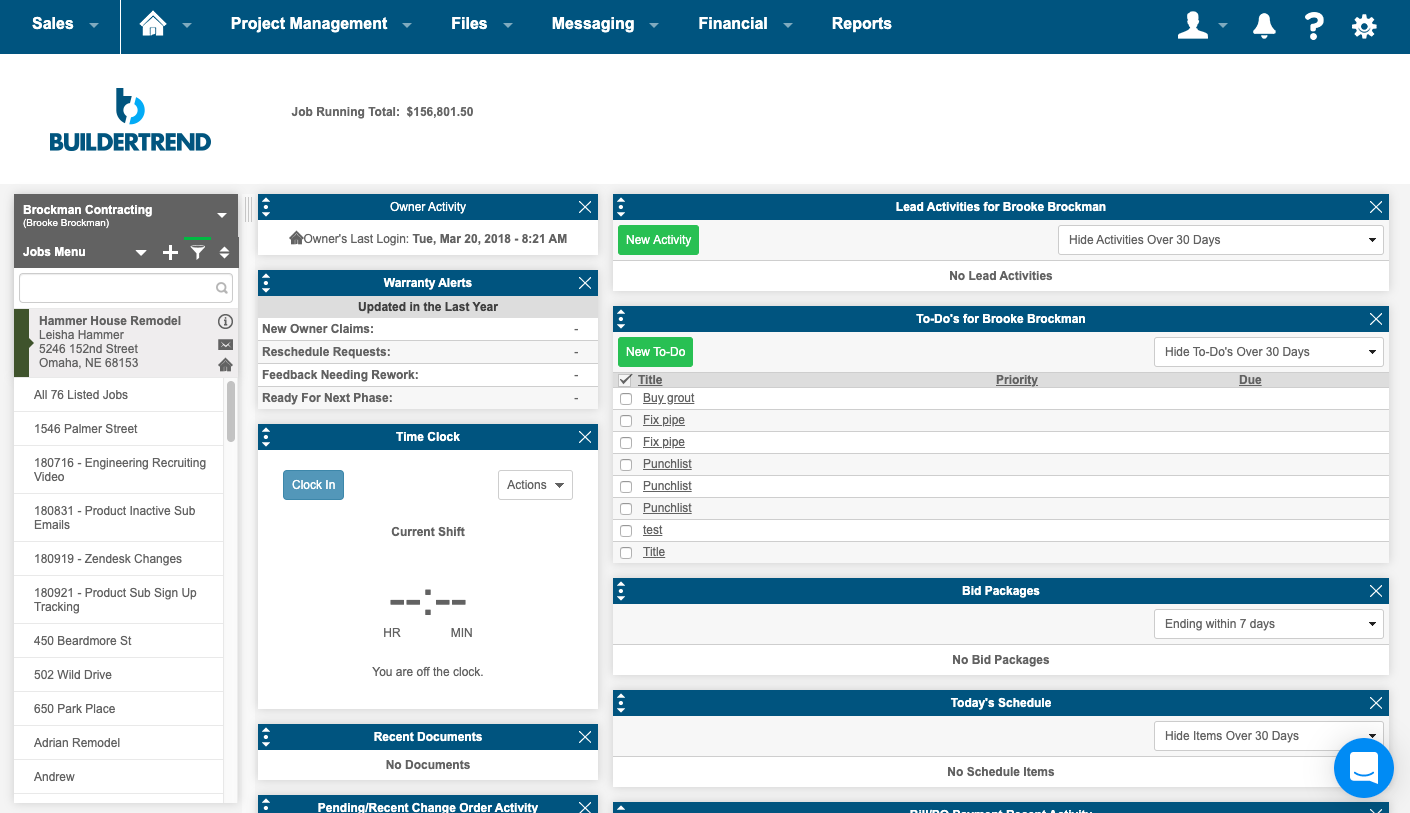
BuilderTrend is a construction management system. It includes functionality for pre-sale, project management, financial management, and customer management processes. It also provides mobile accessibility.N/A
Navisworks
Score 9.3 out of 10
N/A
Autodesk's Navisworks is a 3D model and construction project review and coordination software allowing the user to combine design and construction data into a single model, and identify and resolve clash and interference problems before construction.
$135
per month
Procore
Score 8.7 out of 10
N/A
Procore is a project management software designed specifically for the construction industry. Procore is cloud-based and allows unlimited users per instance, so that construction team members and stakeholders can all access project information and documents.N/A
Pricing
BuildertrendNavisworksProcore
Editions & Modules
Core Subscription
Contact for quote
per year
Premium
Contact for quote
per month
Premium
Contact for quote
Navisworks Simulate - Monthly
$135
per month per user
Navisworks Manage - Monthly
$335
per month per user
Navisworks Simulate - Yearly
$1,080
per year per user
Navisworks Manage - Yearly
$2,670
per year per user
Navisworks Simulate - 3 Year
$3,240
3 years per user
Navisworks Manage - 3 Year
$8,010
3 year per user
Custom Bundle
Custom Quote
annually
Offerings
Pricing Offerings
BuildertrendNavisworksProcore
Free Trial
NoYesNo
Free/Freemium Version
NoNoNo
Premium Consulting/Integration Services
YesNoNo
Entry-level Setup FeeNo setup feeNo setup feeNo setup fee
Additional DetailsProcore charges an upfront annual fee by product and based upon Annual Construction Volume (ACV) - the aggregate dollar value of the construction work across the customer's projects. Procore contracts include access for unlimited users, customer support, unlimited data storage, and product enhancements, at no additional cost. Multi-year pools: Contract volume is set for the entire multi-year term and can be consumed at any time during that period to help smooth out variability in consumption. Volume opt-in: Up-front contractual pricing is put in place for additional volume that might need to be added mid-term, to increase predictability of costs. Renewal rate protection: Up-front setting of rates is locked now, so businesses can budget accordingly for future renewals and improve cost predictability in future years.
More Pricing Information
Community Pulse
BuildertrendNavisworksProcore
Considered Multiple Products
Buildertrend
Chose Buildertrend
Their constant improvement is why we selected them.
Navisworks
Chose Navisworks
Navisworks does not have a mobile app or internal issue tracking but it integrates well with other apps. It's easier to navigate and run clash detection. The desktop program is more robust and offers more functionality.
Chose Navisworks
Navisworks is the go-to system for 3D BIM/MEP coordination. I don't know of many other options that are standardized/uniformly recognized as the base system in 3D coordination.
Chose Navisworks
I have not used a lot of other software to compare Navisworks to but Revit is probably the closest to what Navisworks does. Revit is a lot more focused on the model creation and Navisworks is a bit more well equipped for reviewing and analyzing an already created model. Some of …
Chose Navisworks
It can integrate many different types of file formats of all types of design including architectural, structural, interior, MEP. It has good ability to make walk through videos and make it inclusion with the timeline. Clash detection is the main feature which sets it apart from …
Procore
Chose Procore
ProCore is MUCH more expensive than BuilderTrend and the pricing model (making it based on revenue and modules) makes it too expensive for small sub-contractors.
Chose Procore
BuilderTrend, but it was too heavy on the sales side and not enough on the project management side.

I used Prolog in the past, but it was too large and I didn't think I could get our field guys to use it.
Chose Procore
BuilderTrend approached us recently and we were given a demo. Both of us agreed that BuilderTrend was more suited to home building. We're commercial builders so this wasn't a good option for us. We use Building Connected occasionally, just the free subscription and for bidding …
Chose Procore
We've tried BuilderTrend in the past but it was not right for our organization. It didn't have the features we needed that would keep the team self-efficient. We tried Procore and it just fit. The setup was simple and we did not spend a lot of time onboarding the team. This is …
Chose Procore
Procore seems much more professional - as well it should be for the cost. I won't get into the woes of Buildertrend, but while learning Procore was very intimidating, and recalling the steps, I think using the tools daily definitely helps get the hang of it. Having a team that …
Chose Procore
Procore is my first step in using digitized construction management tools and software. Not sure anyone else offers what Procore does. I have used a recent competitor to the space, Buildertrend. While there are things I like about the software, it really showed me why …
Chose Procore
All the processes are streamlined and it is sort of an all in one construction project management platform.
Chose Procore
Procore has more of what we use to get the project done from start to finish.
Chose Procore
It's been over 10 years since we switched over to Procore, but I do remember that at the time Procore made it easier to link between different modules.
Chose Procore
Procore is leaps and bounds better than any other product on the market. While there is room for improvement, the other programs out there are cumbersome to use or do not have all of the functionality that Procore has as of today. I have yet to see anything that stands up to …
Chose Procore
Procore has a clearer user interface and a wider variety of tools than any program I've used. Procore also lives up to their name in terms of helpful and fast customer service. There is always a Procore rep. that is available to contact, making any problems just a mini hurdle.
Chose Procore
Bulk edition able
Customized reports are better that Procore's
The tools flexibility
Chose Procore
Procore was our first dive into field-to-office software. We have not tested or demoed any of the products listed above but these have been the other "big players" that we have heard of other companies in our are using.
Chose Procore
Procore's standard is a web-based program so you can use it anywhere at any time. Foundation is connected to a server and requires extra steps to access. I am currently using Procore because it is the required program at my company.
Chose Procore
Procore is a powerful platform of cohesive tools that covers the vast majority of project management needs and does so in a relatively easy to use user interface.
Chose Procore
Procore seemed to have better usability. It also appeared to better manage a wider array of business functions.
Chose Procore
Procore had the most robust set of features of all programs we tested. Practically we don't need EVERYTHING Procore provides but it was easy and scalable, and cloud based - all features which are important since many members of our company are on the road quite a bit. It was …
Chose Procore
Procore is more expensive but its features are more robust. Also has enough flexibility to be compatible for our project types.
Chose Procore
We've also looked at Sage300 Construction Software. Procore had the most appropriate functionality overall that we were looking for, although it's not perfect. The cost of Procore is also less than what some other software are charging, especially as far as integration and …
Features
BuildertrendNavisworksProcore
Construction Project & Field Management
Comparison of Construction Project & Field Management features of Product A and Product B
Buildertrend
4.3
8 Ratings
53% below category average
Navisworks
-
Ratings
Procore
8.4
762 Ratings
12% above category average
Plan distribution & viewing1.06 Ratings00 Ratings8.8732 Ratings
Plan markups & sharing2.07 Ratings00 Ratings7.7705 Ratings
Issue tracking & punchlists2.28 Ratings00 Ratings8.8684 Ratings
Photo documentation6.18 Ratings00 Ratings8.6734 Ratings
Jobsite reports9.07 Ratings00 Ratings8.3696 Ratings
Document sharing2.38 Ratings00 Ratings8.8752 Ratings
RFI tools8.25 Ratings00 Ratings8.8713 Ratings
Collaboration & approvals4.07 Ratings00 Ratings8.4691 Ratings
As-built drawings8.74 Ratings00 Ratings8.3119 Ratings
Mobile app1.38 Ratings00 Ratings8.0704 Ratings
Submittal design and management3.06 Ratings00 Ratings8.6214 Ratings
Meeting Minutes00 Ratings00 Ratings7.5202 Ratings
Specifications00 Ratings00 Ratings8.8211 Ratings
Change orders00 Ratings00 Ratings8.1175 Ratings
Estimating
Comparison of Estimating features of Product A and Product B
Buildertrend
1.2
7 Ratings
145% below category average
Navisworks
-
Ratings
Procore
8.5
114 Ratings
11% above category average
Takeoff tools1.05 Ratings00 Ratings10.04 Ratings
Job costing1.06 Ratings00 Ratings7.5100 Ratings
Cost databases1.06 Ratings00 Ratings8.14 Ratings
Cost calculator1.17 Ratings00 Ratings9.04 Ratings
Bid creation2.07 Ratings00 Ratings7.6107 Ratings
Human Resource Management
Comparison of Human Resource Management features of Product A and Product B
Buildertrend
-
Ratings
Navisworks
-
Ratings
Procore
7.9
60 Ratings
11% above category average
Compliance data (COBRA, OSHA, etc.)00 Ratings00 Ratings7.960 Ratings
Payroll Management
Comparison of Payroll Management features of Product A and Product B
Buildertrend
-
Ratings
Navisworks
-
Ratings
Procore
7.6
54 Ratings
10% above category average
Support for external payroll vendors00 Ratings00 Ratings7.654 Ratings
Reporting & Analytics
Comparison of Reporting & Analytics features of Product A and Product B
Buildertrend
-
Ratings
Navisworks
-
Ratings
Procore
7.9
197 Ratings
3% above category average
Dashboards00 Ratings00 Ratings7.7182 Ratings
Standard reports00 Ratings00 Ratings8.0189 Ratings
Custom reports00 Ratings00 Ratings7.6184 Ratings
Data exportability00 Ratings00 Ratings8.1177 Ratings
Best Alternatives
BuildertrendNavisworksProcore
Small Businesses
FollowUp CRM
FollowUp CRM
Score 1.9 out of 10
Onshape
Onshape
Score 7.5 out of 10
FollowUp CRM
FollowUp CRM
Score 1.9 out of 10
Medium-sized Companies
InEight
InEight
Score 8.3 out of 10
Onshape
Onshape
Score 7.5 out of 10
InEight
InEight
Score 8.3 out of 10
Enterprises
InEight
InEight
Score 8.3 out of 10
Rhino
Rhino
Score 8.4 out of 10
InEight
InEight
Score 8.3 out of 10
All AlternativesView all alternativesView all alternativesView all alternatives
User Ratings
BuildertrendNavisworksProcore
Likelihood to Recommend
10.0
(11 ratings)
10.0
(16 ratings)
8.9
(865 ratings)
Likelihood to Renew
-
(0 ratings)
-
(0 ratings)
8.6
(70 ratings)
Usability
9.7
(4 ratings)
10.0
(1 ratings)
10.0
(57 ratings)
Availability
-
(0 ratings)
-
(0 ratings)
9.9
(15 ratings)
Performance
-
(0 ratings)
-
(0 ratings)
9.5
(15 ratings)
Support Rating
10.0
(1 ratings)
7.4
(9 ratings)
9.6
(69 ratings)
In-Person Training
-
(0 ratings)
-
(0 ratings)
8.1
(5 ratings)
Online Training
-
(0 ratings)
-
(0 ratings)
9.3
(13 ratings)
Implementation Rating
-
(0 ratings)
-
(0 ratings)
10.0
(114 ratings)
Configurability
-
(0 ratings)
-
(0 ratings)
9.3
(15 ratings)
Ease of integration
-
(0 ratings)
-
(0 ratings)
9.1
(310 ratings)
Product Scalability
-
(0 ratings)
-
(0 ratings)
9.8
(15 ratings)
Vendor post-sale
-
(0 ratings)
-
(0 ratings)
9.9
(13 ratings)
Vendor pre-sale
-
(0 ratings)
-
(0 ratings)
9.8
(14 ratings)
User Testimonials
BuildertrendNavisworksProcore
Likelihood to Recommend
Buildertrend
Buildertrend was made for a specific industry (building) and so I would recommend it to anyone in that industry, with the exception of Sales and Marketing. But for everything else from the financing to the permitting to the construction and all else, Buildertrend is exactly what our team has used and will ALWAYS use. Even with our decision to use other systems for Sales and Marketing, we have never given one thought to taking Buildertrend out of our process. We will always be with Buildertrend.
Read full review
Autodesk
Navisworks is a key tool if doing any 3D model coordination with other trades. It will allow you to view your model content with others to know for certain that your design is accurate and can be assembled. Navisworks also comes with a lot of additional tools to make this process easy.
Read full review
Procore Technologies
It works great for project management and putting all job-specific documents in one place. We are able to share drawings, submittals, and forms with our customers and subcontractors in a safe and reliable platform. However, getting reporting data is somewhat lacking, so if your business needs advanced options, you might try and find a better product.
Read full review
Pros
Buildertrend
  • Manages in one place - crucial for organization.
  • Professional, across the board it provides companies with a seamlessly organized and flawless presentation - to subs/vendors/owners/etc.
  • Time Saver - you don't have to dig around through files/create templates/flip through your contact binder - it's all there.
  • Practical tools- designed for contractors. You get what you need - period.
Read full review
Autodesk
  • Model Viewing, the navigation tools are really easy to use for walking through the model, especially if viewpoints are set up for key locations.
  • The take-offs work really well and can be very quick and easy if the model was built right.
Read full review
Procore Technologies
  • Does well Emailing me (If i am subscribed to a project) to let me know when revisions have been updated.
  • Easy to navigate
  • Great at Allowing me as a project Engineer to Upload my drawings to Procore. Not a lot of steps, and very easy to do.
Read full review
Cons
Buildertrend
  • Onsite consultants. There is a demand for this service that is great enough to allow outside BuilderTrend Super-Users like me to partner with BuilderTrend and make this a reality.
  • As their company grows, their support needs to grow as well.
  • Provide incentives for Super Users that are helping BuilderTrend acquire new business. Advocates should be their best friend.
Read full review
Autodesk
  • A link to BIM 360 Model Coordination is a serious shortcoming. It used to be easy to link to models loaded to BIM 360 Glue for more in depth clash detection.
  • I would have liked the ability to export a simulation created in Navisworks to 3DS Max for a more immersive animation with decent material mapping and better animation tools.
  • I would like to be able to view/create BIM 306 Docs/Field issues directly in Navisworks. In the current workflow we have to use other file formats to work within BIM 360. It would be more productive to be able to navigate the model through Navisworks and to create viewpoints and issues from within Navisworks.
Read full review
Procore Technologies
  • Downloading drawing sets sometimes involves an extra step that holds up the process
  • The dashboard is simplistic to the point that I don't feel like I am getting enough information about a specific project from the get-go
  • Granting access to a project on Procore is not very straightforward as a consultant- restrictions sometimes cause hold-ups
Read full review
Likelihood to Renew
Buildertrend
No answers on this topic
Autodesk
No answers on this topic
Procore Technologies
We will undoubtedly renew Procore as it has proven itself to be a means to better track and improve upon our efficiency and communications between job sites and their project managers as well as all other departments. Procore has made an incredible impact on how we, as a company, do our job on all levels; it is one of our most powerful and effective resources.
Read full review
Usability
Buildertrend
Its simple to use and intuitive. The level of support that we have from online videos, to access to customer support, and the ability to call anyone at anytime on the main line has been invaluable to utilize and not get stuck on something you don't know yet. We've never not had anyone that couldn't respond in time for us.
Read full review
Autodesk
Users are very happy with it and hear no complains from them
Read full review
Procore Technologies
90% of Procore is very intuitive and any user can pick it up and go. There are a few elements, more so on the Financials side that need some prior knowledge of systems in order to understand how and why it functions as it does. Once this is understood, it flows effortlessly
Read full review
Reliability and Availability
Buildertrend
No answers on this topic
Autodesk
No answers on this topic
Procore Technologies
If you are working in an area with little to no signal, Procore will still allow you to get in the system and use it fully and will then update once you are at a place with a strong enough signal. Whether it be with wifi or LTE cell phone reception.
Read full review
Performance
Buildertrend
No answers on this topic
Autodesk
No answers on this topic
Procore Technologies
For the most part Procore is very responsive. However there are times when it's a little slow but it's minimal.
Read full review
Support Rating
Buildertrend
I highly recommend. The only suggestion I have would be to offer a free trial. They do offer a 30 day money back guarantee. The price point isn't daunting if you have had a 100 % no strings attached/no effort to cancel or try to remember to get your money back - no strings attached chance to try out the product. Especially for such a big purchase decision, I think Buildertrend would see an incredible increase in sales. They have the value and companies just need a chance to see it first hand.
Read full review
Autodesk
Autodesk owns Navisworks, and it seems to have a pretty good support network. A lot of the troubleshooting or support information is provided through an online database, so you most likely would not be getting any personal attention with your issues. Since there are so many users for Navisworks, there is a lot of information on the web.
Read full review
Procore Technologies
General Support for Project Management and Financials is consistent. The ERP support is never consistent and I do end up at times in a black hole. I have to continually reach out to get the issue resolved or get an update. The ERP support needs more of Procore's attention
Read full review
In-Person Training
Buildertrend
No answers on this topic
Autodesk
No answers on this topic
Procore Technologies
Procore's Implementation Team does a great job of ensuring users are confident in using the system. They run through a process of training sessions based on the tools you have purchased, and lay ou ta plan to help the power users configure the tool to suit the company's needs. They provide useful resources for certifications, support and ongoing training as well.
Read full review
Online Training
Buildertrend
No answers on this topic
Autodesk
No answers on this topic
Procore Technologies
Procore's certification program and focused how-to training videos allowed for easy training that did not feel overwhelming. The way the certification programs were broken up into small parts made it seem much less daunting to complete. The training feels focused and does not overload users with too much information all at once.
Read full review
Implementation Rating
Buildertrend
No answers on this topic
Autodesk
No answers on this topic
Procore Technologies
Iron out your cost code list in your accounting software before you link with Procore. Once the link is established that list is more or less permanent. Review the permission matrix carefully. It controls so much. You want to ensure the information provided to your users adequate but you also want to protect your sensitive data. Procore Financials are organized in a total contract value style. Any markup or Profit will need to be sent somewhere on your budget. This may be significantly different than the Cost budgeting that many contractors do
Read full review
Alternatives Considered
Buildertrend
The program has outstanding customer service. With project scheduling, project management, financial management, customer management, and service management capabilities in a single suite, there's really not much this program can't do! Owners generally love the use of this software as well, giving them the ability to view daily logs, photos, schedules, etc.
Read full review
Autodesk
Navisworks is a master tool if we want to do any 3D model coordination with any trade of a building. It allows us to view our model content with all elements to visualize and understand for certain where our design stands in terms of accuracy and how all things can be assembled on site. Navisworks also comes with a lot of additional tools to make BIM process easy.
Read full review
Procore Technologies
Procore has a clearer user interface and a wider variety of tools than any program I've used. Procore also lives up to their name in terms of helpful and fast customer service. There is always a Procore rep. that is available to contact, making any problems just a mini hurdle.
Read full review
Scalability
Buildertrend
No answers on this topic
Autodesk
No answers on this topic
Procore Technologies
once in awhile Procore is down for a period of time, its frustrating when it happens but doesn't tend to last long.
Read full review
Return on Investment
Buildertrend
  • The prior year cost me roughly $4300, which was barely reasonable for my volume. Some clients liked the format, some hated it and didn't participate. In my experience, few subcontractors or suppliers embraced the program, severely limiting the effectiveness.
  • For the coming year the fees would have exceeded $17,000, far too much for a program with limited client, employee, and subcontractor appeal with as small a volume as I have.
  • Honestly, for the last year, I feel they've been a burning tire hung around my neck and I regret not cancelling them in early 2019, I'd have $10,000 more in my pocket and no significant negative impact.
  • I did appreciate the daily log as a way to report on progress, but less than half my clients made use of this option.
Read full review
Autodesk
  • It helps in coordination on BIM projects. We have had major project coordination saving millions on jobs.
  • Helps us win more projects as we can coordinate them
  • Used to use the animation tools for site logistics. Now we use game engines.
Read full review
Procore Technologies
  • The Procore service impacts on construction projects are effective and reliable on production acceleration.
  • The collaboration is stable and easy files access and uploading of engineering drawings and plans is excellent.
  • New project planning and project financial data management on Procore functions are excellent.
Read full review
ScreenShots

Buildertrend Screenshots

Screenshot of the homeowner portalScreenshot of a summary pageScreenshot of the scheduling interface & Gantt chartScreenshot of photos