
Meg Billings
Owner
Chose Buildertrend
Their constant improvement is why we selected them.

| Product | Rating | Most Used By | Product Summary | Starting Price |
|---|---|---|---|---|
 Buildertrend | N/A | BuilderTrend is a construction management system. It includes functionality for pre-sale, project management, financial management, and customer management processes. It also provides mobile accessibility. | N/A | |
 On-Screen Takeoff® | N/A | On-Screen Takeoff is a construction takeoff and estimating solution. It is intended to streamline takeoff, RFI, and bidding processes. | N/A | |
 Procore | N/A | Procore is a project management software designed specifically for the construction industry. Procore is cloud-based and allows unlimited users per instance, so that construction team members and stakeholders can all access project information and documents. | N/A |
| Buildertrend | On-Screen Takeoff® | Procore | ||||||||||||||||||||||
|---|---|---|---|---|---|---|---|---|---|---|---|---|---|---|---|---|---|---|---|---|---|---|---|---|
| Editions & Modules |
| No answers on this topic |
| |||||||||||||||||||||
| Offerings |
| |||||||||||||||||||||||
| Entry-level Setup Fee | No setup fee | No setup fee | No setup fee | |||||||||||||||||||||
| Additional Details | — | On-Screen Takeoff® pricing varies based on licensing options and specific business needs. The annual subscription plans are designed to scale with project and team size. Available Subscription Options: •On-Screen Takeoff •On-Screen Takeoff with Takeoff Boost™ •On-Screen Takeoff and Quick Bid® •On-Screen Takeoff with Takeoff Boost and Quick Bid Each subscription is customized to match the subscriber's workflow requirements. A 14-day free trial is available. | Procore charges an upfront annual fee by product and based upon Annual Construction Volume (ACV) - the aggregate dollar value of the construction work across the customer's projects. Procore contracts include access for unlimited users, customer support, unlimited data storage, and product enhancements, at no additional cost. Multi-year pools: Contract volume is set for the entire multi-year term and can be consumed at any time during that period to help smooth out variability in consumption. Volume opt-in: Up-front contractual pricing is put in place for additional volume that might need to be added mid-term, to increase predictability of costs. Renewal rate protection: Up-front setting of rates is locked now, so businesses can budget accordingly for future renewals and improve cost predictability in future years. | |||||||||||||||||||||
| More Pricing Information | ||||||||||||||||||||||||
| Buildertrend | On-Screen Takeoff® | Procore | |
|---|---|---|---|
| Considered Multiple Products | Buildertrend Meg Billings Owner Chose Buildertrend Their constant improvement is why we selected them. |  On-Screen Takeoff®  christian Maxwell Project Engineer Chose On-Screen Takeoff® I think that the simplicity and set up of On-Screen Takeoff makes this an overall better software than Bluebeam or Navisworks. Both of which can be used to create good takeoffs but they are limited in ways that on screen is not so it is a much more versatile take off tool. I …  Tim Vitek Estimator Chose On-Screen Takeoff® I have not used others. |  Procore  Eric Schapira President Chose Procore  Adam Schmidt Management Consultant Chose Procore ProCore is MUCH more expensive than BuilderTrend and the pricing model (making it based on revenue and modules) makes it too expensive for small sub-contractors.  Barbara McCrina Sr. Project Administrator Chose Procore BuilderTrend approached us recently and we were given a demo. Both of us agreed that BuilderTrend was more suited to home building. We're commercial builders so this wasn't a good option for us. We use Building Connected occasionally, just the free subscription and for bidding …  Dante Bolilan BIM Modeler Chose Procore We’ve used both—Procore and Autodesk Construction Cloud—and both have their respective strengths and weaknesses. If you're looking for design integration, especially if you're already using AutoCAD or Revit, Autodesk Construction Cloud is better. It’s seamless in the …  Ted Thompson Project/Marketing Manager Chose Procore Procore is more expensive but its features are more robust. Also has enough flexibility to be compatible for our project types.  Jason Diem Project Manager Chose Procore We found Procore easier to use and more cost effective. The fact that subcontractors on our project do not need to purchase Procore is a huge advantage over the competition. Some programs, like Bluebeam, are more than the average person in the field needs, and the gap in tech …  Josh Ribelin EHS Coordinator Chose Procore Procore is vastly superior to all other products I have dealt with. Ease of use, document organization, software navigation, etc. no comparison with any other software out there. |
| Buildertrend | On-Screen Takeoff® | Procore | |||||||||||||||||||||||||||||||||||||||||||||||||||||||||||
|---|---|---|---|---|---|---|---|---|---|---|---|---|---|---|---|---|---|---|---|---|---|---|---|---|---|---|---|---|---|---|---|---|---|---|---|---|---|---|---|---|---|---|---|---|---|---|---|---|---|---|---|---|---|---|---|---|---|---|---|---|---|
| Construction Project & Field Management |
| ||||||||||||||||||||||||||||||||||||||||||||||||||||||||||||
| Estimating |
| ||||||||||||||||||||||||||||||||||||||||||||||||||||||||||||
| Human Resource Management |
| ||||||||||||||||||||||||||||||||||||||||||||||||||||||||||||
| Payroll Management |
| ||||||||||||||||||||||||||||||||||||||||||||||||||||||||||||
| Reporting & Analytics |
|
| Buildertrend | On-Screen Takeoff® | Procore | |
|---|---|---|---|
| Small Businesses |  FollowUp CRM Score 2.0 out of 10 |  Bluebeam Score 9.2 out of 10 | FollowUp CRM Score 2.0 out of 10 |
| Medium-sized Companies |  InEight Score 8.3 out of 10 | InEight Score 8.3 out of 10 | InEight Score 8.3 out of 10 |
| Enterprises | InEight Score 8.3 out of 10 | InEight Score 8.3 out of 10 | InEight Score 8.3 out of 10 |
| All Alternatives | View all alternatives | View all alternatives | View all alternatives |
| Buildertrend | On-Screen Takeoff® | Procore | |
|---|---|---|---|
| Likelihood to Recommend | 10.0 (11 ratings) | 9.0 (15 ratings) | 8.9 (865 ratings) |
| Likelihood to Renew | - (0 ratings) | 10.0 (1 ratings) | 8.6 (70 ratings) |
| Usability | 9.7 (4 ratings) | 6.0 (1 ratings) | 10.0 (57 ratings) |
| Availability | - (0 ratings) | - (0 ratings) | 9.9 (15 ratings) |
| Performance | - (0 ratings) | - (0 ratings) | 9.5 (15 ratings) |
| Support Rating | 10.0 (1 ratings) | 8.2 (5 ratings) | 9.6 (69 ratings) |
| In-Person Training | - (0 ratings) | - (0 ratings) | 8.1 (5 ratings) |
| Online Training | - (0 ratings) | - (0 ratings) | 9.3 (13 ratings) |
| Implementation Rating | - (0 ratings) | 7.0 (1 ratings) | 10.0 (114 ratings) |
| Configurability | - (0 ratings) | - (0 ratings) | 9.3 (15 ratings) |
| Ease of integration | - (0 ratings) | - (0 ratings) | 9.1 (310 ratings) |
| Product Scalability | - (0 ratings) | - (0 ratings) | 9.8 (15 ratings) |
| Vendor post-sale | - (0 ratings) | - (0 ratings) | 9.9 (13 ratings) |
| Vendor pre-sale | - (0 ratings) | - (0 ratings) | 9.8 (14 ratings) |
| Buildertrend | On-Screen Takeoff® | Procore | |
|---|---|---|---|
| Likelihood to Recommend | Buildertrend
 Joey Harman Project Consultant | ConstructConnect
| Procore Technologies
 David Noah Controls Engineer |
| Pros | Buildertrend
| ConstructConnect
christian Maxwell Project Engineer | Procore Technologies
|
| Cons | Buildertrend
 Andrew Lascano Founder | ConstructConnect
| Procore Technologies
 Laura Samoisette, LEED AP, WELL AP High Performance Division Project Manager |
| Likelihood to Renew | Buildertrend No answers on this topic | ConstructConnect
| Procore Technologies
|
| Usability | Buildertrend
| ConstructConnect
| Procore Technologies
 Jason Glover President |
| Reliability and Availability | Buildertrend No answers on this topic | ConstructConnect No answers on this topic | Procore Technologies
|
| Performance | Buildertrend No answers on this topic | ConstructConnect No answers on this topic | Procore Technologies
 Phillip Li COO (Chief Operations Officer) |
| Support Rating | Buildertrend
| ConstructConnect
christian Maxwell Project Engineer | Procore Technologies
|
| In-Person Training | Buildertrend No answers on this topic | ConstructConnect No answers on this topic | Procore Technologies
Jason Glover President |
| Online Training | Buildertrend No answers on this topic | ConstructConnect No answers on this topic | Procore Technologies
|
| Implementation Rating | Buildertrend No answers on this topic | ConstructConnect
| Procore Technologies
|
| Alternatives Considered | Buildertrend
| ConstructConnect
| Procore Technologies
|
| Scalability | Buildertrend No answers on this topic | ConstructConnect No answers on this topic | Procore Technologies
 Ariana Marsiglia Operations Manager |
| Return on Investment | Buildertrend
| ConstructConnect
| Procore Technologies
 Diana Smith Site Engineer |
| ScreenShots | Buildertrend Screenshots 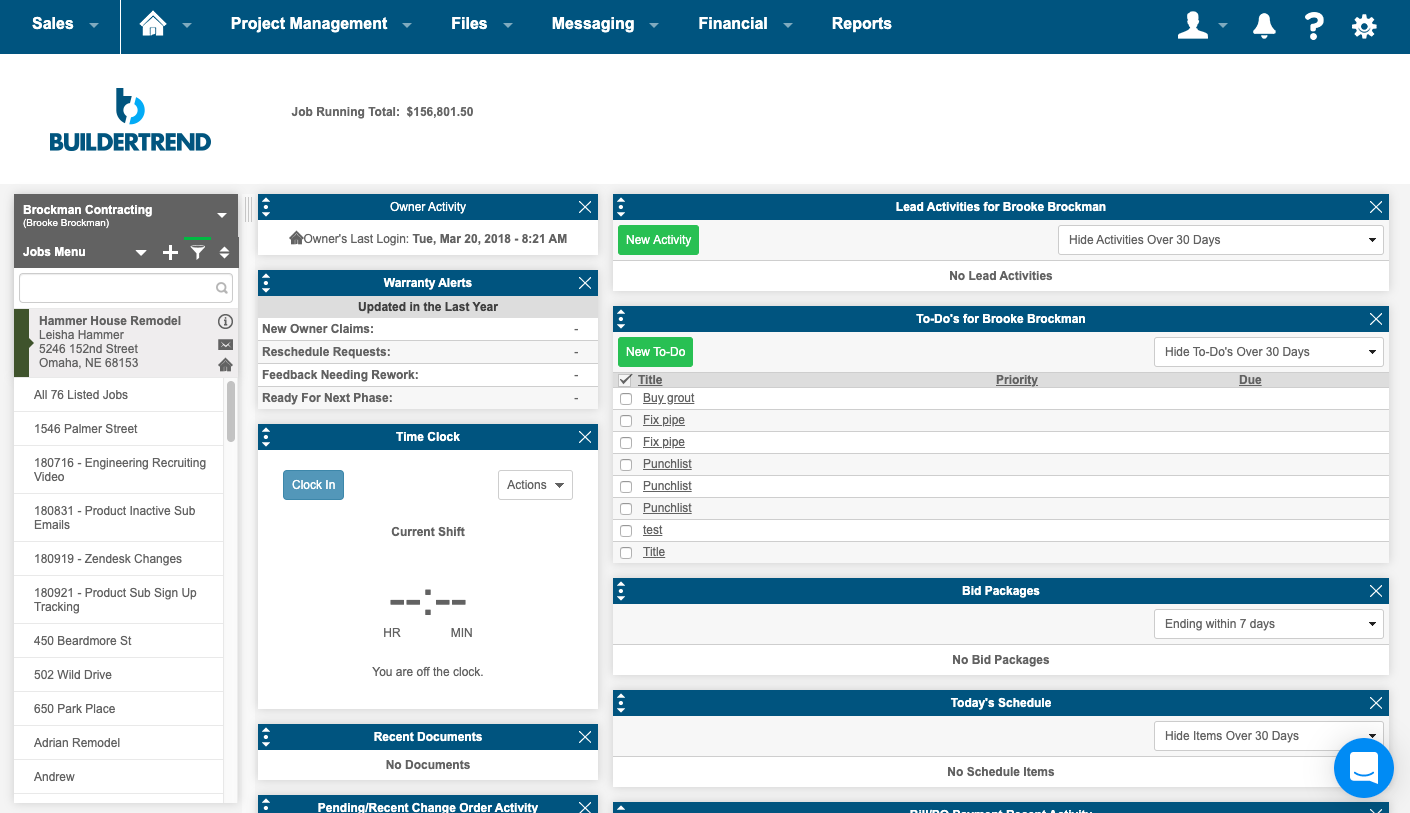   | On-Screen Takeoff® Screenshots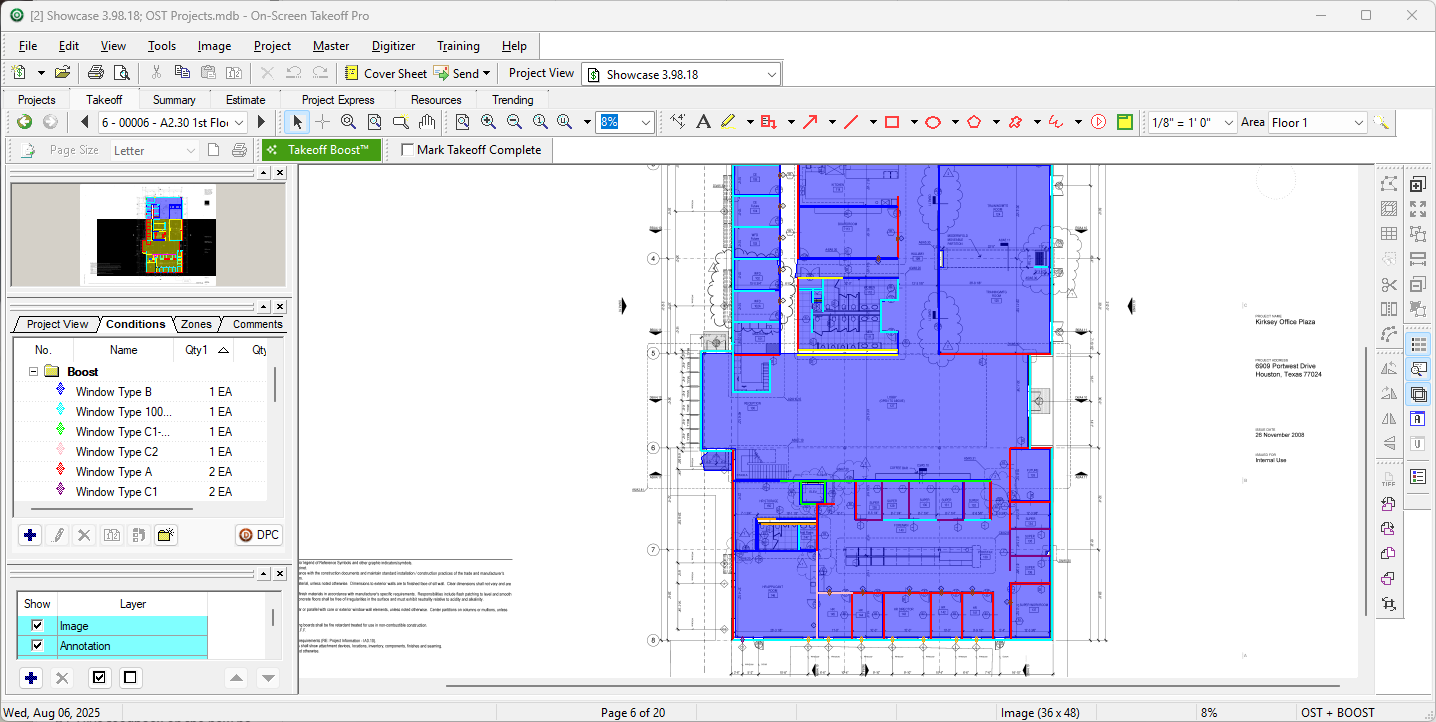 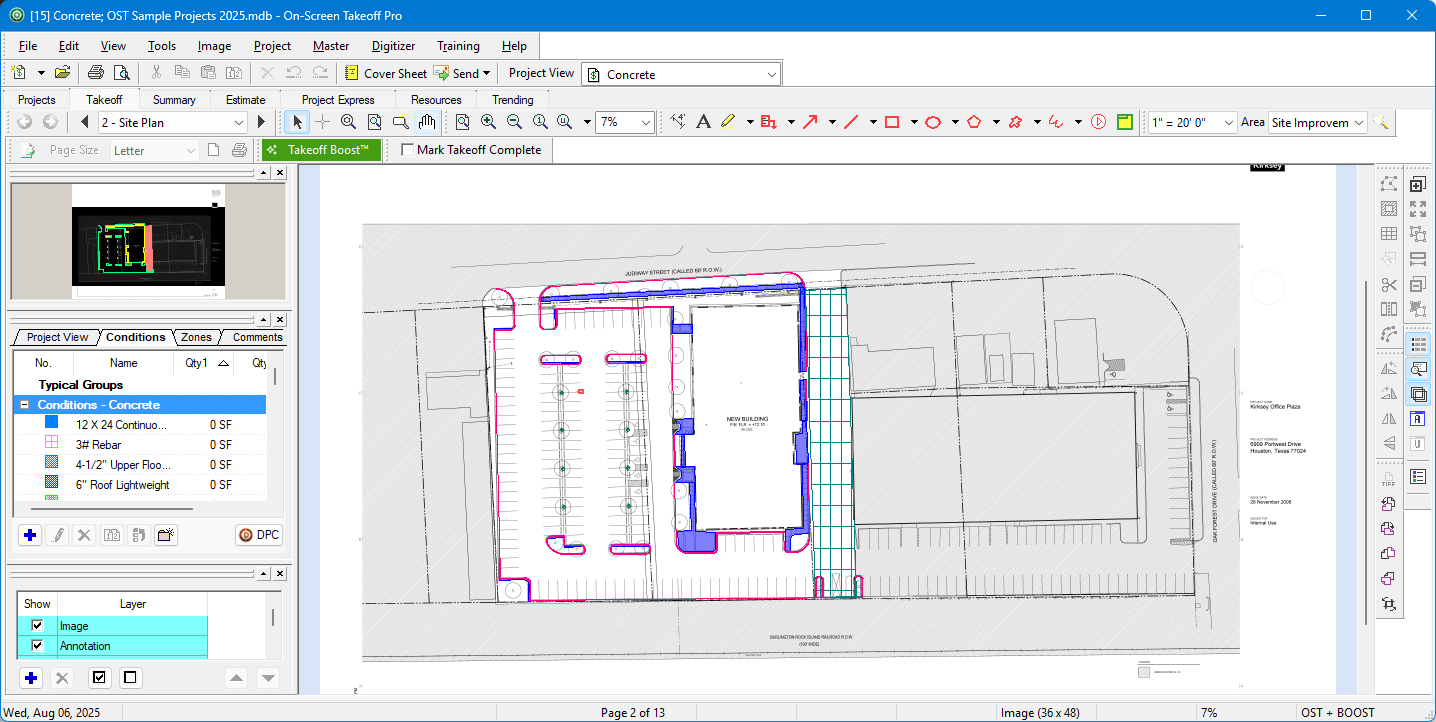 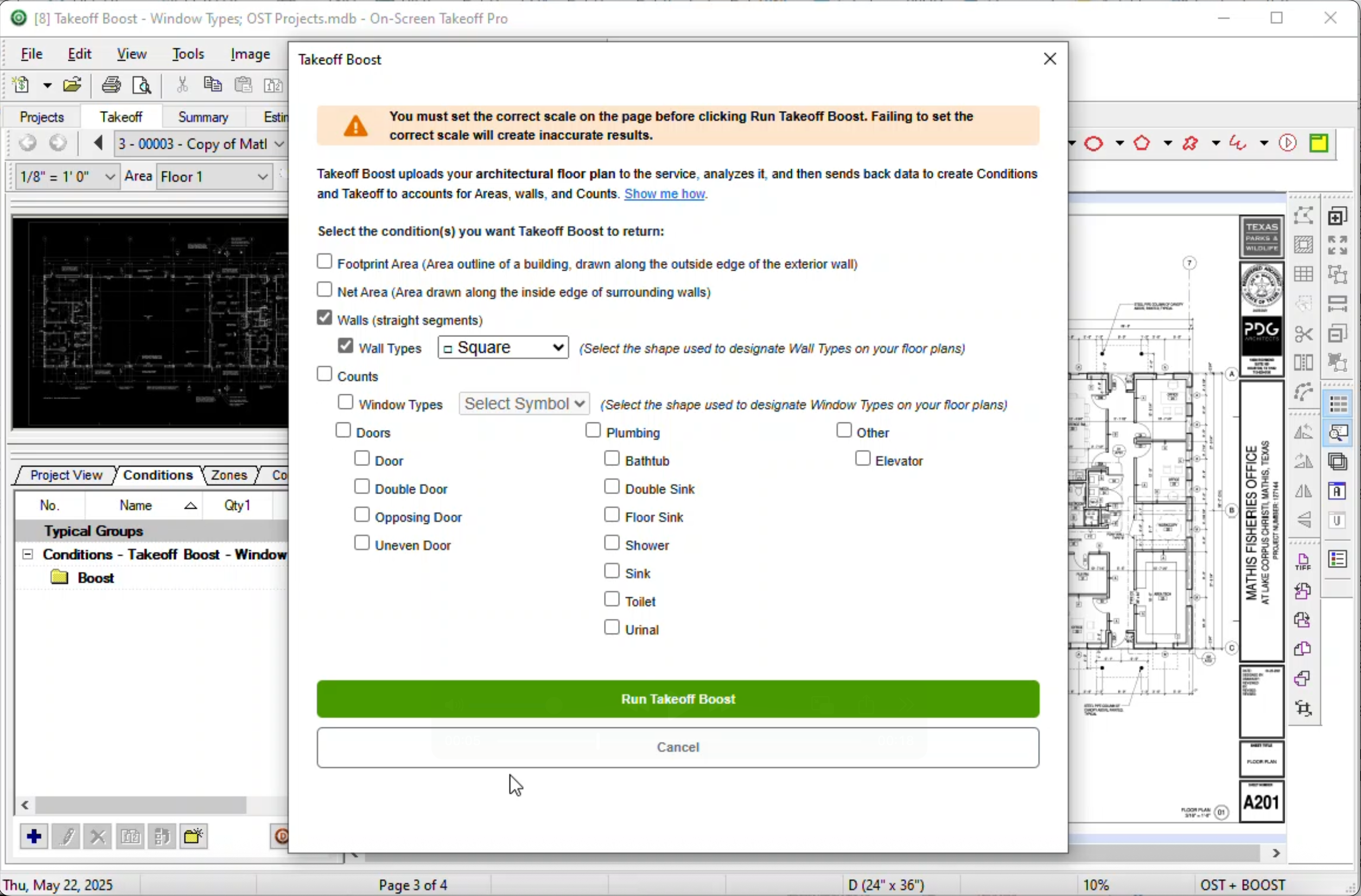 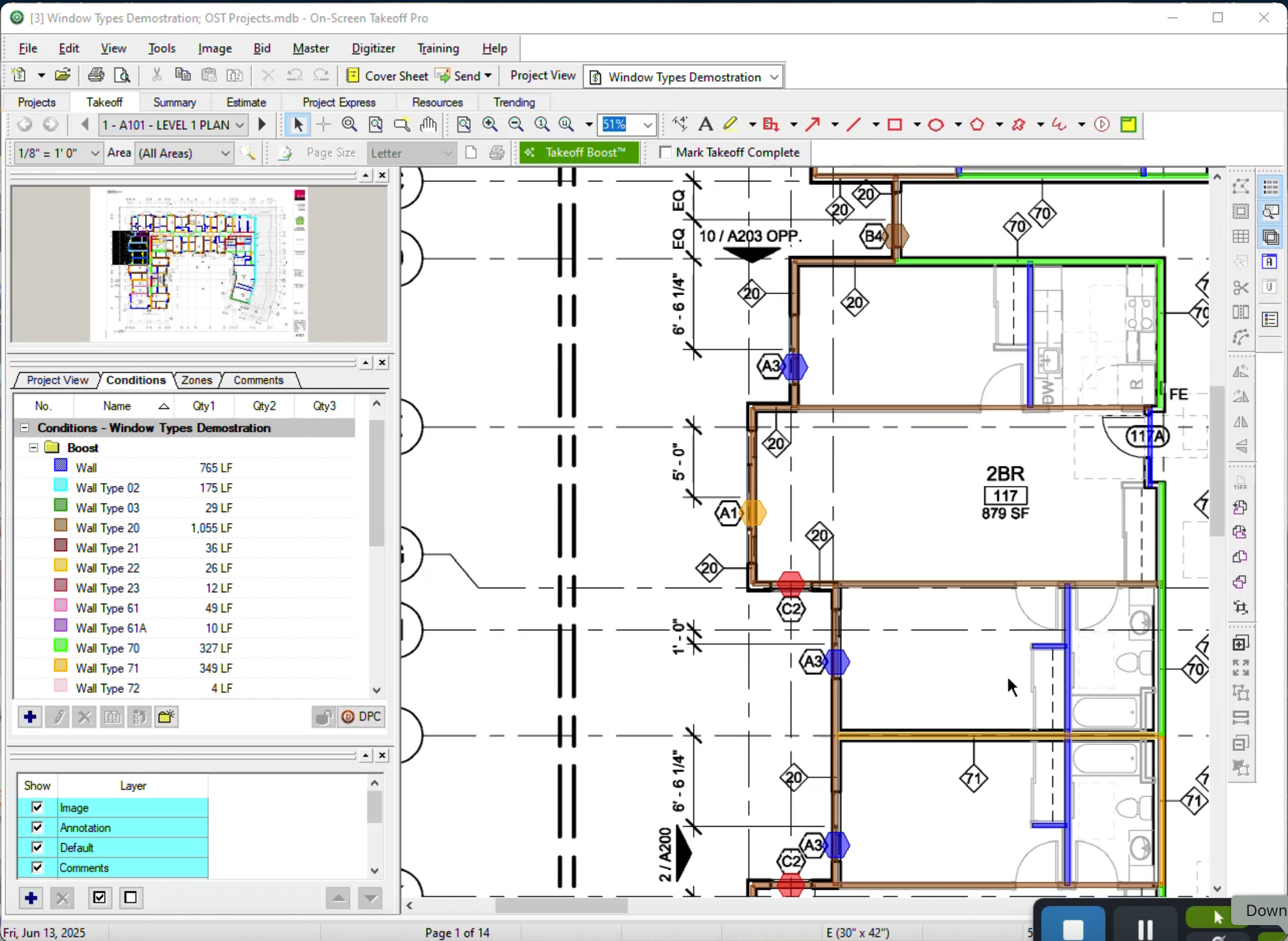 |