Overview
ProductRatingMost Used ByProduct SummaryStarting Price
ConnectWise CPQ
Score 8.6 out of 10
N/A
ConnectWise CPQ (formerly ConnectWise Sell, and Quosal) is the quote and proposal solution of the ConnectWise Suite. With ConnectWise Sell, users can create professional technology quotes and proposals that include rich product information, cover letters, and statements of work in minutes and automatically update their sales pipelines accordingly. The vendor says key benefits include: Save time creating IT quotes and proposals through automation …N/A
Quickbase
Score 8.6 out of 10
N/A
Quickbase helps users tackle any project, no matter how complex. Quickbase helps customers see, connect and control complex projects. Whether it’s raising a skyscraper or coordinating vaccine rollouts, the no-code software platform allows business users to custom fit solutions to the way they work – using information from across the systems they already have.
$700
per month
Revv, by LegalZoom
Score 9.0 out of 10
N/A
Revv, by LegalZoom, is an eSignature solution, supports document automation and workflows. Revv enables users to create documents from a template library or upload and send external WORD/PDF documents for electronic signatures.N/A
Pricing
ConnectWise CPQQuickbaseRevv, by LegalZoom
Editions & Modules
No answers on this topic
Enterprise
Full Customizable
per month/billed annually
Business
Starting at $2,200
per month
Team
Started at $700
per month
No answers on this topic
Offerings
Pricing Offerings
ConnectWise CPQQuickbaseRevv, by LegalZoom
Free Trial
YesYesYes
Free/Freemium Version
NoNoNo
Premium Consulting/Integration Services
YesYesYes
Entry-level Setup FeeNo setup feeOptionalOptional
Additional DetailsQuickbase offers three key plans, with feature distinction, simple and consistent entitlements, and a flexible licensing model, giving users the option of either user based or usage based licensing across all 3 plans.Make your workplace insanely productive with our all-in-one document automation solution! Let's connect! We offer customized plans for your needs and business goals. POWERFUL TEMPLATE COMPOSER: Create your own template, or convert a Word document into a powerful form template to fill, share, and sign SIMPLIFY DATA COLLECTION: Use forms to collect information, images, and other assets from vendors, partners, customers, employees, and more FLEXIBLE FORM FILLS: Automate form fill and document generation, allow recipients to review and fill data, extract filled data for downstream workflows PUBLISH FORMS ONLINE: Share or publish form URLs, gather customer information, registrations, and applications at scale ACTIVITY TRACKING: Get real-time activity on email and chat (Slack, Google) notifications when documents are opened and signed KANBAN DASHBOARD: Set document stages and jobs to be done, track document lifecycle in a Kanban dashboard TAMPER PROOF ESIGNATURE: ESIGN Act & UETA compliant eSignatures with Bank-grade security, protected by Public Key Infrastructure (PKI) MULTIPLE CONSENT OPTIONS: Support for clickwrap, electronic signatures, and video consent, choose the best option for your business process AUTOMATE SENDER-SIDE SIGN: Authorize once and automate sender-side signatures when signing documents in bulk. Revoke consent anytime to prevent misuse CUSTOM BRANDING: Customize the eSign emails with your logo, text, language, and domain to personalize the eSign experience TEXT THE ESIGN LINK: Send the link to sign document over email and text message, add flexibility for your document recipients TWO-FACTOR AUTHENTICATION: Add a verification and assurance layer by sharing a PIN/password over text message, secure your eSign process DATA STUDIO: Easily setup relationship between your Salesforce, HubSpot fields or Spreadsheet columns and form fields, transform data as it moves from one system to another BULK SEND: Send thousands of documents in one go for eSign. Use spreadhseets, Zapier, and our APIs to select, fill, and schedule documents delivery DOCUMENT LIFECYCLE: Define the document lifecycle stages (lanes), configure the lane transitions, and select pre-defined tasks completed in each lane DOCUMENT EXPORT: Setup automatic document export to Salesforce, Hubspot and other CRMs, or storage such as Box once the document is signed. Store along the evidence summary, attachments, and metadata SCHEDULE REMINDERS: Configure reminders for document actions such as eSign & approval. Send reminder notifications over email, SMS, or chat ROBUST APIs: Use our rich and robust APIs to trigger document creation from your system of records. Collect signed documents, document status, and metadata back JOBS TO BE DONE: Define tasks and actions (such as email notifications) for each stage of a document. Define separate stages and tasks for each template as needed DOCUMENT APPROVALS: Configure serial or parallel approvals, define approval groups. Set up alerts via email, SMS, or chat, and track using the Kanban Dashboard AUTOMATED APPROVALS: Configure approvals for specific field values and selections. Pre-define approval guidelines to reduce unnecessary document flow SOC2 COMPLIANCE: Our app and infrastructure is SOC2 certified. We follow the highest standards for industry practices to keep our customer data safe and secure SINGLE SIGN-ON (SSO): OAuth and SAML2.0 support for one login access between your business apps and Revv. Use Revv seamlessly within your enterprise environment CERTIFIED ELECTRONIC SIGNATURES: Electronic signatures are certified using the Public Key Infrastructure (PKI) for tamper-proof documents to comply with eSignature laws worldwide BEST AND TOP-RATED SUPPORT: Round the clock support over email, chat, phone, and Zoom. We are consistently rated high on G2 and Capterra for our support DEDICATED ACCOUNT MANAGER: Go-live superfast with our dedicated onboarding and implementation team. Get a designated account manager for all your queries and reports PERFORMANCE REPORTS: Custom reports designed for your business to measure impact and team performance
More Pricing Information
Community Pulse
ConnectWise CPQQuickbaseRevv, by LegalZoom
Features
ConnectWise CPQQuickbaseRevv, by LegalZoom
CPQ
Comparison of CPQ features of Product A and Product B
ConnectWise CPQ
9.4
43 Ratings
6% above category average
Quickbase
-
Ratings
Revv, by LegalZoom
-
Ratings
Quote sharing/sending10.043 Ratings00 Ratings00 Ratings
Product configuration10.042 Ratings00 Ratings00 Ratings
Configuration options10.041 Ratings00 Ratings00 Ratings
Pricing rules10.042 Ratings00 Ratings00 Ratings
Price adjustment10.043 Ratings00 Ratings00 Ratings
Purchase history and open contracts10.038 Ratings00 Ratings00 Ratings
Guided selling/Sales portal8.037 Ratings00 Ratings00 Ratings
CPQ reporting & analytics6.035 Ratings00 Ratings00 Ratings
CPQ-CRM integration10.040 Ratings00 Ratings00 Ratings
Attachments to quotes10.040 Ratings00 Ratings00 Ratings
Best Alternatives
ConnectWise CPQQuickbaseRevv, by LegalZoom
Small Businesses
QuoteWerks
QuoteWerks
Score 9.7 out of 10
monday.com
monday.com
Score 8.3 out of 10
Foxit eSign
Foxit eSign
Score 9.3 out of 10
Medium-sized Companies
QuoteWerks
QuoteWerks
Score 9.7 out of 10
Planview PPM Pro
Planview PPM Pro
Score 9.0 out of 10
MSB Docs
MSB Docs
Score 9.4 out of 10
Enterprises
Everstage
Everstage
Score 9.1 out of 10
Planview PPM Pro
Planview PPM Pro
Score 9.0 out of 10
DocuSign
DocuSign
Score 8.7 out of 10
All AlternativesView all alternativesView all alternativesView all alternatives
User Ratings
ConnectWise CPQQuickbaseRevv, by LegalZoom
Likelihood to Recommend
10.0
(49 ratings)
8.4
(521 ratings)
9.0
(1 ratings)
Likelihood to Renew
1.0
(10 ratings)
9.9
(54 ratings)
-
(0 ratings)
Usability
9.0
(7 ratings)
8.4
(40 ratings)
-
(0 ratings)
Availability
-
(0 ratings)
9.0
(16 ratings)
-
(0 ratings)
Performance
6.3
(5 ratings)
9.0
(15 ratings)
-
(0 ratings)
Support Rating
5.9
(8 ratings)
7.4
(44 ratings)
-
(0 ratings)
In-Person Training
-
(0 ratings)
9.9
(4 ratings)
-
(0 ratings)
Online Training
-
(0 ratings)
10.0
(5 ratings)
-
(0 ratings)
Implementation Rating
8.8
(4 ratings)
9.8
(22 ratings)
-
(0 ratings)
Configurability
-
(0 ratings)
9.0
(10 ratings)
-
(0 ratings)
Contract Terms and Pricing Model
-
(0 ratings)
9.0
(1 ratings)
-
(0 ratings)
Ease of integration
-
(0 ratings)
8.4
(10 ratings)
-
(0 ratings)
Product Scalability
8.2
(5 ratings)
9.0
(15 ratings)
-
(0 ratings)
Professional Services
-
(0 ratings)
9.0
(1 ratings)
-
(0 ratings)
Vendor post-sale
-
(0 ratings)
9.0
(10 ratings)
-
(0 ratings)
Vendor pre-sale
-
(0 ratings)
9.0
(10 ratings)
-
(0 ratings)
User Testimonials
ConnectWise CPQQuickbaseRevv, by LegalZoom
Likelihood to Recommend
ConnectWise
The most powerful features are the fact that you can see when your clients have viewed your quote, and that it can pull in real-time information about the products you are selling. It is all online-based, so you can use it from anywhere which is a big advantage over other quoting tools that I have used. We don't use the procurement capabilities, but for quoting pricing and customer visibility it works fantastically.
Read full review
Quickbase
I no longer think that Quickbase is the way of the future. They do not fix major bugs in a timely manner, and are releasing basic functionality behind a paywall. I believe that Enterprise Level Tier should be given certain things, like SLAs on Support and up-time. However, as a low-code no-code platform the majority of the accounts, "builders", and users are not going to be able to justify the cost of an Enterprise Tier Plan, and won't be able to use the features that Quickbase continues to advertise.
Read full review
LegalZoom
[Revv] is great in providing a template for sales documents for a team. Particularly proposals.
Read full review
Pros
ConnectWise
  • ConnectWise Sell does an excellent job of neatly presenting quotes and proposals to the end user. There are multiple different options for the look and function of the quotes. There are also options for custom quote templates that are designed directly for your organization.
  • ConnectWise Sell does a reasonably good job of connecting to and working with Autotask. It took our organization about 6 months to figure out the correct way to flow from quote to invoice with our systems. Sell will easily pull in your customer information from Autotask into a quote and allow you to send the quote direct from your email.
Read full review
Quickbase
  • Rapidly bring new ideas to life
  • Great authentication and authorization system out of the box
  • Connects with many major third-party services (via Pipelines)
  • Reporting and Dashboards are awesome
  • Excellent emails notification system to keep us in the loop when data changes
  • Intuitive UI for building forms and reports
  • Nice playground to test new ideas
Read full review
LegalZoom
  • Creating templates for sales documents
  • Allows ability to see when client has opened up document
  • Ability to give client access to document through several methods
Read full review
Cons
ConnectWise
  • I'd like to see ConnectWise Sell develop a more user-friendly environment for advanced form and template design that doesn't require developer skills or consulting engagements. in order for us to develop these forms makes us reliant on consultants. These engagements are worth the cost, but sometimes we just don't have time to wait for them to be delivered.
  • I'd like to see ConnectWise Sell automatically generate a quote for items such as warranties or services that are expiring in ConnectWise Manage. This would save us a tremendous amount of time preparing quotes.
  • I'd like to see a new version automatically created when changes are made to a quote with the ability to reverse or revert back to a particular version. Sometimes people make mistakes and delete or change something they shouldn't have. Or customers want a change to version 1 only to change their minds when you send them the updated one, and want to go back to the original one.
Read full review
Quickbase
  • I'd like to see a link on email notices that take you directly into said notice. On an app that only has 1 or 2 email notices firing, there's no issue. However, we have some tools that are so complex that they have about 20 email notices firing at any given time based on the action users take. In this case, if we have to go in to modify a notice, we have to guess or scroll down the long list of notices to see which one we need to customize. It would be great if Quickbase had the URL of said notice somewhere at the footer of that notice so when Administrators click on it, it takes them into the exact notice they need to update.
  • When filling out or reviewing a lengthy form, I'd like to see the Save & close button, as well as a Save & next option at the bottom of the form rather than having to scroll back up to the top of those forms just to click on those choices.
Read full review
LegalZoom
  • It is not intuitive as far as creating a new document from a previously created template
Read full review
Likelihood to Renew
ConnectWise
We are in our 4th year with Quosal and fully expect to renew again and again. With their development of additional features such as the Order Porter, Visual Quoting and others, we see the adoption rates continuing to rise while making our time to quoted shorter and shorter. Quosal and ConnecWise's vision of automated quoting is an exciting frontier that we are very happy to be a part of
Read full review
Quickbase
For our use-case of QuickBase, there really aren't any other products out there that can offer us the same out-of-the-box solutions they provide to us. We're also so integrated with it in our daily processes that to move away from it abruptly would cause mass chaos, so it's going to be renewed for at least the next several years.
Read full review
LegalZoom
No answers on this topic
Usability
ConnectWise
Quosal is a very solid product with a LOT of functionality. Quosal has two main products that they offer, 'Quosal Sell' and 'Quosal Create.' If you are looking for an "out-of-the-box" or "ready to use" quoting software, I would recommend Quosal Sell. If you are interested exploring advanced functionality and integration or have a resource on staff willing to assume an "admin" role, I would highly recommend Quosal Create.
Read full review
Quickbase
Quick Base has done everything we have asked it to do and then some. Our original goal was to have one system for CRM that encompassed both the sales process and the customer management. We have gone w-a-y beyond that with analytics, project management, system bug logging, and historical effort reporting.
Read full review
LegalZoom
No answers on this topic
Reliability and Availability
ConnectWise
No answers on this topic
Quickbase
Once we did get Quick Base configured and customized it was reliably available when we needed it. We may have had one or two occasions when the product was inaccessible but those were few. The greatest challenge with its availability was its difficulty with integrating with our systems.
Read full review
LegalZoom
No answers on this topic
Performance
ConnectWise
I dont think we use this tool to potential
Read full review
Quickbase
Some of our tables that hold over a million records are starting to perform poorly, with some summaries taking over 20 seconds to load. This may be an indication that it is best to archive old data when reaching large volumes like this.
Read full review
LegalZoom
No answers on this topic
Support Rating
ConnectWise
Have to wait till 11pm EST time to get someone knowledgeable. That sucks truly. Almost half my day is gone. They need to provide premium support, where I can contact a "real" Quosal rep, anytime of the day or night 24/7
Read full review
Quickbase
If you utilize the community, the support is amazing. Unfortunately, I find their actual support system a bit underwhelming. They don't seem to have a great process for interacting directly with an issue and often sweep significant issues under the rug by categorizing them as "Enhancement" ideas or legacy items.
Read full review
LegalZoom
No answers on this topic
In-Person Training
ConnectWise
No answers on this topic
Quickbase
It is very easy to get training from their University portal and still if we don't know their, then we can ask their support too.
Read full review
LegalZoom
No answers on this topic
Online Training
ConnectWise
No answers on this topic
Quickbase
Quick Base already is having a separate portal of providing training to customers and it is very easy to use and updates as per the new features added in to the application
Read full review
LegalZoom
No answers on this topic
Implementation Rating
ConnectWise
Great implementation, the Quosal team has a smart and well planned process to guide your team through the process. More importantly, they understand the challenges with change and user adoption.
Read full review
Quickbase
I was not directly involved with the initial account implementation, only a bystander. For the app I directly implemented for my department only, I wish I had know to create an app diagram first. I don't remember if that was suggested. I think that would be a great help tip tool when a new app is created, to have a page with a check list of what is needed or how to get started. If you are a regular app builder, then you can bypass it or have the ability to turn it off in the app settings.
Read full review
LegalZoom
No answers on this topic
Alternatives Considered
ConnectWise
When it comes to the quoting layout Sell gives you so many more customization options. The item inventory is also easier to maintain. Sell is by far the best selling module that I have used thus far and it has helped keep us more organized.
Read full review
Quickbase
Well, there's a plethora of low-code tools out on the marketplace and, you know, there's a reason that we've decided to partner with QuickBase because it has all the right balance of the ability to integrate with the ability for a citizen developer to create apps successfully. So if you look at something like Zo Ho's low-code offering, for example, yes, there are some similarities there, but they're really dependent on all of their other licensed products to get you where you want to be, where with QuickBase you have the ability to truly create something custom.
Read full review
LegalZoom
Compared to excel or Sheets, this product provides so many more features, like tracking and other options to add like signature options.
Read full review
Scalability
ConnectWise
Connectwise Sell is listening and building their software to fit the needs of their customers. Sell is consistently looking to us for feedback and making sure their product is working for us as partners/customers. We feel we are generally behind on getting to know their updates and software upgrades. They are a great vendor and wonderful corporation.
Read full review
Quickbase
It has evolved really well with our company, but there is a hard limit to the table size that has begun to affect us and not let us grow. The table size limit is set at 500 MB and we have had to jump through quite a few hoops to be able to get by.
Read full review
LegalZoom
No answers on this topic
Professional Services
ConnectWise
No answers on this topic
Quickbase
For clients we use Qucik base to develop application
Read full review
LegalZoom
No answers on this topic
Return on Investment
ConnectWise
  • Customer satisfaction improvement. It's an impressive and professional way to present information that our customers appreciate. They not only have a clear way of knowing exactly what is being proposed, but now have another method they can use to easily track and organize approved/ not-approved quotes.
  • Improved brand consistency. We have a reputable, trusted image that projects across our client portfolio (not to mention within our community) and this system helps to promote and maintain our transparency and professional image.
  • Following up and referencing past quotes is made easy and quickly, which has benefited us from a time-cost savings perspective.
Read full review
Quickbase
  • ROI is HUGE. Our company saved over 3.5 million in one year alone based on developments that year in Quickbase that saved time for many teams
  • Less user error - implementing automations and standardized workflows has led to less user error as was previously seen by maintaining spreadsheets or Smartsheets
Read full review
LegalZoom
  • It has saved the sales team time from having to create a proposal for each client.
Read full review
ScreenShots

ConnectWise CPQ Screenshots

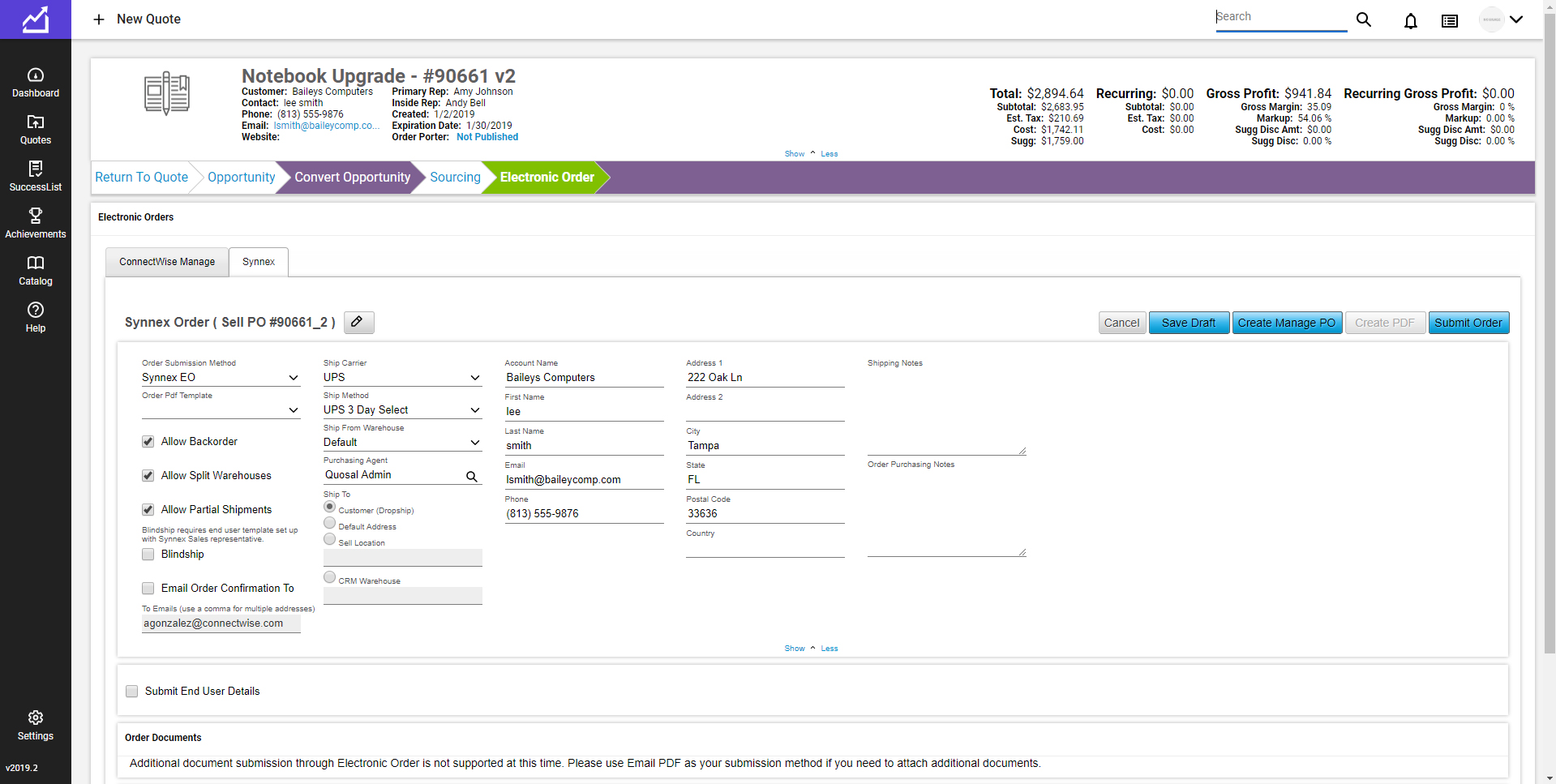
Screenshot of Sell DashboardScreenshot of Sell EtilizeScreenshot of Sell IntelScreenshot of Sell Order Porter E-SignatureScreenshot of Sell Place Order

Revv, by LegalZoom Screenshots

Screenshot of ELECTRONIC SIGNATURES - Add signature blocks and signer details to request eSignatures on your documents. Recipients get notified via email to fill and sign documents from their mobile or desktop.Screenshot of FASTER & EASY COLLABORATION - Have threaded conversations with all stakeholders on the document itself. Annotate text and add private comments for teammates. Switch to public notes to share with recipients. You can even add attachments with every note.Screenshot of TRACK DOCUMENT ACTIVITY - All actions taken on the document get recorded along with a timestamp. Keep a track of how recipients are interacting with your documents - who opened the email, who viewed the document, and who signed it.Screenshot of EASY SHARING - Multiple choices to share documents online via email, magic links (for live view of documents), snap links, and web forms.Screenshot of READY-TO-USE TEMPLATES - Get access to thousands of legally vetted, pre-formatted, and beautiful templates for every business need.Screenshot of RICH EDITOR - Creating professional-looking documents is easy with the drag & drop editor. Add text, images, tables, page breaks, signature blocks, and more. Personalize further with rich formatting options, customizable cover page themes, & backgrounds.