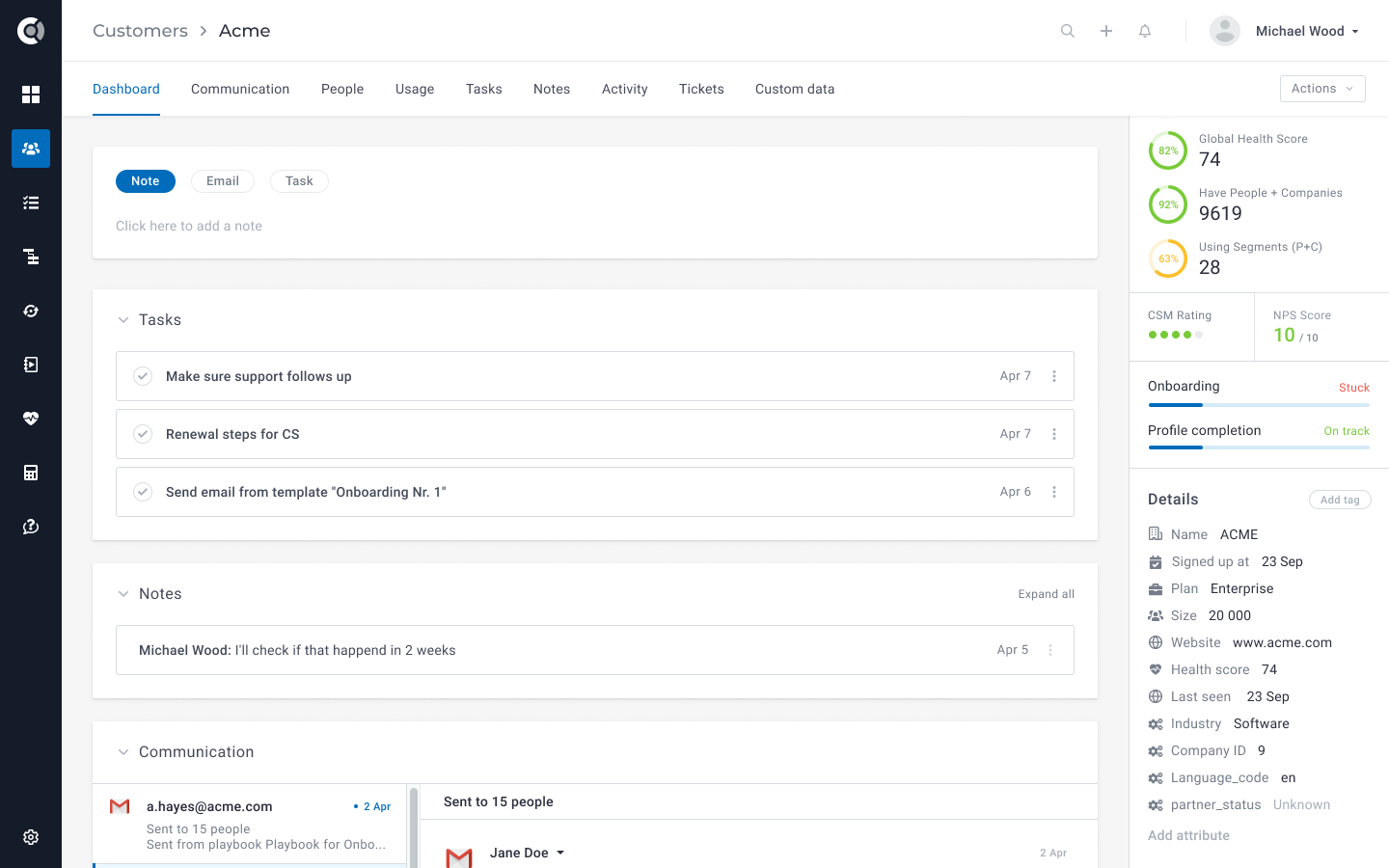
Custify is a customer success platform designed for B2B SaaS businesses. It helps users better meet customers' needs, reduce churn and increase lifetime value. The user can see in-product usage insights as well as data from CRM, support, billing, and other systems in one place. Relevant customer success KPIs and client interactions are displayed in its dashboard. Custify also identifies clients that get stuck during onboarding, those whose trial is about to expire, and those whose usage has…
N/A
MindTouch
Score 7.0 out of 10
N/A
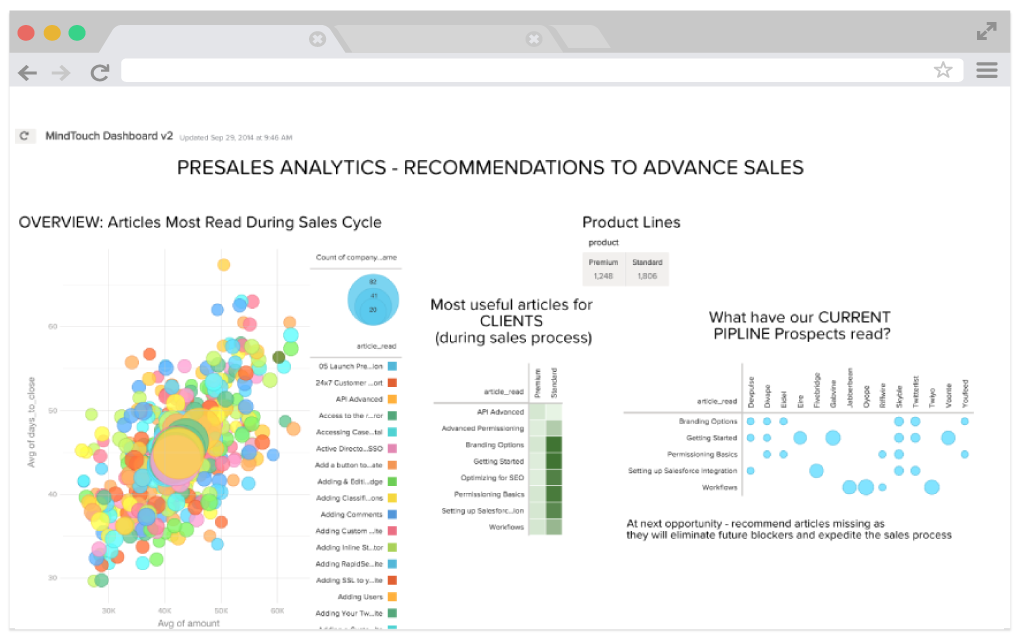
MindTouch is a customer experience management platform with content management and help authoring capabilities. Formerly known as MediaWiki, it is optimized for building knowledge bases for customer self-service and agent assistance purposes.
N/A
Zoho CRM Plus
Score 8.1 out of 10
N/A
Zoho Corporation offers Zoho CRM Plus, a customer experience management platform that features a virtual AI assistant, process automation and business rules engine, and customer behavior analytics.
$59
per month per user
Pricing
Custify
MindTouch
Zoho CRM Plus
Editions & Modules
No answers on this topic
No answers on this topic
Basic
$57
per month per user
Offerings
Pricing Offerings
Custify
MindTouch
Zoho CRM Plus
Free Trial
No
Yes
Yes
Free/Freemium Version
No
No
No
Premium Consulting/Integration Services
Yes
Yes
Yes
Entry-level Setup Fee
No setup fee
No setup fee
No setup fee
Additional Details
—
—
—
More Pricing Information
Community Pulse
Custify
MindTouch
Zoho CRM Plus
Features
Custify
MindTouch
Zoho CRM Plus
Security
Comparison of Security features of Product A and Product B
Custify
7.0
11 Ratings
22% below category average
MindTouch
-
Ratings
Zoho CRM Plus
-
Ratings
Role-based user permissions
7.011 Ratings
00 Ratings
00 Ratings
Platform & Infrastructure
Comparison of Platform & Infrastructure features of Product A and Product B
Custify
8.0
11 Ratings
8% below category average
MindTouch
-
Ratings
Zoho CRM Plus
-
Ratings
API
8.011 Ratings
00 Ratings
00 Ratings
Integration with Salesforce.com
8.01 Ratings
00 Ratings
00 Ratings
Customer Data Extraction / Integration
Comparison of Customer Data Extraction / Integration features of Product A and Product B
Custify
9.0
11 Ratings
3% above category average
MindTouch
-
Ratings
Zoho CRM Plus
-
Ratings
Product usage
9.011 Ratings
00 Ratings
00 Ratings
Help desk / support tickets
9.11 Ratings
00 Ratings
00 Ratings
Customer Success Management
Comparison of Customer Success Management features of Product A and Product B
Custify
8.3
11 Ratings
3% below category average
MindTouch
-
Ratings
Zoho CRM Plus
-
Ratings
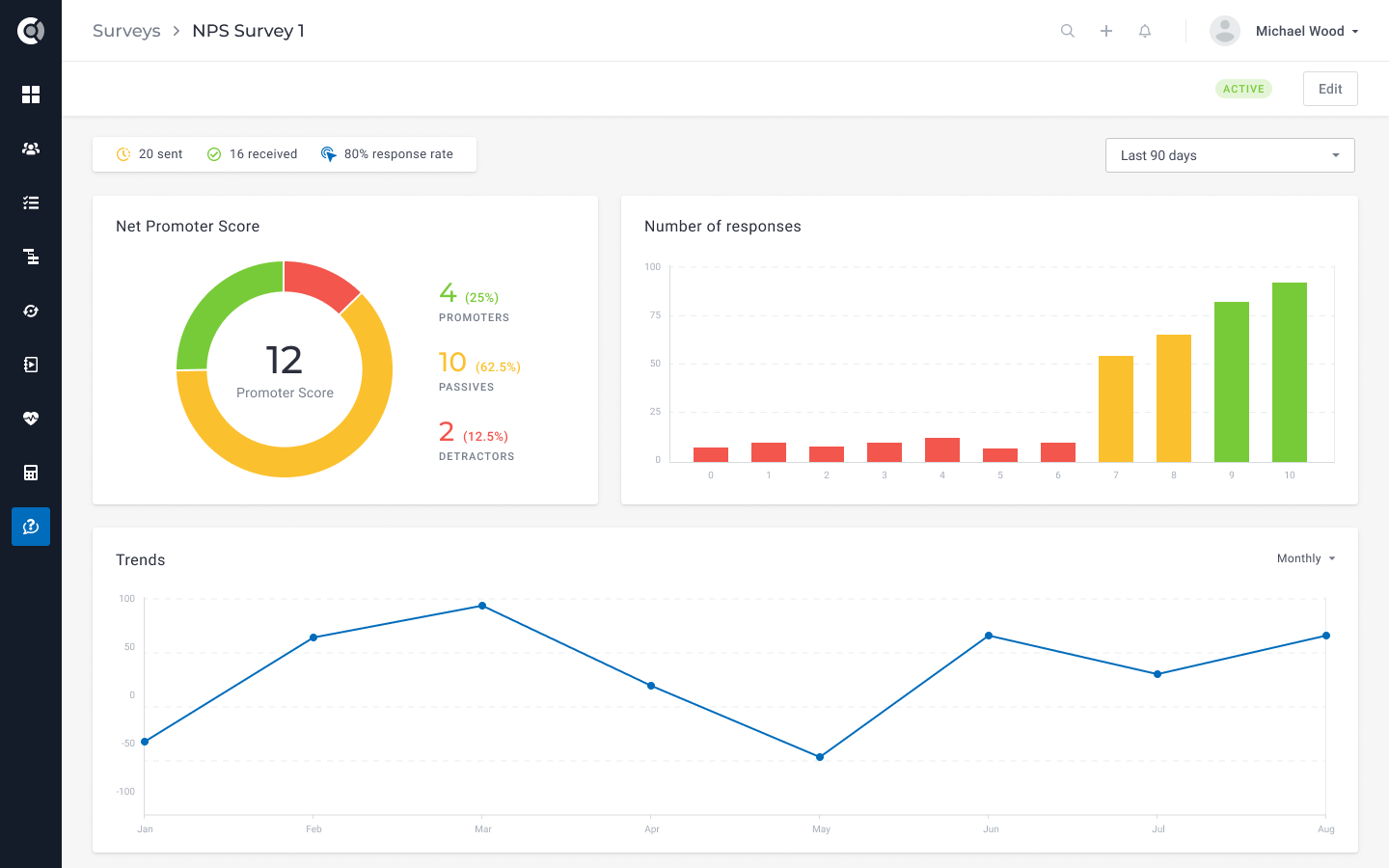
NPS surveys
8.01 Ratings
00 Ratings
00 Ratings
Sponsor tracking
8.02 Ratings
00 Ratings
00 Ratings
Customer profiles
8.011 Ratings
00 Ratings
00 Ratings
Automated workflow
9.011 Ratings
00 Ratings
00 Ratings
Internal collaboration
7.011 Ratings
00 Ratings
00 Ratings
Customer health scoring
9.011 Ratings
00 Ratings
00 Ratings
Customer segmentation
9.011 Ratings
00 Ratings
00 Ratings
CSM Reporting & Analytics
Comparison of CSM Reporting & Analytics features of Product A and Product B
Two big use cases where it's very well suited: onboarding of our clients and churn prevention. It just saves me so much time and helps me recommend more strategic suggestions. At the end of the day I can see my productivity being a lot higher than before having Custify.
If a company doesn't want to make their knowledge base public-facing, you lose a lot of the value of using MindTouch in a closed environment. MindTouch is not ideal for extremely structured content management scenarios that are strong DITA advocates. Companies that require localization might not be good fits either.
Starting with campaigns, once we send the campaign out, prospects who open it are moved into the sales funnel; the sales team then calls or emails the prospect. Our VOIP works in conjunction with Zoho CRM Plus, so phone calls are logged into the contact. And generates another call, letter, or appointment with the client on the Zoho calendar. Emails are sent through Gmail since Zoho CRM Plus does not work with Gmail. The client's email must be copied and pasted into Gmail. (responses are tracked in the Zoho CRM Plus). Once the sales team meets with the client and starts the process, it turns into an "opportunity" where all stages in the sale are tracked. We mail merge the contact info to the correct letter template, then download it into "Word," where the letter is proofed and corrected as necessary (Zoho merge does not allow you to work in "Word" 2019). When finalized, it is then uploaded back into Zoho CRM Plus under the Opportunity. The sale then continues through the process, and once signed off on, all the details of the job are logged into the Zoho CRM Plus. When the job is completed and closed out, Zoho CRM Plus automatically sends the client a thank you email. The client will then can biannual automatic emails reminding them to set up their bi-annual inspection.
360 degree view of anything that has to do with a single account, including health score history across many elements, all the lifecycles of that account, different usage and adoption trends on multiple users in the same account, and more.
Getting multiple health scores and trends on one screen.
Zoho CRM Plus is very good at automating many functional areas of our company including: sales, marketing, operations, and engineering. It is functionally rich, and matches the functionality we used to have with Salesforce.com, but at a much more reasonable cost.
Zoho CRM Plus is easily "configured" to match our business processes. The ability to configure the user interface is very good, and the "BluePrint", custom functions, and reporting allow us to automate our unique operational needs.
The buying process for Zoho CRM is extremely friendly. You can switch between software types from basic CRM to Zoho CRM +. You also can pay monthly, or annually, and don't have to purchase months before your renewal dates and get pestered by sales people.
There was a problem integrating our CRM at first, and to be honest, I almost switched to another product because it's a big deal for us, but they got it worked out significantly faster than any of us guessed it would take, so we stayed, and I'm glad it worked out.
The main data point still missing is global revenue. I reached out and they said it's in the works. The software is making us money, so we're staying and hope this works out as fast as the CRM issue.
When we do have a support issue, we frequently need to go through multiple people, contacts, ways of explaining things, etc,. before someone on their end actually understands our problem. It's rare that the first person we talk to understands the big picture or appreciates our use case.
The draft functionality is a promising start but lacks some key features that cause us regular frustration. For example, you can only create one draft of a page at a time. This is fine if changes come to you in perfect sequential order, but it makes it impossible for us to update a live page while a draft exists. More specifically, if we're working on updating content on a page for a new feature being released next month, but then we notice a typo today, we can't fix the typo in production without first deleting the draft or doing some hacky workaround of temporarily copying/pasting the source HTML of the draft page and saving it someplace else.
Existence of, or integration with, true source control would be a huge win, but it's something currently lacking in the product. MindTouch's content reuse feature is helpful in the right situations, but it's not robust enough to scale well for lots of content.
Version history of page changes is not 100% reliable. Sometimes items don't show up at all or there is a delay before the diff is visible. Also, creating a draft does not register at all in the page version history.
In-site search is poor, unless you know the *exact* title of what you're looking for. We tell our customers to use Google, not the MindTouch search. Google is excellent at searching our MindTouch site.
Managing attachments. Limited space for each user and you can’t easily delete attachments in bulk so if you reach your limit it becomes expensive to buy more space or labor-intensive to find and delete attachments manually.
You can’t filter accounts by their related module fields. For example, in list view, filter all accounts with more than one contact.
We've put lots and lots of content into the MindTouch system, of course, so that makes it harder to opt out, but we're also very pleased with their rate of development and weekly pushing of improvements, as well as their response and solutions to our questions and input All in all, a winning combination.
I like custify because it does exactly what you think it would. It's reliable and delivers quality organization and analytics for our usage. It's only downfall is it's lack of specific analytics and combination with sales tools that make customer transferring easy. Overall highly recommend using custify and are in a smaller business.
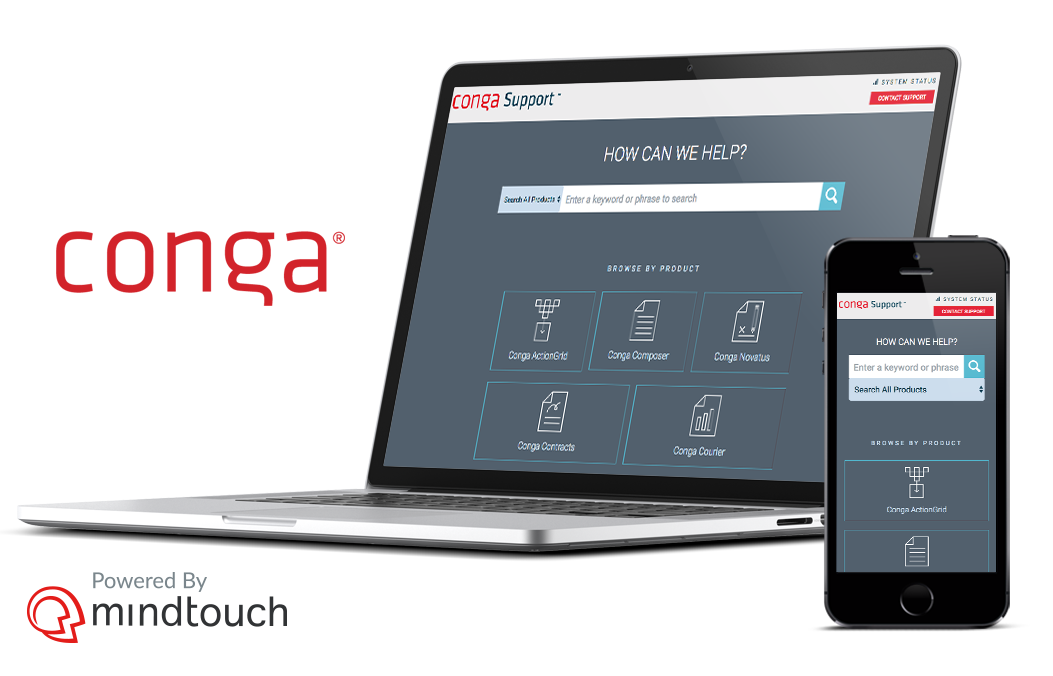
The site is responsive across multiple devices and screens. It has a clear path to contact support. The articles are searchable. Site users do have trouble navigating the site and finding what they need. That may be due to the architecture of the site, but it'd be nice if MindTouch offered more solutions are this. Our content is organized by product line. And many of those product lines have overlapping training content, so we have extensive duplicate content.
I personally started off as a CRM novice. But in a matter of 2 months, I was writing my own custom workflows, playing with modules and fields, and training my sales and operations teams to manage leads and accounts. Simply put, the system is intuitive after a brief introduction. The level of customization is staggering until you change your mindset. Zoho CRM Plus excels where you're able to attack your goals as problems already solved in the platform — you just need to locate the feature to make what you want to happen... happen! I equate it to the Adobe Creative Suite. You don't pick the fun filter before you lay out what exactly you want to draw. With that mindset intact, you can dial in the system to meet your and your team's needs based on your proposed SOLUTIONS, not just leaning heavily into a single feature to "force" some ROI.
MindTouch is a hosted site, so as a heavy user there are times when I notice that pages are slow to load, or something happens like Amazon Web Services crashing the entire east coast for a few hours, that you do notice even if it isn't actually the fault of the MT tool itself. It's the risk of using a hosted tool, but the benefits are pretty amazing and outweigh these performance issues.
Philipp has been there for us throughout the process. Very nice guy and a great help. He guided us in setting KPIs, goals, healthscores. Really gave us a lot more than we wanted. We also had some custom integrations and even though they did not support them, their team released a patch for our CRM so we could integrate it
It's good. Pretty solid. We got a lot of input to get up and running, but did a lot of the setup and customization work ourselves, because of our high standards. We've gotten good response and results on specific projects related to customization and our CSM is also pretty responsive. Overall, I think that the jobs of CSMs and support folks would be easier if the product weren't wonky in some ways. They seem to have to do more "workarounds" for basic functionality that should just work out of the box
Every account representative I have worked with has been extremely helpful and nice. You can tell the account reps and support staff truly care about the product and want to provide you with the resources that you need. The response time is also fast for support inquiries and that has been a massive help for us.
Written documentation and videos are very good and have helped on numerous occasions when I've had to look up how to accomplish a certain task. The reason I have not given a full score is mainly because there have been some inaccuracies in the documentation because updates to the MindTouch framework have slightly changed the way things work. But this is usually the same type of challenges I face when making documentation for the software solution we develop. So all in all I'm very satisfied with both the personal webinars and the online documentation MindTouch provides for their service.
Just know that there is so much more involved than adding your content. There are so many pieces to launching your site -- especially if you are moving from another platform. If you are not a person who typically works in the "website" realm, do your homework, ask your web people, engineers, etc., because there's a lot to do that you won't know about until you are unexpectedly smacked in the face with it. Learn from my mistakes! We are very happy now, but it was a long road getting to launch day for us
This software makes it easy to analyze your data and optimize your onboarding - maybe the easiest I've seen, but you've got to be willing to dig into its features and setting. And of course without their Concierge Onboarding this is not so easy.
I will be brief. DealerTeam is built upon Salesforce and we try to support native apps. We used Desk.com first for basic Help Ticket management. The product did not satisfy how our customers were looking for information. We upgraded to Service Cloud with Knowledge Base and spent one year writing content and developing our support agency. Again, our customers were upset about submitting help tickets and waiting for answers. They wanted access to self-help while working with a customer. Today we continue to use Service Cloud with MindTouch integration and have found complete success. There is simply no other solution I know of that is a flexible and easy to use as MindTouch when it come to providing customer success and product support
I utilize HubSpot to gather data based on IP addresses from customers who visit our website. I do not use Zoho CRM for forms since the customization is clunky to design. HubSpot collects account data from the form and that helps me evaluate to sales potential of that account. Then I use Zapier to Zap the info into Zoho. Zoho CRM then is used to reach back out to the customer and begin tracking interactions
I would recommend that module wise update feature be opened up, for free to an additional 50-75% of paid users. These users can be restricted to work on a single module to update information only where they do not cross over multiple modules
I already discussed this prior with the Enterprise Support. But them aside, I'd be remiss if I didn't mention Zoho is committed to connecting their userbase together. Within a month or two of using the product, we were told about Zoho User Groups. We had one right in my backyard (Chicago). I was able to both attend a meeting (pre-covid), and then stay in touch in an integrated Cliq channel. I always have power-users at my fingertips to ask quick questions. That Zoho makes it a point to keep these connections, and empower them... makes my life easier when inevitable "wants" pop up.
Free to paid conversions have gone up, and we see more customers choosing premium options than before, since we're using the automatic workflows to make sure the trial is a lot more focused on helping them see results before they pay a single dollar.
Our operational efficiently has improved significantly. Prior to Mindtouch, we managing duplicate content in two separate authoring solutions. Delivering content predictably and consistently was difficult and stressful for writers. In Mindtouch, we were able to optimize our content (remove redundancies) giving us more time to test, review, and improve content quality.
Traffic to our knowledge center is increasing monthly.
Internally, SMEs and customer-facing teams are recognizing the value Mindtouch brings through self-service knowledge. These SMEs want to contribute more to content, either as contributing writers or collaborators with tech writers.
The ROI is significantly positive due to the comprehensive set of modules available.
Positive: My clients have better Dashboard data developed through Zoho Analytics than they do even though they use Salesforce. Also, Zoho CRM Plus can integrate with Salesforce or other system either through their own integrations or from Zapier.
Campaigns allows me to target specific prospects via HTML emails, and complete tracking. This is a complement to the more shotgun approach of social media,