DocuSign supports transactions with document sharing and electronic signature, as well as automated and guided data collection and entry, record updating across disparate systems and payment collection upon agreement, as well as analytics and reporting.
$15
per month
Tungsten Power PDF
Score9.8 out of 10
Small Businesses (1-50 employees)
Tungsten Power PDF (formerly Kofax) is an easy-to-use, secure and inexpensive solution to manage PDFs for businesses
and individuals. Benefits:
Ease of Use: Works
like Office desktop products, so it's easier to learn
Compatibility: Works
across devices and platforms, share documents in a storage cloud
…
$129
one-time fee per license
Pricing
DocuSign
Tungsten Power PDF
Editions & Modules
Personal
$15
per month
Real Starter
$15
per month
DocuSign for Realtors
$35
per month
Standard
$40
per month
Business Pro
$60
per month
Advanced Solutions
Custom Pricing
Power PDF Standard
$129
one-time fee per license
Power PDF for Mac
$129
one-time fee per license
Power PDF Advanced
$179
one-time fee per license
Power PDF Business
Get a Quote: Subscription and Perpetual available
per year per seat
Offerings
Pricing Offerings
DocuSign
Tungsten Power PDF
Free Trial
Yes
Yes
Free/Freemium Version
No
No
Premium Consulting/Integration Services
No
Yes
Entry-level Setup Fee
No setup fee
No setup fee
Additional Details
—
Desktop licenses are buy once, own forever. No subscription fees.
Business server licenses are term-based or perpetual with optional maintenance & support contract.
Volume and upgrade discounts available.
Office/IT Manager in Information Technology at Heritage Landscape Services, Inc. (Facilities Services, 51-200 employees)
Chose Tungsten Power PDF
Kofax Power PDF is the only application that has all of the features I need in one place. I still use DocHub/DocuSign for simple documents that don't require a lot of form filling but Kofax Power PDF is always my first choice for working with anything above that. The Form Typer …
A de minimis incentive was given to thank the reviewer for their time. The incentive was not used to bias or drive a particular response, nor was the incentive contingent on a positive endorsement. More Info
Verified User
Chose Tungsten Power PDF
I have used Iris Scan and HP Smart, but they are only a scanner. Kofax does so much more.
A de minimis incentive was given to thank the reviewer for their time. The incentive was not used to bias or drive a particular response, nor was the incentive contingent on a positive endorsement. More Info
Verified User
Chose Tungsten Power PDF
Monthly fees are a huge detractor and Kofax being a one-time purchase makes it easy to decide.
A de minimis incentive was given to thank the reviewer for their time. The incentive was not used to bias or drive a particular response, nor was the incentive contingent on a positive endorsement. More Info
Verified User
Chose Tungsten Power PDF
We preferred Kofax as it is a one-time license we can use forever, instead of an ongoing monthly fee.
A de minimis incentive was given to thank the reviewer for their time. The incentive was not used to bias or drive a particular response, nor was the incentive contingent on a positive endorsement. More Info
Executive Assistant at Spiegelglass Construction (Construction, 11-50 employees)
Chose Tungsten Power PDF
It has all of the same features for a fraction of the price. I was getting tired of watching monthly subscription fees stack up and this was a one-time payment and I’m done. I’m able to edit documents quickly and get started on other things. I would recommend this to anyone …
A de minimis incentive was given to thank the reviewer for their time. The incentive was not used to bias or drive a particular response, nor was the incentive contingent on a positive endorsement. More Info
Junior Paralegal in Legal at The Bruning Law Firm (Law Practice, 11-50 employees)
Chose Tungsten Power PDF
It was a company decision to use Kofax over the other types of software so I didn't really have a hand in it. However, I would still use it over Adobe because of Kofax's easy to understand interface and ability to manipulate documents well. However, you can use Adobe to ask …
A de minimis incentive was given to thank the reviewer for their time. The incentive was not used to bias or drive a particular response, nor was the incentive contingent on a positive endorsement. More Info
A de minimis incentive was given to thank the reviewer for their time. The incentive was not used to bias or drive a particular response, nor was the incentive contingent on a positive endorsement. More Info
A de minimis incentive was given to thank the reviewer for their time. The incentive was not used to bias or drive a particular response, nor was the incentive contingent on a positive endorsement. More Info
A de minimis incentive was given to thank the reviewer for their time. The incentive was not used to bias or drive a particular response, nor was the incentive contingent on a positive endorsement. More Info
A de minimis incentive was given to thank the reviewer for their time. The incentive was not used to bias or drive a particular response, nor was the incentive contingent on a positive endorsement. More Info
Senior Accountant in Professional Services at Ting Jung Lee, CPA, CGA (Accounting, 1-10 employees)
Chose Tungsten Power PDF
Foxit seem to be a bit more user friendly when it comes to document editing and speed is a little faster. However it can't match to Power PDF in its power of characters/numbers recognition when it comes to converting documents to Excel.
A de minimis incentive was given to thank the reviewer for their time. The incentive was not used to bias or drive a particular response, nor was the incentive contingent on a positive endorsement. More Info
Verified User
Chose Tungsten Power PDF
I believe that if I can ever figure out Kofax it will be the better, more useful product, but for now I need to stick with Adobe.
A de minimis incentive was given to thank the reviewer for their time. The incentive was not used to bias or drive a particular response, nor was the incentive contingent on a positive endorsement. More Info
Managing Member in Finance and Accounting at LeWalt Consulting Groupe (Accounting, 1-10 employees)
Chose Tungsten Power PDF
We did use Adobe Acrobat (both free versions and paid) in the past but found it to be clunky and expensive to get the functionality we needed whereas Power PDF has tools built right in without having to pay more for add-ons.
A de minimis incentive was given to thank the reviewer for their time. The incentive was not used to bias or drive a particular response, nor was the incentive contingent on a positive endorsement. More Info
Verified User
Chose Tungsten Power PDF
Compared to online PDF editors, [Kofax Power PDF (formerly Nuance Power PDF)] Advanced is much easier to use and more robust.
Compared to Adobe Acrobat DC, Power PDF Advanced is not as intuitive and has a few missing functions, however price was a major consideration when …
A de minimis incentive was given to thank the reviewer for their time. The incentive was not used to bias or drive a particular response, nor was the incentive contingent on a positive endorsement. More Info
This product is well suited in the use case that I provided before: when it comes to onboarding employees and providing a clear channel for decision making for human resources, this is an excellent tool to accomplish that. I would say the weak points is when you have back and forth communication with users that it might seem a little redundant to have that back and forth communication in that scenario.
A de minimis incentive was given to thank the reviewer for their time. The incentive was not used to bias or drive a particular response, nor was the incentive contingent on a positive endorsement. More Info
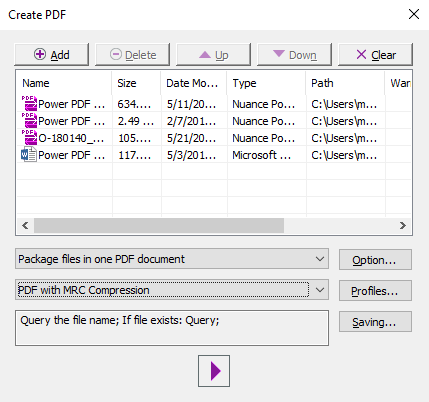
GREAT for combining documents into a single PDF. Great for working with a PDF. Not so great converting PDF to Word format. Would like to see more effort put into that development. Would like to see more effective testing of updates prior to pushing them out as well. Otherwise it is awesome.
A de minimis incentive was given to thank the reviewer for their time. The incentive was not used to bias or drive a particular response, nor was the incentive contingent on a positive endorsement. TR verified that a representative sample of customers was invited. More Info
A de minimis incentive was given to thank the reviewer for their time. The incentive was not used to bias or drive a particular response, nor was the incentive contingent on a positive endorsement. More Info
Typewriter functionality is great, although can take some time to load. This allows you to fill in text wherever applicable without turning the rest of the pdf into editable text.
Fast load times
Has autogenerated text feature so anything in the pdf can become editable
A de minimis incentive was given to thank the reviewer for their time. The incentive was not used to bias or drive a particular response, nor was the incentive contingent on a positive endorsement. More Info
Tracking, particularly when collecting signatures through connected applications, such as an ATS, is not always clean or easily traceable.
Formatting documents to handle electronic signature types (signatures, initials, etc.) is not always easy, and highly dependent on the partner's technology.
It is not convenient to have to use DocuSign as a stand alone product if the signatures are required for 3rd party applications. It definitely excels on its own, but the scope of that usage, at least for us, is slim.
A de minimis incentive was given to thank the reviewer for their time. The incentive was not used to bias or drive a particular response, nor was the incentive contingent on a positive endorsement. More Info
I find that quickly editing text within a document or adding a line of text is clunky and can snowball into things popping out of place. I prefer to export text, and then work on it elsewhere.
Sometimes it seems that text recognition is trying too hard and throws me paper punches as "O"s and wrinkles as shapes, so I have to get rid of those artifacts.
The "Update Available" popup which is usually not an actual update announcement but rather an offer to sell me something is annoying.
A de minimis incentive was given to thank the reviewer for their time. The incentive was not used to bias or drive a particular response, nor was the incentive contingent on a positive endorsement. More Info
I can't imagine doing business without DocuSign now. I would never want to go back to the way we used to do things. The "new way" is "the way" is "the right way." We can honestly be proud of a "one right way" process and not have to suffer through "5 ways for 5 days."
A de minimis incentive was given to thank the reviewer for their time. The incentive was not used to bias or drive a particular response, nor was the incentive contingent on a positive endorsement. More Info
Tungsten Power PDF is easy to use, the staff all like it, and there are no issues with it on any level. It is a more cost-effective solution to our PDF needs than other products currently available on the market. This product works as intended and it fits our business needs perfectly.
A de minimis incentive was given to thank the reviewer for their time. The incentive was not used to bias or drive a particular response, nor was the incentive contingent on a positive endorsement. TR verified that a representative sample of customers was invited. More Info
Generally user-friendly once you have command of the basics, but also has a lot of nuances that can make it difficult to train others on. DocuSign University is a helpful tool, but understandably a lot of content to get through to become a well-versed user. A lot of different functionalities but only a few I use on a weekly basis.
A de minimis incentive was given to thank the reviewer for their time. The incentive was not used to bias or drive a particular response, nor was the incentive contingent on a positive endorsement. More Info
It is fast and easy to get the hang of. It really didn't take a lot of effort to learn how to use this program and I appreciated that it was pretty "plug and play" and there wasn't a long learning curve.
A de minimis incentive was given to thank the reviewer for their time. The incentive was not used to bias or drive a particular response, nor was the incentive contingent on a positive endorsement. More Info
A de minimis incentive was given to thank the reviewer for their time. The incentive was not used to bias or drive a particular response, nor was the incentive contingent on a positive endorsement. More Info
Other that a PDF partially disappearing if left up for a long period of time - no issues. (If you close it and reopen it, it is all there. We have some PDFs that are 400-600 pages long.)
A de minimis incentive was given to thank the reviewer for their time. The incentive was not used to bias or drive a particular response, nor was the incentive contingent on a positive endorsement. More Info
A de minimis incentive was given to thank the reviewer for their time. The incentive was not used to bias or drive a particular response, nor was the incentive contingent on a positive endorsement. More Info
Pages nearly always load at the expected rapid speed. Some documents that print quickly from Adobe Reader print much more slowly from Power PDF. I have never generated a report - that's a feature I didn't know existed until now and do not know what it's for
A de minimis incentive was given to thank the reviewer for their time. The incentive was not used to bias or drive a particular response, nor was the incentive contingent on a positive endorsement. More Info
I'd give them a 10, but there has been 1 or 2 small cases that seemed to fall to the wayside, but I was able to call them up and get them resolved. We were having a bad implementation night (after midnight) and we needed assistance from Docusign. They were able to get an engineer to help us in the early morning hours
A de minimis incentive was given to thank the reviewer for their time. The incentive was not used to bias or drive a particular response, nor was the incentive contingent on a positive endorsement. More Info
I have used it for 15 years and have only needed support once: a simple update that allowed me to use the software as intended. The support team was attentive and responsive, and I was on my way very quickly.
A de minimis incentive was given to thank the reviewer for their time. The incentive was not used to bias or drive a particular response, nor was the incentive contingent on a positive endorsement. TR verified that a representative sample of customers was invited. More Info
I got an overview of the product from my predecessor who was about to retire from the job I now hold. He did not go into very many of the features and probably only knew about the ones he used most frequently.
A de minimis incentive was given to thank the reviewer for their time. The incentive was not used to bias or drive a particular response, nor was the incentive contingent on a positive endorsement. More Info
Docusign is super easy to use, and apart from a few administration details, there was really nothing to train on. Post implementation, there were issues with configuration of auto-filled documents with the integrating 3rd party. That training required some time, because the DocuSign expert took the time to walk me through the 3rd party's configuration (how often does that happen?) so I could see how DocuSign should be best used to overcome weaknesses in the 3rd party platform. 10/10 expert care.
A de minimis incentive was given to thank the reviewer for their time. The incentive was not used to bias or drive a particular response, nor was the incentive contingent on a positive endorsement. More Info
We watched the training videos and tested out the features and functionality side by side. Some features are not used on a regular basis is it is convenient to go back and review training on that particular functionality when needed.
A de minimis incentive was given to thank the reviewer for their time. The incentive was not used to bias or drive a particular response, nor was the incentive contingent on a positive endorsement. More Info
Until you get the hang of it, I recommend doing several internal tests before sending a document to a client. As I mentioned earlier, you have to go through a bit of trial and error at first to verify that the workflow works as expected.
Easy and quick, with no problems or support needed. Worked as intended right out of the box. E-signing was the only area that implementation was dificult and required support
A de minimis incentive was given to thank the reviewer for their time. The incentive was not used to bias or drive a particular response, nor was the incentive contingent on a positive endorsement. More Info
There has never been anything that we could really compare to Docusign. We have tried sending documents in a PDF version, but that was not nearly as efficient. DocuSign saves your signature in the system and uses that as it goes through your documents.
A de minimis incentive was given to thank the reviewer for their time. The incentive was not used to bias or drive a particular response, nor was the incentive contingent on a positive endorsement. More Info
There is nothing to compare it to. Tungsten Power PDF is by far an easier and more efficient option. The one advantage of CutePDF is the functionality of overlay and underlay with headers and footers. The other functions in Tungsten Power PDF are much easier to use. Pricing is also an attractive option.
A de minimis incentive was given to thank the reviewer for their time. The incentive was not used to bias or drive a particular response, nor was the incentive contingent on a positive endorsement. TR verified that a representative sample of customers was invited. More Info
A de minimis incentive was given to thank the reviewer for their time. The incentive was not used to bias or drive a particular response, nor was the incentive contingent on a positive endorsement. More Info
Not really familiar since I'm the only person who uses it. But in the past it has been my understanding that Power PDF was offered only on a single-license basis, so it's been expensive for me to use it at home and at work because I had to pay for it on my own. In my current position management supports it so I at least only have to pay for it once.
A de minimis incentive was given to thank the reviewer for their time. The incentive was not used to bias or drive a particular response, nor was the incentive contingent on a positive endorsement. More Info
A de minimis incentive was given to thank the reviewer for their time. The incentive was not used to bias or drive a particular response, nor was the incentive contingent on a positive endorsement. More Info
Although it was expensive to get the program (just under $200), I found that it was nice that there was only that one time charge. If there were updating or annual fees, I think that would be a deal breaker. Thankfully there isn't, though!
A de minimis incentive was given to thank the reviewer for their time. The incentive was not used to bias or drive a particular response, nor was the incentive contingent on a positive endorsement. More Info