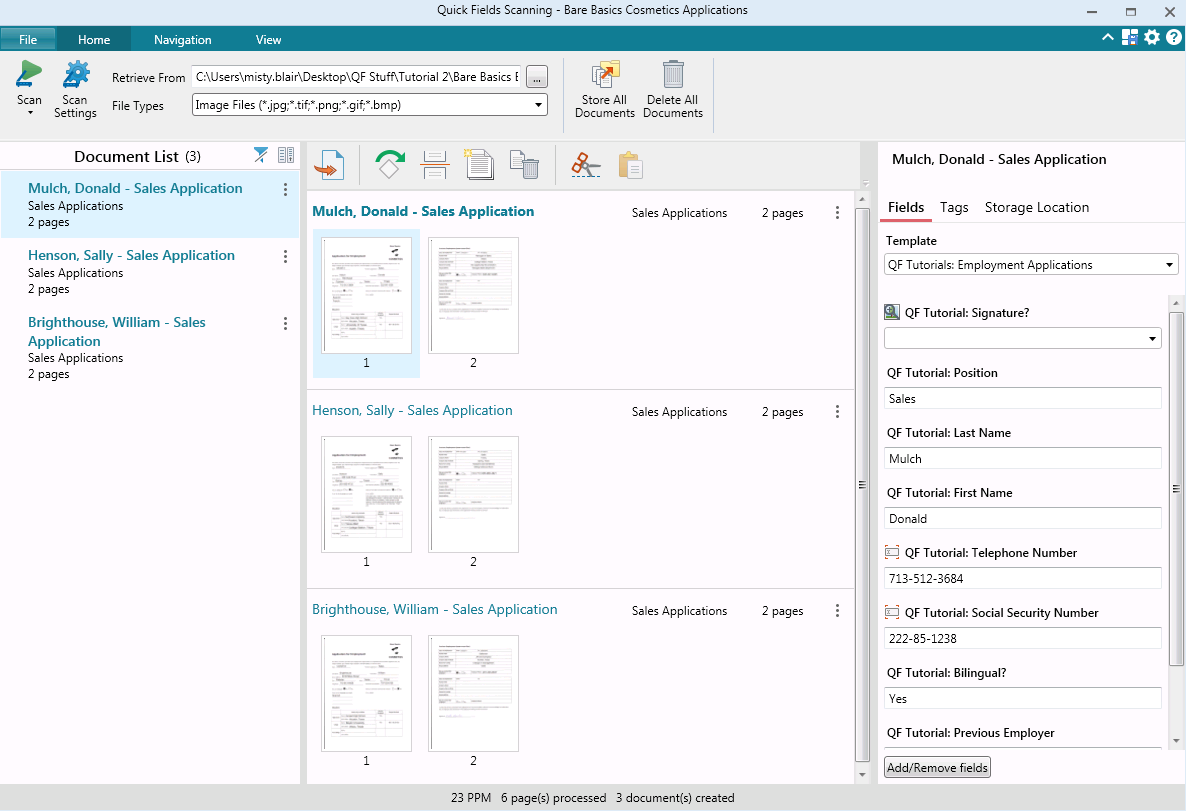
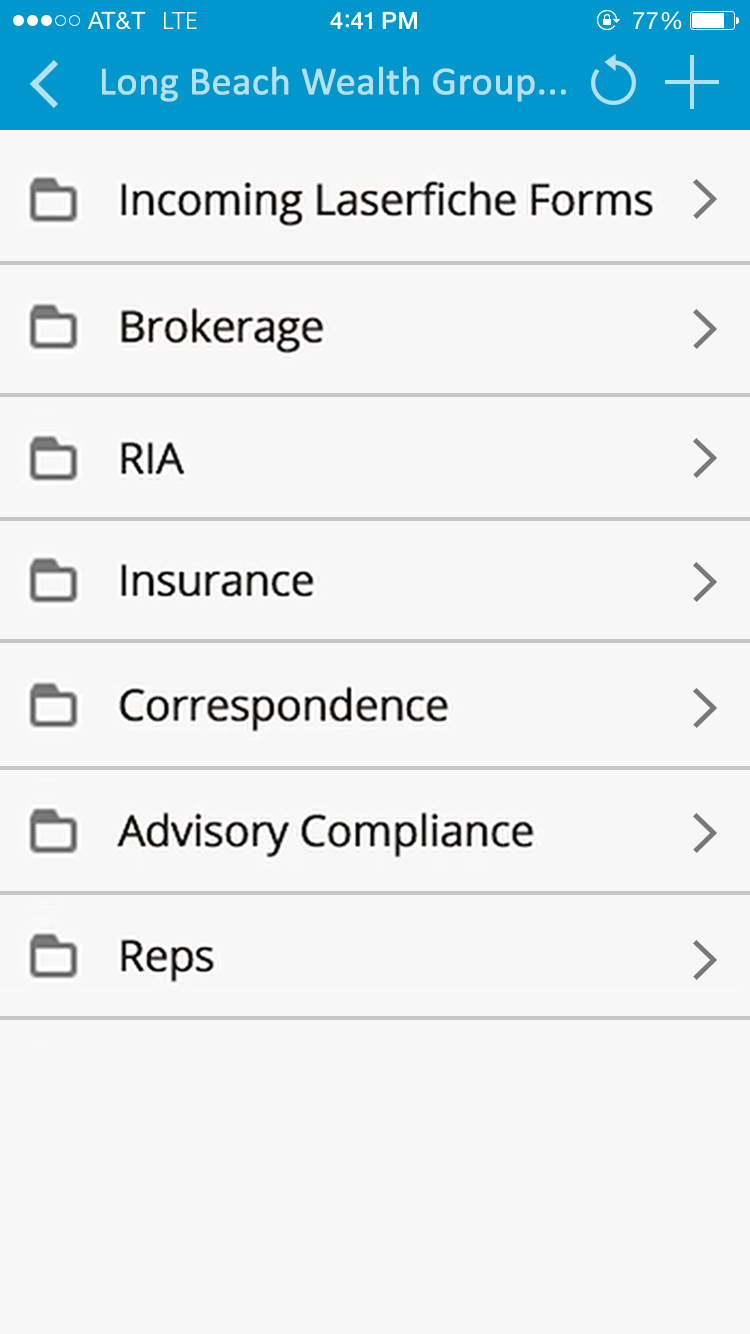
Laserfiche has two main editions: Rio and Avante: Laserfiche Rio is designed to meet the needs of large organizations that have more than 100 users. It combines content management functionality with business process management (BPM), security and auditing, unlimited servers and a thin-client interface. Add-ons include records management functionality, public Web portals and production-level document capture and processing.
Laserfiche Avante is an ECM suite for small to medium organizations with…
$540
per year per user
SurveyMonkey
Score8.1 out of 10
N/A
SurveyMonkey provides free, customizable surveys, and a suite of paid, back-end programs that include data analysis, sample selection, bias elimination, and data representation tools. SurveyMonkey also offers large-scale, enterprise options for companies interested in data analysis, brand management, and consumer focused marketing.
$99
per month
Pricing
Laserfiche
SurveyMonkey
Editions & Modules
Starter
$540
per year per user
Starter
$600
per year per user
Professional
$710
per year per user (starts at 10 users)
Professional
$830
per year per user (starting at 5 users)
Business
$830
per year per user (starts at 25 users)
Business
$950
per year per user (starting at 25 users)
Enterprise
Custom
Team Advantage
$25
per month (billed annually) per user (starting at 3 users)
Team Premier
$75
per month (billed annually) per user (starting at 3 users)
Laserfiche is well suited to the submission of simple routine reports to create a record repository. We use it for routine transport reports, audit reports, and anonymous citizen complaints. It creates a simple chronological record of routine events that can be reviewed and easily stored and recalled. Because the reports are in PDF format, it is not well suited to anything that needs to be imported into a common database or amended after submission.
A de minimis incentive was given to thank the reviewer for their time. The incentive was not used to bias or drive a particular response, nor was the incentive contingent on a positive endorsement. More Info
SurveyMonkey is well suited for external, professional, client-facing forms and complex question types. I've tried generating forms on HubSpot, and it's not nearly as intuitive or clean-looking, and not all question types are supported (e.g. Likert scales). For quick, internal forms that don't need to be as pretty or professional, I find that Google Forms is the quickest and easiest to pull together, especially since it has a single, universal respondent link. If I wanted to embed a link in a mass email, SurveyMonkey doesn't allow multiple respondents to use the same link on my plan.
A de minimis incentive was given to thank the reviewer for their time. The incentive was not used to bias or drive a particular response, nor was the incentive contingent on a positive endorsement. More Info
A de minimis incentive was given to thank the reviewer for their time. The incentive was not used to bias or drive a particular response, nor was the incentive contingent on a positive endorsement. More Info
Being able to close the survey at a set time without having to remember to do so.
Takes the guess work out of response collecting.
Makes it easy to categorize responses within the same survey. Being able to add tags to open-ended questions makes it easy for us to identify patterns in responses.
An array of survey options and questions.
An all around great product that meets multiple needs.
Can have multiple collectors for the same survey to included manual input.
While Laserfiche has some powerful development tools, it is difficult to manage configurations while promoting code across environments. For example, SQL connections and other environment specific resources have to be manually configured in each environment.
Laserfiche forms are a newer addition to the product family and could use some product maturity. While easy to use for simple forms, once your forms become more complex, you need to accomplish tasks by heavy JavaScript coding.
A de minimis incentive was given to thank the reviewer for their time. The incentive was not used to bias or drive a particular response, nor was the incentive contingent on a positive endorsement. More Info
I would like to have more customizable options for branding it to our hospital colors. Some survey options allow you to enter html color codes. SurveyMonkey allows you to change colors and you have to pick from selected options.
Embedding the surveys into a webpage, like WordPress is not as seamless as other services.
A de minimis incentive was given to thank the reviewer for their time. The incentive was not used to bias or drive a particular response, nor was the incentive contingent on a positive endorsement. More Info
We plan on renewing Laserfiche for the coming year but also have been considering a scanning and document management solution that can be purchased from our new accounting system company, we are implementing the accounting system this year. It will be a couple years before we make a decision to stay with Laserfiche or change.
A de minimis incentive was given to thank the reviewer for their time. The incentive was not used to bias or drive a particular response, nor was the incentive contingent on a positive endorsement. More Info
Compared to other competitors in the market (including a few I've used internally), if you're looking for a survey application, this one does the job and it's quite inexpensive too. Considering the fact that it comes with a handy mobile application too (on iOS and Android), you also get flexibility thrown in the deal too.
It has an intuitive design that feels very natural to any user that has ever used Outlook or Windows Explorer. There are multiple ways to perform every action in order to help users with various software experiences find the shortcuts and actions they seek quickly and effectively.
A de minimis incentive was given to thank the reviewer for their time. The incentive was not used to bias or drive a particular response, nor was the incentive contingent on a positive endorsement. More Info
It does everything a survey software should do, and it does it very well. I can't speak for how well it would work for a business that was surveying tens of thousands of people - but for a small business of 50 employees with a couple of thousand clients, it does everything it needs to do.
A de minimis incentive was given to thank the reviewer for their time. The incentive was not used to bias or drive a particular response, nor was the incentive contingent on a positive endorsement. More Info
I am very satisfied with Laserfiche. I have found that certain larger jobs may are slow. This may also be related to our infrastructure environment. We have been able to tune Laserfiche to increase performance on larger jobs.
A de minimis incentive was given to thank the reviewer for their time. The incentive was not used to bias or drive a particular response, nor was the incentive contingent on a positive endorsement. More Info
Performance, of course, is largely dependent on the underlying environment. Laserfiche does its part with multi-threading, taking advantage of multi-core servers on scanning, workflows, and bots. A SQL-Server back-end is suitable for small to medium-sized company, but may not scale to large, where Oracle would be the better choice. Workflows can be poorly written and perform recursive work slowing down the system. It's better to run batch type workflows at night when possible.
A de minimis incentive was given to thank the reviewer for their time. The incentive was not used to bias or drive a particular response, nor was the incentive contingent on a positive endorsement. More Info
I have never had to wait for help from Laserfiche. If I cannot find the answer online, I can easily send an email to a customer support representative. I have always been helped the same day and my questions have always been resolved. The Empower conference is always a great learning opportunity and the online resources and webinars are top-notch.
A de minimis incentive was given to thank the reviewer for their time. The incentive was not used to bias or drive a particular response, nor was the incentive contingent on a positive endorsement. More Info
I've never had to contact the SurveyMonkey customer care team directly, but they have a pretty good library of help articles on their website. Everything from designing and executing your survey to account and billing questions. I never had a need for further support from Survey Monkey.
A de minimis incentive was given to thank the reviewer for their time. The incentive was not used to bias or drive a particular response, nor was the incentive contingent on a positive endorsement. More Info
Easily accessible 24/7 so am able to complete courseware whenever time allows: Commute to work; waiting for friends or family; at night while relaxing [with a delicious glass of wine!]; whenever and wherever time and circumstances permit. Courseware is well written and presented in an easy to follow and understand format.
A de minimis incentive was given to thank the reviewer for their time. The incentive was not used to bias or drive a particular response, nor was the incentive contingent on a positive endorsement. More Info
The core infrastructure of Laserfiche, and the end user experience, is vastly superior. OnBase has a TERRIBLE UI and administration console by comparison. The core architecture of OnBase is also more scattered, while all Laserfiche processes go through a single service. Overall, the Laserfiche product is easier and more intuitive to install, maintain, and use.
A de minimis incentive was given to thank the reviewer for their time. The incentive was not used to bias or drive a particular response, nor was the incentive contingent on a positive endorsement. More Info
SurveyMonkey is easier to customize and provides much more in depth analytics. SurveyMonkey also provides better templates providing us with a better presentation to our employees. SurveyMonkey also comes with a more trustworthy platform that ensures confidentiality, which is incredibly important to our employees and means we're getting more reliable results from the surveys.
A de minimis incentive was given to thank the reviewer for their time. The incentive was not used to bias or drive a particular response, nor was the incentive contingent on a positive endorsement. More Info
Laserfiche has increased the efficiency of our sales reps by giving making all of the historical sales deal information very simple and fast to retrieve.
Laserfiche has increased our efficiency with our AP department and gave department heads the ability to approve invoices where ever they are.
I would say the biggest ROI came with the transparency of the order process for new deals. Before there would be numerous phone calls made daily to find out where an order was within the process, and now you can simply look at all deals at any time.
A de minimis incentive was given to thank the reviewer for their time. The incentive was not used to bias or drive a particular response, nor was the incentive contingent on a positive endorsement. More Info
The speed at which we can develop, program, execute and generate actual usable results provides significant value, particularly when we need fresh numbers to illustrate a point.
The fact that we can execute a research project so quickly means that new research is always a primary option when we're developing campaigns. That's a huge value proposition.
A de minimis incentive was given to thank the reviewer for their time. The incentive was not used to bias or drive a particular response, nor was the incentive contingent on a positive endorsement. More Info