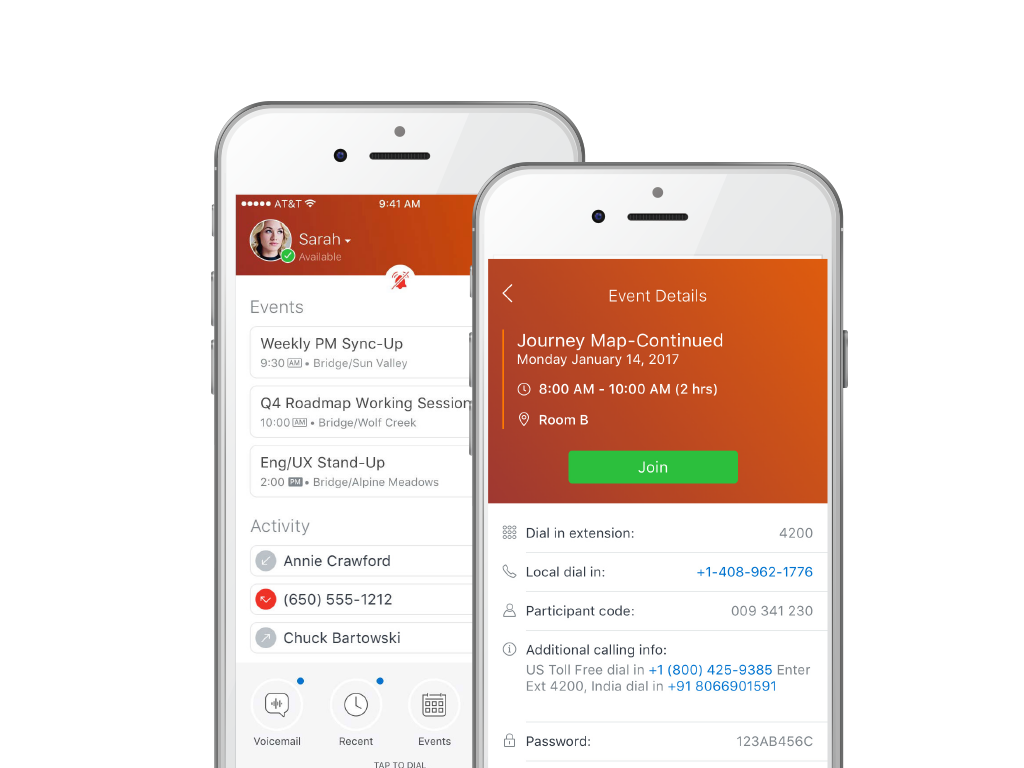
MiCloud Connect is a business communications solution for contact centers that includes features like IP PBX telephony service, desk phones, softphone, and collaboration tools. It is integrable with other business communication technology, including Microsoft Outlook and CRM software.
$20.99
per user/per month
Webex Calling
Score 8.8 out of 10
N/A
Webex Calling is Cisco’s flagship cloud calling solution with over 12 million users worldwide. It delivers an enterprise-grade calling experience that enables customers to replace PBX hardware with a cloud calling solution. Webex Calling's connectivity and collaboration experience includes calling, meetings, messaging, contact center, and integrated devices.
Mitel is excellent at allowing me as a user to setup up custom call routing in response to rapidly changing work flows. If I need to work from home for a period due to medical or other reasons, logging into Mitel and setting my office phone to ring through to my home or cell is quick and simple. Changing back is just as quick.
It seems quite able to handle the normal day to day voice call requirements quite well. Our previous Cisco phones had cameras that could do video calls, but if we need that we go to a Zoom session. Conference room use is not terribly convenient, although this might just be a case of us figuring out how to adapt the environment.
With separate systems and two locations we used to have to fake the system into 4 digit dialing by forwarding all remote extensions to DIDs. Now with Shortel extended to the remote location we have true 4 digit dialing.
The Shortel desktop application makes managing calls and call routing a breeze for even our most novice users.
Internal calling can be done by searching user in directory or by dialing short code extensions for users. Pretty quick and easy to reach internal people.
Webex Calling integrated seamlessly with call recording solutions making it very useful for compliance call recording which is needed by customer service centres today.
Features like call forwarding, call transfer, conference, voice mail, etc are available.
User authorisation for different types of calls is available.
It provides basic call centre features as well so that companies requiring basic call centre features can use it within Webex Calling.
I think what it's doing is it is still the leader when it comes to being able to present calling platforms. And I mean I guess it's number one competitor from a software perspective is Microsoft Teams, Cisco is doing everything possible to provide open source to enable Microsoft and Cisco to work together, particularly when it comes to user room experiences so that no one is feeling like they're left alone or compromised or somewhat segregated when they're choosing one technology versus the other, which is a great thing.
Although the price is higher than some of the other Hosted systems out there, the value is definitely worth a renewal. Everything is relative: there are some companies out there who need phones, but don't necessarily care how they work, the functionality/features available/durability etc., they just care that they have phones that make and receive calls. There are other companies that are completely reliant on phones and certain functionality that is provided by the system. There are even some companies who are straight up dependent on the phone system and are losing tons of money anytime they are down, ShoreTel is the perfect fit for theSMB client who sees value in a solid,robust, reliable and high functioning phone system
The service can be intermittent and the call forwarding feature will not always work perfectly. There will be periods of time where the calling feature will not work at all and people on the other end can hear me but I am unable to hear them. It also requires a fairly strong signal which can be an issue if you work somewhere remote or a building without much service.
I have not used a wide array of communication software, but this far ShoreTel/MiCloud has been the simplest and easiest to get into. My work employs several temps at certain points throughout the year, and they use this piece of software frequently, and new hires seem to have little to no issue using this software. Additionally, this is our primary telephone communication infrastructure, and I have yet to encounter any issues when signed in and regularly using it handling external calls to our department.
Cisco Webex Calling is an outstanding cloud collaboration that includes enterprise-grade cloud phone system designed for the modern hybrid workplace. Webex Calling integrates calling, messaging, and meetings into a single, intuitive platform, empowering your teams with unparalleled flexibility and productivity. Benefit from advanced features like HD audio and video, voicemail to email, call forwarding, and intelligent call routing, ensuring crystal-clear communication and efficient workflows from any device, anywhere. Webex Calling prioritizes security and reliability, offering redundant data centers and end-to-end encryption to safeguard your conversations. Its scalable architecture effortlessly adapts to your envolving business needs, providing a future-proof communication foundation. Enhance collaboration and streamline operations with a solution that's not just a phone system, but a comprehensive communication hub.
The system has gone down on us MULTIPLE times. We asked them to move us to a different cluster. Shoretel declined. Basically we had problems or outages every month of the year from June 2012 to date. Our old phone system was just that: OLD, no bells or whistles. But it was up every day and I never had to think about it much until it was time for an upgrade. That's how I want Shoretel to be. I want it so reliable that I never have to think about it.
I've not actually had it ever be unavailable when I needed to use it. As mentioned before, a network outage would take it down, but we have redundant systems for our network connections with automatic failover.
Even though the system uses a lower bandwidth connection we have experienced a higher call quality than our previous system which required a T1 line and back up broadband connection.
I don't really see this impacting any other system performance at all. The client is very light use on resources, even on my iPhone. I don't know what else it connects to behind the scenes other then the campus directory, but I haven't seen or heard of any impacts. It seems fairly self contained except for wherever it interfaces with the general telephone system connectivity outside the campus.
ShoreTel Sky's support is amazing. The only reason why I didn't give it a 10 is that we still need to contact them for stuff that we should be able to do, for ourselves, within the management portal. I know their portal is being worked on, so hopefully they will get the "little things" included for self-management.
I have been working for a long time with Cisco as a provider and also Cisco TAC and Cisco Support Engineers. The support starts right beforehand in the documentation of the product you are interested in. From the start you have a good, complete, and detailed and easy to read datasheet and there's always someone available to answer any questions.
I attended the first ShoreTel installer class in Austin,TX. It was a week of intensive study with a live lab and having hands on experience made the class worthwhile. I have taken all of the sales courses and remaining technical courses either online or self study to keep costs down. I send my techs to the first installer course in Austin as I feel it gives them a solid foundation and most of teh other courses they have taken have been online.
The training identified some things M5 (ShoreTel's cloud division) could provide, however it was only using it every day and asking the Shoretel support several questions that I got the hang of it. The training was able to highlight functions but I did not learn how to use the phone from the training.
Each of our locations has a dedicated ShoreTel router and managed QoS. With full management, it provides us a breath of space and bandwidth to use our resources in other means. Strongly consider the managed solution as you have to maintain more technical issues when hosting with your ISP. You have to make sure your ISP can provide you the best service for voice and data. Plug and 'hope' doesn't work with just routing your phones over any Internet connection....especially when your handsets run int he 100's
Aptela. I chose M5 (ShoreTelSky) because their platform puts call quality first. Their system also uses Cisco endpoints, which are very compatible with the rest of my Cisco network. I also liked the fact that ShoreTelSky uses the internet only as a backup for transport; I use MPLS as my primary connectivity.
The company uses Microsoft Teams. They do use Microsoft Teams right now and for a long time a lot of the different practices have been using on-premise, contact Call Manager and Unified Communications Express. But Cisco WebEx, the cloud-based product is one of the new ones. And some of our other site practices are also using RingCentral. So cloud calling is not new to the company. For those of us who are familiar with Cisco products, the transition to WebEx calling is not as difficult as it might be for some other products. Going from on-prem to RingCentral, there is more of a learning curve with.
I believe that ShoreTel can be used by a minimum company size of about 25 to almost any size of a company and this can be achieved while the company grows, hence makes it pretty scalable when required. For companies which are smaller in size i.e. smaller than 25, I am not sure how useful it would be, it may be depending upon the type of business
So far it has been very reliable, with very little down time that was associated with the product itself. We have had network outages due to external factors such as construction cutting a fiber link, but other than that kind of thing not much for failures.
At my branch alone, we are saving over $500 a month using Shoretel Sky versus the phone company we were using before them.
Shoretel Sky has increased customer service by allowing our employees to easily transfer a call to the proper department or branch no matter where they are located instead of giving the caller a phone number to call.
Most of our locations did not have caller ID before Shoretel Sky. That feature has increased employee efficiency because when they know who is calling before they answer allows them to professionally greet their caller and have their info up on their computer as they answer.
Webex calling is a good solution for customer which are ready for cloud.
However some customers doesn't want to share their CDR to a UcaaS so Cisco shouldn't focus on cloud opportunity and up to me the gap of investment, marketing, evangelization is too big weighing the pros and cons for cloud too often