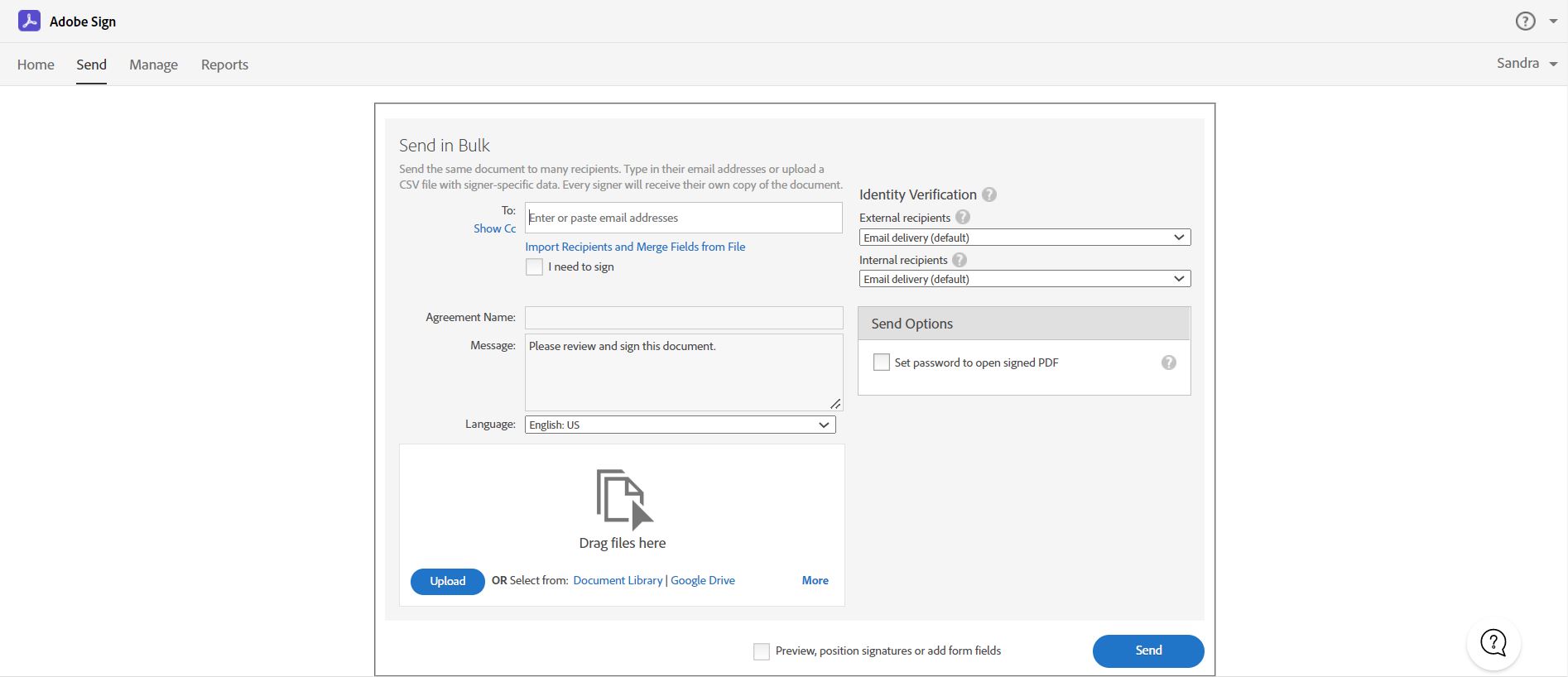
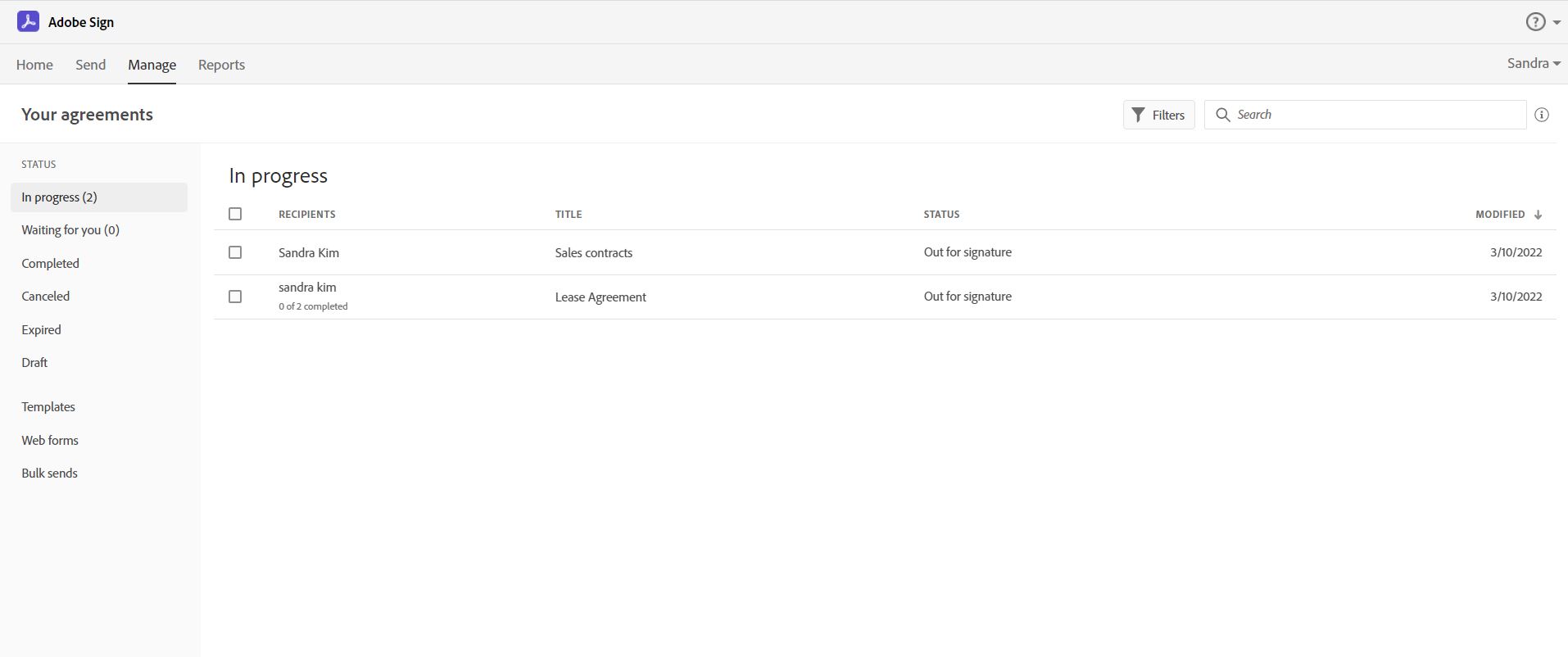
Acrobat Sign is an e-signature solution that combines simple and secure e-signatures with Adobe Acrobat. With Acrobat Sign, the user can create, sign, send for signature, manage, and track documents from one Adobe platform. The user can create signing experiences for customers and teams by enabling them to sign documents on any device or browser – anytime, anywhere. No additional software download or accounts are needed. As Microsoft’s e-signature solution, Acrobat Sign…
$14.99
per month license
Box
Score 8.5 out of 10
N/A
Box is an online Intelligent Content Management solution that caters to individual users as well as businesses.
$21
per month 3 users (minimum)
Formstack Forms
Score 7.5 out of 10
N/A
Formstack is an online form building solution. Its drag-and-drop web form creator gives digital marketers a tool for online data collection and engagement. Users can collect payments and pass form data to popular marketing apps through third-party integrations. With Formstack, users can capture responses, store the information and share it with their teams.
$50
per month
Pricing
Adobe Acrobat Sign
Box
Formstack Forms
Editions & Modules
Acrobat Standard DC for teams
$14.99
per month license
Acrobat Pro DC with advanced e-sign
$16.99
per month license
Acrobat Sign Solutions
Call 800-685-4192 for pricing
Business Starter
$7
per month per user (3 minimum)
Business
$20
per month per user (3 minimum)
Business Plus
$33
per month per user (3 minimum)
Enterprise
$47
per month per user (3 minimum)
Enterprise Plus
$50
per month (billed annually) per user (3 minimum)
Enterprise Advanced
Contact us
per month per user (35 minimum)
Enterprise
Contact sales team
Offerings
Pricing Offerings
Adobe Acrobat Sign
Box
Formstack Forms
Free Trial
Yes
Yes
Yes
Free/Freemium Version
No
Yes
No
Premium Consulting/Integration Services
Yes
Yes
No
Entry-level Setup Fee
$34.99 license per month
Optional
No setup fee
Additional Details
—
A discount is available for annual pricing.
Plans start at $50/month (billed annually), including:
20 Digital Forms
1,000 Submissions Per Form
14,400 API Calls Per Day
Drag-and-Drop Form Builder
Custom Themes
Payment Integrations
Salesforce Integration
SSO User Management
Form Prefill
DocuSign is a per-email pricing structure, which is extremely inconvenient for us as we send out thousands of emails a day - and also MUCH more technical in setup. Adobe Sign most certainly meets our needs and expectations. HelloSign is great for a Non-Profit type tool, but …
Used Dropbox. Great product too, especially if you are on the personal usage side. I use the Box app on various devices - android, desktop, apple and they all work fine.
We were able to cancel our Basecamp account as a result of the collaboration feature from Box.
Merrill Datasite - 10x more expensive and no unlimited storage; Definitely felt a lot more stodgy, old-school, legal look to it, not as user friendly. One really cool feature it does have is optical detection - if you upload docs (scans of docs), you can get it to look for …
Formstack Forms
No answer on this topic
Features
Adobe Acrobat Sign
Box
Formstack Forms
Enterprise Content Management
Comparison of Enterprise Content Management features of Product A and Product B
Adobe Acrobat Sign
-
Ratings
Box
7.6
26 Ratings
6% below category average
Formstack Forms
-
Ratings
Content capture & imaging
00 Ratings
8.119 Ratings
00 Ratings
File sync, storage & archiving
00 Ratings
9.725 Ratings
00 Ratings
Document management
00 Ratings
8.424 Ratings
00 Ratings
Records management
00 Ratings
7.020 Ratings
00 Ratings
Content search & retrieval
00 Ratings
8.224 Ratings
00 Ratings
Enterprise content collaboration
00 Ratings
8.021 Ratings
00 Ratings
Content publishing & creation
00 Ratings
5.015 Ratings
00 Ratings
Security, risk management & information governance
00 Ratings
8.226 Ratings
00 Ratings
Contract lifecycle management
00 Ratings
8.912 Ratings
00 Ratings
Automated workflows
00 Ratings
8.914 Ratings
00 Ratings
Artificial intelligence
00 Ratings
2.011 Ratings
00 Ratings
Mobile support
00 Ratings
6.723 Ratings
00 Ratings
Integration
00 Ratings
9.623 Ratings
00 Ratings
Survey Format & Appearance
Comparison of Survey Format & Appearance features of Product A and Product B
Adobe Acrobat Sign
-
Ratings
Box
-
Ratings
Formstack Forms
8.5
64 Ratings
6% above category average
Survey templates
00 Ratings
00 Ratings
8.556 Ratings
Themes
00 Ratings
00 Ratings
8.057 Ratings
Custom logo/branding
00 Ratings
00 Ratings
8.961 Ratings
Survey Content
Comparison of Survey Content features of Product A and Product B
Adobe Acrobat Sign
-
Ratings
Box
-
Ratings
Formstack Forms
7.6
61 Ratings
11% below category average
Changes to live survey
00 Ratings
00 Ratings
6.556 Ratings
Question design help
00 Ratings
00 Ratings
8.01 Ratings
Multiple question types
00 Ratings
00 Ratings
8.261 Ratings
Survey Logic
Comparison of Survey Logic features of Product A and Product B
Adobe Acrobat Sign
-
Ratings
Box
-
Ratings
Formstack Forms
7.5
61 Ratings
10% below category average
Survey logic flexibility
00 Ratings
00 Ratings
7.561 Ratings
Survey Reporting & Analytics
Comparison of Survey Reporting & Analytics features of Product A and Product B
Adobe Acrobat Sign
-
Ratings
Box
-
Ratings
Formstack Forms
8.6
62 Ratings
6% above category average
Response tracking
00 Ratings
00 Ratings
10.01 Ratings
Data export
00 Ratings
00 Ratings
10.062 Ratings
Standard reports
00 Ratings
00 Ratings
7.359 Ratings
Custom reports
00 Ratings
00 Ratings
5.751 Ratings
Analytics
00 Ratings
00 Ratings
10.01 Ratings
Survey Administration & Security
Comparison of Survey Administration & Security features of Product A and Product B
Adobe Acrobat Sign
-
Ratings
Box
-
Ratings
Formstack Forms
10.0
60 Ratings
15% above category average
Access controls
00 Ratings
00 Ratings
10.058 Ratings
Compliance
00 Ratings
00 Ratings
10.052 Ratings
Survey Distribution
Comparison of Survey Distribution features of Product A and Product B
Acrobat Sign isn't quite as user friendly as other E-Sign platforms I have used. However, it offers a wide range of features that provide convenience and efficiency. For example, I can have multiple people receive the same document separately, or I can have multiple people receive and review the exact same document. I also like that I can choose to set a signing order or not, this is important for when I send Offer Letters and other things that require order of approvals.
I think Box is great for research teams or anyone that has a large number of files that need to be securely stored. Particularly in the case of social science research, where it is important to protect identifying data, Box is a great option. In cases where teams need a more reliable means for real-time collaboration, I would probably consider a different alternative
Formstack makes it easy to create a variety of forms. I have used it for event interest and registrations, email list sign-ups, and surveys. I have found it easy to customize, and easy to export data for import into other systems (e.g., CRM).
Adobe Acrobat Sign tracks whether or not a signer has viewed a document
Adobe Acrobat Sign tracks when a signer has signed, and the document has been sent to the next signer
Adobe Acrobat Sign sends you confirmation emails and progress update emails along the way
Adobe Acrobat Sign provides a "confirmation of signing" page at the end of the document package you put together, to prove the signatures are authentic
The main feature that I like the most in Box is that it makes collaboration seamless, workers can easily check the documents any time and make changes according to the needs.
Box manages and backs up all of your files on its cloud servers, and provides a very nice interface for creating, viewing, editing, and collaborating on the most commonly used file types (PDF, XLS, DOC, etc.).
Over the past few years, Box has built on top of its basic cloud storage management with a host of other tools, such as workflows, AI, monitoring, and analytics.
It is helping us to make good connections with clients and our workers themselves as to its syncing and viewing feature to all is very much helpful and easy to go.
Allows for unique situations. As a school, we don't have the luxury of being cookie cutter. Neither do our forms.
Support. If we don't know how to do it, their support team has been very helpful and actually attempts to understand the issue on hand.
User friendliness. In our field we have a phrase: "what if you get hit by a bus?" With Formstack, you can "get hit by the bus" and someone else can jump in and still keep things running (this is used as a phrase for illness, not termination).
Builds on Adobe platform so it is easy to utilize, but many features require enterprise subscription.
Integrations available but your CRM integration is only available with enterprise license.
Lots of templates but there are additional templates with enterprise only and there was no drag and drop editor.
Adobe captures some analytical metrics but many of the analytics we required were not available - specifically metrics related to how the tool converts and reduces use time by our team and the impact on clients.
Setting up our multi-step form took some getting used to. Some of the branching logic configuration wasn't as intuitive as would be ideal.
Since we were pushing data directly into Hubspot, I found it cumbersome to deal with data storage limits within Formstack. I would get frequent notices that new responses were not being stored in Formstack and that I needed to upgrade or delete data. I got tired of that.
More/easier support for custom fonts would have been a huge plus. We were able to customize the form's appearance, but had to make some concessions in that regard.
It is by far the easiest service we have used to obtain digital signatures from employees. In the past we had done it by hand (a process I would not recommend for 1500+ employees) and with another company that would not allow us to create our own forms and would charge us for each form.
I like the security features and I like the website. It's easy to use and create and move things around as needed. The main reason for a lower rating is because the Box Sync app is just not a good program. It's a memory hog, it's slow, transfer speeds are slow, and it's not the most efficient route. If you have a large Box account and you need to get a computer up to speed on a large amount of data within Box, you are in for the long haul. Last time I had to do this, it took 3 days to sync all of the files and we are talking around 100 GB worth of data
Our user base has come to rely on Formstack to get forms done. The Formstack tools make it easy to start from scratch or copy an existing form to "quick start" a new, similar form. The price is right and frees up IT staff to do more transformative work.
I've had very little trouble with it in all my uses with it. I do wish the text boxes you add wouldn't cut off the text if you entered too many words and that it would adjust it's size to fit within the space you've provided. However, that just takes a little refining in the initial set up of the document before you send it out.
Everything with Box is seamless. It can be integrated into virtually any other software or application. You can even get the app for your phone or tablet to work on the go. File syncing is so quick. The only reason I gave it a 9 is the issue I discussed earlier about the local file application rebooting and not continuing to sync files. Other than that, it's great!
It's easy to learn how to use, generally easy for clients to use, and overall I've never had an overwhelmingly negative experience with it. While there are a few tweaks that could make it really shine, Formstack Forms serves almost all our needs and we're super happy with it.
I would have rated this a 9 or greater had they not had had such critical outages. They have taken steps to resolve this so I may come in and revise this
Yeah, it's always worked, I've never had any kind of connection issues, the only issues I've had it I've been on our end when the Internet hasn't worked.
The Adobe Acrobat Sign's performance are excellent.
When we send electronic document by email for signature all the customers receive it regularly, nobody has any issue to open it and the signature phase was very easy. The user-friendly aspect of this product reduce or reset the call for IT support
The general operation and management of Box is very efficient, both when accessing the account, and when adding files, downloading or modifying any document directly. The web platform, mobile and desktop versions work really well and quickly, making all the work and process flow smoothly and without setbacks. So far I have not been able to observe any inconvenience
It is a great tool to get signatures from the client and has reduced a lot of overhead that was caused before resulting in very long delays. With the integration of Adobe Acrobat Sign, we have reduced this delay making the process much smoother and more efficient.
I found their support community lacking in clarity when I experienced a login issue. The error messaging was poor on my Box Sync application. I did not reach out to support staff for help, instead, I reasoned that I should try downloading the Box Sync application again and reinstall it. That fixed my issue, thankfully. I think a less computer-savvy user would've been much more frustrated.
The agents in the original group, especially the ones in cahoots with the developers, are really solid and know what they're talking about--I'm looking at you, Collin. The 'Tier 1' support agents that typically reply to the tickets are really spotty. If you have an overly technical question, i.e. bugfix, or describe a feature from a few years back that randomly disappeared, these agents typically will give you what feels like a generic reply and not know what you're talking about.
The best types of training are well integrated into the product and Echosign does this well. As mentioned earlier in my review - there are some areas of functionality that can be difficult to understand ("only I sign") for the novice user. Other areas such as macro usage, bulk signature and so on were easily learned and understood via the online tools.
The documentation is good. Since Box is a popular service, there were also a number of YouTube videos and other sources that were helpful as we were considering the product and planning for deployment. Also, the ability to try the free version helped to prepare us.
We did not use it in the manner that most companies do, so I am pleased with how our company handled implementation. We will be pushing the full company over into Echosign for various processes which will incorporate more of an implementation effect.
Be careful with settings. It is easy to get overwhelmed with updates. For example, you don’t want to be updated when doing historical data uploads. I recommend taking off notifications initially and then turn on post you have done your historical data upload.
We implemented on one of the earlier versions. Through continuous engineering improvements, the interface keeps getting easier and more intuitive. Therefore, later implementations keep getting easier and better.
They are just different. Adobe's number one feature that puts it above it's competitors is that your document, the signing process, all of it exists within Adobe. There is no need to go from Word, to Adobe, to DocuSign. It saves you time and makes life easy for you (and for your clients).
They are kind of the same. And both of them do their job as promised. But for company and project wise I think that Box slightly wins for some points. Which [makes him] win over Google Drive (don't forget that Google Drive is very easy to use and has a lot [of] nice features too).
Drupal is a much more customizable platform, however you must have someone build the forms first and then you can work with them if you do not have the programming knowledge. If you have any changes to make, it can sometimes be both a time consuming and difficult process. Formstack is much more efficient if you do not have an in house programmer.
At the beginning we assigned Adobe Acrobat Sign just to Purchase Office Department because at that moment we needed a tool that supported us to avoid manual signature and was compliance with remote working.
Now we are using it also in other situation because it help us with time and we can also reduce cost
Box has been an only positive experience. It provides a seamless way for me and my team to collaborate on documents in such a way where we're not sending the document back/forth via email. It's a huge timesaver.
Box reduces the risk of sharing a sensitive document to the wrong person via email.
Box has provided a platform where my team can share notes in meetings - this has helped streamline and organize our meetings. Our meetings are more productive and actionable.
Positive - ability to analyze submission trends - e.g. when a marketing email is sent, looking at increased form viewing and submissions in relation to the sending of the campaign.
Immediate response - those that submit forms receive immediate response that their form has been submitted.