
Kristen Albertsen
Head of People
Chose Adobe Acrobat Sign
I have prior experience at a previous company with DocuSign, and while that platform may provide a smaller set of features & functionality, it is also more intuitive for first-time users.

| Product | Rating | Most Used By | Product Summary | Starting Price |
|---|---|---|---|---|
 Adobe Acrobat Sign | Mid-Size Companies (51-1,000 employees) | Acrobat Sign is an e-signature solution that combines simple and secure e-signatures with Adobe Acrobat. With Acrobat Sign, the user can create, sign, send for signature, manage, and track documents from one Adobe platform. The user can create signing experiences for customers and teams by enabling them to sign documents on any device or browser – anytime, anywhere. No additional software download or accounts are needed. As Microsoft’s e-signature solution, Acrobat Sign… | $14.99 per month license | |
 Dropbox | N/A | Dropbox is a cloud storage solution, equipped with features that help users to save time, improve productivity, and collaborate with others. Users can edit PDFs, share videos, sign documents, and collaborate with stakeholders without leaving Dropbox. | $9.99 per month | |
 Egnyte | N/A | Egnyte provides a unified content security and governance solution for collaboration, data security, compliance, and threat detection for multicloud businesses. More than 16,000 organizations trust Egnyte to reduce risks and IT complexity, prevent ransomware and IP theft, and boost employee productivity on any app, any cloud, anywhere. | $25 per month |
| Adobe Acrobat Sign | Dropbox | Egnyte | ||||||||||||||||||||||
|---|---|---|---|---|---|---|---|---|---|---|---|---|---|---|---|---|---|---|---|---|---|---|---|---|
| Editions & Modules |
|
|
| |||||||||||||||||||||
| Offerings |
| |||||||||||||||||||||||
| Entry-level Setup Fee | $34.99 license per month | No setup fee | No setup fee | |||||||||||||||||||||
| Additional Details | — | — | — | |||||||||||||||||||||
| More Pricing Information | ||||||||||||||||||||||||
| Adobe Acrobat Sign | Dropbox | Egnyte | |
|---|---|---|---|
| Considered Multiple Products |  Adobe Acrobat Sign Kristen Albertsen Head of People Chose Adobe Acrobat Sign I have prior experience at a previous company with DocuSign, and while that platform may provide a smaller set of features & functionality, it is also more intuitive for first-time users.  Mj Toscano HR Generalist Chose Adobe Acrobat Sign None at this time.  Erin Gracyalny Customer Success Manager Chose Adobe Acrobat Sign |  Dropbox  Olivia Crellin Associate General Counsel, M&A and Securities Chose Dropbox  Juan Fernandez Castellano Recruiter Chose Dropbox Dropbox is much more user-friendly than Egnyte and has more options than Google Drive. Also the sync through the Mac app works better on Dropbox.  Aaron Henderson Marketing Specialist Chose Dropbox Dropbox gives us more control over what we are trying to accomplish, and that is key. Egnyte wanted such a large outline of capital to get their system up, and then we would become married to just their system. I didn't like that because then we were at their mercy, and with …  Emily Hurt Graphic Designer Chose Dropbox Dropbox is more secure in my mind than Google Drive, but doesn't have built in word processing or computing, like with Google Docs or Sheets. Adobe Acrobat Sign is what I use when the client is older -- its so easy to navigate and it walks the client right through where they're … Chose Dropbox I think Dropbox is the best among these  Robert Miller Owner/Attorney Chose Dropbox Dropbox is more intuitive and easier to use than Carbonite.  Joy Wilson Joy Officer Chose Dropbox Dropbox is more rubust in security. It's more formal and contained compared to Google Drive. It's easier to manage users and access form an employer's perspective because it allows the files to be easily remain despite an employee's departure. Ownership can easily remain in …  Laura LaBine Chief Talent Officer Chose Dropbox Perhaps the convenience and joy of using Dropbox keeps me (and my data) using it. I have gotten lost in some of the details of other products, which can feel like a scavenger hunt in a foreign library. Dropbox makes it easy to do me.  Dana Hyde Head of service and marketing Chose Dropbox We only used WeTransfer few times before using Dropbox and we used free version. I found uploads long, they expire quickly, so you cannot resend to other customers, or if customer didn't upload quick enough you must upload again and send again. Many also complained they had … |  Egnyte  Jessica Rogers Administrative Assistant Chose Egnyte Box or Dropbox are kind of similar but don't even touch Egnyte in capacity and capability.  Anna Bussewitz Administrative Assistant Chose Egnyte Dropbox does not allow you to see who is working in a document so it can be very inefficient.  Will Kosnik IT Manager Chose Egnyte  Ricky Skawinski, Jr. Loss Prevention Analyst Chose Egnyte Egnyte blows away any competition. I've used Dropbox and other competitors, but Egnyte's interface and ease of use is what makes it superior. I would recommend it over any of the other guys out there because that's what my company uses and that's what works for us.  Shawn Petrunak Pricing Analyst Chose Egnyte  Jeffrey Smith Director of Marketing Chose Egnyte Egnyte has significantly more structure out of the box than Google Drive or Dropbox. While Google Drive is much cheaper, and Dropbox has more potential in the right hands; Egnyte just works immediately in an enterprise situation. There are other enterprise level solutions, like …  Chelsey Clayton Director of Operations and Marketing Chose Egnyte Egnyte is more user-friendly than both Dropbox and Box, and has more functionality to match. The user management is simple with Egnyte, and the storage limits are enormous - we'll never be concerned about running out of room. Egnyte's device management is also an essential part …  Brandon Wells, MPA Director of Volunteer Engagement Chose Egnyte  Akash Jain Senior Engineer Chose Egnyte Erin Gracyalny Customer Success Manager Chose Egnyte Egnyte was the clear winner, given how the access works and how it can scale over time. It allows folder access control at every folder level, meaning you won't have to restructure or create a new site just to isolate specific data.  Guy G. Gray Chief Operating Officer Chose Egnyte Egnyte provided Quarem the most robust and secure environment. Additionally, Egynte makes organizing the files very simple, saving my team time and money. |
| Adobe Acrobat Sign | Dropbox | Egnyte | |||||||||||||||||||||||||||||||
|---|---|---|---|---|---|---|---|---|---|---|---|---|---|---|---|---|---|---|---|---|---|---|---|---|---|---|---|---|---|---|---|---|---|
| File Sharing & Management |
| ||||||||||||||||||||||||||||||||
| Cloud Storage Security & Administration |
| ||||||||||||||||||||||||||||||||
| Cloud Storage Platform |
|
| Adobe Acrobat Sign | Dropbox | Egnyte | |
|---|---|---|---|
| Small Businesses |  Foxit eSign Score 9.3 out of 10 |  SugarSync Score 4.2 out of 10 |  Square 9 Softworks Score 9.7 out of 10 |
| Medium-sized Companies |  MSB Docs Score 9.4 out of 10 |  Druva Security Cloud Score 9.4 out of 10 |  MediaValet Score 9.0 out of 10 |
| Enterprises |  DocuSign Score 8.7 out of 10 | Druva Security Cloud Score 9.4 out of 10 | MediaValet Score 9.0 out of 10 |
| All Alternatives | View all alternatives | View all alternatives | View all alternatives |
| Adobe Acrobat Sign | Dropbox | Egnyte | |
|---|---|---|---|
| Likelihood to Recommend | 4.7 (228 ratings) | 8.5 (1348 ratings) | 10.0 (42 ratings) |
| Likelihood to Renew | 8.0 (30 ratings) | 8.1 (41 ratings) | 10.0 (6 ratings) |
| Usability | 3.7 (194 ratings) | 8.1 (496 ratings) | 10.0 (7 ratings) |
| Availability | 9.0 (5 ratings) | 6.8 (3 ratings) | - (0 ratings) |
| Performance | 9.0 (4 ratings) | 6.0 (8 ratings) | 8.8 (3 ratings) |
| Support Rating | 7.3 (164 ratings) | 6.6 (38 ratings) | 7.7 (4 ratings) |
| Online Training | 8.0 (1 ratings) | 8.2 (2 ratings) | - (0 ratings) |
| Implementation Rating | 8.0 (7 ratings) | 7.5 (4 ratings) | - (0 ratings) |
| Configurability | 9.0 (3 ratings) | 6.4 (1 ratings) | - (0 ratings) |
| Ease of integration | 5.0 (2 ratings) | - (0 ratings) | - (0 ratings) |
| Product Scalability | 8.0 (3 ratings) | 6.6 (4 ratings) | - (0 ratings) |
| Vendor post-sale | 9.0 (2 ratings) | - (0 ratings) | - (0 ratings) |
| Vendor pre-sale | 9.0 (2 ratings) | - (0 ratings) | - (0 ratings) |
| Adobe Acrobat Sign | Dropbox | Egnyte | |
|---|---|---|---|
| Likelihood to Recommend | Adobe
 Kennedy Humphrey MBA HR Manager | Dropbox
 Deependra Gahane Customer Support Engineer L2 | Egnyte
|
| Pros | Adobe
| Dropbox
 Howard R. Berger Financial Advisor | Egnyte
 Mykii Liu IT Support Engineer |
| Cons | Adobe
 Jeff Keeney Sales and Customer Success at Cross-Sell | Dropbox
 Stephanie Crawford Realtor | Egnyte
 Brandon Smith Business Consultant |
| Likelihood to Renew | Adobe
 Lori Diggs HR Project Analyst | Dropbox
 Michelle Hidalgo Development and Marketing Manager | Egnyte
 Evan Wilson I.T. Service Specialist |
| Usability | Adobe
| Dropbox
| Egnyte
|
| Reliability and Availability | Adobe
| Dropbox
Deependra Gahane Customer Support Engineer L2 | Egnyte No answers on this topic |
| Performance | Adobe
| Dropbox
| Egnyte
 Christopher Fritz Senior IT Supporter |
| Support Rating | Adobe
| Dropbox
| Egnyte
|
| In-Person Training | Adobe No answers on this topic | Dropbox
Deependra Gahane Customer Support Engineer L2 | Egnyte No answers on this topic |
| Online Training | Adobe
 Joshua Lipton VP Technology | Dropbox
| Egnyte No answers on this topic |
| Implementation Rating | Adobe
 Jessie Mead Business Services | Dropbox
 Annesa L Lacey Founder & CEO | Egnyte No answers on this topic |
| Alternatives Considered | Adobe
| Dropbox
 Joy Cobert REALTOR | Egnyte
 Ian Hansen Client Success Manager |
| Contract Terms and Pricing Model | Adobe No answers on this topic | Dropbox
Deependra Gahane Customer Support Engineer L2 | Egnyte No answers on this topic |
| Scalability | Adobe
| Dropbox
Deependra Gahane Customer Support Engineer L2 | Egnyte No answers on this topic |
| Professional Services | Adobe No answers on this topic | Dropbox
Deependra Gahane Customer Support Engineer L2 | Egnyte No answers on this topic |
| Return on Investment | Adobe
| Dropbox
| Egnyte
Shawn Petrunak Pricing Analyst |
| ScreenShots | Adobe Acrobat Sign Screenshots 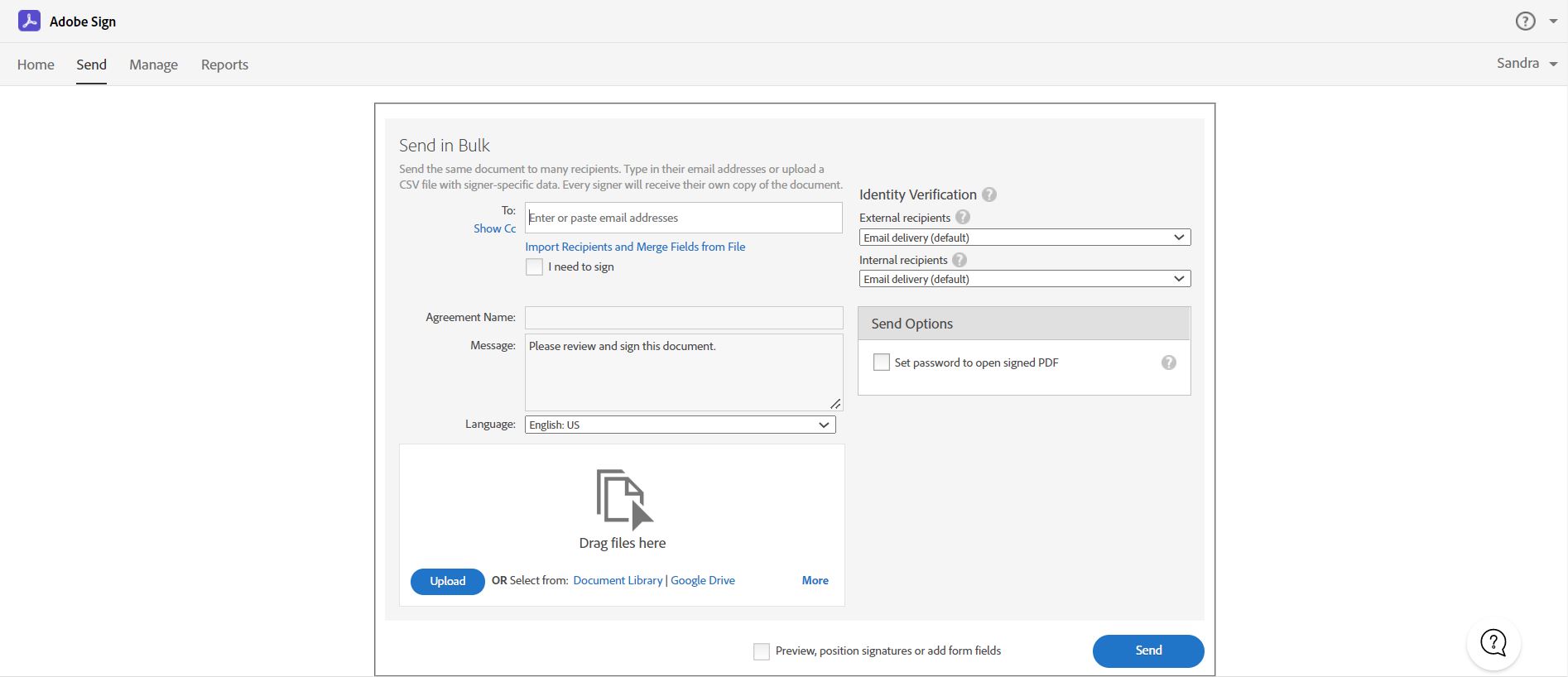 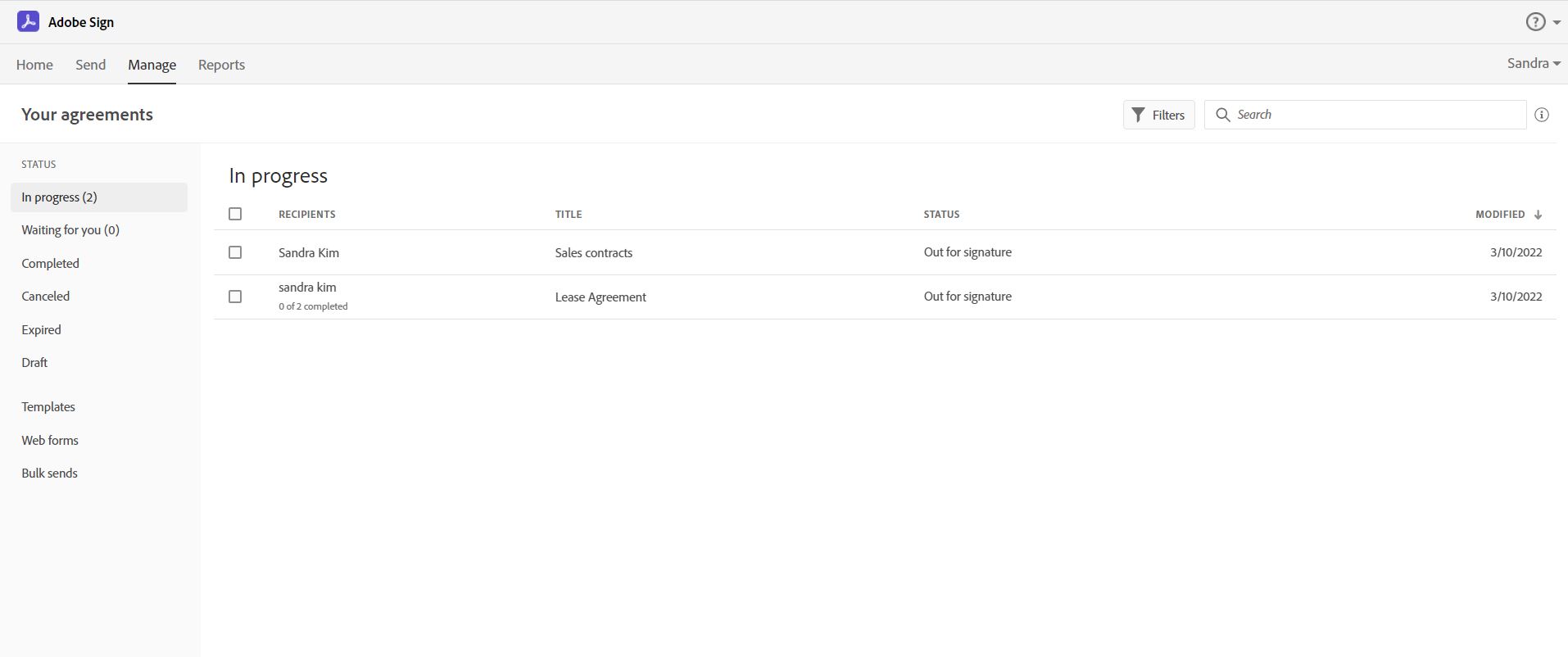  | Dropbox Screenshots    |
