Adobe acquired Omniture in 2009 and re-branded the platform as SiteCatalyst. It is now part of Adobe Marketing Cloud along with other products such as social marketing, test and targeting, and tag management.
SiteCatalyst is one of the leading vendors in the web analytics category and is particularly strong in combining web analytics with other digital marketing capabilities like audience management and data management.
Adobe Analytics also includes predictive marketing capabilities that help…
N/A
Google Analytics
Score 8.2 out of 10
N/A
Google Analytics is perhaps the best-known web analytics product and, as a free product, it has massive adoption. Although it lacks some enterprise-level features compared to its competitors in the space, the launch of the paid Google Analytics Premium edition seems likely to close the gap.
$0
per month
HCL Unica
Score 8.9 out of 10
N/A
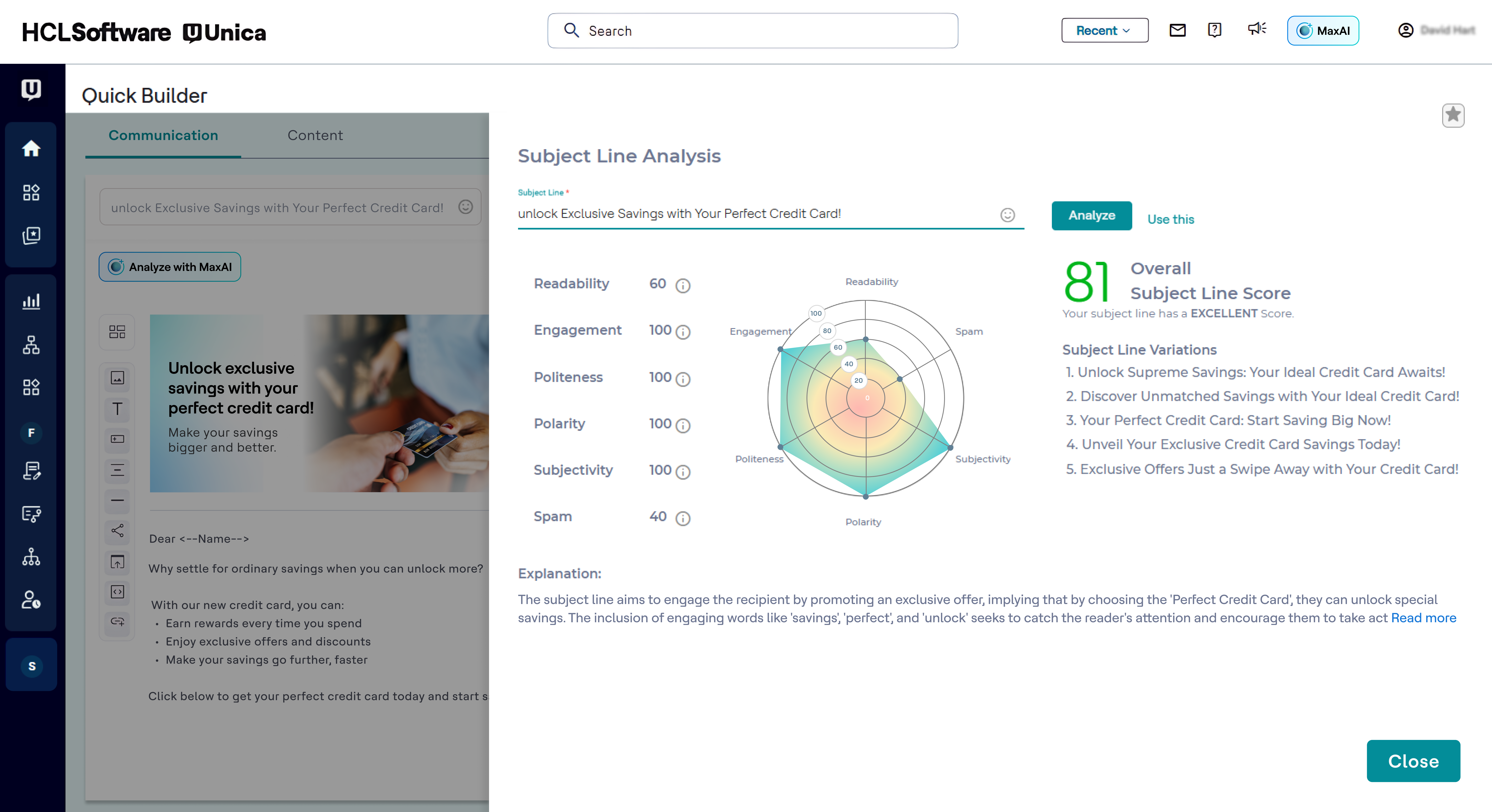
HCL Unica is available as a cloud or on-premise solution that provides fully integrated marketing automation software for enterprise. It includes enterprise marketing automation tools that optimize marketing activities, to ensure excellent customer experiences and data privacy.
Sr. Marketing Manager of Web Analytics and Personalization
Chose Adobe Analytics
Adobe Analytics far surpasses Google Analytics in the following arenas: journey analysis. Adobe Analytics very clearly portrays user journey data unlike any other web analytics tool.
Verified User
Employee
Chose Adobe Analytics
Adobe Analytics is far better and customizable than the free version of Google Analytics.
I used Google Analytics extensively but Adobe Analytics triumphs. It provides an overall overview which is extremely helpful. Google is a great tool for advertisement and I suggest you not go into that venture to keep your exclusivity. This makes Adobe Analytics amazing and …
Many of our users come from a background of using Google Analytics. They like it, but Adobe Analytics gives them an ability for a more thorough analysis.
Historically I've looked at a lot of different products. More recently I'd say Mamo and Google Analytics. Those are probably the two big ones that I've seen around, so yeah.
It's more feature rich. It provides more dimensions, more breakdowns, and it also scales data better.
Compared to Google Analytics, Adobe Analytics is more powerful for deep segmentation and global analysis. It’s a bit less intuitive, but we chose it for flexibility, better cross-channel attribution, and the ability to handle complex user journeys at scale, which mattered more …
We evaluated and we currently use Mixpanel and we have Google Analytics on a couple of our properties. And honestly, once you get the hang of the Adobe Analytics workspace, the other products really don't stack up against it because the segmentation and the ability to create …
I've used Google Analytics, which is probably the most direct competitor to Adobe Analytics, as well as Pendo Analytics, which is a little bit more of an adjacent product. It's more focused on product analytics rather than web analytics. I've also used Localytics, which is a …
I believe Adobe is more suitable for complex website structures as its data visualization dashboard options gives multiple options to represent data in a dashboard which is easy to read and understand. Also, the setting up of CMPID and tracking of goals is much simpler along …
We felt Adobe Analytics was a much more robust platform and stacked that gave us much more depth into user behavior across our different channels. We needed a platform that had no sampling involved with a longer time. Period for analysis to ensure we were always able to pull …
Clients usually select Adobe Analytics because it suits them better than the alternatives and they want more customisation than GA4 offers. Also because they might be with Adobe Experience Cloud for a few other things like tag management, A/B testing, audience manager, campaign …
Adobe is more sophisticated and customizable but Google UI is a lot cleaner and nice that it connects with Gmail data so you can see demo of people going to your site/app.
Google Analytics is free! And while Adobe Analytics is arguably more powerful, it's paid. Additionally, Google Analytics' integrations are vastly well known, thoroughly well (and more) documented, and used by more people. That means that it's also easy to find people that are …
Plain and simple - Google Analytics is a free solution with a robust amount of reporting capabilities. It only lacks as it provides a certain amount of reporting points out of the box compared to Adobe Analytics which is more of an enterprise type of reporting solutions. Adobe …
Google Analytics (free version) is typically my go-to recommendation for most companies. Small to medium size businesses, definitely. Larger organizations with need for a complex account structure / hierarchy and the need for highly customized analytics metrics, dimensions, …
We have been using Adobe Analytics for a while but the system seemed to be more complex when compared to super user friendly Google Analytics. Moreover, the option to add custom metrics and dimensions is lacking in Adobe Analytics. Google Analytics is good with transactional …
Adobe Analytics has been in the market for a long time; some people still know it as Omniture or SiteCatalyst. It seems that some great ideas from Google Analytics, such as Enhanced Ecommerce and the new way of measuring events with GA4, are adapted from the traditional Adobe …
Adobe Analytics and Google Analytics 360 are both paid/premium options for website tracking. Though there are certain use cases when these might make sense (you operate entirely in the Adobe suite, you're a massive company/site that doesn’t mind the price tag on Google …
I have not used Adobe Analytics as much, but I know they offer something called customer journey analytics, which we are evaluating now. I have used Semrush, and I find them much better than Google Analytics. I feel a fairly nontechnical person could learn Semrush in about a …
Ease of use: Google Analytics is known for its user-friendly interface and straightforward setup process, making it accessible for beginners. Adobe Analytics has a steeper learning curve and requires more technical expertise. Features: Adobe Analytics offers a more comprehensive …
Adobe Analytics is good but it is more suited to people who are fully and technically into reporting and the solutions it provides. Google Analytics on the other hand provides a much easier way of setting up the Analytics. Most of the data reporting, charts and visualisations …
Verified User
Account Manager
Chose Google Analytics
Google Analytics is free while Adobe Analytics is really expensive
Google Analytics is for me the default one to implement especially for business starting in analytics. The time (aka cost) of implementation is very low and it provides results in a matter of hours. The integration with the Google ecosystem is also a plus especially when …
Built-in reports are beneficial but you can create custom reports if you need more details with different dimensions and metrics it also provides insights which is just little data about your site traffic in sentence format its the best way to know which strategy you are on …
Google Analytics is a bit cheaper than its competitors and provides a slightly different role as it tracks all channels. It has a close relation to Google and this makes the data a bit more valuable than those programs that are not.
Google Analytics provides everything you need in terms of straight forward analytics needs. The tool is not very flexible compared to other software such as adobe, and if you want to upgrade to premium or add in a bunch of custom situations, that can be become very [tedious] …
[Google Analytics] provides a broader appeal, combining what would usually require several different platforms, and as such is a bit of a jack of all trades in comparison, although often to a "good enough" level. If there is a particular aspect that you then find you would like …
Google Analytics is the industry standard, integrates seamlessly with most site setups, and cannot even be compared on cost. While it falls short in some areas like individual user tracking and cross-device reporting, it provides 80-90% of the needed visibility for online …
Google Analytics is the web's gold standard. We also use StatCounter for redundancy sake and because its visitor tracking and basic reporting are spectacular. But Google is a must-have no matter what else you end up using.
The redundancy issues plays out in terms of data …
Google Analytics stacks up as some of the best among the competition, assuming you're using it for its intended purpose. It's been the easiest to integrate into our applications, as well as the easiest UI to use. We selected Google Analytics for security and budget reasons, but …
Both are great, just different. Most clients believe Google is the golden standard due to the strong presence of Google's brand everywhere, but Adobe seems to have stronger, drill down tracking at the expense of a harder to use interface.
We have been using Google Analytics for over 10 years. Over that time we have periodically reviewed our analytics platforms a number of times. For us, it made more sense to stay with google analytics primarily because if we migrated to another platform we would lose the …
Adobe is a tough competitor, and it's fair to say that you can get the same quality of service from Adobe. Speaking as an Adobe fanboy, it's easy to say that I'm biased – however, from a price standpoint, IBM is cheaper, and you get the same results. I will say that IBM doesn't …
Honestly, because Adobe Analytics is so customizable, I found that it is very well-suited for almost any type of web digital experience tracking of behavioral analytics. It has a very robust mech architecture for any type of e-commerce platform. But it is extensible and is easily adaptable to other circumstances. For example, in our university situation, we've been able to use it for student portal experience tracking, how well they are interacting, interfacing with our internal sites, and how well they are working with our task submission processes. But it does a great job of managing all aspects of the key journeys, especially from a marketing perspective. So while it might not be as out-of-the-box for some of those other alternative use cases outside of marketing, it's extensible and customizable enough that it's worked really well and met our needs.
Google Analytics is particularly well suited for tracking and analyzing customer behavior on a grocery e-commerce platform. It provides a wealth of information about customer behavior, including what products are most popular, what pages are visited the most, and where customers are coming from. This information can help the platform optimize its website for better customer engagement and conversion rates. However, Google Analytics may not be the best tool for more advanced, granular analysis of customer behavior, such as tracking individual customer journeys or understanding customer motivations. In these cases, it may be more appropriate to use additional tools or solutions that provide deeper insights into customer behavior.
I think it is wel suited for a business with a lot of one on one relations in the database. For example a supermarket that sells products to a client and gives a reduction on that product. It is nice if the selection process is not to complex and does not involve to many calculations. It is also nice if it is very clear what you want to follow up. In our environment we have lots of many-to-many relations. for example one product is held by more then one client. And that client might have more of those products with other clients. These kind of situation demands for a lot of calculations with derived fields(*), and there things go far too slow. Unica is probably not such a good solution for us, because our environment is too complex, and so is to process of creating the selection, we often have to change things in the selection flows. Because of the complexity it is difficult to see what the flow is exactly doing afterwoods, it also takes to much time to modify existing campaigns. The interface is not handy to work with, if you have long lists of variables, of tables or derived fields(*) you have to scroll through trough them, you can not really search them or reorder them. You can not drag and drop fields or other objects like derived fields in the flow, what would be easy if you have to make frequent changes to the proces flow. When you copy objects something the content of the object changes because the links with other objects or lost. (*) derived field: field to calculate something
Within my role of advertising, I can come in, and I can see I'm paying for visitors, paying to drive people to the website. So I can see the differences in my different traffic sources, whether that's a Google search campaign or a Facebook social campaign. I can measure the quality of that traffic and see what they're doing, whether they're bouncing right away and leaving the website, or spending more or less time on the website. And whether they're taking the actions. My ad campaign is focused on filling out forms, and ultimately, that's it. Just measure and see if my campaigns are successful or not.
Ability to translate Multiple SQL queries into a very easy to use visual GUI.
Provides the ability to pre-define segments, run them once in off hours, store them in their own system tables for quick youth and a significant reduction in CPU utilization on the database.
It’s use of Reusable objects. Including user variables to pre-define calculations one time, macros that you can create and pass values to parameterize the SQL code And the creation of templates to easily replicate work.
It’s ability to bring in external data on the fly that can very easily be mapped into any flowchart.
It’s flexibility and creating UNIX script via triggers to automate sending of files to multiple vendors with different FTP sites
It’s flexibility in the output layouts that it can create.
I think the biggest room for improvement is performance. When I go in certain times of the day or for certain clients, it's slow and it won't load the reports that I need. And as a result, needing to answer a question where you normally have the expectation of it being a near real-time answer that you get when you have to wait for reports to load or you have to wait because the reports can't load at all. It's a really unfortunate thing. It's a big problem actually. So I'd say that's one area of improvement. It's just improving the performance of the reports so that they'll load consistently all the time quickly and effectively.
Greater integration of real time (Interact) capabilities with outbound channels, in particular IBM eMessage Email & SMS delivery.
Additional outbound channels to be integrated into eMessage, including Facebook Fanpage & Twitter DM broadcasts. At the moment these are possible only through custom additional integration.
Support for additional marketing database technology, e.g. MySQL, Exasol, ParAccel, WX2.
Provision of database technology with software purchase, as Web technology (IBM WebSphere Express) is supplied for free, but no database is supplied - since IBM also market DB2, which is a supported technology it seems a shame.
We need it to discover threats long before they become a loophole in the security ecosystem. Also, it is very much compliant with customer standards and expectations. It provides marketing intelligence through in-depth analysis. Overall, a very good product to gain customer attention and thereby improve market
We will continue to use Google Analytics for several reasons. It is free, which is a huge selling point. It houses all of our ecommerce stores' data, and though it can't account for refunds or fraud orders, gives us and our clients directional, real time information on individual and group store performance.
There are three main factors to renew a licence: 1) Cost to migrate to another platform would be rather expensive and time consuming, plus the requirement of retraining employees to use a new tool 2) It has been proven time and time again that it is a market leader in the space (10 years +) 3) It can be built upon, with the addition of additional IBM EMM modules - despite theories it does have very strong digital capabilities.
It is necessary to have a minimum knowledge on tracking tools so you can use the tool on full performance. It is not an introduction tool, so please bear that in mind. Once you got the knowledge you just need a small training on how to create your custom reports, where to find the components you need and how to add them to your dashboard. Then you share your report or create a rule for periodic sharing and it's done. Finally, if you have a lot of data stored the tool might be a little slower but that's ok.
Google Analytics provides a wealth of data, down to minute levels. That is it's greatest detriment: find the right information when you need it can be a cumbersome task. You are able to create shortcuts, however, so it can mitigate some of this problem. Google is continually refining Analytics, so I do not doubt there will be improvements
I do not ever recall a time when Adobe Analytics was unavailable to me to use in the 8 or so years I have been an end user of the product. My most-used day-to-day analytics tool Parse.ly however, generally has a multiple hours planned offline maintenance every two to four weeks, and sometimes has issues collecting realtime analytics that last anywhere between 15 minutes to an hour, and happen anywhere between 1 to 5 times a month.
We all know Google is at top when it comes to availability. We have never faced any such instances where I can suggest otherwise. All you need is a Google account, a device and internet connection to use this super powerful tool for reporting and visualising your site data, traffic, events, etc. that too in real time.
Again, no issues here. Performance within the day updates hourly. other reports are updated overnight and available to access by the next morning. Pages load quickly, the site navigates easily and the UX is quite straightforward to get command over. On this front, I give Adobe kudos for building a great experience to work within
This has been a catalyst for improving our site's traffic handling capabilities. We were able to identify exit% from our sites through it and we used recommendations to handle and implement the same in our sites. We have been increasing the usage of Google Analytics in our sites and never had any performance related issues if we used Analytics
Support for Adobe Analytics is ok, it used to be worse years ago. Now, the technology team at Adobe is way more knowledgeable on the product itself as well as the implementation. They also study your custom implementation and have good knowledge of where your company stands. Dedicated support is something worth considering.
The Google reps respond very quickly. However, sometimes they can overly call you to set up an apportionment. I'm very proficient and sometimes when I talk to reps, they give beginner tutorials and insights that are a waste of time. I wish Google would understand my level of expertise and assign me to a rep (long-term) that doesn't have to walk me through the basics.
It was a one-day training several years ago that cost the organization several thousand dollars. There were only about 10 people in the training class. Adobe tried to cram so much information into that one-day class that none of our users felt like they really learned anything helpful from the experience. Follow-up training is too expensive
The online training for Adobe SiteCatalyst consists of short product videos. These are ok, but only go so far. For a while Adobe charged a fee for this, but recently made these available for free. There are many great blog posts that help users learn how to apply the product as well.
love the product and training they provide for businesses of all sizes. The following list of links will help you get started with Google Analytics from setup to understanding what data is being presented by Google Analytics.
One of the benefits and obstacles to successfully using Adobe Analytics is a great / more accurate implementation, make sure your analytics group is intimate with the details of the implementation and that the requirements are driven by the business.
I think my biggest take away from the Google Analytics implementation was that there needs to be a clear understanding of what you want to achieve and how you want to achieve it before you start. Originally the analytics were added to track visitors, but as we became more savvy with the product, we began adding more and more functionality, and defining guidelines as we went along. While not detrimental to our success, this lack of an overarching goal resulted in some minor setbacks in implementation and the collection of some messy data that is unusable.
- We had to rebuild a part of the datamart afterwards to tighten up and simplify the selection process. But as it was too time consuming to rebuild all the existing campaigns, we no run campaigns on different versions of the datamart. - The response tracking of the campaigns never worked out well, it was impossible to implement a direct response where there is a link between the lead and the response in our operational process
We evaluated and we currently use Mixpanel and we have Google Analytics on a couple of our properties. And honestly, once you get the hang of the Adobe Analytics workspace, the other products really don't stack up against it because the segmentation and the ability to create reports pretty rapidly are invaluable.
I have not used Adobe Analytics as much, but I know they offer something called customer journey analytics, which we are evaluating now. I have used Semrush, and I find them much better than Google Analytics. I feel a fairly nontechnical person could learn Semrush in about a month. They also offer features like competitive analysis (on content, keywords, traffic, etc.), which is very useful. If you have to choose one among Semrush and Google Analytics, I would say go for Semrush.
The contact history and the response history are so powerful. You can track whatever you want to help the call center to push relevant offers to our customer. In addition, predictive models can be built, with patience, in IBM Campaign. If you have some complaints from the call center about any campaigns, you can easily validate it into the contact or response history.
Adobe Analytics is relatively affordable compared to other tools, given it provides a range of flexible variables to use that I have not found in any other tools so far. It is worth investing in if your company is medium or large-sized and brings a steady flow of revenue. For small companies, it can be overpriced.
My organization uses Adobe Analytics across a multitude of brand portfolios. Each brand has multiple websites, mobile apps and some even have connected TV apps/channels on Roku and similar devices. Adobe can handle the multitude of properties that have simple, small(ish) websites and the larger brand properties that include web, mobile and connected TVs/OTT devices.
Each of those larger brands has multiple categories and channels to keep track of. We can see the data by channel/device or aggregate all the data together. This gives our executive teams the full picture and the departmental teams the view they need to see their own performance.
Google Analytics is currently handling the reporting and tracking of near about 80 sites in our project. And I am not talking about the sites from different projects. They may have way more accounts than that. Never ever felt a performance issue from Google's end while generating or customising reports or tracking custom events or creating custom dimensions
The professional services team is one of the best teams for complex adobe analytics implementations, especially for clients having multiple website and mobile applications. However, the cost of professional services is a bit high which makes few clients opt out of it, but for large scale implementations they are very helpful
Adobe Analytics impacts nearly every aspect of a billion plus dollar revenue eCommerce business. From measuring the impact of new build features to marketing campaigns.
We are saving substantial money and resource effort by consolidating all of our properties to Adobe Analytics from alternative solutions, at which point we will finally be able to report on Total Digital, rather than disparate reports.
We support experimentation on every platform and the performance is only known through Adobe Analytics tagging.