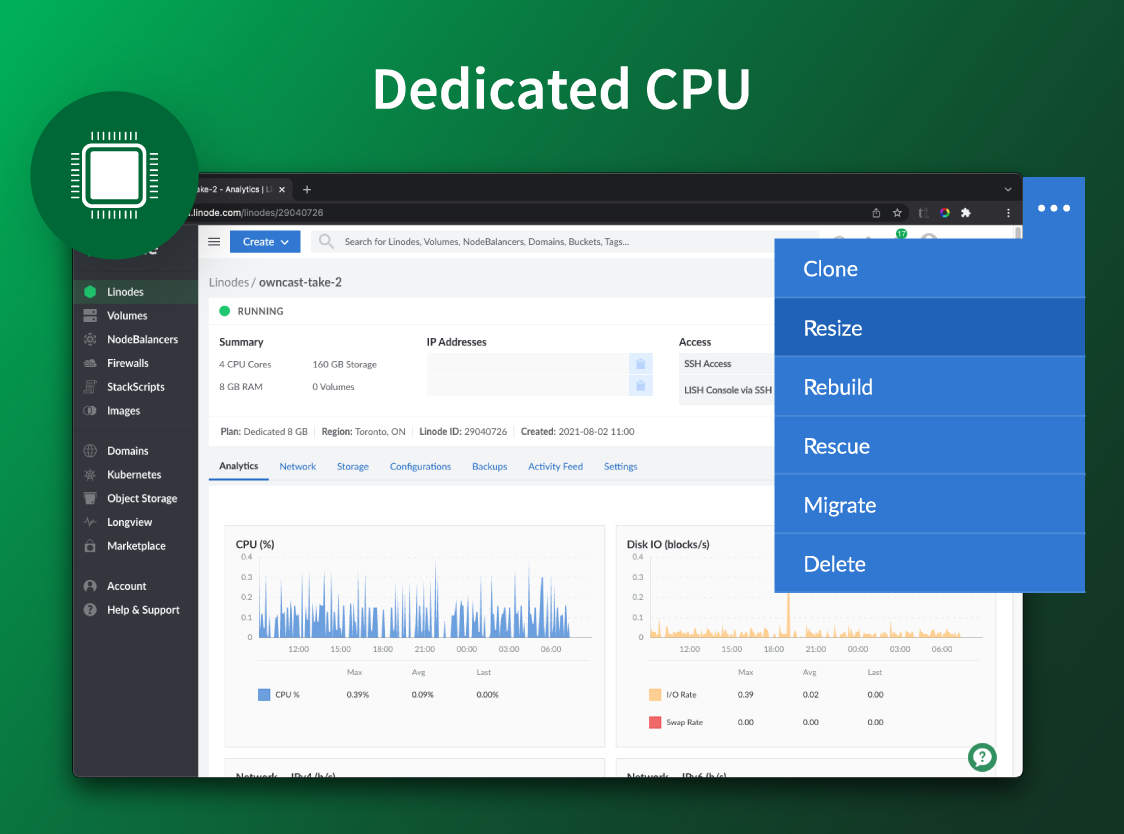
Akamai Cloud Computing (formerly Linode) include scalable and accessible Linux cloud solutions and services. These products and services support developers and enterprises as they build, deploy, secure, and scale applications.
$5
per month
Dropbox
Score 8.5 out of 10
N/A
Dropbox is a cloud storage solution, equipped with features that help users to save time, improve productivity, and collaborate with others. Users can edit PDFs, share videos, sign documents, and collaborate with stakeholders without leaving Dropbox.
$9.99
per month
ownCloud
Score 9.2 out of 10
N/A
ownCloud is a self-hosted open source file syncing and sharing option, from the Boston-based company of the same name.
$5
per month
Pricing
Akamai Cloud Computing
Dropbox
ownCloud
Editions & Modules
No answers on this topic
Plus
$9.99
per month
Essentials
$18
per month
Business
$20
per month per user
Business Plus
$26
per month per user
Basic
Free
Standard
$5
per month
Enterprise
$12
per month
For Teams
$13
per month
For Single Users
$15
per month
Community
Free
Offerings
Pricing Offerings
Akamai Cloud Computing
Dropbox
ownCloud
Free Trial
Yes
No
No
Free/Freemium Version
No
No
No
Premium Consulting/Integration Services
Yes
No
No
Entry-level Setup Fee
Optional
No setup fee
No setup fee
Additional Details
CPU, transfer, storage, and RAM are bundled into one price. Storage capacity can be increased with additional Block Storage or S3-compatible Object Storage. Instant Backups can be added with complete independence to the stack. Linode NodeBalancers ensure applications are available.
In the past we have used Amazon’s AWS and Elastic Beanstalk with EC2 instances as a web hosting platform. We found Linode to be simpler and more straightforward to set up. Linode’s costs were also more predictable, making it easier to budget and resell to our clients.
I have used Amazon Web Services (AWS) before this and both are reliable. AWS is just as easy to use, but the costs are harder to understand, because they are not fixed, they are dependent on usage. If you have a low usage but an abnormal process the costs can spiral without …
Box.com is slightly better when it comes to storage space it provides to normal users. ownCloud has an advantage of sharing and keeping everything written in our hard disk. This could be a nice feature as well a horrifying one - thanks to security features. Each software has …
Drives poor ability to integrate shared folders and documents with your own documents, as well as its terrible starring feature, make Dropbox immediately superior from a basic file management standpoint. Dropbox sticks with the well-known filesystem representation of data, …
I have a very similar experience between Google Drive and Dropbox. Both offer real-time sharing and collaboration. Google Drive limits external access and requires the recipient of shared files to have a Google account. In the case of both Dropbox and GoogleDrive, they limit …
Other tools with similar functionality have been much better for me to use. However, my company uses ownCloud as its software of choice, so I use it to remain consistent with them.
ownCloud is one of the only self-hosted solutions worth it. It is open source and free, meaning that anyone with a Linux VM or an old laptop can host its own feature-rich cloud server. Many all-in-one firewalls will mix OwnCloud and CrashPlan, joining document management and …
I have used several products based on public (DropBox, Google Drive, Microsoft Drive, etc) and private cloud (Citrix). Most of them work on public cloud space so they could present problems with compliance. Also, it is usually difficult to protect the information contained in …
Akamai Connected Cloud Linode would be a good service to host a content delivery network (CDN) because of its edge network but I'd prefer not to use Akamai Connected Cloud Linode for tasks that need GPU power such as Machine Learning or Artificial Intelligence (AI) because Akamai Connected Cloud Linode lacks deep GPU compute compared to AWS or Google Cloud or Microsoft Azure
Let me describe a scenario that happened recently in our organization's marketing team storing thousands of images videos and pdfs and Dropbox is done a great perfomer in this situation by the product features which is very helpful for the team, such as smart sync reduces disc usage, preview support for many media formats & Integrate with Adobe Creative Cloud.
I'd easily recommend ownCloud to small businesses or teams within organizations. I've not used ownCloud in large deployments, so I'd hesitate before suggesting it in a situation where more than 10 users need support. That said, ownCloud is easy to set up and multiple instances could be used to service a large user base.
I can make projects available to editors so that they can do their work.
Dropbox is a place where I can store files that I can access from anywhere, even if I don't have my laptop with me at the time.
I have an old friend who is an acting professor in Tokyo. He loves the dialogue that I write in my novels. He converts chapters into scenework for his acting students. They get very excited when there's new material!
Attention and dedication to making the product a world class product with continual product updates.
Ease of use from an administration standpoint, and a very Clear UI.
The price -- you can't beat free!
Mobile applications are great.
Integration with public S3 cloud providers like AWS S3 and Wasabi S3.
2FA authentication is supported and works great!
Marketplace Add-Ons: I love this! For example, I can install an add-on that natively opens raw images. I am a photographer as well, and being able to quickly view the CR2 Raw Files direct from the camera is fantastic! This was made possible by a marketplace add-in.
Embedded Media Players: Photos, Music, and Video files can be viewed and played right in the browser window.
Sync application to keep local files on a computer updated with the files on the server.
Access control and permissions -- shareable links!
I’d like to be able to hover over an image/document and have it expand/enlarge without actually opening it
I’d love to see a carousel that lets me thumb through more quickly
I’m almost always in thumbnail view. I’d like to see them re-organize automatically when something is moved or deleted instead of leaving an empty space.
Inability to easily collaboratively edit the same document by several people. Some advances have been made with Collabora (Libreoffice online) but it is still very sub-par compared to Office365 and desktop/online Office editing Sharepoint or OneDrive documents.
Apps for Calendar and Contacts are not part of the basic core, and although now quite supported they cannot still be easily deployed in common email clients such as Outlook or Thunderbird, separate CalDAV and CardDAV plugins need to be installed. Embedding an email solution and plugins for major email clients so they can work just by entering username and password would be good.
Risk of moving important folders/files to another location just by random drag-and-drop on Windows. Sometimes this breaks public links that cannot be restored anymore. Reverting such mistake by any of the users is impossible automatically.
When some user deletes some data in a shared folder it is put into recycle bin of the owner of the folder. The user who deleted cannot himself/herself revert such action as he/she does not see the recycle bin (trash) of the owner. Also, there is no log in the recycle bin who deleted that file or folder.
I've been with them a long time. They provide me with the capabilities I need coupled with knowledgeable support that's not pay-for-extra. However, if I move to a non-Linux OS, the level of support by necessity will drop off. I can still ask questions about the infrastructure but I my ability to ask about OS features will decrease.
Dropbox is a user-friendly, easy tool which requires little to no skill and they offer a free version with a good amount of storage available. There are other file sharing tools available however at a cost. Dropbox free version I have used for years and it serves every purpose I need.
Simple and clear, no BS interface. From a design perspective it's no Apple or Stripe, but it does what it needs without making me want to stick a fork in my eyes, like when being forced to use Azure, AWS or GCP.
It works extremely well, and we have never had any issues with connecting or sharing files. It's very easy to use, and any team member can share, add, and delete files to a virtual drive. This is extremely helpful, and it's an amazing tool to use, ensuring everyone can connect and work together effectively.
OwnCloud is easy for me to use, and I believe it would be for others too. The barrier for most people will be the set up. For a technology professional like myself, ownCloud's setup is pretty straightforward, but it's not the sort of thing most casual users will be able to handle. Also, it's on the user to maintain the service. These can be taken care of by paying someone to do it for you.
There is very little planned downtime. Whenever planned downtime is necessary I'm always given lots of advanced notice and an explanation that I can pass along to my users that they'll understand. I really appreciate that Linode appreciates my commitment to reliable service to my users. It shows that they believe they've been successful when I'm successful.
I really recommend the product for the Dropbox availability is a great having very very less downtimes, they errors are less I have been faced yet, due to connectivity sometimes we are getting errors. Only sometimes the limitations of some features show some errors.
Servers are well dimensioned and price performant. Of course one always wants more, so if they were to upgrade their hardware for the same price I'd consider moving more workloads. Networking - never had an issue. Hardware speeds - disks are fast and can grow to great size.
Dropbox is really useful, you can access any file from anywhere and you can upload and even edit files online, but, sometimes it can be slow. Downloading, uploading, and syncing is a bit slow, it can take several minutes. Furthermore, the search engine for large amounts of data can be slow too and it is not powerful.
Compared with other cloud services, ownCloud has been the most efficient. It doesn't create a noticeable drain on resources and very quickly syncs across all my devices. I'm usually able to save a file on my laptop and by the time I walk over and sit down at my desktop machine, it's already there. I don't need to wait as often as I have with services like OneDrive.
Support was excellent and fast. The documentation is extensive and helpful. I learned many things from their online documentation. I did not contact them by phone, but email took a day or less. Complex problems would probably need a service contract. I liked the friendly and polite tone of the support.
They immediately responded like in an example that I gave where one of our staff members accidentally deleted the whole Special Hope Network Dropbox, we immediately contacted Dropbox they walked us through the steps of how to retrieve the information and luckily enough we were able to retrieve the entire Dropbox and we have had back and forth with Dropbox on what to do when an employee leaves how to remove them how to add another employee.
Regarding the community edition, there is a reasonably good support on the IRC, forums and in the issue section on Github. Perhaps a much more individual approach would be available if the premium support was chosen and the instance of the server was provided by the Owncloud company that also offers some premium extensions, not available generally. However, we did not need this level of support yet.
The person for corporate product dealing and knowledge of the product explore and better and secure use are properly handover to us. Also provide full software and tool training from the basic to the pro level with each and every possible explanation. Provide many sessions regarding every doubt. Also Guide better suitable options for our business to migrate and integrate for the expansion in all places employee smoothly.
We got kick started with an initial walkthrough along with some free credits. The initial walkthrough helped us to understand Linode's ecosystem and start our hands on with Linode. We tried out some apps from Marketplace initially with the free credits, which not only helped us understand Linode better, but also those apps. We had implemented many such apps to our customers with Linode
I did not personally take any training for Dropbox so I am self taught but I know when our Vice President selected Dropbox, he personally did do some training modules on it and I'm assuming it was very easy and simple to understand since he now acts like he is a pro at it!
We're a small organization. The implementation of our Linode solution was trivial. Once I justified a cloud server to my bosses over a co-location -- the co-lo wasn't as fast as our linode server in load tests -- it was a matter of moving one Linux implementation to another. Trivial.
I needed to stay current in improving my daily operations. Dropbox was suggested to me by a former colleague two-years ago and I've been using it just fine ever since.
We switched to Linode from Namecheap due to poor uptime, and never had any issues with stability ever again after switching. We also cut our costs in half by switching. We compared Linode to DigitalOcean and Vultr, with the primary factor that caused us to go with Linode initially being their documentation. After using Linode for 3 years, their amazing support is another reason why we wouldn't consider anyone else at this point.
I prefer the layout and visual aspect of Dropbox as it mirrors my files on my computer. I feel that I am more organized, and it's easier to find my files in Dropbox than it was with Google Drive.
The paid cloud services are expensive if you need a lot of data. You're giving your personal and business information to a data-hungry organization. Local NAS solutions are too slow. We run ownCloud on an older business PC and the performance is outstanding, even for remote access, due to local syncing.
I would recommend to this product directly to the sales team of Dropbox for the best deal provide to my referred person and provide the best service to them.
Although I use only a fraction of their product offerings, the total set makes scalability an easy goal to shoot for. As I said, I have a few customers that use the services my Linode provides...and I like it that way. However, should I need to scale up, I can...without incurring any more cost than I need to.
It's easy to integrate with the systems of Windows and Linux, easy to have web versions accessible, which provide the web login credentials. Also, it can be installed for individuals for the best autosync features.
When it works (usually if a client already has Dropbox, so they don't get the solicitation to sign up), it works flawlessly.
I've had multiple clients not see the "continue with download only" at the bottom and email me to resend the media another way because they don't have a Dropbox account.