Overview
ProductRatingMost Used ByProduct SummaryStarting Price
APS
Score 5.8 out of 10
Mid-Size Companies (51-1,000 employees)
APS is a national workforce management and cloud-based HR solution provider. The platform includes core HR, payroll, time and attendance (including manager and employee self-service), compliance tools, and onboarding.N/A
Crelate
Score 9.1 out of 10
N/A
Crelate is a recruitment platform built for executive search, direct placement, and in-house talent teams. The Crelate platform combines an ATS, a Recruiting CRM, and intelligent sourcing.
$149
per month per user
Zoho Projects
Score 9.5 out of 10
N/A
Zoho Project is online project management and planning software that provides project teams with a web-based collaborative environment. Zoho Projects can also include a bug tracking module specifically design to support software development project. It is integrated with other Zoho products including Zoho CRM.
$0
Pricing
APSCrelateZoho Projects
Editions & Modules
No answers on this topic
Business
$149
per month per user
Essentials
$1020
per year per user
Business Plus
Custom Pricing
Enterprise
Custom Pricing
Free
$0
Premium
$5
per month per user
Enterprise
$10
per month per user
Project Plus
Contact Sales
Offerings
Pricing Offerings
APSCrelateZoho Projects
Free Trial
NoYesYes
Free/Freemium Version
NoNoYes
Premium Consulting/Integration Services
NoNoNo
Entry-level Setup FeeOptionalOptionalOptional
Additional DetailsThe Payroll solution is offered as a standalone service, but additional solutions must be used in conjunction with the Payroll solution.Volume and commitment pricing discounts are available.Discount offered for annual billing.
More Pricing Information
Community Pulse
APSCrelateZoho Projects
Considered Multiple Products
APS
Chose APS
We used Intuit Payroll when we used Quickbooks, then Paychex when we left Quickbooks, and APS Payroll has been the best of them as far as price, the ease of use, and the ability to do what we need.
Chose APS
Paychex was probably the best system, but the constant shifting of support teams caused a loss of institutional knowledge every time.
ADP was impersonal and support phone calls almost always went overseas. The lack of knowledge of the support service was disturbing.
It was hoped …
Chose APS
I have used ADP for many years and always found the system to be restrictive in ADP's resistance to building rules that matched the organization's needs rather than asking the organization to modify its policies to match 'canned' rules already built within ADP. Bamboo and …
Chose APS
I believe APS is better than Paychex as mid-tier provider. I believe Paycor is not as good due to the cost and functioning drastically different. ADP is terrible in comparison to anything due to it lacking customizability and support for smaller and mid-tier clients. APS is …
Chose APS
They both have their good points and negative points, overall I think ADP is a better with recruitment platforms and onboarding. But APS had some good features as well.
Chose APS
We are a work College and our students have to work a minimum of 10 hours per week at an on-campus job. APS allowed us to be able to track a student's time as well as a professional's time but in different ways. A very versatile system that meets all our needs.
Chose APS
All the other payroll systems were very complicated and had a lot of capabilities that were nto needed for an organization of our size. This made it difficult to use and confusing. APS covers all our needs and does so with ease of use and great support.
Chose APS
I selected APS because of the way they responded when I initially reached out to them. I honestly don't remember all of the payroll companies that I contacted. APS was quick to answer my question with straight forward answers. They were very pleasant and always seemed to …
Chose APS
ADP and Paychex - Noah built them after he built the ark :) Clunky, expensive, and error prone. Stratus TIme - great time and attendance program, now purchased by Paychex.
Chose APS
Cost and local. APS seems small enough to be friendly and accommodating but large enough to have access to the latest trends in Human Resources.
Chose APS
APS Online is a much simpler system to use for end users and administrators, processing is quicker (immediate), and integration between the various modules is seamless. In the past, HRB talked to Payroll module, Payroll module talked to Etime, however HRB didn't talk to Etime …
Chose APS
We were previously with ADP and while the functionality improved when we moved to the Workforce Now version, we still wanted an improved and more economical solution for integrating payroll and HR with benefits management. APS Online offers that.
Chose APS
The boutique feeling and the great customer service are worth its weight in gold! APS OnLine is also financially a great decision. All around, a perfect way for our size of company to go. We haven't looked back since!
Chose APS
APS OnLine is a cost-effective solution compared to the other big name timekeeping/payroll software options on the market today. A quick demo will show the benefits of this simple, easy-to-use yet powerful solution. They are also quick to address issues and to work with the …
Chose APS
This is the only payroll service I have used. It has been a good experience and learning opportunity.
Chose APS
We have used ADP. I have also worked with IBS Payroll solutions at another company. APS OnLine is less bureaucratic than ADP. APS is less user friendly or customer service oriented than IBS Payroll.
Chose APS
I have not used or looked at any similar products. APS sold itself to us and we are not interested in changing to another company.
Crelate
Chose Crelate
We have only used Loxo in the past
Chose Crelate
My two favorite systems are Crelate and Recruitee.
  • From my experience, Crelate is the best full-service database because it allows you to track Business Development and candidate activity
  • Recruitee is very effective as an applicant tracking system
Chose Crelate
  • Easier to use, modern, supports drag and drop. Easy to set up and use. Fewer keystrokes
  • better support than zoho, not as good (but getting there) as PCR
  • Crelate is a smaller company, nimble and has ear of the customer
Zoho Projects
Chose Zoho Projects
I won't say that Zoho Projects is the best in comparison to its competitors, however, it does exactly what we need it to do and we are saving on the monthly fees we are paying for its competitors. The pros outweigh the cons. I would say that it's also not the fastest in terms …
Chose Zoho Projects
Zoho CRM, Zoho Desk and Zoho Backstage
Chose Zoho Projects
We decided on Zoho Projects since the integration with Google Workspace is easier to perform. Also, the way to create our project templates was faster to perform, and we could integrate our final customers on all of their tasks that need focus. Finally, the principal point is …
Chose Zoho Projects
We use other project management tools in other departments, I personally like Zoho Projects best because of the customization in terms of automation and customized reports in Zoho Analytics. The dashboards and data that can be used for decision making, tracking and management …
Chose Zoho Projects
I would choose Hubspot & Asana over Zoho because of their intuitive UIs and functionality. I would choose Zoho over Basecamp only when you are managing hundreds of projects.
Chose Zoho Projects
I found it easier to work with Zoho Projects. While working with WorkZone, my system got stuck between my work, and it cost us time to restart all of it. I couldn't switch between my work on WorkZone and my teammate; we're also having the same problem as I did. So we switch to …
Chose Zoho Projects
MSP - Windows based. Not collaborative. Complex UI. Cannot be shared with people outside the organization easily. Cannot set security levels for users to access projects based on the rights granted to them.
Trello and Asana - Expensive subscription plan. Limited …
Chose Zoho Projects
Zoho Projects is far superior as a project management tool compared to the simple ones we investigated. The pricing was very competitive to the market and the free trial helped out with our proof of concept. Compared to Workfront, you get similar functionality but at a …
Chose Zoho Projects
We were testing out ASANA at the time we moved on to Zoho. Zoho seemed to have more features that met our needs. Asana was not quite developed to the point of our liking. Zoho has an awesome calendar function that I loved, which Asana did not.
Chose Zoho Projects
In this case, I already use other Zoho products, so I didn't review others and stuck with the simplicity of linked tools.
Chose Zoho Projects
Zoho has attractive pricing. Additionally, it really gives a 10,000 foot view of long term projects and that was something we needed.
Chose Zoho Projects
Zoho Projects provides a more limited set of functionality and customization options than other task/bug trackers on the market, but what it lacks in functionality it makes up for in ease of use. It probably has 80-90% of the features of its competitors but takes about a third …
Chose Zoho Projects
I used Zoho projects initially because it was easy to setup and gets going for FREE. The best thing you can get out of Zoho projects is that it needs zero setup time. It is also a great tool for manage projects, however not that suitable for product management, I believe. Jira …
Chose Zoho Projects
  • Easy to deploy
  • Clear design and a good mobile app
  • Very good document and chat management
Chose Zoho Projects
I have tried other task management products before I signed up for Zoho. The primary difference is Zoho projects goes beyond tasking. And the second factor is the operational mechanism you have behind it. If your operational framework is right, Zoho project will be the single …
Chose Zoho Projects
We haven't used any other PM type projects so I can't say how Zoho Projects is vs some others but we've always had lists of things to do on ruled pads and white boards and while it functioned, using Zoho Projects significantly made a huge difference to our entire team. Plus, if …
Chose Zoho Projects
SmartSheet is less user-friendly and more like a spreadsheet tool. Community Building (in the case of SmartSheet) is not encouraged within a millennial staffed company.
Chose Zoho Projects
The interface of Zoho Projects is so clean and modern compared to the others. The functions and abilities of this product outshone it competitors and the price is very reasonable and competitive. Finding and adding information in Zoho Projects is very easy even for a novice. …
Chose Zoho Projects
We have also evaluated Clarizen and although it's a good product, we are not quite ready to scale up to this yet.
Features
APSCrelateZoho Projects
Payroll Management
Comparison of Payroll Management features of Product A and Product B
APS
9.1
Ratings
9% above category average
Crelate
-
Ratings
Zoho Projects
-
Ratings
Pay calculation10.00 Ratings00 Ratings00 Ratings
Support for external payroll vendors8.00 Ratings00 Ratings00 Ratings
Off-cycle/On-Demand payment10.00 Ratings00 Ratings00 Ratings
Benefit plan administration8.00 Ratings00 Ratings00 Ratings
Direct deposit files10.00 Ratings00 Ratings00 Ratings
Salary revision and increment management8.90 Ratings00 Ratings00 Ratings
Reimbursement management8.90 Ratings00 Ratings00 Ratings
Recruiting / ATS
Comparison of Recruiting / ATS features of Product A and Product B
APS
-
Ratings
Crelate
8.9
Ratings
12% above category average
Zoho Projects
-
Ratings
Job Requisition Management00 Ratings10.00 Ratings00 Ratings
Company Website Posting00 Ratings10.00 Ratings00 Ratings
Publish to Social Media00 Ratings5.00 Ratings00 Ratings
Job Search Site Posting00 Ratings7.00 Ratings00 Ratings
Customized Application Form00 Ratings7.00 Ratings00 Ratings
Resume Management00 Ratings10.00 Ratings00 Ratings
Duplicate Candidate Prevention00 Ratings10.00 Ratings00 Ratings
Candidate Search00 Ratings10.00 Ratings00 Ratings
Applicant Tracking00 Ratings10.00 Ratings00 Ratings
Collaboration00 Ratings10.00 Ratings00 Ratings
Task Creation and Delegation00 Ratings9.00 Ratings00 Ratings
Email Templates00 Ratings7.00 Ratings00 Ratings
User Permissions00 Ratings9.00 Ratings00 Ratings
Notifications and Alerts00 Ratings9.00 Ratings00 Ratings
Reporting00 Ratings10.00 Ratings00 Ratings
Project Management
Comparison of Project Management features of Product A and Product B
APS
-
Ratings
Crelate
-
Ratings
Zoho Projects
6.6
Ratings
15% below category average
Task Management00 Ratings00 Ratings7.50 Ratings
Resource Management00 Ratings00 Ratings7.00 Ratings
Gantt Charts00 Ratings00 Ratings6.50 Ratings
Scheduling00 Ratings00 Ratings5.50 Ratings
Workflow Automation00 Ratings00 Ratings6.00 Ratings
Team Collaboration00 Ratings00 Ratings7.50 Ratings
Support for Agile Methodology00 Ratings00 Ratings6.30 Ratings
Support for Waterfall Methodology00 Ratings00 Ratings8.00 Ratings
Document Management00 Ratings00 Ratings6.00 Ratings
Email integration00 Ratings00 Ratings6.00 Ratings
Mobile Access00 Ratings00 Ratings5.00 Ratings
Timesheet Tracking00 Ratings00 Ratings7.50 Ratings
Change request and Case Management00 Ratings00 Ratings6.90 Ratings
Budget and Expense Management00 Ratings00 Ratings6.00 Ratings
Professional Services Automation
Comparison of Professional Services Automation features of Product A and Product B
APS
-
Ratings
Crelate
-
Ratings
Zoho Projects
5.0
Ratings
43% below category average
Quotes/estimates00 Ratings00 Ratings5.50 Ratings
Invoicing00 Ratings00 Ratings5.00 Ratings
Project & financial reporting00 Ratings00 Ratings6.50 Ratings
Integration with accounting software00 Ratings00 Ratings3.00 Ratings
Best Alternatives
APSCrelateZoho Projects
Small Businesses
Dayforce Powerpay
Dayforce Powerpay
Score 9.2 out of 10
Breezy HR
Breezy HR
Score 8.9 out of 10
Stackby
Stackby
Score 8.9 out of 10
Medium-sized Companies
Paypro Workforce Management
Score 9.1 out of 10
Breezy HR
Breezy HR
Score 8.9 out of 10
InEight
InEight
Score 8.2 out of 10
Enterprises
Infor Human Resources
Score 7.1 out of 10
PeopleStrong
PeopleStrong
Score 10.0 out of 10
InEight
InEight
Score 8.2 out of 10
All AlternativesView all alternativesView all alternativesView all alternatives
User Ratings
APSCrelateZoho Projects
Likelihood to Recommend
8.5
(0 ratings)
10.0
(0 ratings)
6.5
(0 ratings)
Likelihood to Renew
9.7
(0 ratings)
7.0
(0 ratings)
9.9
(0 ratings)
Usability
10.0
(0 ratings)
9.0
(0 ratings)
5.6
(0 ratings)
Availability
9.0
(0 ratings)
-
(0 ratings)
9.0
(0 ratings)
Performance
9.0
(0 ratings)
-
(0 ratings)
9.0
(0 ratings)
Support Rating
6.8
(0 ratings)
10.0
(0 ratings)
7.4
(0 ratings)
In-Person Training
9.0
(0 ratings)
-
(0 ratings)
-
(0 ratings)
Online Training
9.0
(0 ratings)
-
(0 ratings)
9.0
(0 ratings)
Implementation Rating
8.7
(0 ratings)
-
(0 ratings)
8.0
(0 ratings)
Configurability
8.0
(0 ratings)
-
(0 ratings)
-
(0 ratings)
Ease of integration
8.0
(0 ratings)
-
(0 ratings)
-
(0 ratings)
Product Scalability
9.0
(0 ratings)
-
(0 ratings)
-
(0 ratings)
Vendor post-sale
9.0
(0 ratings)
-
(0 ratings)
-
(0 ratings)
Vendor pre-sale
9.0
(0 ratings)
-
(0 ratings)
-
(0 ratings)
User Testimonials
APSCrelateZoho Projects
Likelihood to Recommend
APS Payroll is an easy to use payroll system, and integrates well with some things such as the APS Hire feature, which handles onboarding, and the eSelfServe timeclock feature. It exports well to Quickbooks, but is only ok with NetSuite. (It works but is a completely manual process and takes a lot of setup.) Our tax registration and filing has been fine and we're always apprised of any tax discrepancies such as small Unemployment overages/underages when filed compared to what was withheld.
Read full review
There is definitely a little bit of a learning curve (but this would be with any platform) but what we have loved most is the ability to centralize both relationship management and workflows. We feel it has given us much better visibility into our pipeline.We love that the platform is highly customizable (with the help of our customer success manager) which has allowed us recreate workflows that have already worked for our team and has been easy to use for our new team memebrs
Read full review
My work involves projects of 5-15 people with numerous projects running simultaneously. Prior to Zoho, I did not have a central location from which to view all project statuses at once. Zoho looks to provide this and also looks like it will deliver. I am anxious to see how our organization's use of it develops. At this time, I feel I am likely to recommend Zoho Projects because my organization has made great software decisions in the past so I have a level of trust already that the research has been done that Zoho is the best solution for our line of work.
Read full review
Pros
  • It's fast and intuitive. Our previous contractors were ADP and Paychex and neither were intuitive. Our payroll runs have less errors now than with previous vendors. Payroll prep time is down from 5 hours with ADP to 2 hours with APS for the HR Manager.
  • The limiters are great. I'm always afraid of that error that no one caught. Let's assume that you add a $200 limiter to overtime. Any time that a staff member is about to receive more than $200 in overtime for that pay period, a red flag goes up for the HR manager to double check.
  • We have 3 programs in public schools that block certain ports. APS has a 2nd feature using GPS so that staff can only check in for their shift while they are in the designated GPS range. Great for someone who has to report to a remote location. Just add the GPS coordinates and they can't check until they get to the project.
Read full review
  • The way that all the information about a candidate is readily available at the top of their profile is great and very helpful
  • The amount of filters you can use to sort through candidates is really useful
  • The Crelate team is really responsive to inquiries and suggestions
Read full review
  • Swiss Army Knife: The suite of Zoho projects can be tailored to fit the needs of any business. It's great to have a bunch of different software offerings that will work together seamlessly.
  • Task Customization: Zoho allows you to customize your tasks more than other platforms (add start dates, due dates, dependencies, subtasks...)
Read full review
Cons
  • More robust HR reporting options and better customized report building.
  • Be able to have multiple recruiting pipelines that are tracked.
  • Less glitches in APS Hire. Especially with sending onboarding emails and applicants not being able to open them.
  • Better file feed communications and auto-updating to save time and add efficiency to processes.
Read full review
  • Would be better to incorporate texting feature directly to my existing phone number, rather than use a separate system.
  • Sending calendar invites is a little hard to remember how to do - could be a bit more intuitive.
  • Need faster support - online chat would be great.
  • Click to dial works well, but would be nice to "record" the event in the contact record.
Read full review
  • More flexibility on making the user interface more compact (like Excel or MSP). Current interface is well spaced, but some users may like a more compact view.
  • More simplified Gantt Charts that help us understand progress and dependencies.
  • Ability to export projects to Excel for sharing with others we can't/don't want to bring on to Zoho projects
Read full review
Likelihood to Renew
I have been using the system for over a year now and feel more comfortable with the functionality of it. I have just recently implemented the benefit administration portion.
Read full review
It works, but not sure that it's the best/we might try out alternatives first.
Read full review
Zoho has been able to fit the needs of our Engineering organization. The employees and management that are using it have not found a 'catastrophic' reason to discontinue use. Although certain features and better support mechanisms would be much better, it has been able to keep with both basic needs and more advanced ones. A majority of the company has enjoyed the basic interface it offers, the apps it has for iPhone and Blackberry, the mobility of updating a project without needing to be connected to any type of server. There are still improvements that can be made in future releases but as the person who originally purchased the solution for our company, I have found it to be an excellently priced solution in the functionality it offers.
Read full review
Usability
The APS Payroll software is very easy to use, and it is easy to train new employees on it. The APS Payroll support team is very helpful and response time is quick. It is easy to enter/change employee information, adjust salaries and benefits, etc. New features have also been added that makes it even better, such as being able to set up your own income/deduction items.
Read full review
Like said earlier there is definitely a little bit of a learning curve but support and CS is wonderful to work with. Our team trainings have helped significantly. The ui is really easy to navigate as well, a little outdated but easy to navigate but they are in the process of improving it I believe.
Read full review
Zoho Projects is an easy project management tool to use. It provides all the functionality that we required for handling projects. We can easily create personal forms for projects and tasks, allowing us to add and report on our own desire. Apart from this we can create and edit documents in real time which saves our time. This allows us to share text docs, presentations, tables with the whole team and we can work on them together
Read full review
Reliability and Availability
I haven't had any outages
Read full review
No answers on this topic
Has not been down to my knowledge.
Read full review
Performance
Very quick
Read full review
No answers on this topic
Speed meets my expectations.
Read full review
Support Rating
I had to learn APS on my own, and the support team held my hand. They are still there when I have an occasional question. Anytime I need support, I can call my rep or send an email and help is on the way, without failure. The support team is awesome
Read full review
Usually the Crelate support is very responsive and quick to fix any problems that arise. I've personally seen emails of the threads where Crelate support was quick to resolve problems and act courteously while doing so. While I have never called their line, it seems that their phone support is also well experienced.
Read full review
Although it might lack intuitiveness, once you get a hang of how Zoho Projects works, you can do a LOT. The impact good project management has on profitability is huge, and it has helped not only improve communication and coordination when working on a project, but more importantly have adequate tracking of time, due dates and potential bottle necks
Read full review
In-Person Training
Even if it wasn't in-person on location, we felt like we had our trainer in the room with us.
Read full review
No answers on this topic
Online Training
We had great webinars.
Read full review
No answers on this topic
Implementation Rating
It would have been helpful to understand the phases of the implementation up front so I could have prepared differently for enrollments, billing, and transfer of information to payroll. At the end of the day, I'm happy with the selection and the system and anticipate I will like it better as we go along. We have done a number of other system implementations in the past few years, and this has been pretty painless, however, I've had a few surprises.
Read full review
No answers on this topic
Alternatives Considered
We had used ADP for years and had always struggled with their customer service. With over 20 locations (20+ W2s, quarterly filings, etc) we had a lot of questions. We would have to call and sit on hold for long periods of time to talk to someone who couldn't always answer our questions. Then we would get different answers from different people or have to re-explain our issue. It was a major time suck for my employees and they dreaded having to call all of the time. For us - the final straws for us to switch providers were: +Numerous year end filings with incorrect names and addresses (they couldn't keep our 20+ locations separate even though our paperwork was completed correctly) +Incorrect SUI rates for several locations that resulted in tens of thousands of dollars in overpayments which was a lot of money for small hotels. We had sent in numerous requests for them to fix this but it never happened +Lack of care - even though we were having all of these issues, nobody would work with us to get them all resolved and make sure to remedy the situation. We had to seek out a manager to get them resolved but even after this, we still had more issues. Overall - DON'T stick with ADP or even think about switching to them. They might be able to slash prices but their poor customer service and lack of care will cost you in the end. It's not worth it. APS does everything ADP had the capability of but we don't have the errors or headaches we did before. I am really looking forward to this year end!
Read full review
My two favorite systems are Crelate and Recruitee.
  • From my experience, Crelate is the best full-service database because it allows you to track Business Development and candidate activity
  • Recruitee is very effective as an applicant tracking system
Read full review
Zoho Projects provides a more limited set of functionality and customization options than other task/bug trackers on the market, but what it lacks in functionality it makes up for in ease of use. It probably has 80-90% of the features of its competitors but takes about a third of the time to get up and running and realizing value.
Read full review
Scalability
I've never had a problem with the system nor in finding the right information.
Read full review
No answers on this topic
Return on Investment
  • We were able to transition quickly and continue to successfully hire and onboard new hires for several Clubs that opened within weeks of moving to APS.
  • We do struggle a bit with the ease of reporting simply because our locations are all under separate EIN and that can make it difficult to easily combine data queried under custom reports, so the volume of reporting that I might wish to be able to push through weekly in order to help address 'real time' trends is not always available.
  • The lack of effective dating for position and wage changes does mean that HR and available APS data is not 'real time' accurate and that HR does need to return to the system to update changes well after-the-fact, which is not ideal.
Read full review
  • Crelate has helped me become more focused on multitasking and being able to manage multiple individuals.
  • Crelate has helped me become more time effective with their scheduling and notification features.
Read full review
  • Unfortunately, prior to creating Project Task Templates we'd occasionally miss a step and something that was necessary would be overlooked.
  • The creation of the Project Templates was a team collaborative effort to make sure that everyone had some input as different people was integral to specific projects.
  • It took a little while to learn some of the more tricked out features like task dependency but even starting out with the most basic of features was very significant.
Read full review
ScreenShots

APS Screenshots

Screenshot of workforce planningScreenshot of expense management

Crelate Screenshots

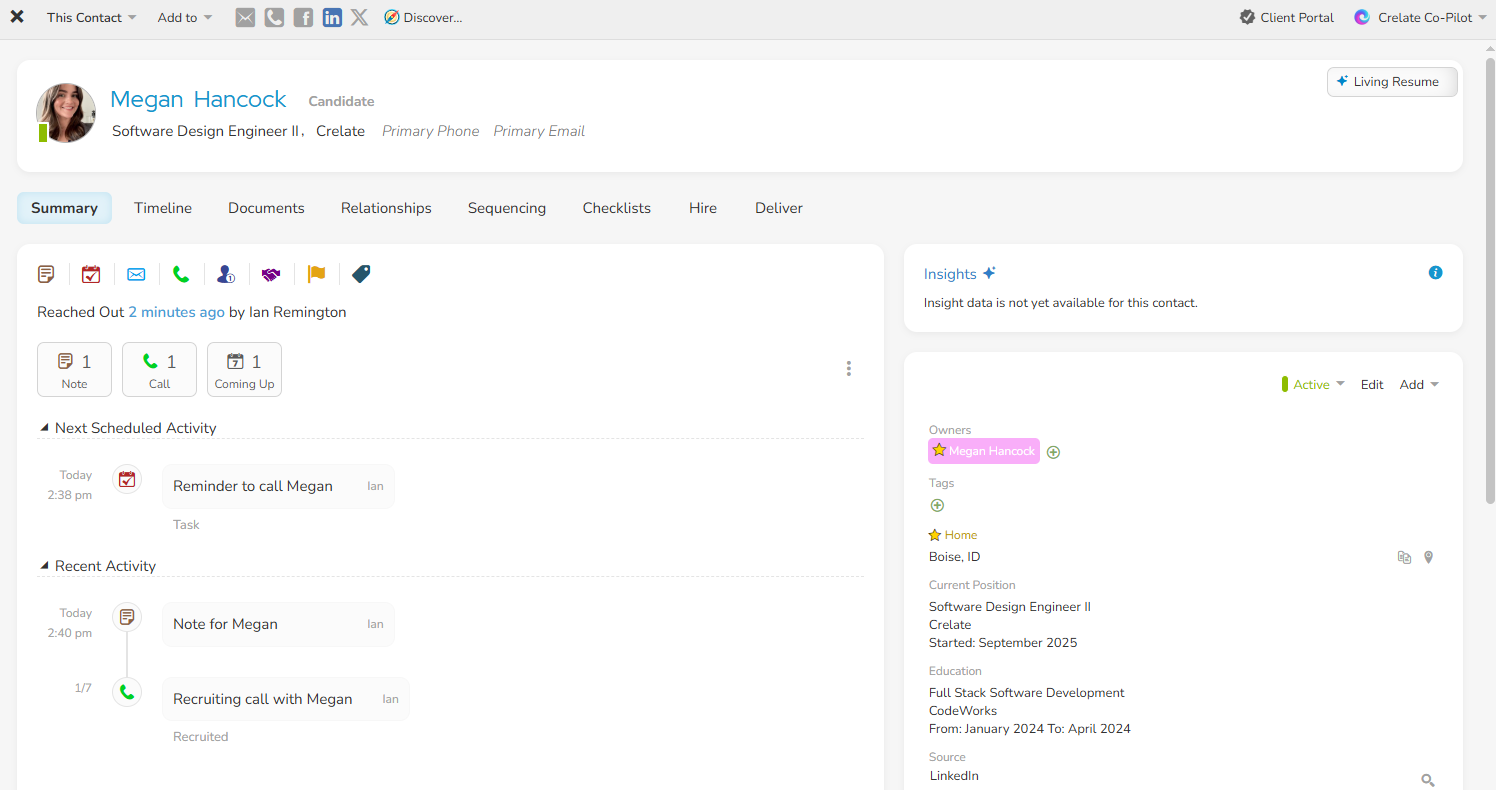
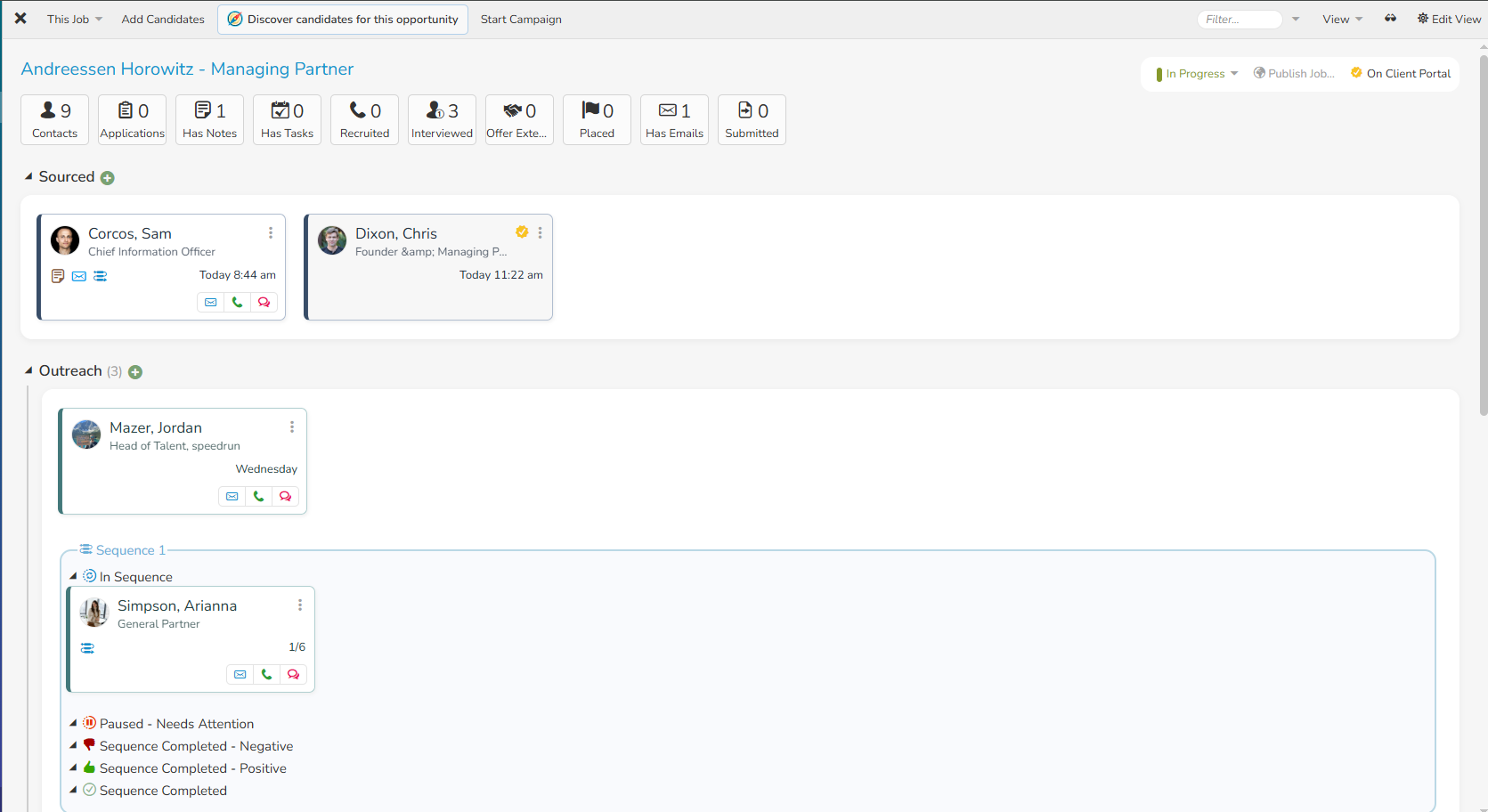
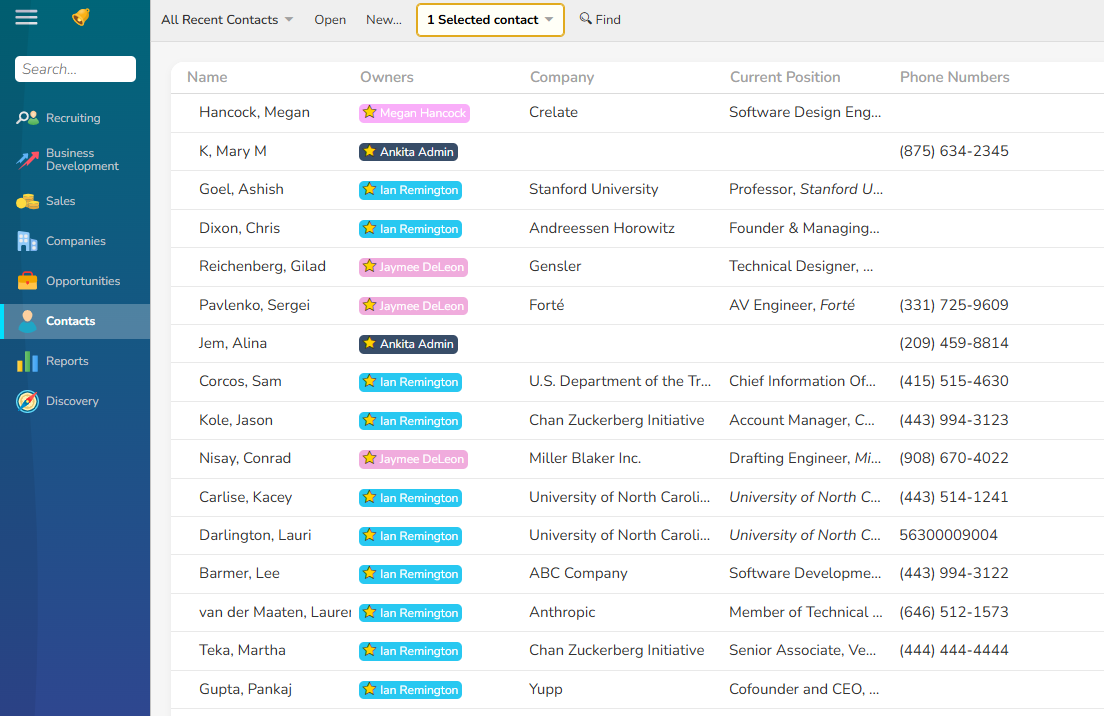
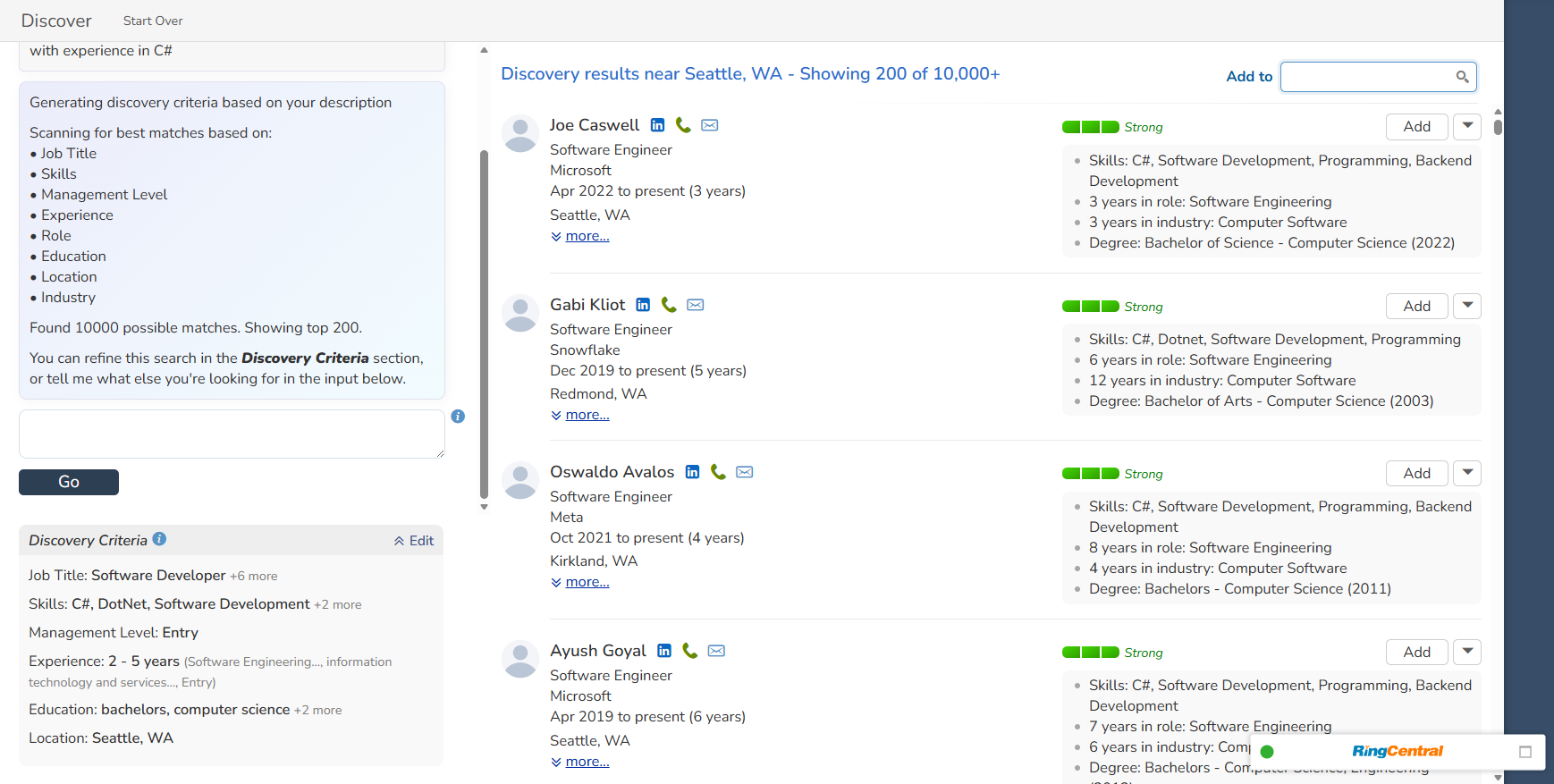
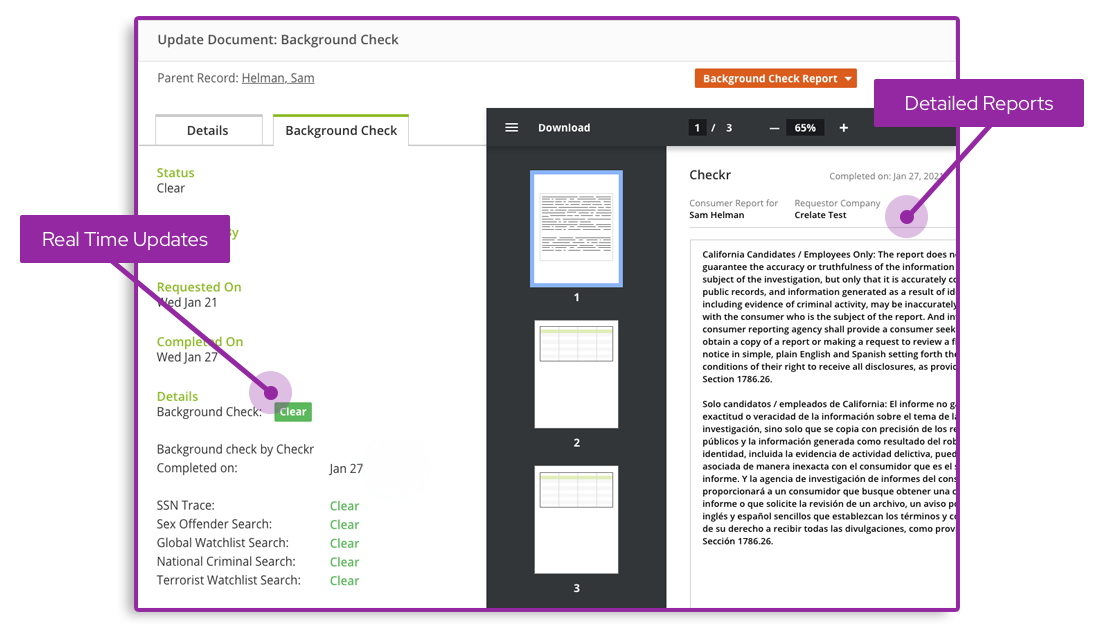
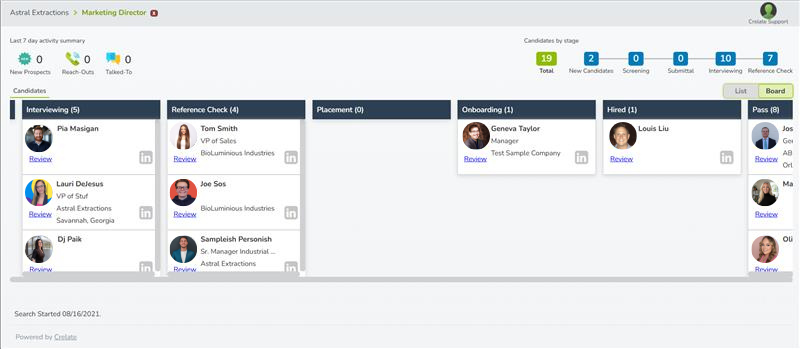
Screenshot of a Contact RecordScreenshot of the Job DashboardScreenshot of the List ViewScreenshot of the AI Discover AgentScreenshot of Detailed ReportsScreenshot of Candidates

Zoho Projects Screenshots

Screenshot of Task Automation with Blueprint - Map out your entire workflow with no code as flowcharts. Automate your tasks and notifications and set approval criteria with blueprint.Screenshot of Intuitive Gantt Charts - Say what, say who, say when. And done. Zoho Projects' Gantt chart comes feature loaded with advanced operations such as Critical path and Baseline.Screenshot of Inbuilt Issue Tracker - You can log, organize, track, and fix any problems. Features such as status and workflow, can be customized to suit the exact needs of your project.Screenshot of Drag, Drop and Done - A view of your tasks as cards placed along columns. Helps you identify bottlenecks and reorganize quickly using drag and drop.Screenshot of A quick pulse of all your work - The Portfolio dashboard, is a compact overview of all the work that's been happening across projects with widgets that address the project level timeline, status, ownership, budget health, and clients.Screenshot of Looks that matter - A refreshing UI that supports multiple themes, including an eye-catching dark mode.